1
10Self-defined
settings
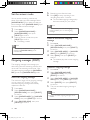
Personalize the sounds
Set the handset’s ringtone
You can select from 20 ringtones.
Customize the settings to make it your own
phone.
1
2
Personalize the phone display
3
Name the handset
The name of the handset can be up to 14
characters. It is displayed on the handset
screen in standby mode.
1
2
3
4
Press menu.
Select [PERSONAL SET] > [HANDSET
NAME], then press [SELECT] to confirm.
Enter or edit the name. To erase a
character, press [CLEAR].
Press [OK] to confirm.
»» The setting is saved.
Press menu.
Select [PERSONAL SET] > [HANDSET
TONES] > [RING TONES], then press
[SELECT] to confirm.
Select a ringtone, then press [SELECT]
to confirm.
»» The setting is saved.
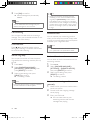
Set the handset’s ringtone volume
You can select among 5 ringtone volume
levels, [PROGRESSIVE] or [OFF].
1
2
3
Set the display language
Press menu.
Select [PERSONAL SET] > [HANDSET
TONES] > [RING VOLUME], then press
[SELECT] to confirm.
Select a volume level, then press
[SELECT] to confirm.
»» The setting is saved.
Tip
•• To turn off the ringtone, press and hold in
Note
standby mode. Then
•• This feature only applies to models with
displays on the screen.
multiple-language support.
•• Languages available for selection vary with
different countries.
1
2
3
24
Press menu.
Select [PERSONAL SET] >
[LANGUAGE], then press [SELECT] to
confirm.
Select a language, then press [SELECT]
to confirm.
»» The setting is saved.
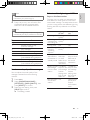
Set the key tone
Key tone is the sound made when you press a
key on the handset.
1
2
3
Press menu .
Select [PERSONAL SET] > [HANDSET
TONES] > [KEY BEEP], then press
[SELECT] to confirm.
Select [ON]/[OFF], then press [SELECT]
to confirm.
»» The setting is saved.
EN
IFU_ID965_05_EU_EN.indd
24
2009-11-20
14:02:37