1
VISTA.engl.mech
9/16/02
5:12 PM
Page ii
welcome
Vista™
Universal Modular Amplifier
t o t h e Vi s t a U n i v e r s a l
Modular Amplifier
f ro m P l a n t ro n i c s ® .
™
Battery Access Door
2
Telephone/Amplifier
Compatibility Slide Switch
3
Telephone/Amplifier
Compatibility Slide Switch Cover
4
Outgoing Volume Control
5
Incoming Volume Thumbwheel
6
Headset/Handset Selector
7
Mute
8
Headset Jack
Step 1: Install batteries.
1
Telephone Jack
Step 2: Attach to phone and headset.
2
Screwdriver
Step 3: Set default settings.
3
Handset Jack
Step 4: Set telephone/amplifier
compatibility switch.
4
AC Power Supply Jack
5
AC Power Supply
6
Amplifier to QD Coil Cable
7
Amplifier to Telephone
Coil Cable
The Vista Universal Modular Amplifier adapts your telephone
to a Plantronics headset and provides control of the sound
through your headset. The Vista amplifier has built-in sound
conditioning and protection.
This User Guide will help you install your Vista amplifier and
learn its basic operations.
The Vista amplifier is not designed to work on telephones that have the dial pad in the handset or on
cordless telephones.
PA RT I
PA RT I I
PA RT I I I
ii
1
1
_
+
2
3
4
5
5
6
6
7
8
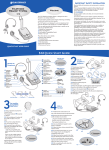
Install in 4 easy Steps
Make a test call.
Learn the basics.
1
e n g l i s h
2
3 4
7
iii