1
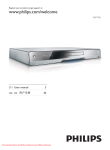
BONUSVIEW™ ‘BD LIVE’ and ‘BONUSVIEW’ are trademarks of Blu-ray Disc Association. ‘x.v.Colour’ is a trademark of Sony Corporation. CLASS 1 LASER PRODUCT BD-Live Connect this product to the movie studios website via the LAN port to access a variety of up-to-date FRQWHQWHJUHIUHVKHGSUHYLHZVDQGH[FOXVLYH VSHFLDOIHDWXUHV<RXFDQDOVRHQMR\QH[WJHQHUDWLRQ possibilities, such as ringtone/wallpaper downloads, peer-to-peer interactions, live events and gaming activities. Upscale DVD for enhanced picture quality Watch the discs in the highest picture quality available for the HDTV. Video upscaling increases WKHUHVROXWLRQRIVWDQGDUGGHÀQLWLRQGLVFWRKLJK GHÀQLWLRQXSWRSRYHUDQ+'0,FRQQHFWLRQ A highly detailed picture and increased sharpness delivers a more true-to-life picture. Region codes You can play discs with the following region codes. 2 Your product Congratulations on your purchase, and welcome to 3KLOLSV7RIXOO\EHQHÀWIURPWKHVXSSRUWWKDW3KLOLSV offers, register your product at www.philips.com/ welcome. Region code DVD Country BD Latin America A Feature highlights Philips EasyLink Your product supports Philips EasyLink, which uses WKH+'0,&(&&RQVXPHU(OHFWURQLFV&RQWURO protocol. EasyLink-compliant devices that are connected through HDMI connectors can be controlled by a single remote control. Note Philips does not guarantee 100% interoperability with all HDMI CEC devices. +LJK'HÀQLWLRQHQWHUWDLQPHQW :DWFKKLJKGHÀQLWLRQFRQWHQWGLVFZLWK+'79 +LJK'HÀQLWLRQ7HOHYLVLRQ&RQQHFWLWWKURXJK DKLJKVSHHG+'0,FDEOHRUFDWHJRU\<RX can enjoy excellent picture quality up to 1080p resolution with the frame rate of 24 frames per second with progressive scan output. BONUSVIEW/PIP (Picture-in-Picture) This is a new function of BD-Video that plays the primary video and secondary video simultaneously. %OXUD\SOD\HUVZLWK)LQDO6WDQGDUG3URÀOHRU3URÀOH 1.1 specs can play Bonus View features. EN 5 E n gl i s h Java and all other Java trademarks and logos are trademarks or registered trademarks of Sun Microsystems, Inc. in the United States and/or other countries.