1
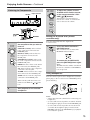
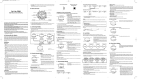
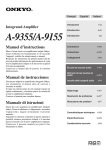
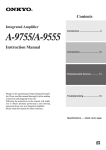
Remote Controller
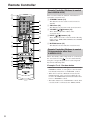
Remote Controller (Buttons to control
the A-9355/A-9155)
1
2
9
1
10
11
12
13
2
4
3
14
B ON button (14)
This button is used to turn on the A-9355/A-9155.
C VOLUME [ ]/[ ] buttons (15)
These buttons adjust the volume of the
A-9355/A-9155.
D INPUT [ ]/[ ] buttons (15)
These buttons are used to select from the following
input sources: LINE, HDD, PHONO, CD, TUNER,
TAPE or MD.
E MUTING button (15)
This button is used to mute the A-9355/A-9155.
3
5
4
5
15
6
16
7
8
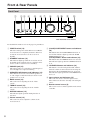
This section describes the function of the buttons to
control the A-9355/A-9155.
A STANDBY button (14)
This button is used to set the A-9355/A-9155 to
Standby.
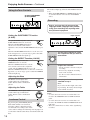
Remote Controller (Buttons to control
Onkyo products other than
A-9355/A-9155)
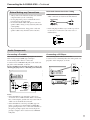
When other Onkyo audio components are connected to
the A-9355/A-9155 via
, you can control them by
using the corresponding buttons for each component
listed in the following table.
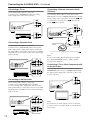
Example: For 6 - Random button
• When the A-9355 has a MD player connected to the
LINE/MD terminal, or a CD player to the CD terminal, the button functions as “RANDOM” control.
• When the A-9355 has a RI dock connected to the
DOCK terminal, or the A-9155 has a RI dock connected to the LINE/DOCK terminal, the button functions as “SHUFFLE” control.
• The button functions as “DOLBY NR” control, when
a cassette deck is connected to the TAPE terminal.
8