1
Adjusting the Monitor's Display
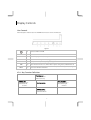
The monitor has four function control buttons to select among functions shown on OSD menu, designed for easy
user-viewing environments.
OSD Function Menu
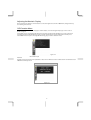
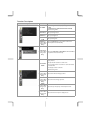
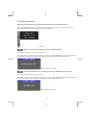
To activate the OSD Main menu, simply press ”Menu” button , the menu diagram will pop up on the screen as
shown on Fig. 2-2
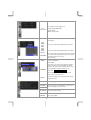
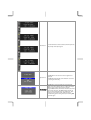
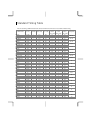
Use the 4D+1 key to navigate through the function you want to adjust. Push the 4D+1 key to enter a sub-menu
and adjust the value. Push the 4D+1 key again to exit the sub-menu. Pressing the "Exit" buttons allows you to
exit the OSD menu at any time. Pressing the "Menu" key gets you back to the main menu.
Figure 2-2
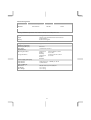
Menu under input
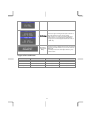
Attention
Firmware revision may have been updated into a latest version while the version number shown on information item
in OSD menu will stay as Ver 1
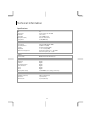
Information OSD
Figure 2-3
8