1
Wireless Mouse
Establishing the Connection
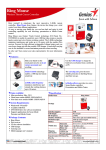
• Remove the mini USB receiver from the bottom of the mouse cover.
Wireless Mouse
Using the Touch Scroll
• Slide your finger over the Touch Scroll sensing area
to use the 4-way scrolling function.
• Quickly slide your finger (either up or down) over the
Touch Scroll to activate the quick scrolling function.
• Press any button to disable the quick scrolling
function.
NOTE: PLEASE REMOVE THE PROTECTIVE PLASTIC FILM ON THE TOUCH SCROLL
BEFORE USING THE DEVICE.
Installing Software for Programmable Buttons
• Plug the USB receiver into an available USB port on your computer
Installing the software enables configuration of the programmable buttons.
The latest software (Model # AMW43) can be downloaded from the official
Targus web site: http://www.targus.com
Double click the setup icon to launch the installation software.
• You are ready to use the mouse.