1
Wireless Mouse
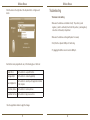
Click the arrows on the right-side of the drop down lists to configure each
button.
Wireless Mouse
Troubleshooting
The mouse is not working.
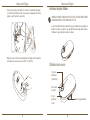
• Make sure the batteries are installed correctly. The positive (+) and
negative (-) ends of each battery must match the positive (+) and negative (-)
connections in the battery compartment.
• Make sure the batteries are charged. Replace if necessary.
• Verify that the computer’s USB port is functioning.
• Try plugging the USB receiver into another USB port.
Each button can be programmed to any of the following types of functions:
Default Action
Set the buttons to a specific function.
Run AppleScript
Set the buttons to load an AppleScript
Launch Application
Set the buttons to launch specific application installed
in the computer.
Perform key strokes
Set the button to recall key strokes.
Predefined functions
Set the button to map pre-set actions
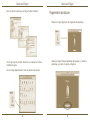
Close the application window to apply the changes.
11
12