1
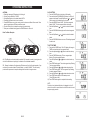
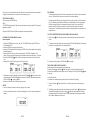
TO SKIP TO THE PREVIOUS TRACK ON A DISC CD/MP3 (USB.FLASH CARD)
For example to skip back to the beginning of track 3 while track 4 is playing.
1. Press the Reverse
Skip track button twice. Disc play will resume at the beginning of
track 3.
2. The CD player will skip back one track each time the Reverse
Skip track button is
pressed. If this button is pressed in the middle of a track, the CD player will skip back to the
beginning of that track. To make if skip back to the previous track press the Reverse
Skip
track button twice.
3. Repeatedly pressing the Reverse
Skip track button makes the CD player skip back
through the disc track by track. Once the beginning of the first track is reached, the CD player
will go to the last track.
NOTES:
The Forward
and Reverse
Skip track buttons can be used to select a desired track to
play before disc play starts. In this case the number of the selected track will be displayed until
the Play/Pause
button is pressed.
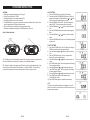
REPEAT DISC PLAY CD/MP3 (USB.FLASH CARD)
Use the REPEAT button to play an entire disc or album continuously.
Repeat play of all tracks
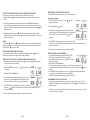
1. Press the REPEAT button twice. The “ALL
appears in the display.
2. Press the Play/Pause
” indicator
button.
3. The disc will then begin playing through to the end of the last
track. At which point it will automatically return to the beginning of
the first track. This will continue until the Stop
button is
pressed.
4. If the REPEAT button is pressed once more (twice more for MP3
mode), the “ALL
” indicator will disappear and repeat play will end. Normal disc play will
resume from that point.
5. When the last track has finished playing, the CD play will Stop.
TRACK SEARCH CD/MP3 (USB.FLASH CARD)
You can search through the track by holding the Forward
or Reverse
button down. Normal play will resume when the button is released.
track skip
REPEAT DISC PLAY OF ONE OF THE TRACKS CD/MP3 (USB.FLASH CARD)
1. Select the desired track by pressing the Forward
or Reverse
Skip track buttons.
The track will be shown in the display.
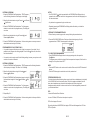
2. Press the REPEAT button once. The “
in the display.
3. Press the PLAY/PAUSE
” indicator will show
button.
4. The selected track will then begin playing through to its end. At
which point it will automatically return to the beginning of that
track. This will continue until the Stop
button is pressed.
5. If the REPEAT button is pressed twice more(thrice more for MP3
mode), the “
” indicator will disappear and, repeat play will end. Normal disc play will
resume from that point.
REPEAT ALBUM PLAY (ONLY MP3 MODE)
1. Select the desired album by pressing the PRE-UP or PREDOWN button. The album will be shown in the display.
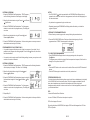
2. Press the REPEAT button thrice the “
ALBUM ” indicator
appears in the display.
3. Press the PLAY/PAUSE
button.
4. The disc will then begin playing through to the end of the album. At which point it will
automatically return to the beginning of the album. This will continue until the stop button is
pressed.
5. If the REPEAT button is pressed once more, the “
ALBUM” indicator will disappar and
repeat play will end. Normal disc will resume from that point.
6. When the last track has finished playing, the CD player will stop.
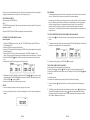
PROGRAMMED DISC PLAY (FOR CD ONLY)
• It is possible to program the tracks you wish to play in a sequence of your choice. It is not
possible to enter program a disc during playback. Press the Stop button first, then follow the
instructions below.
• It is easier to use the remote control for the following settings, however, you may also use the
controls on the main unit if desired.
6. When the last track has finished playing, the CD player will then Stop.
GB 67
GB 70
16.