1
5 Bay Storage with RAID,
eSATA & Trays
DAS501t
User’s Manual
Table of Contents
1
WELCOME ........................................................................................................................................................4
1.1
1.2
1.3
1.3.1
1.3.2
1.3.3
1.4
1.5
1.6
1.6.1
1.6.2
1.7
2
AN INTRODUCTION TO RAID .....................................................................................................................7
2.1
2.2
2.3
2.3.1
2.3.2
2.3.3
2.3.4
2.3.5
2.3.6
2.4
3
INTRODUCTION ...........................................................................................................................................4
PRECAUTION ................................................................................................................................................4
FEATURES .....................................................................................................................................................4
DATA SECURITY ........................................................................................................................................4
DATA PERFORMANCE ..............................................................................................................................5
DATA VERSATILITY ..................................................................................................................................5
EASE OF USE .................................................................................................................................................5
SPECIFICATIONS .........................................................................................................................................5
SYSTEMS REQUIREMENTS ......................................................................................................................5
PC SYSTEMS ................................................................................................................................................5
MACINTOSH SYSTEMS .............................................................................................................................6
PRODUCT CONTENTS ................................................................................................................................6
RAID VOLUMES............................................................................................................................................7
SEGMENTING DISKS ..................................................................................................................................7
RAID LEVELS ................................................................................................................................................8
DISK STRIPING (RAID 0)............................................................................................................................8
DISK MIRRORING (RAID 1).......................................................................................................................8
DISK MIRRORING AND STRIPING (RAID 10).........................................................................................8
PARITY RAID (RAID 5)...............................................................................................................................9
CONCATENATION (COMBINE DRIVE) ...................................................................................................9
SINGLE DRIVE / SEGMENT .......................................................................................................................9
RAID VOLUME STATUS ...........................................................................................................................10
INSTALLATION .............................................................................................................................................11
3.1
3.2
3.3
3.3.1
3.3.2
3.3.3
3.3.4
3.4
3.4.1
3.4.2
3.4.3
3.4.4
3.4.5
3.5
3.5.1
3.5.2
3.5.3
3.5.4
COMPONENTS ............................................................................................................................................11
INSTALLING HARDWARE.......................................................................................................................11
INSTALLING ON WINDOWS 2000...........................................................................................................11
INSTALLING SATA RAID HOST BUS ADAPTER .................................................................................11
INSTALLING SATARAID5 UTILITY ......................................................................................................15
DISK DRIVE MODE SETUP ......................................................................................................................19
ALLOCATING PARTITION ......................................................................................................................19
INSTALLING ON WINDOWS XP .............................................................................................................25
INSTALLING SATA RAID HOST BUS ADAPTER .................................................................................25
INSTALLING SATARAID5 UTILITY ......................................................................................................26
DISK DRIVE MODE SETUP ......................................................................................................................30
ALLOCATING PARTITIONS ON WINDOWS XP 32-BIT ......................................................................30
ALLOCATING PARTITIONS ON WINDOWS XP 64-BIT ......................................................................36
INSTALLING ON WINDOWS SERVER 2003..........................................................................................42
INSTALLING SATA RAID HOST BUS ADAPTER .................................................................................42
INSTALLING SATARAID5 UTILITY ......................................................................................................44
DISK DRIVE MODE SETUP ......................................................................................................................47
ALLOCATING PARTITIONS ....................................................................................................................47
Ver.071016
2
DAS501t User’s Manual
3.6 INSTALLING ON WINDOWS VISTA.......................................................................................................54
3.6.1 INSTALLING SATA RAID HOST BUS ADAPTER .................................................................................54
3.6.2 INSTALLING SATARAID5 UTILITY ......................................................................................................55
3.6.3 DISK DRIVE MODE SETUP ......................................................................................................................59
3.6.4 ALLOCATING PARTITIONS ....................................................................................................................59
3.7 INSTALLING ON MACINTOSH OS X .....................................................................................................64
3.7.1 RELEASE NOTES ......................................................................................................................................64
3.7.2 INSTALLING SATA RAID HOST BUS ADAPTER AND SATARAID5 UTILITY ................................64
3.7.3 DISK DRIVE MODE SETUP ......................................................................................................................68
3.7.4 ALLOCATING PARTITIONS ....................................................................................................................68
4
SATARAID5 ARRAY MANAGER................................................................................................................73
4.1 OVERVIEW ..................................................................................................................................................73
4.2 CREATING RAID GROUPS .......................................................................................................................74
4.2.1 CONTIGUOUS RAID GROUPS.................................................................................................................74
4.2.2 CONCATENATED RAID GROUPS ..........................................................................................................74
4.2.3 STRIPED RAID GROUPS ..........................................................................................................................75
4.2.4 MIRRORED RAID GROUPS......................................................................................................................75
4.2.5 MIRRORED STRIPED RAID GROUPS.....................................................................................................76
4.2.6 PARITY RAID GROUPS ............................................................................................................................76
4.2.7 RAID GROUPS OVERVIEW .....................................................................................................................77
4.3 ADDITIONAL MENU COMMANDS.........................................................................................................78
4.3.1 CONFIGURATION .....................................................................................................................................79
4.3.2 EXIT.............................................................................................................................................................81
4.3.3 CREATE SPARE .........................................................................................................................................82
4.3.4 DELETE SPARE .........................................................................................................................................82
4.3.5 DELETE MEMBER ....................................................................................................................................83
4.3.6 DELETE ORPHAN .....................................................................................................................................83
4.3.7 MAKE PASS-THRU ...................................................................................................................................83
4.3.8 DEVICE SUMMARY..................................................................................................................................84
4.3.9 CREATE RAID GROUP .............................................................................................................................85
4.3.10 REBUILD RAID GROUP..........................................................................................................................85
4.3.11 DELETE RAID GROUP............................................................................................................................86
4.3.12 BRING RAID GROUP ONLINE...............................................................................................................86
4.3.13 RAID GROUP SUMMARY ......................................................................................................................86
4.3.14 TASK MANAGER ....................................................................................................................................87
4.3.15 EVENT LOG..............................................................................................................................................89
4.3.16 RESOURCES.............................................................................................................................................90
4.3.17 CREATE LEGACY RAID GROUP ..........................................................................................................91
4.3.18 HELP TOPICS ...........................................................................................................................................91
4.3.19 ABOUT ......................................................................................................................................................91
DAS501T User’s Manual
Ver.071016
3
1 WELCOME
1.1 INTRODUCTION
DAS501t enhances your data storage by combining advanced RAID 1 features typically seen on high-end data
systems with low cost/ high capacity Serial ATA drives. By using industry standard SATA drives
and Silicon Image Host Bus Adapters, you can achieve extraordinarily low costs while remaining assured that
your data is protected against hardware failure.
1.2 PRECAUTION
Please read the safe precautions carefully before you using DAS501t storage appliance. Ensure that you use the
product correctly according to the procedure described in this guide.
The following safety precautions are intended to remind you to operate the product safely and correctly. Please
read and ensure that you understand them before you proceed to the other sections of this guide.
a
Do not attempt to disassemble or alter any part of the product that is not describe in this guide.
a
Do not allow the product to come into contact with water or other liquids. In the event that water or other
liquids enter the interior, immediately unplug the product from the computer. Continued use of the product
may result in fire or electrical shock. Please consult your product distributor or the closest support center.
a
Do not handle the product near a heat source or expose them to direct flame or heat.
a
Never place the product in close to equipment generating storage electromagnetic fields. Exposure to
strong magnetic fields may cause malfunctions or corrupt data.
a
Can’t operate properly under Windows 3.x/ 95 / 98SE/ ME/ NT.
a
Hard disk drive is not including.
1.3 FEATURES
1.3.1
DATA SECURITY
The DAS501t software driver includes support for monitoring to predict suspect drives.
DAS501t provides our highest commitment to data security through the use of RAID architecture
to back up and protect data. RAID levels 1, 10, and 5 provide data security. DAS501t supports sophisticated
sparing support so that hardware failure risk can be minimized by automatically regenerating the failed disk’s data
on a backup disk. The DAS501t software driver includes support for Self- Monitoring Analysis and Reporting
Technology (S.M.A.R.T. 2 ) to predict disk failures. Drives can be moved between controllers without losing data.
1
Redundant Array of Independent Devices, a method of combining drives to provide better protection and/or
performance.
2
Self Monitoring, Analysis and Reporting Testing.
Ver.071016
4
DAS501t User’s Manual
1.3.2
DATA PERFORMANCE
The DAS501t can also increase storage throughput by combining the throughput of multiple drives into a
single volume. RAID levels 1, 10, and 5 support this ability. Furthermore, each volume can be tailored to
provide the best performance for the data contained on that disk.
1.3.3
DATA VERSATILITY
The DAS501t software driver also supports Contiguous and Concatenated drives for applications which do not
require increased security or performance.
1.4 EASE OF USE
The DAS501t utility offers an easy to use utility for creating and managing your storage. It also supports the
latest SATA enhancements including SATA-II Port Multiplier support, and up to 3Gbit/sec transfer rates on
controllers that support that speed. Creating and deleting volumes is also possible without requiring a restart of
the operating system and rebuilds never require the data to be taken off-line.
Drives can also be moved between controllers without losing the data.
1.5 SPECIFICATIONS
a
A single eSATA host port to 5 SATA 3.5-inch hard disks, with HDD trays & door cover.
a
Power LED, and devices status and activity LED (on the HDD trays).
a
Metal chassis (SECC) and plastic panel frame (ABS) with HDD trays (SECC and ABS) design.
a
135 (W) x 180 (H) x 255 (D) mm, NW: 2.7 Kgs, GW: 3.1Kgs.
a
Design based on the Silicon Image SiI3726 Port-Multiplier with SiI3132R5 PCI-Express 1X HBA.
a
Support Striped (RAID 0), Mirrored (RAID 1), Mirrored Striped (RAID 10), Parity RAID (RAID 5) modes, and
hot spare on Mirrored (RAID 1), Mirrored Striped (RAID 10) and Parity RAID (RAID 5) modes.
a
Support Contiguous (Single Drive) & Concatenation (Combine Drives) modes.
a
220 watts, 103 to 253Vac / 47~63Hz with CE/ FCC/ UL-1950/ C-UL/TUV/ CB requirement.
a
Single packing (color box with handle) and 4 in 1 outer box.
1.6 SYSTEMS REQUIREMENTS
1.6.1
PC SYSTEMS
• Intel Pentium-III 500MHz equivalent or faster
• Windows 2000, XP, 2003 Server or Windows Vista with the latest Service Packs
• CD-ROM drive
• 64 MB of RAM (minimum)
• 250 MB of free disk space
• Super VGA (800 x 600) or higher resolution display with at least 256 colors
• Mouse or compatible pointing device
• SATA connection: Host Bus Adapter card (controller number Sii3124 or Sii3132) and associated software
drivers with Port Multiplier support
DAS501t User’s Manual
Ver.071016
5
1.6.2
MACINTOSH SYSTEMS
• PowerMac G5, MacBook Pro or Mac Pro
• MacOS X, 10.4.8 (or later)
• CD-ROM drive
• Mouse or compatible pointing device
• SATA connection: Host Bus Adapter card (controller number Sii3124 or Sii3132) and associated software
drivers with Port Multiplier support
1.7 PRODUCT CONTENTS
The following parts are content.
a
DAS501t x 1
a
SiI3132R5 PCI-Express 1X HBA x 1
a
eSATA Cable x 1
a
Power Cable x 1
a
HDD Screw x 20
a
Setup and Installation Driver Repository CD x 1
Ver.071016
6
DAS501t User’s Manual
2 AN INTRODUCTION TO RAID
2.1 RAID VOLUMES
RAID technology allows one or more disks to be combined into a logical volume which provides greater
performance and/or protection than standard disk drives. These volumes, also known as RAID Groups, appear
like regular disk drives to the operating system and can be partitioned, formatted and used just like any other
normal disk. The complexity of the RAID is hidden within the driver.
There are several different methods of combining disks, each with its own advantages and disadvantages. Each
method is referred to as a RAID “level” such as RAID 1, or RAID 5. The details of each level are summarized
below and detailed in the following sections.
RAID LEVEL
0
CONFIGURED AS
Striped
ADVANTAGES
Excellent performance, low cost
DISADVANTAGES
No data protection
1
Mirrored
Excellent data protection
High cost
10
Mirrored Striped
High performance, excellent data
protection.
High cost.
5
Parity RAID
Good data protection, good value
Some performance degradation
for writes.
Combination
Concatenated
Good performance, low cost, large
Volume size
No data protection
Single Drive / Segment
Contiguous
Same as single disk
Same as single disk
2.2 SEGMENTING DISKS
For increased versatility, the SATARAID5 software allows individual disks to be divided into smaller segments
which can then be combined into different volumes. As an example, if a user has one set of data that must
be protected at all costs, another set of data which should be protected at reasonable cost and another set
that
doesn’t need any protection at all; the user can divide three disks into sections as shown in Figure 1.
The yellow
regions define the high security volume, the greem section is the middle security volume and the light blue shows
the unprotected area.
Figure 1:
DAS501t User’s Manual
Dividing Disks into Members
Ver.071016
7
2.3 RAID LEVELS
2.3.1
DISK STRIPING (RAID 0)
Striping is a performance-oriented, non-redundant data mapping technique. While Striping is discussed as a
RAID Group type, it is does not provide any fault tolerance. With modern SATA and ATA bus mastering
technology, multiple I/O operations can be performed in parallel, enhancing data throughput. Striping arrays use
multiple disks to form a larger virtual disk. The figure below illustrates a three-disk stripe set. Stripe one is written
to disk one, stripe two to disk two, and so forth. RAID 0 sets can be comprised of two, three, or four drives. If the
sizes of the disk segments are different, the smallest disk segment will limit the overall size of the RAID Group.
Stripe0
Stripe1
Stripe2
Stripe3
Stripe4
Stripe5
Stripe6
Stripe7
Stripe8
Stripe9
Stripe10
Stripe11
2.3.2
DISK MIRRORING (RAID 1)
Disk mirroring creates an identical twin for a selected disk by having the data simultaneously written to two disks.
This redundancy provides instantaneous protection from a single disk failure. If a read failure occurs on one drive,
the system reads the data from the other drive. RAID 1 sets are comprised of two drives, and a third drive can be
allocated as a spare in case one of the drives in the set fails. If the sizes of the disk segments are different, the
smallest disk segment will limit the overall size of the RAID Group.
Block 0
Block 1
Block 0
Block 2
Block 1
Block 3
Block 2
Block 3
2.3.3
DISK MIRRORING AND STRIPING (RAID 10)
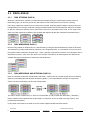
RAID 10 combines the features of both RAID 0 and RAID 1. Performance is provided through the use of Striping
(RAID 0), while adding the fault tolerance of Mirroring (RAID 1). The implementation of RAID 10 requires four
drives. The drives are assigned as two sets of striped pairs.
The data is written to RAID Group A, which is mirrored (RAID 1) and provides data redundancy. Alternating
blocks of data are then striped across another RAID 1 mirrored set, shown as Set B in the figure above. This
provides improved speed.
Under certain circumstances, a RAID 10 set can sustain multiple simultaneous drive failures.
Ver.071016
8
DAS501t User’s Manual
2.3.4
PARITY RAID (RAID 5)
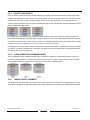
Parity or RAID 5 adds fault tolerance to Disk Striping by including parity information with the data. Parity RAID
dedicates the equivalent of one disk for storing parity stripes. The data and parity information is arranged on the
disk array so that parity is written to different disks. There are at least 3 members to a Parity RAID set. The
following example illustrates how the parity is rotated from disk to disk. The following example illustrates how the
parity is rotated from disk to disk.
Parity RAID uses less capacity for protection and is the preferred method to reduce the cost per megabyte for
larger installations. Mirroring requires 100% increase in capacity to protect the data whereas the above example
using three hard drives only requires a 50% increase. The additional required capacity decreases as the number
of disks in the group increases (i.e., 33% for four drives or 25% for five drives).
In exchange for low overhead necessary to implement protection, Parity RAID degrades performance for all write
operations. The parity calculations for Parity RAID may result in write performance that is somewhat slower than
the write performance to a single disk.
2.3.5
CONCATENATION (COMBINE DRIVE)
The Concatenated mode combines multiple disks or segments of disks into a single large volume. It does not
provide any data protection or performance improvement but can be useful for utilizing leftover space on disks.
Concatenation allows the segments that make up the volume to be of different sizes.
2.3.6
SINGLE DRIVE / SEGMENT
The single drive is a virtual disk that can either be an entire disk drive or a segment of a single disk drive. Single
drive is the “Contiguous” configuration option when creating RAID Groups (or sets) in the SATARAID5 software.
DAS501t User’s Manual
Ver.071016
9
2.4 RAID VOLUME STATUS
A RAID volume can be in any one of the following statuses.
STATUS
MEANING
Good
All disks are currently functioning as normal.
Reduced
For RAID levels that provide data protection, one or more disks have failed but the data is
still available via the RAID algorithms. The failed disk should be replaced as soon as
possible to avoid loss of data.
Rebuilding
A failed disk drive has been replaced and the data is being regenerated on the replacement
disk. When complete, the RAID Group will return to Good status.
Resynchronizing
An error has occurred and RAID algorithms be regenerated on this RAID Group. When
complete, the RAID Group will return to Good status.
Failed
One or more disks have failed and RAID algorithms can no longer regenerate the data. The
minimum number of failures required to reach this state depends on the RAID level:
a
RAID 0, Concatenated, Contiguous: Single disk failure.
a
RAID 1, 10, and 5: Two disk failure.
Ver.071016
10
DAS501t User’s Manual
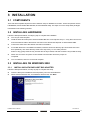
3 INSTALLATION
3.1 COMPONENTS
There are three separate steps that must be install or setup for DAS501t to function. These components are the
HARDWARE, SATA RAID5 HBA DRIVER, and SATARAID5 Utility. The steps on how to setup these packages
is described in the following sections.
3.2 INSTALLING HARDWARE
Follow the descriptions below, and step by step to complete the installation.
a
Turn off your host computer.
a
Install the SiI3132 PCI-Express 1X SATA RAID5 HBA into a PCI-Express slot (1X ~ 16X), than connect one
end of the eSATA cable to the eSATA connector on the Sil3132 PCI-Express 1X SATA RAID5 HBA.
a
Connect the other end to the eSATA connecter on DAS501T.
a
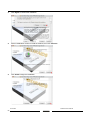
If hard disk drives are not installed in DAS501t, insert the drives into the trays (the round srew hole is the
drive positioner), than insert the trays most of the way to bay 1 to 5 in order (from the
bottom to top); gently insert the tray until the drive is fully inserted, and shut to seat the tray handle securely.
a
Attach one end of the AC power cord to DAS501t and the other end to the proper AC
receptacle.
a
Turn on DAS501t, than turn on the host computer.
3.3 INSTALLING ON WINDOWS 2000
3.3.1
INSTALLING SATA RAID HOST BUS ADAPTER
Follow the descriptions below, and step by step to complete the setup.
a
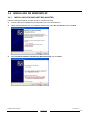
Insert the Setup and Installation Driver Repository CD in the CD-ROM drive.
a
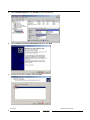
When start the Windows O/S, new hardware will be found, click Next.
DAS501t User’s Manual
Ver.071016
11
a
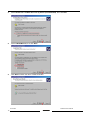
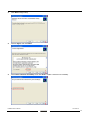
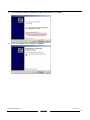
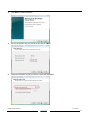
Select Search for a suitable driver for my device (recommended), than click Next.
a
Select CD-ROM drives, than click Next.
a
Click Next to search the driver of RAID Controller.
Ver.071016
12
DAS501t User’s Manual
a
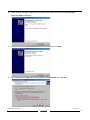
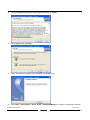
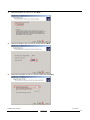
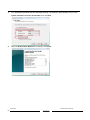
When the RAID Controller installation has completed, click Finish, and begin to the Pseudo SCSI
Processor Device installation.
a
Windows will find the Pseudo SCSI Processor Device hardware, click Next.
a
Select Search for a suitable driver for my device (recommended), than click Next.
DAS501t User’s Manual
Ver.071016
13
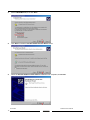
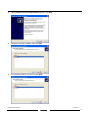
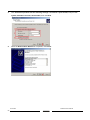
a
Select CD-ROM drives, than click Next.
a
Click Next to install the Pseudo SCSI Processor Device driver.
a
When the Pseudo SCSI Processor Device installation has completed, click Finish.
Ver.071016
14
DAS501t User’s Manual
3.3.2
INSTALLING SATARAID5 UTILITY
Follow the descriptions below, and step by step to complete the installation.
a
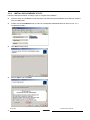
Open the Setup and Installation Driver Repository CD and select the SATARAID5 Array Manager software
from the Utility folder.
a
Double-click the 3132-W-I32-R.msi file (Located at: E:\ Utility\SiI3132R5\Windows\2k\3132-W-I32-R.msi; PS:
"E:" = CD-ROM drive letter).
a
Click Next to begin setup.
DAS501t User’s Manual
Ver.071016
15
a
Select I Agree, than click Next.
a
Select Place shortcut on Desktop, than click Next.
a
Click Next to use the default installation folder.
Ver.071016
16
DAS501t User’s Manual
a
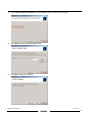
Click Next to begin the installation.
a
When Digital Signature Not Found message pop-out, click Yes to continue the installation.
a
When the SATARAID5 Utility installation has completed, click Close, and begin to the Java platform
installation.
DAS501t User’s Manual
Ver.071016
17
a
Select I accept the terms in the license agreement, than click Next.
a
Select Typical, than click Next.
a
When Java platform installation has completed, click Finish to exit.
a
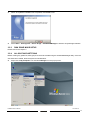
Select Start > Programs > Silicon Image > SATARaid5Manager to start the Array Manager software.
Ver.071016
18
DAS501t User’s Manual
3.3.3
DISK DRIVE MODE SETUP
Please refer to the chapter 4.
3.3.4
ALLOCATING PARTITION
Before creating any partitions, RAID groups must first be created using the SATARaid5Manager utility. Once the
sets have been created, allow the system to load Windows.
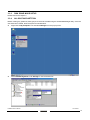
a
Right-click on My Computer icon and select Manage from the pop-up menu.
a
Select Disk Management under Storage to view the disk drives.
DAS501t User’s Manual
Ver.071016
19
a
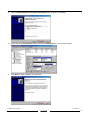
When Write Signature and Upgrade Disk Wizard appears, click Next.
a
Select the new disk to write a signature, than click Next.
a
Do not click any disk to upgrade to dynamic disk, than click Next.
Ver.071016
20
DAS501t User’s Manual
a
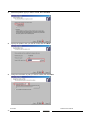
When the Write Signature and Upgrade Disk Wizard has completed, click Finish.
a
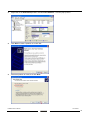
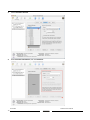
Right-click on the Unallocated partition and select Create Partition… from the pop-up menu.
a
Click Next to create a partition on a basic disk.
DAS501t User’s Manual
Ver.071016
21
a
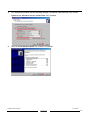
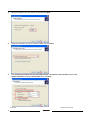
Select the partition type you want to create, than click Next.
a
Specify the partition size you want to create, than click Next.
a
Assign the drive letter or path you want to create, than click Next.
Ver.071016
22
DAS501t User’s Manual
a
Click Format this partition with the following settings and Perform a Quick Format, setup the File
system to use, Allocation unit size, Volume label, than click Next.
a
When the Create Partition Wizard has completed, click Finish.
DAS501t User’s Manual
Ver.071016
23
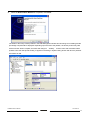
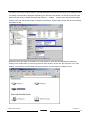
The status of the newly created partition in the Disk Management window should change to Formatting and the
percentage complete will be displayed. Depending upon the size of the partition, the format process may take
several minutes. When complete, the status will change to “Healthy" and the name and drive letter will be
updated. Once the disk reports Healthy, it appears in the listing in System Listing section with all of its pertinent
information as well.
Repeat the above procedure as needed for any other partitions. Close the Data Management window by
clicking on the small boxed “X” in the top right corner of the window. Click on the “My Computer” icon on the
Desktop. The new drives will be visible and properly named. The new disks are available for use.
Ver.071016
24
DAS501t User’s Manual
3.4 INSTALLING ON WINDOWS XP
3.4.1
INSTALLING SATA RAID HOST BUS ADAPTER
Follow the descriptions below, and step by step to complete the setup.
a
Insert the Setup and Installation Driver Repository CD in the CD-ROM drive.
a
When start the Windows O/S, new hardware will be found; select No, not this time, than click Next.
a
Select Install the software automatically (Recommended), than click Next.
DAS501t User’s Manual
Ver.071016
25
a
When the installation has completed, click Finish.
3.4.2
INSTALLING SATARAID5 UTILITY
Follow the descriptions below, and step by step to complete the installation.
a
Open the Setup and Installation Driver Repository CD and select the SATARAID5 Array Manager software
from the Utility folder.
a
Double-click the 3132-W-R.msi file (Located at: E:\Utility\SiI3132R5\Windows\3132-W-R.msi; PS: "E:" =
CD-ROM drive letter).
Ver.071016
26
DAS501t User’s Manual
a
Click Next to begin setup.
a
Select I Agree, than click Next.
a
Select Place shortcut on Desktop, than click Next to create a shortcut on the desktop.
DAS501t User’s Manual
Ver.071016
27
a
Click Next to use the default installation folder.
a
Click Next to begin the installation.
a
When the SATARAID5 Utility installation has completed, click Close, and begin to the Java platform
installation.
Ver.071016
28
DAS501t User’s Manual
a
Select I accept the terms in the license agreement, than click Next.
a
Select Typical, than click Next.
a
When Java platform installation has completed, click Finish to exit.
a
Select Start > All Programs > Silicon Image > SATARaid5Manager to start the Array Manager software.
DAS501t User’s Manual
Ver.071016
29
3.4.3
DISK DRIVE MODE SETUP
Please refer to the chapter 4.
3.4.4
ALLOCATING PARTITIONS ON WINDOWS XP 32-BIT
Before creating any partitions, RAID groups must first be created using the SATARaid5Manager utility. Once the
sets have been created, allow the system to load Windows.
a
Right-click on My Computer icon and select Manage from the pop-up menu.
a
Select Disk Management under Storage to view the disk drives.
Ver.071016
30
DAS501t User’s Manual
a
When Initialize and Convert Disk Wizard appears, click Next.
a
Select the new disk to initialize, than click Next.
a
Do not click any disk to convert, than click Next.
DAS501t User’s Manual
Ver.071016
31
a
When the Initialize and Convert Disk Wizard has completed, click Finish.
a
Right-click on the Unallocated partition and select New Partition… from the pop-up menu.
a
Click Next to create a partition on a basic disk.
Ver.071016
32
DAS501t User’s Manual
a
Select the partition type you want to create, than click Next.
a
Specify the partition size you want to create, than click Next.
a
Assign the drive letter or path you want to create, than click Next.
DAS501t User’s Manual
Ver.071016
33
a
Click Format this partition with the following settings and Perform a quick format, setup the File
system, Allocation unit size, Volume label, than click Next.
a
When the New Partition Wizard has completed, click Finish.
Ver.071016
34
DAS501t User’s Manual
The status of the newly created partition in the Disk Management window should change to Formatting and the
percentage complete will be displayed. Depending upon the size of the partition, the format process may take
several minutes. When complete, the status will change to “Healthy" and the name and drive letter will be
updated. Once the disk reports Healthy, it appears in the listing in System Listing section with all of its pertinent
information as well.
Repeat the above procedure as needed for any other partitions. Close the Data Management window by
clicking on the small boxed “X” in the top right corner of the window. Click on the “My Computer” icon on the
Desktop. The new drives will be visible and properly named. The new disks are available for use.
DAS501t User’s Manual
Ver.071016
35
3.4.5
ALLOCATING PARTITIONS ON WINDOWS XP 64-BIT
Before creating any partitions, RAID groups must first be created using the SATARaid5Manager utility. Once the
sets have been created, allow the system to load Windows.
a
Right-click on My Computer icon and select Manage from the pop-up menu.
a
Select Disk Management under Storage to view the disk drives.
Ver.071016
36
DAS501t User’s Manual
a
When Initialize and Convert Disk Wizard appears, click Next.
a
Select the new disk to initialize, than click Next.
a
Do not click any disk to convert, than click Next.
DAS501t User’s Manual
Ver.071016
37
a
When the Initialize and Convert Disk Wizard has completed, click Finish.
a
Windows 64-bit system supports GPT disk which supports disk volume greater than 2TB.
a
Right-click on the Basic disk and select Convert to GPT disk from the pop-up menu.
Ver.071016
38
DAS501t User’s Manual
a
Right-click on the Unallocated partition and select New Partition… from the pop-up menu.
a
Click Next to create a partition on a basic disk.
a
Select the partition to create, than click Next.
DAS501t User’s Manual
Ver.071016
39
a
Specify the partition size you want to create, than click Next.
a
Assign the drive letter or path you want to create, than click Next.
a
Click Format this partition with the following settings and Perform a quick format, setup the File
system, Allocation unit size, Volume label, than click Next.
Ver.071016
40
DAS501t User’s Manual
a
When the New Partition Wizard has completed, click Finish.
The status of the newly created partition in the Disk Management window should change to Formatting and the
percentage complete will be displayed. Depending upon the size of the partition, the format process may take
several minutes. When complete, the status will change to “Healthy" and the name and drive letter will be
updated. Once the disk reports Healthy, it appears in the listing in System Listing section with all of its pertinent
information as well.
DAS501t User’s Manual
Ver.071016
41
Repeat the above procedure as needed for any other partitions. Close the Data Management window by
clicking on the small boxed “X” in the top right corner of the window. Click on the “My Computer” icon on the
Desktop. The new drives will be visible and properly named. The new disks are available for use.
3.5 INSTALLING ON WINDOWS SERVER 2003
3.5.1
INSTALLING SATA RAID HOST BUS ADAPTER
Follow the descriptions below, and step by step to complete the setup.
a
Insert the Setup and Installation Driver Repository CD in the CD-ROM drive.
a
When start the Windows O/S, new hardware will be found; Select No, not this time, than click Next.
Ver.071016
42
DAS501t User’s Manual
a
Select Install the software automatically (Recommended), than click Next.
a
When the installation has completed, click Finish.
DAS501t User’s Manual
Ver.071016
43
3.5.2
INSTALLING SATARAID5 UTILITY
Follow the descriptions below, and step by step to complete the installation.
a
Open the Setup and Installation Driver Repository CD and select the SATARAID5 Array Manager software
from the Utility folder.
a
Double-click the 3132-W-R.msi file (Located at: E:\Utility\SiI3132R5\Windows\3132-W-R.msi; PS: "E:" =
CD-ROM drive letter).
a
Click Next to begin setup.
a
Select I Agree, than click Next.
Ver.071016
44
DAS501t User’s Manual
a
Select Place shortcut on Desktop, than click Next to create a shortcut on the desktop.
a
Click Next to use the default installation folder.
a
Click Next to begin the installation.
DAS501t User’s Manual
Ver.071016
45
a
When the SATARAID5 Utility installation has completed, click Close, and begin to the Java installation.
a
Select I accept the terms in the license agreement, than click Next.
a
Select Typical, than click Next.
Ver.071016
46
DAS501t User’s Manual
a
When Java platform installation has completed, click Finish to exit.
a
Select Start > All Programs > Silicon Image > SATARaid5Manager to start the Array Manager software.
3.5.3
DISK DRIVE MODE SETUP
Please refer to the chapter 4.
3.5.4
ALLOCATING PARTITIONS
Before creating any partitions, RAID groups must first be created using the SATARaid5Manager utility. Once the
sets have been created, allow the system to load Windows.
a
Right-click on My Computer icon and select Manage from the pop-up menu.
DAS501t User’s Manual
Ver.071016
47
a
Select Disk Management under Storage to view the disk drives.
a
When Initialize and Convert Disk Wizard appears, click Next.
a
Select the new disk to initialize, than click Next.
Ver.071016
48
DAS501t User’s Manual
a
Do not click any disk to convert, than click Next.
a
When the Initialize and Convert Disk Wizard has completed, click Finish.
a
Windows Server 2003 SP1 or later system supports GPT disk which supports disk volume greater than 2TB.
DAS501t User’s Manual
Ver.071016
49
a
Right-click on the Basic disk and select Convert to GPT disk from the pop-up menu.
a
Right-click on the Unallocated partition and select New Partition… from the pop-up menu.
a
Click Next to create a partition on a basic disk.
Ver.071016
50
DAS501t User’s Manual
a
Select the partition to create, than click Next.
a
Specify the partition size you want to create, than click Next.
a
Assign the drive letter or path you want to create, than click Next.
DAS501t User’s Manual
Ver.071016
51
a
Click Format this partition with the following settings and Perform a quick format, setup the File
system, Allocation unit size, Volume label, than click Next.
a
When the New Partition Wizard has completed, click Finish.
Ver.071016
52
DAS501t User’s Manual
The status of the newly created partition in the Disk Management window should change to Formatting and the
percentage complete will be displayed. Depending upon the size of the partition, the format process may take
several minutes. When complete, the status will change to “Healthy" and the name and drive letter will be
updated. Once the disk reports Healthy, it appears in the listing in System Listing section with all of its pertinent
information as well.
Repeat the above procedure as needed for any other partitions. Close the Data Management window by
clicking on the small boxed “X” in the top right corner of the window. Click on the “My Computer” icon on the
Desktop. The new drives will be visible and properly named. The new disks are available for use.
DAS501t User’s Manual
Ver.071016
53
3.6 INSTALLING ON WINDOWS VISTA
3.6.1
INSTALLING SATA RAID HOST BUS ADAPTER
Follow the descriptions below, and step by step to complete the setup.
a
Insert the Setup and Installation Driver Repository CD in the CD-ROM drive.
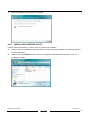
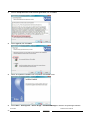
a
When start the Windows O/S, new hardware will be found; Select Locat and install driver software
(recommended).
a
Insert the disc that came with your RAID Controller, than click Next.
Ver.071016
54
DAS501t User’s Manual
a
When the installation has completed, click Close.
3.6.2
INSTALLING SATARAID5 UTILITY
Follow the descriptions below, and step by step to complete the installation.
a
Open the Setup and Installation Driver Repository CD and select the SATARAID5 Array Manager software
from the Utility folder.
a
Double-click the 3132-W-R.msi file (Located at: E:\Utility\SiI3132R5\Windows\3132-W-R.msi; PS: "E:" =
CD-ROM drive letter).
DAS501t User’s Manual
Ver.071016
55
a
Click Next to begin setup.
a
Select I Agree, than click Next.
a
Select Place shortcut on Desktop, than click Next to create a shortcut on the desktop.
Ver.071016
56
DAS501t User’s Manual
a
Click Next to use the default installation folder.
a
Click Next to begin the installation.
a
When the SATARAID5 Utility installation has completed, click Close, and begin to the Java installation.
DAS501t User’s Manual
Ver.071016
57
a
Select I accept the terms in the license agreement, than click Next.
a
Select Typical, than click Next.
a
When Java platform installation has completed, click Finish to exit.
a
Select Start > All Programs > Silicon Image > SATARaid5Manager to start the Array Manager software.
Ver.071016
58
DAS501t User’s Manual
3.6.3
DISK DRIVE MODE SETUP
Please refer to the chapter 4.
3.6.4
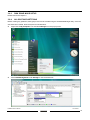
ALLOCATING PARTITIONS
Before creating any partitions, RAID groups must first be created using the SATARaid5Manager utility. Once the
sets have been created, allow the system to load Windows.
a
Right-click on My Computer icon and select Manage from the pop-up menu.
a
Select Disk Management under Storage to view the disk drives.
DAS501t User’s Manual
Ver.071016
59
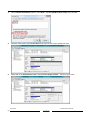
a
When Initialize Disk Wizard appears, select Disk 1 and GPT (GUID Partition Table), than click OK.
a
Windows Vista system supports GPT disk which supports disk volume greater than 2TB.
a
Right-click on the Unallocated partition and select New Single Volume… from the pop-up menu.
Ver.071016
60
DAS501t User’s Manual
a
Click Next to create the partition.
a
Specify the partition size you want to create, than click Next.
a
Assign the drive letter or path you want to create, than click Next.
DAS501t User’s Manual
Ver.071016
61
a
Click Format this partition with the following settings and Perform a quick format, setup the File
system, Allocation unit size, Volume label, than click Next.
a
When the New Partition Wizard has completed, click Finish.
Ver.071016
62
DAS501t User’s Manual
The status of the newly created partition in the Disk Management window should change to Formatting and the
percentage complete will be displayed. Depending upon the size of the partition, the format process may take
several minutes. When complete, the status will change to “Healthy" and the name and drive letter will be
updated. Once the disk reports Healthy, it appears in the listing in System Listing section with all of its pertinent
information as well.
Repeat the above procedure as needed for any other partitions. Close the Data Management window by
clicking on the small boxed “X” in the top right corner of the window. Click on the “My Computer” icon on the
Desktop. The new drives will be visible and properly named. The new disks are available for use.
DAS501t User’s Manual
Ver.071016
63
3.7 INSTALLING ON MACINTOSH OS X
3.7.1
RELEASE NOTES
This is the premier release for the Silicon Image SATARaid5 Storage Solution for Macintosh, the following issues
are known to exsit in this version.
# These issues are expected to be fixed in the next release.
3.7.2
INSTALLING SATA RAID HOST BUS ADAPTER AND SATARAID5 UTILITY
Follow the descriptions below, and step by step to complete the setup.
a
Insert the Setup and Installation Driver Repository CD in the CD-ROM drive.
a
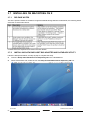
When start the Mac O/S, double-click on the Setup and Installation Driver Repository CD icon.
Ver.071016
64
DAS501t User’s Manual
a
Double-click the siliconimage3132r5.mpkg file to begin the installation
(Located at: E:\Utility\SiI3132R5\Macintosh\siliconimage3132r5.mpkg; PS: "E:" = CD-ROM drive letter).
a
Once started, the following dialog screens will appear, Click Continue.
a
Read the Software License Agreement, than click Continue.
DAS501t User’s Manual
Ver.071016
65
a
Click Agree to continue the installation.
a
Select a destination volume to install the software, than click Continue.
a
Click Install to begin the installation.
Ver.071016
66
DAS501t User’s Manual
a
Enter the Administrative Password for your system, than click OK.
a
Click Close to complete the installation.
a
Select Go > Computer > Applications > Utilities > Silicon Image > SATARaid5Manager to start the
Array Manager software.
DAS501t User’s Manual
Ver.071016
67
3.7.3
DISK DRIVE MODE SETUP
Please refer to the chapter 4.
3.7.4
ALLOCATING PARTITIONS
a
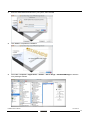
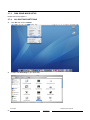
Click Go, than click on Utilities.
a
Double-click Disk Utility to go to Disk Utility.
Ver.071016
68
DAS501t User’s Manual
a
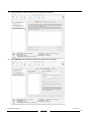
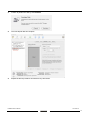
Select the disk you want to partition (On left side of the window).
a
Click Partition to go to partition window (On right side of the window).
DAS501t User’s Manual
Ver.071016
69
a
Select Volumes Scheme.
a
Enter Volumes Information, than click Partition.
Ver.071016
70
DAS501t User’s Manual
a
Confirm to partition the disk by click Partition.
a
The new Striped disk has complete.
a
Repeat the above procedure as needed for any other disks.
DAS501t User’s Manual
Ver.071016
71
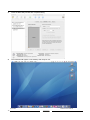
a
Close the Disk Utility window after complete setting.
a
The new disks will appear on the desktop and ready for use..
Ver.071016
72
DAS501t User’s Manual
4 SATARAID5 ARRAY MANAGER
4.1 OVERVIEW
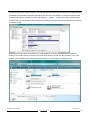
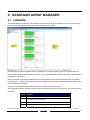
The SATARAID5 Array Manager is the Graphical User Interfaces (GUI) which allows you to create and manage
RAID volumes. The Manager initially shows two windows as seen below.
The RAID Groups window identifies SATA host adapters and configured RAID groups. For systems with more
than one Silicon Image Host Bus Adapter installed, you can switch between cards by selecting the desired card in
the RAID Groups Window.
When a controller is selected, the RAID Groups currently defined on that controller are also shown in the RAID
Groups Window. Selecting a specific RAID Group will highlight the segments associated with that volume in the
Device Configuration Window.
The Device Configuration window identifies all physical drives and their partitions.
Throughout the Manager, different colors are used to indicate the status of the components. The meanings of the
colors are:
DAS501t User’s Manual
COLOR
Green
STATUS
Good. The component and all subcomponents are okay.
Yellow
Warning. This component or at least one subcomponent has become
degraded and requires service.
Red
Failed.
Grey
Unused.
This component or at least one subcomponent has failed.
Ver.071016
73
4.2 CREATING RAID GROUPS
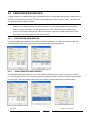
To begin creating a new RAID Group, select “Create RAID Group” from the RAID Group menu or right click on a
controller in the RAID Groups window and select “Create RAID Group” from the pop-up menu. This will cause
the Create RAID Group dialog to appear.
Note: The term “right-click” refers to using the secondary button on your mouse to perform the indicated
operation. On a Windows system, use the mouse button that you have defined to be the secondary
button (by default, that button is on the right side of the mouse, unless you have reconfigured the
primary and secondary mouse buttons using Control Panel > Mouse). On a Macintosh system, press
and hold the Command (Apple) key and click the mouse.
4.2.1
CONTIGUOUS RAID GROUPS
Contiguous RAID Groups allow the user to select a segment of disk drive or a disk drive. Select the disk and
enter the desired values and press Create to create the RAID Group (Example below).
4.2.2
CONCATENATED RAID GROUPS
Concatenated RAID Groups allow the user to select different sized segments for each member of the volume.
For Concatenated volumes only, a dialog box will appear allowing the user to select the individual segment sizes
from each disk. Enter the desired values and press Create to create the RAID Group (Example below).
Ver.071016
74
DAS501t User’s Manual
4.2.3
STRIPED RAID GROUPS
Striped RAID Groups allow the user to select minimum of 2 or more disks for each member of the volume. Enter
the desired values and press Create to create the RAID Group (Example below).
4.2.4
MIRRORED RAID GROUPS
Mirrored RAID Groups allow the user to select 2 disks for each member of the volume. Enter the desired values
and press Create to create the RAID Group (Example below).
DAS501t User’s Manual
Ver.071016
75
4.2.5
MIRRORED STRIPED RAID GROUPS
Mirrored Striped RAID Groups allow the user to select minimum of 4 disks for each member of the volume. Enter
the desired values and press Create to create the RAID Group (Example below).
4.2.6
PARITY RAID GROUPS
Parity RAID Groups allow the user to select minimum of 3 or more disks for each member of the volume. Enter
the desired values and press Create to create the RAID Group (Example below).
Ver.071016
76
DAS501t User’s Manual
4.2.7
RAID GROUPS OVERVIEW
RAID Groups allow Enter values in all fields and click Create to create the RAID Group.
FIELD
RAID Group
Label
DEFINITION
Enter an identifiable name for the RAID group. This value can be any string (up to 8 characters
including blank spaces) to help users identify this volume.
RAID Group
Select a Group ID from the available ID list. The maximum number of RAID Groups per controller is 8,
so Group ID can be any number between 0 and 7, inclusive.
Select which RAID level is to be used to configure these members:
• Contiguous (for virtual disk).
• Concatenated (for multiple concatenated segments).
Configuration
• Striped (for RAID 0)
• Mirrored (for RAID 1)
• Mirrored Striped (for RAID 10)
• Parity RAID (for RAID 5)
Capacity
Select a value to define the total usable capacity of the RAID Group or manually enter the volume size
in gigabytes (GB). Selecting MAX will create the largest RAID set possible with the drive(s) selected.
Chunk Size
Select a value to define the chunk size (stripe size) for performance tuning. In general, large stripe
sizes are best for large files that are accessed sequentially (for example, media streaming files) and
smaller sizes are better for randomly accessed data like databases. This parameter is not used for
Contiguous (JBOD), Concatenated, and Mirrored configurations.
Rebuild Priority
Select a value to identify how quickly the controller should rebuild data on a disk after a hardware
failure. A value of 1 is the lowest priority and will take the longest to rebuild. A value of 10 is the highest
priority and will rebuild the fastest, but may require more CPU resources, which might affect the
computer’s performance. This parameter is not used for Contiguous (JBOD), Concatenated, and
Striped configurations.
Check Pointing
Click the On or Off button to enable or disable the Check Pointing feature. When Check Pointing is
enabled, restoring data is very fast after an unexpected power loss, although normal performance may
be slightly reduced. When Check Pointing is disabled, normal performance is improved, but restores
can take a long time to complete. This selection is only available when the selected RAID configuration
is Mirrored, Mirrored Striped or Parity RAID, and the “Advanced RAID Features” checkbox in the
Configuration/Advanced Options dialog is checked.
Parity
Click the On or Off button to enable or disable the ability to return “dirty” data after an unexpected
power loss and all of the data could not be written to disk, rather than taking the volume off-line. This
selection is only available when the selected RAID configuration is Parity RAID and the “Advanced
RAID Features” checkbox in the Configuration/Advanced Options dialog is checked.
Devices
Select the RAID member devices from the available device segment grid. Up to five members can be
selected for Contiguous, Concatenated, Mirrored, Striped or Parity RAID modes (although Mirrored
RAID Groups will typically contain only two members). Exactly four members must be selected for
Mirrored Striped mode.
RAID Level
0
1
5
10
Contiguous
Concatenated
Min # of Disks
2
2
*
3
*
4
1
1
Once all parameters have been selected, select “Create” to create the RAID Group. When finished, press Cancel
to exit the Create RAID Group Dialog.
*
For 3132, this requires the use of a Port Multiplier device to access more than one disk per SATA channel.
DAS501t User’s Manual
Ver.071016
77
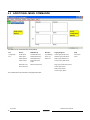
4.3 ADDITIONAL MENU COMMANDS
The Main menu commands are shown below
File
Device
RAID Group
Window
Configuration…
Create Spare
Create RAID Group
Task Manager
Create Legacy RAID Group
Help Topics
Exit
Delete Spare
Rebuild RAID Group
Event Log
Rebuild Legacy RAID Group
About
Delete Member
Delete RAID Group
Resources
Delete Legacy RAID Group
Delete Orphan
Bring RAID Group
Online
Make Pass-Thru
RAID Group Summary
Device Summary
Legacy Support
Convert Legacy RAID Group
Bring Legacy RAID Group Online
Create Legacy Spare
Delete Legacy Spare
Convert Legacy Spare
The commands are documented on the pages that follow.
Ver.071016
78
DAS501t User’s Manual
Help
4.3.1
CONFIGURATION
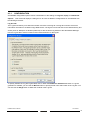
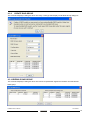
SATARAID5 configuration options include customization of the settings for Log File, Popup, and Advanced
Options. This command displays a dialog box to let user set different configurations for SATARAID5 with
the following three tabs:
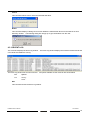
Log File Tab
The Log File tab allows you to define the location and name of the log file. The log file is used to store event
information received from all Silicon Image RAID drivers. The log file is a text file and can be viewed with any text
viewer (such as “Notepad” on Windows platforms) or with the Event Log window of the SATARAID5 Manager.
Use the Log File tab to set the location and the desired filename for the log file.
To specify whether the Log File is generated, click on either the Disabled or Enabled radio button. If Log File
generation is enabled, you can click the Browse button to specify the file name and location of the Log File. You
can also use the Purge button to delete the contents of the Log File.
DAS501t User’s Manual
Ver.071016
79
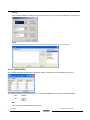
Popup Tab
SATARAID5 can be configured to notify the user of events using messages in popup windows. Use the slider
control to set the event level for popups to occur:
-
Information Level - The following events will trigger a popup window:
e Informational
e Warnings
e Errors
-
Warning Level - The following events will trigger a popup window:
e Warnings
e Errors
-
Error Level - The following events will trigger a popup window:
e Errors
-
Disable All - No events will trigger a popup window.
Ver.071016
80
DAS501t User’s Manual
Advanced Options
The Advanced Options tab is used to control advanced features of the RAID driver. By default, all these advanced
options are disabled.
The Advanced Options tab allows you to enable the following advanced features.
FEATURE
Legacy (Bootable) Support
EXPLANATION
When this feature is selected, Legacy Support menu will be available in the menu bar.
Enables the Legacy Support menu to support RAID functions for legacy RAID groups
(available on Windows platforms only). See Legacy Support menu options.
Delete Member Support
When this feature is selected, Delete Member menu item will be available under the
Device menu. Enables the Delete Member option on the Device menu to delete a
member from RAID 1 (Mirrored), RAID 5 (Parity RAID), and RAID 10 (Striped and
Mirrored) groups. See Delete Member menu option.
Advanced RAID Features
When this feature is selected and user selects to create RAID group, if the RAID group
to be created is fault tolerance group (RAID 1, RAID 5, or RAID 10), user will be able to
select Improper Shutdown Policy in the Create RAID Group dialog box. Enables the
selection of an Improper Shutdown Policy (including Check-Pointing and Dirty Parity
handling) in the Create RAID Group dialog box when the selected RAID Group type is a
fault-tolerant configuration (Mirrored, Mirrored/Striped and Parity RAID). This feature is
not supported for Legacy RAID groups.
Resources Info Support
When this feature is selected, Resources menu item will be available under the Window
menu. Enables the Resources option on the Window menu for debugging purposes.
See Resources menu option.
4.3.2
EXIT
This command terminates the SATARAID5 program.
DAS501t User’s Manual
Ver.071016
81
4.3.3
CREATE SPARE
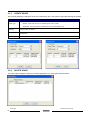
This command displays a dialog box to let user create spare drive, user needs to select the following parameters:
PARAMETER
Spare Type
DESCRIPTION
Choose one of:
• Global - If the spare drive is for all RAID groups in the system.
• Dedicated - If the spare drive is dedicated to the specified RAID group.
Capacity
If you select Global for the Spare Type, current options from a list of capacity are from 128 MB to
100 GB, HALF and MAX.
RAID Group
If you select Dedicated for the Spare Type, please selected RAID group to which this spare drive
is dedicated.
Device Segment
Select one device segment from the available spare type only.
4.3.4
DELETE SPARE
This menu option displays a dialog box to select (highlight) one or more spare drives to delete.
Ver.071016
82
DAS501t User’s Manual
4.3.5
DELETE MEMBER
This menu option displays a dialog box to select (highlight) RAID group members to delete. Because RAID 0 is
not fault tolerant, RAID 0 members are not shown in the list.
Note: Deleting members will demote the RAID group to a non-fault-tolerant RAID group.
4.3.6
DELETE ORPHAN
This menu option displays a dialog box to select (highlight) orphan segments to delete. An orphan segment is part
of a RAID group that cannot access other segments within the same RAID group. When a member of a RAID
group fails in a severe manner (such as a loss of power or a complete hard disk failure), it becomes an orphan.
This command displays the Delete Orphan Segment window to show all orphan segments and allow user to
delete selected orphan segments.
4.3.7
MAKE PASS-THRU
This menu option is not available in this product.
DAS501t User’s Manual
Ver.071016
83
4.3.8
DEVICE SUMMARY
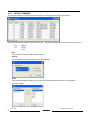
This command displays the Segment Summary window to show all physical devices’ segments.
The Segment Summary window has its own menu bar. All options available via the menu bar are shown below
File
Options
Exit
Sorting…
Fields…
Exit
This command closes the Task Summary window.
Sorting
This command sorts the rows based on the selected field.
Fields
This command displays a dialog box to let user choose which fields will be shown in the Segment
Summary window.
Ver.071016
84
DAS501t User’s Manual
4.3.9
CREATE RAID GROUP
This command displays a dialog box to let user verify a raid type than display Create RAID Group dialog box.
4.3.10 REBUILD RAID GROUP
This command displays a dialog box to let user choose a replacement segment to rebuild a non-fault tolerant
RAID group.
DAS501t User’s Manual
Ver.071016
85
4.3.11 DELETE RAID GROUP
This command displays a dialog box to let user choose RAID groups to delete.
4.3.12 BRING RAID GROUP ONLINE
This menu option is not available in this product.
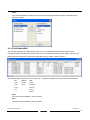
4.3.13 RAID GROUP SUMMARY
This command displays a dialog box to show all RAID groups’ group ID, configuration, and status.
The RAID Group Summary window has its own menu bar. All options available via the menu bar are shown below.
File
Options
Exit
Sorting…
Fields…
Exit
This command closes the RAID Group Summary window.
Sorting
This command displays a dialog box to let user choose up to 3 items to sort RAID group items in the RAID
Group list.
Ver.071016
86
DAS501t User’s Manual
Fields
This command displays a dialog box to let user choose which fields will be shown in the RAID Group
Summary window.
4.3.14 TASK MANAGER
This command displays the Task Manager window. The Task Manager window lists all RAID and disk
management tasks that have been started and/or done. This window provides user the ability to schedule any
RAID and disk management operations including RAID group creation, rebuild, and test.
The Task Manager window has it’s own menu bar. All options available via the menu bar are shown below
File
Options
Task
Open…
Sorting…
Modify…
Save…
Fields…
Suspend…
Print…
Resume…
Exit
Cancel…
Delete…
Open
This option will be available in future revisions.
Save
This option will be available in future revisions.
DAS501t User’s Manual
Ver.071016
87
Print
This option will be available in future revisions.
Exit
This command closes the Task Summary window.
Sorting
This command displays a dialog box to let user choose up to 3 items to sort task items in the task list.
Fields
This command displays a dialog box to let user choose which fields will be shown in the task list.
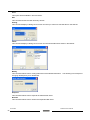
Modify
This command allows user to modify parameters of the selected task items.
The following is an example of
changing rebuild priority for a rebuild task.
Suspend
This command allows user to suspend the selected task items.
Resume
This command allows user to resume the suspended task items.
Ver.071016
88
DAS501t User’s Manual
Cancel
This command allows user to cancel the selected task items.
Delete
This command displays a dialog box to let user delete the selected task items from the task list in Task
Summary window. The following dialog box will pop up to get confirmation from the user.
4.3.15 EVENT LOG
This command displays the Event Log window. The Event Log window displays SATA device-related events that
occur while SATARAID5 is running.
The Event Log window has it’s own menu bar. All options available via the menu bar are shown below
File
Options
Exit
Sorting…
Fields…
Exit
This command closes the Event Log window.
DAS501t User’s Manual
Ver.071016
89
Sorting
This command displays a dialog box to let user choose up to 3 items to sort event items in the event log.
Fields
This command displays a dialog box to let user choose which fields will be shown in the event log.
4.3.16 RESOURCES
This command displays the Resource Information window. This feature is for debugging purpose only.
The Event Log window has it’s own menu bar. All options available via the menu bar are shown below
File
Display
Exit
Suspend
Alt+S
Resume
Exit
This command closes the Resources window.
Ver.071016
90
DAS501t User’s Manual
Suspend
This command is to suspend the resources informantion.
Fields
This command is to resume the resources informantion.
4.3.17 CREATE LEGACY RAID GROUP
This menu option is not available in this product.
4.3.18 HELP TOPICS
This command opens an interactive help dialog using the standard Windows help interface.
This option will be available in future revisions.
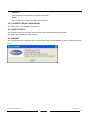
4.3.19 ABOUT
This command displays a dialog box with more information about the SATARAID5 program, including the revision
level.
DAS501t User’s Manual
Ver.071016
91