1
1.3 How to Carry the Skeleton
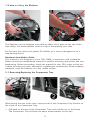
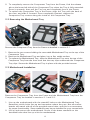
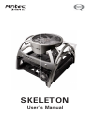
The Skeleton case is designed to be held by either set of grips on the top of the
side railing. Use these handles when moving or transporting your case.
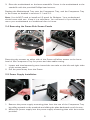
Do not carry the case by the plastic PCI holder, as it was not designed to be a
load-bearing device.
Hardware Installation Guide
This manual is not designed to cover CPU, RAM, or expansion card installation.
Please consult the motherboard manual for specific mounting instructions and troubleshooting. Before proceeding, check the manual for your CPU cooler to find out
if there are steps you must take before installing the motherboard. While installing
hardware, keep the Skeleton on a flat, stable surface.
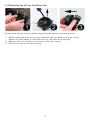
2.1 Removing/Replacing the Component Tray
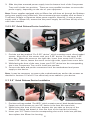
While facing the rear of the case, remove both of the Component Tray Screws on
the inside of the Component Tray.
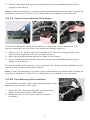
1. Pull back on the rear of the Component Tray until it slides out of the Frame.
The Component Tray will slide out about three-quarters of the way.
3