1
PRODUCT SPECIFICATION
1. Frequency band : Two channels for keyboard and
two channels for mouse.
Keyboard – 27.145 , 27.195 MHz
Mouse – 27.045 , 26.995 MHz
2. Frequency modulation: FSK mode
3. Radio power: < 1 mW
4. Power rating:
Keyboard: 3 V , 30 mA (MAX.)
Mouse: 3 V , 50 mA (MAX.)
Receiver: 5 V , 100mA (MAX.) for USB / 200 mA
(MAX.) for PS/2
5. Battery:
Keyboard: 2 pieces of AA Batteries
Rechargeable Mouse: 2 pieces of AAA Rechargeable
Batteries (Ni-MH, 1.2V, 800mAh)
6. Battery life time :
Keyboard: 500 hours reference (operating mode)
Mouse: 28 hours reference (operating mode)
7. Operation distance :
Keyboard: 1,4 m without signal disturbance and no
direction limit.
Mouse: 1,1 m without signal disturbance and no direction limit.
8. Mouse resolution : 800 DPI
9. Operating temperature : 5º C~ 40º C.
10. Storage temperature : -10º C ~ 60º C.
Features:
• Complies with Directive 1995/5/EC of the European Parliament and Commission.
• Complies with the mutual recognition of conformity 1999 for radio and telecommunications
Equipment
• Manufactured with environmental friendly recycled materials.
• Fully compliant with original USB version 1.0 and 1.1.
Preparing Keyboard, mouse and receiver
Before working with your new keyboard and mouse, look at the “Hardware Installation” , and take a few
one-time preparations.
Hardware Installation
• Place the receiver at least 20 cm from other electrical devices (e.g. monitor) to achieve optimum performance.
• The distance between the keyboard, mouse and receiver should not exceed 1,1 m.
• Do not place the receiver on metal surfaces.
• Do not move optical mouse on following surface - glass or any transparent materials, dark surface, mirror
or reflecting surface, mouse pad with too many colors, rough surface.
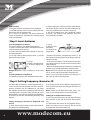
Step 1: Connect the receiver
Choose your receiver interface, and follow it.
PS/2 Interface ( optional )
1. Turn off your computer.
2. Plug the receiver connector in purple into keyboard port on your computer and locate the other
connector in green to mouse port.
3. Place the receiver horizontally and keep approx.
8 inches (or 20 centimeters) pace from other electrical devices.
4. Load two batteries into battery chamber on the
back of keyboard and two batteries into battery
chamber of mouse.
5. Turn on your computer.
Note: If the interface is PS/2, please remember to
Turn off your computer first.