1
IMPORTANT!
– Depending on the DVD or VIDEO CD,
some operations may be different or
restricted.
– Do not push on the disc tray or put
any objects other than disc on the disc
tray. Doing so may cause the disc player
malfunction.
– If the inhibit icon appears on the TV
screen when a button is pressed, it
means the function is not available on
the current disc or at the current time.
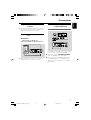
Playable Discs
Region Codes
DVDs must be labeled for ALL regions or Region
2 in order to play on this DVD system. You
cannot play discs that are labeled for other
regions.
Note:
– If you are having trouble playing a certain disc,
remove the disc and try a different one. Improper
formatted disc will not play on this DVD Player.
Your DVD Player will play:
– Digital Versatile Discs (DVDs)
– Video CDs (VCDs)
– Super Video CDs (SVCDs)
– Finalised DVD recordable (DVD±R)
– Digital Versatile Discs + Recordable
(DVD+R)
– Digital Versatile Discs + Rewritable
(DVD+RW)
– Audio Compact Discs (CDs)
– MP3/WMA discs, picture (Kodak, JPEG) files
on CD-R (W)
– ISO 9660/UDF format
– JPEG resolution support up to 3073x2048
– Supported sampling frequencies: 32kHz,
44.1kHz, 48kHz.
– Supported Bit-rates: 32~256 (kbps), variable
bit rates (average 128kbps)
– DivX files on CD-R(W)/DVD+R(W):
– DivX 3/4/5
21
pg022-039_MCD179_12_Eng
21
2/5/09, 10:05
English
Disc Operations