1
MCD179
Quick Start Guide
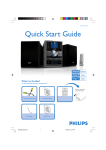
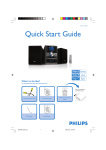
What’s in the Box?
You should find these items upon opening the box.
Quic
Remove the plastic
protective sheet
1
k St
art
Guid
e
AV cables (Y/W/R)
Quick Start Guide
Remote control with
battery
2
User Man
ual
DIN cable
MCD179_QSG_Eng
FM antenna
1
User Manual
3/27/08, 15:43
1
Connect the speaker cables.
2
Important!
This set can only be operated after the
supplied DIN cable has been connected.
Connect the supplied DIN cable to DVD player’s DIN jack and the
subwoofer’s DIN jack.
3
Connect the FM antenna.
Tip
4
See the User Manual for other TV
connection options.
Connect the composite video cable (yellow, supplied) to a TV.
5
Connect the power cords of the system and TV.
A
AC power cord
Right speaker
Left speaker
Subwoofer
A To hear the sound of this DVD Player
through your TV, use the audio cables (white/
red, supplied) to connect LINE OUT (L/R)
jacks of the DVD Player to the
corresponding AUDIO IN jacks on the TV.
FM wire antenna
B To listen to TV through this system, use a
cinch cable (not supplied) to connect AUX
IN jack (3.5mm) to the corresponding
AUDIO OUT jacks on the TV set.
Setting up the TV
1
Press SOURCE (DISC on the remote control) to select disc source.
2
Turn on the TV and set it to the correct Video In channel.
MCD179_QSG_Eng
2
3/27/08, 15:43
Setting the clock
1
In standby mode, press and hold DISPLAY/CLOCK. The clock digits flash on
the display panel.
2
Press TUNING à / á (or à / á on the remote control) to set the hours.
3
Press í/ ë to set the minutes.
4
Press PROG to select between 12 hour and 24 hour display.
5
Press DISPLAY/CLOCK agian to store the setting.
Setting system menu options
– – Audio Setup Page – –
NIGHT MODE
DIGITAL Output
Dolby Digital Setup
– – Video Setup Page – –
– – Preference Page – –
TV Display
Audio
Component
Subtile
TV Type
Disc Menu
Parental
Password
Divx Subtitle
Default
Tip
See chapters "Getting Started" and "System Menu Options" in the
User Manual for detailed descriptions.
MCD179_QSG_Eng
3
3/27/08, 15:43
Playing a disc
1
Press OPEN•CLOSE 0 to open the disc door and load in a disc, then press
the same button again to close the disc door.
➜ Make sure the label side of the disc is facing up.
2
Playback will start automatically. If not pressÉÅ.
3
To stop playback, press 9.
Programming and tuning to radio stations
1
Press SOURCE (FM on the remote control) to select tuner source.
2
Press PROG for more than two seconds to program all available stations in order of
waveband.
3
Press í/ ë until the desired preset station is displayed.
Tip
Detailed playback features and additional functions are described in the
accompany owner's manual.
Playing a USB mass storage device
With the Hi-Fi system, you can use USB flash memory (USB 2.0 or USB1.1),
USB flash players (USB 2.0 or USB1.1), memory cards (requires an additional card reader to
work with this Hi-Fi system).
1
Insert the USB device’s USB plug into the socket
on the front panel of the main set.
2
Press SOURCE (or USB on the remote control) once or more to select USB.
3
Play the USB’s audio files as you do with the albums/tracks on a CD.
C Royal Philips Electronics N.V. 2008
All rights reserved.
http://www.philips.com
MCD179_QSG_Eng
4
PDCC-ZYL-0813
3/27/08, 15:43