1
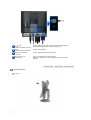
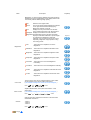
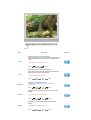
RS-232C Connection
Terminal
Connect a RS-232C cable to this terminal.
VGA OUT port
Connect a monitor to another monitor through a D-Sub cable.
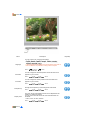
Kensington Lock
The Kensington lock is a device used to physically fix the system when
using it in a public place.
The locking device has to be purchased
separately.
For using a locking device, contact where
you purchase it.
Cable Fix Ring
When connecting the cable is finished, fix the cables to the Cable Fix
Ring.
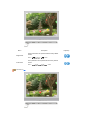
Earphone jack [ ]
Headphone connection terminal.
The Microphone
connection terminal (MIC)
Connect a microphone to the MIC terminal.
USB
(USB Connection
Terminal)
Connect USB devices such as a mouse, keyboard and external storage
devices (DSC, MP3, external storage, etc.).
LAN
(LAN Connection
Terminal)
Connect when using it as a monitor.
AUDIO IN
Connect the audio cable for your monitor to the audio port on the back of
your computer.
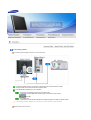
See Connecting Cables for further information regarding cable connections.