1
Performance Tips
The ProKeys 88 is capable of some very expressive and flexible sound
combinations. Through layering and splitting the instrument sounds
(which are described on pages 10-11 of this manual), and also transposing
and adjusting volumes and applying effects, you can create some very
unique performances. 10 examples are provided throughout this manual
that refer to the instrument names themselves to get you started exploring
and experimenting.
Performance Tip #1
The Jazz Trio – Select Piano 1 and then create a split
assigning the A. Bass program to the left side of the
keyboard. Layer the Bass with the Ride Cymbal and you
have a nice jazzy trio performance. Also, try substituting
Organ 1, E. Piano, Vibes, or FM Piano 1 or 2 for Piano 1.
Try substituting the E. Bass for the A. Bass as well.
Feature List:
Controls
<
<
<
<
<
<
<
<
<
32 buttons for various functions, modes and instrument access
12-key numerical data entry keypad
3 volume sliders for individual control of the split, layer and main instrument volume levels
2 rotary pots to control EQ for bass and treble
LED display
88-key hammer-action keyboard
Pitch Bend Wheel
Modulation Wheel
Selection of 3 velocity curves and 1 fixed velocity
MIDI Functions
<
<
<
<
<
<
<
<
<
Program Change
Bank LSB
Bank MSB
Channel (the channel can be set for the current main, left hand and layered instruments separately allowing these features
to be used with a MIDI synthesizer, module, or sequencer
MIDI Out from USB
Local On/Off
MIDI clock Start/Stop
Tempo Control for MIDI Clock Rate, with Tap Tempo
SPP (Song Position Pointer)
Audio Effects
< Reverb
< Chorus
Onboard Sounds
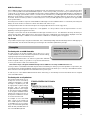
< 14 buttons for directly selecting any of the 14 instruments
< Split Function allows 2 simultaneous instruments on non-overlapping regions breaking at a Split Point
< Layer Function allows all keys to the right of a Split Point (if Split Mode is active) to play two instruments simultaneously across
the same keyboard region
< The Grand Piano Button will always select the default grand piano sound and cancel both Split and Layer Modes
< The Jazz Ride Button layers a ride cymbal sound over sounds 13 or 14 if they are active
< Independent volume and octave/transpose control of split and layer instruments
4