1
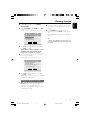
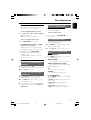
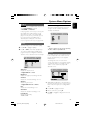
TV Mode
Preference Page
Selects interlace or P-SCAN video output mode
when Pr/Cr Pb/Cb Y is selected.
➜ P-SCAN and Interlace.
The options included in Preference page are:
“TV Type”, “Audio”, “Subtitle”, “Disc Menu”,
“Parental” and “Default”.
English
System Menu Options
In the progressive scan mode, you can enjoy the
high quality picture with less flickers. It only
works when you have connected the DVD
player's Y Pb Pr jacks to your TV that suppor ts
the progressive video input. Otherwise, a
distorted picture will appear on the TV. For
proper progressive scan set up, see page 43-44.
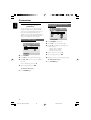
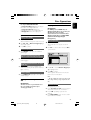
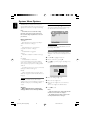
Quality
This menu helps you to set the video quality.
1
2
Note:
– Preference features can be selected only during
“No Disc” condition or full STOP mode.
Press 3 4 to highlight “Quality”.
Press 2 or OK to enter Video Quality Setup.
The options included in Video Quality Setup
page are: “Sharpness”, “Brightness”, “Contrast”,
“Gamma”, “Hue”, “Saturation” and “Luma Delay”.
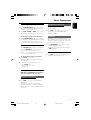
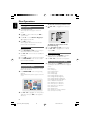
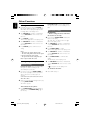
Parental
Some DVDs may have a parental level assigned
to the complete disc or to certain scenes on
the disc. This feature lets you set a playback
limitation level.
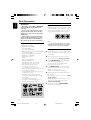
The rating levels are from 1 to 8 and are
country dependent. You can prohibit the playing
of certain discs that are not suitable for your
children or have certain discs played with
alternative scenes.
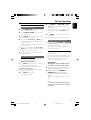
Sharpness
Adjusts the sharpness level.
➜ High, Medium and Low.
Brightness
Adjusts the brightness level. Range: -20-+20.
Contrast
Adjusts the contrast level. Range: -16-+16.
Gamma
Adjusts the gamma level.
➜ High, Medium, Low and None.
Hue
Adjusts the hue level. Range: -9-+9.
Saturation
Adjusts the saturation level. Range: -9-+9.
Luma Delay
Adjusts the luma delay.
➜ 0 T and 1 T.
● VCD, SVCD and CD have no level indication, so
parental control function has no effect on those
kinds of discs. This applies to most illegal DVD
discs.
1
2
3
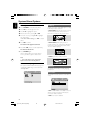
Press 3 4 to highlight “Parental”.
Enter its submenu by pressing 2.
Use 3 4 to highlight a rating level for the disc
inserted.
29
pg 001-037_MCD708_98-Eng
29
2005.10.20, 9:33