1
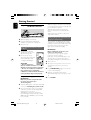
Note:
– This option is available only when you select
"5.1CH" under "Downmix" and the disc tray is
open.
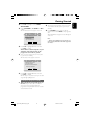
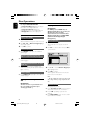
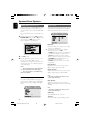
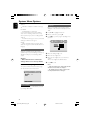
3D Processing
The options included in 3D Processing are: “Pro
Logic II” and “Reverb Mode”.
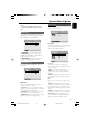
SPDIF Output
The options included in SPDIF (Sony/Phillips
Digital Interface Format) Setup Page are: “SPDIF
Off ”, “SPDIF/Raw” and “SPDIF/PCM”.
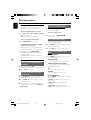
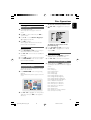
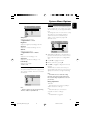
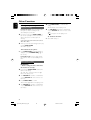
Pro Logic II
The options included in Pro Logic II Config page
are: "Pro Logic II", "Mode", "Panorama",
"Dimension" and "Center Width".
➜ SPDIF Off: Turns off the SPDIF output.
➜ SPDIF/Raw: If you have connected your
DIGITAL OUT (COAXIAL or OPTICAL) to a
multi-channel decoder/receiver.
➜ SPDIF/PCM: Only if your receiver is not
capable of decoding multi-channel audio.
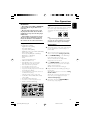
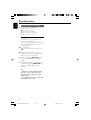
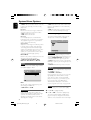
Dolby Digital Setup
The option included in Digital Audio Setup is:
“Dual Mono”.
Dual Mono
Select the setting that matches the number of
speakers you have connected.
➜ Stereo: Left mono sound will send output
signals to Left speaker and Right mono sound will
send output signals to Right speaker.
➜ L-Mono: Left mono sound will send output
signals to Left speaker and Right speaker.
➜ R-Mono: Right mono sound will send output
signals to Left speaker and Right speaker.
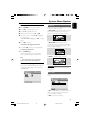
Pro Logic II
This function provides a convincing threedimensional sound field on conventional stereo
music recordings.
➜ On: Turns on the Pro Logic II effect.
➜ Off: Turns off the Pro Logic II effect. In this
case, all options below "Pro Logic II" will be
unavailable.
➜ Auto: Allows automatic selection of the Pro
Logic II effect depending on the discs being
played back.
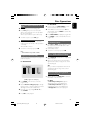
Mode
You can select your desired Pro Logic II mode
here.
➜ Music: When listening to music, you can
experience sound effects as if you were listening
to the actual performance. The options below
"Mode" will be available only when this option is
selected.
➜ Movie: Is mainly intended for use with DTS
discs. It can add realism to movie sound tracks.
➜ Pro Logic: After selecting this, you will
experience a realistic multi-channel effect even
with just the front left and right speakers.
29
pg 001-042_MCD705_33_Kor
29
2005.9.15, 17:28
Korea
System Menu Options