1
System Menu Options
English
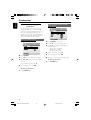
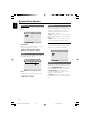
3D Processing
Night Mode
The option included in 3D Processing is: “Reverb
Mode”.
In this mode, the high volume outputs are
softened and low volume outputs are brought
upward to an audible level. It is useful for
watching your favourite action movie without
disturbing others at night.
➜ On: Select this to level out the volume. This
feature is only available for movies with Dolby
Digital mode.
➜ Off: Select this when you want to enjoy the
surround sound with its full dynamic range.
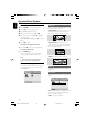
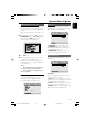
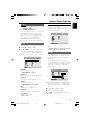
Video Setup Page
Reverb Mode
Reverb mode provides a virtual surround sound
experience using just two speakers.
➜ Off, Concert, Living Room, Hall,
Bathroom, Cave, Arena and Church.
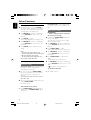
The options included in Video Setup page are:
“Component”, “TV Mode” and “Quality”.
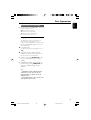
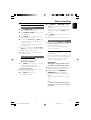
HDCD
The option included in HDCD (High Definition
Compatible Digital) is: “Filter”.
Component
Filter
Sets the audio output cutoff frequency point
when playing an HDCD disc.
➜ Off, 44.1K and 88.2K.
Sets the video output according to your video
connection. This setting is not required if you are
using the VIDEO OUTPUT jack (yellow) to
connect the DVD micro system to your TV.
➜ Pr/Cr Pb/Cb Y: Select this if you have
connected the DVD micro system to your TV
using Component video jacks.
➜ S-Video: Select this if you have connected
the DVD micro system to your TV using S-Video
jack.
28
pg 001-037_MCD708_98-Eng
28
2005.10.20, 9:33