1
Storing Formats
In addition to label text, you can store up to ten specific
label formats you use frequently. This feature stores only the
formatting information not the label text.
Ten fields, which represent memory locations, are displayed.
You can store new formats in any of the fields, however, if you
select a location that is filled, the previous label format will be
overwritten.
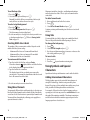
To store the current format
1. Press
.
2. Select Save and press H.
3. Select Format and press H.
4. Select a field and press H. The word Name? appears in
the field.
5. Enter a name for the format and press H. Your label
format is saved and you are returned to the label.
Memory
Recalling Stored Labels and Formats
You can easily recall labels and formats stored in memory to
use at a later time.
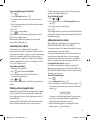
To recall labels or formats
1. Press
.
2. Select Recall and then Label, Format, or Last Printed.
A list of memory locations is displayed similar to storing a
label or format.
3. Select a label or format to recall and press H.
Memory
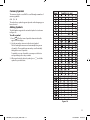
To clean the cutter blade
1. Press A to turn off the power.
2. Open tape cassette compartment and remove cassette.
3. Press
and A together. The message, Cut Test,
appears on the display.
4. Press the +
keys together, then press the
repeatedly, while holding the
down. The cutter blade
will move into view in small steps.
5. When you are able to access both sides of the blade, release
the keys.
6. Use a cotton ball and alcohol to clean both sides of the
cutter blade.
Shift
Shift
è The cutter blade is extremely sharp. Use caution when
cleaning.
7. After cleaning the blade, press to return the blade to its
home position.
You can also follow this procedure if the cutter blade becomes
lodged in the forward position and will not move.
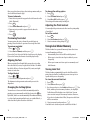
To clean the print head
1. Remove the tape cassette.
2. Remove the cleaning tool from inside the label
compartment cover.
3. Gently wipe the padded side of the tool across the print
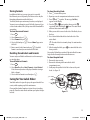
head. See Figure 11.
Caring for Your Label Maker
Your label maker is designed to give you long and trouble-free
service, while requiring very little maintenance.
Clean your label maker from time to time to keep it working
properly. Clean the cutter blade each time you replace the tape
cassette.
Figure 11
15
LM450D_manual_UK_WEU.indd 15
16-08-2007 09:23:10