1
Install from Linux
The Linux version is optimized for Ubuntu distribution version 8 and 9. You can
still try installation on other Linux distributions (for evaluation purpose only).
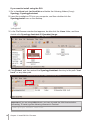
Install and Run Synology Assistant
You can install and run Synology Assistant using the command lines or the GUI.
If you want to install using the command lines:
Run the script install.sh in the Linux folder of the installation CD, which will guide
you through the steps below.
1 Remove the beta version of Synology Assistant (if any).
sudo rm -rf /usr/local/Synology /usr/local/bin/SynologyAssistant
2 Extract SynologyAssistant-2.2-[number].tar.gz to the directory you want, such
as “/usr/local” or “.”
tar -C ./ -zxvf SynologyAssistant-2.2-[number].tar.gz
3 If you are using 64bit Ubuntu, install the 32bit libraries.
sudo apt-get install ia32-libs
4 Create the shortcut to “/usr/local/bin”.
sudo ln -sf /path/install/SynologyAssistant/SynologyAssistant \
/usr/local/bin/SynologyAssistant
5 To run Synology Assistant, you can either use the following command:
/path/install/SynologyAssistant/SynologyAssistant
Or run the shortcut:
/usr/local/bin/SynologyAssistant
If “/usr/local/bin” exists in your environment variable $PATH, just type:
SynologyAssistant
14
Chapter 3: Install DS710+ Firmware