1
56
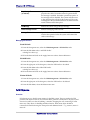
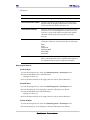
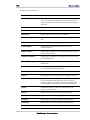
Endpoints
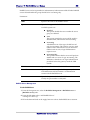
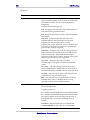
Timeout (1-120)
For Gatekeepers only. Specifies the timeout between
retransmissions of the RAS (Registration, Admission and
Status - H.225.0) messages.
Default Source IP
Specifies the source IP address for the endpoint. Used
only for SIP gateways.
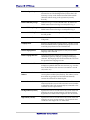
Fast Start
If selected, Fast Start VoIP negotiation would be enabled
and a faster call setup would be performed. Make sure
the endpoint needs to support this feature.
H.245 Tunneling
The feature allows H.245 messages the use the existing
H.225 Transmission Control Protocol (TCP). Make sure
the endpoint needs to support this feature.
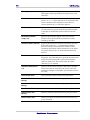
Silence Suppression
Designates that the endpoint supports Silence
Suppression capable VoIP voice processing. Make sure
the endpoint needs to support this feature.
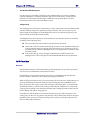
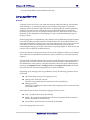
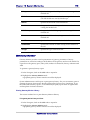
Endpoints Management
To Add Endpoint
1 From the Navigation tree, select the Route Management > Endpoint Configuration
node.
2 From the Edit Menu select ‘Add Endpoint’.
A dialog box shows up.
3 Fill in the data and click on the Apply button to enforce the modifications.
To Edit Endpoint
1 From the Navigation tree, select the Route Management > Endpoint Configuration
node.
2 From the right pane of the Navigator, select the Endpoint to be edited.
3 From the Edit Menu select ‘Edit Endpoint’.
A dialog box shows up.
4 Fill in the data and click on the Apply button to enforce the modifications.
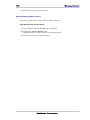
To Delete Endpoint
1 From the Navigation tree, select the Route Management > Endpoint Configuration
node.
2 From the right pane of the Navigator, select the Endpoint to be deleted.
3 From the Edit Menu, select the Delete menu item.
SysMaster Corporation