1
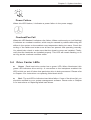
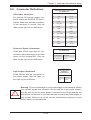
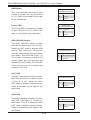
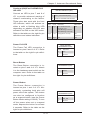
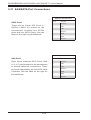
Chapter 3: System Interface ! Power Failure When this LED flashes, it indicates a power failure in the power supply. Overheat/Fan Fail When this LED flashes it indicates a fan failure. When continuously on (not flashing) it indicates an overheat condition, which may be caused by cables obstructing the airflow in the system or the ambient room temperature being too warm. Check the routing of the cables and make sure all fans are present and operating normally. You should also check to make sure that the chassis covers are installed. Finally, verify that the heatsinks are installed properly. This LED will remain flashing or on as long as the overheat condition exists. 3-4 Drive Carrier LEDs Green: Each hard drive carrier has a green LED. When illuminated, this green LED indicates drive activity. A connection to the backplane enables this LED to blink on and off when that particular drive is being accessed. Please refer to Chapter 6 for instructions on replacing failed hard drives. Red: The red LED to indicate a hard drive failure. If one of the drives fail, you should be notified by your system management software. Please refer to Chapter 6 for instructions on replacing failed hard drives. 3-3