1
Chapter 4: System Safety
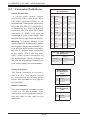
ATX PS/2 Keyboard and PS/2
Mouse Ports
PS/2 Keyboard/Mouse Pin
Definitions
The ATX PS/2 keyboard and PS/2
mouse are located next to the
Back Panel USB Ports 0/1 on the
motherboard. See the table at right for
pin definitions.
PS2 Keyboard
PS2 Mouse
Pin# Definition
Pin# Definition
1
KB Data
1
Mouse Data
2
No
Connection
2
No
Connection
3
Ground
3
Ground
4
Mouse/KB
VCC (+5V)
4
Mouse/KB
VCC (+5V)
5
KB Clock
5
Mouse Clock
6
No
Connection
6
No
Connection
VCC: with 1.5A PTC (current limit)
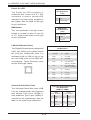
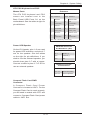
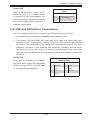
Power LED/Speaker
On the JD1 header, pins 1~3 are used
for power LED indication, and pins 4-7
are for the speaker. See the tables
on the right for pin definitions. If you
wish to use the onboard speaker, you
should close pins 6~7 with a jumper.
Connect a cable to pins 4~7 of JD1 to
use an external speaker.
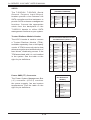
Compact Flash Card PWR
Connector
A Compact Flash Card Power
Connector is located at JWF1. For the
Compact Flash Card to work properly,
you will need to enable with JCF1 and
connect a Compact Flash Card power
cable to JWF1 first.
5-17
PWR LED Connector
Pin Definitions (JD1)
Pin Setting
Definition
Pin 1
Anode (+)
Pin2
Cathode (-)
Pin3
NA
Speaker Connector
Pin Definitions
Pin Setting
Definition
Pins 4~7
External Speaker
Pins 6~7
Internal Speaker