1
SuperWorkstation 5035B-T User's Manual
Unpacking
The serverboard is shipped in antistatic packaging to avoid electrical static discharge. When unpacking the board, make sure the person handling it is static
protected.
5-2
Serverboard Installation
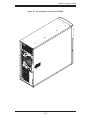
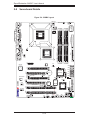
This section explains the first step of physically mounting the C2SBX into the
SC733TQ-465 chassis. Following the steps in the order given will eliminate the most
common problems encountered in such an installation. To remove the serverboard,
follow the procedure in reverse order.
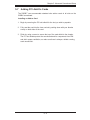
Installing to the Chassis
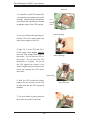
1. Access the inside of the system by removing the screws from the back lip of
the top cover of the chassis, then pull the cover off.
2. The C2SBX requires a chassis big enough to support a 12" x 9.6"
serverboard, such as Supermicro's SC733TQ-465.
3. Make sure that the I/O ports on the serverboard align properly with their
respective holes in the I/O shield at the back of the chassis.
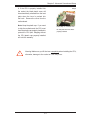
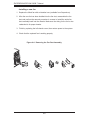
4. Carefully mount the serverboard to the serverboard tray by aligning the board
holes with the raised metal standoffs that are visible in the chassis.
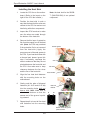
5. Insert screws into all the mounting holes on your serverboard that line up
with the standoffs and tighten until snug (if you screw them in too tight, you
might strip the threads). Metal screws provide an electrical contact to the
serverboard ground to provide a continuous ground for the system.
6. Finish by replacing the top cover of the chassis.
5-2