1
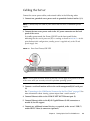
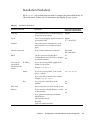
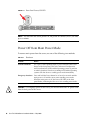
FIGURE 6-1
Front Panel Power/OK LED
Note – The first time the server powers on, the power on self-test (POST) can take
up to a minute.
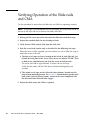
Power Off from Main Power Mode
To remove main power from the server, use one of the following two methods:
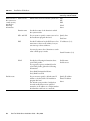
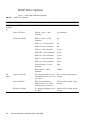
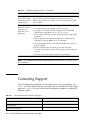
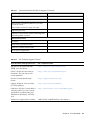
TABLE 6-1
Shutdown
Shutdown
Method
Graceful shutdown
Use a pen, or other pointed object, to press and release the Power
button on the front panel. This causes Advanced Configuration
and Power Interface (ACPI)–enabled operating systems to perform
an orderly shutdown. Servers not running ACPI-enabled operating
systems will shut down to standby power mode immediately.
Emergency shutdown
Press and hold the Power button for at least four seconds until the
main power is off and the server enters standby power mode.
When the main power is off, the Power/OK LED on the front
panel flashes, indicating that the server is in standby power mode.
Caution – To completely power off the server, you must disconnect the AC power cords
from the back panel of the server.
66
Sun Fire X4150 Server Installation Guide • May 2009