1
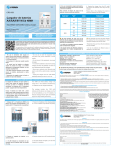
1. Open the configuration utility and select the “Red disponible” tab.
2. Select the network you want to connect to and enter its password if required.
For advanced settings and additional features see the complete manual included
in the CD.
S P E C I F I C AT I O N S
Before using your new Steren´s product, please read this instruction
manual to prevent any damage.
I M P O R TA N T
Standards:
IEEE 802.11n (draft 2.0); IEEE 802.11g;
IEEE 802.11b; CSMA/CA with ACK
Wireless signalrates with automatic fallback:
11n: 270/243/216/162/108/54/27 Mbps
135/121.5/108/81/54/40.5/27/13.5 Mbps
130/117/104/78/52/39/26/13 Mbps
65/58.5/52/39/26/19.5/13/6.5 Mbps
11g: 54/48/36/24/18/12/11/9/6 Mbps
(adaptive)
11b: 11/5.5/2/1 Mbps (adaptive)
Frequency range:
2.4-2, 484 GHz
Wireless transmit power:
17 dBm (max)
Modulation type:
OFDM/CCK/16-QAM/64-QAM/BPSK/
QPSR/DQPSR/DBPSK
Receiver sensitivity:
270 M: -68 dmM@10% PER,
130 M: -68 dBm@10% PER,
108 M: -68 dBm@10% PER,
54 M: -68 dBm@10% PER,
11 M: -85 dBm@8% PER,
6 M: -88 dBm@10% PER,
1 m: -90 dBm@8% PER
Security:
64/128 bit WEP, WPA/WPA2,
WPA-PSK/WPA2-PSK (TKIP/AES)
Support operating system:
Windows 2000/XP/Vista
Interface:
USB 2.0 Hi-Speed
Antenna type:
Internal omni-directional antennas
Certifications:
CE, FCC
Operating temperature:
0°C~40° C (32° F~104° F)
Storage temperature:
-20° C~70° C (- 4° F~158° F)
Relative humidity:
10% ~ 90%, non condensation
Storage humidity:
5%~95% non-condensing
The instructions of this quick guide are for reference about the product. There
may be differences due to updates.
Please check our website (www.steren.com) to obtain the latest version of the
instruction manual.
“The operation of this equipment is subject to the following two conditions: (1) it is possible that this
equipment or device may not cause harmful interference, and (2) this device must accept any interference,
including interference that may cause undesired operation . “
CAUTIONS
• Do not use or store the equipment near wet places. May cause malfunction.
• Avoid dropping the unit as this may cause damage.
• Do not put heavy objects on the device or accessories.
• Do not use solvents or other chemicals to clean the exterior of the device.
HIGHLIGHTS
The Wireless –N USB 2.0 adapter allows you to connect your desktop or laptop to a
local network, wirelessly.
It complies with EEE802.11n / IEEE802.11g / IEEE802.11b standards, allowing you
to get access to a wireless local network through an access point or router, with your
desktop or laptop.
• USB port.
• MIMO technology for data transfers up to 300 Mbps.
• Easy and secure installation, monitoring and configuration.
• Compatible with WPS wireless security.
• Supports WPA data security, IEEE802.1x authentication, TKIP/AES encryption, and
64/128/152bit WEP advanced data security.
I N S TA L AT I O N
For proper installation or operation, do not connect the COM-843 to your computer
before you install the software.
Insert the included CD in your computer and start the setup.exe program.
Follow the install instructions and
plug the adapter when the installation
program asks for it.
Product design and specifications are subject to change without notice.
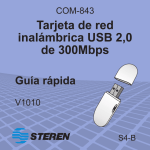
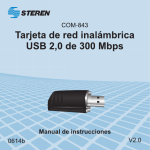
Product: 300 Mbps wireless USB adapter
Part number: COM-843
Brand: Steren
WARRANTY
This Steren product is warranted under normal usage against defects in workmanship and materials to the original purchaser for one year from
the date of purchase.
CONDITIONS
1. This warranty card with all the required information, invoice or purchase ticket, product box or package, and product, must be presented when
warranty service is required.
2. If the product is in the warranty time, the company will repair it free of charge.
3. The repairing time will not exceed 30 natural days, from the day the claim was received.
4. Steren sell parts, components, consumables and accessories to customer, as well as warranty service, at any of the addresses mentioned later.
THIS WARRANTY IS VOID IN THE NEXT CASES:
If the product has been damaged by an accident, acts of God, mishandling, leaky batteries, failure to follow enclosed instructions, improper repair by
unauthorized personnel, improper safe keeping, among others.
a) The consumer can also claim the warranty service in the purchase establishment.
b) If you lose the warranty card, we can reissue it, if you show the invoice or purchase ticket.
RETAILER INFORMATION
Name of the retailer ____________________________________ Address _____________________________________________
Product ______________________________________________ C O N F I G U R AT I O N
Once the installation is complete, you can configure the COM-843 to connect to a
wireless access point. The wireless configuration utility will start automatically, and you
will find the icon in the windows system tray.
Brand _______________________________________________
Serial number _________________________________________
Date of delivery _______________________________________
In case your product fails or have questions, please contact your nearest dealer. If you are in Mexico, please call to our Call Center.
01 800 500 9000