1
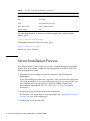
TABLE 1
Sun Fire V125 Server Features (Continued)
Sun Fire V125
Feature
PCI expansion
One 64 bit 33/66-MHz 3.3 volt full-length slot
USB
Two ports
SCSI
One UltraSCSI LVD port
Hard drive (SCSI)
One 73 gigabyte drive
Power supply
One
For a detailed summary of features, available configurations, and compatible
options, go to:
http://www.sun.com/servers/
For detailed information about this server, go to:
http://sunsolve.sun.com/
See the Sun System Handbook.
Server Installation Process
This section contains a list of tasks that you must complete during the installation
process. Each task includes a reference to the appropriate instructions. Each task
must be completed in order.
1. Preparing the site according to the power, clearance, and environmental
requirements.
If you are installing the server into a new Sun™ rack, you must fully prepare the
site for the installation. If you are installing the server into an existing rack, you
must conduct some site preparation to satisfy the additional power and
environmental requirements. See “Site Preparation” on page 3 for specific
instructions.
2. Verifying that you have received all of the components.
The Sun Fire V125 server ships in several packages. See “Shipping Kit Contents”
on page 7 for a list of the shipping kit.
3. Installing the server into the rack.
2
Sun Fire V125 Server Getting Started Guide • September 2006