1
SUMMIT APPLIANCE
Page 10
WHAT TO DO
Owner’s Manual and Installation Instructions
Refrigerator in defrost
cycle
Wait about 40 minutes for
defrost cycle to end
Two drawer
Refrigerator
Refrigerator control in 0
(off) position
Move the refrigerator and
freezer control to a temperature setting.
Refrigerator is unplugged
Push the plug completely
into the outlet
The fuse is blown/circuit
breaker is tripped
Replace fuse or reset the
breaker
Vibration or rattling
(slight vibration is
normal)
Refrigerator is not resting on the feet
Adjust feet
Motor operates for
long periods.
(Modern refrigerators
with more storage
space and larger
freezer require more
operating time. )
Normal when refrigerator Wait 24 hours for the reis first plugged in
frigerator to completely
cool down
PROBLEM
Refrigerator is not
Cooling
POSSIBLE CAUSE
Often occurs when large
amounts of food are
placed in refrigerator
This is normal
Temperature controls set See Controls
at the coldest setting.
Refrigerator has
odor
Food transmitting odor or Food with strong odors
refrigerator
should be tightly wrapped.
Keep an open box of baking soda in the refrigerator.
Interior needs cleaning
See care and cleaning
Too frequent or too long
openings
Moisture collects
inside (in humid
weather, air carries
moisture into refrigerator when doors
are opened)
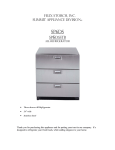
FELIX STORCH, INC
SUMMIT APPLIANCE DIVISION
ALL REFRIGERATOR
SP6DS-2D
Open containers of water Cover or seal open conor warm food in the
tainers. During a defrost
refrigerator
cycle, moisture will be
removes from the refrigerator, but may return with
long or frequent door
openings.
•
•
•
•
•
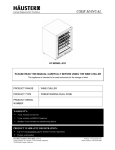
Two drawer All Refrigerator
24” wide
Fully finished in Stainless Steel
Accepts full Overlay Paneling
Decorative Handles
Thank you for purchasing this appliance and for
putting your trust in our company. It’s designed
to refrigerate your fresh foods, while adding
elegance to your home or office.
Page 2
FOR SERVICE CALL 1.718.328.8700
SAFETY INSTRUCTIONS…………………PAGE 3-4
ABOUT THE CONTROLS…………………PAGE 5
ABOUT THE DRAWERS………………… PAGE 6
CARE AND CLEANING……………………PAGE 7-8
INSTALLATION……………………………PAGE 3
INSTALLING PANELS…………………… PAGE 6
PAGE 9
TROUBLESHOOTING…………………… PAGE 10
Write the model and serial numbers here:
Model#___________________________
Serial#________________________
Find these numbers on the back of the unit.
FOR SERVICE CALL 1.718.328.8700
NORMAL OPERATING SOUNDS
Table of Contents
NORMAL OPERATING SOUND………
Page 9
Newer refrigerators sound
• Expansion and contraction of
different from older refrigeracooling coils during and after
tors. Modern refrigerators
defrost can cause a cracking or
have more features and use
popping sound.
newer technology.
Do you hear what I hear?
These sounds are
normal
HUMM....
WHOOSH…
WATER
SOUNDS
• The flow of refrigerant
through the freezer cooling
• The new high efficiency
coils may make a gurgling
compressor may run faster
noise like boiling water.
and longer than your old
• Water dropping on the defrost
refrigerator and you may
heater can cause a sizzling,
hear a high-pitched hum or
popping or buzzing sound durpulsating sound while it is
ing the defrost cycle.
operating.
• A water dripping noise may
• You may hear a whooshing
occur during the defrost cycle
sound when the doors
as ice melts from the evaporaclose. This is due to prestor and flows into the drain
sure equalizing within the
slot.
refrigerator.
CLICKS, POPS,
CRACKS and CHIRPS
• You may hear cracking or
popping sounds when the
refrigerator is first plugged
in. This happens as the
refrigerator cools to the
correct temperature.
• The compressor may cause
a clicking or chirping sound
when attempting to restart
SUMMIT APPLIANCE
Page 8
Care and Cleaning of the Refrigerator
Ice Formation on the
Inner Rear Wall
As long as the defrost water
runs to the channel and through
the opening to the drain pan on
the compressor, automatic defrosting of the appliance is assured. In case any ice formation on the inner wall increases
to (1/8”), the ice should be
manually defrosted.
Set the thermostat knob to 0
(off) position and leave the
drawer open. Never use electric
devices for defrosting and do
not scrape the ice or frost layer
with sharp objects. After completing defrosting, turn the
knob to the desired position and
close the refrigerator drawer.
Water is Leaking from
the Refrigerator
In case the discharged water
outlet is clogged, or the defrost
water drips over the channel, or
water leaks from the refrigerator
just clean the clogged opening
with a plastic straw. Manually
defrost the increased ice layer.
See “Ice Formation on the Inner
Back Wall”.
Page 3
FOR SERVICE CALL 1.718.328.8700
IMPORTANT SAFETY INFORMATION
READ ALL INSTRUCTIONS BEFORE USING
WARNING!
cushioned coverings and those
with embossed surfaces.
Pull the refrigerator straight out
and return it to position by
pushing it straight in. Moving
the refrigerator sideways may
result in damage to the floor
covering or refrigerator.
When pushing the refrigerator
back, make sure you don’t roll over
the power cord.
Preparing for Vacation
For long vacations or absences,
remove all of the food and unplug the refrigerator.
Move the refrigerator control to
the 0 (off) position and clean
the interior with a baking soda
solution of one tablespoon of
baking soda to one quart or water.
Behind the Refrigerator Leave the doors open to prevent
Be careful when moving the
odors.
refrigerator away from the wall.
All types of floor coverings can
be damaged; particularly
These instructions are intended
for the user. They describe the
appliance and the safe way to
use it. The instructions
were prepared for various models/types of refrigerators therefore you
may find descriptions of some
accessories and functions that do
not apply to your appliance
SAFETY
PRECAUTIONS
When using electrical appliances, basic safety precautions
should be observed, including the
following:
• Before connecting the appliance to the power supply,
leave it standing for about 2
hours. This reduces the risk
of malfunctions in the cooling system caused by shipping.
• This refrigerator must be
properly installed in accordance with the Installation
Instructions before it is used.
• Do not allow children to
climb, stand or hang on the
drawers in the refrigerator.
They could damage the refrigerator and seriously injure themselves.
•
•
•
•
•
Do not touch the cold surfaces when hands are damp
or wet. Skin may stick to
these extremely cold surfaces.
Do not store or use gasoline
or other flammable vapors
and liquids in the vicinity of
this or any other appliance.
Keep fingers out of the
“pinch point” areas; clearances between the drawers
and cabinet. Be careful closing doors when children are
in the area.
Unplug the refrigerator before cleaning or making repairs.
Setting controls to the 0 (off)
position does not remove
power to the light circuit
Children entrapment and suffocation are not problems of the
past. Junked or abandoned refrigerators are still dangerous…even
if they will sit for “just a few
days”.
SUMMIT APPLIANCE
Page 4
IMPORTANT SAFETY INFORMATION
READ ALL INSTRUCTIONS BEFORE USING
Before You Throw Away
Your Old Refrigerator:
• Take off the drawers so that
children may not easily
climb inside
• For the sake of environmental protection be careful
not to damage the rear wall
of the appliance (the condenser unit or the tubes
when moving the refrigerator) or any part of the refrigerating system inside the
appliance.
REFRIGERANTS
All refrigeration products contain refrigerants, which under
federal law must be removed
prior to product disposal.
NOTE: Contact your appliance
retailers or your local town for
information on safely and legally
disposing of old appliances.
FOR SERVICE CALL 1.718.328.8700
Care and Cleaning of the Refrigerator
Cleaning the Outside
The appliance may be exposed to the
lower or higher temperature but only
for a short period of time and the
temperature should never be lower
than 41ºF. Never place the appliance
near heat emitting devices (e.g.
cooker, radiator, water heater or similar
devices) and do not expose it to direct
sunlight.
DO NOT USE AN
EXTENSION CORD
Because of potential safety hazards under certain conditions, we
strongly recommend that if you
only have a two prong outlet
have it replaced by a qualified
technician with an outlet that
CHOOSING THE RIGHT
meets the local codes. Required
nominal voltage and frequency
PLACE
are indicated on the rating plate.
Place the appliance in a dry and regularly ventilated room. Allowed ambient
The connection to the power
temperature depends on the model
supply
and grounding has to be
(class) of the appliance and is stated
made according to the current
on the rating plate of the appliance.
standards and regulations. The
This appliance is class N.
appliance resists temporary voltCLASS AMBIENT TEMPERATURE
age tolerance from –15 to 10%.
SN (sub-normal) from + 56ºF to + 90ºF
Your
SP6DS is only for use with
N (normal) from + 62ºF to + 90ºF
ST(sub-tropical) from + 64ºF to +
110 to 120 volts and 60 cycles
100ºF
(standard in USA).
T (tropical) from + 64ºF to + 120ºF
Page 7
Disconnect the power supply
before cleaning the appliance.
Do not use coarse or aggressive
cleaning agents as you can damage the surface .
• Clean the exterior with a
cloth dampened with soapy
water. Dry with a soft cloth
• Remove detachable drawers;
clean them with water and a
mild liquid detergent. Wash
the interior of the appliance
with lukewarm water, mix
one or two spoonfuls of vinegar.
• Attach the drawers once air
dried.
• Every now and then wipe the
condenser on the rear wall.
Use a soft non-metal brush
or vacuum cleaner.
Do not use appliance wax or
polish on the stainless steel.
•
•
Do not wipe the refrigerator
with a soiled dish cloth or wet
towel. These may leave a residue that can erode the paint.
Do not use scouring pads,
powered cleaners, bleach or
cleaners containing bleach
because these products can
scratch and weaken the paint
finish.
To help prevent odors, leave an
open box of baking soda in the
fresh food and freezer compartments
Automatic Defrosting of the
Refrigerator
There is no need to defrost the
refrigerator, because the ice deposited on the inner back wall is
automatically defrosted.
Ice deposits on the inner back
The stainless steel doors and han- wall during compressor operation; later on, when the comdles (on some models) can be
pressor is not operating, ice decleaned with a commercially
frost any water and drains
available stainless steel cleaner.
through the outlet in the inner
back wall into the drain pan
situated above the compressor
where it evaporates.
SUMMIT APPLIANCE
Page 6
ABOUT THE DRAWERS
Page 5
FOR SERVICE CALL 1.718.328.8700
About the controls
Operation Control
The refrigerator is controlled by the thermostat knob located to
the right side of the top drawer ( it can be seen when the drawer is
opened or removed).
IMPORTANT!
It is highly suggested that
you install the Ant-Tip
Bracket before use.
Never allow children to play
or stand in the drawers!
Removal/Replacing
Drawers
To remove the drawers from the
refrigerator the directions need
to be followed:
•
•
•
•
•
•
To reinstall the drawers on the
appliance:
•
•
Just simply line up the hinges
on the drawer and the hinges
on the appliance and gently
push the drawer in.
Once lined up close the
drawer completely then open
it up again to make sure the
drawer is on track.
Note: Please refer to the
enclosed instructions for
directions on applying
overlay panels.
Pull the drawer towards you
completely
On both sides of the drawers
It is strongly recomthere are two hinges
mended that you contact
On each hinge there is a black
a qualified technician to
lever
The left lever should be pulled assist you with any necup
essary repairs
The right lever should be
pulled down
Both levers should be pulled
at the same time while continuing to pull out the drawer.
Turn the knob clockwise from the 0 (off) to 7 (max). And back
counter clockwise to 0 (off).
Temperature Selection
• The settings of the temperature control are from 0 (off) to 7
(max). Initially adjust the temperature control setting to 4
(norm), then adjust the thermostat to colder or warmer (as
needed).
• A higher setting on the knob (towards 7) means colder temperatures in all compartments of the appliance. The temperature in the interior of the appliance may even drop between
35°- 45° F. Use the higher thermostat setting only when
required or recommended.
• The coolness of the refrigerator depends on how often you
open or close the drawer.
• To turn the refrigerator off you must turn the thermostat to 0
(off).
Control settings will vary based on personal preferences, usage
and operating conditions, and may require more than one adjustment. Factors that affect temperature include the amount of food
in the refrigerator or freezer, the frequency of door openings and
the temperature of food when it is placed in the refrigerator.
Storing Fresh Food
• Food to be stored in the refrigerator should be properly packed
as to prevent mixing various moisture degrees and odors (in
polyethylene bags or sheets, aluminum foil, wax paper, covered containers or bottles).
• Never store any inflammable, volatile, or explosive substances.
• The interior of the drawers are stainless steel, some cleaners
are not suitable for stainless steel so read the label of any
cleaners before using. Do not use abrasive or mildly abrasive