1
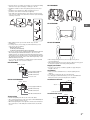
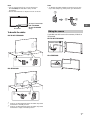
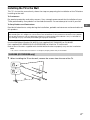
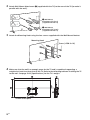
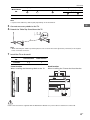
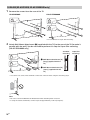
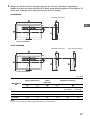
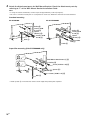
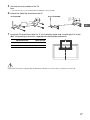
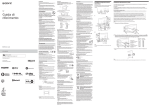
Note Note • Two or more people (four or more people for KD-79X9000B) are needed to carry out this installation. • Ensure that there are no objects in front of the TV. • To detach the cable clamper from the TV, press the top of the clamper 1, then pinch 2 as illustrated. 3D Sync Transmitter (KD-65X9500B, KD-65/55X9000B only) IR Sensor GB Hiding the camera To bundle the cables If you do not wish to use the camera, hide it as illustrated. KD-79/65/55X9000B KD-79/65/55X9000B Camera cover K *1 KD-65X9500B KD-65X9500B *2 *1 *1 Location of cable clamper when the Table-Top Stand is attached to middle position. *2 Location of cable clamper when the Table-Top Stand is attached to edge or middle position. 7GB