1
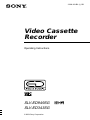
Setting up the VCR with the Auto
Set Up function
Before using the VCR for the first time, set up the VCR using the Auto Set Up
function. With this function, you can set the language for the on-screen display and
TV channels automatically.
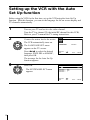
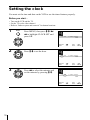
1
Turn on your TV and set it to the video channel.
Tune the TV to channel 32 (the initial RF channel for this VCR).
Refer to your TV manual for TV tuning instructions.
2
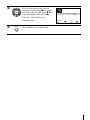
Connect the mains lead to the mains.
The VCR automatically turns on.
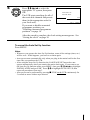
PLAY
OK
ENGLISH
ARABIC
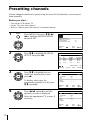
The LANGUAGE SET menu
appears on the TV screen.
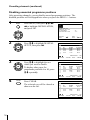
Press </, to select the desired
language, ENGLISH or ARABIC,
then press OK.
SELECT
SET
:
: OK
EXIT
: MENU
The message for the Auto Set Up
function appears.
3
Press OK.
PLAY
OK
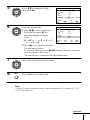
The SYSTEM SELECT menu
appears.
SYSTEM SELECT
SYSTEM – B/G
SYSTEM – D/K
SYSTEM – I
SELECT
SET
8
:
: OK
EXIT
: MENU