1
D:\WINNT\Profiles\George\Desktop\2697098112_WAX2_EN
source(081606)\01US06USI.fm
masterpage:3 columns Right
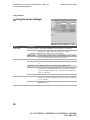
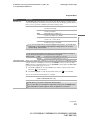
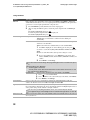
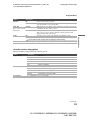
Using the Menus
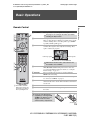
Overview of MENU
MENU provides one button access for controlling your TV. It enables you to perform a variety of tasks
intuitively with a control panel on the screen rather than a variety of remote control button presses.
When you press the MENU button, you can easily perform basic TV functions such as: switching between
external inputs, viewing your favorite stations and changing or customizing your TV settings.
Using the Menus
MENU
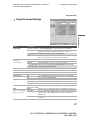
External Inputs
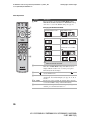
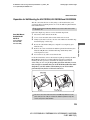
1 Press MENU on the remote.
2
3
2, 3
1
Favorites
MENU control panel appears.
Press V/v to highlight the item.
Press
to select an option.
Press MENU to exit.
TV List
Settings
Select from connected equipment
Select:
Set:
Exit: MENU
(Continued)
23
KLV-23S200A/KLV-26S200A/KLV-32S200A/KLV-40S200A
2-697-098-11(2)