1
2) Make sure the alarm time is correctly set for AM or PM, the lighted dot (2) indicated PM. Be sure
to release the HOUR and MIN set buttons before releasing the ALARM button.
Waking to Alarm
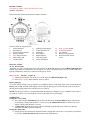
1) After setting the alarm time, set Function Switch (3) to choose „VIB“, „BUZZ“ or „VIB / BUZZ“.
2) Set to VIB for bed shaker; BUZZ for sound, or VIB/BUZZ for both buzzer and vibrator.
3) Set desired Volume (7) for buzzer sound.
4) When the alarm sounds the Flashing light display (7) will flash continously, until the alarm is
stoped. This will work under all three wake up modes.
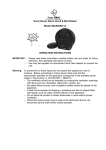
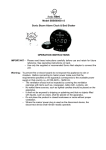
5) When the alarm sounds the Skull eyes LED (6) will flash continously, until the alarm is stoped.
This will work under all three wake up modes.
Shutting Off Alarm
The alarm can be shut off temporarily for the day or shut off permanently.
1) When the alarm goes off, simply press the AL off button (3) once, the alarm will shut itself off for
the day and come back on the next day at the same time if the alarm setting has remained
unchanged.
2) To shut off the alarm permanently, slide Function Switch (3) to OFF positon.
Snooze Operation
When the alarm sounds, press the Skull SNOOZE button (5) the alarm will be turned off for 9 minutes for
extra sleep. The alarm will come back again after 9 minutes. You may repeat many times up to 119 minutes.
Volume
To adjust the volume rotate the Volume Knob (7) located on the upper right hand side until you have reach
your desired level.
Tone
Adjust the tone by rotating the Tone Knob (9) located on the right hand side just below the Volume Knob
(7) until you have reach your desired level. Tone will only work for alarm sound it will not adjust for MP3
operation.
Dimmer
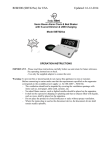
The brightness of the LED clock display can be adjusted using the Dimmer Switch (4). Two intensity, Hi /
Low can be set.
Hour Format and Power Cycle (19) this setting determines to correct speed that your clock will
operate at.
Please select the appropriate settings for use. For USA please select 12/60Hz; for Europe please select
24/50Hz; for UK please select 12/50Hz. Please note the incorrect selection of power cycle will result in
incorrect time.
To Play Music using a Player (MP3) through AUX-IN, MP3 player not included.
To play music (from CD, MP3 player, Radio etc):
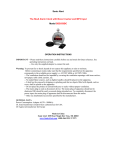
1. Plug the supplied line-in cable to the back of the unit labelled AUX-in (16), the other end plug
into the earphone/ headphone socket of the music player.
2. Set the volume knob (9) on the clock unit to a desired volume level.
3. Play your music player and set the volume to a suitable level on your player.
NOTE:
a) The clock unit will automatically switch to the AUX mode once the line-in cable is plugged into the unit.
b) The Tone Knob does not function in the AUX mode.
Made in China
Sonic Alert 1050 East Maple Rd. Troy, MI 48083
www.SonicAlert.com 1-800-566-3210 V/TTY