1
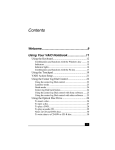
Contents
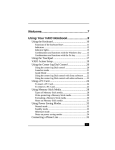
Welcome.......................................................7
Using Your VAIO Notebook........................9
Using the Keyboard...................................................10
Combinations and functions with the Windows key .........12
Indicators ...........................................................................13
Indicator lights ...................................................................13
Combinations and functions with the Fn key ....................14
Using the Touchpad ..................................................16
Using the Floppy Disk Drive ....................................18
Using the Optical Disc Drive ....................................21
To insert a disc ...................................................................21
To eject a disc ....................................................................22
To play a DVD...................................................................23
To play an audio CD ..........................................................24
Notes on CD and DVD discs .............................................24
To write data to a CD-RW or CD-R disc...........................25
Using PC Cards .........................................................26
To insert a PC Card............................................................26
To remove a PC Card.........................................................28
Using a Second Battery Pack ....................................29
To insert a second battery pack..........................................29
To charge the second battery pack.....................................30
To view remaining battery power ......................................30
To remove the second battery pack ...................................31
1
Change text in this variable definition to document title.
Using the Weight Saver ............................................ 32
To attach the weight saver ................................................ 32
To remove the weight saver .............................................. 33
Using Power Saving Modes...................................... 34
Normal mode..................................................................... 34
Standby mode.................................................................... 34
Hibernate mode ................................................................. 34
Connecting a Phone Line ......................................... 36
Connecting to a LAN ................................................ 37
Setting up your Ethernet connection................................. 37
Connecting Peripheral Devices ...............39
Connecting a Port Replicator .................................... 40
To attach your notebook to the port replicator.................. 41
To remove your notebook from the port replicator........... 44
Connecting a PS/2 External Mouse or Keyboard ..... 46
To connect an external mouse or keyboard ...................... 46
Connecting an AV Device ........................................ 47
Connecting a Parallel Port Printer ............................ 48
To connect a printer .......................................................... 48
Connecting a USB Printer......................................... 49
To connect a USB printer.................................................. 49
Connecting an External Display ............................... 50
To connect a computer display ......................................... 50
To connect a multimedia computer display ...................... 51
To connect a projector....................................................... 51
To select a display............................................................. 51
Connecting a USB Device ........................................ 53
To connect a USB device.................................................. 53
2
Connecting an i.LINK Device...................................54
To connect a digital video camera recorder.......................54
Connecting with another VAIO computer ................56
Connecting External Speakers ..................................57
Before connecting external speakers .................................57
To connect external speakers .............................................57
Connecting an External Microphone.........................58
To connect an external microphone...................................58
Expanding Your Notebook Capabilities ...................59
Personal Digital Assistant ..................................................59
Wireless LAN Access Point ..............................................59
Wireless LAN PC Card......................................................60
Customizing Your VAIO Notebook ..........61
Selecting the Display Mode ......................................62
Changing the window design of Sony software........65
Adding Memory .........................................67
Precautions and Procedures.......................................68
Typical expansion memory configuration.................69
Models with 128 MB memory...........................................69
Models with 256 MB memory...........................................69
Removing a memory module ....................................70
Installing a memory module......................................72
Viewing the amount of memory................................73
About the Software on Your Notebook ...75
Software Overview....................................................76
Application, Driver, and System Recovery CDs.......81
3
Change text in this variable definition to document title.
Using Your Recovery CDs ....................................... 82
To use the Application Recovery CD(s) ........................... 82
To use the Driver Recovery CD(s) ................................... 83
To use the System Recovery CD(s) .................................. 87
Troubleshooting........................................89
Troubleshooting Your Notebook ...................................... 89
My notebook does not start............................................... 89
My notebook starts but a BIOS error appears................... 90
My notebook starts, but the message “Operating system not
found” appears and Windows does not start..................... 90
My notebook stops responding or does not shut down..... 91
The power management setting is not responding............ 92
Why does the System Properties dialog box display a slower
CPU speed than advertised?.............................................. 92
Troubleshooting the LCD Screen ............................. 93
My LCD screen is blank. .................................................. 93
My LCD screen continues to show the previous screen. .. 93
The image on my connected external display is not centered
or sized properly................................................................ 93
I want to change the video resolution of my display. ....... 93
I cannot switch the LCD display to TV, and vice versa. .. 93
Troubleshooting the Mouse and Touchpad .............. 94
My mouse does not work. ................................................. 94
My touchpad does not work properly. .............................. 94
The pointer does not move while using the Touchpad or
Mouse................................................................................ 94
Troubleshooting Drives, PC Cards and Peripheral Devices .......................................................................... 96
My floppy disk drive cannot write to a floppy disk.......... 96
My optical disc drive is not playing my CD or DVD proper-
4
ly. .......................................................................................96
My optical drive tray does not open. .................................97
I cannot use Digital Video (DV) devices. The message “DV
equipment seems to be disconnected or turned off” appears.
97
My PC Card is not working. ..............................................97
Troubleshooting Software .........................................98
My software program stops responding or crashes. ..........98
When I click an application icon, the message “You must insert the application CD into your optical drive” appears and
the software does not start. ................................................98
I cannot use the DVgate™ software. .................................98
My computer’s start-up time seems longer after I have installed AOL. What can I do? .............................................98
Troubleshooting the Modem .....................................99
My modem does not work. ................................................99
My modem connection is slow. .........................................99
Troubleshooting Audio ...........................................100
My speakers make no sound. ...........................................100
My microphone does not work. .......................................100
Troubleshooting the Printer.....................................101
I cannot print. ...................................................................101
Troubleshooting i.LINK devices.............................102
I cannot establish a connection between two VAIO computers when using an i.LINK cable.......................................102
Getting Help .............................................103
Support Options.......................................................104
Software Support Information.................................106
Sony Service Center.........................................................107
5
Change text in this variable definition to document title.
Index.........................................................109
6
Welcome
Congratulations on your purchase of this Sony VAIO computer, and
welcome to the VAIO User Guide.
This User Guide provides detailed information on all aspects of using
your new VAIO computer, from keyboard functions to preinstalled
software applications.
In the left navigation window, click the topics you want to learn more
about, and that information will be displayed in this main window.
7
Change text in this variable definition to document title.
8
Using Your VAIO Notebook
This section describes the following aspects of your new computer:
❑
Using the Keyboard
❑
Using the Touchpad
❑
Using the Floppy Disk Drive
❑
Using the Optical Disc Drive
❑
Using PC Cards
❑
Using a Second Battery Pack
❑
Using the Weight Saver
❑
Using Power Saving Modes
❑
Connecting a Phone Line
❑
Connecting to a LAN
9
Change text in this variable definition to document title.
Using the Keyboard
Your notebook keyboard is very similar to that of a typewriter, but the keyboard
has additional keys that perform specific computer-related tasks.
Keyboard
Function keys
Escape key
Print Screen key
Correction
keys
Shift key
Ctrl key
Fn key
Alt key
Windows key
Applications
key
Navigation
keys
Numeric keypad
Key
Description
Numeric keypad
Contains the keys found on a typical calculator. Use the
numeric keypad area to type numbers or to perform
mathematical calculations such as addition and subtraction.
Note that you must press the Num Lock key to activate the
numeric keypad. (When you do so, the Num Lock light will
be on.)
Navigation keys
Several keys are devoted to moving the cursor on the screen.
Correction keys
The Insert, Back Space, and Delete keys enable you to make
corrections in your documents.
10
Using the Keyboard
Key
Description
Function keys
The twelve function keys along the top of the keyboard are
used to perform designated tasks. For example, in many
applications, F1 is the Help key. The task associated with
each function key may vary from one application to the next.
Escape key
The Esc (Escape) key is used to cancel commands.
Print Screen key
The Print Screen key takes an electronic snapshot of the
screen and places it in the Windows Clipboard. You can then
paste the screen shot into a document and print it.
Operator keys
(Shift, Ctrl, Alt
keys)
Several keys are always used with at least one other key: Ctrl,
Alt, and Shift. When held down with another key, the Ctrl
(Control) and Alt (Alternate) keys offer another way to give
commands. For example, in many applications, instead of
choosing the Save command from a menu, you can hold
down Ctrl and press S (referred to as Ctrl+S). The Shift key
operates the same way as on a typewriter; it is used to
produce capital letters or special symbols such as @ and $.
Windows key
The key with the Windows logo displays the Windows Start
menu; it is the equivalent of clicking the Start button on the
taskbar. See “Combinations and functions with the Windows
key” for more information.
Fn key
The Fn key is used in combination with other keys to issue
commands. See “Combinations and functions with the Fn
key” for more information.
Applications key
The Applications key displays a shortcut menu of contextsensitive choices. Pressing this key is the equivalent of
clicking the right mouse button.
11
Change text in this variable definition to document title.
Combinations and functions with the Windows key
Combination
Function
+ F1
Displays VAIO® Help and Support Center.
+ Tab
Switches the selected button on the taskbar.
+D
Displays the desktop.
+E
Displays Windows Explorer.
+F
Displays the Windows Find: All Files window to find a file or
folder. This is the equivalent of selecting Find and then Files
or Folders from the Start menu.
+ Ctrl + F
Displays the Windows Find: Computer window where you
can locate other computers. This is the equivalent of selecting
Find and then Computer from the Start menu.
+M
Minimizes all displayed windows.
Shift +
+M
+R
Fn +
12
Returns all minimized windows to their previous size.
Displays the Run window. This is the equivalent of selecting
Run from the Start menu.
+ Insert
Displays the Properties window. This is the equivalent of
double-clicking the System icon in the Control Panel.
Using the Keyboard
Indicators
Indicator
Function
Power
Light is green when the power to the notebook is turned on,
flashes amber in Standby mode, and turns off when the
notebook is in Hibernate mode or powered off.
Battery 1
Indicates the status of the battery inserted in the battery bay
on the right side of the notebook.
1
Battery 2
Indicates the status of the battery inserted in the multipurpose
drive bay on the left side of the notebook.
2
Hard disk
This indicator will light when data is being read from or
written to the hard disk. Do not enter Standby mode or turn
off the notebook when this indicator is on.
Indicator lights
Light
On
Off
Num
Lock
The number keys in the numeric The alphanumeric character keys
keypad are active.
in the keypad area are active.
Caps
Lock
The letters appear in uppercase Letters appear in lower case as
you type (unless you hold down
as you type. The Shift key
lowers the case of typed letters the Shift key).
when Caps Lock is on.
Scroll
Lock
The screen scrolls differently. Information moves across the
(Exactly how it scrolls depends display normally.
on the specific application. It has
no effect in many applications.)
13
Change text in this variable definition to document title.
Combinations and functions with the Fn key
✍ If you switch user identities during a computing session, the Fn+F7 and Fn+F8 key
functionality (if available on your computer) will be interrupted. To switch to an
external display or monitor, see “Selecting the Display Mode” for more information.
Combinations/
Feature
Function
Fn+
(F3)
Mute On/Off
Toggles the built-in speaker off and on.
Fn+
(F4)
Speaker volume
Adjusts the built-in speaker volume.
To increase volume, press Fn+F4.
Fn+Shift+
(F4)
Speaker volume
Adjusts the built-in speaker volume.
To decrease volume, press Fn+Shift+F4.
Fn+
(F5)
Adjusts the brightness of the LCD.
Brightness control To increase light intensity, press Fn+F5.
Fn+Shift+
Adjusts the brightness of the LCD.
(F5)
To decrease light intensity, press Fn+Shift+F5.
Brightness control
14
Using the Keyboard
Combinations/
Feature
Fn+ LCD /
(F7)
Switch to the
external
monitor/LCD
Function
Toggles through the LCD, external display (connected to the
Monitor connector) and both LCD and external display.
Only LCD
LCD and external display
Only external display
Connect the cable before you turn on the notebook, otherwise
Fn + F7 will not work.
LCD only/
(F8)
Control AV out
Fn+
Toggles between LCD-only and dual LCD/TV display
modes.
Only LCD
LCD and external display
Only external display
Connect the cable before you turn on the notebook, otherwise
Fn + F8 will not work.
Fn + Esc
System Standby
Puts the system into Standby mode, a power management
state. To return the system to the active state, press any key.
✍ Some functions are not available until Windows launches.
15
Change text in this variable definition to document title.
Using the Touchpad
The keyboard contains a cursor-pointing device called a touchpad. You can point
to, select, drag, and scroll objects on the screen using the built-in touchpad.
Touchpad
Pointer
Right button
Touchpad
Left button
Action
Description
Point
Slide one finger on the touchpad to place the pointer on an
item or object.
Click
Press the left button once.
Double-click
Press the left button twice.
16
Using the Touchpad
Action
Description
Right-click
Press the right button once. In many applications, this action
displays a shortcut menu of context-sensitive choices.
Drag
Slide one finger while pressing the left button.
Scroll
Move your finger along the right edge of the touchpad to
scroll vertically. Move your finger along the bottom to scroll
horizontally. (The scroll function is available only with
applications that support a touchpad scroll feature.)
See Mouse Properties for information on touchpad features, such as clicking both
buttons simultaneously, adjusting touchpad speed, and Easy Launcher functions.
To access Mouse Properties, open the Start menu, point to Control Panel, Printers
and other Hardware, and then click the Mouse icon in the Control Panel.
17
Change text in this variable definition to document title.
Using the Floppy Disk Drive
Your computer comes with a floppy disk drive in the multipurpose bay.
To insert a disk
1
Hold the disk with the label side facing up.
2
Gently insert the disk into the drive until it clicks into place.
Label side facing up
18
Using the Floppy Disk Drive
To remove a disk
1
Wait until the LED indicator light turns off and then press the Eject button to
remove the disk.
Eject button
LED indicator light
✍ Do not push the eject button when the LED indicator is turned on. Otherwise, data
may be lost.
To remove the floppy disk drive
1
Turn off the notebook.
2
There is a RELEASE lever on the bottom of the computer. Slide this lever in
the direction of the arrow.
Multipurpose bay release lever
3
Slide the drive out of the multipurpose bay.
4
Insert the weight saver. See “Using the Weight Saver” for details.
19
Change text in this variable definition to document title.
To reinsert the floppy disk drive
1
Turn off the notebook.
2
If another device is in the multipurpose bay, remove the device. See “To
remove the second battery pack” for details.
3
Insert the floppy disk drive, with the VAIO label facing up, into the
multipurpose bay until the RELEASE lever locks into place.
Inserting the floppy disk drive
Multipurpose bay
Floppy disk drive
20
Using the Optical Disc Drive
Using the Optical Disc Drive
Your notebook comes with an optical disc drive. Depending on the system you
purchased, your optical disc drive is either a CD-RW/DVD Combo Drive or a
DVD-ROM drive.
To insert a disc
1
Turn on the notebook.
✍ When the notebook is in Standby or Hibernate mode, you cannot insert a disc. See
“Using Power Saving Modes” for more information on Standby and Hibernate modes.
2
Press the Eject button to open the optical drive.
The tray slides out.
Ejecting the tray
Eject button
✍ Avoid using adhesive labels to identify your discs. Adhesive labels may come off while
the disc is in use in your optical drive, and may cause damage to the unit.
3
Place an optical disc on the tray with the label side facing up. For DVDs that
can be played on both sides, the side of the disc facing up is the side that
plays.
21
Change text in this variable definition to document title.
4
Press the disc onto the hub until the disc clicks securely into place.
Inserting an optical disc
Label side facing up
5
Close the tray by pushing it gently.
To eject a disc
When you finish using a disc, wait until the LED indicator turns off, and then
press the Eject button to remove the disc.
When the notebook is in a power saving mode, you cannot remove an optical
disc. See “Using Power Saving Modes” for more information about power saving
modes.
22
Using the Optical Disc Drive
If the optical disc does not slide out when you press the Eject button, turn off the
notebook and insert a thin, pointed object (such as a paper clip) into the manual
eject hole.
Make sure to seat the disc firmly over the hub fingers. If you do not seat the
disc firmly, you could damage your optical drive and you may not be able to
open the tray.
Manual eject hole
To play a DVD
To play a DVD, you may use the optical disc drive and the preinstalled
WinDVD® application. For more information on WinDVD, see the Help menu
WinDVD application.
✍
Before you use the optical disc drive to play a DVD, quit any open applications.
Your optical drive can read most DVD-R media. When you are ready to play a
DVD, read the suggestions below to maximize your video viewing experience.
❑
If you connect your notebook to a TV display, you may need to adjust the
display resolution. Read the suggestions below to set the display resolution
to the proper dimensions. Also see “Selecting the Display Mode” for more
information.
23
Change text in this variable definition to document title.
❑
If the notebook is set to the default display setting, part of the video screen
will not appear. To view the entire screen, adjust the display resolution to
640 x 480.
❑
You cannot use the Fn + F8 function to switch between LCD and TV once a
DVD is inserted into the optical drive.
❑
Change the settings to disable the screen saver and the virus checker.
Some discs recorded at 20 or 24 bits may produce noise while playing. If you
have audio devices connected, this may cause damage to your hearing and
the speakers. Reduce the volume before playing a DVD.
Do not switch between LCD and the external display while the DVD is playing.
This may cause a malfunction, and you may need to restart the DVD software.
Do not switch the power saving modes while you are playing the DVD.
Do not use memory-resident utility software to speed up disc access. This
may cause the notebook to malfunction.
To play an audio CD
To play an audio CD, make sure the audio function is turned on. To do this,
complete the following procedure.
1
Open the Start menu, point to Control Panel, and then click System. The
System Properties window appears.
2
Select the Hardware tab and then click Device Manager in the Device
Manager box. A window appears, listing your notebook hardware devices.
3
Double-click DVD/CD-ROM drives. From the drop-down list, double-click
the drive name. A properties window appears.
4
Select the “Enable digital CD audio for this CD-ROM device” check box if
it is not already selected and then click OK.
Notes on CD and DVD discs
❑
Do not drop or bend the disc.
❑
Do not touch the surface of the disc. Fingerprints and dust on the surface of a
disc may cause reading errors. Proper care of the disc is essential to maintain
24
Using the Optical Disc Drive
its reliability. Do not use solvents such as benzine, thinner, commercially
available cleaners or anti-static spray, as they may cause damage to the disc.
❑
For normal cleaning, hold the disc by its edge and use a soft cloth to wipe the
surface from the center out.
❑
If the disc is badly soiled, moisten a soft cloth with water, wring it out well,
and use it to wipe the surface of the disc from the center out. Wipe off any
remaining moisture with a dry, soft cloth.
To write data to a CD-RW or CD-R disc*
You can use Sony SonicStage and Microsoft® Windows® XP to write data to a
CD-R or CD-RW disc. To create a CD-R disc that is readable in a CD-ROM
drive, make sure that you finish the writing process before ejecting the disc. For
more information, see the instructions included with Windows® XP.
Notes on writing data to a CD-RW or CD-R disc
❑
For optimal writing speed, deactivate the screen saver and exit anti-virus
software before writing data to a disc.
❑
For best results, use CD-Rs that are compatible with 8x speed.
❑
Your notebook does not support 1x writing speed.
❑
If your notebook computer has preinstalled Microsoft® Office applications,
such as Excel, Word, and Outlook, turn off the FindFast application.
* For notebook models equipped with a CD-RW/DVD Combo Drive.
25
Change text in this variable definition to document title.
Using PC Cards
Do not strike or shake the notebook while writing data to a disc.
Always use the AC adapter as the power source for your notebook if you are
writing data to a CD-RW or CD-R disc. Using battery power may result in data
transfer failure.
Your notebook includes two PC Card slots. PC Cards enable you to connect
portable external devices such as another hard disk drive, or a PC Network
Interface Card (NIC) to connect to a network.
✍ The PC Card slots can accommodate two Type I/II PC Cards, or one Type III PC Card.
These slots are compatible with CardBus. Use the lower slot for Type III PC Cards. You
do not need to shut down your notebook before inserting or removing a PC Card.
To insert a PC Card
1
Push the Release button once. The Release button pops out.
PC Card release button
Release button
Release button
26
Using PC Cards
2
Push the Release button a second time. The PC Card slot protector pops out.
When you use a Type III PC card, you need to remove both the top and
bottom PC Card slot protectors.
PC Card slot protector
3
Insert the the PC Card gently into the slot. Make sure the front label of the
PC Card is facing up. The PC Card is automatically detected by your system.
The
Unplug or Eject Hardware icon appears in the taskbar.
Inserting a PC Card
Insert with the
arrow facing toward
the slot
PC Card
Do not force a PC Card into the slot as this may damage the connector pins.
Do not carry your notebook while touching the head of a PC Card (such as a
wireless LAN card), as pressure or shock may damage the connector pins.
27
Change text in this variable definition to document title.
To remove a PC Card
The following procedure describes how to remove the PC Card while the
notebook is on. If you want to remove the PC Card while the notebook is off,
perform steps 4, 6, and 7 below.
1
Double-click
appears.
in the taskbar. The “Safely remove ... PC Card” dialog box
2
Click the PC Card’s name or drive. The message, “Safe to Remove
Hardware” appears.
3
Click to close the message.
4
Push the Release button. The Release button pops out.
5
Click OK again and then click Close.
6
Gently grasp the PC Card and pull it out of the slot.
7
Insert the PC Card slot protector into the empty slot.
Notes on using PC Cards
❑
For some PC Cards, if you alternate between normal power operation and
the Standby or Hibernate power management modes while the card is
inserted, you may find that a device connected to your system is not
recognized. Restart your system to correct the problem.
❑
Some PC Cards may require that you disable idle devices when using the PC
Card.
❑
Be sure to use the most recent software driver provided by the PC Card
manufacturer.
❑
If an exclamation mark (!) appears on the Device Manager tab in the System
Properties dialog box, remove the software driver and then reinstall it.
❑
You may not be able to use some PC Cards or some functions of the PC Card
with this notebook. If you have difficulty inserting a card, check that you are
orienting the card correctly. See the manual that came with your PC Card for
more information on its use.
28
Using a Second Battery Pack
Using a Second Battery Pack
You can purchase a second rechargeable battery pack. With two battery packs,
you can extend the time that you use your notebook with battery power. When
using two battery packs, the battery pack you insert first charges first. The battery
pack you insert second begins charging when the first battery pack is 85 percent
full. You can monitor which battery pack is charging by observing the battery
indicators.
To insert a second battery pack
1
If another device is in the multipurpose bay, remove that device.
2
Insert the battery pack into the multipurpose bay.
If the battery is being used, the battery 2 indicator turns on.
Second battery in multipurpose bay
Multipurpose bay
Battery pack
VAIO logo facing up
3
Attach the weight saver to the notebook to stabilize the battery pack. See
“Using the Weight Saver” for more information.
29
Change text in this variable definition to document title.
To charge the second battery pack
Using weight saver for second battery cover
Battery pack
Weight saver
Keep the battery pack in the notebook while it is connected to AC power. The
battery indicator flashes while the battery is charging. See also “To charge the
battery pack” in the printed Quick Start for more information.
Charging the second battery
Battery indicators
To view remaining battery power
To view remaining battery power, perform the following steps.
30
Using a Second Battery Pack
1
Click Start in the Windows taskbar, Control Panel, Performance and
Maintenance, and then click Power Options. The Power Options Properties
dialog box appears.
2
Click the Power Meter tab. The current power source and total battery power
remaining is shown.
To remove the second battery pack
If you attach two battery packs, you can remove either of them without shutting
down the notebook. When removing one battery pack, make sure that the other
battery pack’s indicator is on. If the indicator of the battery pack you are
removing is on, right-click the battery icon on the taskbar and click the “Switch
discharge battery” option.
1
There is a Release lever on the bottom of the weight saver. To remove the
battery pack, slide this lever in the direction of arrow 1, and then slide the
RELEASE lever on the bottom of the notebook in the direction of arrow 2.
Multipurpose bay Release levers
Arrow 1: Weight saver
Release lever
Arrow 2: RELEASE lever
2
Remove the weight saver, and then pull out the battery pack.
3
Reinsert the weight saver. See “Using the Weight Saver” for more
information.
31
Change text in this variable definition to document title.
Using the Weight Saver
The weight saver protects the multipurpose bay when it is empty, and secures the
secondary battery when it is installed in the multipurpose bay.
To attach the weight saver
1
If another device, such as a battery pack, is in the multipurpose bay, remove
that device. See “To remove the second battery pack” for more information.
2
Fold out the hinged arm of the weight saver and then push on the hinged arm
to lock it into place. Slide the weight saver in the direction of the arrow until
it clicks into place.
Inserting the weight saver
3
32
Manually lock the weight saver’s Release lever.
Using the Weight Saver
To remove the weight saver
1
To remove the weight saver, first slide the multipurpose bay Release lever in
the direction of the arrow.
Multipurpose bay Release lever
Arrow 1: Weight saver Release lever
Release lever
Arrow 2: RELEASE lever
2
Remove the weight saver.
33
Change text in this variable definition to document title.
Using Power Saving Modes
When you use a battery as the source of power for your notebook, you can take
advantage of power management settings to conserve battery life. In addition to
the normal operating mode, which allows you to turn off specific devices, your
notebook has two distinct power saving modes: Standby and Hibernate. When
using battery power, be aware that the notebook automatically enters Hibernate
mode when the remaining battery charge drops below 5 percent, regardless of the
power management setting you select.
✍ If the battery level falls below 10 percent, you should either attach the AC adapter to
recharge the battery or shut down your notebook and insert a fully charged battery.
Normal mode
Normal mode is the normal state of your notebook when it is in use. The power
indicator displays green when your notebook is in this mode. To save power, you
can turn off a specific device such as the LCD or the hard disk drive.
Standby mode
In Standby Mode the notebook saves the current state of the system in RAM and
switches off power to the CPU. The amber power indicator flashes in this mode.
To activate Standby mode
To activate Standby mode, press the key combination Fn+Esc.
To return to normal mode
Press any key to return to normal mode.
Hibernate mode
In the Hibernate mode, the state of the system is saved on the hard disk drive and
power is turned off. The power indicator is off in this mode.
To activate Hibernate mode
To activate Hibernate mode, press the power button and release it immediately, or
do the following:
34
Using Power Saving Modes
1
Click Start in the Windows taskbar, and select Turn Off Computer.
2
Hold down the Shift key, and click Hibernate. The computer goes into
Hibernate mode.
✍ The “Save to Disk Manager” screen appears, and then the notebook enters Hibernate
mode.
Do not move the notebook until its power indicator turns off.
To return to normal mode
To return to normal mode, turn on the notebook by pressing the power button.
The notebook returns to its previous state.
✍ When returning from Hibernate mode, the system status stored on the hard disk is
erased and the notebook starts normally if you press the power button and hold for
more than four seconds.
❑
Time required to return to normal mode
Standby requires less time than Hibernate to return to normal mode.
❑
Power consumption
Standby uses more power than Hibernate.
35
Change text in this variable definition to document title.
Connecting a Phone Line
You need to connect a phone line to take advantage of online services and the
Internet.
✍ In order to register your Sony VAIO notebook, register your software online, and use
Sony Customer Support, you must connect to a phone line.
1
Plug one end of the phone cable into the modem jack on the notebook.
Connecting phone cable
Modem jack
Wall jack
Phone cable (optional)
2
Plug the other end of the phone cable into the wall jack.
✍ Your notebook does not work with party lines, cannot be connected to a coin-operated
telephone, and may not work with multiple phone lines or a private branch exchange
(PBX). Some of these connections may result in excess electrical current and could
cause a malfunction in the internal modem.
If you connect a phone line coming through a splitter, the modem or connected device
may not work properly.
36
Connecting to a LAN
Connecting to a LAN
You can connect your notebook to 10Base-T and 100Base-TX-type Local Area
Networks (LANs). For the detailed settings and devices needed to connect to the
network, ask your network administrator.
Connecting to LAN
Ethernet
jack
Warning: Only connect 10Base-T and 100Base-TX cables to the
Ethernet
jack. Do not connect any other type of network cable or phone cable.
Connecting cables other than those listed above may result in an electric
current overload and could cause a malfunction, excessive heat, or fire in the
port. To connect the unit to the network, contact your network administrator.
Setting up your Ethernet connection
To connect to the network
1
Click Start, select My Computer, and then click My Network Places under
the the “Other Places” heading.
2
Click “Add a network place” under the Network Tasks heading, or click “Set
up a home or small office network,” depending on your configuration.
3
Depending on your choice, either the “Add Network Place Wizard” or the
“Network Setup Wizard” is displayed.
4
Follow the step-by-step instructions that appear on the screen.
37
Change text in this variable definition to document title.
38
Connecting Peripheral Devices
You can add functionality to your notebook by connecting a variety of
peripherals, as discussed in the following sections:
❑
Connecting a Port Replicator
❑
Connecting a PS/2 External Mouse or Keyboard
❑
Connecting an AV Device
❑
Connecting a Parallel Port Printer
❑
Connecting a USB Printer
❑
Connecting an External Display
❑
Connecting a USB Device
❑
Connecting an i.LINK Device
❑
Connecting with another VAIO computer
❑
Connecting External Speakers
❑
Connecting an External Microphone
❑
Expanding Your Notebook Capabilities
39
Change text in this variable definition to document title.
Connecting a Port Replicator
Your notebook supports the use of a port replicator such as the Sony PCGAPRFX1 model (optional). Attaching a port replicator enables you to connect
additional peripherals to your notebook.
Port replicator
1
1
2
3
4
2
4
3
Serial port
Printer port
Monitor port
Network port
(Ethernet 10Base-T/100Base-TX)
5
6
7
5
/
port
6
7
USB ports
Mouse/Keyboard (PS/2)
DC In port
The port replicator can be powered only with an AC power adapter. Do not
remove the AC adapter from the port replicator or the AC outlet while using
the port replicator; this may cause data damage or hardware malfunctions.
40
Connecting a Port Replicator
To attach your notebook to the port replicator
To supply power to your notebook while it is connected to the port replicator,
connect the AC adapter directly to the port replicator.
When attaching your notebook to the port replicator, do not attempt to insert
or remove the battery pack. Lifting and turning the notebook with an attached
port replicator could cause a temporary loss of power, and may result in data
loss.
1
Turn off the notebook and disconnect all peripheral devices.
2
On the bottom of the notebook, slide the port replicator cover open.
Port replicator connector
3
If necessary, close the tilt stands before attaching the notebook to the port
replicator.
41
Change text in this variable definition to document title.
4
Attach the bottom of the notebook to the port replicator connector until it
clicks into place.
Attaching notebook to port replicator
Notebook
Port replicator
(optional)
5
42
Plug the cable attached to the AC adapter into the DC IN jack on the port
replicator.
Connecting a Port Replicator
6
Plug the power cord into the AC adapter and an AC outlet. The power
indicator turns green.
Connecting AC adapter to port replicator
AC adapter
Power cord
✍ Use the AC adapter that comes with your notebook or the optional Sony adapter.
Power indicator
Release lever
Power
Port replicator connector
7
Turn on the notebook.
43
Change text in this variable definition to document title.
To remove your notebook from the port replicator
1
Turn off your notebook and the connected peripherals.
2
Pull the levers on each side of the port replicator to release the notebook
from the port replicator.
Releasing notebook from port replicator
Lever
3
Lift the notebook away from the port replicator.
Removing notebook from port replicator
44
Connecting a Port Replicator
4
Close the port replicator connector cover on the bottom of your notebook.
Close the port replicator connector cover after removing your notebook from
the port replicator. If the cover is left open, dirt may get inside and damage the
notebook.
45
Change text in this variable definition to document title.
Connecting a PS/2 External Mouse or Keyboard
You can connect an external mouse or keyboard to the optional port replicator
using a similar type PS/2® plug or adapter.
✍ Before you connect or disconnect the mouse or keyboard, turn off the notebook.
You can only connect one external device at a time. Therefore, it is impossible to
connect both a PS/2 mouse and PS/2 keyboard simultaneously.
To connect an external mouse or keyboard
❑
Locate the mouse and keyboard port on the port replicator identified by the
/
symbols.
❑
Plug the mouse or the keyboard cable into this port with the arrow facing
upward.
Connecting external mouse or keyboard
✍ See the manual that came with your mouse or keyboard for more information on its
installation and use.
46
Connecting an AV Device
Connecting an AV Device
You can connect an audio-video (AV) device, such as a TV, to your notebook.
Connecting a TV to the Notebook
TV
Power cord
(supplied with TV)
To Headphone jack
To AV out jack
Audio-video cable (optional)
✍ See the manual that came with your peripheral device for more information on its
installation and use.
If you insert a DVD in your optical drive to watch a video on your TV, the Fn+F8
key combination might not activate the function to toggle between your LCD and
TV. Do the following steps:
1
Connect the TV to the notebook.
2
Restart the notebook and wait until it finishes.
3
Toggle between your LCD and your TV with the Fn+F8 key combination.
Your image is now displayed on both LCD and TV. Re-insert your DVD to
launch your DVD software.
✍ A part of the image cannot be displayed on your TV display if the resolution of your
notebook is more than 1024 x 768 dots.
47
Change text in this variable definition to document title.
Connecting a Parallel Port Printer
You can connect a Windows XP operating system-compatible printer to your
notebook to print documents.
To connect a printer
❑
Locate the Printer port identified by the
symbol. Plug the printer cable
(supplied with the printer) into this port on the notebook.
Printer connector
Printer
Power cord
Printer cable
(supplied with the printer)
✍ See the manual that came with your printer for more information on its installation and
use.
If your printer stops functioning after resuming from a power saving mode, see
“Troubleshooting the Printer” for more information.
48
Connecting a USB Printer
Connecting a USB Printer
You can connect a Windows XP operating system-compatible USB printer to
either of your notebook’s two USB ports to print documents.
✍ To use a printer, first install the driver software that came with your printer.
To connect a USB printer
Plug the optional USB printer cable into either of the two USB ports on your
notebook and the USB port on your printer.
Connecting a USB Printer
Power cord
USB connector
To USB port
Printer
USB printer cable (not supplied)
✍ See the manual that came with your printer for more information on its installation
and use.
49
Change text in this variable definition to document title.
Connecting an External Display
You can connect an external display to your notebook. For example, you can use
the notebook with any of the following:
❑
Computer display (monitor)
❑
Multimedia computer display
❑
Projector
✍ Connect the external display before you turn on the notebook.
To connect a computer display
1
Locate the Monitor jack identified by the
notebook.
symbol on the back of the
2
Plug the display cable (optional) into this port.
3
If necessary, plug one end of the display power cord into the display, and the
other end into an AC outlet.
Connecting an external computer display
Computer display
Power cord
To
Monitor port
Display cable (optional)
✍ See the manual that came with your computer display for more information on its
installation and use.
50
Connecting an External Display
To connect a multimedia computer display
You can connect your notebook to a multimedia computer display that includes
built-in speakers and a microphone.
✍ See the manual that came with your multimedia computer display for more
information on its installation and use.
To connect a projector
You can use a projector, such as the Sony LCD Projector, as an external display.
Connecting a projector
To
headphone
jack
Projector
Power cord
RGB signal
Audio cable
cable (optional) (optional)
✍ See the manual that came with your projector for more information on its installation
and use.
To select a display
When you connect an external display to the Monitor port, you can toggle the
output between the Liquid Crystal Display (LCD), the external monitor, or both
devices.
51
Change text in this variable definition to document title.
Use the Fn+F7 keys to select a display. See also “Selecting the Display Mode” for
more information.
To
Press
Switch to an
Fn+F7
external display
Result
Toggles between the LCD, the external display
connected to the Monitor port, or both the LCD
and external display.
Only LCD
LCD and external display
Only external display
✍ Connect the cable before you turn on the notebook, otherwise Fn + F7 will not work.
52
Connecting a USB Device
Connecting a USB Device
You can connect a Universal Serial Bus (USB) device such as an external mouse,
keyboard, speaker, and microphone to your notebook.
To connect a USB device
✍ The following steps describe the procedure for connecting a USB mouse to your
notebook.
Refer to the manual that came with your USB device for specific installation
instructions.
❑
Locate the USB device identified by the symbol. Plug one end of the USB
cable into this port and the other end into the USB device.
Connecting USB device to USB port
USB device
To
USB
USB connecting cable
(optional)
You can use an optional Sony USB mouse such as the PCGA-UMS1 series
(optional) with this notebook. Since the USB mouse software driver is
preinstalled in the notebook, you simply plug the USB mouse into the USB port
to use it. One USB port supports one USB device.
✍ See the manual that came with your USB device for more information on its
installation and use.
53
Change text in this variable definition to document title.
Connecting an i.LINK Device
You can connect an i.LINK enabled digital video camera recorder to the
i.LINK®* S400 (IEEE1394) port.
✍ You can purchase compatible i.LINK cables from your local retailer, from the Sony
VAIO® sonystyle Web site (http://vaio.sonystyle.com), or by calling 1-888-315-7669
(toll free).
To connect a digital video camera recorder
❑
Plug one end of the i.LINK cable (optional) into the i.LINK port on the left
side of the notebook and the other end into the DV In/Out port on the digital
video camera recorder.
Connecting digital video camera recorder to i.LINK port
Digital video
camera recorder
To i.LINK port
To DV In/Out
i.LINK cable
(optional)
* i.LINK is a trademark of Sony used to designate that a product contains an IEEE 1394 connector. The i.LINK connection may vary, depending on the software application, operating
system, and compatible i.LINK devices. All products with an i.LINK connection may not
communicate with each other. Refer to the documentation that came with your compatible
i.LINK device for more information on operating conditions and proper connection. Before
connecting compatible i.LINK PC peripherals to your system, such as a CD-RW or hard disk
drive, confirm their operating system compatibility and required operating conditions.
54
Connecting an i.LINK Device
Notes on connecting an i.LINK device
❑
The above figure displays a connection to a Sony digital video camera
recorder; your digital video camera recorder may need to be connected
differently.
❑
Only Sony digital video camera ports labeled “DV In/Out” or “i.LINK” are
i.LINK-compatible.
❑
See the manual that came with your digital video camera recorder for more
information on its installation and use.
❑
Do not connect more than one digital video camera at a time. The software
supplied with your notebook will not recognize multiple cameras.
❑
The i.LINK port on the notebook does not supply power to external devices.
If the external device requires power from the i.LINK port, you cannot use
the device with the notebook.
❑
The notebook supports transfer rates up to 400 Mbps; however, the actual
transfer rate is the lowest transfer rate of the external device.
❑
The i.LINK features available may vary depending on the software
applications you use. See the documentation that accompanied your software
for more information.
i.LINK cables compatible with your VAIO notebook include cables with the
following part numbers: VMC-IL4415 (a 1.5-meter cable with a 4-pin connector
at each end) and VMC-IL4615 (a 1.5 meter-cable with a 4-pin connector at one
end and a 6-pin connector at the other). You can purchase these cables from your
local retailer, through the Sony VAIO® sonystyle Web site
(http://www.sonystyle.com/vaio), or by calling 1-888-315-7669 (toll free).
55
Change text in this variable definition to document title.
Connecting with another VAIO computer
You can use an optional i.LINK®* cable to connect your VAIO notebook to
another computer that has the preinstalled Microsoft® Windows® XP operating
system or the Sony Smart Connect software. You can use an i.LINK cable (not
supplied) to connect the two computers and then use one computer to edit, copy
or delete files on the other computer. You can also print from a printer attached to
either computer.
Connecting with an i.LINK cable
i.LINK cable (optional)
✍ When you connect two VAIO computers, you must assign each computer a unique
name. The computers can be identified by this unique name when the two computers
are networked together.
If you have previously purchased a VAIO computer or notebook that does not have
Smart Connect 3.0 software preinstalled, consult the Sony Web site for support
options (http://www.sony.com/pcsupport).
* i.LINK is a trademark of Sony used to designate that a product contains an IEEE 1394 connection. The i.LINK connection may vary, depending on the software applications, operating
system, and compatible i.LINK devices. All products with an i.LINK connector may not
communicate with each other. Refer to the documentation that came with your compatible
i.LINK device for information on operating conditions and proper connection. Before connecting compatible i.LINK PC peripherals to your system, such as a CD-RW or hard disk
drive, confirm their operating system compatibility and required operating conditions.
56
Connecting External Speakers
Connecting External Speakers
You can enhance the sound quality of your notebook by connecting external
speakers. See the manual that came with the speakers for more information on
their installation and use.
Do not place floppy disks on the speakers; the speakers’ magnetic field can
damage the data on floppy disks.
Before connecting external speakers
❑
Make sure that the speakers are designed for computer use.
❑
Turn down the volume of the speakers before you turn them on.
To connect external speakers
1
Locate the Headphone jack identified by the
notebook.
2
Plug the speaker cable into this jack.
symbol on the left side of the
Connecting speakers to the headphone jack
Speakers
To Headphone
jack
Speaker cable
(supplied with speakers)
57
Change text in this variable definition to document title.
Connecting an External Microphone
You can enhance the quality of sound input by using an external microphone. See
the manual that came with the microphone for more information on its
installation and use.
✍ Make sure your microphone is designed for notebook use. The microphone should be
compliant with the plug-in power microphone.
To connect an external microphone
1
Locate the Microphone jack identified by the
symbol on the left side of
the notebook. A protruding dot above the Microphone jack further
distinguishes this jack from other jacks and ports.
2
Plug the microphone cable into the Microphone jack.
Connecting microphone to microphone jack
Microphone
(optional)
To Microphone jack
58
Expanding Your Notebook Capabilities
Expanding Your Notebook Capabilities
The following peripheral devices can be connected to your notebook, to expand
the capabilities of your computer and enhance its versatility to meet your various
business or personal needs:
❑
A Personal Digital Assistant (PDA)
❑
A Wireless LAN Access Point
❑
A Wireless LAN PC Card
✍ For more information on available Sony products, go to http://www.sonystyle.com/vaio.
Personal Digital Assistant
A handheld PDA is the quintessential personal planner and entertainment center
that fits in your pocket. With a PDA, you can easily perform the following
functions:
❑
Enter your schedule details in the calendar and view them by the day, week,
or month, and even set an alarm to remind you of important events.
❑
Keep your contact names, addresses, phone numbers, and other details in the
address book, and find them when you need them.
❑
Add tasks to the To Do List, prioritize them, and assign them due dates.
❑
Synchronize your data with the software on your notebook, to back up your
data.
❑
Track expenses when you are out of the office, then transfer the data to your
notebook.
❑
Exchange data with your notebook.
Wireless LAN Access Point
The Wireless LAN Access Point is designed for building a wireless Local Area
Network (LAN) environment. The Access Point comes with the Wireless LAN
PC Card and required software. You can easily build a wireless LAN
environment by plugging the Access Point into an AC power outlet, installing the
Wireless LAN PC Card in your notebook, and using the provided software.
Because a wireless LAN configuration requires no wiring, you can operate
multiple computers more freely than ever before.
59
Change text in this variable definition to document title.
You can also connect your Access Point to a telephone line, Integrated Services
Digital Network (ISDN) router, cable modem, or Digital Subscriber Line (xDSL)
modem to share access to the Internet among multiple computers.
Wireless LAN PC Card
The Wireless LAN PC Card, which comes with the Wireless LAN Access Point,
can be purchased separately and is designed for building a wireless LAN
environment. The Wireless LAN PC Card can be used with or without the Access
Point. With the Access Point, you can build a wireless LAN between computers
that are equipped with the Wireless LAN PC Card and gain access to the Internet.
Without the Access Point, you can achieve direct communication (Peer to Peer
mode) between computers.
✍ For information on available Sony products, go to
http://www.sonystyle.com/wirelesslan.
60
Customizing Your VAIO
Notebook
The following sections briefly describe how to change your notebook’s
default settings.
❑
Selecting the Display Mode
❑
Changing the window design of Sony software
61
Change text in this variable definition to document title.
Selecting the Display Mode
This notebook uses the ATI video controller. You can select which display is used
when the notebook is connected to an external monitor. When you connect an
external display, you can switch the display mode between your notebook’s LCD
display and the external monitor.
1
Click the Start button and then point to Control Panel.
2
Click Display to access the Display Properties window.
3
Click the Settings tab, and then click the Advanced button. The “(Multiple
Monitors) and ATI RAGE MOBILITY-M1 AGP ...” dialog box appears.
(Multiple Monitors) and ATI RAGE MOBILITY-M1 screen
62
Selecting the Display Mode
63
Change text in this variable definition to document title.
4
Click the Displays tab and select the display settings by clicking the
icon
on the panel of your display choice. For more information, click the Help
button.
✍ If you cannot see your movie or DVD on the external display, change the monitor or TV
setting by clicking on the Secondary
icon and changing it to Primary
.
✍ You may not be able to display the notebook LCD screen and an external display or
projector at the same time, depending on the types of computer displays and
projectors you are using.
Turn on the notebook after you connect the external display.
64
Changing the window design of Sony software
Changing the window design of Sony software
To change the window design
1
Click the Start button, then click Control Panel.
2
In the left navigation window, click “Switch to Classic View.”
3
Double-click UI Design Selector.
4
Click << or >> and select the desired design.
5
Click Apply. The “UI Design Selector” window design changes. The
window design for your Sony software will match the “UI Design Selector”
window.
6
To try another selection, click << or >> then click OK to close the UI Design
Selector.
✍ This feature is available with UI Design Selector-compatible software only.
65
Change text in this variable definition to document title.
66
Adding Memory
In the future you may want to install memory modules to expand the
functionality of your notebook. The amount of memory on your notebook
will vary depending on the model you purchased. See the Specifications
flyer that came with your notebook for the amount of memory preinstalled. Expansion memory modules are available as options. For
memory upgrades, use only PC100 (CL2) SDRAM SO-DIMMs (gold lead
contacts). This section describes how to replace memory modules in your
computer:
❑
Precautions and Procedures
❑
Typical expansion memory configuration
❑
Removing a memory module
❑
Removing a memory module
❑
Viewing the amount of memory
67
Change text in this variable definition to document title.
Precautions and Procedures
The procedures described below assume that you are familiar with the general
terminology associated with personal notebooks and with common safety
practices required for using and modifying electronic equipment. Personal injury
or equipment damage may result from failure to take these precautions.
Make sure you observe the proper safety precautions when you install
memory modules in your notebook. See the bulleted list below. Be careful
when adding memory. Mistakes made when installing or removing a memory
module may cause a malfunction.
❑
Disconnect your system from its power source and from any
telecommunications links, networks, or modems before you open the system
or follow any of the procedures described below. Personal injury or
equipment damage may result from failure to take these precautions.
❑
Electrostatic discharge (ESD) can damage memory modules and other
components. Perform the procedures described below only at an ESD
workstation. If such a station is not available, do not work in a carpeted area,
and do not handle materials that produce or hold static electricity
(cellophane wrappers, for example). Ground yourself by maintaining contact
with an unpainted metal portion of the chassis while performing the
procedure.
❑
Do not open the memory module package until you are ready to install the
module. The package protects the module from ESD.
❑
Use the special bag for preventing ESD or use aluminum foil when you store
the memory module.
68
Typical expansion memory configuration
Typical expansion memory configuration
Models with 128 MB memory
Total System Memory
(MB)
Slot 1 (MB)
128
128
192
128
64
256
128
128
384
128
256
512
256
256
Slot 2 (MB)
Models with 256 MB memory
Total System Memory
(MB)
Slot 1 (MB)
Slot 2 (MB)
256
128
128
384
128
256
512
256
256
69
Change text in this variable definition to document title.
Removing a memory module
1
Shut down your notebook and disconnect all peripheral devices, such as your
printer.
2
Unplug your notebook and remove the battery pack(s).
3
After your notebook has cooled, loosen and remove the screw that secures
the cover of the memory bay on the bottom of your notebook. Use an
appropriate screwdriver.
Removing the memory module cover
Screwdriver
Screw
4
70
Touch a metal object (such as the connector panel on the back of your
notebook) to discharge any static electricity.
Removing a memory module
5
Remove the memory module.
Removing memory module
1
2
1
1 Pull the tabs in the direction of the arrow
The memory module is released .
6
2 Pull the memory module in
the direction of the arrow.
Tighten the screw on the memory bay cover.
✍ Your notebook comes with a memory module installed in the memory slot. To upgrade
your memory, removal of these modules may be necessary before installing your
upgrade memory module.
71
Change text in this variable definition to document title.
Installing a memory module
1
Follow steps 1 to 4 of “Removing a memory module” for removing the
preinstalled memory.
2
Remove the new memory module from its packaging.
3
Install the memory module by sliding it into the memory module slot. Press
the module into place until it clicks.
Installing memory module
1 Slide the memory
module into the slot.
4
72
2 Press the module into place
until it clicks.
Tighten the screw on the cover of the memory bay.
Viewing the amount of memory
Viewing the amount of memory
1
Restart the notebook.
2
Click Start, right click My Computer, and then click Properties. The System
Properties window appears.
73
Change text in this variable definition to document title.
3
Click the General tab. The amount of memory (MB of RAM) is shown.
System Properties window
4
74
If the additional memory is not shown, repeat the steps described in the
“Removing a memory module” section.
About the Software on Your
Notebook
Your VAIO® notebook is ready to help you work, play, learn, and
communicate as soon as you turn it on. This section provides the
following information:
❑
An overview of the various software that come with your notebook and the
activities you can perform with your software
❑
Details on your Sony application, driver, and system recovery CDs
75
Change text in this variable definition to document title.
Software Overview
✍ Depending on the configuration of your notebook, all software listed below may not be
supplied.
Adobe Acrobat Reader™
Adobe Systems Inc.
Acrobat Reader software enables you to view, navigate, and print electronic
documents in Adobe Portable Document Format (PDF), an open file format that
is intended to preserve the fidelity of documents created on all major computer
platforms.
Adobe eBook Reader
Adobe Systems Inc.
Adobe eBook Reader enables you to read high-fidelity eBooks on your computer.
This reader software displays eBooks with the pictures, vivid graphics, and rich
fonts expected from printed books. The program combines exceptional reading
experience with an intuitive interface.
Adobe Photoshop® Elements
Adobe Systems Inc.
Using state-of-the-art image editing tools, you can unleash your artistic ability
and create digital images for print, e-mail and posting to the Web. The versatile
image capturing options allow you to start working with digital and traditional
photos immediately. Explore endless creative possibilities for your personal
images with Adobe Photoshop Elements.
Apple QuickTime™
Apple Computer Inc.
QuickTime is the Apple technology that makes video, sound, music, 3D, and
virtual reality come alive for our Internet browser and Windows.
Digital Print
Sony Electronics Inc.
This image management software makes it fun and easy to edit, import, and
organize your digital pictures in a photo album for rich digital printing to any
standard color laser or inkjet printer. Digital Print can also be used to make
custom CD labels for your audio CDs.
76
Software Overview
DVgate™
Sony Electronics Inc.
Connect a compatible digital video camera recorder to the i.LINK®* connector
and capture your own video clips and still images. You can edit clips from your
video, add others, and combine clips into new movie segments. You can also save
your images in a variety of popular file formats.
EarthLink™ Network Total Access
EarthLink Network Inc.
An Internet Service Provider that supplies access, information, and assistance to
its customers, introducing them to the Internet. Member benefits include e-mail,
newsgroups, a Personal Start Page, a free 6 MB Web site, a member magazine,
and 24-hour technical support.
Microsoft® Internet Explorer
Microsoft Corp.
Internet Explorer delivers the Web the way you want it. It is safe, easy to use, and
you can personalize how you access the Web. Outlook Express and other tools in
Internet Explorer also help you have a great experience when you are on the
Web.
Microsoft Office XP Professional/Small Business (on selected models)
Microsoft Corp.
With Microsoft Office XP you’ll find a powerful new technology that will help
you get work done more quickly by providing real-time, context-sensitive
options for important actions, from formatting to error correction. Task panes
consolidate important tasks into a single integrated view, enabling you to conduct
searches, launch and format documents, and view the contents of your Clipboard
from one location.
* i.LINK is a Sony trademark used only to designate that a product contains an IEEE 1394 connection. The i.LINK connection may vary, depending on the software applications, operating
system, and compatible i.LINK devices. All products with an i.LINK connection may not
communicate with each other. Refer to the documentation that came with your compatible
i.LINK device for information on operating conditions and proper connection. Before connecting compatible i.LINK PC peripherals to your system, such as a CD-RW or hard disk
drive, confirm their operating system compatibility and required operating conditions.
77
Change text in this variable definition to document title.
Microsoft® Word
Microsoft Corp.
Microsoft Word makes it easy to create shared Web, e-mail, and print documents
for use around the world. It embraces HTML as a first-class file format and
extends Word’s ease-of-use to the Web and e-mail. Word also extends that easeof-use to international users, making it simple to create multilingual documents.
MovieShaker™
Sony Electronics Inc.
Sony’s original MovieShaker software creates personal movies that have
transitions, background music and text. Just import your video clips and “shake”
with a click of the mouse. Your personal movies are easy to create and fun to
share with family and friends.
Norton AntiVirus™
Symantec Corporation
Norton AntiVirus provides security for your Internet and e-mail communications.
This powerful antivirus software works in the background to continuously
protect your PC, by scanning the files you download from the Web and receive as
e-mail attachments. Each time you connect to the Internet, Norton Antivirus
updates its virus definitions to deliver automatic protection today and in the
future.
PC-Cillin®
Trend Micro, Inc.
PC-Cillin provides portable, easy-to-use, real-time antivirus security at your
computer’s entry point (beaming, synchronization, Internet access) to defend
against potential threats hidden inside files, e-mail, or on the Web.
PictureGear™
Sony Electronics Inc.
This image management software displays images from your hard drive, a Sony
digital still camera, or a Sony Mavica® camera. The images appear in a
convenient light-table format, so that you can easily view the contents of an
entire folder.
78
Software Overview
Quicken®
Intuit Inc.
Quicken is a fast, easy way to organize your finances. Quicken works just like
your checkbook, so it is easy to learn and use. Quicken manages all your
finances, bank accounts, credit cards, investments, and loans. You can even pay
your bills online.
RealJukebox
Real Networks Inc.
RealJukebox is one of the world’s most widely used personal music management
systems. Using RealJukebox, you can capture the contents of a music CD,
manage and play back your music, and view various music-related information
via the Internet. This Custom RealJukebox for Sony allows seamless check-out
capabilities to a wide range of Sony personal audio devices, and offers
convenient links to Sony product and music service home pages.
✍ If you are using an external CD-ROM drive connected with a PC Card, be sure to
connect your external CD-ROM drive before starting RealJukebox. Additionally, do not
remove your CD-ROM drive while using RealJukebox. Either of these actions may
cause RealJukebox to shut down improperly.
RealPlayer®
Real Networks Inc.
RealPlayer is the RealNetworks video and audio player which lets you access
2,500 radio stations featuring music, news and sports.
Smart Capture
Sony Electronics Inc.
Smart Capture is a fun new way to send multimedia messages via e-mail. Smart
Capture manages the i.LINK® connection between your computer and a Sony
Digital Handycam® Camcorder that supports the i.LINK interface. It allows you
to capture compressed video or still images that you can save or share via e-mail.
A smart solution to computer, digital audio/video and network convergence.
79
Change text in this variable definition to document title.
SonicStage
Sony Electronics Inc.
This new jukebox application adds a host of new features to its predecessor,
OpenMG™ Jukebox. Continuing to take advantage of Sony’s copyrightprotected ATRAC3™ format for high-quality digital audio storage, SonicStage
sports a new Music Visualizer, a sleek new player skin design, audio CD burning
capability, and a parametric equalizer for fine-tuning audio playback.
Sony Style Connect
E-Solutions
SonyStyle Connect provides excellent dial-up, as well as DSL, Internet
connection services. To find out which plan is best for you, visit
http://www.sonystyleconnect.com and find out what is available in your area.
VAIO Support Agent
Sony Electronics Inc.
VAIO Support Agent provides immediate, interactive online support.
VisualFlow™
Sony Electronics Inc.
VisualFlow software is a state-of-the-art Sony multimedia browser designed
specifically for Memory Stick® media. It displays any still picture, movie, or
sound file stored in a Memory Stick media in a visually pleasing, artistic manner.
VisualFlow software not only plays a selected movie or sound file, but also
enables playback of files by other applications such as PictureGear, Memory
Stick Slideshow, and Windows Explorer.
WinDVD®
InterVideo Inc.
WinDVD is a simple-to-use DVD player including all the features you would
expect to find in a standard consumer DVD player, while also offering advanced
display and navigation features such as zoom, pan, bookmark, and time search.
80
Application, Driver, and System Recovery CDs
Application, Driver, and System Recovery CDs
Your notebook comes with the following application and system recovery CDs.
To use your recovery CDs, see “Using Your Recovery CDs” for more
information.
Application Recovery CD(s)
Sony Electronics Inc.
This CD enables you to reinstall individual applications if they become corrupted
or are erased.
Driver Recovery CD(s)
Sony Electronics Inc.
This CD enables you to reinstall individual device drivers if they become
corrupted or are erased.
System Recovery CD(s)
Sony Electronics Inc.
This CD enables you to format the C:\ partition of the hard disk drive, then
reinstall the operating system and software titles that shipped with your
notebook, if they become corrupted or are erased. Use it to restore the hard disk
of the VAIO® Notebook you purchased. This CD restores your notebook to its
original state, therefore user data and applications will be lost.
81
Change text in this variable definition to document title.
Using Your Recovery CDs
The following sections describe how to use the Application Recovery, Driver
Recovery, and System Recovery utilities.
To use the Application Recovery CD(s)
The Application Recovery CD(s) allows you to reinstall individual applications if
they become corrupted or are accidentally erased. Reinstalling an individual
software title may correct a problem you are experiencing with your notebook or
software application; you may not need to reinstall the entire contents of your
hard drive. If you need to reinstall all the software titles that shipped with your
notebook, use the System Recovery CD(s). See “To use the System Recovery
CD(s)” for more information. If you have any questions on using the Application
Recovery CD, contact Sony Customer Support.
✍ You must be in Windows to run the Application Recovery CD. If you have any
questions on using the Application Recovery CD, contact Sony Customer Support.
1
Turn on your notebook. If your notebook is already on, close all
applications.
2
When the Windows desktop appears, insert the Sony Application Recovery
CD in the optical drive. The Application Recovery utility loads
automatically.
3
When the Application Recovery menu appears, select the icon for the
application you want to restore and then follow the on-screen instructions to
complete the recovery process.
✍ Your system may include one or two Application Recovery CDs. If you have two
Application Recovery CDs, insert the first CD to run the Application Recovery
program. You may be prompted to insert the second CD, depending on the application
you wish to restore.
82
Using Your Recovery CDs
To use the Driver Recovery CD(s)
The Driver Recovery CD utility enables you to reinstall individual drivers if they
become corrupted or are erased. You can reinstall an individual driver to correct a
problem that you are experiencing with your notebook, hardware, or software
application. VAIO Support Agent, an application repair utility, uses a vault
feature on the Driver Recovery CD(s) to repair software applications.
✍
If you need to reinstall all of the software applications that shipped with your
computer, use the System Recovery CD.
You must be in Windows to run the Driver Recovery CD utility.
Reinstalling specific drivers with the Driver Recovery CD
1
Turn on your notebook. If your notebook is already on, close all
applications.
2
When the Windows desktop appears, insert the Driver Recovery CD in the
optical disc drive.
3
Click Start in the Windows taskbar, and then Control Panel. The Control
Panel window appears.
4
Click Performance and Maintenance, and then System. The System
Properties dialog box appears.
5
From the Hardware tab, click Device Manager.
83
Change text in this variable definition to document title.
6
Click to highlight the unknown device (identified by a yellow question
mark) or the device for which you wish to reinstall the driver.
Device Manager screen
7
From the Action menu, click Uninstall. This will remove the device driver
from your system. Click OK to confirm this action. Repeat as necessary.
8
Restart your computer. To restart, click Start in the Windows taskbar, Turn
Off Computer, and then click Restart.
9
When the Windows desktop reappears, Windows will automatically reinstall
the device drivers from the Driver Recovery CD.
84
Using Your Recovery CDs
Reinstalling all drivers with the Driver Recovery CD
1
Turn on your computer. If your computer is already on, close all
applications.
2
When the Windows desktop appears, insert the Driver Recovery CD into the
optical disc drive.
3
Click Start in the Windows taskbar, and then Control Panel. The Control
Panel window appears.
4
Click Performance and Maintenance, then System. The System Properties
dialog box appears.
5
From the Hardware tab, click Device Manager.
6
Click to highlight the device for which you wish to reinstall the driver.
85
Change text in this variable definition to document title.
7
From the Actions menu, choose Properties. The Properties dialog box for
that device appears
Properties dialog box
8
Click Reinstall Driver. The Hardware Update Wizard appears.
9
Click next. The wizard will search for the correct driver on your Driver
Recovery CD.
10 When the recovery process is complete, click Finish. Some drivers will
require that you restart the computer to complete installation.
86
Using Your Recovery CDs
To use the System Recovery CD(s)
This CD restores your notebook to its original state, therefore user data and
applications will be lost.
You can use the System Recovery CD(s) to reinstall the operating system and
software titles that shipped with your notebook if they become corrupted or
erased. You may not need to reinstall the entire contents of your hard drive. If
you experience a problem with your notebook, reinstalling an individual device
driver or software title may correct the problem. Use the Application Recovery
CD(s) to reinstall individual applications or use the Driver Recovery CD(s) to
reinstall device drivers. See “To use the Application Recovery CD(s)” for more
information.
The System Recovery CD contains a backup copy of all the software originally
installed on your hard disk drive. It can be used only to recover the hard disk of
the notebook you purchased.
The System Recovery utility will perform a Full Restore with Format. It formats
the hard disk drive, then restores all the original software.
Full Restore with Format removes all the information on the hard disk drive.
You will lose any software you have installed and any other files you have
created since you started to use your notebook. This means you will have to
reinstall any applications that were not included with the notebook when you
purchased it. If you have any questions on using the System Recovery CD,
contact Sony Customer Support.
1
Insert the Sony System Recovery CD in the optical drive.
2
Shut down your notebook as described in the “Shutting Down Your
Notebook” section of your printed Quick Start.
3
Wait four seconds and turn on your notebook.
4
Click OK to signify you have read and accept the Microsoft End-User
License Agreement.
5
When the System Recovery menu appears, follow the on-screen instructions
to complete the recovery process.
87
Change text in this variable definition to document title.
If your notebook does not start from the Recovery CD
1
Press the power button and hold it for more than four seconds to turn off the
notebook.
2
Turn on the notebook. When the Sony logo is displayed, press the F2 key.
The BIOS setup menu screen appears.
3
Press the arrow keys to select the Exit menu.
4
Press the arrow keys to select “Get Default Values” and then press the Enter
key. The message “Load default configuration now?” appears.
5
Check that “Yes” is selected, then press the Enter key.
6
Press the arrow keys to select “Exit” (Save Changes) and then press the
Enter key. The message “Save configuration changes and exit now?”
appears.
7
Check that “Yes” is selected, then press the Enter key. The notebook restarts
from the Recovery CD.
✍ Your system may include one or two System Recovery CDs. If you have two System
Recovery CDs, insert the first CD to run the System Recovery program. You are
prompted to insert the second CD once the information from the first CD has been
installed.
The recovery process takes from 30 minutes to 60 minutes to complete.
After recovering your system using the System Recovery CD(s), you may be
prompted to insert your Application Recovery CD(s) after restarting Windows.
Insert the Application Recovery CD to automatically complete recovery of your
system.
88
Troubleshooting
This section describes how to solve common problems you may encounter
when using your notebook. Many problems have simple solutions, so try
these suggestions before you contact Sony PC Support
(http://www.sony.com/pcsupport).
❑
Troubleshooting Your Notebook
❑
Troubleshooting the LCD Screen
❑
Troubleshooting the Mouse and Touchpad
❑
Troubleshooting Drives, PC Cards and Peripheral Devices
❑
Troubleshooting Software
❑
Troubleshooting the Modem
❑
Troubleshooting Audio
❑
Troubleshooting the Printer
❑
Troubleshooting i.LINK devices
Troubleshooting Your Notebook
My notebook does not start.
❑
Check that the notebook is plugged into a power source and that it is turned
on. Check that the power indicator on the front panel of the notebook
indicates that the power is on.
❑
Check that the battery packs are inserted properly and that they are charged.
❑
Make sure there is no floppy disk in the floppy disk drive.
❑
Confirm that the power cord and all cables are connected firmly, as
described in the “Connecting a Power Source” section of the printed Quick
Start.
❑
If you plugged the notebook into a power strip or Uninterruptible Power
Supply (UPS), make sure the power strip or UPS is turned on and working.
89
Change text in this variable definition to document title.
❑
If you are using an external display, check that it is plugged into a power
source and turned on. Check that the brightness and contrast controls are
adjusted correctly. See the manual that came with the display for details.
❑
Condensation may cause the notebook to malfunction. If this occurs, do not
use it for at least one hour.
❑
Take the battery pack out of the notebook, unplug the power cord, plug it in
again, and then turn on the power.
My notebook starts but a BIOS error appears.
❑
When the internal backup battery is low on power, it may not start your
system properly. The message, “Press <F1> to resume, <F2> to setup”
appears at the bottom of the screen. Follow these steps:
1
Press F2. The BIOS Setup menu appears.
2
Set the date (month/day/year). Press Enter.
3
Press
to select System Time, and then set the time (hour: minute:
second). Press Enter.
4
Press
to select Exit, and then press
to select Get Default Values.
The message “Load default configuration now?” appears.
5
Select Yes and then press Enter.
6
Select Exit (Save Changes), and then press Enter. The message “Save
Configuration changes and exit now?” appears.
7
Select Yes, and then press Enter. The notebook restarts.
✍ If this occurs on a regular basis, contact Sony PC Support
(http://www.sony.com/pcsupport/).
My notebook starts, but the message “Operating system not
found” appears and Windows does not start.
❑
Make sure there is no floppy disk in the floppy disk drive (non-bootable).
❑
If a non-bootable floppy disk is in a connected floppy disk drive, follow
these steps:
1
90
Turn off the notebook, and then remove the floppy disk.
Troubleshooting
2
❑
Restart the notebook and confirm that Windows starts properly.
If Windows still does not start, follow the steps below to start the BIOS:
1
Turn off the notebook.
2
Remove any peripheral devices connected to the notebook.
3
Turn the notebook on again.
4
Press the F2 key when the Sony logo appears. The BIOS setup menu
screen appears.
5
Press the arrow keys to select the Exit menu.
6
Press the arrow keys to select “Get Default Values” and then press
Enter. The message “Load default configuration now?” appears.
7
Select Yes, and then press Enter.
8
Use the directional arrow keys to select “Exit” (Save Changes), and then
press Enter. The message “Save configuration changes and exit now?”
appears.
9
Select Yes, and then press Enter. The notebook restarts.
If your notebook continues to display the message “Operating system not found,”
and Windows does not start, use your supplied System Recovery CD to restore
the software titles shipped with your notebook. See “To use the System Recovery
CD(s)” for more information.
The System Recovery CD restores your notebook to its original state,
therefore user data and applications will be lost.
My notebook stops responding or does not shut down.
It is best to shut down your notebook using the Shut Down command on the
Windows Start menu. Using other methods, including those listed here, may
result in loss of unsaved data.
❑
Try restarting the notebook. On the Windows taskbar, click Start, select Turn
Off Computer, and then click Turn Off.
❑
If you cannot restart as described in the preceding step, you can restart the
notebook by pressing Ctrl+Alt+Delete simultaneously and then clicking
Turn Off on the Windows Security screen.
91
Change text in this variable definition to document title.
❑
If the previous step does not work, press and hold the power button for at
least four seconds. This turns off the power.
❑
If your notebook stops responding while playing a CD or DVD, stop the
CD/DVD, restart the notebook by pressing Ctrl+Alt+Delete simultaneously,
and then clicking Turn Off on the Windows Security screen.
❑
Unplug the notebook from the AC adapter and remove the battery pack from
your notebook.
✍ Pressing Ctrl+Alt+Delete simultaneously or turning off the notebook with the power
switch may result in data loss in files that are currently open.
The power management setting is not responding.
Your notebook’s operating system may become unstable if it is interrupted or if
you attempt to make changes before the notebook completely enters a lower
power state, such as Hibernate.
❑
To restore the notebook to its normal operating stability:
1
Close all open applications.
2
Restart the notebook by pressing Ctrl+Alt+Delete simultaneously and
then selecting Restart from the drop-down list.
✍ If this procedure does not work, press and hold the power button for four seconds or
longer to shut down the notebook.
Why does the System Properties dialog box display a slower
CPU speed than advertised?
This is normal. Because your computer's CPU utilizes some type of CPU speed
controlling technology, System Properties may display the CPU's current speed
instead of the maximum advertised speed.
92
Troubleshooting the LCD Screen
Troubleshooting the LCD Screen
My LCD screen is blank.
❑
Check that the notebook is plugged into a power source and that it is
turned on.
❑
Check that the power indicator on the notebook is on.
❑
Check that the battery pack is inserted properly and that it is charged.
❑
The notebook may be in LCD (Video) Standby mode. Press any key to
activate the screen.
❑
The display mode may be set to external display mode. Press and hold the Fn
key while pressing F7 several times.
My LCD screen continues to show the previous screen.
Press the Windows key and the D key twice to refresh the screen.
The image on my connected external display is not centered
or sized properly.
Use the controls on your external display to adjust the image. See the manual that
came with your display for more information.
I want to change the video resolution of my display.
Follow this procedure to change the video resolution of your display.
❑
Click Start, point to Control Panel, and then click the Display icon.
The Display Properties dialog box appears.
❑
Click on the Settings tab.
❑
Move the Screen Area slider to change your video resolution.
I cannot switch the LCD display to TV, and vice versa.
❑
Make sure that the TV is connected, configured, and powered on correctly
before starting the notebook. See “Selecting the Display Mode” for more
information.
93
Change text in this variable definition to document title.
Troubleshooting the Mouse and Touchpad
My mouse does not work.
❑
If you are using an external mouse, check that the mouse is plugged into the
mouse connector. See “Connecting a PS/2 External Mouse or Keyboard” for
more information.
❑
If you are using an optional Sony USB mouse PCGA-UMS1 series, check
that the mouse is plugged into the USB port.
❑
If you are still experiencing problems, use your supplied Driver Recovery
CD to reinstall the mouse drivers. See “To use the System Recovery CD(s)”
for more information.
My touchpad does not work properly.
❑
You must restart the notebook to make the touchpad work again.
❑
If your touchpad is interpreting a single tap as a double-click, you must
adjust the button assignments. Follow these steps:
1
Press the Windows key and use the arrow keys to select Control Panel,
and then Mouse.
2
Change the button assignments in the Mouse Properties dialog box.
(One of the buttons is assigned to the double-click action.)
❑
If you are still experiencing problems, check that another mouse was not
installed.
❑
You may need to use your Driver Recovery CD to reinstall the mouse
drivers. See “To use the System Recovery CD(s)” for more information.
The pointer does not move while using the Touchpad or
Mouse.
❑
Press the Windows key and use the arrow keys to select Shut Down. When
the Shut Down Windows dialog box appears, press Enter.
❑
If you cannot turn off your notebook as described in the step above, press
Ctrl+Alt+Delete simultaneously and then click Shut Down on the
Windows® Security screen to restart the notebook.
❑
If you cannot restart your notebook as described in the step above, press and
hold the power button for more than four seconds to turn off the notebook.
94
Troubleshooting the Mouse and Touchpad
❑
If the pointer does not move while playing a disc, press Ctrl+Alt+Delete
simultaneously to stop playback and restart the notebook.
❑
If you are still experiencing problems, check that another mouse was not
installed.
❑
You may need to use your supplied Driver Recovery CD to reinstall the
touchpad or mouse drivers. See “To use the System Recovery CD(s)” for
more information.
95
Change text in this variable definition to document title.
Troubleshooting Drives, PC Cards and
Peripheral Devices
My floppy disk drive cannot write to a floppy disk.
❑
Check that the floppy disk drive is properly inserted into the multipurpose
bay. See “To reinsert the floppy disk drive” for more details.
❑
If the floppy disk is write-protected, disable the write-protect feature or use a
floppy disk that is not write-protected.
My optical disc drive is not playing my CD or DVD properly.
❑
Check that the label of the disc is facing up.
❑
If the disc requires software, check that the software is installed according to
the manufacturer’s instructions.
❑
A dirty or damaged disc may cause the notebook to stop responding while it
tries to read the disc. If necessary, restart the notebook, remove the disc, and
then check it for dirt or damage.
❑
If you see video but cannot hear audio, check all of the following:
❑
Check that your optical drive does not have the mute setting enabled.
❑
Check the volume setting in the audio mixer.
❑
If you are using external speakers, check the volume settings, and then
check the connections between your external speakers and the
notebook.
❑
Click Start, point to Control Panel, System, and then Device Manager.
Check that the correct drivers are installed properly.
❑
Do not use adhesive labels to identify the CD. The label may come off while
the disc is in use in the optical drive and cause the drive to malfunction.
❑
If a region code warning appears when you try to use your optical drive, it
may be that the DVD you are trying to play is incompatible with the optical
drive. Check the region code listing on the DVD packaging.
❑
Condensation may cause the notebook to malfunction. If this occurs, do not
use it for at least one hour.
96
Troubleshooting Drives, PC Cards and Peripheral Devices
My optical drive tray does not open.
❑
Check that the notebook is turned on.
❑
Press the Eject button on the optical drive.
❑
If the Eject button does not work, open the tray by inserting a thin, pointed
object (such as a paper clip) in the hole to the right of the Eject button.
I cannot use Digital Video (DV) devices. The message “DV
equipment seems to be disconnected or turned off” appears.
❑
Check that the DV device is turned on and that the cables are properly
connected.
❑
If you are using multiple i.LINK®* devices, the combination or order of the
devices may be causing the problem. In this case, turn off your notebook and
all connected devices. Disconnect the devices that are not in use. Check the
connections for each device, and then restart your notebook.
My PC Card is not working.
❑
Check that the PC Card is installed properly.
❑
Check that the PC Card is compatible with Microsoft® Windows®.
❑
Check that any necessary drivers were installed properly. See “To use the
System Recovery CD(s)” for more information on installing the drivers.
* i.LINK is a Sony trademark used to designate that a product contains an IEEE 1394 connection. The i.LINK connection may vary, depending on the software applications, operating
system, and compatible i.LINK devices. All products with an i.LINK connector may not
communicate with each other. Refer to the documentation that came with your compatible
i.LINK device for information on operating conditions and proper connection. Before connecting compatible i.LINK PC peripherals to your system, such as a CD-RW or hard disk
drive, confirm their operating system compatibility and required operating conditions.
97
Change text in this variable definition to document title.
Troubleshooting Software
My software program stops responding or crashes.
Contact the software publisher or designated provider for technical support.
Refer to “Application, Driver, and System Recovery CDs” for more information.
When I click an application icon, the message “You must
insert the application CD into your optical drive” appears and
the software does not start.
❑
Some titles require specific files that are located on the application CD.
Insert the disc and try starting the program again.
❑
Make sure you place the CD in the tray with the label side facing up.
I cannot use the DVgate™ software.
Connect your notebook to AC power when using DVgate software.
My computer’s start-up time seems longer after I have
installed AOL. What can I do?
On some computers, installing America Online® (AOL) may increase boot time
by up to a minute. If you experience this on your system and would like to speed
up the time required to start your computer, you may want to disable the AOL
WAN driver. Do the following:
1
Click Start in the Windows® taskbar and select Control Panel.
2
Click Network and Internet Connections, and select Network Connections.
3
Right-click on the Local Area Connection with device name “WAN Network
Driver,” and select Disable.
Verify that your AOL connection still functions satisfactorily with the WAN
Network Driver disabled. If you need to reverse this setting, repeat the steps
above and select Enable.
98
Troubleshooting the Modem
Troubleshooting the Modem
My modem does not work.
❑
Check that the phone line is plugged into the line jack. See “Connecting a
Phone Line” for more information.
❑
Check that the phone line is working. You can check the line by plugging in
an ordinary phone and listening for a dial tone.
❑
Check that the phone number the program is dialing is correct.
❑
Check that the software you are using is compatible with the notebook’s
modem. (All preinstalled Sony programs are compatible.)
❑
If you are still experiencing problems, use your supplied Driver Recovery
CD to reinstall the modem drivers. See “To use the System Recovery CD(s)”
for more information.
My modem connection is slow.
Your notebook is equipped with a V.90/K56flex-compatible modem. Many
factors may influence modem connection speed, including telephone line noise
or compatibility with telephone equipment (such as fax machines or other
modems). If you think your modem is not connecting properly to other PC-based
modems, fax machines, or your Internet Service Provider (ISP), check the
following:
❑
Ask your phone company to check that your phone line is free from any line
noise.
❑
If your problem is fax-related, check that there are no problems with the fax
machine you are calling and that it is compatible with fax modems.
❑
If you are having a problem connecting with your Internet Service Provider,
check that the ISP is not experiencing technical problems.
❑
If you have a second phone line available, try connecting the modem to that
line.
99
Change text in this variable definition to document title.
Troubleshooting Audio
My speakers make no sound.
❑
If the built-in speakers are turned off, press Fn+F3 to turn on the speakers. If
the speaker volume is turned to the minimum, press Fn+F4, and then
press or to increase the volume.
❑
If nothing is displayed when you press Fn+F3 or Fn+F4:
1
Double-click System in Control Panel.
2
Set the sound device to enable in Device Manager.
❑
If your notebook is powered by batteries, check that the battery packs are
inserted properly and that they are charged.
❑
If you are using an application that has its own volume control, check that
the volume is turned up.
❑
Check the volume controls in the Windows® taskbar.
❑
If you connect external speakers, check that the speakers are properly
connected and the volume is turned up. If the speakers have a mute button,
make sure it is off. If the speakers are powered by batteries, check that the
batteries are inserted properly and that they are charged.
❑
If you have connected an audio cable to the Headphone jack, disconnect the
cable.
❑
If you are still experiencing problems, use the supplied Driver Recovery CD
to reinstall the drivers. See “To use the System Recovery CD(s)” for more
information.
My microphone does not work.
If you are using an external microphone, check that the microphone is plugged
into the Microphone jack. See “Connecting an External Microphone” for more
information.
100
Troubleshooting the Printer
Troubleshooting the Printer
I cannot print.
❑
❑
Your connected printer may not function after the notebook resumes from a
power saving mode. If this occurs, follow these steps to reset the printer
connection:
1
Click Start and then select Control Panel.
2
Click the Printers folder.
3
Right-click the icon of the printer that is not functioning, and then select
Properties to access the Properties window.
4
Click OK to close the Properties window. The printer should now
function properly.
Verify that the parallel port is set to the proper mode.
1
Restart your computer, and then press the F2 key when the Sony logo
screen appears. The BIOS setup menu appears.
2
Press the Esc key.
3
Select LOAD BIOS DEFAULTS, and then press Enter.
4
Select EXIT SAVING CHANGES, and then press Enter.
5
Press Enter again. The BIOS defaults are reset and the parallel port
configuration is set to default values.
101
Change text in this variable definition to document title.
Troubleshooting i.LINK devices
I cannot establish a connection between two VAIO computers
when using an i.LINK cable.
1
Disconnect the i.LINK® * cable from both computers and reconnect it.
2
Wait for the computers to respond. If neither computer responds after a few
moments, restart both computers.
✍ The computers may not recognize an i.LINK connection after returning from a power
saving mode (Standby or Hibernate). If that happens, restart the computers to
establish a connection.
* i.LINK is a Sony trademark used only to designate that a product contains an IEEE 1394 connection. The i.LINK connection may vary, depending on the software applications, operating
system, and compatible i.LINK devices. All products with an i.LINK connection may not
communicate with each other. Refer to the documentation that came with your compatible
i.LINK device for information on operating conditions and proper connection. Before connecting compatible i.LINK PC peripherals to your system, such as a CD-RW or hard disk
drive, confirm their operating system compatibility and required operating conditions.
102
Getting Help
Sony provides you with several support resources to answer questions
about your VAIO® notebook or the preinstalled software. Refer to these
resources in the order they are listed.
103
Change text in this variable definition to document title.
Support Options
If you have questions about your notebook or the preinstalled software, refer to
the following sources for answers in the sequence listed below.
1
VAIO® Notebook User Guide
The online VAIO® Notebook User Guide and the printed VAIO®
Notebook Quick Start provide you with information on how to maximize
your notebook capabilities and solve common problems. The quick start
is supplied with your notebook.
2
Software Manuals and Online Help Files
The software preinstalled on your notebook may come with an online
manual. These manuals are stored on the hard disk drive as online Help
files. You can find the Help files from the Help menu under the specific
software application. Some software applications may come with a
printed manual.
3
Operating System Online Support
Your notebook comes preinstalled with Microsoft® Windows®. For
operating system support, you can access Microsoft® customer support at
http://support.microsoft.com/directory/.
4
VAIO Support Agent
You can find VAIO Support Agent by clicking Start and then selecting
Help and Support. Using advanced diagnostic technology, Sony’s VAIO
Support Agent runs scheduled protections of your applications, network
settings, and other important software settings. When your software is
protected, you can use VAIO Support Agent to repair software problems
by restoring your software to any of the previously protected states.
5
Sony PC Support
This service provides instant access to information on commonly
encountered problems. Enter a description of your problem and the
Knowledge Database searches for the corresponding solutions online.
You can access Sony PC Support at: http://www.sony.com/pcsupport.
104
Support Options
6
Sony Fax-on-Demand
This service, which requires a fax machine or your fax software, provides
answers to commonly asked questions. You can use this automated
service to request a list of available topics, then select the topics that you
want to receive. To contact the Sony fax-on-demand service, call: 1-8884-SONY-PC (1-888-476-6972).
7
Sony Customer Support
Software support is available free of charge for 90 days after the original
date of purchase. You can call and speak with a Sony Customer Support
Representative without using your notebook by calling: 1-888-4-SONYPC (1-888-476-6972).
105
Change text in this variable definition to document title.
Software Support Information
Adobe® Acrobat Reader™, eBook Reader, Photoshop® Elements (Adobe
Systems Inc.)
Web site
http://www.adobe.com/
phone
206-675-6126 (fee-based support)
fax
206-628-5737
e-mail
[email protected]
hours
M-F, 6 AM - 5 PM (PT)
America Online® (America Online, Inc.)
Web site
http://www.aol.com/
phone
800-827-6364
hours
7 days a week, 24 hours a day
EarthLink™ Network Total Access (EarthLink Network Inc.)
Web site
http://support.earthlink.net/
e-mail
[email protected]
phone
800-890-5128 or 800-890-6356
hours
7 days a week, 24 hours a day
Norton AntiVirus® (Symantec Corporation)
Web site
http://www.symantec.com/techsupp/
phone
800-927-3991; 900-646-0007*
hours
M - F, 6 AM - 5 PM (PT)
* Support from 1-800-927-3991 is fee-based per incident. Support from 1-900-646-0007 is fee-based
per minute. Online support is free of charge.
PC-Cillin® (Trend Micro, Inc.)
Web site
http://www.antivirus.com/pc-cillin/
phone
949-387-7800
e-mail
[email protected]
hours
M-F 8 AM - 5 PM (PT)
106
Software Support Information
QuickTime™ (Apple Computer Inc.)
Web site
http://www.apple.com/
phone
512-674-8700
hours
7 days a week, 6 AM - 6 PM (PT)
Real Entertainment Suite (RealNetworks Inc.)
Web site
http://service.real.com/rjoptions.html
e-mail
http://service.real.com/help/call.html (online form)
Sony Applications (Sony Electronics Inc.)
Web site
http://www.sony.com/pcsupport/
phone
888-4-SONY-PC (888-476-6972)*
hours
7 days a week, 24 hours a day
* Support from 1-888-4-SONY-PC is free of charge for 90 days after the original date of purchase.
Windows® Operating System, Word (Microsoft Corporation)
Web site
http://www.sony.com/pcsupport/
phone
888-4-SONY-PC (888-476-6972)*
hours
7 days a week, 24 hours a day
* Support from 1-888-4-SONY-PC is free of charge for 90 days after the original date of purchase.
WinDVD® (InterVideo, Inc.)
Web site
http://www.intervideo.com/jsp/Support.jsp
phone
510-651-0888
e-mail
[email protected]
Sony Service Center
For the Sony Service Center nearest you, call 1-888-4-SONY-PC
(1-888-476-6972) or find Sony Customer Service on the Web at
http://www.sony.com/pcsupport.
107
Change text in this variable definition to document title.
108
Index
A
Access Point, Wireless LAN
adding
59
hardware 39
memory 67
peripherals 39
printers 48–49
Alt key 11
Application Recovery CD 82
Applications key 11
attaching port replicator 41
audio
connecting external speakers 57
external microphone 58
troubleshooting 100
B
battery pack
power saving modes 34
using a second 29
battery packs
charging 30
indicator lights 13, 29
removing 29, 31
brightness
adjusting 14
built-in speakers
See also speakers 14
buttons
Eject 21
C
cameras
digital video recorder
canceling commands 11
Caps Lock
indicator light 13
54
CD/DVD discs
ejecting 22
inserting 21
CD-RW/DVD Combo Drive or DVDROM drive 21
charging battery packs 30
coin-operated telephones 36
computer 104
connecting to another 56
customizing 61
expanding capabilities of 59
troubleshooting 89
connecting
another computer 56
coin-operated telephones 36
digital video recorder 54
external speakers 57
hard drives 26
i.LINK device 54
Local Area Network (LAN) 37
microphone 58
monitor 50
multimedia computer display 51
multiple phone lines 36
network 26
party phone lines 36
PBX 36
phone line 36
port replicator 40, 41
printer 48–49
projector 51
PS/2 keyboard 46
109
Change text in this variable definition to document title.
PS/2 mouse 46
USB device 53
weight saver 32
correction keys 11
Ctrl key 11
cursor-movement keys 11
customizing your computer
Fn key 11
combination commands 14
function keys 11
G
getting help
61
hard drives
indicator light 13
installing additional 26
hardware
online support 104
help 103
Hibernate mode 34
D
digital video camera 54
disconnecting port replicator 44
display
mode 62
options 51
selecting 51
Driver Recovery CD 83
drives
installing additional hard disk
optical 21
DV In/Out 54
I
26
E
Eject button 21, 22
ejecting
battery packs 31
CD/DVD discs 22
weight saver 33
Escape key 11
expanding your notebook capabilities
59
expansion memory configuration
external devices
display 51
display, see also monitor 50
speakers 14, 57
external display
connecting 50
F
floppy disk drive
troubleshooting
110
103
H
69
i.LINK 54
connecting 54
IEEE-1394 54
indicator lights 13
battery 13, 29
Caps Lock 13
hard disk 13
Num Lock 13
Scroll Lock 13
indicators 13
Insert key 11
installing
hard drives 26
hardware 39
memory module
peripherals 39
70
K
keyboard
key combinations 12,
PS/2 46
using 10
14
L
96
LAN
see Local Area Network
Index
LCD
selecting to display output 51
troubleshooting 93
Local Area Network
connecting 37
M
memory
adding 67
memory module
expansion 69
installing 70
removing 70
microphone
connecting 58
troubleshooting 100
modem
troubleshooting 99
monitor
connecting 50
selecting 51
switching among 15
mouse
PS/2 46
troubleshooting 94
Mouse Properties screen 17
Mouseware
accessing help 17
features 17
multimedia computer display
multiple phone lines 36
N
navigation keys 11
network
connecting 26
Num Lock
indicator light 13
O
operator keys
11
optical disc drive
closing tray 22
opening tray 21
optical discs
ejecting 22
optical drive
using 21
optical drive tray
troubleshooting 97
output devices
adding 48–49
P
51
party phone lines 36
PBX 36
PC Card
inserting 26
troubleshooting 96, 97
using 26
Wireless LAN Access Point 59
PDA 59
peripheral devices
troubleshooting 96
Personal Digital Assistant 59
phone
connecting line 36
port replicator
connecting 40, 41
disconnecting 44
lever 44
ports
printer 48–49
Serial port 40
power 13
power saving modes 34
Hibernate 34
Normal mode 34
Standby 34
Print Screen key 11
printer
111
Change text in this variable definition to document title.
connecting 48–49
port 48–49
troubleshooting 101
projector 51
PS/2 mouse or keyboard 46
R
Recovery CD 82
removing
memory module 70
replacing
battery packs 29
restoring data 82
S
Scroll Lock
indicator light 13
second battery pack 29
using 29
selecting
display 51
LCD 51
monitor 51
Serial port 40
setting up your PC
support 104
Shift key 11
Smart Connect 56
software
changing window design 65
Smart Connect 56
support information 106
troubleshooting 98
Software list 75
Sony Fax-on-Demand service 105
Sony Service Center 107
speakers
external 57
switching 14
troubleshooting 100
112
volume 14
Standby mode 34
support
software 106
support, technical 103
switching
display 15
monitor 15
T
technical support 103
touchpad 16
troubleshooting 94
troubleshooting 89
audio 100
drives, PC Cards, and peripheral
devices 96
LCD 93
modem 99
mouse and touchpad 94
printer 101
software 98
TV or a video deck 47
TV/VCR 47
U
USB
connecting 53
mouse 53
port 53
using 16
keyboard 10
optical drive 21
second battery pack 29
touchpad 16
weight saver 32
using PC Card 26
Using the Floppy Disk Drive
V
video camera
54
18
Index
viewing the amount of memory
volume control 14
73
W
weight saver
attaching 29
connecting 32
removing 33
using 32
window design of Sony software
Windows
Explorer 12
Find window 12
key 11
key combinations 12
taskbar 91
Wireless LAN Access Point 59
62
113
Change text in this variable definition to document title.
114