1
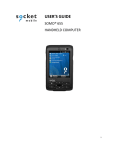
SoMo™ 650
Durable, business-class handheld computer
User’s Guide
2/2008
Document # 6410-00287 D
COPYRIGHT NOTICE
Copyright © 2008 Socket Communications, Inc. dba Socket Mobile, Inc.
All rights reserved.
Socket, the Socket logo, Increasing Mobile Productivity, SoMo,
SocketCare, SocketScan, Connect!Agent, and Wi-Fi Companion are
trademarks or registered trademarks of Socket Communications, Inc. dba
Socket Mobile, Inc. Bluetooth and the Bluetooth logos are registered
trademarks owned by Bluetooth SIG, Inc., U.S.A. and licensed to Socket
Mobile, Inc. Wi-Fi and the Wi-Fi logo is a registered trademark of the WiFi Alliance. All other brand and product names are trademarks of their
respective holders.
The SoMo includes technology licensed under European Community
Registered Design Nos. 000745245-0001, 000745245-0002 and
000745245-0003.
Reproduction of the contents of this manual without the permission of
Socket Mobile is expressly prohibited. Please be aware that the products
described in this manual may change without notice.
Feel free to contact Socket Mobile at:
Socket Mobile, Inc.
39700 Eureka Drive
Newark, CA 94560-4808
USA
Other than the above, Socket Mobile can assume no responsibility for
anything resulting from the application of information contained in this
manual.
Please refrain from any applications of the SoMo 650 that are not described
in this manual. Please refrain from disassembling the SoMo 650.
Disassembly of this device will void the product warranty.
You can track new product releases, software updates and technical
bulletins by visiting the Socket Mobile website at: www.socketmobile.com.
IMPORTANT SAFETY INSTRUCTIONS
Please read and follow these safety instructions before using your device
for the first time, and save them for future reference.
•
•
•
•
•
•
•
•
•
•
•
Keep away from extremely hot, cold or humid conditions.
Do not allow the device to get wet.
Avoid shock or vibrations.
Do not open your device. Any attempts to open this device will void the
warranty.
Wipe the touch screen only with a lint-free cloth, slightly dampened,
while the device is switched off.
Do not place objects on top of the device.
Do not charge the device in extremely hot or cold conditions.
Please only use the supplied USB synchronization cable.
Please do not use other chargers or adapters, as these may damage your
device.
Do not remove SD/MMC or CF cards while they are being accessed.
Do not use this device in damp, wet or rainy conditions.
TABLE OF CONTENTS
1 | INTRODUCTION
SOMO 650 VERSIONS
SYSTEM REQUIREMENTS
PACKAGE CONTENTS
ADDITIONAL ACCESSORIES
PRODUCT REGISTRATION
SOCKETCARE™ SERVICE PROGRAM
HARDWARE FEATURES
ABOUT THE SOCKET MOBILE SOFTWARE
2 | GETTING STARTED
STEP 1: INSTALL THE BATTERY
STEP 2: CHARGE THE BATTERY
STEP 3: SET UP YOUR SOMO 650
STEP 4: INSTALL ACTIVESYNC ON YOUR DESKTOP/ LAPTOP PC
STEP 5: CONNECT THE SOMO TO THE COMPUTER
STEP 6: SET UP YOUR ACTIVESYNC PARTNERSHIP
3 | CONTROLLING THE SOMO 650
BUTTONS
HOLD SWITCH
STYLUS
ADDING A KEYBOARD/MOUSE
START MENU
ONLINE HELP
RADIO MANAGER
4 | WI-FI COMPANION
TURNING ON THE WI-FI RADIO
MAIN SCREEN OF WI-FI COMPANION
WI-FI STATUS ICON
WI-FI FINDER
FINDING AND CONNECTING TO A WLAN
5 | SOCKETSCAN AND CONNECT!AGENT FOR
CORDLESS BAR CODE SCANNERS
SOCKETSCAN ICONS
STEP 1: PREPARE THE SCANNING HARDWARE
STEP 2: ENABLE CORDLESS SCANNING
STEP 3: CONNECT SCANNER TO SOMO
STEP 4: START APPLICATION
STEP 5: SCAN BAR CODES
4
6
6
6
7
7
7
8
9
12
13
13
14
14
15
16
17
18
18
18
19
19
19
19
20
22
23
25
25
26
27
30
31
32
32
33
34
35
6 | SOCKETSCAN FOR PLUG-IN SCANNERS AND
READERS
36
STEP 1: ASSIGN A TRIGGER BUTTON
STEP 2: START SOCKETSCAN
STEP 3: INSERT THE CARD
STEP 4: START APPLICATION
STEP 5: SCAN OR READ DATA
37
37
38
39
40
APPENDICES
A | SPECIFICATIONS
42
B | RESETTING THE SOMO 650
44
C | UPGRADING THE FIRMWARE
47
D | TECHNICAL SUPPORT
48
LIMITED WARRANTY
49
DISCLAIMER
50
REGULATORY COMPLIANCE
52
5
1 | INTRODUCTION
The SoMo 650 makes small- to mid-sized
deployments possible and affordable for a
wide range of mobile business applications,
including sales force automation, inventory
management, patient care, merchandising,
asset management, mobile POS and
hospitality. This durable, customizable
handheld computer has premium features
including true business-class Bluetooth®
and Wi-Fi® technology to keep you
connected wherever you go.
Pre-loaded with Socket Mobile device drivers and software utilities, the
SoMo 650 can be deployed out of the box with a wide range of Socket
Mobile data collection, network access or device connection peripherals to
create a custom solution that meets your specific business requirements.
SOMO 650 VERSIONS
The SoMo 650 is available in these versions.
• The SoMo 650-E includes basic accessories (see list on next page)
• The SoMo 650-M includes basic accessories and a charging cradle
Radio-free versions of the SoMo 650-E and 650-M are also available.
SYSTEM REQUIREMENTS
Before you start using your new SoMo 650, you should have a host desktop/
laptop computer ready for synchronization.
• If your host computer is running Windows Vista, it is ready to
synchronize with the SoMo 650.
• If your host computer is running Windows 2000/XP, Microsoft®
ActiveSync® software version 4.2 or greater is required. Socket Mobile
recommends version 4.5, which you can download using the link
provided in the Getting Started CD.
In order to install ActiveSync, your Windows 2000/XP computer must meet
the following minimum requirements:
• Intel® Pentium® processor (minimum 233 MHz)
• 64 MB RAM
• 120 MB disk space
• CD-ROM drive
6
•
•
•
USB port
SVGA (or compatible) graphics card supporting 256 colors
Microsoft® Internet Explorer 6.0
PACKAGE CONTENTS
The SoMo 650 package includes these items:
•
•
•
•
•
•
•
•
•
SoMo 650
Battery
Stylus
USB synchronization cable
AC adapter
Carrying case (version 650-M only)
Cradle (version 650-M only)
Getting Started CD
Quick Start Guide
ADDITIONAL ACCESSORIES
A variety of other accessories can be purchases separately online, as well as
replacements for items that come in our standard SoMo packages. For more
information, please visit: www.socketmobile.com/products/accessories/
•
•
•
•
•
•
•
Portable Power Pack
Extended Li-ion battery, 2600 mAh
Audio headset with barrel adapter
USB synchronization cable
Y cable – USB sync/USB host/power
Screen protector kit
DC power adapter (for use in vehicles)
PRODUCT REGISTRATION
Socket highly recommends that all customers register their Socket products.
Registered users receive the following benefits:
• Access to technical support
• Special offers for future products and upgrades
• The latest new product information.
Register online at: www.socketmobile.com/support/support/new
CHAPTER 1: INTRODUCTION
7
SOCKETCARE™ SERVICE PROGRAM
SocketCare is an enhanced service program available for the SoMo 650 for
an additional cost. It provides the following benefits (benefits vary with
program level):
• Faster turnaround for product repair or replacement
• Faster response for technical support inquiries
• Accidental damage coverage
• Exclusive toll-free phone access to technical support
Standard SocketCare must be purchased within 90 days of your SoMo
purchase, and premium SocketCare must be purchased at the same time as
your SoMo purchase. For more information, please visit:
www.socketmobile.com/support.
8
HARDWARE FEATURES
Front
12
10
3
9
4
5
8
6
1.
2.
3.
4.
Wireless Status LED
(Blue/Green) – indicates
Bluetooth®, Wi-Fi®
Battery Status/Alarm LED
(Red/Green)
3.5" TFT LCD touch screen
Calendar shortcut button
7
5.
6.
7.
8.
9.
10.
Messaging shortcut button
5-way navigation button
Microphone
Today shortcut button
Contacts shortcut button
Power button
Status Indicator LED
LED
LED Behavior
Meaning
Wireless
Status
LED
Flashing blue
Bluetooth radio is on
Battery
Status/
Alarm
LED
Flashing green
Wi-Fi radio is on
Flashing blue and green
Bluetooth and Wi-Fi radios are on
Flashing red
Alarm/Notification, including Low
Battery Notification
OFF
Running on battery power
Solid red light when
connected to charger
Charging
Solid green light when
connected to charger
Fully charged
CHAPTER 1: INTRODUCTION
9
Back
3
1
2
1. Battery cover
2. Battery cover release
3. Speaker
Left
1
1.
2.
3.
4.
10
2
3
4
Hands-free (headset/microphone) connector (lift rubber cover to access)
Left programmable application button (launches Voice Notes by default)
Hold switch
DC-in connector (lift rubber cover to access)
Right
1
1. Right programmable application button (launches Radio Manager by default)
Top (with card slot cover open)
1
2
3
1. Stylus holder and stylus
2. SD (Secure Digital)/SDIO/MMC (MultiMedia Card) slot (lift rubber cover to access)
3. CF (CompactFlash) slot (lift rubber cover to access)
Bottom
12
1.
2.
USB synchronization/host cable connector
Soft reset button
CHAPTER 1: INTRODUCTION
11
ABOUT THE SOCKET MOBILE SOFTWARE
The Socket Mobile software listed below comes pre-loaded on the SoMo
650, along with any related device drivers. Except for Wi-Fi Companion,
they all are designed for use with a Socket Mobile peripheral product,
which must be purchased separately.
SocketScan™ enters bar code, RFID or magnetic stripe data directly from
any Socket Mobile data collection peripheral into any open Windows
program on the SoMo. It works with both plug-in and cordless data
collection products from Socket Mobile.
Connect!Agent™ simplifies Bluetooth by automatically setting up and
managing the wireless connection between the SoMo 650 and a Socket
Mobile cordless bar code scanner, serial adapter or modem.
Wi-Fi Companion™ provides a rich graphical interface that makes it easy to
monitor, set up and troubleshoot your Wi-Fi connection.
Modem Utilities enable you to configure your Socket Mobile modem for
any country and adjust settings such as V.92 features like Modem-on-Hold.
Ethernet Utilities feature an auto-launch setting to help you save time when
you connect your SoMo to a LAN network.
Serial Utilities report the COM port assigned to your Socket Mobile Serial
I/O Card. If you have a high-speed Serial I/O Card, the software also enables
you to communicate serial data at high speeds.
For software updates, please visit:
www.socketmobile.com/support/downloads/
Note: This User’s Guide does not cover how to use the Modem, Ethernet or
Serial Utilities. For instructions, please refer to the manuals that came with
your Socket Mobile peripherals.
12
2 | GETTING STARTED
STEP 1: INSTALL THE BATTERY
1. Remove the battery cover of the SoMo 650. Press the release button on
the bottom of the battery cover and use the thumb of your opposite hand
to slide the battery cover off the SoMo.
2. Place the included battery into the battery compartment, so that the
battery’s bar code label is face up, near the bottom of the device.
3. Replace the cover.
NOTE: After changing the battery, please make sure you fasten the
battery cover.
CAUTION: RISK OF EXPLOSION IF BATTERY IS REPLACED BY AN
INCORRECT TYPE. DISPOSE OF BATTERIES ACCORDING TO
YOUR LOCAL REGULATIONS FOR BATTERY DISPOSAL.
CHAPTER 2: GETTING STARTED
13
STEP 2: CHARGE THE BATTERY
1.
Connect the AC adapter to the DC-in connector on the left side of the
device, as shown below. Alternatively, you can use the desktop cradle, if
included with your version of the SoMo 650.
2.
Plug the AC adapter into a suitable wall socket.
NOTE: The SoMo 650 should be charged for 4 hours before first
use. Afterwards, charge the device as needed according to its
battery level.
NOTE: While charging, the power LED will be red. When charging
is complete, it will change to green.
NOTE: The charging cradle included with the SoMo 650-M
provides a compartment for charging an extra battery. You can
charge an extra battery and the SoMo 650 simultaneously in the
cradle.
STEP 3: SET UP YOUR SOMO 650
NOTE: Make sure your SoMo 650 is fully charged before proceeding.
1.
Slide the hold switch on the left side of your SoMo 650 up to the
unlocked position.
2.
Turn on your SoMo 650 by pressing the small power button on the
front (top right-hand corner).
3.
Follow the onscreen instructions to set up your SoMo 650.
14
STEP 4: INSTALL ACTIVESYNC ON YOUR DESKTOP/
LAPTOP PC
NOTE: This step is not required if your computer is running
Windows Vista.
NOTE: Do not connect your SoMo 650 to your desktop/laptop
computer until ActiveSync has been installed.
NOTE: ActiveSync 4.0 or greater is required.
1.
Close any programs running on your computer.
2.
Insert the SoMo 650 Companion CD into the computer's CD-ROM
drive. The CD's welcome page will appear.
3.
Click the animated forward icon to proceed to the next screen.
4.
Follow the instructions to install Microsoft ActiveSync.
5.
After installation, the ActiveSync icon will appear on your
computer’s system tray (usually on the lower right-hand
corner of the screen).
NOTE: Refer to the ActiveSync online Help for information on how to
use the software. If at any time, you would like to restart this setup
program, simply re-insert the CD into the CD-ROM drive.
CHAPTER 2: GETTING STARTED
15
STEP 5: CONNECT THE SOMO TO THE COMPUTER
Plug the USB synchronization cable into the connector on the bottom of
your SoMo 650. Plug the other end of the USB synchronization cable into a
suitable USB port on your computer (it is recommended that you also
connect the AC adapter).
to computer
USB port
NOTE: You can also charge your SoMo 650 in its cradle, if
included with your version of the device. The cradle has a
connector for the USB synchronization cable and DC-in at the
back, as well as two USB ports, which can be used for USB
devices such as a keyboard or mouse.
16
STEP 6: SET UP YOUR ACTIVESYNC PARTNERSHIP
NOTE: For computers running Windows Vista, the Windows
Mobile Device Center will appear instead.
1.
When you connect your SoMo 650 to your computer for the first time,
the New Partnership wizard will automatically appear on your computer
screen.
NOTE: If the wizard does not automatically appear, open
ActiveSync manually by clicking the Windows Start menu > All
Programs > Microsoft ActiveSync.
2.
Follow the setup wizard to set up the partnership. Once completed, the
first synchronization will start automatically.
3.
After the synchronization is complete, you will see that the Calendar,
Contacts and Tasks on your SoMo 650 have been updated.
The next time you wish to use ActiveSync, you just need to plug your
SoMo 650 into your computer. ActiveSync will then open automatically
and update your device.
CHAPTER 2: GETTING STARTED
17
3 | CONTROLLING THE SOMO 650
This chapter explains how to control your SoMo 650 using buttons, the
hold switch, stylus, Start menu, online Help, and the Radio Manager.
BUTTONS
Your SoMo 650 has several buttons, as follows:
• Power button
• Left programmable application button (defaulted to Voice Notes
default)
• Right programmable application button (defaulted to Radio Manager)
• Calendar shortcut button
• Contacts shortcut button
• 5-way navigation button
• Messaging shortcut button
• Today shortcut button
For more information on the position of these buttons, please refer to the
diagrams in Chapter 1, “Introduction.”
HOLD SWITCH
The hold switch located on the left side can be used to put the SoMo 650 in
rest mode, so any applications or wireless connections running on your
device will remain active, but the buttons and screen will be disabled in
order to prevent accidental input. To put your device on hold, move the
switch in the down position.
NOTE: The hold switch is not related to the software lock function
accessible from the Today screen.
18
STYLUS
You can use the stylus in three ways.
• Tap an item: Use to select an option, similar to left-clicking a computer
mouse.
• Tap and hold an item: Reveals a submenu, if available. Similar to
right- clicking a computer mouse.
• Drag: Hold the stylus against the screen and drag to highlight multiple
items, or to move the position of an item. Similar to left-clicking and
dragging a computer mouse.
ADDING A KEYBOARD/MOUSE
If you are using the SoMo 650-M, you can enter information by docking
the SoMo in the cradle and using the cradle’s two USB ports to connect a
keyboard and/or mouse.
START MENU
From the Start menu, you can access programs, settings and Help topics.
The Start menu can be accessed by tapping
.
ONLINE HELP
Your SoMo 650 contains online help files. These can be accessed in two
main ways:
1. Press
> Help > Contents for a list of Help topics.
2. To access Help for any particular application, open the application and
then tap
> Help.
CHAPTER 3: CONTROLLING THE SOMO
19
RADIO MANAGER
The Radio Manager enables you to enable/disable Bluetooth and Wi-Fi.
1. Open the Radio Manager. Press the button on the right side of the SoMo
650. Alternatively, tap the Wi-Fi and Bluetooth status line in the Today
screen.
2. In the Radio Manager, an “x” appears on the Bluetooth or Wi-Fi button
to indicate that the radio is off. Tap on the button to turn on the radio.
The “x” will disappear.
NOTE: Wi-Fi Companion software launches after Wi-Fi is turned on.
20
NOTE: If you enable flight mode, Bluetooth and Wi-Fi will turn off.
When you disable flight mode, the wireless radios that were
previously running will turn on again.
CHAPTER 3: CONTROLLING THE SOMO
21
4 | WI-FI COMPANION
Wi-Fi Companion is a powerful and easy-to-use utility
for managing Wi-Fi connections from your SoMo 650
mobile computer. Intuitive graphics display connection
properties at a glance. Tap on icons to quickly perform
a variety of networking tasks. For advanced users, the
software also offers advanced diagnostic tools and
connection statistics.
Wi-Fi Companion comes pre-loaded on the SoMo 650,
providing you the best user experience with the mobile
computer’s built-in Wi-Fi radio.
ADDITIONAL DOCUMENTATION
This chapter covers basic instructions for using Wi-Fi Companion on the
SoMo 650. For detailed instructions, please refer to the User’s Guide
available in the CD and online at:
www.socketmobile.com/support/downloads/wi-fi/wi-fi-companion/
USEFUL LINKS
Download software updates from:
www.socketmobile.com/support/downloads/wi-fi/wi-fi-companion/.
To check which version of Wi-Fi Companion is installed in your SoMo, in
the main screen of Wi-Fi Companion, tap About.
For information about Enhanced Wi-Fi Companion (e-WFC), which offers
advanced business security and is Cisco Compatible Extensions (CCX) 4.0
certified, please visit:
www.socketmobile.com/products/software/enhanced-wi-fi-companion/
22
TURNING ON THE WI-FI RADIO
Wi-Fi Companion automatically launches after you turn on the Wi-Fi radio.
1. Open the Radio Manager. Press the button on the right side of the SoMo
650. Alternatively, you can tap on the Wi-Fi and Bluetooth status line in
the Today screen.
2. In the Radio Manager, an “x” will appear on the Wi-Fi button to
indicate that the Wi-Fi radio is off. Tap on the button to turn on the
radio. The “x” will disappear.
CHAPTER 4: WI-FI COMPANION
23
3. The Wi-Fi status icon will appear at the top of the screen. The icon
varies based on your connection status. Tap on the icon to view the main
screen of Wi-Fi Companion. To view the different versions of the icon,
please refer to the chart on the next page.
NOTE: If you tap Enable Flight Mode, the Bluetooth and Wi-Fi
radios. Radio Manager will remember which wireless radio(s) were
running, so when you later tap Disable Flight Mode, the same
one(s) will turn on again.
24
MAIN SCREEN OF WI-FI COMPANION
The screen content varies depending on your connection status.
Wi-Fi status icon. Tap to access this
screen from outside the utility.
Your device properties.
• Device name
• IP address
• Packets sent and
received
The icon always
appears regardless
of connection status.
Tap to view more
IP addresses or access
the Radio Manager.
Valid IP address.
Tap to access email,
the Internet, ping or
trace route.
}
Data rate. Tap to
view signal
strength and data
rate distribution.
Encryption status.
Tap to access a
certificate
management utility
for WPA or 802.1x if
needed.
Access point/remote device properties.
• SSID (network name)
• Connection duration
• Signal quality rating and percentage
• MAC address (also known as BSSID)
• Channel number (in black circle)
Tap for Wi-Fi Finder.
WI-FI STATUS ICON
The icon appears at the top of every screen when Wi-Fi Companion is running.
Associated or Connected. Number of bars indicates signal strength.
Networks available.
Searching for networks.
Networks out of range but configured.
CHAPTER 4: WI-FI COMPANION
25
WI-FI FINDER
The Wi-Fi Finder displays a list of WLAN networks found in range. To
access the Wi-Fi Finder, tap on the large tower icon in the bottom right
corner of the main screen of Wi-Fi Companion.
Tap to filter the
list by type.
Tap on any listing to
expand details.
Tap to sort the list.
Tap on the MAC
address line to view
AP Details.
Tap and hold stylus
on any listing to
manage profiles
and/or connect.
WI-FI FINDER ICONS
Current connection
Signal strength of strongest AP (access point)/ad hoc radio
WEP encryption, WPA (PSK), WPA (TKIP), WPA2 or 802.1x
No encryption
Channel number
Profile saved
802.11b, 802.11g
26
FINDING AND CONNECTING TO A WLAN
Ask your network administrator for the necessary security settings for your
WLAN. If the WLAN uses 802.1x, WPA or WPA2, you need to install
authentication certificate(s) before you can connect. Refer to the Wi-Fi
Companion User’s Guide for instructions on the Socket Mobile certificate
utility.
1. In the main screen of Wi-Fi Companion, tap on the
tower icon, or tap Tools | Wi-Fi Finder.
2. Wi-Fi Finder will appear, listing WLANs detected in range. Tap on any
WLAN in the list to view additional properties.
If desired, tap on the Type or Sort by drop-down menus to change how
the list is displayed.
If your WLAN is not listed, tap Refresh at the bottom of the screen.
CHAPTER 4: WI-FI COMPANION
27
3. If Wi-Fi Finder cannot find your WLAN because its SSID (network
name) is hidden, tap New at the bottom of the screen.
A wizard will launch to help you create a profile for your network.
Complete the wizard, entering the security settings obtained from your
network administrator.
4. If your WLAN does not have a profile (i.e., no folder icon is shown next
to it), tap and hold your stylus on the WLAN in the list. In the pop-up
menu, tap Get Connected.
A wizard will launch to help you create a profile for the selected SSID.
Complete the wizard, entering the security settings obtained from your
network administrator.
28
5. After a profile is saved, if the WLAN is in range, the SoMo will
automatically try to connect to it.
To connect to another network in the list, tap and hold your stylus on
the WLAN. In the pop-up menu, tap Connect.
CHAPTER 4: WI-FI COMPANION
29
5 | SOCKETSCAN AND CONNECT!AGENT
FOR CORDLESS BAR CODE SCANNERS
SocketScan software sends data from your Socket
Mobile Cordless Hand Scanner Series 7 or
Cordless Ring Scanner Series 9 into any
application running on the SoMo 650. This lets
you use Socket Mobile data collection peripherals
without having to program custom applications.
The software comes pre-loaded on the SoMo 650.
Connect!Agent software makes Bluetooth easy to
use by automatically setting up and managing the
connection between your CHS or CRS and the
SoMo 650.
ADDITIONAL DOCUMENTATION
This chapter covers basic instructions for using SocketScan and
Connect!Agent on the SoMo 650 with a Socket Mobile cordless bar code
scanner. For detailed instructions, please refer to the User’s Guide available
in the CD and online at:
www.socketmobile.com/support/downloads/datacollection/
USEFUL LINKS
Download software updates from:
www.socketmobile.com/support/downloads/datacollection/.
To check which version of SocketScan or Connect!Agent is installed in your
SoMo, in the main screen of Wi-Fi Companion, tap About.
30
SocketScan Icons
The icon indicates whether SocketScan is connected to your Socket Mobile
cordless bar code scanner and is ready to read data. The icon appears at the
bottom of the Today screen.
Icon
Meaning
No Socket Mobile data collection device detected.
Ready to scan bar codes with the Cordless Hand Scanner
Ready to scan bar codes with the Cordless Ring Scanner.
CHAPTER 5: SOCKETSCAN AND CONNECT!AGENT
31
STEP 1: PREPARE THE SCANNING HARDWARE
Refer to your CHS or CRS manual for hardware preparation instructions.
You will need to install and charge the battery/batteries. If using the CHS,
you may also want to attach the tether. If using the CRS, you will also need
to assemble the straps.
STEP 2: ENABLE CORDLESS SCANNING
1. Tap Start | Settings | System tab | Socket Scanner Settings.
2. Tap on the CS tab at the bottom of the screen. Check Enable Cordless
Scanner support.
3. Tap ok to save your changes.
32
STEP 3: CONNECT SCANNER TO SOMO
1. If using the CRS, put on the scanner. Refer to the CRS manual for
instructions.
2. Turn on your bar code scanner. Refer to your scanner manual for
instructions.
3. Tap Start | Programs | SocketScan folder | SocketScan.
SocketScan will launch, running in the background.
4. Tap ok to exit the folder. Tap x to exit Programs.
5. The SocketScan icon
will appear at the bottom of the Today screen.
Tap on the icon. In the pop-up menu, tap Connect CS.
6. Connect!Agent will begin searching for the scanner.
7. After Connect!Agent finds the scanner, it will automatically connect,
indicated by a beep. The SocketScan icon at the bottom of the Today
screen will also change to indicate the connection.
CHAPTER 5: SOCKETSCAN AND CONNECT!AGENT
33
STEP 4: START APPLICATION
1. Start the application that you want to enter data into (e.g., Excel
Mobile). From the Today screen, tap Start | Programs and select your
program.
2. Make sure a document, spreadsheet or form is open in your program.
3. Place the cursor where you want data from the next scan to be entered.
34
STEP 5: SCAN BAR CODES
1. Press the trigger button to scan a bar code. Please refer to your scanner
manual for the correct technique.
2.
When data is read, it should appear in your document.
Depending on which scanner you have, it may also beep, or the LED
may change colors to indicate a successful scan.
By default, the cursor automatically advances to the next cell or line,
ready for the next scan/read.
NOTE: Wait for the “Good Scan” indication before you scan more
data. If you try to scan too fast, the device can lock up until you
stop scanning.
NOTE: If the data does not appear how you expect it and you are
using Excel Mobile, check the cell formatting.
CHAPTER 5: SOCKETSCAN AND CONNECT!AGENT
35
6 | SOCKETSCAN FOR PLUG-IN
SCANNERS AND READERS
SocketScan software sends data from your Socket Mobile bar code scanner,
RFID reader or magnetic stripe reader into any application running on the
SoMo 650. This lets you use Socket Mobile data collection peripherals
without having to program custom applications. The software comes preloaded on the SoMo 650.
This chapter contains generic instructions for using SocketScan on the
SoMo 650 with these products:
• Secure Digital Scan Card Series 3
• CF Mag Stripe Reader Card Series 4
• CompactFlash Scan Card Series 5
• CF RFID Reader Card Series 6.
For specific instructions, please refer to the User’s Guide for your specific
Socket Mobile data collection product, available in the installation CD that
came with the data collection product as well as online at:
www.socketmobile.com/support/downloads/datacollection
36
STEP 1: ASSIGN A TRIGGER BUTTON
NOTE: This step is NOT required for the CF Mag Stripe Reader
Card 4E.
NOTE: For the CF RFID Reader-Scan Card 6M/6P, multiple trigger
buttons need to be assigned. Please refer to your RFID card
manual for instructions.
1. Tap Start | Settings | Buttons.
2. From the Button list, tap to select a button to trigger your scanner. For
best ergonomics, the left or right button is recommended. In the dropdown menu, select SocketScan. Tap ok.
STEP 2: START SOCKETSCAN
1.
Tap Start | Programs | SocketScan folder | SocketScan.
2. A SocketScan icon
should appear at the bottom of the Today screen
indicating that no data collection device has been inserted.
CHAPTER 6: SOCKETSCAN FOR PLUG-INS
37
STEP 3: INSERT THE CARD
1.
Open the slot cover at the top of the SoMo 650, then insert the card
into the appropriate slot. Make sure the card is right side up. Do not
insert the card upside-down or force the card in too hard.
2.
When SocketScan is running, a SocketScan icon will appear at the
bottom of the Today screen. Make sure the appropriate icon appears to
indicate that your device is ready to collect data.
Icon
Meaning
No Socket Mobile data collection device detected.
Ready to scan bar codes with the Secure Digital Scan Card
Ready to read magnetic stripe data with the CF Mag Stripe
Reader Card
Ready to scan bar codes with the CF Scan Card 5E/5M/5P or
CF RFID Reader-Scan Card
Ready to scan bar codes with the CF Scan Card 5X
Ready to read RFID tags with the CF RFID Reader Card
NOTE: If you insert the card before starting SocketScan, no icon
will appear.
38
STEP 4: START APPLICATION
1. Start the application that you want to enter data into (e.g., Excel
Mobile). From the Today screen, tap Start | Programs and select your
program.
2. Make sure a document, spreadsheet or form is open in your program.
3. Place the cursor where you want data from the next scan/read to be
entered.
CHAPTER 6: SOCKETSCAN FOR PLUG-INS
39
STEP 5: SCAN OR READ DATA
1. Scanning/RFID: Press the trigger button to scan a bar code or read an
RFID tag. Please refer to your scanner manual for the correct technique.
Mag Stripe: Swipe a magnetic stripe card through the slot, with the
magnetic stripe face down.
40
2. When data is read, it should appear in your document.
Depending on which scanner/reader you have, it may also beep, or the
LED may change colors to indicate a successful scan.
By default, the cursor automatically advances to the next cell or line,
ready for the next scan/read.
NOTE: Wait for the “Good Scan” indication before you scan more
data. If you try to scan too fast, the device can lock up until you
stop scanning.
NOTE: If the data does not appear how you expect it and you are
using Excel Mobile, check the cell formatting.
CHAPTER 6: SOCKETSCAN FOR PLUG-INS
41
APPENDIX A
SPECIFICATIONS
Processor
Memory
Display
Audio
Connectors
Connectivity
Mass Storage &
Expansion Slots
USB
Intel PXA270@624MHz CPU
SDRAM: 128MB
NAND Flash: 256MB
65K colors TFT LCD, 3.5”
16 bit-per-pixel
240 (w) x 320 (L) resolution (QVGA size)
portrait and landscape modes, default portrait
mode.
Glass analog resistive touch panel
White LED backlight
Headset Jack: 2.5mm, 4-ring type, support for
both Voice & Stereo music
Mono 0.5W speaker
Omni-directional
SoMo 650
DC-in (5V, 1A)
USB synchronization/host cable connector
Cradle
Docking connector
DC-in (5V, 3A)
USB synchronization cable connector
USB connector x 2 (Type A)
Bluetooth: v2.0 + EDR Class 2
IEEE® 802.11b/g
User accessible SD/SDIO/MMC expansion slot
CF I/O Type II expansion slot
USB 1.1 support host/client (x2) (Cradle only)
Battery
Standard 1200 mAh, rechargeable, Lithium-ion
battery pack.
Dimensions
Height 127.6 mm
Width 74.5 mm
Depth 18.5 mm
Weight 179 g (including standard battery
and stylus)
Operating Temperature 0° to 40° C (32° to 120° F)
42
Storage Temperature
-25° to 75° C (-13° to 167° F)
Humidity
95% non-condensing
Drop Specification
ESD Specification
Multiple 1 meter drops to concrete covered with
vinyl
+/- 8kV air discharge, +/- 8kV direct discharge
Operating System
Microsoft® Windows Mobile® 5.0 Premium Edition
Pre-Loaded Software
Programmable Home Screen
Calculator
MSN Messenger Client
Word Mobile
Excel Mobile
PowerPoint Mobile
IE Mobile
Outlook Mobile
.NET Compact Framework v2.0
Windows Media Player 10.2 Mobile
ActiveSync Client v4.x
Socket Mobile Wi-Fi Companion™
Socket Mobile SocketScan™
Socket Mobile Connect!Agent™
Socket Mobile Modem Utilities
Socket Mobile Ethernet Utilities
Socket Mobile Serial I/O Utilities
APPENDIX A: SPECIFICATIONS
43
APPENDIX B
RESETTING THE SOMO 650
Soft Reset
A soft reset is like rebooting a computer. No files are deleted.
To perform a soft reset:
Using the tip of your stylus, lightly press the Reset button inside the hole on
the bottom of your SoMo 650.
Clean Reset
CAUTION: A CLEAN RESET IS MORE POWERFUL THAN A SOFT
RESET. IT WILL DELETE FILES AND FOLDERS AND SHOULD ONLY
BE DONE IF A SOFT RESET FAILS TO SOLVE THE PROBLEM.
WHEN YOU PERFORM A CLEAN RESET, FORMATS, PREFERENCES
AND OTHER SETTINGS INCLUDING DATE AND TIME ARE
RESTORED TO THEIR FACTORY DEFAULTS. ALL DATA, RECORDS
AND ENTRIES, EXCEPT THOSE STORED IN ROM, WILL BE ERASED.
NOTE: If you set a security password on the SoMo and forget the
password, a clean reset will remove the password setting.
To perform a clean reset:
1.
44
Press and hold the Left Programmable Application Button, the Calendar
and Contacts shortcut buttons on your SoMo 650.
2.
While holding the three buttons, using the tip of your stylus, lightly
press the Reset button inside the hole on the bottom of your SoMo 650.
It is recommended that you hold the SoMo 650 in your left hand. Press
the left programmable action button with your left thumb and the two
shortcut buttons with your left index and middle finger. Hold the stylus
in your right hand to press the reset button.
APPENDIX B: RESETTING THE SOMO
45
3.
Continue to hold the three until a splash screen appears with the Socket
logo and starts blinking.
4.
After the Socket Mobile Splash Screen starts blinking, release the three
buttons and follow the onscreen instructions.
46
APPENDIX C
UPGRADING THE FIRMWARE
ADVANCED USERS ONLY!
You can download firmware upgrades from the Socket website (
www.socketmobile.com/support/downloads ).
To upgrade your firmware:
1.
Format a Secure Digital (SD) memory card by FAT (FAT16).
2.
Save the downloaded firmware upgrade to an SD card, then insert it into
your SoMo 650.
3.
Turn on the SoMo 650.
4.
Press and hold the right programmable application button.
5.
While still pressing the right programmable application button, use the
stylus to press and release the reset button on the bottom of the device.
6.
Keep the the right programmable application button pressed until you
see “EBOOT,” then for it to count down to zero before releasing.
7.
The firmware upgrading process will begin.
CAUTION: DO NOT PRESS ANY BUTTONS WHILE THE UPGRADE
IS IN PROGRESS.
8.
Once the upgrade is complete, the SoMo 650 will reboot normally.
APPENDIX F: TROUBLESHOOTING
47
APPENDIX D
TECHNICAL SUPPORT
Socket On-Line Support (SOS)
SOS is a virtual technical support assistant that can help you with your
product support questions or FAQs. SOS responds immediately to your
inquiry, and no product registration is required to use the system.
To access SOS, please visit: www.socketmobile.com/support/faq/
Technical Support
If you have trouble installing or using the Socket Cordless Ring Scanner,
contact Socket’s technical support department for assistance.
IMPORTANT! TO OBTAIN TECHNICAL SUPPORT, YOU MUST
FIRST REGISTER YOUR PRODUCT ONLINE AT:
www.socketmobile.com/support/support/new
• After you register your product, log in and click on the Technical
Support tab.
• Click Create New Ticket to submit an online request for technical
support.
• Afterwards, you can log in anytime to monitor the status of your
request.
• If we are unable to resolve your support inquiry online, we can arrange
for a technical support representative to call you at a specific time.
.
48
LIMITED WARRANTY
Socket Communications Incorporated (Socket) warrants this product against defects
in material and workmanship, under normal use and service, for one (1) year from
the date of purchase.
EXCLUDES: Consumables such as batteries, cables, cases, straps, and chargers
(90 day coverage only).
An extended warranty is available separately for the SoMo. For more information,
please visit: www.socketmobile.com/support
Incompatibility is not a defect covered by Socket’s warranty. During the warranty
period, Socket will, at its option, repair or replace the defective product at no charge
when furnished with proof of retail purchase, provided that you deliver the product
to Socket or to an authorized Socket Service Center.
The returned product must be accompanied by a return material authorization
(RMA) number issued by Socket or by Socket's Authorized Service Center. If you
ship the product, you must use the original container or equivalent and you must pay
the shipping charges to Socket. Socket will pay surface shipping charges back to
any location in the contiguous United States. This warranty applies only to the
original retail purchaser and is not transferable.
Socket may, at its option, replace or repair the product with new or reconditioned
parts and the returned product becomes Socket's property. Socket warrants the
repaired or replaced products to be free from defects in material or workmanship for
ninety (90) days after the return shipping date, or for the remainder of the original
warranty period, whichever is greater.
This warranty does not cover the replacement of products damaged by abuse,
accident, misuse or misapplication, nor as a result of service or modification other
than by Socket. This warranty is void if you install batteries into the product that
were not supplied by Socket.
SOCKET IS NOT RESPONSIBLE FOR INCIDENTAL OR CONSEQUENTIAL
DAMAGES RESULTING FROM BREACH OF ANY EXPRESS OR IMPLIED
WARRANTY, INCLUDING DAMAGE TO PROPERTY AND, TO THE EXTENT
PERMITTED BY LAW, DAMAGES FOR PERSONAL INJURY. THIS
WARRANTY IS IN LIEU OF ALL OTHER WARRANTIES INCLUDING
IMPLIED WARRANTIES OF MERCHANTABILITY AND FITNESS FOR A
PARTICULAR PURPOSE.
Some states do not allow limitation of implied warranties, or the exclusion or
limitation of incidental or consequential damages, so that the above limitations or
exclusions may not apply to you. This warranty gives you specific legal rights and
you may also have other rights which vary from state to state.
This product may contain fully tested, recycled parts, warranted as if new.
For warranty information, please visit: www.socketmobile.com/support
49
DISCLAIMER
EXCEPT TO THE EXTENT EXPRESSLY WARRANTED BY SOCKET
COMMUNICATIONS, INC, THIS PRODUCT IS PROVIDED "AS IS" WITHOUT
WARRANTY OF ANY KIND, EXPRESS OR IMPLIED, INCLUDING
WITHOUT LIMITATION, THE IMPLIED WARRANTIES OF
MERCHANTABILITY OR FITNESS FOR A PARTICULAR PURPOSE.
EXCEPT TO THE EXTENT REQUIRED BY LAW, SOCKET DOES NOT
ASSUME ANY PRODUCT LIABILITY ARISING OUT OF, OR IN
CONNECTION WITH, THE APPLICATION OR USE OF ANY PRODUCT OR
APPLICATION DESCRIBED HEREIN.
50
LIMITED SOFTWARE WARRANTY
LIMITED WARRANTY. SOCKET warrants that the original disk or CD ROM is
free from defects for 90 days from the date of delivery of the SOFTWARE.
CUSTOMER REMEDIES. SOCKET’S entire liability and your exclusive remedy
shall be, at SOCKET’S option, either (a) return of the price paid or (b) replacement
of the SOFTWARE which does not meet SOCKET’S Limited Warranty and which
is returned to SOCKET with a copy of your receipt. Any replacement SOFTWARE
will be warranted for the remainder of the original warranty period or 30 days,
whichever is longer. THESE REMEDIES ARE NOT AVAILABLE OUTSIDE OF
THE UNITED STATES OF AMERICA.
NO OTHER WARRANTIES. SOCKET disclaims all other warranties, either
express or implied, including but not limited to implied warranties of
merchantability and fitness for a particular purpose, with respect to the
SOFTWARE and the accompanying written materials. This limited warranty gives
you specific legal rights. You may have others which vary from state to state.
NO LIABILITY FOR CONSEQUENTIAL DAMAGES. In no event shall SOCKET
or its suppliers be liable for any damages whatsoever (including, without limitation,
damages for loss of business profits, business interruption, loss of business
information, or other pecuniary loss) arising out of the use of or inability to use the
SOFTWARE, even if SOCKET has been advised of the possibility of such
damages. Because some states do not allow the exclusion or limitation of liability
for consequential or incidental damages, the above limitation may not apply to you.
EXPORT LAW ASSURANCES. You may not use or otherwise export or reexport
the SOFTWARE except as authorized by United States law and laws of the
jurisdiction in which the SOFTWARE was obtained. In particular, but without
limitation, none of the SOFTWARE may be used or otherwise exported or
reexported (a) into (or to a national or resident of) a United States embargoed
country or (b) to anyone on the U.S. Treasury Department’s list of Specially
Designated Nationals or the U.S. Department of Commerce’s Table of Denial
Orders. By using the SOFTWARE, you represent and warrant that you are not
located in, under control of, or a national or resident of any such country or on any
such list.
GOVERNMENT END USERS. If the SOFTWARE is supplied to the U. S.
Government, the SOFTWARE is classified as “restricted computer software” as
defined in clause 52.227-19 of the FAR. The U. S. Government ‘s rights to the
SOFTWARE are as provided in clause 52.227-19 of the FAR.
CONTROLLING LAW AND SEVERABILITY. This License shall be
governed by the laws of the United States and the State of California. If for
any reason a court of competent jurisdiction finds any provision, or portion
thereof, to be unenforceable, the remainder of this License shall continue in
full force and effect.
51
REGULATORY COMPLIANCE
FCC: Part 15, Class B
CE: EN
RoHS and WEEE compliant
Electrical Safety EN60950, UL, CUL
EMI / RFI
Wi-Fi Alliance Certification
Bluetooth Certification (BQB test), Bluetooth QD ID B012762
USB IF Test
Microsoft Windows Mobile 5.0 Logo Test Certification
EU/International: EN301 489-1, -17
EN61000-4-2: 1995, ESD ± 8kV air/±4kV contact
EN61000-4-3: 1997, radiated Immunity 3V/m
EN61000-4-4: 1995, EFT ± 0.5kV
EN61000-4-5: 1995, Surge ± 0.5kV
EN61000-4-6: 1
FCC Interference Statement (USA)
This equipment has been tested and found to comply with the limits for a
Class B digital device, pursuant to Part 15 of the FCC Rules. These limits
are designed to provide reasonable protection against harmful interference
in a residential installation. This equipment generates, uses and can radiate
radio frequency energy and, if not installed and used in accordance with the
instructions, may cause harmful interference to radio communications.
However, there is no guarantee that interference will not occur in a
particular installation. If this equipment does cause harmful interference to
radio or television reception, which can be determined by turning the
equipment off and on, the user is encouraged to try to correct the
interference by one of the following measures:
• Reorient or relocate the receiving antenna.
• Increase the separation between the equipment and receiver.
• Connect the equipment into an outlet on a circuit different from that to
which the receiver is connected.
• Consult the dealer or an experienced radio/TV technician for help.
FCC Caution: Any changes or modifications not expressly approved by the
party responsible for compliance could void the user's authority to operate
this equipment.
This device complies with Part 15 of the FCC Rules. Operation is subject to
the following two conditions: (1) This device may not cause harmful
52
interference, and (2) this device must accept any interference received,
including interference that may cause undesired operation.
IMPORTANT: RADIATION EXPOSURE STATEMENT
THIS EQUIPMENT COMPLIES WITH FCC RADIATION EXPOSURE
LIMITS SET FORTH FOR AN UNCONTROLLED ENVIRONMENT.
END USERS MUST FOLLOW THE SPECIFIC OPERATING
INSTRUCTIONS FOR SATISFYING RF EXPOSURE COMPLIANCE.
TO MAINTAIN COMPLIANCE WITH FCC RF EXPOSURE
COMPLIANCE REQUIREMENTS, PLEASE FOLLOW OPERATION
INSTRUCTIONS AS DOCUMENTED IN THIS MANUAL.
This PDA has been tested and demonstrated compliance when Bluetooth
and WLAN are transmitting simultaneously. This PDA must not be colocated or operating in conjunction with any other antenna or transmitter.
For body worn operation, this device has been tested and meets the FCC RF
exposure guidelines when used with the Socket Mobile accessories supplied
or designated for this product. Use of other accessories may not ensure
compliance with FCC RF exposure guidelines."
Industry Canada Statement:
This device complies with RSS-210 of the Industry Canada Rules.
Operation is subject to the following two conditions: (1) This device may
not cause harmful interference, and (2) this device must accept any
interference received, including interference that may cause undesired
operation.
IMPORTANT: RADIATION EXPOSURE STATEMENT
THIS EQUIPMENT COMPLIES WITH IC RADIATION EXPOSURE
LIMITS SET FORTH FOR AN UNCONTROLLED ENVIRONMENT.
END USERS MUST FOLLOW THE SPECIFIC OPERATING
INSTRUCTIONS FOR SATISFYING RF EXPOSURE COMPLIANCE.
TO MAINTAIN COMPLIANCE WITH IC RF EXPOSURE
COMPLIANCE REQUIREMENTS, PLEASE FOLLOW OPERATION
INSTRUCTIONS AS DOCUMENTED IN THIS MANUAL.
53
European Union Notice:
Radio products with the CE marking comply with the R&TTE Directive
(1999/5/EC), the EMC Directive (89/336/EEC) and the Low Voltage
Directive (73/23/EEC) issued by the Commission of the European
Community.
Compliance with these directives implies conformity to the following
European Norms:
• EN 60950 Product Safety
• EN 300 328 Technical requirement for radio equipment
• EN 301 489-1/-17 General EMC requirements for radio equipment
54
2/2008
Printed in U.S.A.