1
GPS mini
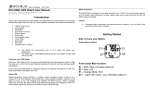
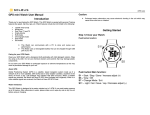
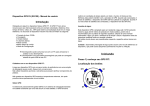
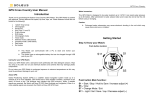
How to set the VIEW
3.4) ALARM can also be set in ALARM quick SET mode.
You can select what information to display in Line 1 & Line 3 for RUN mode
Step 4) Acquire Satellite signals:
In order to get the correct time of day and begin using your watch, you have to acquire the
Satellite signals. It may take a few minutes to get the signals.
3.2) TIME, NIGHT, CONTRAST, & CHIME, can also be set in TIME quick SET mode.
3.3) AUTO LAP, UNITS, USER, and VIEW can also be set in RUN quick SET mode.
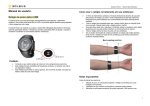
4.1) Go outside to an open area away from tall buildings and trees. Orient the GPS antenna
towards the sky for best reception. The antenna is located at the 12 o’clock position of
the watch.
4.2) Stand still and do not begin moving while locating the Satellites until the GPS signals are
already received.
4.3) How to Turn ON the GPS: Following are the possible ways to turn on the GPS.
4.3.1) Press S1 in TIME mode. The Watch will display the GPS / INDOOR selection
screen. Select GPS and press S5. The watch will start searching for GPS and go
to RUN mode.