1
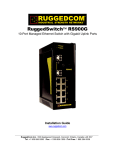
RUGGEDCOM RS900G
Installation Guide
Table of Contents
Table of Contents
Preface ................................................................................................................
v
Alerts .................................................................................................................................................. v
Related Documents ............................................................................................................................. v
Accessing Documentation .................................................................................................................... v
Training .............................................................................................................................................. vi
Customer Support .............................................................................................................................. vi
Chapter 1
Introduction ..........................................................................................................
1
1.1 Feature Highlights ........................................................................................................................ 1
1.2 Ports, Controls and Indicator LEDs ............................................................................................... 2
Chapter 2
Installing the Device ............................................................................................
5
2.1 Mounting the Device .................................................................................................................... 5
2.1.1 Mounting the Device on a DIN Rail .................................................................................... 6
2.1.2 Mounting the Device to a Panel ......................................................................................... 6
2.2 Connecting Power ........................................................................................................................ 7
2.2.1 Connecting High AC/DC Power .......................................................................................... 8
2.2.2 Connecting Low DC Power ................................................................................................ 9
2.3 Connecting the Failsafe Alarm Relay ........................................................................................... 10
2.4 Connecting to the Device ........................................................................................................... 11
2.5 Cabling Recommendations ......................................................................................................... 12
Chapter 3
Communication Ports .........................................................................................
13
3.1 Fiber Optic Ethernet Ports .......................................................................................................... 13
3.2 SFP Optic Ethernet Ports ........................................................................................................... 14
3.2.1 Installing an SFP Optical Port .......................................................................................... 14
3.2.2 Removing an SFP Optical Port ......................................................................................... 15
Chapter 4
Technical Specifications .....................................................................................
17
4.1 Power Supply Specifications ....................................................................................................... 17
4.2 Failsafe Relay Specifications ...................................................................................................... 17
4.3 Fiber Optic Port Specifications .................................................................................................... 18
iii