1
Operation
EL
IM
IN
A
R
Y
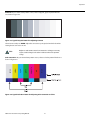
Sharpness: “Sharpness” is the amount of high-frequency detail in the image. To adjust
sharpness, select Sharpness from the Picture menu and press ENTER. On your external test
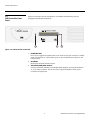
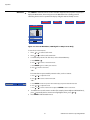
pattern source, select a pattern like the one shown in Figure 4-5. Adjust as needed, looking
for white edges around the transitions from black to gray and differently-sized lines in the
“sweep” patterns at the top and bottom. Lower the sharpness setting to eliminate them.
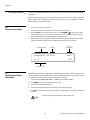
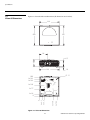
Figure 4-5. Typical Test Pattern for Adjusting Sharpness
Note
PR
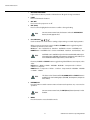
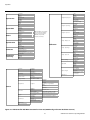
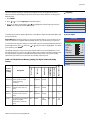
Use the controls in the Input Position Menu to fine-tune the aspect ratio and image position
for the current source.
Input Position
When you change an input position setting, save the change to a preset
afterwards. Otherwise, the change will be lost when a different input is
selected. (The input position settings are saved for each input and
resolution separately.) For information about saving settings, refer to ISF
Presets on page 44.
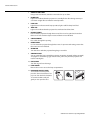
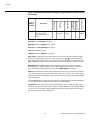
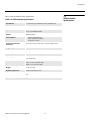
Left/Right: Select Left/Right from the Input Position menu to shift the projected image
horizontally. Use the right or up cursor button to shift the image to the right; use the left or
down button to shift it to the left.
Up/Down: Select Up/Down from the Input Position menu to shift the projected image
vertically. Use the right or up cursor button to shift the image upward; use the left or down
button to shift it downward.
Width: Select Width from the Input Position menu to change the projected image width. Use
the right or up cursor button to increase the width; use the left or down button to decrease it.
Height: Select Height from the Input Position menu to change the projected image height.
Use the right or up cursor button to increase the height; use the left or down button to
decrease it.
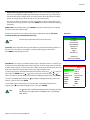
Overscan: Image Overscan pushes the outside edge of the active picture area of the video
signal out beyond the edge of the display area.
Vidikron Vision 85 Owner’s Operating Manual
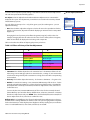
Input Position
43
Left/Right
Up/Down
Width
Height
Overscan