1
Operation
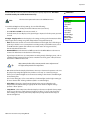
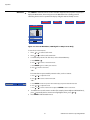
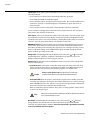
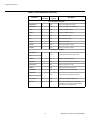
Select HD/RGB Adj. from the Main Menu to view input signal resolution and timing
information. To do this, select Signal Info from the HD/RGB Adj. menu.
HD/RGB Adj.
Signal Info: Select Signal Info from the HD/RGB Adj. menu to display the resolution,
horizontal frequency and vertical frequency of the input current signal.
HD/RGB Adj.
Frequency
Phase
H-Shift
V-Shift
0
0
0
0
Default
EL
IM
IN
A
R
Y
Special Modes
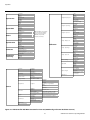
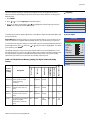
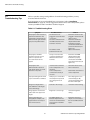
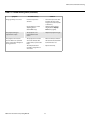
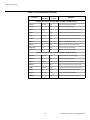
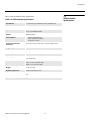
Select Options from the Main Menu to perform the following projector configuration tasks.
Signal info
Auto Setup
Options
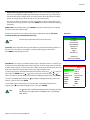
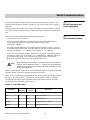
Image Shift: Select Image Shift from the Options menu to vertically shift the projected
image.
Subtitle: Select Subtitle from the Options menu to adjust the projected image height in
small increments.
Note
Image Shift and Subtitle can only be adjusted for certain 1080i signals.
Overscan: Refer to Overscan on page 43.
PR
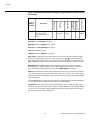
Default: To reset the Overscan setting to its default value, select Default from the Options
menu, then select Yes to confirm the reset.
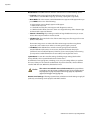
LED: Select LED from the Options menu to change the behavior of the projector’s indicator
LEDs.
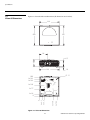
• When set to ON, the LEDs indicate operating status as described in VX-2000d at a Glance
on page 5.
Note
When you set the Auto Power Off function (refer to Power Save, below) to
Off, the LED function is automatically set to On.
• When set to OFF, the LEDs illuminate when the Vision 85 is in standby mode, warming up
or indicating an error condition; otherwise, they are off.
Lamp Hours (read-only): Refer to Lamp Hours on page 49.
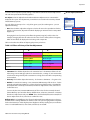
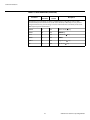
OSD: When you select an aspect ratio or input with the remote control (or from the VHD
Controller), the Vision 85 displays your selection on-screen. To prevent the display of these
items, select OSD from the Options menu and set it to Off.
Vidikron Vision 85 Owner’s Operating Manual
57
Options
Image Shift
Subtitle
Overscan
Overscan+
0
0
- 5%
30
Default
Adjust White Level
Adjust Black Level
0
0
LED
On
Lamp Hours
OSD
On
Signal Type
3
Color Space
Auto
HDMI Black Level
0
Background
Power Save
Baud Rate
Fan Mode
Orientation
Factory Default
9600 bps
2
FF