1
1
Introduction
Dear Customer
Thank you for purchasing the Prostage XTMpro adaptor | switcher. The XTMpro is the control center and the
heart of a Prostage system. It is the interface between StageWire and MIDI. The XTMpro offers an extensive MIDI
mapping to control MIDI equipment, as well as a tap function.
The version XTMpro-R further provides four relay switching outputs to switch functions of your guitar amplifier
(channel switching, reverb, boost, etc.). The XTMpro-R is suitable to control and switch the entire guitar rig from
a single MIDI foot controller.
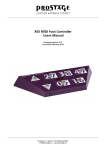
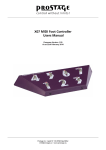
With a Prostage foot controller or any other MIDI footswitch sending MIDI Control Changes, you can easily turn
on and off the switching outputs of the XTMpro-R (Stompbox Mode | Instant Access). Another approach would
be creating unique presets for each sound, accessible via the MIDI foot controller switches. Or you could combine
the preset-approach with the Stompbox Mode.
1.1 XTMpro Features
•StageWire technology: Connection to the foot controller using a standard microphone cable.
•Phantom power for Prostage foot controllers.
•Works with all MIDI footswitches.
•Extended programmability via System Manager software for PC or Mac.
•MIDI Mapper to control connected MIDI gear.
•128 programs can be saved in memory.
•Tap relay connection.
Version XTMpro-R:
•Four relay switching outputs.
•Easy programmability of the switching outputs via front panel buttons.
•LEDs display the switching states.
•Responds to Program Change and Control Change messages.
1.2 The Prostage System
Prostage stands for professional live-equipment. The XTMpro is plug and play. This means that you can plug it in
and use it, without having to configure anything. You can easily store the settings for the switching outputs directly
at the unit.
Prostage foot controllers are connected to the XTMpro by one standard microphone cable! The StageWire
technology developed by Prostage thereby achieves a secure connection between the foot controller(s) and the
XTMpro. A standard MIDI foot controller can be connect to [MIDI In] on the rear panel.
Prostage’s philosophy is “control without limits”. We want you to be able to setup your system exactly as you want
it to work while keeping it as simple to use as possible. Therefore, there are lots of things inside the system you can
configure yourself. To setup the additional features of the XTMpro, you need the System Manager software. This
is available on our website for free download ( Mac & PC).
You will notice that the chapters for connecting the system and the separate users manual for the Prostage System
Manager software are very extensive, while the chapter “Programming & Operation” does not even fill a single
page. This means: once you have configured the system properly, you will be able control your entire equipment
with one single footstep.
If you have any questions, or if something does not work as you expect, please do not hesitate to contact us: info@
prostage.eu. Your questions will also help us to improve this users manual.
The Prostage team wish you lots of fun with the new XTMpro and big success in your musical career.
Lukas Truninger
Founder & Developer
Page 3