1
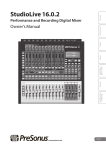
OVERVIEW ACCESSORIES MEDIA FEATURES TECH SPECS DOWNLOADS Digital mixing: the next generation With a powerful user interface, unrivaled sound quality, amazing DSP performance, direct Wi-Fi and LAN communication, fast and intuitive workflow, onboard FireWire s800 interface, and tightly integrated software suite for Mac®, Windows®, and iOS®, StudioLive™ AI-series digital mixers create a streamlined working environment for both live and studio use. Redesigned from the ground up, these state-of-the-art mixers provide analog workflow with extensive dual signal processing on every channel and bus and actively integrated software that solves real-world problems and lets you record and distribute what you mix. Configurable networking and communications option cards ensure your investment won’t be outdated as new technologies emerge. In short, StudioLive AI-series mixers deliver the very best in digital mixing and recording technology and make it all incredibly intuitive and easy to learn and use. The future is Active Integration™ StudioLive AI-series mixers start with all the strengths that made the first generation of StudioLive mixers famous: powerful, surface-driven interface; loads of DSP processing and analog I/O; and layerless mixing, thanks to dedicated mix buses. Then they push the technology to the next level. So while the three StudioLive AI-series mixers — the StudioLive 32.4.2AI, 24.4.2AI, and 16.4.2AI — look and feel much like their non-AI counterparts, they have been reengineered from the ground up with far more capabilities and computing power. The difference is Active Integration™ (AI), a complete, networked, tightly integrated hardware/software ecosystem in which every touch point in the system communicates to enhance the user experience and solve practical problems in ways not previously possible. ↑ Read more about Active Integration Active Integration products combine powerful 32-bit floating-point DSP, wireless and wired networking, USB 2.0 connectivity, and proprietary software to solve real-world live-sound and studio problems. PreSonus leads the industry in hardware/software integration, and Active Integration takes this concept to a new level, offering high-end capabilities that have never been available before. Current Active Integration products employ cutting-edge OMAP™ L138 processors — a whole computer on a chip. These 32-bit, 96 kHz multi-stream CPUs operate at 350 MHz and feature an operating system, 100 Mb Ethernet communications, USB 2.0 and 1.1, and lavish amounts of high-speed RAM. In PreSonus StudioLive™ AI-series digital mixers, Active Integration technology includes powerful Wi-Fi remote control over a variety of features, using free Mac®, Windows®, and iPad® software. In addition, Active Integration enables standard Ethernet communications and optional Dante and AVB networking, making possible extremely flexible, powerful, networked systems. Thanks to Active Integration, the StudioLive AI-series mixers have 64 times the processing power and an incredible 10,000 times more RAM than the previous top-of-the-line StudioLive 24.4.2. This makes possible an extended feature set, including twice as many internal effects buses, and the ability to create two complete sets of EQ and dynamics settings for a channel and then make quick A/B comparisons at the touch of a button. The powerful CPU inside each StudioLive AI mixer lets us take advantage of key parts of the highly regarded Studio One audio engine. We're able to use the same 64-bit coefficients for the summing engine, EQ, and dynamics. Basically, we've actively integrated the things that make Studio One sound so good into these mixers. The result is a bigger sound, better stereo imaging, and more detailed audio. With Active Integration, new features and enhancements can be added in future firmware and software updates—and PreSonus has earned a reputation for regularly supplying such updates in its digital products. But Active Integration doesn’t stop with hardware. The new StudioLive AI software suite has also been redesigned to take advantage of the new networking features. Actively integrated software. PreSonus StudioLive AI-series mixers are tightly integrated with an entire suite of free, state-of-the-art software that helps you mix and record better and have more fun doing it. No other digital mixer anywhere near this price class comes close with respect to software integration and features. In fact, most digital mixers in much higher price classes don’t come close. ↑ Read more about the StudioLive AI Software Library. The StudioLive AI Software Library has been redesigned for the Active Integration platform and comprises the latest version of our tightly integrated software bundle for Mac and Windows: Capture™ 2.1 multitrack-recording software, Studio One Artist® 2.6 DAW, and Virtual StudioLive-AI editor/librarian/control software with Smaart Measurement Technology™. In addition, StudioLive Remote-AI control software for iPad® and QMix™-AI auxmix control for iPhone®/iPod® touch are available free from the Apple App Store. All of these applications are designed to communicate with each other and with the mixer. This means that you can now save and load scenes with Capture™ 2.1 and share presets between the Fat Channel plug-in in Studio One 2.6 and VSL-AI. Channel names entered in SL Remote-AI are broadcast throughout the network (including Capture), so you only have to name a channel once—and you can name it from anywhere, including the StudioLive AI mixer! Here’s a level of integration you won’t get anywhere else: When you record with Capture 2.1, you have the option of saving the StudioLive AI mixer scene along with the Capture Session. Studio One 2.6 can import Capture Sessions seamlessly, and when you import a Capture Session that includes a StudioLive AI mixer scene, the Studio One mixer is set to match your StudioLive AI mix scene, including fader values, mutes, pan, and FX send mixes. Fat Channel settings are loaded into Studio One’s new Fat Channel Native Effects™ plug-in. Now you can listen to your mix on your laptop, just as it sounded during the gig, even if the StudioLive AI mixer is packed and on its way to the next gig. Wi-Fi and wired networking. PreSonus StudioLive™ AI-series digital mixers’ Active Integration™ technology includes powerful real-time, direct, wired and Wi-Fi remote control over a variety of features, using free Mac®, Windows®, and iOS® software. And unlike previous StudioLive mixers, you don’t need to have a Mac or PC attached to have wireless control! ↑ It’s easy to create a StudioLive AI-series wireless network! Read more. Creating a wireless network may be new to you but no worries: We made it easy to connect your StudioLive AI mixer to a wireless network. If you connect a wireless router to your StudioLive AI mixer with an Ethernet cable, the system assumes (just like Mac OS X and Windows) that you have permission to be on that network, and your mixer automatically connects to it. If you want to go wireless, you can scan for available wireless networks and scroll through them by name. If you name your wireless network “StudioLive,” your mixer will even connect automatically. You will never have to create an IP address or enter a subnet mask, or even know what those are. Bottom line: If you’ve ever connected your computer, iPad, or iPhone to a wireless network, you already know how to connect your StudioLive AI mixer to the network. That said, we understand that corporate, educational, and government environments require secured, firewalled networks, which requires some expertise. We gave you that capability, too: The networking backbone of PreSonus AI technology was recently registered with IANA (Internet Assigned Numbers Authority). Simply open port 47809 to let AI control network traffic through. Like all StudioLive mixers, every AI-series mixer integrates a multi-channel recording interface. Unlike previous StudioLive mixers, however, AI-series mixers are equipped with a continuously bidirectional FireWire s800 audio interface that is located on an option card, so you can swap it out and use the latest cutting-edge technologies, such as Thunderbolt, Dante, and AVB. ↑ Read more about the networking and recording connections and options. StudioLive AI-series mixers improve upon the much-lauded recording capabilities of previous StudioLive mixers. A pair of FireWire ports —FireWire s800, rather than the FireWire 400 ports found on the original StudioLive mixers — lets you connect the StudioLive AI mixer to a Mac or Windows PC for recording and enables wired VSL-AI software control, including Smaart audio-analysis. (More about VSL-AI shortly.) The StudioLive 32.4.2AI’s integrated recording interface can send up to 48 audios streams to a computer and return up to 34 playback streams. The StudioLive 24.4.2AI offers 40 digital sends and 26 digital returns, and the 16.4.2AI provides 32 sends and 18 returns. Every StudioLive AI-series mixer offers a special USB 2.0 port with an included USB wireless (Wi-Fi) LAN adapter for connection to your wireless router. A standard Ethernet port provides a hard-wired connection to your wireless router. So you have two different ways to connect to a router and can use whichever works best for the gig. But you aren’t limited to FireWire and standard Ethernet. The FireWire s800 and Ethernet ports come preinstalled on a card that can be replaced with optional Dante, AVB, or Thunderbolt cards so you can use the latest technology. Safe, sane, and secure. Powerful networking and wireless remote control is great—but what if someone tries to hack into your Wi-Fi system and take control of the show or some clown attempts to play FOH engineer when you step away from the mixing station? You can put the kibosh on that, thanks to the StudioLive AI mixer’s security features! ↑ Read more about StudioLive AI mixer permissions and lockout. If you’ve mixed many shows, you know that securing the mixing station can be crucial when you step away for any reason. Securing your wireless remote control system is an even bigger issue because a hacker could be anywhere in the venue. That’s why StudioLive AIseries mixers have security features that effectively protect the entire system. For starters, you can lock selected sections of the StudioLive hardware with a password, so nobody can mess with your settings when you step away from the console. The lockout feature can save you a lot of anguish, and not every digital mixer has it. But what sets StudioLive AI mixers apart with respect to security is that your wireless remote-control network also is protected. StudioLive AI mixers let you set permissions that determine which features can be controlled from each iPad on the network that is running SL Remote-AI. You also can decide whether a given QMix-AI for iPhone/iPod touch on the network can control an entire aux mix or just the Wheel of Me. The rhythm guitarist is quite capable of creating a good monitor mix, so allow him to do it. But that lead guitarist is sure to mess up his monitor mix and then complain that he can’t hear—so build a monitor mix for him and just let him use the Wheel of Me to get “more me.” Here’s the best part: You can completely block any iOS device from accessing the network entirely, even if someone has the router password. That hacker who wanted to take over the show? Foiled! A gigantic console in a small package. If a StudioLive AI mixer were an analog console, it would have 4foot-long channel strips packed with knobs and buttons or it would require a massive outboard rack of expensive signal processors! That's because each channel and bus has its own studio-grade compressor, limiter, gate/expander, and 4-band parametric equalizer. Each input channel, aux and FX bus also has a highpass filter, and input channels have polarity invert. It all fits into one remarkable processing and routing section known as the Fat Channel. Unlike most competing digital mixers, there are no limitations or compromises, no shared resources, no figuring out what processing is available where. You have all of the processing available at all times. Because StudioLive AI mixers have so much more processing power and blazing-fast RAM than previous StudioLive models, you can create two complete sets of EQ and dynamics-processor settings for every channel and bus and then make quick A/B comparisons at the touch of the Alt EQ & Dyn button. Does your guitar player use a Strat for some songs and Les Paul for others? Don’t use up two channels, create two completely different Fat Channel settings for each guitar and access them with the press of a button before he’s got the next guitar strap on. It’s like having two complete channel strips on every input and output—but simpler and more efficient! ↑ Read more about the StudioLive AI-series Fat Channel processing. Engaged by pressing any Select button, the StudioLive AI-series Fat Channel section delivers a compressor, limiter, gate/expander, and fourband parametric EQ (semi-parametric on the StudioLive 16.4.2AI and fully parametric on the 32.4.2AI, 24.4.2AI, and via SL Remote-AI and VSL-AI for the 16.4.2AI) on every channel and mix bus. You also get a highpass filter on every channel and aux bus and polarity invert for each channel—not to mention routing, panning, and scene and setting store and recall. To let you get the most from all of this processing power without descending into menu purgatory, we designed the Fat Channel with clearly labeled, physical knobs; an ingenious, multifunction, 16-ladder LED display; an in-your-face Selected Channel display; and even a separate horizontal pan display. It’s easy to instantly access any function and get clear, visible feedback. The bright blue Select button is fully illuminated only for the active channel or bus (including stereo-linked channels and buses), so you know at a glance which channel or bus you’re processing. StudioLive AI-series mixers have a new Quick Parameter Null feature that makes working with Fat Channel processing even easier. To return any Fat Channel parameter to its Zero Out scene setting, press and hold the Tap Tempo button and turn the parameter’s encoder. Done. We’ve noted before that a StudioLive AI mixer is a hardware/software ecosystem; the tightly integrated software adds key capabilities and contributes significantly to ease of use. A great example is the Rational Acoustics Smaart Measurement Technology™ that is integrated in PreSonus VSL-AI control software for Mac and Windows. With Smaart, you can really put the StudioLive’s 4-band parametric EQs to work improving the sound of your system. Precisely identify nasty feedback frequencies. Get your loudspeakers to play nicer with the room they're in. Set the correct subgroup output-delay time for remote speakers. And the implementation is user friendly, with wizards that help you get the job done — no degree in acoustical engineering needed. Effects you'd expect from a $600 stand-alone processor. Or two. You get four programmable, 32-bit, stereo DSP effects engines—two of them loaded with reverbs and two armed with delay effects that you can really use. Each stereo processor has its own dedicated internal FX bus, and you can use all four all of the time without compromising other resources. The reverbs are so rich and detailed that you feel like you're there. Delays are precise. Slap echo sounds like old-school tape effects. And all 50 preset effects have easy-to-use parameter adjustments, tap tempo, store, recall, and Scene selection for ultimate creative flexibility. ↑ The StudioLive AI-series mixers’ 50 practical 32-bit digital effects. Some of our competitors include a lot more than 50 digital effects. But frankly, many of their “effects” are so weird that they aren’t good for much more than a hearty chuckle or the most drunken karaoke party in history. Instead, we armed StudioLive with an essential library of serious, down-to-earth reverbs and delays, created by seasoned sound professionals. Each is useful, practical, and very rich, thanks to 32-bit floating-point processing and exquisite algorithms. None of them sound like a dog gargling—unless you want them to, since each has multiple adjustable parameters. AMBIENCE Natural Lively SMALL ROOM Closet Studio A Studio B Bedroom BRIGHT ROOM Kitchen Tile Floors Tile Bathroom Concrete Floors SMALL HALL Radio Booth Small Club Big Club BRIGHT HALL Brick House Linoleum Room Tile Room WARM HALL Log Cabin Wood Floors Brick Club High Ceilings GATED HALL GateVerb Short GateVerb Med GateVerb Long GateVerb Extreme LARGE HALL Church Cathedral Gymnasium Arena PLATE Shimmer Thick Drums Vox MONO DELAY M: Short Slap M: Long Slap M: Triplet M: Triplet FILTER DELAY Analog Slap Analog Trip Analog 8th STEREO DELAY Slap Quick Long Slap Spacey Long Tail ST: Triplet PING PONG DELAY Quick Slap Spacey Trip Purple Rain Plentiful graphic EQ. With StudioLive AI-series mixers, you get graphic EQ on every aux bus and on the mains—all at the same time, without compromising other resources. In addition, each graphic EQ has an A/B option, so you can, for example, boost the bass for a rock band and then switch over to a “smiley face” for intermission program music. Connect to VSL-AI over a FireWire connection, and you can use the Smaart Spectra™ Spectrograph and RTA and StudioLive EQs to quickly kill feedback building up in floor wedges before the musicians even notice it! A wealth of dedicated analog I/O. View the rear of a StudioLive AI-series mixer, and you’ll see a familiar jackfield, with individual XLR mic and ¼” line inputs and TRS insert points on every channel, along with a wealth of other dedicated inputs and outputs. Every input channel and bus send has its own dedicated jack—no sharing, no compromises. ↑ Read more about StudioLive AI-series mixers’ connectivity. Unlike many competing mixers, StudioLive AI-series mixers have dedicated mix buses with physical outputs. Aux mix 1 always feeds the Aux 1 output, Aux mix 2 feeds the Aux 2 output, and so on. The same is true of the subgroups, the talkback bus, and the tape send/return. You never run short of outputs, and you never have to decide which bus goes to which jack. Wiring and routing are consistent and obvious. StudioLive mixers also have XLR mic inputs, ¼” TRS line inputs, and analog insert points for every channel unlike most digital mixers in this price range. You get analog direct channel outputs on DB25 connectors, too, with eight channels per connector. With StudioLive, you never run short of analog I/O, and you never have to wonder which output a bus is feeding. This is analog connectivity with no compromises. Inside, it's pure PreSonus. Getting a great-sounding mix depends partly on your skill (assisted by StudioLive’s ease of use, features, and integrated software) and partly how good the mixer’s microphone preamps and converters are, how clean the signal path is, and how well the algorithms perform. That's why you should choose a digital mixer made by PreSonus, a company already famous for its analog mic preamps, pristine digital interfaces, and well-regarded signal processors. And because StudioLive AI mixers were redesigned from the ground up, they sound even better than their predecessors. The StudioLive’s XMAX™ Class A preamplifiers deliver more headroom, deeper lows, smoother highs, and a richer overall sound than the preamps found in competing mixers. High-headroom, 32-bit floating-point processing is used for all digital mixing. The high-end Burr-Brown digital converters on every input and output are state-of-the art, with 118 dB dynamic range. ↑ Read more about XMAX preamps. At PreSonus, we know that the mic preamplifier is a key component in the sonic quality of a recording. StudioLive AI-series mixers include custom-designed, high-voltage, discrete, XMAX Class A microphone preamplifiers that are suitable for use with all types of microphones. The job of a microphone preamplifier in a digital mixer is to boost a microphone-level signal to line level before conversion to the digital domain. A good preamp boosts the level to almost 400 times that of the original signal, making the preamp one of the most important stages in an interface. A cheap, off-the-shelf, op-amp-type mic preamp delivers thin, noisy, harsh results. But with XMAX preamps, the sonic quality is limited only by the microphones you plug into them. XMAX preamplifiers are built with three key elements: High Voltage. The XMAX preamplifier runs on power rails of 30V. Most off-the-shelf, op-amp-based designs run on power rails of 10V to 18V. Higher-voltage power rails deliver more headroom, deeper lows, smoother highs, and a richer overall sound. Discrete components—not op-amps. We only use genuine transistors, resistors, and capacitors. Op-amps add noise, coloration, and harshness to a signal. Our discrete design delivers ultra-low noise and transparency. Class A. Class A circuits have no crossover distortion and deliver purer, clearer, and more musical results than the Class AB designs that are found in many preamps. The net result of the XMAX preamp design is high headroom, low noise, wide dynamic range, extended frequency response, and—most important—musicality and transparency, with smooth highs, solid deep lows, and everything in between. The StudioLive AI mixer’s synchronization to your computer is stable and robust, thanks to JetPLL™ synchronization technology, resulting in great stereo separation and clear, transparent audio. ↑ Read more about JetPLL. Synchronization to your computer is stable and robust, thanks to JetPLL™ synchronization technology. JetPLL™ incorporates noise shaping to virtually remove all audio-band jitter, ensuring near-perfect clock performance and optimal converter performance when networking two or more digital-audio devices. JetPLL quickly locks to any digital format through a wide range of frequencies and is extremely robust and tolerant of wide variations in clock frequencies. As a result, you’ll experience better stereo separation and clearer, more transparent audio. The ease of analog meets the power of digital. Among the employees of PreSonus, there are more band members than you can shake a mic stand at. All of us have lived with conventional mixers for years. And many of us have struggled with the less-than-intuitive interfaces of earlier digital mixers, with their bank switching, layers, nested menus, etc. Many of today’s digital mixers have the same problems. When you’re mixing a live event or have an artist in the studio, you need to be able to work quickly. So when we designed StudioLive, one of our primary goals was to provide a familiar interface that would keep all critical controls visible and accessible —not buried inside multiple menus. And the few times you do need to access a menu, StudioLive AI-series mixers quickly get you to the page you need. ↑ Read more about StudioLive AI mixers’ ease of use. StudioLive mixers do not use banks or layers, so you always know where you are and what you’re controlling. Once you learn that the Select button on each channel and bus accesses the Fat Channel processing section, everything makes total sense. Only the four stereo effects processors, the global system settings, and a few special features are accessed via the LCD. All key features you need to mix and record are right in front of you on the mixing surface. Even the LCD pages are easily accessed, and in some cases the appropriate page automatically appears when you work with the related hardware button or control. For example, when a channel or output bus is selected, the Channel Info page opens in the LCD. From this page, you can view helpful information and customize the name for each channel and bus. Sit down at a StudioLive AI mixer, and you see easily accessed, color-coded function buttons for Mute and Solo; rotary trim controls; and clearly labeled, individual knobs for EQ and dynamics processing. Aux sends have their own physical controls. Every channel has a big, bright meter display and a dedicated level fader that only serves that function. The master section comes complete with Talkback, Monitor, Cue, and a choice of control-room sources. It looks just like the master section on an analog board but with far more power and flexibility. Bottom line: If you’ve ever used an analog mixer, you’ll be right at home with a StudioLive AI mixer. And even if you’ve never used a mixer before, you’ll quickly be able to create professional mixes and recordings. In contrast, many digital mixers make you constantly return to an LCD screen and navigate through its menus in order to assign and control processing and routing. Which channel or bus you’re working with depends in part on which bank you’ve selected, so you have to keep track of that. When you’re mixing a live show and need to fix something in a hurry, good luck getting to the needed feature in time. If you’re used to an analog board, the learning curve can be brutal. Even if you didn’t learn to mix on analog boards, why go through all that pain? With StudioLive AI-series mixers, you can work quickly and focus on mixing and recording. It’s a lot easier to do your best work and enjoy the gig! To ensure you can hear just what you need to hear instantly, with minimal fuss, we paid close attention to solos and mutes. These features have been considerably enhanced in StudioLive AI-series mixers. ↑ Read more about the enhanced Solo features. StudioLive AI series mixers offer convenient, backlit Solo buttons for every channel, subgroup, and aux bus. The original StudioLive mixers supported one Solo mode: Latch. In Latch Solo mode, you can solo multiple channels and buses at once. It’s the mode people tend to use most often, and it’s still the default Solo mode in the StudioLive AI-series mixers. With AI-series mixers, you also can choose Radio Solo mode, in which you can solo only one channel or bus at a time. Still not what you want? Choose CR Solo mode, where soloing any channel will automatically patch the Solo bus to the Monitor bus and disable any other buses that are currently engaged in the Solo bus. While in CR Solo mode, you can solo multiple channels and buses at once, but you can only patch one input or bus to the monitor bus at a time. Latch Solo and Radio Solo modes allow the Monitor bus to function as a summing amp. CR Solo mode is more like the old-skool Solo you remember from analog mixers. Now you can choose whichever Solo mode is best for a given situation. Don’t thank us — it was your suggestion! Another new feature in the StudioLive AI mixers is Solo Clear. To clear all solos, you simply press and hold the Tap Tempo button while simultaneously pressing any Solo button on the mixer. All Solo buttons will be disengaged. All StudioLive AI mixers offer backlit Mute buttons for each channel and aux. The StudioLive 32.4.2AI adds a feature that makes the mutes even more useful: six mute groups with All On and All Off buttons. But we didn’t leave StudioLive 24.4.2AI and 16.4.2AI users out in the cold: VSL-AI provides mute groups even when the mixing surface doesn’t! ↑ Read more about mute groups A mute group allows you to mute and unmute multiple channels and buses with the press of a single button. With the six mute groups on the StudioLive 32.4.2AI mixer (or in VSL-AI for StudioLive 24.4.2AI and 16.4.2AI), you could, for example, assign the drum mics to Mute Group 1, the other instruments to Mute Group 2, the background vocalists to Mute Group 3, all the aux buses to Mute Group 4, all four FX buses to Mute Group 5, and every channel on the mixer to Mute Group 6. So during an acoustic jam, you can mute all the drum mics with one button. When the lead singer introduces the band and says “Hello, New Orleans!” you can mute all of the effects assigned to his vocal. When the band goes on break, you can mute all of the channels at once. And when its time to break down the stage and start unplugging things, you can just lower the main fader and mute all the stage monitors with one button. Creating a mute group is quick and easy: Just mute the desired channels and buses and press and hold a Mute Group button. The button will flash for one second to indicate it is storing the group, and then will remain illuminated. Want to mute all channels and buses? Hit the All On button. An All Off button lets you instantly unmute all muted channels and buses. We couldn’t add mute groups to the StudioLive 24.4.2AI and 16.4.2AI because of their smaller mixing surfaces. But give us an inch of space, and we’ll find a cool way to use it — and the StudioLive 32.4.2AI gave us just enough space to add this extremely useful feature. Complete store and recall—instantly. Two factors work against getting that Perfect Mix with an analog mixer. First, the Perfect Mix can be hard to reproduce a week, day, or hour after you perfect it. And second, a good mix should be dynamic: levels, effects, and EQ should be tailored to each song or segment of the show, service, or presentation. This adds up to a lot of settings to remember and reset at every performance. That's where the power of digital comes in: StudioLive lets you save all of your digital settings for quick setup and recall. Unlike some digital mixers, StudioLive makes it very quick and easy. ↑ Read more about saving and recalling scenes and settings. With StudioLive mixers, you can save scenes that include every setting on the mixer— or save just the Fat Channel settings. Copy-and-paste settings across multiple channels. Save individual DSP effects for ultimate ease, speed, and control. It’s quick and easy, thanks to straightforward, clearly marked Copy, Load, and Save buttons. And of course you can name and store an unlimited number of settings and scenes on your laptop with Virtual StudioLive-AI. There, saving and loading scenes and settings is a simple matter of drag-and-drop. It can’t get much easier! The StudioLive 32.4.2AI makes saving and recalling scenes even faster and more convenient with six user-assignable Quick Scene buttons. We added Quick Scenes to VSL-AI for StudioLive 24.4.2AI and 16.4.2AI users too; with Active Integration, StudioLive AI-series mixers aren’t limited to how many buttons will fit on the control surface. ↑ Read more about Quick Scenes. The Quick Scenes buttons allow you to create a Scene without storing it to permanent memory and giving it a name. This is especially useful when mixing multiple bands that you might not ever mix again. You can also use this to have important stored Scenes at your fingertips. This means that for fixed applications like clubs, churches, and auditoriums, you can always count on the same sound and can fine-tune Scenes for different songs and call them up instantly. And it lets rank amateur volunteers successfully operate a StudioLive AI-series mixer. (Note that only the StudioLive 32.4.2AI has Quick Scenes on the control surface.) To further ease and speed your workflow, we’ve included a whole library of individual channel settings as starting points for optimizing the sound of instruments, vocals, and spoken word. New in StudioLive AI-series mixers, these presets, as well as your custom settings, can be organized and browsed by category so you can quickly find your favorite vocal preset without scrolling through horn and guitar presets. An Automatic AutoStore feature regularly saves your current settings in case the power fails. ↑ Sample list of channel presets. “WOW! How did you get that snare to sound so good?” Don’t tell them it was one of the 50 StudioLive Fat Channel channel presets. StudioLive’s Fat Channel lets you apply the equivalent of a six-foot rack of signal processors to every input. If you’re an experienced sound person, you’ll love all the options. But if you’re new to pro audio, gating, compression, limiting, semi-parametric equalization, and so on, can seem pretty complicated—which is why we’ve built in 50 excellent preset starting points. Before we released the first StudioLive, we sent some out to professional sound mixers and engineers, let them tweak to their heart’s content under actual live and studio conditions, and then stored the results in factory presets. You get the benefit of their years of experience at making drums, percussion, guitars, keyboards, horns, vocals, and spoken word sound their best. And of course you can alter, rename, and generally customize each preset and save it in any of 50 empty storage locations. Here’s a sample: DRUMS Kick, Funk, Jazz, Fat Snare and Snare Crackalak Toms Low and Hi Overhead Rock and 9 more BASS Electric 1, 2 Slap Upright GUITAR Rock 1, 2 Funk Metal Acoustic and 3 more KEYBOARDS Bright Piano Warm Piano Jazz Piano and 3 more HORNS Trumpet Trombone Sax Solo Sax PERCUSSION Congas Bongos and more VOICE 3 male presets 2 female presets 2 spoken-word presets Which StudioLive is best for you? Why choose the StudioLive 32.4.2AI rather than the StudioLive 24.4.2AI, StudioLive 16.4.2AI, or StudioLive 16.0.2? The StudioLive 32.4.2AI is the new top-of-the-line, and in most respects, it is very similar to the StudioLive 24.4.2AI and 16.4.2AI. The most obvious differences are that the 32.4.2AI has more channels and aux buses than the other two AI-series models. It’s also the only StudioLive mixer with Quick Scenes and mute groups available from the mixing surface. (The StudioLive 24.4.2AI and 16.4.2AI have these features in VSL-AI.) There are a few other differences, as well. ↑ Read more about the differences between StudioLive AI-series mixers. Although the three StudioLive AI-series mixers are virtually identical in many respects, there are some noteworthy differences, as shown in the table below. Bottom line: If you don’t need 32 channels and 14 auxes, can live without Quick Scenes and mute groups on your mixing surface, and would like to have a smaller footprint (the 16.4.2AI is rack-mountable and comes with rack ears)—not to mention spend less money—the StudioLive 24.4.2AI and 16.4.2AI are great choices. 32.4.2AI 24.4.2AI 16.4.2AI Input Channels 32 24 16 Aux Buses 18 (14 with analog outs 14 (10 with analog outs 10 (6 with analog outs + 4 internal FX) + 4 internal FX) + 4 internal FX) Mute Groups 6 6 (via VSL-AI) 6 (via VSL-AI) Quick Scenes 8 8 (via VSL-AI) 8 (via VSL-AI) 40/26 32/18 Digital Sends/Returns 48/34 Fat Channel EQ 4-band parametric with 4-band parametric with 4-band semi-parametric individual band and individual band and (mid bands: High/Low global On/Off global On/Off Q switch) with individual band and global On/Off (Fully parametric EQ is available through VSLAI and SL Remote-AI.) Gate Parameters Limiter Parameters On/Off, Threshold, Range, Attack, Release, Key Filter, Key Listen, Expander On/Off, Threshold, Range, Attack, Release, Key Filter, Key Listen, Expander On/Off, Threshold, Release On/Off, Threshold On/Off, Threshold On/Off (Range, Attack, Key Filter, Key Listen, and Expander are available through VSL-AI and SL Remote-AI.) (Threshold is available through VSL-AI and SL Remote-AI.) Graphic EQ 18 (auxes, mains); 12 (auxes, mains); 8 (auxes, mains); frontfront-panel GEQ switch front-panel GEQ switch panel GEQ switch Rackmount No With optional adapter and oversize rack Yes (rack ears included) Dimensions (LxWxH) 21.31” (54.13 cm) x 31.58” (80.21 cm) x 7.02” (17.82 cm) 21.31” (54.13 cm) x 25.19” (63.98 cm) x 7.02” (17.82 cm) 22.35” (56.8 cm) x 17.22” (43.74 cm) x 6.90” (17.53 cm) Weight 50 lbs. (22.68 kg) 30 lbs. (13.6 kg) 23 lbs. (10.43 kg) If your needs and budget are more modest, consider the StudioLive 16.0.2 rather than a StudioLive AI-series mixer. The 16.0.2 doesn’t have the power of Active Integration but it’s inexpensive, compact, lightweight, and ultra-portable. Furthermore, it has a cool feature that no other StudioLive mixer offers: MIDI. ↑ Read more about the differences between StudioLive AI mixers and the StudioLive 16.0.2. Having already compared the three AI-series mixers, we’ll focus here on the differences between the two 16-channel models: StudioLive 16.4.2AI and 16.0.2. Note that while the StudioLive 16.0.2 does not offer the many advantages of Active Integration, it is lighter and more compact than the StudioLive AI mixers, and it's considerably less expensive. The StudioLive 16.0.2 also has a very cool feature that the larger StudioLive AI mixers don't offer: MIDI control over main output level, effects levels and routing, and Scene change. It has MIDI I/O on standard 5-pin DIN jacks—perfect for remote control from a MIDI footpedal or other controller—and it can serve as a standard MIDI interface for your computer. The StudioLive 16.0.2 also can send and receive MIDI over FireWire, so you can automate its MIDI features from a DAW. StudioLive 16.4.2AI StudioLive 16.0.2 Input Channels 16 mono 16 total: 8 mono, 4 stereo XMAX™ Preamps On 16 channels and Talkback On 12 channels Aux sends 6 4 Subgroups 4 0 Faders 100 mm for all channels, subgroups, and mains 60 mm for all channels, auxes, and mains MIDI I/O and Control No Yes (via 5-pin DIN and FireWire) Interface Type 2 FireWire s800, Thunderbolt option 2 FireWire 400 Digital Sends 32: 16 channels, 16 aux sends 16 channels Digital Returns 18: 16 channels, stereo 2-track 16: 16 channels or 14 channels + stereo 2-track General Features Recording Interface Networking USB 2.0 Communications Port Yes with Wi-Fi LAN Adapter No Wireless Control Direct connection via router Requires VSL and computer Standard Ethernet Yes No Optional Communications Cards Dante or AVB + Thunderbolt No Dual Fat Channel with A/B Compare Yes No Semi-parametric EQ 4-band 3-band Gate/Expander Switchable Expander only Effects Processors with Dedicated Buses 2 reverbs, 2 delays 2 reverb/delays 31-band Graphic EQ 8 linkable mono, insertable on 1 stereo for mains every aux and on the main bus Signal Processing Workflow Metering Style Peak or peak hold Solo, Mute, and Digital Return Individual buttons for each Buttons function Peak Multifunction buttons Solo Clear Yes No Solo Type Latch, Radio, Control Room Latch Aux Mutes Yes No Quick Parameter Null Yes No Browsable Fat Channel Preset Yes Categories No Channel Info Page with Programmable Scribble Strip Yes No Editor/Librarian VSL-AI VSL Smaart Spectragraph Every channel and bus Main bus only Smaart RTA Every channel and bus Main bus only Smaart® Wizard Support Yes No Automatic Preset/Scene Sync Yes No iPad Remote Control StudioLive Remote Control Software StudioLive Remote-AI iPhone/iPod touch Aux Control QMix-AI QMix Recording Software Capture 2.1 Mix Scene Load/Store Yes No Channel Name Sync Yes No Remote Control over Digital Returns Yes No Mix Scene Import Yes No Fat Channel Plug-in Preset Exchange Yes No Rackmount Yes (rails included) Yes (rail adapters optional) Dimensions (LxWxH) 22.35” (56.8 cm) x 17.22” 15.56” (39.7 cm) x 16” (40.6 (43.74 cm) x 6.90” (17.53 cm) cm) x 5.5” (14 cm) Weight 23 lbs. (10.43 kg) Studio One Artist 2.6 Physical 20 lbs. (9.07 kg) You've read the book. Now see the movies. We've provided plenty of written material about StudioLive. In addition, you can go to the Media tab at the upper section of this page and watch a whole series of instructional videos showing StudioLive mixers in church, club, and studio applications. Video blogs go into detail about various powerful StudioLive features. And we regularly add new videos. Reading about the StudioLive AI series is a good start but nothing beats actually getting your hands on one, so visit your nearest PreSonus dealer today. Use our Where to Buy section to locate your nearest PreSonus dealer. You'll see what we mean about intuitive ease-of-use. You'll hear what we mean about Class A preamps, rich DSP effects, and overall sound quality. You’ll experience the power and potential of actively integrated, state-of-the-art software and wireless connectivity. And when you have seen and heard for yourself, you'll understand why your new mixer should be a PreSonus StudioLive AI — the most exciting small- format digital mixing and recording systems on the planet. Related Products StudioLive 32.4.2AI