1
Quick Tips
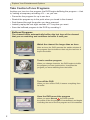
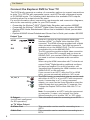
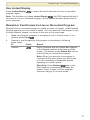
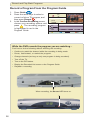
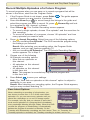
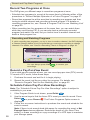
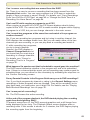
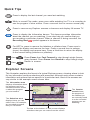
Press to display the last channel you were last watching.
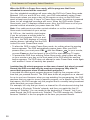
While in normal Play mode, press once while watching live TV or a recording to
see the program in slow motion. Press a second time to resume normal play.
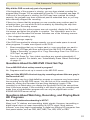
Press to remove any Explorer screens or banners and display full-screen TV.
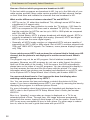
Press to display the Information banner. This banner provides information
about the channel you are watching. It can also help you confirm that you
are recording a particular channel. When a channel is being recorded, the
Recording Now
symbol appears in the banner.
For HDTVs, press to remove the letterbox or pillarbox bars. Press once to
stretch the display and remove the bars. Press a second time to enlarge
(zoom) the display and remove bars. Press a third time to return the display
to the normal setting (letterbox or pillarbox).
then
then
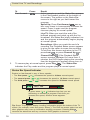
Press Pause then Fast Forward to step through single frames
going forward. Press Pause then Rewind to step through single
frames in reverse.
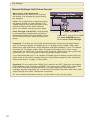
Explorer Screens
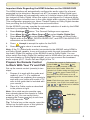
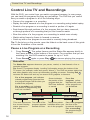
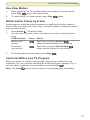
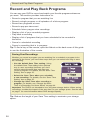
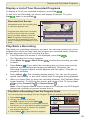
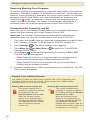
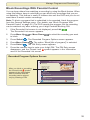
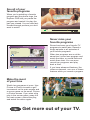
This illustration explains the format of a typical Explorer screen, showing where to look
for key information and how selections are presented. Although each screen contains
information and options that are specific to a particular task, most of the screens are
very similar to the example screen shown here.
The Information area
displays information about
the program you have
selected from this screen
or about the program
you are tuned to.
Recorded List
"The Jungle Book"
USA (Ch 67)
Record: 1 Episode
Save: 1 Day
Recorded Programs
PGA Golf Press
The Selection area
displays items you can
select. Here, for example,
are recorded programs
that you can select.
The Jungleor
Book
press
Dr. Phil
Options/Play
Date
Time
to record
program
Sun this
6/15
2:30pm
Length
1hr 30min
Wed
7:00pm
for
more6/18
recording
options. 2hr 0min
Fri
6/13
3:10pm
Scheduled Recordings
50min
Preferences
The bar at the bottom of each screen displays
selections that you can make from the screen.
The Quarter
screen shows
the program of
the channel you
are currently tuned
to or the recorded
program you are
watching.