1
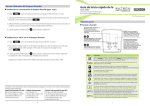
n Meter Connections
ATC
DC
REF.
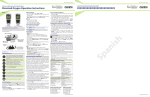
n Temperature Calibration
The thermistor sensor used for automatic temperature compensation and measurement is
both accurate and stable. Temperature calibration is recommended upon electrode
replacement, whenever the temperature reading is suspect, or if matching against a certified
thermometer is desired.
pH
BNC connection for pH, ORP (Redox), or
Ion Selective Electrodes (ISE).
REF
Pin connection for half cell reference electrodes.
Requires separate half cell BNC electrode.
Note: REF is not commonly used and is not required.
1. Connect the temperature probe to the meter and place into a solution with a known accurate
temperature such as a constant temperature bath.
ATC
For Automatic Temperature Compensation probe.
DC
Power supply.
Note: To adjust the manual temperature compensation (MTC) value, do not connect the temperature probe.
pH
2.Press
as needed to select pH or mV/R.mV.
3.Press
followed by
. The primary display shows the measured temperature while the
secondary display shows the factory default temperature.
CALIBRATION
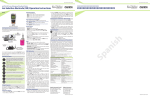
n pH Calibration
For best results, periodic calibration with known accurate standards is recommended. The 700
series meters can be calibrated with up to 5 buffers. The non-volatile memory retains all calibration
values upon meter shut down.
The following calibration standards are automatically recognized;
USA buffer group
1.68, 4.01, 7.00, 10.01, 12.45
NIST buffer group
1.68, 4.01, 6.86, 9.18, 12.45
4. Adjust the temperature using
or
. Press
to accept or
to cancel. The meter
allows an adjustable maximum value of ± 5 ºC (or ± 0.9 ºF) from the factory default temperature.
n Millivolt (mV) Offset Adjustment
Oxidization Reduction Potential (ORP or Redox) is not a precise measurement, but is useful as a
relative indicator. mV offset adjustment makes readings comparable to a reference.
1. Connect an ORP electrode and press
To eliminate temperature errors associated with the pH electrode, attach the automatic
temperature compensation (ATC) probe for best accuracy.
1.Press
as needed to select mV (or R.mV).
2. Dip the ORP electrode into a solution with a known mV value and stir.
3.Press
when the reading is stable. The primary display shows the relative millivolt value
(R.mV) while the secondary display shows the factory default mV value.
as needed to select pH.
2. Dip the pH and ATC electrodes into pH buffer and press
. The secondary display will lock on
the appropriate buffer value. Provide stirring for best results.
When the READY indicator appears, press
to accept. The primary reading will flash briefly before the secondary display begins scrolling the remaining available buffers.
4. Adjust the R.mV value using
or
. Press
to accept or
to cancel.
The meter allows an adjustable maximum value of ± 150 mV from the factory default
mV value.
Note: When an offset has been stored successfully, R.mV replaces mV.
3. Rinse the pH and ATC electrodes then dip into the next pH buffer. The secondary display will
lock on the appropriate buffer value. When the READY indicator appears, press
to accept.
The primary reading will flash briefly then display the percent efficiency (slope) before the
secondary display begins scrolling the remaining available buffers.
4. To calibrate another buffer repeat step 3 or press
2
to return to the measurement mode.
3