1
81_GSBOOK.fm5 Page 33 Tuesday, October 14, 1997 4:04 PM
Section 1: MAX+PLUS II Installation
Configuring Network Licensing
This section provides instructions for configuring network licensing for
MAX+PLUS II. This section discusses the following topics:
■
■
■
■
Configuring the License Server .............................................................. 33
Troubleshooting License Installation..................................................... 34
License Administration Options File ..................................................... 38
License Administration FLEXlm Utilities ............................................. 40
Configuring the License Server
The FLEXlm licensing scheme allows either one or three license servers on a
network. A single UNIX workstation can function as the file server, license
server, and user workstation. The file server, license server, and user
workstations (or user PCs) can also be separate computers.
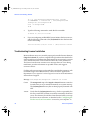
To configure the license server, follow these steps:
1.
If a single workstation functions as the file server and license server,
skip this step and go to step 2.
If the file server and license server are separate computers, mount the
/usr/maxplus2 directory on the license server with NFS by typing the
following commands:
# mkdir /usr/maxplus 9
# /etc/mount <file server name>:/usr/maxplus2 /usr/
maxplus2 9
2.
Start the license manager daemon on all license servers before starting
MAX+PLUS II. Type the following command on each license server:
# /usr/maxplus2/adm/max2protd /usr/maxplus2 9
To invoke the license manager daemon automatically during start-up,
add the following lines to the /etc/rc.local file on each license server:
Altera Corporation
33