1
Importing C500 RAW Files
FCP X IMPORT SETTINGS
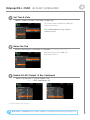
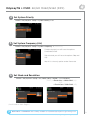
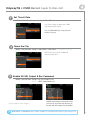
Once you have created a new project be sure to check the following Settings:
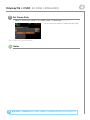
1. Under Final Cut Pro select Preferences
2. Be sure the Still Images editing duration is set to 0.0.1 Seconds
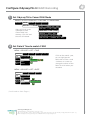
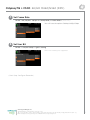
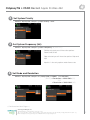
3. Select navigate to File and select Import Media
4. Navigate to the Clips directory, and select the Clip Folder contain your RAW files.
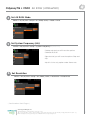
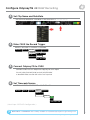
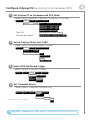
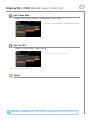
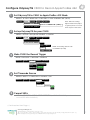
5. At this point you can start correcting the files to a 2.2 Gamma. using the Color Board.
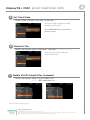
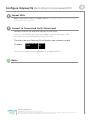
* Note if you are recording the the internal media you can import the matching Slog2 file, and select
Match Color for a close approximation of Slog2, but will most likely need additional tweaking.
CANON C500 4K RAW SUPPORT
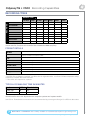
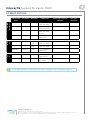
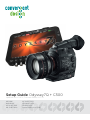
All Canon C500 4K recording on the Odyssey 7Q is recorded as 10 bit Cinema RAW file.
Also note that with RMF files timecode, and Clip Metadata is stored in every frame, as well as in
the XML file within each clip. All audio is recorded 48Hz 32 bit Uncompressed Wav audio.
It is important to correctly set the white balance of the camera, as this is baked into the RAW file.
Native Cinema RAW Support
Assimilate Scratch Lab
Black Magic DaVinci Resolve
Canon Cinema RAW Development
Adobe CC 2014
Convergent Design, Inc.
4525 Northpark Dr. | Colorado Springs, CO 80918 | USA
TEL: ++ (720) 221-3861 | FAX: ++ (720) 227-9296 | Office Hours: 8:00 A.M. to 5:30 P.M., Monday – Friday [Mountain Time (GMT – 6)]
EMAIL: [email protected] | WEBSITE: www.Convergent-Design.com
23