1
Chapter 27: System Report Management
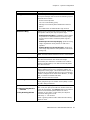
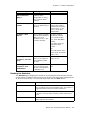
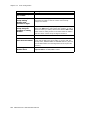
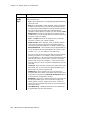
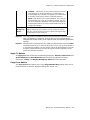
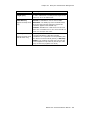
• Hard disk usage exceeds This trap is sent when hard disk usage of MAXCS
transitioning from below threshold to on or above threshold is detected. Default
value is 80%. The minimum duration between any two consecutive traps is 30
minutes.
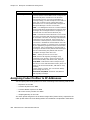
List of Traps Sent
A trap is sent when the following conditions are detected.
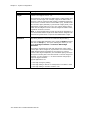
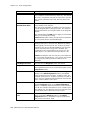
• Cold Start (generic trap). When AltiServ is cold started and initialized successfully.
• Warm Start (generic trap). When AltiKeep service detects AltiServ.exe is down, restarting AltiServ.exe, and AltiServ is initialized successfully.
• LinkDown (generic trap). When detecting a T1/E1/PRI span state is transitioning
from up to down or losing clock source.
When a gateway is down, one trap is sent for each T1/E1/PRI interface in this
Gateway. This trap is sent when SIP trunk destination state transitioning from
reachable to unreachable is detected.
Every T1/E1/PRI span and SIP trunk channel is assigned a unique "ifIndex" value as
a port identifier
• LinkUp (generic trap). When a T1/E1/PRI span state transitioning from down to up
is detected.
• Softswitch up (specific trap). When AltiServ.exe starts to respond to the keep alive
packets sent by the SNMP Agent. AltiServ should respond to the keep-alive packets
after its initialization is completed.
• Softswitch down (specific trap). When AltiServ.exe stops responding to the keepalive packets sent by the SNMP Agent.
• Gateway/Media Server connection up (specific trap). When a gateway or HMCP
Media Server connection state transitioning from down to up is detected.
• Gateway/Media Server connection down (specific trap). When a gateway or HMCP
Media Server connection state transitioning from up to down is detected.
• Enterprise Manager Master up (specific trap). When MAXCS is in Enterprise Manager
slave role and Enterprise Manager master state transitioning from down to up is
detected.
• Enterprise Manager Master down (specific trap). When MAXCS is in Enterprise
Manager slave role and Enterprise Manager master state transitioning from up to
down is detected.
• Enterprise Manager Slave up (specific trap). When MAXCS is in Enterprise Manager
master role and detects Enterprise Manager slave state transitioning from down to
up.
• Enterprise Manager Slave down (specific trap). When MAXCS is in Enterprise
Manager master role and detects Enterprise Manager slave state transitioning from
up to down.
• IP Phone service up (specific trap). When detecting IP Phone service transitioning
from down to up.
• IP Phone service down (specific trap). When detecting IP Phone service transitioning
from up to down.
• VM server connection up (specific trap). When detecting VM server connection
transitioning from down to up.
MAXCS ACC 6.5 Administration Manual
375