1
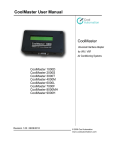
CoolMaster User Manual
2
Functional Discription
5
Functional Discription
Simple RS232 Interface for Easy Integration
CoolMaster is equipped with an RS232 serial port. The port can be used in two different ways:
1. Configuration and monitoring of the air conditioning system from PC using simple Windows
based terminal program. (See PC connection)
2. Connected to Home Automation controller or BMS.
See Commands List for brief description of supported commands. The complete documentation can
be found in Programmers Reference Manual.
Air Conditioning System Monitoring
CoolMaster enables Home Automation controllers or BMS to receive the air conditioning system
status. The status is provided by CoolMaster as a response to "stat" command (The syntax and
operands of the command can be found in Programmers Reference Manual). CoolMaster can provide
following information for each indoor unit in system:
· Operation mode - This parameter indicates whether the required indoor unit is set for Cooling,
Heating, Fan, Dry or Auto operation.
· The feedback returns the operation mode regardless operation status (whether the unit is "ON" or "Off').
· Within the same air conditioning system different indoor units can be in different operation mode.
· Set Point Temperature - This is the desired temperature defined by user on the given indoor unit.
· Fan Speed - Currently set fan speed of the monitored indoor unit. There are 4 available Fan Speeds:
High, Medium, Low and Automatic.
· Sanyo and Toshiba support all 4 Fan Speeds.
· Most of the Daikin indoor units support only 2 Fan Speeds: High and Low.
· Some of the new Daikin units (FXDQ-P and FXMQ) support 3 Fan Speeds: High (HH), Medium (H) and Low
(L).
· Room Temperature - This is the temperature, measured in the return air inside the monitored indoor
unit.
· This temperature measurement shows only the temperature inside the indoor unit and it doesn't always
indicate correctly the temperature in the room.
· Swing status - This parameter indicates whether the swing operation is "on" or "off" in the monitored
indoor unit.
· This parameter is only available for wall mounted and cassette type indoor units.
· Filter Sign - Each indoor unit is designed to show a reminder regarding cleaning the filters. After
certain number of operation hours the "filter" sign will be shown on the local
remote controller. The time period, after which the sign appears may differ between different types of
indoor units.
· Malfunction code - When abnormal operation of the air conditioning system occurs, there will be an
indication, regarding the malfunction. The malfunction can be local. In this case the specific indoor
unit will be halt and malfunction code will appear on the local thermostat. When the malfunction is
general, the whole air conditioning system will stop and the malfunction code will be shown in all
local thermostats.
· When running "stat" command for a certain indoor unit there might be more than one malfunction code.
www.coolautomation.com
© 2008 Cool Automation