1
Business Solutions
Personalizing your IP Phone
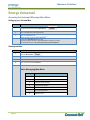
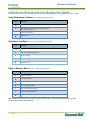
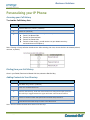
Accessing your Call History
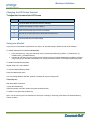
To view the Call History lists:
Step
Action
1
Press the Menu Key, Press 1 (Features)
2
Press 4 for (Call Lists)
Select Call Lists and then the number key for the list you want to review.
Press 1 for Missed Calls
Press 2 for Received Calls
Press 3 for Placed Calls
Press 4 to Clear List(s) ( you will need to use your bottom arrow key
and scroll down to see option 4)
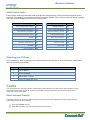
3
Note: Pressing 4 (Clear) will clear individual Lists. After selecting 4 to clear, choose the list to be cleared (missed,
received, or placed).
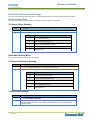
Dialing from your Call History
Once in your Redial, Received or Missed Call Lists, select the Dial Soft Key.
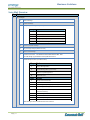
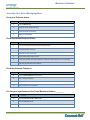
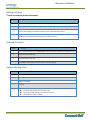
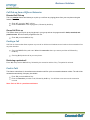
Adding Contacts to Your Directory
Step
1
2
3
Action
Press Menu Key, Press 1 (Features)
Press 3 for Contact Directories
Select the Add Soft Key. Enter the first and last name using the dial pad, press the
1/A/a soft Key to toggle between the upper and lower case text and numbers
4
Enter the Contact number and Speed Dial if desired and press Save.
5
Press Back and Exit Soft Keys to return to the idle Screen
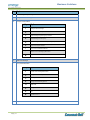
Note: The first contacts entered will be listed in the line keys
Page | 15