1
Business Solutions
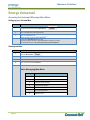
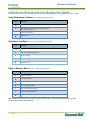
Editing a Contact
To edit a contact’s phone information
Step
Action
1
Press the Menu Key, press 1 for Features
2
Press 3, select Contact Directory
3
Use the Arrow Keys to locate the contact to edit. Press the Edit soft key
4
Update the contact information and press the Save soft key
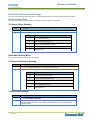
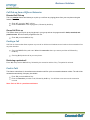
Deleting a Contact
Step
1
Action
Once in the contact directory use the Arrow Key to locate the contact to be deleted, and highlight the contact
2
Press the More Soft Key
3
Press the Delete Soft Key
4
Press Back and Exit Soft Keys to return to the idle display
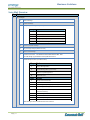
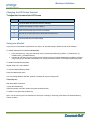
Change the Ring Tone
Step
Action
1
Press the Menu button
2
Press 3 (Settings) or use the Arrow key to highlight and press the Select Soft Key
3
Press 1 for Basic
4
Press 4
5
Page | 16
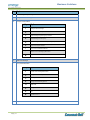
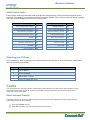
Scroll through the list of ring types using the Arrow Keys.
Press the Play Soft Key to hear the ring
Press Select Soft Key to put a check in the box.
Press Back to return to Menu