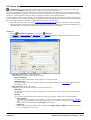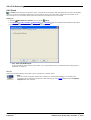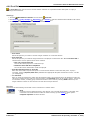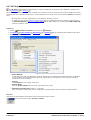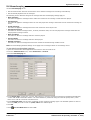
1
IP Office 8.1
Administering Voicemail Pro
15-601063 Issue 8b - (Tuesday, December 11, 2012)
© 2012 AVAYA All Rights Reserved.
Notices
While reasonable efforts have been made to ensure that the information in
this document is complete and accurate at the time of printing, Avaya assumes
no liability for any errors. Avaya reserves the right to make changes and
corrections to the information in this document without the obligation to notify
any person or organization of such changes.
Documentation disclaimer
Avaya shall not be responsible for any modifications, additions, or deletions to
the original published version of this documentation unless such modifications,
additions, or deletions were performed by Avaya.
End User agree to indemnify and hold harmless Avaya, Avaya's agents,
servants and employees against all claims, lawsuits, demands and judgments
arising out of, or in connection with, subsequent modifications, additions or
deletions to this documentation, to the extent made by End User.
Link disclaimer
Avaya is not responsible for the contents or reliability of any linked Web sites
referenced within this site or documentation(s) provided by Avaya. Avaya is
not responsible for the accuracy of any information, statement or content
provided on these sites and does not necessarily endorse the products,
services, or information described or offered within them. Avaya does not
guarantee that these links will work all the time and has no control over the
availability of the linked pages.
Warranty
Avaya provides a limited warranty on this product. Refer to your sales
agreement to establish the terms of the limited warranty. In addition, Avaya’s
standard warranty language, as well as information regarding support for this
product, while under warranty, is available to Avaya customers and other
parties through the Avaya Support Web site: http://www.avaya.com/support.
Please note that if you acquired the product from an authorized Avaya reseller
outside of the United States and Canada, the warranty is provided to you by
said Avaya reseller and not by Avaya.
Licenses
THE SOFTWARE LICENSE TERMS AVAILABLE ON THE AVAYA WEBSITE,
HTTP://SUPPORT.AVAYA.COM/LICENSEINFO/ ARE APPLICABLE TO ANYONE
WHO DOWNLOADS, USES AND/OR INSTALLS AVAYA SOFTWARE, PURCHASED
FROM AVAYA INC., ANY AVAYA AFFILIATE, OR AN AUTHORIZED AVAYA
RESELLER (AS APPLICABLE) UNDER A COMMERCIAL AGREEMENT WITH
AVAYA OR AN AUTHORIZED AVAYA RESELLER. UNLESS OTHERWISE AGREED
TO BY AVAYA IN WRITING, AVAYA DOES NOT EXTEND THIS LICENSE IF THE
SOFTWARE WAS OBTAINED FROM ANYONE OTHER THAN AVAYA, AN AVAYA
AFFILIATE OR AN AVAYA AUTHORIZED RESELLER, AND AVAYA RESERVES
THE RIGHT TO TAKE LEGAL ACTION AGAINST YOU AND ANYONE ELSE USING
OR SELLING THE SOFTWARE WITHOUT A LICENSE. BY INSTALLING,
DOWNLOADING OR USING THE SOFTWARE, OR AUTHORIZING OTHERS TO
DO SO, YOU, ON BEHALF OF YOURSELF AND THE ENTITY FOR WHOM YOU
ARE INSTALLING, DOWNLOADING OR USING THE SOFTWARE (HEREINAFTER
REFERRED TO INTERCHANGEABLY AS “YOU” AND “END USER”), AGREE TO
THESE TERMS AND CONDITIONS AND CREATE A BINDING CONTRACT
BETWEEN YOU AND AVAYA INC. OR THE APPLICABLE AVAYA AFFILIATE
(“AVAYA”).
Avaya grants End User a license within the scope of the license types described
below. The applicable number of licenses and units of capacity for which the
license is granted will be one (1), unless a different number of licenses or units
of capacity is specified in the Documentation or other materials available to
End User. "Designated Processor" means a single stand-alone computing
device. "Server" means a Designated Processor that hosts a software
application to be accessed by multiple users. "Software" means the computer
programs in object code, originally licensed by Avaya and ultimately utilized by
End User, whether as stand-alone products or pre-installed on Hardware.
"Hardware" means the standard hardware originally sold by Avaya and
ultimately utilized by End User.
Administering Voicemail Pro
IP Office 8.1
License types
Designated System(s) License (DS). End User may install and use each copy of
the Software on only one Designated Processor, unless a different number of
Designated Processors is indicated in the Documentation or other materials
available to End User. Avaya may require the Designated Processor(s) to be
identified by type, serial number, feature key, location or other specific
designation, or to be provided by End User to Avaya through electronic means
established by Avaya specifically for this purpose.
Copyright
Except where expressly stated otherwise, no use should be made of materials
on this site, the Documentation(s) and Product(s) provided by Avaya. All
content on this site, the documentation(s) and the product(s) provided by
Avaya including the selection, arrangement and design of the content is owned
either by Avaya or its licensors and is protected by copyright and other
intellectual property laws including the sui generis rights relating to the
protection of databases. You may not modify, copy, reproduce, republish,
upload, post, transmit or distribute in any way any content, in whole or in part,
including any code and software. Unauthorized reproduction, transmission,
dissemination, storage, and or use without the express written consent of
Avaya can be a criminal, as well as a civil, offense under the applicable law.
Third Party Components
Certain software programs or portions thereof included in the Product may
contain software distributed under third party agreements ("Third Party
Components"), which may contain terms that expand or limit rights to use
certain portions of the Product ("Third Party Terms"). Information regarding
distributed Linux OS source code (for those Products that have distributed the
Linux OS source code), and identifying the copyright holders of the Third Party
Components and the Third Party Terms that apply to them is available on the
Avaya Support Web site: http://support.avaya.com/Copyright.
Preventing toll fraud
"Toll fraud" is the unauthorized use of your telecommunications system by an
unauthorized party (for example, a person who is not a corporate employee,
agent, subcontractor, or is not working on your company's behalf). Be aware
that there can be a risk of toll fraud associated with your system and that, if
toll fraud occurs, it can result in substantial additional charges for your
telecommunications services.
Avaya fraud intervention
If you suspect that you are being victimized by toll fraud and you need
technical assistance or support, call Technical Service Center Toll Fraud
Intervention Hotline at +1-800-643-2353 for the United States and Canada.
For additional support telephone numbers, see the Avaya Support Web site:
http://support.avaya.com
Suspected security vulnerabilities with Avaya products should be reported to
Avaya by sending mail to: [email protected].
Trademarks
Avaya and Aura are trademarks of Avaya, Inc.
The trademarks, logos and service marks (“Marks”) displayed in this site, the
documentation(s) and product(s) provided by Avaya are the registered or
unregistered Marks of Avaya, its affiliates, or other third parties. Users are not
permitted to use such Marks without prior written consent from Avaya or such
third party which may own the Mark. Nothing contained in this site, the
documentation(s) and product(s) should be construed as granting, by
implication, estoppel, or otherwise, any license or right in and to the Marks
without the express written permission of Avaya or the applicable third party.
Avaya is a registered trademark of Avaya Inc. All non-Avaya trademarks are
the property of their respective owners.
Downloading documents
For the most current versions of documentation, see the Avaya Support Web
site: http://www.avaya.com/support
Contact Avaya Support
Avaya provides a telephone number for you to use to report problems or to
ask questions about your product. The support telephone number is
1-800-242-2121 in the United States. For additional support telephone
numbers, see the Avaya Web site: http://www.avaya.com/support
Page 2
15-601063 Issue 8b (Tuesday, December 11, 2012)
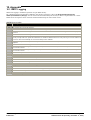
Contents
Contents
4. Voicemail Pro Actions
1. What is New in 8.1
2. Voicemail Pro Administration
2.1 Supported .....................................................................
Languages
2.2 Number of .....................................................................
Simultaneous Users
2.3 Linux Server
.....................................................................
Support
2.3.1 UC
............................................................................
Module Voicemail Pro
2.4 Voicemail Pro
.....................................................................
Licenses
12
14
14
15
15
3. Using the Voicemail Pro Client
3.1 Logging in .....................................................................
to the Voicemail Pro Server
3.2 Confirm Call
.....................................................................
Flow Download Window
3.3 Continue Offline
.....................................................................
Message Window
3.4 The Main Voicemail
.....................................................................
Pro Window
3.5 Logging Out
.....................................................................
3.6 Voicemail Shutdown
.....................................................................
or Suspend
3.7 Changing Between
.....................................................................
Offline and Online Mode
3.8 Configuring.....................................................................
Failback Operation Mode
3.9 Administrator
.....................................................................
Accounts
3.9.1 Changing
............................................................................
Password
3.9.2 Creating/Editing
............................................................................
Admin Accounts
3.10 Saving Changes
.....................................................................
3.11 Including .....................................................................
Other Files
3.12 Importing .....................................................................
and Exporting
3.13 Closing Down
.....................................................................
3.14 Using the.....................................................................
Navigation and Details Panes
3.14.1............................................................................
Users / Groups
3.14.2............................................................................
Voicemail Pro Administrators
3.14.3............................................................................
Server Queues
3.14.4............................................................................
Distributed Voicemails
3.14.5............................................................................
Eventing Notification
3.15 Toolbar Icons
.....................................................................
3.15.1............................................................................
User Variables
3.16 Taking backups
.....................................................................
3.16.1............................................................................
Scheduling Backups
3.16.2............................................................................
Taking an Immediate Backup
3.17 Restoring.....................................................................
backups
3.17.1............................................................................
Restoring on Windows-based server
3.17.2............................................................................
Restoring on Linux-based server
3.18 Start Points
.....................................................................
3.18.1............................................................................
Default Start Points
3.18.2............................................................................
Using Start Points
3.18.3............................................................................
Viewing Call Flows as Text
3.19 User Variables
.....................................................................
3.20 Call Variables
.....................................................................
3.21 Creating Modules
.....................................................................
3.21.1............................................................................
Running a Module
3.22 The Conditions
.....................................................................
Editor
3.22.1............................................................................
Using the Condition Editor
3.22.2............................................................................
Calendar
3.22.3............................................................................
Week Planner
3.22.4............................................................................
Condition
3.22.5............................................................................
Compare
3.23 About
.....................................................................
Administering Voicemail Pro
IP Office 8.1
20
22
23
24
25
25
27
28
28
29
29
31
31
32
33
34
35
41
42
45
46
46
47
49
50
52
53
54
55
55
58
59
60
61
63
65
65
66
67
69
70
71
72
72
4.1 Connections
..................................................................... 77
4.2 Available Actions
..................................................................... 78
4.3 Standard Action
.....................................................................
Tabs
82
4.3.1 General
............................................................................ 82
4.3.2 Entry
............................................................................
Prompts
83
4.3.3 Specific
............................................................................ 86
4.3.4 Reporting
............................................................................ 87
4.3.5 Results
............................................................................ 88
4.4 Start Action..................................................................... 89
4.5 Basic Actions
..................................................................... 90
4.5.1 Generic
............................................................................ 90
4.5.2............................................................................
Speak Text
105
4.5.3............................................................................
Menu
111
4.5.4............................................................................
Goto
113
4.5.5............................................................................
Disconnect
114
4.5.6............................................................................
Home
114
4.5.7............................................................................
Module Return
114
4.6 Mailbox Actions
..................................................................... 115
4.6.1............................................................................
Get Mail
116
4.6.2............................................................................
Leave Mail
118
4.6.3............................................................................
Listen
119
4.6.4............................................................................
Voice Question
120
4.6.5............................................................................
Campaign
121
4.7 Configuration
.....................................................................
Actions
122
4.7.1............................................................................
Edit Play List
122
4.7.2............................................................................
Record Name
123
4.7.3............................................................................
Personal Options Menu
124
4.7.4............................................................................
Select System Prompt Language
126
4.8 Telephony.....................................................................
Actions
127
4.8.1............................................................................
Variable Routing
128
4.8.2............................................................................
Route Incoming Call
130
4.8.3............................................................................
Route by Call Status
131
4.8.4............................................................................
Transfer
132
4.8.5............................................................................
Whisper
134
4.8.6............................................................................
Call List
136
4.8.7............................................................................
Dial by Name
137
4.8.8............................................................................
Assisted Transfer
139
4.8.9............................................................................
Alphanumeric
141
4.9 Miscellaneous
.....................................................................
Actions
143
4.9.1............................................................................
eMail
144
4.9.2............................................................................
Open Door
145
4.9.3............................................................................
Alarm Set
146
4.9.4............................................................................
Call Answering
148
4.9.5............................................................................
Clock
148
4.9.6............................................................................
Post Dial
149
4.9.7............................................................................
VB Script
150
4.9.8............................................................................
Remote Call Flow
151
4.10 Condition
.....................................................................
Actions
152
4.10.1
............................................................................
Test Condition
152
4.10.2
............................................................................
Set User Variable
153
4.10.3
............................................................................
Test User Variable
154
4.10.4
............................................................................
Test Variable
155
4.10.5
............................................................................
Decrement and Test Counter
157
4.10.6
............................................................................
Increment and Test Counter
158
4.11 Database
.....................................................................
Actions
159
4.11.1
............................................................................
Database Open
159
Page 3
15-601063 Issue 8b (Tuesday, December 11, 2012)
4.11.2
............................................................................
Database Execute
4.11.3
............................................................................
Database Get Data
4.11.4
............................................................................
Database Close
4.12 Queue Actions
.....................................................................
4.12.1
............................................................................
Queue ETA
4.12.2
............................................................................
Queue Position
160
161
162
163
164
165
5.1 General ..................................................................... 168
5.2 Directories
..................................................................... 170
5.3 Email
..................................................................... 171
5.3.1............................................................................
MAPI
171
5.3.2............................................................................
SMTP Sender
172
5.3.3............................................................................
SMTP Receiver
175
5.4 Housekeeping
..................................................................... 177
5.5 SNMP Alarm
..................................................................... 178
5.6 Outcalling..................................................................... 179
5.7 Voicemail.....................................................................
Recording
180
5.8 Backup &.....................................................................
Restore
181
5.9 VPNM ..................................................................... 182
6.6.3 Advice for Mailbox Owners Using a TTY
Device
............................................................................
6.6.4 Changing the Language Setting for a TTY
Device
............................................................................
6.7 Changing.....................................................................
Language
6.7.1............................................................................
Supported Languages
6.7.2............................................................................
Changing the Language of System Prompts
6.7.3............................................................................
Changing the Language of Custom Prompts
6.8 Mobile Twinning
.....................................................................
6.8.1............................................................................
Example Call Flow
6.9 Remote Voicemail
.....................................................................
Notification
6.9.1............................................................................
Callback
6.9.2............................................................................
Outcalling
6.10 Mailbox .....................................................................
Management
6.10.1
............................................................................
Disabling a Mailbox
6.10.2
............................................................................
Clearing a Mailbox
6.10.3
............................................................................
Outcalling Settings
6.10.4
............................................................................
Personal Distribution Lists
6.11 Using Voicemail
.....................................................................
to Give Error Messages
6.12 Managing
.....................................................................
the Disk Space
6. Administration
7. Mailbox Access Controls
5. System Preferences
6.1 Routing Calls
.....................................................................
to Voicemail
6.1.1............................................................................
Routing Calls to Voicemail
6.1.2............................................................................
Forward Unconditional to Voicemail
6.1.3............................................................................
Transferring Calls to Voicemail
6.1.4............................................................................
Using Short Codes to Access Voicemail
6.1.5............................................................................
Using VM: to Access Voicemail
6.1.6............................................................................
Voicemail Telephone Numbers
6.1.7............................................................................
Example Call Flow
6.2 User Voicemail
.....................................................................
Access
6.2.1............................................................................
Giving Users Button Access
6.2.2............................................................................
Giving Users Access from Any Extension
6.2.3 Giving Users Access from an External
Location
............................................................................
6.2.4............................................................................
Creating a Trusted Location
6.3 Hunt Group
.....................................................................
Voicemail
6.3.1............................................................................
Configuring Message Waiting Indication
6.3.2............................................................................
Configuring Group Broadcast
6.3.3............................................................................
Using a Short Code to Collect Voicemail
6.3.4............................................................................
Out of Hours Operation
6.3.5............................................................................
Configuring Announcements
6.3.6............................................................................
Customizing Announcements
6.3.7............................................................................
Hunt Group Queuing
6.3.8............................................................................
Customizing a Hunt Group Call Flow
6.4 Recording.....................................................................
Calls
6.4.1............................................................................
Call Recording Warning
6.4.2............................................................................
Changing the Recording Time
6.4.3............................................................................
Voice Recording Library
6.4.4............................................................................
Manual Call Recording
6.4.5............................................................................
Automatic Call Recording
6.5 Announcements
.....................................................................
6.5.1............................................................................
Mandatory Announcement Example
6.5.2............................................................................
Personal Announcements
6.6 Support for
.....................................................................
Callers with Impaired Hearing
6.6.1............................................................................
Installing Voicemail Pro TTY Prompts
6.6.2............................................................................
Changing User Locale
Administering Voicemail Pro
IP Office 8.1
188
189
189
189
190
191
192
193
195
196
197
198
198
199
200
201
202
203
204
206
207
208
210
211
211
212
214
218
224
224
225
226
227
227
7.1 General Controls
.....................................................................
7.2 Intuity Mode
.....................................................................
7.3 IP Office Mode
.....................................................................
7.4 Phone Manager
.....................................................................
7.5 Visual Voice
.....................................................................
7.6 UMS Web.....................................................................
Voicemail
7.7 UMS IMAP
.....................................................................
7.8 UMS Exchange
.....................................................................
227
228
230
231
233
234
235
236
238
239
241
245
248
249
250
252
253
254
257
258
259
260
262
263
266
267
8. International Time Zone support
9. Voicemail Pro Examples
9.1 Using VB .....................................................................
Script
9.1.1............................................................................
VBScript Properties
9.1.2............................................................................
VBScript Methods
9.2 Database.....................................................................
Connection
9.2.1............................................................................
Example Database Scenario
9.3 Dial by Name
.....................................................................
9.3.1............................................................................
Example Call Flow
9.3.2............................................................................
Adding a Record Name Module
9.3.3............................................................................
Using the Name Table
9.3.4............................................................................
Changing Full Names
9.4 Campaigns
.....................................................................
9.4.1............................................................................
Managing Campaigns
9.4.2............................................................................
Accessing Campaign Results
9.5 Fax Server
.....................................................................
Configuration
9.5.1............................................................................
Fax Server Configuration
9.5.2 Setting the VoiceMail Pro System Fax
............................................................................
Number
9.5.3............................................................................
Setting up Fax Forwarding
9.5.4............................................................................
Setting Up a User Defined Fax Number
9.5.5............................................................................
Routing Fax Calls Using a Menu Action
9.5.6 Configuring an Analog Extension Number for
............................................................................
Fax Use
9.5.7............................................................................
Castelle Fax Server
9.6 Using the.....................................................................
Speak Text Action
9.6.1............................................................................
Text to Speech SAPI and SSML Controls
276
278
284
299
300
308
309
310
311
311
312
313
317
321
322
323
325
325
326
327
328
328
329
Page 4
15-601063 Issue 8b (Tuesday, December 11, 2012)
Contents
9.6.2............................................................................
Setting Up Text To Speech to Read Email
334
10. Appendix
10.1 SMTP Logging
..................................................................... 338
10.2 SFTP Host
.....................................................................
Key Verification
339
10.3 History ..................................................................... 339
10.3.1
............................................................................
What Was New in 8.0
339
10.3.2
............................................................................
What Was New in 7.0
339
10.3.3
............................................................................
What Was New in 6.1
340
10.3.4
............................................................................
What Was New in 6.0
341
10.3.5
............................................................................
What Was New in 5.0
344
10.3.6
............................................................................
What Was New in 4.2
347
10.3.7
............................................................................
What Was New in 4.1
348
10.3.8
............................................................................
What Was New in 4.0
349
10.4 Prompts..................................................................... 350
10.4.1
............................................................................
US English Intuity Prompts
350
10.4.2
............................................................................
English Non-Intuity Prompts
364
10.5 Glossary..................................................................... 369
10.5.1
............................................................................
Centralized Voicemail pro Server
369
10.5.2
............................................................................
Distributed Voicemail Server
369
10.5.3
............................................................................
MAPI
369
10.5.4
............................................................................
SNTP
369
10.5.5
............................................................................
VPNM
369
10.5.6
............................................................................
VRL
369
Index ...............................................................................371
Administering Voicemail Pro
IP Office 8.1
Page 5
15-601063 Issue 8b (Tuesday, December 11, 2012)
Chapter 1.
What is New in 8.1
Administering Voicemail Pro
IP Office 8.1
Page 7
15-601063 Issue 8b (Tuesday, December 11, 2012)
What is New in 8.1:
1. What is New in 8.1
The following is a summary of the new features in Voicemail Pro 8.1. For details of the features added in the previous
releases, refer to History 339 .
· Support for IP Office Server Edition
On IP Office Server Edition, a Server Edition license provides all the Voicemail Pro features that are provided by the
Preferred Edition license on IP500 and IP500 V2. The maximum number of ports that you can simultaneously use for
voicemail operation on IP Office Server Edition with a Server Edition license is 100.
· Synchronization of primary and backup voicemail servers
Apart from call flows, voicemail messages, greetings, and recorded names, the synchronization between the primary
and the backup voicemail servers now also includes the registry settings, user variables, SMTP mappings, and alarms.
However, the synchronization excludes the directory locations, settings specific to Voicemail Pro client, Voicemail Pro
IIS port settings, Campaign settings, Service SID of the Voicemail Pro service, and backup configuration settings.
· Failback operation on backup voicemail server
In the previous releases, if central server failed and backup server took over the control as the active voicemail server,
the system administrator needed to shutdown the backup server for the control to be passed back to the central
server. In 8.1, the system administrator can configure backup server to initiate an automatic failback operation to pass
the control back to central server.
The system administrator can choose from three different modes of failback operation to configure on backup server manual, graceful, and automatic. In manual mode, the system administrator needs to shutdown backup server. In
graceful mode, backup server hands over the control to central server immediately after all the active voicemail calls
on the backup server come to an end. In automatic mode, backup server waits for the failback operation timeout
before handing over the control to central server, and if all the active voicemail calls on the backup server come to an
end before the timeout, the handover of the control is immediate.
· Restriction on minimum length of mailbox password
You can now set a restriction on the minimum length of a mailbox password. Use the general system preference Min.
Password Length 169 for the purpose. The minimum value that you can set is 0 in IP Office mailbox mode and 2 in
Intuity emulation mode. The maximum value is 15.
· Using a remote FTP server for backup and restore operations
You can now save the backup files generated by either a scheduled backup or an immediate backup to a remote FTP
server. Similarly, you can now restore a backup saved on a remote FTP server.
· VRLA feature support on Linux-based voicemail server
You can now configure a Linux-based voicemail server to transfer the saved voice recordings to the Windows-based
Voice Recording Library (VRL) application IP Office ContactStore using Secure File Transfer Protocol (SFTP). Thereby,
you can use the Voice Recording Library Authentication (VRLA) feature on a Linux-based voicemail server.
Administering Voicemail Pro
IP Office 8.1
Page 9
15-601063 Issue 8b (Tuesday, December 11, 2012)
Chapter 2.
Voicemail Pro Administration
Administering Voicemail Pro
IP Office 8.1
Page 11
15-601063 Issue 8b (Tuesday, December 11, 2012)
2. Voicemail Pro Administration
This manual covers the use of the Voicemail Pro client to administer a Voicemail Pro server. Installation of Voicemail Pro
is covered in Avaya IP Office Implementing Voicemail Pro (15-601064) and Avaya IP Office Implementing Voicemail Pro
on Linux (15-601065).
2.1 Supported Languages
By default the prompts installed match the installer language selection plus English. If other languages are required they
need to be selected by doing a custom installation. The Voicemail Pro prompts that are available for installation are listed
in the table below. The availability of a language in voicemail does not necessarily indicate support for IP Office in a
country that uses that language.
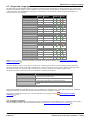
Language
WAV Fallback
Folder Selection
TTS
Windows
Brazilian Portuguese
ptb
> pt > en.
Chinese (Cantonese)
zzh
> en > enu.
Chinese (Mandarin)
ch
> en > enu.
Danish
da
> en.
Dutch
nl
> en.
English UK
en
> en.
English US
enu
> en.
Finnish
fi
> en.
French
fr
> frc > en.
French Canadian
frc
> fr > enu > en.
German
de
> en.
Greek
el
> en.
Hungarian
hu
> en.
Italian
it
> en.
Korean
ko
> en.
Latin Spanish
eso
> es > enu >
en.
Norwegian
no
> en.
Polish
pl
> en.
Portuguese
pt
> ptb > en.
Russian
ru
> en.
Spanish
es
> eso > en.
Swedish
sv
> en.
TTS
Linux
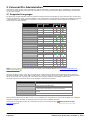
Note: If you are using Voicemail Pro installed on Unified Communications Module, see Languages Supported on UC
Module Voicemail Pro 15 .
When the IP Office routes a call to the voicemail server it indicates the locale for which matching prompts should be
provided if available. Within the IP Office configuration, a locale is always set for the system. However differing locales
can be set for each user, incoming call route and for short codes in addition to the default system locale.
The locale sent to the voicemail server by the IP Office is determined as follows:
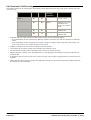
Locale Source
Usage
Short Code Locale
The short code locale, if set, is used if the call is routed to
voicemail using the short code.
System Locale
If no user or incoming call route locale is set system locale
is used unless overridden by a short code locale.
Incoming Call Route Locale The incoming call route locale, if set, is used if caller is
external.
User Locale
The user locale, if set, is used if the caller is internal.
If the prompts matching the IP Office locale are not available, the voicemail server will provide prompts from a fallback
language if available. The table of languages above lists the order of fallback selection.
If required, the language provided by a voicemail call flow can be changed using a
Language 126 action.
Administering Voicemail Pro
IP Office 8.1
Select System Prompt
Page 12
15-601063 Issue 8b (Tuesday, December 11, 2012)
Voicemail Pro Administration: Supported Languages
TTY Teletype Prompts
TTY (Teletype (Textphone)) is included in the list of languages that can be installed. TTY is a text-based system that is
used to provide services to users with impaired hearing. See Support for Callers with Impaired Hearing 226 .
International Character Set
If you enter text that uses non-English characters, enter the text within quotes for the system to display it correctly. For
example, enter "Fonctionnalités de recherche sur le Web" for Fonctionnalités de recherche sur le Web and "Maps für
Handys" for Maps für Handys.
Administering Voicemail Pro
IP Office 8.1
Page 13
15-601063 Issue 8b (Tuesday, December 11, 2012)
2.2 Number of Simultaneous Users
All connections between the voicemail server and the IP Office are via the LAN using data channels. The maximum
number of data channels that can be simultaneously used for voicemail operation are shown below.
IP Office
Maximum for
Voicemail Pro
IP500
40
IP500 V2
Server Edition
40
100
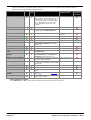
The actual number of simultaneous users is determined by the licenses for Voicemail Pro 15 added to the IP Office
configuration. Note also that some specific functions can have voicemail channels reserved for their use or can have
channel restrictions.
Note: If you are using Voicemail Pro installed on Unified Communications Module, see Number of Simultaneous Users on
UC Module Voicemail Pro 15 .
2.3 Linux Server Support
A Voicemail Pro server is one of the Linux components that are installed as part of the IP Office Application Server
installation. That process is covered separately in the IP Office Application Server documentation. However, configuration
and administration of that server is still performed using the Windows based Voicemail Pro client application.
When logged into the voicemail server using the Voicemail Pro client, the unsupported features listed as follows are
grayed out or hidden. If the features are present in an imported call flow, the call flow will not function and calls
attempting to use these features will be disconnected.
For Voicemail Pro server running on the IP Office Application Server, the following Voicemail Pro features are not
supported:
· VB Scripting.
· VPNM.
· UMS Web Voicemail.
However access via IMAP and one-X Portal are available as
alternatives.
· 3rd Party Database Integration.
When you log into voicemail server using the Voicemail Pro client, the system disables the features not supported by
Voicemail Pro. These features do not function even if they are present in an imported or restored call flow and the system
disconnects the calls attempting to use these features.
Voicemail Pro on Linux does not support the following call flow actions:
· Database Open
· Database Execute
· Database Get Data
· Database Close
· VBScript
For Small Community Network scenarios where multiple voicemail servers are present, for example distributed and
backup server, a mix of Linux-based and Windows-based servers are supported.
Administering Voicemail Pro
IP Office 8.1
Page 14
15-601063 Issue 8b (Tuesday, December 11, 2012)
Voicemail Pro Administration: Linux Server Support
2.3.1 UC Module Voicemail Pro
A Linux-based Voicemail Pro server is pre-installed on Unified Communications Module and is operational with the default
Preferred Edition license. However, the following behaviors of a Voicemail Pro server installed on Unified Communications
Module are different from a standard Linux-based Voicemail Pro server.
Supported Languages
Only the English US and English UK languages are supported for Text to Speech (TTS).
Accessing Voicemail Pro Server
To access the Voicemail Pro server running on Unified Communications Module, use the IP address or the DNS name of
the IP Office control unit that hosts Unified Communications Module.
Backup and Restore Settings
Backup files can be saved on a USB storage. The available file paths for the USB storage are /media/sdb1 and /media/
sdc1. As the storage space available on UC Module SSD is limited and primarily required for saving call recordings, use a
USB storage for the backups.
Default Debug Level
The default general system preference for the Debug Level is Critical.
Number of Simultaneous Users
The maximum number of data channels that can be simultaneously used for voicemail operation is 40. However, if one-X
is also enabled on Unified Communications Module, the maximum number of data channels that can be used
simultaneously may reduce to 20.
Storage Space for Call Recordings
Voicemail call recordings use an approximate storage space of 1 Mb for each minute of recording. Therefore, the
available storage space on UC Module SSD is limited to an estimated maximum of 400 hours of call recordings. Consider
this fact if you plan to use the Voicemail Pro server installed on Unified Communications Module for centralized voicemail.
2.4 Voicemail Pro Licenses
The Help | About 72 screen in the voicemail client can be used to check which IP Office the voicemail server is working
and the licenses it has received from that IP Office.
The license keys are entered into the IP Office configuration using the IP Office Manager. If the Voicemail Pro server is
installed without licenses, it will run for 2 hours and then shutdown.
For IP Office Release 6 and later, support for Voicemail Pro is enabled by the addition of a Preferred Edition license.
·
Preferred Edition (Voicemail Pro) :
This license enables support for Voicemail Pro as the IP Office's voicemail server with four voicemail ports. A
voicemail server with the Preferred Edition license provides the services listed below. Additional licenses can be
added for additional voicemail features, these are detailed separately. The Preferred Edition license was
previously called Voicemail Pro (4 ports).
· Mailboxes for all users and hunt groups.
· Campaigns.
· Announcements for users and hunt groups.
· TTS e-mail reading for users
licensed for Mobile User or
Power User profiles.
· Customizable call flows.
· Call recording to mailboxes.
·
· Use of Conference Meet Me
functions on IP500, IP500 V2, and
Server Edition systems.
Advanced Edition :
The Advanced Edition license enables the additional features listed below. A Preferred Edition license is a prerequisite for the Advanced Edition license.
· Support for Customer Call Reporter.
· Voicemail Pro Visual Basic
Scripting.
· Voicemail Pro database interaction (IVR).
· Voicemail Pro call recording to
· Voicemail Pro call flow generic TTS (8 ports).
ContactStore.[2]
[1] (Windows only)
Administering Voicemail Pro
IP Office 8.1
Page 15
15-601063 Issue 8b (Tuesday, December 11, 2012)
1. Provides up to 8 ports of TTS for use with Speak Text actions within call flows.
2. In a Small Community Network using centralized voicemail, this license only enables ContactStore support
for the central IP Office. Remote IP Offices in the network require their own Advanced Edition license or a
VMPro Recordings Administrator license .
·
Server Edition :
On IP Office Server Edition, the Server Edition license provides all the Voicemail Pro features that are provided by
the Preferred Edition license on IP500 and IP500 V2.
·
Additional Voicemail Pro Messaging Ports :
The required license for Voicemail Pro server support (Preferred Edition (Voicemail Pro)) also enables four
voicemail ports. This license can be used to add additional voicemail ports up to the maximum capacity of the IP
Office system (IP406 V2 = 20, IP412 = 30, IP500 = 40, IP500 V2 =40, IP Office Server Edition = 100). This
license was previously called Additional Voicemail Pro (ports).
Note: If you are using Voicemail Pro installed on Unified Communications Module, see Number of Simultaneous
Users on UC Module Voicemail Pro 15 for the maximum capacity of the IP Office system.
·
VMPro Recordings Administrators :
To support ContactStore in a Small Community Network, IP Offices other than the central IP Office require either
their own Advanced Edition license or this license.
·
VMPro Networked Messaging :
Enables the VPNM (Voicemail Pro Networked Messaging) functionality within Voicemail Pro. Enabling VPNM is
required for message exchange with remote Voicemail Pro systems and Avaya Interchange systems.
·
VMPro TTS (Generic) :
This legacy license enables use of text-to-speech facilities using third-party TTS software with Voicemail Pro. One
license per simultaneous instance of TTS usage. The IP Office Advanced Edition license also enables eight ports of
generic TTS.
·
VMPro TTS (ScanSoft) :
This legacy license enables use of text-to-speech facilities using Avaya-supplied TTS software with Voicemail Pro
running on a Windows server. One license per simultaneous instance of TTS usage.
·
VMPro TTS Professional :
This license enables use of all text-to-speech facilities provided by Voicemail Pro running on a Linux server. One
license per simultaneous instance of TTS usage.
Note: If you plan to use Voicemail Pro installed on Unified Communications Module for centralized voicemail, also see
Storage Space for Call Recordings on UC Module Voicemail Pro 15 .
Administering Voicemail Pro
IP Office 8.1
Page 16
15-601063 Issue 8b (Tuesday, December 11, 2012)
Voicemail Pro Administration: Voicemail Pro Licenses
Legacy Licenses
The following legacy licenses are still supported by IP Office Release 6 and later.
UMS Web Services
This legacy license is used to enable UMS voicemail services support for users set to the Basic User profile.
Other users are enabled for UMS through their licensed user profile.
·
VMPro Database Interface :
This legacy license enables third-party database support within Voicemail Pro call flows. For IP Office Release 6
and later, this is also enabled by the Advanced Edition license.
·
·
VMPro VB Script :
This legacy license enables Visual Basic Script support with Voicemail Pro. For IP Office Release 6 and later, this
is also enabled by the Advanced Edition license.
Administering Voicemail Pro
IP Office 8.1
Page 17
15-601063 Issue 8b (Tuesday, December 11, 2012)
Administering Voicemail Pro
IP Office 8.1
Page 18
15-601063 Issue 8b (Tuesday, December 11, 2012)
Chapter 3.
Using the Voicemail Pro
Client
Administering Voicemail Pro
IP Office 8.1
Page 19
15-601063 Issue 8b (Tuesday, December 11, 2012)
3. Using the Voicemail Pro Client
3.1 Logging in to the Voicemail Pro Server
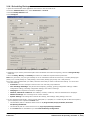
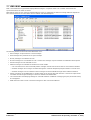
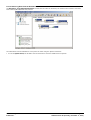
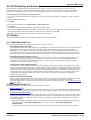
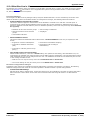
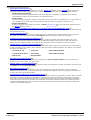
If you start the Voicemail Pro client on the same computer as the voicemail server, the system will automatically load the
settings to manage the server. You will have full access to all the servers settings, you do not need to login with an
administrator account 28 name and password. You can change to offline mode 27 if required or select to login to a remote
server using the process below.
To connect to a remote voicemail server you will need to login using the name and password of an administrator account
28 already configured on that server. The default account is Administrator and Administrator. After logging in with
this account you should change the password from that default value.
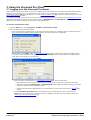
To start the Voicemail Pro Client:
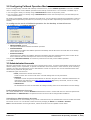
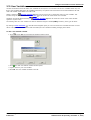
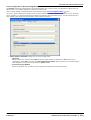
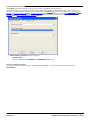
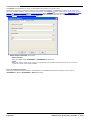
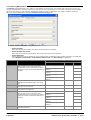
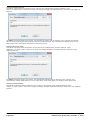
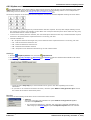
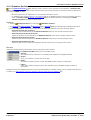
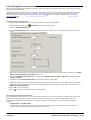
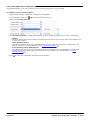
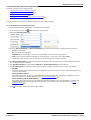
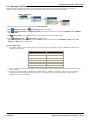
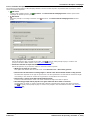
1. From the Start menu, select Programs | IP Office | Voicemail Pro Client.
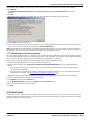
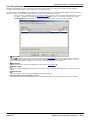
2. The Voicemail Pro Client window opens.
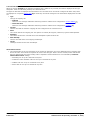
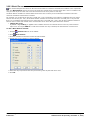
· If the client has been started before, it will start in the same mode as it used previously. If it fails to do that or
if it is the first time that the client has been started, the select mode menu is displayed.
· Select either of the Offline modes to import and export 32 voicemail call flow and module files without being
connected to any voicemail server. In the Offline mode for Linux, those call flow options not supported by a
Linux base voicemail server are grayed out.
· To connect to a voicemail server select Online.
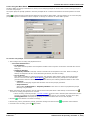
· Enter the name and password for an administrator account
28
on the voicemail server.
· Note that these are not required if accessing a voicemail server on the same computer as the client.
· The default account is Administrator and Administrator. After logging in with this account you should
change the password from that default value.
· If three consecutive login attempts fail for an administrator account name, the account is locked
an hour.
28
for
· In the Unit Name\IP Address field enter the DNS name or the IP address of the voicemail server.
Note: If you are connecting to a Voicemail Pro server installed on Unified Communications Module, see
Accessing UC Module Voicemail Pro 15 .
Administering Voicemail Pro
IP Office 8.1
Page 20
15-601063 Issue 8b (Tuesday, December 11, 2012)
Using the Voicemail Pro Client: Logging in to the Voicemail Pro Server
· Alternatively, click on Browse to search the local network for a server and select a server from the results.
Note: As Voicemail Pro client cannot find Voicemail Pro server running on Unified Communications Module,
you cannot use Browse to connect to Voicemail Pro server installed on Unified Communications Module.
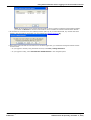
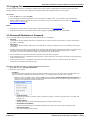
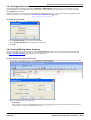
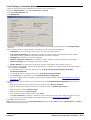
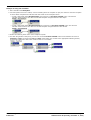
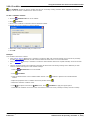
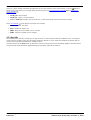
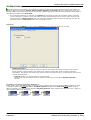
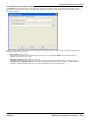
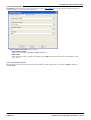
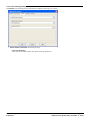
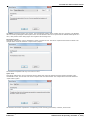
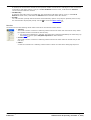
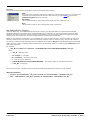
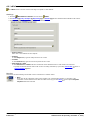
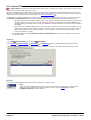
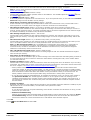
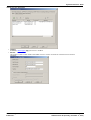
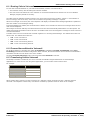
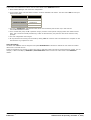
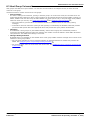
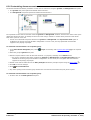
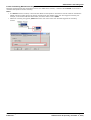
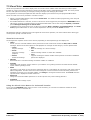
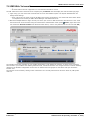
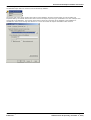
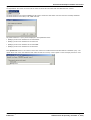
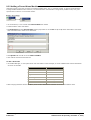
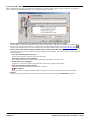
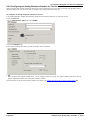
3. If connected to a remote server, the following window opens up. If you select Download, any call flow that have
loaded in the client will be overwritten. For more details see Callflow Download 22 .
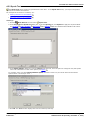
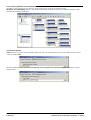
4. If this is the first time that the voicemail server has been logged into, you should first change the default remote
access account.
· If you logged in remotely using the default account, select File | Change Password.
· If you logged in locally, select Voicemail Pro Administrators in the navigation panel.
Administering Voicemail Pro
IP Office 8.1
Page 21
15-601063 Issue 8b (Tuesday, December 11, 2012)
3.2 Confirm Call Flow Download Window
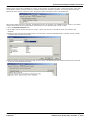
When you connect to a server across a LAN or WAN to view or modify the call flow on the server, a check is made to see
if the call flow that is stored locally on the client is the same. The call flow on the server might be different to the call flow
on the client because:
· The local call flow is older than the version on the server, for example if the call flow on the server has been
modified by another Client connection.
· The local call flow is newer than the version on the server, for example if the call flow on the server has been
worked on while the local Client was being used in offline mode.
· The local call flow is from a different server, for example if you are connecting to a different server to the one from
which the call flow was previously downloaded.
If the call flow is the same, no data will need to be copied from the server to the client. If the call flow is different you
can chose to download the call flow from the server or to use the local call flow.
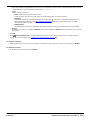
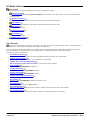
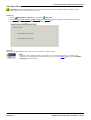
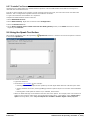
· Download
Click to download the call flow from the server.
· Cancel
Click this if you do not want to download the call flow from the server.
To upload the local call flow to the server, use the Save or Save and Make Live options from the File menu. See
Saving Changes and Making them Live 31 .
Administering Voicemail Pro
IP Office 8.1
Page 22
15-601063 Issue 8b (Tuesday, December 11, 2012)
Using the Voicemail Pro Client: Confirm Call Flow Download Window
3.3 Continue Offline Message Window
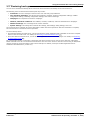
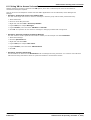
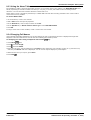
Only one Voicemail Pro client can be connected to a voicemail server at any time. To prevent an idle client session from
blocking the server, a Client/Server Connection Timeout (mins) 168 setting is used to disconnect the idle client session. By
default, the timeout is set to 5 minutes.
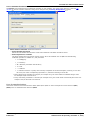
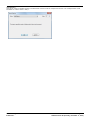
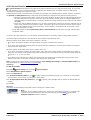
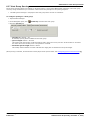
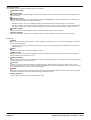
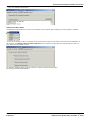
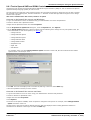
If your voicemail Pro client session has timed out, the Voicemail Pro client will prompt you whether to re-establish the
session or close. You are then able to continue working in offline mode or to close the client.
Administering Voicemail Pro
IP Office 8.1
Page 23
15-601063 Issue 8b (Tuesday, December 11, 2012)
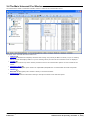
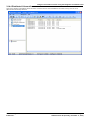
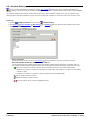
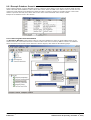
3.4 The Main Voicemail Pro Window
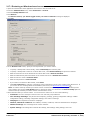
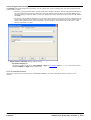
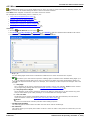
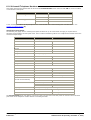
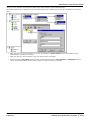
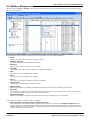
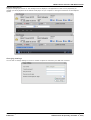
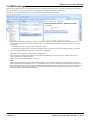
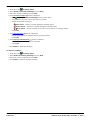
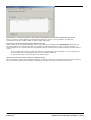
The Voicemail Pro Client is a Windows interface used to customize the Voicemail Pro Server.
The parts of the Voicemail Pro Client window are:
· Title Bar 20
The title bar indicates the telephony interface that is being used, namely IP Office or Intuity. If you are working
offline, the title bar displays Offline. If you are working online, the name of the connected server is displayed.
· Toolbar 46
The toolbar across the top of the window provides access to the Voicemail Pro options via icons instead of the
menus.
· Navigation Pane 34
The upper left Navigation pane contains an expandable/collapsible list of customizable voicemail start points.
· Modules 65
The lower left Navigation pane contains a library of voicemail modules.
· Details Pane 34
The details pane shows information relating to the option selected in the left-hand panel.
Administering Voicemail Pro
IP Office 8.1
Page 24
15-601063 Issue 8b (Tuesday, December 11, 2012)
Using the Voicemail Pro Client: The Main Voicemail Pro Window
3.5 Logging Out
It can be useful to connect to a system to download the current system configuration and then disconnect and make
changes offline. You can then test configuration changes offline before applying them to a live system.
To log out:
1. From the File menu, select Log Out.
2. You are logged out of the Voicemail Pro server and placed in offline mode. You can either make configuration
changes offline and then log back in when you are ready or log on to a different server to work. See Logging in to
the Voicemail Pro Server 20 .
Notes
· Logging out is not the same as closing down with the Exit option. See Closing Down
33
.
· If the Client and Server are installed on the same computer, the Log Out option is not available.
3.6 Voicemail Shutdown or Suspend
You can request that the voicemail server either shuts down or is suspended:
· Suspend
The IP Office will stop sending calls to the voicemail server until it receives an instruction to resume voicemail or
the server is restarted.
· Shut Down
The IP Office will stop sending calls to the voicemail server until the voicemail services are restarted or the server
is restarted.
· If a shut down is selected, the voicemail server will wait for all calls to cease before it shuts down. To do this it will
first send a request to the IP Office hosting it, requesting that the IP Office stops sending any new calls to
voicemail. Once all current calls have ended, the voicemail server will shut down.
· If an immediate shut down is selected, the system will end all calls in progress.
· If the voicemail server is a distributed voicemail server, when shut down, new calls to voicemail are rerouted to the
central voicemail server.
· If the voicemail server is a centralized voicemail server with a backup server, when shut down, new calls to
voicemail are rerouted to the backup server.
Starting the Shut Down or Call Suspension Process
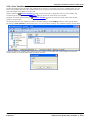
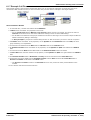
1. Select File and then Voicemail Shutdown.
2. Select one of the options:
· Continue
Selecting this option will start the polite shutdown process for the server. Once the server is shut down it can
only be restart by restarting the Voicemail Pro service or restarting the voicemail server computer.
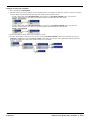
· While the server is shutting down, selecting File again will display Voicemail Shutdown (In Progress...).
Clicking on this will show a menu showing the status of the shut down and options to either cancel it or to
change it to an immediate (impolite) shut down.
· Active Sessions
Displays the number of sessions (calls) currently in progress. The shut down will only occur when this
reaches zero.
· Shutting Down
Displays the time for which the shutting down process has been running.
· Shut Down Immediately
Change the shut down to an immediate impolite shut down. Any current calls are disconnected.
· Cancel Shut Down
Cancel the shutting down process.
Administering Voicemail Pro
IP Office 8.1
Page 25
15-601063 Issue 8b (Tuesday, December 11, 2012)
· Once the shut down is complete, the Voicemail Pro clients are the same as for off-line mode. To restart the
server the server computer must be restarted.
· Suspend Calls
Selecting this option will start the call suspension process for the server. Once the server is suspended, it can
be restarted by selecting File | Resume Voicemail.
· While the server is suspending calls, selecting File again will display Voicemail Suspend (In Progress...).
Clicking on this will show a menu showing the status of the call suspension process and options to either
cancel it or to change it to an immediate (impolite) shut down.
· Active Sessions
Displays the number of sessions (calls) currently in progress. The shut down will only occur when this
reaches zero.
· Suspending Calls
Displays the time for which the shutting down process has been running.
· Shut Down Immediately
Change the shut down to an immediate impolite shut down. Any current calls are disconnected.
· Cancel Suspend
Cancel the shutting down process.
· Once the server has suspended calls, selecting File again will display Voicemail Resume. Clicking on this will
request the IP Office to resume routing calls to the voicemail server.
Administering Voicemail Pro
IP Office 8.1
Page 26
15-601063 Issue 8b (Tuesday, December 11, 2012)
Using the Voicemail Pro Client: Voicemail Shutdown or Suspend
3.7 Changing Between Offline and Online Mode
It can be useful to connect to a system to get the current system configuration and then disconnect and make changes
offline. If the Voicemail Pro client and server are on the same computer, you can switch between online and offline mode
without having to log out.
To switch between online and offline mode:
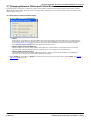
1. From the File menu, select Select Mode.
· Online
If this option is selected, the client will display the menus for selecting the voicemail server to which it should
then connect. If the server is remote, that is, not on the same computer as the client, the name and password
of any administrator account 28 configured on the server will be required for access. The account used will
determine the range of actions that can be performed on that server.
· Offline (Offline mode for Windows)
Select this option to use the client without connecting to a voicemail server. This mode can be used to view,
edit and create call flows imported from a voicemail server or for export to a voicemail server.
· Offline (Offline mode for Linux)
This mode is similar to the Windows offline mode above. However, those call flow actions not available to a
voicemail server running on a Linux based platform are grayed.
2. Select Offline to work offline or Online to connect to the server and work online. If you select Online, the normal
login process 20 continues.
Administering Voicemail Pro
IP Office 8.1
Page 27
15-601063 Issue 8b (Tuesday, December 11, 2012)
3.8 Configuring Failback Operation Mode
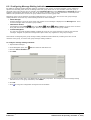
If you are using primary voicemail with a backup voicemail server, use the Failback Operation command in the File
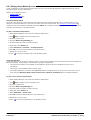
menu to configure the mode of failback operation for the backup voicemail server. The command is available only if:
1. You are logged in locally or remotely using an Administrator account on the primary server.
2. You are logged in locally or remotely using an Administrator account on the backup server, and the backup is the
active voicemail server.
For details on the failback operation of backup voicemail server, see the "Backup Voicemail Server Operation" section in
Avaya IP Office Implementing Voicemail Pro (15-601064) or Avaya IP Office Implementing Voicemail Pro on Linux (15601065).
To configure the mode of failback operation for the backup voicemail server:
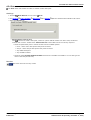
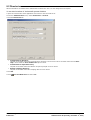
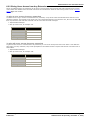
1. On the File menu, click Failback Operation.
2. Select one of the options to set your preference.
· Manual Failback (Default)
The system administrator initiates the failback operation.
· Graceful Failback
The backup server initiates the failback operation immediately after all the active voicemail calls on the backup
server come to an end.
· Automatic Failback
The backup server initiates the failback operation immediately after the specified timeout period or after all the
active voicemail calls on the backup server come to an end, whichever occurs first.
3. If you select Automatic Failback, set a timeout (maximum 60 minutes) for the failback operation.
4. Click OK.
3.9 Administrator Accounts
When the Voicemail Pro client is used on the same computer as the server, it connects automatically to that local server
without needing a name or password, no specific Voicemail Pro client user account is used. However, when connecting
remotely, the name and password of a server administrator account are required. The account used determines what
actions can be performed using the client.
The different types of account are:
· Basic (Voicemail Pro Release 6.0 and later)
A basic account user can view most of the voicemail settings but can only edit alarms.
· Standard
A standard account can perform administration of call flows using the client. A standard administrator can
change their own password using File | Change Password 29 but they cannot add, remove or modify
other administrator accounts.
· Administrator
An administrator account can administer all settings including other server administrator account settings.
Default Administrator Account
For a newly installed server, a default Standard administrator account is created with the user name and password of
Administrator and Administrator. The password for this account must be changed after installation.
Unlocking an Administrator Account
If an administrator tries unsuccessfully to log in three consecutive times, the administrator account is locked and cannot
be used for an hour. You can release a locked account by changing its Status from Locked to Inactive.
Note: If the administrator account gets locked, restart the client to see the updated account status.
Administering Voicemail Pro
IP Office 8.1
Page 28
15-601063 Issue 8b (Tuesday, December 11, 2012)
Using the Voicemail Pro Client: Administrator Accounts
3.9.1 Changing Password
If you have logged in remotely using either a Standard or Administrator admin account, you can change your own
account password using the following method. This option is not available if you log in locally or if you log in remotely
using a Basic admin account.
If logged in locally or if you logged in remotely with an Administrator account, you can also change the password of any
account, including your own, through the Voicemail Pro Administrator 29 settings.
To change your password:
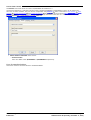
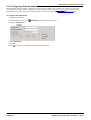
1. From the File menu, select Change Password.
2. In the New Password box, type the new password.
3. In the Confirm Password box, retype the new password.
4. Click OK.
3.9.2 Creating/Editing Admin Accounts
If you log in locally or if you log in remotely using an Administrator account, you can view and edit the administrator
accounts. Note that if logged in remotely you cannot change the details of the account used for the login (you can still
use File | Change Password 29 to change your own password).
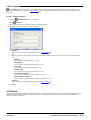
To add a Voicemail Pro Client User Account
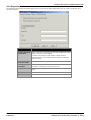
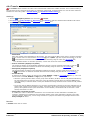
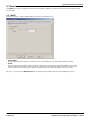
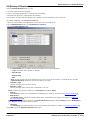
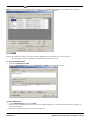
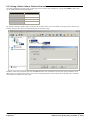
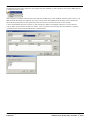
1. In the left hand navigation pane, select Voicemail Pro Administrators. The name, type and status of any existing
Voicemail Pro client administrators are displayed in the right hand pane.
2. Right-click on the right hand pane and select Add.
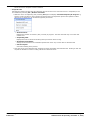
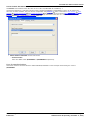
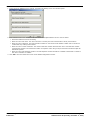
3. Enter the details for the new client user:
· User Name
Enter a unique name for the administrator account. The name must be at least 5 characters long and must not
contain spaces or any of the following characters: \ / : * ? < > | , ;.
Administering Voicemail Pro
IP Office 8.1
Page 29
15-601063 Issue 8b (Tuesday, December 11, 2012)
· New Password / Confirm Password
Enter and confirm the password for the account. The password must be at least 5 characters long and must not
contain spaces or any of the following characters: \ / : * ? < > | , ;.
· Type
Select the type of account:
· Basic (Voicemail Pro Release 6.0 and later)
A basic account user can view most of the voicemail settings but can only edit alarms.
· Standard
A standard account can perform administration of call flows using the client. A standard administrator can
change their own password using File | Change Password 29 but they cannot add, remove or modify
other administrator accounts.
· Administrator
An administrator account can administer all settings including other server administrator account settings.
· Status
By default new users are created as Inactive. Their status changes to Active when they connect to a Voicemail
Pro server.
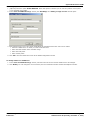
4. Click OK.
5. Click
Save and Make Live to save the changes. The user created can now log into the Voicemail Pro Client
Server, for more information, see Logging in to the Voicemail Pro Server 20 .
To modify an account
1. Either double-click on the account in the display of administrators or right click on the account and select Modify.
To delete an account
1. Right-click on the account and select Delete.
Administering Voicemail Pro
IP Office 8.1
Page 30
15-601063 Issue 8b (Tuesday, December 11, 2012)
Using the Voicemail Pro Client: Administrator Accounts
3.10 Saving Changes
Using Voicemail Pro Client, you can make changes to call flow settings and can save the changes. To apply the changes
to the voicemail server operation, you must also make the changes live.
To save the changes in offline mode
1. Click
Save to save the changes to the local database.
2. After you log in, click
Save & Make Live to make the changes live.
To save the changes in online mode
Click
Save & Make Live to save the changes and make the changes live.
To save the changes to a file
Click
Save as to save the call flow database as a .vmp file.
You can include
31
a .vmp file in the operation of any voicemail system.
3.11 Including Other Files
The settings of an existing .vmp file can be included into the Voicemail Pro settings.
To include other files:
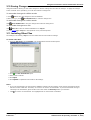
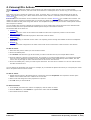
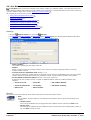
1. From the File menu, select Includes. The Configuration Includes window opens.
2. Click
, the New Include File opens.
3. Select a file to include.
4. Click Open.
5. Click Update to update the Voicemail Pro file settings.
Notes
· If you use included files, the Voicemail Pro database contains only the pointers to the names and locations of the
files and not the actual files. Therefore, do not move or rename an included file. To prevent accidental moving or
renaming of an included file, place the file in the same folder as Root.vmp before you include it.
· Click
to remove an included file. The highlighted file is removed but not deleted.
Administering Voicemail Pro
IP Office 8.1
Page 31
15-601063 Issue 8b (Tuesday, December 11, 2012)
3.12 Importing and Exporting
You can import or export the voicemail call flow as a .mdb database file. Exporting the configuration is helpful when
upgrading a voicemail system.
You can also import and export selected modules as a .mod file. Exporting the modules is helpful to develop and test
modules on one system before moving them to another.
You can also use Voicemail Pro Release 5.0 and later to import and export selected conditions as a .con file.
Important
· Importing and exporting does not apply to prompts. Prompts must be moved as separate items or re-recorded.
· When you import a database file the contents of the existing database are replaced.
· When you import modules or conditions, any existing module or condition with the same name is overwritten.
To export a file:
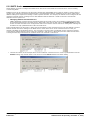
1. From the File menu, select Import or Export.
2. Select Export Data and click Next.
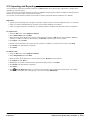
3. Enter the name of the file that you want to export. Add the extension .mdb for the whole database, .mod for
modules or .con for conditions. Alternatively, click Browse, select the type of file to export.
4. Click Open. and click Next.
5. Module and condition files can contain several modules or conditions, select the ones required. Click Next.
6. Click Finish. The selected file is exported.
7. Click Close.
To import a file:
1. From the File menu, select Import or Export.
2. Select Import Data and click Next.
3. Enter the name of the file that you want to import or click Browse to select the file.
4. Click Open and click Next.
5. Module files can contain several modules, select the module required. Click Next.
6. Click Finish. The selected file is imported.
7. Click Close.
8. Click
Save & Make Live before you close the Voicemail Pro Client to apply the imported file. The existing
database is overwritten and a backup copy is saved in the folder DB Backup.
Administering Voicemail Pro
IP Office 8.1
Page 32
15-601063 Issue 8b (Tuesday, December 11, 2012)
Using the Voicemail Pro Client: Importing and Exporting
3.13 Closing Down
When you have finished working, you can close down the Voicemail Pro Client.
To close the Voicemail Pro Client:
1. From the File menu, select Exit.
2. If you have not made any changes, the Voicemail Pro Client closes and you are returned to the desktop. If you
have made any changes, the system prompts you whether you want to save the changes.
3. If you do not want to save your changes, click No. No changes are saved. If you want to save your changes, click
Yes. Your changes are saved but not made live.
4. If you want to make the changes live, click Save & make Live.
Administering Voicemail Pro
IP Office 8.1
Page 33
15-601063 Issue 8b (Tuesday, December 11, 2012)
3.14 Using the Navigation and Details Panes
The information displayed in the main right-hand window of the Voicemail Pro client depends on what is currently
selected in the left-hand navigation windows. For instance, if Users is selected, details of all the user mailboxes and the
messages in those mailboxes is displayed.
· Specific Start Points 55
The start points are used to create and edit call flows. Each of the different types of call flow created is group under
icons for users, groups and short codes. Double-clicking on those icons will expand or collapse the list of individual
start points of that type.
· Users/ Groups 35
Clicking on these icons will display a summary of the user or group mailboxes on the voicemail server.
Information about the size and contents of the mailbox is displayed and some key settings. You can right click
on the mailbox to perform various actions.
· Short Codes
Clicking on this icon will display a list of the short code start points configured on the server.
· Default Start Points 58
These icons are used to display the default call flows for different types of voicemail operations.
· Voicemail Pro Administrator 41
Clicking on this icon will display a list of administrator accounts configured on the voicemail server. These are
accounts used for remote access to the server.
· Server Queues
42
· Alarms 42
Click on this icon will display a list of outgoing alarm calls that the voicemail server is current scheduled to
make. The list can be used to edit, delete and add alarms.
· Outcalls 44
Clicking on this icon will display a list of calls (other than alarms) that the voicemail server is currently
scheduled to make. These are typically calls to inform users of new messages in their mailbox. The list can be
used to edit the call settings.
· User Variables 47
User variable are values stored by the voicemail server which can be written to and read by actions within call
flows. Clicking on the icon will display a list of the user variables and their current values. The list can be used
to manually change the value of a variable.
Administering Voicemail Pro
IP Office 8.1
Page 34
15-601063 Issue 8b (Tuesday, December 11, 2012)
Using the Voicemail Pro Client: Using the Navigation and Details Panes
3.14.1 Users / Groups
When you click on Users or Groups in the left-hand navigation pane, the right-hand pane displays information about the
user or group mailboxes.
The information can be sorted by clicking on the column headers. The information available is:
· Name
The user or group name used for the mailbox creation.
· Callflows Assigned
The customized call flows created for the mailbox.
· Extension
The associated extension number for the mailbox.
· Size (MB)
The current size for the mailbox messages, recordings and prompts.
· New
The number of new messages in the mailbox.
· Read
The number of read messages in the mailbox.
· Saved
The number of messages marked as saved in the mailbox.
· Last Accessed
The date and time the mailbox was last accessed.
· Web Voicemail
Whether the mailbox is accessible via UMS Web Voicemail and whether it is currently being accessed.
· Unopened
The number of messages in the mailbox that have never been opened. This is different from new as messages can
be changed from being read or saved to being marked as new.
· Exchange Messages
Whether the mailbox is configured to forward messages to an exchange server e-mail account.
If you right-click a mailbox, a list of options is available:
· Add Start Points / Edit Start Points / Delete Start Points
If the mailbox has any customized call flow start points setup, they are listed in the Callflows Assigned column.
Use these options to add additional start points. A list of start point types is displayed which you can then select or
deselect. Selecting an option will create a matching start point for the mailbox. Deselecting an option will delete the
matching start point and any content.
Administering Voicemail Pro
IP Office 8.1
Page 35
15-601063 Issue 8b (Tuesday, December 11, 2012)
· Clear Mailbox (Voicemail Pro Release 5.0 and later)
This option will reset the mailbox. All existing messages and recordings are deleted and any prompts such as the
user name and greeting prompts. The mailbox password is not reset. This action is not applied to messages for
users using an Exchange server as their message store.
· Disable Mailbox (Voicemail Pro Release 5.0 and later)
This option will stop the use of mailbox to receive messages. This includes the forwarding of messages to the
mailbox and manual or automatic recording placing recordings into the mailbox. If you select this option, also
disable the Voicemail On setting within the IP Office configuration to prevent IP Office from using the mailbox.
This option does not affect any existing messages in the mailbox. Disabled mailboxes are listed as DISABLED in
the Last Accessed column. See Disabling a Mailbox 248 .
· View Mailbox Details (Voicemail Pro Release 6.0 and later)
This option is available for user mailboxes. Use this option to view and edit various user mailbox settings including
the user's alternate numbers, outcalling settings and personal distribution lists.
Administering Voicemail Pro
IP Office 8.1
Page 36
15-601063 Issue 8b (Tuesday, December 11, 2012)
Using the Voicemail Pro Client: Using the Navigation and Details Panes
3.14.1.1 Account
Right-click on a user mailbox and select View Mailbox Details to display a menu with a number of tabs. These can be
used to view and edit some of the user's mailbox settings.
Account
This tab display basic mailbox user settings.
· Enabled
This check box indicates whether the user's voicemail mailbox is currently enabled or not.
· Numbers
These numbers are used for outcalling 250 if configured for the user. Each number specified can then be used as a
target for outcalling calls or in an escalation list of targets for outcalling. The Timeout is used to set how long an
outcalling attempt should ring the number before stopping. If the target number has its own voicemail system, the
timeout should be set lower than the time it takes for that voicemail system to answer unanswered calls.
Administering Voicemail Pro
IP Office 8.1
Page 37
15-601063 Issue 8b (Tuesday, December 11, 2012)
Personal Distributions Lists
Intuity mode mailbox users can user personal distribution lists as the destination for voicemail messages they are
sending or forwarding to other mailbox user. This saves them having to enter the individual mailbox numbers each time.
Users can configure their distribution lists through the mailbox's telephone user menus or using IP Office Phone Manager.
Using Voicemail Pro Release 6.0 and later, you can view and edit each user's distribution lists.
Each user mailbox can have up to 20 distribution lists. Each list can contain up to 360 mailboxes and can be set as either
public or private. Private lists can be used only by the mailbox user. Public lists can be used by other mailbox users when
they forward a message. However, public lists cannot be modified by other users.
1. Click on Users in the navigation pane. A list of all the user mailboxes on the server is displayed in the details pane.
2. Locate the user mailbox and right-click on it. Select the option Mailbox Administration.
3. Select the Personal Distribution Lists tab.
4. To show the mailboxes in an existing list click on the list. The existing members are shown in the bottom panel.
5. When adding or editing a list, you are prompted to specify the list name, type and members.
Administering Voicemail Pro
IP Office 8.1
Page 38
15-601063 Issue 8b (Tuesday, December 11, 2012)
Using the Voicemail Pro Client: Using the Navigation and Details Panes
Outcalling
Using the Voicemail Pro client, you can view and edit a user's outcalling
241
settings.
1. Click on Users in the navigation pane. A list of all the user mailboxes on the server is displayed in the details pane.
2. Locate the user's mailbox and right-click on it. Select the option Mailbox Administration.
3. Select the Outcalling tab.
· The top drop-down is used to select the type of outcalling and the destination for outcalling. For each, the
outcalling destination and the type of message for which outcalling should be used can be selected.
· Disabled
Switch off outcalling for the user.
· Enabled Always
· Enabled During Time Profile
Use this option to specify a user specific time profile for outcalling.
Administering Voicemail Pro
IP Office 8.1
Page 39
15-601063 Issue 8b (Tuesday, December 11, 2012)
· Enabled During Peak Time
Use outcalling during the peak time 242 period defined on the voicemail server.
· Enabled During Prime Time
Use outcalling during the prime time 243 period defined on the voicemail server.
· Retry Times
· System
Use the default retry settings 242 configured on the voicemail server.
· Personalized
Use the options below to configure user specific retry settings.
· Number of Retries
Up to 10 retries can be specified.
· Retry Intervals
These values set the interval between one notification attempt and the next (not including the actual
outcalling ringing time for the outcalling destination). The first 5 retries can be given varying intervals
between 0 and 60 minutes. To change a value click on it and enter the new value. When more than 5 retries
are selected, the default value is used for all retries after the fifth retry.
· Escalation List
An escalation list can be used as the destination for an outcalling attempt. The list can contain up to 9 entries
selected from the user's account settings. The same number can be used more than once if required. For each
number in the list you can set how long it should be rung and also the delay before trying the next number in
the escalation list. If multiple retries have been configured, the full escalation list must be completed before the
next retry begins.
Administering Voicemail Pro
IP Office 8.1
Page 40
15-601063 Issue 8b (Tuesday, December 11, 2012)
Using the Voicemail Pro Client: Using the Navigation and Details Panes
3.14.2 Voicemail Pro Administrators
If you log in locally or if you log in remotely using an Administrator account, you can view and edit the administrator
accounts 28 . Note that if logged in remotely you cannot change the details of the account used for the login (you can still
use File | Change Password 29 to change your own password).
Administering Voicemail Pro
IP Office 8.1
Page 41
15-601063 Issue 8b (Tuesday, December 11, 2012)
3.14.3 Server Queues
The following options are new in Voicemail Pro Release 5.0 and later.
3.14.3.1 Alarms
The Voicemail Pro client can display the alarm calls that have been configured for the Voicemail Pro to perform. These
can be setup through call flows using the Alarm Set 146 action or directly through the Voicemail Pro client.
· The Voicemail Pro is limited to 2 outgoing alarm calls at the same time (subject to voicemail port availability). Any
additional alarm calls are delayed until the existing alarm calls have been completed.
· To delete an existing alarm, right click on it and select Delete.
· To add an alarm right click and select Add, then use the settings below.
· To modify an alarm right click on it and select Modify.
· Time (hh:mm)
Set the alarm time in 24-hour format (hh:mm or hhmm). A time value can be entered or a call variable
63 can be used. If left blank or if the call variable used is not a valid time value, the call flow user will be
asked to enter a time the same as if Ask Caller was selected.
· Frequency
Sets how often the alarm should occur. The options are Single, Daily or Weekly. A variable with value
1, 2 or 3 respectively can be used.
· Day
Useable with Single and Weekly alarms. Set the day for the alarm. The option Today is also available
for alarms where the Frequency is set as Single.
· File
This field is optional. If a file is specified here it is used for the alarm call. If no file is specified the
default alarm message ("This is an alarm call, please hang up") is used.
· Display Text
By default the alarm will display "Alarm" on the target if it is an Avaya display telephone. This field can
be used to customize the text used.
Administering Voicemail Pro
IP Office 8.1
Page 42
15-601063 Issue 8b (Tuesday, December 11, 2012)
Using the Voicemail Pro Client: Using the Navigation and Details Panes
The following additional settings are available with Voicemail Pro Release 6.0 and later.
· Ring Time: Default = 60 seconds. Range = 5 to 120 seconds.
This field set the length of ring time used for the alarm call if not answered.
· Retries: Default = 0 (Off). Range = 0 to 10.
This field can be used to specify how many times the alarm should be repeated if it is not answered and
cleared. When a value other than 0 is selected, the Interval option becomes available to specify the interval
between repeats.
· Interval: Default = None (Off).
If a number of retires is specified, this option can be used to select the number of minutes between repeated
alarm attempts until the alarm is cleared.
· Cancel Code: Default = Off.
When off, the alarm is cleared if the alarm call is answered. If on, a dialing code can be specified. If the correct
code is not dialed in response to an alarm, the alarm is not cleared and will repeat if retries have been
specified.
· Cancel Code: Default = * , Range = Up to 4 digits.
This field is used to enter the dialing required to clear the alarm call. The value * will match any dialing. To
cancel the alarm, the cancel code must be entered followed by the hash key (#). The file used to play the
alarm message must mention the cancel code and the fact that cancel code must be followed by the hash
key (#).
Administering Voicemail Pro
IP Office 8.1
Page 43
15-601063 Issue 8b (Tuesday, December 11, 2012)
3.14.3.2 Outcalls
When you click on Outcalls in the left hand navigation pane, details of any currently set calls are displayed in the right
hand pane. These are calls being made by the voicemail server.
The types of calls that are displayed are listed below. The voicemail server can also be configured for alarm calls, those
are displayed on a separate alarms page 42 on which they can also be configured. The information displayed for the calls
are:
· Type
The type of outgoing call.
· Callback
These are new message notification calls being made for mailbox users configured for remote callback
· Outbound Alert
These are new message notification calls being made for mailbox users configured for outcalling
239 .
241 .
· Created
The time and data at which the outgoing call was configured on the voicemail server.
· State
The current state of the outgoing call. The options are: Failed, IN Progress, Conference, Queued and Suspended.
· Attempts
The number of times the voicemail server has attempted to place the alert call.
· Next Attempt
The time and data of the next outgoing call attempt.
· Target
The target number for the next call attempt.
Channel Restrictions
· The Voicemail Pro server has restrictions on the number of channels it can use for different types of outgoing calls
that it can make. These limits are separate for each of the call types. When a limit is reached, further calls of that
type are delayed until one of the existing calls is completed. These limitations are not controlled by Voicemail
Channel Reservation settings.
· Outcalling can use up to 5 channels at any time.
· Conference center invitation calls can use up to 5 channels at any time.
· Callback calls can use up to 2 channels at any time.
· Alarm calls can use up to 2 channels at any time.
Administering Voicemail Pro
IP Office 8.1
Page 44
15-601063 Issue 8b (Tuesday, December 11, 2012)
Using the Voicemail Pro Client: Using the Navigation and Details Panes
3.14.4 Distributed Voicemails
This screen displays information about the other voicemail servers when distributed voicemail is being used in an IP
Office Small Community Network.
Administering Voicemail Pro
IP Office 8.1
Page 45
15-601063 Issue 8b (Tuesday, December 11, 2012)
3.14.5 Eventing Notification
Selecting this option will display a list of applications that are using the voicemail server to receive mailbox information.
The type of notifications which the application has requested are shown. An example would be the one-X Portal for IP
Office server requesting user mailbox information about the number of messages and about the user greetings.
3.15 Toolbar Icons
The Voicemail Pro screen includes the following icons. Some of the icons are grayed out depending on the area of the
Voicemail Pro screen that is active.
·
Save as
·
Save and Make Live
·
31
Cut
31
·
Preferences
·
User Defined Variables
·
Conditions Editor
168
66
61
·
Basic Actions 115
·
Mailbox Actions 115
·
Configuration Actions 122
·
Copy
·
Campaigns 312
·
Telephony Actions
·
Paste
·
Connection
·
Miscellaneous Actions
·
Add Start Point
·
Condition Actions 152
·
Edit Start Point
·
Database Actions
·
Delete Start Point
·
Queue Actions
Administering Voicemail Pro
IP Office 8.1
59
59
59
127
143
159
163
Page 46
15-601063 Issue 8b (Tuesday, December 11, 2012)
Using the Voicemail Pro Client: Toolbar Icons
3.15.1 User Variables
Use the Voicemail Pro client to define user variables for the system. You can then use the user variables within any call
flows. User variables differ from call variables in that they are system wide values that can be shared between all calls
while call variable values differ from call to call.
Within a call flow a
Set User Variable 153 action can be used to set or change the value of a user variable. This
includes using the current value of a call variable 63 to set as the new value for the user variable.
Call flows can also be branched using a
against a required value.
Test User Variable 154 action to check the current value of the variable
The existing value of a user variable can also be obtained using the variable $REG[<variable_name>] in call flows.
By clicking on User Variable in the left-hand pane, you can view all the existing user variables and their current values.
To add and delete user variables and to change the current value you can right-click on the variable and select the
required option. For example select Modify to change the value.
Administering Voicemail Pro
IP Office 8.1
Page 47
15-601063 Issue 8b (Tuesday, December 11, 2012)
Example of Using User Variables
1. Add a variable called Reception.
2. Two start points need to be created, one for indicating when the reception is open, the other for when the reception
is closed. When completed the call flows will look similar to the examples shown.
· Create a start point called ReceptionOpen and connect it to a Set User Variable action. The Set User
Variable action needs to have the user variable Reception assigned with the value Open.
· Create a start point called ReceptionClosed and connect it to a Set User Variable action. The Set User
Variable action needs to have the user variable Reception assigned with the value Closed.
3. Create the matching short codes on the telephone system.
4. For calls using another start point, you can now use the Test User Variable action to test whether the value of
reception is open. The action has true and false results which you can link to the appropriate following actions,
for example transferring calls to the reception desk or to a mailbox.
Administering Voicemail Pro
IP Office 8.1
Page 48
15-601063 Issue 8b (Tuesday, December 11, 2012)
Using the Voicemail Pro Client: Toolbar Icons
3.16 Taking backups
Using Voicemail Pro Client, you can take an immediate backup at any time and configure the voicemail server to take
automatic backups at specific daily, weekly, and monthly schedules. The voicemail server can save the backup files either
to a local computer or to a remote FTP server.
The following is the list of items that you can include in a backup:
· Voicemails: The voice messages received in the user and hunt group mailboxes.
· User Greetings & Settings: The personal and temporary greetings, greeting configuration settings, mailbox
configuration settings, outcalling configuration settings, and custom recordings.
· Campaigns: The responses received for campaigns.
· Callflows, Modules & Conditions: The callflows, modules, conditions, and meta information for campaigns.
· Module Recordings: The recordings for the various modules.
· System Settings: The settings like Voicemail Pro settings, COS settings, debug settings, and so on.
To make it easy for you to search, the system saves each backup file labeled with its type (Immediate, Daily, Weekly,
or Monthly) plus the date and time.
Linux and Windows-based Servers
For Voicemail Pro Release 8.0 and later, the backup and restore process can be used to move data from a Windowsbased voicemail server to a Linux-based voicemail server and vice versa. Access to the Linux server using an SSH/SFTP
client is required to access the folders used to store backups. For details, see Avaya IP Office Application Server
Installation and Maintenance (15-601011).
Administering Voicemail Pro
IP Office 8.1
Page 49
15-601063 Issue 8b (Tuesday, December 11, 2012)
3.16.1 Scheduling Backups
1. Open the Voicemail Pro Client application and connect to the voicemail server.
2. From the Administration menu, select Preferences > General.
3. Click the Backup & Restore tab.
4. Click Configure.
5. Schedule a start time for the backup operation in the Start field.
6. (Optional) If you want to protect backup files from unintended and malicious tampering, select the Encrypt Backup
check box.
7. Select the Daily, Weekly, and Monthly check boxes to enable the respective backup schedules.
Note: At a given time, only one type of backup is run. If scheduled to start at the same time, a monthly backup gets
priority over a weekly backup or a daily backup, and a weekly backup gets priority over a daily backup.
8. For each of the schedules that you enable, select the items that you want to include in the backup. You can choose
from the following:
· Voicemails: The voice messages received in the user and hunt group mailboxes.
· User Greetings & Settings: The personal and temporary greetings, greeting configuration settings, mailbox
configuration settings, outcalling configuration settings, and custom recordings.
· Campaigns: The responses received for campaigns.
· Callflows, Modules & Conditions: The callflows, modules, conditions, and meta information for campaigns.
· Module Recordings: The recordings for the various modules.
· System Settings: The settings like Voicemail Pro settings, COS settings, debug settings, and so on.
9. To save the backup files locally, enter a local file path (that is, C:\filepath) or a remote file path in UNC format (that is,
\\server\filepath) in the respective Location field.
· The default file path on a Windows-based server is C:\Program Files\Avaya\IP Office\Voicemail
Pro\Backup\Scheduled.
· The default file path on a Linux-based server is /opt/vmpro/Backup/Schedule.
· The Location field is unavailable if you select Remote Backup Configuration.
Administering Voicemail Pro
IP Office 8.1
Page 50
15-601063 Issue 8b (Tuesday, December 11, 2012)
Using the Voicemail Pro Client: Taking backups
· If you are using Voicemail Pro installed on Unified Communications Module, also see Backup paths on UC Module
Voicemail Pro 15 .
10.If you want to save the backup files to a remote FTP server, select Remote Backup Configuration and proceed as
follows:
· Enter the host name or the IP address of the remote FTP server in Remote FTP Host.
· Enter the absolute FTP path of the folder on the remote FTP server in Remote FTP Location.
· Enter the FTP user name in FTP User Name.
· Enter the FTP password in FTP Password.
· If you want to use SFTP for data transfer, select SFTP.
· Click Test Connection to verify the connectivity of the Voicemail Pro server to the remote FTP or SFTP server. If
you receive an error message about the authenticity of the host, see SFTP Host Key Verification 339 .
11.Click OK.
12.Click OK to close the System Preferences dialog box.
13.Click
Save and Make Live and select Yes.
Administering Voicemail Pro
IP Office 8.1
Page 51
15-601063 Issue 8b (Tuesday, December 11, 2012)
3.16.2 Taking an Immediate Backup
1. Open the Voicemail Pro Client application and connect to the voicemail server.
2. From the Administration menu, select Preferences > General.
3. Click the Backup & Restore tab.
4. Click Backup Now.
5. (Optional) If you want to protect backup files from unintended and malicious tampering, select the Encrypt Backup
check box.
6. Select the items that you want to include in the backup. You can choose from the following:
· Voicemails: The voice messages received in the user and hunt group mailboxes.
· User Greetings & Settings: The personal and temporary greetings, greeting configuration settings, mailbox
configuration settings, outcalling configuration settings, and custom recordings.
· Campaigns: The responses received for campaigns.
· Callflows, Modules & Conditions: The callflows, modules, conditions, and meta information for campaigns.
· Module Recordings: The recordings for the various modules.
· System Settings: The settings like Voicemail Pro settings, COS settings, debug settings, and so on.
7. To save the backup files locally, enter a local file path (that is, C:\filepath) or a remote file path in UNC format (that is,
\\server\filepath) in Location.
· The default file path on a Windows-based server is C:\Program Files\Avaya\IP Office\Voicemail
Pro\Backup\Scheduled.
· The default file path on a Linux-based server is /opt/vmpro/Backup/Schedule.
· The Location field is unavailable if you select Remote Backup Configuration.
· If you are using Voicemail Pro installed on Unified Communications Module, also see Backup paths on UC Module
Voicemail Pro 15 .
8. If you want to save the backup files to a remote FTP server, select Remote Backup Configuration and proceed as
follows:
· Enter the host name or the IP address of the remote FTP server in Remote FTP Host.
· Enter the absolute FTP path of the folder on the remote FTP server in Remote FTP Location.
· Enter the FTP user name in FTP User Name.
· Enter the FTP password in FTP Password.
· If you want to use SFTP for data transfer, select SFTP.
· Click Test Connection to verify the connectivity of the Voicemail Pro server to the remote FTP or SFTP server. If
you receive an error message about the authenticity of the host, see SFTP Host Key Verification 339 .
9. Click OK to start the backup.
Note: If a backup is in progress, the Restore & Backup dialog box displays Abort instead of Backup Now. Click Abort
to abandon the backup in progress.
Administering Voicemail Pro
IP Office 8.1
Page 52
15-601063 Issue 8b (Tuesday, December 11, 2012)
Using the Voicemail Pro Client: Taking backups
3.17 Restoring backups
You can use a Voicemail Pro backup file to restore the items included in the backup to the voicemail server.
The following is the list of items that a backup file may include:
· Voicemails: The voice messages received in the user and hunt group mailboxes.
· User Greetings & Settings: The personal and temporary greetings, greeting configuration settings, mailbox
configuration settings, outcalling configuration settings, and custom recordings.
· Campaigns: The responses received for campaigns.
· Callflows, Modules & Conditions: The callflows, modules, conditions, and meta information for campaigns.
· Module Recordings: The recordings for the various modules.
· System Settings: The settings like Voicemail Pro settings, COS settings, debug settings, and so on.
The voicemail server suspends any active calls before it starts the restore operation. After the restoration is complete,
the voicemail server resumes the normal operation.
To restore backup items:
· On a Windows-based voicemail server, use the Voicemail Pro Client application that is installed on the same computer
that runs the voicemail server. For details, see Restoring on Windows-based server 54 .
· On a Linux-based voicemail server, use the IP Office Application Server web control pages. For details, see Restoring
on Linux-based server 55 .
For Voicemail Pro Release 8.0 and later, the backup and restore process can be used to move data from a Windowsbased voicemail server to a Linux-based voicemail server and vice versa. Access to the Linux server using an SSH/SFTP
client is required to access the folders used to store backups. For details, see Avaya IP Office Application Server
Installation and Maintenance (15-601011).
Administering Voicemail Pro
IP Office 8.1
Page 53
15-601063 Issue 8b (Tuesday, December 11, 2012)
3.17.1 Restoring on Windows-based server
1. Open the Voicemail Pro Client application and connect to the voicemail server.
2. From the Administration menu, select Preferences > General.
3. Click the Backup & Restore tab.
4. Click Restore.
The After the restore, you will be logged off. Do you want to continue? message is displayed.
5. Click Yes.
6. In the Restore From section, specify the backup file that you want to restore.
· To specify a backup that is saved locally, select Local Backup and enter the path.
· To specify a backup that is saved on a remote FTP server, select Remote Backup and proceed as follows:
· Enter the host name or the IP address of the remote FTP server in Remote FTP Host.
· Enter the absolute FTP path of the folder on the remote FTP server in Remote FTP Location.
· Enter the FTP user name in FTP User Name.
· Enter the FTP password in FTP Password.
· If you want to use SFTP for data transfer, select SFTP.
· Click Test Connection to verify the connectivity of the Voicemail Pro server to the remote FTP or SFTP server. If
you receive an error message about the authenticity of the host, see SFTP Host Key Verification 339 .
Note: To restore a backup created by an earlier version of Voicemail Pro server, you must copy the backup to the
local computer and use the Local Backup option to specify the path. You cannot use the Remote Backup option to
restore a backup created by an earlier version of Voicemail Pro server.
7. Select the items that you want to restore. You can choose to restore one or more of the following:
· Voicemails: The voice messages received in the user and hunt group mailboxes.
· User Greetings & Settings: The personal and temporary greetings, greeting configuration settings, mailbox
configuration settings, outcalling configuration settings, and custom recordings.
· Campaigns: The responses received for campaigns.
· Callflows, Modules & Conditions: The callflows, modules, conditions, and meta information for campaigns.
· Module Recordings: The recordings for the various modules.
· System Settings: The settings like Voicemail Pro settings, COS settings, debug settings, and so on.
Administering Voicemail Pro
IP Office 8.1
Page 54
15-601063 Issue 8b (Tuesday, December 11, 2012)
Using the Voicemail Pro Client: Restoring backups
Note: The items become available for selection only after the system verifies the presence of a valid backup at the
specified path. The availability of an item for selection depends on whether the item was included in the backup.
8. Click Restore.
The Existing Voicemail Pro data will be overwritten. Are you sure you want to continue? message is
displayed.
9. Click OK.
When the restore is complete, the system logs you off and displays the details of the restored files.
10.Click Finish to close the dialog box.
11.If the restored settings include call flow changes or server settings different from those that are currently used by the
server, log in to the voicemail server again and click Save and Make Live.
Note: If the Voicemail Pro Administrator has enabled Exchange Message Store for a user account, then the messages in
the mailbox of that user account are not restored. An Exchange server has its own restore settings, and the messages in
the mailbox of such a user account can be restored directly from the Exchange server.
3.17.2 Restoring on Linux-based server
On a Linux-based voicemail server, you cannot use the Voicemail Pro Client application for the restore operation. Instead,
use the IP Office Application Server web control pages for the restore operation. For details on using IP Office Application
Server, see Avaya IP Office Application Server Installation and Maintenance (15-601011).
Below is the procedure to perform the restore operation using IP Office Application Server:
1. Connect to IP Office Application Server using an SSH File transfer tool.
2. Copy the backup folder to the /opt/vmpro/Backup/Scheduled/OtherBackups folder on IP Office Application
Server.
· If the backups are saved on a remote FTP host, you can download the backup folder from the remote FTP host
using an FTP client application.
· If you are using a voicemail server running on Unified Communications Module, you can copy the backup folder to
a USB storage. For details, see Backup paths on UC Module Voicemail Pro 15 .
Note: The restore process does not detect the backup files if they are not copied as a part of the parent folder.
3. Login to IP Office Application Server using a Web browser.
4. Click Settings, and select the General tab.
5. In the Backup and Restore section, click Restore for the Voicemail service.
6. Select the backup file that you want to restore.
7. Click OK.
3.18 Start Points
Voicemail Pro consists of a number of start points. When the voicemail server receives a call, it looks for a matching start
point and if it finds one it then provides a series of actions linked to that start point. If no match is found then it provides
standard voicemail functions to the call.
Administering Voicemail Pro
IP Office 8.1
Page 55
15-601063 Issue 8b (Tuesday, December 11, 2012)
The Navigation pane contains an expandable and collapsible list of start points. These can be start points for individual
users, hunt groups, short codes and default start points.
·
Specific Start Points
This folder contains the start points for users, groups and short codes.
·
Users 35
This folder contains start points set up for individual users. When selected a list is shown in the details pane
containing the mailbox owners names and the names of any call flows that have been assigned to the selected
mailbox.
This is a user who has one or more start points configured. It can be expanded to show the different start
points.
·
Collect - Used when the user rings voicemail.
·
Leave - Used for calls to the user that are redirected to voicemail.
·
·
·
Callback - Used when voicemail rings a user to inform them of messages in the user's mailbox. See
Setting up Voicemail Pro Callback 239 .
Queued & Still Queued - Used when calls to the user are queued. See Personal Announcements 225 .
Groups
This folder contains start points set up for hunt groups. When selected a list is shown in the details pane containing
the mailbox owners names and the names of any call flows that have been assigned to the selected mailbox.
35
This is a group that has one or more start points configured. It can be expanded to show the different start
points.
·
Collect - Used when someone accesses the group's mailbox.
·
Leave - Used when calls to the hunt group are redirected to voicemail.
·
Queued & Still Queued - Used when calls to the group are queued. See Customizing a Hunt Group
Call Flow 208 .
Administering Voicemail Pro
IP Office 8.1
Page 56
15-601063 Issue 8b (Tuesday, December 11, 2012)
Using the Voicemail Pro Client: Start Points
·
Short Codes
This folder contains any start points set up for particular short codes. Short code start points require the Telephone
Number entry of the matching short code in the IP Office Manager to be set up in a particular way. For example, if
a Start Point for short code *88 is set up, the settings for short code *88 in the IP Office Manager application must
be as follows:
· Short Code: *88
· Telephone Number: *88
· Feature: Voicemail Node.
In the above set up, the internal callers can access the start point. To allow external callers access, set
up an Incoming Call Route with the destination *88.
An individual short code on the IP Office. This requires a matching special short code to be set up in
Manager.
·
Default Start Points
Rather than set up individual start points for every user and group, you can also program actions against the
default start points. These will then be used for all calls received by the voicemail server that don't match a specific
start point. See Default Start Points 58 .
·
·
Voicemail Pro Administrators 41
When the Voicemail Pro Administrators folder is selected a list is displayed in the details pane. The list contains the
name, type and status of the administrators. Details can be added, amended or deleted.
·
Server Queues 42
Use this option to view a listing of range settings.
· User Variables
· Alarms
42
· Outcalls
·
47
44
Modules 65
Modules are reusable sets of actions. Use modules to create a sequence of actions that you can then use within any
other start point's call flow. Any changes to the module will affect all the start points using that module. This
simplifies the programming of actions if a number of start points use the same sequence of actions. Using modules
also reduces the size of the call flow.
Administering Voicemail Pro
IP Office 8.1
Page 57
15-601063 Issue 8b (Tuesday, December 11, 2012)
3.18.1 Default Start Points
The default start points can be used to create a sequence of actions that will be applied to all suitable calls unless a
specific start point exists.
·
Collect
Used when a caller attempts to access a mailbox.
·
Leave
Used when a caller is redirected to voicemail.
·
Callback
Used when the voicemail calls a user to inform them about messages in a mailbox. See Setting up Callback
·
·
Queued
Used for callers queuing for a hunt group or user. See Customizing Queue Announcements
206 .
Still Queued
Used for callers queuing for a hunt group or user. See Customizing Queue Announcements
206 .
239 .
When a default start point is used, the following actions attempt to recognize who the presumed user is (the internal user
calling or being called) and access the matching mailbox for that user unless the action specifies another mailbox.
· Get Mail Action.
· Leave Mail Action.
· Personal Options Menu.
· Listen Action.
· Record Name Action.
· Edit Play List Action.
The following actions will automatically recognize who the presumed user is and then use that user's voicemail reception
settings unless the action specifies another mailbox.
· Transfer Action.
· Assisted Transfer Action.
· Whisper Action.
Administering Voicemail Pro
IP Office 8.1
Page 58
15-601063 Issue 8b (Tuesday, December 11, 2012)
Using the Voicemail Pro Client: Start Points
3.18.2 Using Start Points
Start points can be for individual users, hunt groups, short codes or default start points. All start points can be added,
edited 59 , renamed 59 or deleted 59 .
To add a start point for a User or Group:
1. Either click
Users or
Users or
Groups and then
. The Adding a new window opens. Alternatively, right-click
Groups and select Add.
2. Select the name that matches the user or group on the telephone system. To add all users or groups check the
option Add all users.
3. Select the types of start points required. The start points Collect, Leave, Callback, Queued and Still Queued are
available for both users and groups.
4. Click OK.
To add a start point for a short code:
1. Click
Short Codes and then
Codes and select Add.
. The Adding a new short code window opens. Alternatively, right-click
Short
2. Enter the short code.
· Short code start points require the telephone number entry of the matching short code in the IP Office Manager
application to be set in a specific way. For example, if a start point for short code *88 is set up the settings for
short code *88 in the manager application must be as shown below. The short code will set up internal callers
to access the start point. To allow external callers access, set up an Incoming Call Route with the extension
*88.
· Short code: *88
· Telephone number: *88
· Feature: Voicemail Node.
3. Click OK.
To edit a start point:
1. In the Navigation pane of the main Voicemail Pro window, select the start point to edit and click
start point window opens. Alternatively, right-click the start point and select Edit.
. The Editing
2. Make the required changes.
3. Click OK.
To delete a start point:
1. In the Navigation pane, select the start point to delete and click
then select Delete.
. Alternatively, right-click the start point, and
2. The system prompts you to confirm whether you want to delete the selected start point.
· Click Yes to delete the start point.
· Click No to cancel the deletion.
To rename a user, group or short code start point:
1. In the Navigation pane, right-click the user, group or short code and select Rename. The New start point name
window opens.
2. Type the new name.
3. Click OK. The start point is renamed.
Administering Voicemail Pro
IP Office 8.1
Page 59
15-601063 Issue 8b (Tuesday, December 11, 2012)
3.18.3 Viewing Call Flows as Text
For support calls and diagnostic purposes it can be useful to view Voicemail Pro modules and start points as text files.
You can then display the contents of the text file on the screen. The file can be changed as you would change any other
text file.
To view a start point or module as text:
1. Select File menu | View as Text. A Notepad window opens. The txt file contains information of all Conditions and
Campaigns as well as all call flow details.
Administering Voicemail Pro
IP Office 8.1
Page 60
15-601063 Issue 8b (Tuesday, December 11, 2012)
Using the Voicemail Pro Client: Start Points
3.19 User Variables
Use the Voicemail Pro client to define user variables for the system. You can then use the user variables within any call
flows. User variables differ from call variables in that they are system wide values that can be shared between all calls
while call variable values differ from call to call.
Within a call flow a
Set User Variable 153 action can be used to set or change the value of a user variable. This
includes using the current value of a call variable 63 to set as the new value for the user variable.
Call flows can also be branched using a
against a required value.
Test User Variable 154 action to check the current value of the variable
The existing value of a user variable can also be obtained using the variable $REG[<variable_name>] in call flows.
By clicking on User Variables 47 in the left hand navigation pane you can view all the user variables and their current
values. This pane can also be used to add and modify the user variables including changing their values.
To add a user defined variable:
1. Click
2. Click
or press F8. The User defined variables window opens.
. The Add user defined variable window opens.
3. Type a name for your new variable.
4. Click OK. The new variable is added to the list.
Administering Voicemail Pro
IP Office 8.1
Page 61
15-601063 Issue 8b (Tuesday, December 11, 2012)
Example of Using User Variables
1. Add a variable called Reception.
2. Two start points need to be created, one for indicating when the reception is open, the other for when the reception
is closed. When completed the call flows will look similar to the examples shown.
· Create a start point called ReceptionOpen and connect it to a Set User Variable action. The Set User
Variable action needs to have the user variable Reception assigned with the value Open.
· Create a start point called ReceptionClosed and connect it to a Set User Variable action. The Set User
Variable action needs to have the user variable Reception assigned with the value Closed.
3. Create the matching short codes on the telephone system.
4. For calls using another start point, you can now use the Test User Variable action to test whether the value of
reception is open. The action has true and false results which you can link to the appropriate following actions,
for example transferring calls to the reception desk or to a mailbox.
Administering Voicemail Pro
IP Office 8.1
Page 62
15-601063 Issue 8b (Tuesday, December 11, 2012)
Using the Voicemail Pro Client: User Variables
3.20 Call Variables
A number of call variables exist which can be used to perform tasks. For example, $NAM can be used to speak the user's
name within an action's entry prompt. Call variables can also be checked by the compare element in a condition and then
branch the call flow according to the variables value.
Unless otherwise stated, call variables are session based. This means that the variable values are specific to a particular
call within Voicemail Pro and does not persist between calls, including calls transferred from the Voicemail Pro which then
return. Also unless otherwise stated the values are 'read-only'.
· When accessing voicemail prompts, voicemail variables 63 can be used in both the path and filename for the
prompt. For example, if prompts Greeting1.wav, Greeting2.wav etc. are recorded, an action set to play
Greeting$KEY.wav would play the greeting prompt that matched the current value of $KEY.
Speaking Variables to Callers
Call variables can be used as prompts. The value of the call variable will then be spoken. This applies to all variables that
are numeric values. It also applies to $NAM which will play the mailbox users recorded name prompt.
Numbers are spoken as a series of single digits. For example 123 is spoken as "one two three". To speak 123 as "one
hundred and twenty-three" requires TTS to be installed and a Speak Text 105 action used.
Some call variables can be played as prompts, for example:
· $NAM
Plays the mailbox's name prompt if one has been recorded.
· $CLI
Speaks the caller's CLI.
· $RES
Plays the current result if it is a .wav file.
· $VAR
Plays the variable as a list of digits.
Variable Length
The length of the value stored within a variable is limited. For Voicemail Pro Release 4.2 and later, this limit has been
increased from 64 characters to 512 characters.
Administering Voicemail Pro
IP Office 8.1
Page 63
15-601063 Issue 8b (Tuesday, December 11, 2012)
Available Variables
Variable
Write Description
$CID
Contains a unique call ID assigned to the call. This is not the same call ID as shown in IP Office
SMDR records.
$CLI
Holds the CLI of the caller if available to the IP Office.
$COUNTER
Voicemail Pro Release 5.0 and later provides counter variable $COUNTER1 to $COUNTER15.
These can be used in the same way as other variables. They can also be manipulated using
Generic 90 action commands for Set Counter 100 , Clear Counter 96 , Counter Decrement 97 and
Counter Increment 98 . They can also be used with the Decrement and Test Counter 157 and
Increment and Test Counter 158 actions. By default the initial value of a counter variable is 0.
The formats $COUNTERx or $COUNTER[x] are both supported.
$CP
The 16 variables $CP0 to $CP15 are used to store values (call parameters) for the duration of a
call within the call flow. Values can be written into these variables using the Generic 90 action
command CPx:<value> where x is 0 to 15 and <value> is the value to be stored. The formats
$CPx or $CP[x] are both supported.
$DBD
A set of 6 variables $DBD[0] to $DBD[5] for fields extracted from a current database record.
See Database Actions 159 . The formats $DBDx or $DBD[x] are both supported.
$DDI
Holds the DDI of the call if available. (Voicemail Pro Release 4.1 and later)
$ETA
Holds the expected time to answer in seconds for a queued caller. This time is based on the last
5 queued and answered calls for the same target in the last hour. The variable can be used to
speak the value as a prompt or to test the value in a condition. Only available when using hunt
group Queued and Still Queued start points.
$KEY
Holds the last DTMF key series entered. For more information, see Example Call Flow
$LOC
Holds the locale setting for the call passed by the IP Office system. See Changing the Language
of Custom Prompts 234 .
$NAM
Holds the name of the mailbox user (blank for short codes). If used as a prompt, the mailbox's
recorded name prompt is played.
$POS
Holds the position of a queued caller. Can be used to speak the position as a prompt or test the
value in a condition. Only available when using Queued and Still Queued start points.
$QTIM
The same as the $ETA above but returns the estimated time to answer rounded up to the
nearest minute. This variable can be used to speak the value as a prompt or to test the value in
a condition.
$REG[name]
When used, this variable returns the current value of the named user variable.
$RES
Holds the value of the result of the previous action. For example when a call flow has been
branched by an action that has True and False results, on one branch the value of $RES is "
True", on the other "False".
$SAV
Holds the last saved result. This can be entered using the following entry in a Generic
Save:<value>, for example Save:$KEY or Save:1234.
$TARGET
For calls sent by the IP Office to a mailbox, this variable contains the original target of a call,
that is, the original target user or hunt group. (Voicemail Pro Release 4.2 and later)
$TimeQueued
Holds the length of time, in seconds, that the call has been part of a particular hunt group
queue. Only available when using Queued and Still Queued start points. (Voicemail Pro
Release 4.1 and later)
$TimeSystem
Holds the length of time, in seconds, since the call was presented to the IP Office system. Only
available when using Queued and Still Queued start points. (Voicemail Pro Release 4.1 and
later)
$UUI
Available when a recording is triggered by auto-recording. Holds the user name, hunt group
name or account code that triggered the auto-recording process. See Customizing Auto
Recording 223 .
$VAR
A general variable which can hold amongst other things DTMF key sequences.
193 .
90
action,
· Write
This column indicates those call variables where the existing value can be changed using methods such as VBScript
or generic action commands. Other call variables have a fixed value set when the call is received by the voicemail
server or, for $DBD values, the value is requested by the voicemail server.
Administering Voicemail Pro
IP Office 8.1
Page 64
15-601063 Issue 8b (Tuesday, December 11, 2012)
Using the Voicemail Pro Client: Call Variables
3.21 Creating Modules
Modules are reusable sets of actions. Use modules to create a sequence of actions that can be re-used in another call
flow.
Any changes to a module will affect all other start points that are using that module. This simplifies the programming of
actions if a number of start points use the same sequence of actions. Using modules also reduces the size of a call flow.
· To create connections from a module to other actions you must use the Module Return action within the module, see
Module Return Action 114 .
To create a module
1. Click Modules and then
select Add.
. The Adding a new start point window opens. Alternatively, right-click Modules and
2. Enter a name for the module. This should not match any user or group name on the IP Office.
3. Click OK. You can now add actions and connections to the module in the same way as for any start point.
To add a module to a start point
1. Select the start point to which you want to add the module action and then click the right-hand panel.
2. Click and drag the module required from the Navigation pane to the Details pane.
For support calls and diagnostic purposes it can be useful to view Voicemail Pro modules and start points as text files.
See Viewing Call Flows as Text 60 .
3.21.1 Running a Module
Modules can be run internally using short codes or can be configured for external calls.
Run a module from a short code
You can use modules directly in conjunction with short codes. The short code must call the name of the module. This
example short code will run the module called Special when a user dials *97. The service that the user receives will
depend on the actions in the module.
· Short code: For example *97
· Telephone Number: "Special" (include quotation marks)
· Line Group ID: 0
· Feature: Voicemail Collect
Run a module for an external call
A module can be applied directly to an incoming (external) call from within the IP Office Manager application. Within the
appropriate Incoming Call Route entry, set the Destination to the module name prefixed with "VM:".
For example, enter VM:AutoAttend to route a call to a module called AutoAttend. Note that the maximum entry length
is 15 characters. This means that the module name is limited to 12 characters.
· If there is a hunt group on the system whose name matches the module name, calls will be routed to that group
when the voicemail server is not running.
Administering Voicemail Pro
IP Office 8.1
Page 65
15-601063 Issue 8b (Tuesday, December 11, 2012)
3.22 The Conditions Editor
Conditions are constructed from a set of basic elements. These elements can be combined within a single condition to
create complex rules. For example, the week planner can be used to define a company's standard working hours and
then combined with the calendar to define exception days such as public holidays.
Within the voicemail call flow, conditions can be checked by a test condition action and, according to whether the
condition is currently true or false, callers can be routed to different actions. See Test Condition Action 152 .
Condition Elements
The following different types of elements can be added to a condition.
·
Calendar 69
Select days from the calendar (up to 255 days) which, if the current date matches a selected day, cause the
element to be 'true'.
·
Week Planner 70
Select days of week, and then a time period on each of those days, that should cause the element to be 'true'.
·
Condition 71
Select an existing condition that is then used as an element within another condition.
·
Compare 72
Compare one value to another using a selected criteria such as "Is equal to" or "Is greater than or equal to" and
return 'true' when the criteria is meet. The values compared can be the current value of call variables 63 and or
number values entered directly.
Logic Settings
Logic settings can be applied to both the whole condition and to the elements in a condition. These can alter when a
condition is true or false.
·
AND
The condition is true when all the elements within it are true, for example both A and B are true.
·
OR
The condition is true when any element within it is true, for example if the day is Monday or Tuesday.
·
NOT
This logic element can be used to reverse the value (e.g. return false when true) of individual elements or of the
whole condition.
Administering Voicemail Pro
IP Office 8.1
Page 66
15-601063 Issue 8b (Tuesday, December 11, 2012)
Using the Voicemail Pro Client: The Conditions Editor
3.22.1 Using the Condition Editor
You can add elements
67
to existing conditions, change the logic
68
of a condition and delete
68
elements and conditions.
To start the Condition Editor:
1. Click the
Editor.
icon. You can also open the Condition Editor by pressing F6 or click Administration > Condition
2. When the Condition Editor is started, any existing conditions are shown. In the example there are no conditions.
To add a new condition
Note: A maximum of 255 conditions can be added.
1. Click the
icon in the toolbar. The New Condition window opens.
2. Enter the name for the condition and then click OK.
3. The new condition is placed in the Condition Editor window. The condition is represented by the icon
by the condition name.
followed
When a condition has been created, elements can be added and altered. A condition can consist of multiple elements,
including several elements of the same type. In the example there are conditions added complete with elements.
Administering Voicemail Pro
IP Office 8.1
Page 67
15-601063 Issue 8b (Tuesday, December 11, 2012)
To add elements to a condition:
1. Click the
Element List icon in the toolbar.
2. Click the type of element required.
·
Calendar - See Calendar
·
Week Planner - See Week Planner
·
Compare - See Compare
·
Condition - See Condition
3. Click
69
72
.
70
.
.
71
.
Condition Name in the Condition Editor window. The element icon is added.
4. You can now edit the element's settings.
To edit elements:
1. Select the element, click
Edit icon in the toolbar. The element's properties window opens. Alternatively, doubleclick the element to open the properties window.
2. Make any changes.
3. Click OK to save the changes and close the properties window.
To change the logic setting of a condition:
1. Click
Logic icon in the toolbar.
2. Select the required logic.
· x|| (OR)
· x+ (AND)
· x! (NOT).
3. In the Condition Editor window, click the element to apply the logic to. The logic indicator changes.
To change the name of a condition:
1. Select the condition, click
Edit icon in the toolbar. The Rename condition window opens.
2. Amend the condition's name.
3. Click OK.
To delete elements and conditions:
1. Select the condition or element to be deleted.
2. Click
icon in the toolbar. The selected condition or element is deleted.
Administering Voicemail Pro
IP Office 8.1
Page 68
15-601063 Issue 8b (Tuesday, December 11, 2012)
Using the Voicemail Pro Client: The Conditions Editor
3.22.2 Calendar
Select days from the calendar (up to 255 days) which, if the current date matches the selected day, return 'true'.
Double-click a day to select or deselect the day. Selected days are shown with a green background, for example
Note that a grey background
.
indicates weekend days, not whether the day is selected or not.
· Multiple Day Logic
By default, a logical OR X|| is applied to this condition element. The element returns true if any of the selected
days is true. If a logical AND X= is used and more than one day is selected, the element does not return true.
Note that days that are selected and are now in the past are not automatically de-selected.
To add a calendar element:
1. Click the
2. Click
Element List icon in the toolbar.
Calendar.
3. Click on the condition to which the element should be added.
4. Double-click on the element to view its settings.
5. Double-click on the individual dates to select or deselect them.
6. Click OK.
Administering Voicemail Pro
IP Office 8.1
Page 69
15-601063 Issue 8b (Tuesday, December 11, 2012)
3.22.3 Week Planner
The call flow designed and stored on the Central Voicemail Pro contains a Week Planner Condition set for a particular
time. The Week Planner element is used to set which time periods during a normal week return 'true'. It consists of an
entry for each day of the week and a start and end time for the 'true' period on each day.
The Week Planner Condition is checked based on the time zone in which you are located and not based on the time
where the centralized Voicemail Pro is located.
For example, you on IPO1 where the time is 2 PM (UTC +2.00) call another user located in a different time zone where
the time is 2.30 AM (UTC -9.30). If the Week Planner condition of user2 has been set to 2.30 AM (UTC -9.30) and call
flow is on a centralized Voicemail Pro server where the time is 5.30 PM (UTC +5.30), the call flow condition is based on
the time zone of user2 and not that of the Voicemail Pro server where the system stores the call flow.
· Multiple Day Logic
By default a logical OR X|| is applied to this condition element. The element returns true if any of the selected
days is true. If a logical AND X= is used and more than one day is selected, the element does not return true.
To add a Week Planner element:
1. Click the
2. Click
Element List icon in the toolbar.
Week Planner.
3. Click the condition to which the element should be added.
4. Double-click on the element to view its settings.
5. Select the days required and the time period during each day that will return 'true'.
6. Click OK.
Administering Voicemail Pro
IP Office 8.1
Page 70
15-601063 Issue 8b (Tuesday, December 11, 2012)
Using the Voicemail Pro Client: The Conditions Editor
3.22.4 Condition
The Condition element is used to combine the value of an already existing condition. When selected the element
displays a list of the other conditions from which to select.
To add a condition element:
1. Click the
2. Click
Element List icon in the toolbar.
Condition.
3. Click on the condition to which the element should be added.
4. Double-click on the element to view its settings.
5. Select the existing condition that you want to use.
6. Click OK.
Example:
Two conditions have been created:
· Using a Week Planner 70 element, a condition is created so that calls received between 09:00 and 18:00, Monday
to Friday are treated differently to calls received outside of these hours. For more information.
· Using a Calendar
for.
69
element, a condition is created so that calendar dates such as public holidays can be accounted
· The two conditions need to be combined so that the call flow treats calls during working hours differently to calls
received outside working hours and on bank holidays.
1. Click the
2. Click
Element List icon in the toolbar.
Condition.
3. Click the Week Planner in the Condition Editor window. The
window.
condition is placed in the Condition Editor
4. Open the properties of the condition element by double-clicking
.
5. Select the Calendar condition result.
6. Click
logic options and select a
NOT action. Click
Condition to apply the logical option.
7. Click OK. The condition is now true when it is between 09:00 and 18:00, Monday to Friday and not a holiday.
Administering Voicemail Pro
IP Office 8.1
Page 71
15-601063 Issue 8b (Tuesday, December 11, 2012)
3.22.5 Compare
The Compare element is used to add a variable that will be used to determine the call flow to be presented to the
caller. You can compare Voicemail Pro call variables 63 , for example $POS or $ETA, against each other or against a value
you enter.
To add a condition element:
1. Click the
2. Click
Element List icon in the toolbar.
Compare.
3. Click on the condition to which the element should be added.
4. Double-click on the element to view its settings.
· Value A
Enter a value or use the drop down to select a call variable
63
.
· Is
Select the criteria which should be used to determine whether the element is currently 'true' or 'false'. Options
are:
· Equal to
True if value A equals values B (A = B).
· Not equal to
True if value A does not equal value B (A =! B).
· Less than
True if value A is less than value B (A < B).
· Greater than
True if value A is greater than value B (A > B).
· Less than or equal to
True if value A is less or equal to value B (A <= B).
· Greater than or equal to
True if value A is greater than or equal to value B (A >= B).
· Value B
Enter a value or use the drop down to select a call variable
63
.
5. Click OK.
3.23 About
The about screen displays information about the IP Office to which the Voicemail Pro server is connected and the licenses
it has received from that IP Office. For Voicemail Pro 8.1, this includes information about the operating system being
used by the voicemail server.
Administering Voicemail Pro
IP Office 8.1
Page 72
15-601063 Issue 8b (Tuesday, December 11, 2012)
Using the Voicemail Pro Client: About
1. In the menu bar, select Help and then About.
2. The menu displays information from the voicemail server. This includes the address of the IP Office with which it is
working and the licenses it has received from that IP Office.
3. To close the information window click the top-right X button.
Administering Voicemail Pro
IP Office 8.1
Page 73
15-601063 Issue 8b (Tuesday, December 11, 2012)
Administering Voicemail Pro
IP Office 8.1
Page 74
15-601063 Issue 8b (Tuesday, December 11, 2012)
Chapter 4.
Voicemail Pro Actions
Administering Voicemail Pro
IP Office 8.1
Page 75
15-601063 Issue 8b (Tuesday, December 11, 2012)
4. Voicemail Pro Actions
When a start point 55 has been added, it can be linked to an action. Each action can have one or several results,
depending on the type of action, and each result can be linked to a subsequent action. In this way you can build up a call
flow.
Each action can have a number of results (true, false, no answer, busy). The types of results depend of the type of
action, most actions having just a 'Next' result. Each result can be used as a connection point to another action. See
Connections 77 .
A set of actions and connections can be combined and reused as a module. Modules 65 are reusable sets of actions. Use
modules to create a sequence of actions that you can then use within any other start point's call flow. Changes to the
module will affect all start points using that module. This simplifies the programming if a number of start points need the
same sequence of actions.
You can double-click an action to display the properties in a series of tabs. Many actions share the same standard tabs
but each usually also has a specific tab that contains options unique to that action's function.
The standard tabs of an action are:
· General 82
Sets a name for the action in the call flow and whether a PIN code is required by callers to use the action.
· Entry Prompts 83
Sets the prompts that should be played to callers that reach the action.
· Reporting 87
Provides reporting on calls that use the action. The reporting is done through the IP Office Customer Call Reporter
applications.
· Results 88
Displays the results configured for the action. Each result can be connected to a further action in the call flow.
To add an action:
1. Select the start point to which you want to add an action.
2. Click in the Details pane.
3. Click Actions and select the type of action that you want to add from the list, for example Basic Actions.
4. From the submenu, select the required action. For example, if you selected Basic Actions, you might choose Speak
Text. The cursor changes to show that you have selected an action to add. Alternatively on the toolbar, click the
icon for the required type of action and then select an action from the submenu.
5. Click in the details pane, where you want to place the action. The new action is added. You can now edit the action
and add connections to it.
You can change the properties of an action. For example, If you selected the Speak Text action you can specify the actual
text to be spoken when an action is taken.
To edit an action:
1. Double-click the action in the details pane or right-click it and select Properties. The Properties window opens.
Details of the selected action are contained in a set of tabs.
2. Select a tab and change the action properties as required.
3. Click OK when you have finished.
To delete an action:
1. In the Details pane where the actions are displayed, click the action to delete.
2. From the Edit menu, select Delete or right-click the action and select Delete.
3. The selected action is deleted.
Administering Voicemail Pro
IP Office 8.1
Page 76
15-601063 Issue 8b (Tuesday, December 11, 2012)
Voicemail Pro Actions:
4.1 Connections
The actions that are added to a start point must be connected before they can be used. The sequence of the connections
determines how the call is routed through voicemail.
Each action can have a number of results (for example True, False, No Answer and Busy). The types of results depend
of the type of action. For each result, a connection can be added.
· Most actions only have a Next result, that is, a single connection to the next action.
· Some actions have two results, for example True or False. Each of these results represents a connection point for
different following actions.
· Some actions have multiple results. For example, the Assisted Transfer action has results for Next, No Answer,
and Busy. Each of these results represents a connection point for different following actions.
· If a result occurs, for which no connection to a following action has been set, either the call is disconnected or, if it
came from a hunt group queue, it is transferred back to the queue.
· Within modules, all connections should end in another action or in a Module Return action.
To add a connection:
1. Click the
icon.
2. Click and drag the cursor from action's result that triggers the connection to the action that should follow the
connection.
To delete a connection:
1. Click the connection to delete. It is displayed in red.
2. Press Delete. The connection is removed. Alternatively, either select Edit and then Delete or right-click and then
select Delete.
Administering Voicemail Pro
IP Office 8.1
Page 77
15-601063 Issue 8b (Tuesday, December 11, 2012)
4.2 Available Actions
Once a start point has been added, it can be linked to an action. The available actions are divided into the following
groups:
·
Start Point 55
This special action is present by in all call flows. It is simply the start point for the call flow to which other actions
can be linked. While this action has General, Entry Prompts, Reporting and Results tabs they should not be
used. Any settings added to those tabs will be ignored and should be applied through the tabs of the first additional
action added to the call flow and linked to the Start Point.
· For Voicemail Pro Release 6.1 and later, the Specific tab has options for post-call completion actions.
Basic Actions
The following actions are used to control the routing of a call between actions.
·
Generic Action 90
Play a prompt entered through the Entry Prompts tab to the caller. Also used to enter custom commands for the
voicemail server.
·
Speak Text Action 105
Enter text and then play it to the caller. Requires TTS to be installed and licensed.
·
Menu Action 111
Branch the call flow according to the telephone button presses made by the caller.
·
Goto Action 113
Go to another start point.
·
Disconnect Action 114
Disconnect the call.
·
Home Action 114
Return to the start point.
·
Module Return Action 114
Return to the start of a module.
Mailbox Actions
These actions relate to the leaving and collecting of messages from a mailbox.
·
Get Mail Action 116
Collect messages from a mailbox.
·
Leave Mail Action 118
Leave a message in a mailbox.
·
Listen Action 119
Record to a mailbox.
·
Voice Question Action 120
Record responses to a series of prompts.
·
Campaign Action 121
Access a campaign to read or leave messages.
Administering Voicemail Pro
IP Office 8.1
Page 78
15-601063 Issue 8b (Tuesday, December 11, 2012)
Voicemail Pro Actions: Available Actions
Configuration Actions
A caller can use these actions to change the settings of a user or hunt group mailbox.
·
Edit Play List Action
Re-record a prompt.
·
Record Name Action 123
Re-record a mailbox name.
·
Personal Options Menu Action 124
Change user or group settings.
·
Select System Prompt Language Action 126
Change the prompt language.
122
Telephony Actions
These actions relate to telephony functions such as call transfers.
·
Variable Routing Action 128
Route on a match to a variable such as the caller's CLI.
·
Route Incoming Call Action 130
Route a call depending on whether the call is internal or external.
·
Route by Call Status 131
Calls route is determined by why the reason the call was routed to voicemail.
·
Transfer Action
A blind transfer.
·
Whisper Action 134
Screened transfer.
·
Call List Action 136
Transfer to a user selected choice.
·
Dial by Name Action 137
Select user/group by keypad letters.
·
Assisted Transfer Action 139
A transfer with assistance for callers.
·
Alphanumeric Action 141
Callers use this action to input text and numeric values.
132
Administering Voicemail Pro
IP Office 8.1
Page 79
15-601063 Issue 8b (Tuesday, December 11, 2012)
Miscellaneous Actions
·
eMail Action 144
Email a recording.
·
Open Door Action 145
Open and/or close a door relay.
·
Alarm Set Action 146
Set an alarm call time.
·
Clock Action 148
Play the time to the caller.
·
Post Dial Action 149
Play a recording to an extension.
·
VB Script Action 150
Use Visual Basic to script call flow events.
·
Remote Call Flow 151
Include call flows developed elsewhere in an existing call flow.
Condition Actions
These actions are used to create branches in the call routing according to whether a value is true or false.
·
Test Condition Action 152
Test whether a condition is true or false.
·
Set User Variable Action 153
Set a variable to a particular value.
·
Test User Variable Action
Test the value of a variable.
·
Test Variable Action 155
Check if user dialing matches set digits.
·
Increment and Test Counter 158
Increment a $COUNTER variable and then test whether is matches a specified value.
·
Decrement and Test Counter 157
Decrement a $COUNTER variable and then test whether is matches a specified value.
154
Database Actions
These actions relate to retrieving and adding data to a database.
·
! These features are not supported on a Linux-based Voicemail Pro server.
· In addition to the normal licenses for Voicemail Pro 15 , use of database actions requires the IP Office system to
have an Advanced Edition license. For systems upgraded to IP Office Release 6, existing legacy VMPro
Database Interface licenses can still be used.
·
Database Open Action
Open a database.
·
Database Execute Action 160
Perform an action on a database.
·
Database Get Data Action 161
Get information from a database.
·
Database Close Action
Close a database.
159
162
Queue Actions
These actions are associated with hunt group queues and are not available to user and short code start points. The IP
Office Manager option Synchronise calls to announcements should not be used when using the queue actions.
·
Queue ETA Action 164
Speak the caller's expected time to answer.
·
Queue Position Action 165
Speak the caller's queue position.
Administering Voicemail Pro
IP Office 8.1
Page 80
15-601063 Issue 8b (Tuesday, December 11, 2012)
Voicemail Pro Actions: Available Actions
Administering Voicemail Pro
IP Office 8.1
Page 81
15-601063 Issue 8b (Tuesday, December 11, 2012)
4.3 Standard Action Tabs
The standard tabs of an action are:
· General 82
Sets a name for the action in the call flow and whether a PIN code is required by callers to use the action.
· Entry Prompts 83
Sets the prompts that should be played to callers that reach the action.
· Reporting 87
Provides reporting on calls that use the action. The reporting is done through the IP Office Customer Call Reporter
applications.
· Results 88
Displays the results configured for the action. Each result can be connected to a further action in the call flow.
4.3.1 General
The General tab contains the action name. You can also enter notes about the action and protect a call flow by adding an
access code.
This tab is shown for the Start action in calls flows. However it should not be used as settings applied to the Start action
are ignored and should instead be applied through the first other added to the call flow.
· Token Name
The name of the action, for example, the token name for the action Menu is 'Menu'. The token name can be
changed so the use of the action can be indicated. It could also be confusing having two actions within a module
with the same name.
· Description
Use this field to enter notes about why the action is being used or other information that is needed. For Voicemail
Pro Release 6.0 and later, the text in the Description field can be used with TTS to automatically generate a
prompt, see Using the Wave Editor 85 .
· Pin
Each action can be protected by a PIN number. The PIN number can be the voicemail code of the presumed user.
To do this enter a $ symbol. For example, entering $ would force the callers to dial their voicemail code, entering
104$ would force the callers to dial 104 followed by their voicemail code.
Administering Voicemail Pro
IP Office 8.1
Page 82
15-601063 Issue 8b (Tuesday, December 11, 2012)
Voicemail Pro Actions: Standard Action Tabs
4.3.2 Entry Prompts
The Entry Prompts tab is used to select the prompts to be played before the action performs its main role. Multiple
prompts can be added and the order in which they are played adjusted.
This tab is shown for the Start action in calls flows. However it should not be used as settings applied to the Start action
are ignored and should instead be applied through the first other added to the call flow.
· When accessing voicemail prompts, voicemail variables 63 can be used in both the path and filename for the
prompt. For example, if prompts Greeting1.wav, Greeting2.wav etc. are recorded, an action set to play
Greeting$KEY.wav would play the greeting prompt that matched the current value of $KEY.
·
Add Prompt
Clicking or double-clicking an existing listed prompt starts Wave Editor 85 . Use Wave Editor to record and play
prompts through the Voicemail Pro server computer or through an extension on the IP Office system. You can
select an existing prompt or specify a new file name and then record the new prompt.
·
Edit Prompt
Edit the details of the currently highlighted prompt using the Wave Editor
85
.
·
Delete Prompt
Delete the currently highlighted prompt from the play list. Note that the actual prompt file is not deleted from the
server.
·
Move Prompt
Move the position of the currently highlighted prompt in the play list.
· Allow prompts to be interrupted by Tones
If selected, the callers can press tone keys to make selections during the playing of the actions entry prompts.
Administering Voicemail Pro
IP Office 8.1
Page 83
15-601063 Issue 8b (Tuesday, December 11, 2012)
The Edit Play List 122 action can be used in call flows to record a specified prompt. This helps you to create call flow
options where the voicemail user can record prompts themselves to reflect changes in operation.
Speaking Variables to Callers
Call variables can be used as prompts. The value of the call variable will then be spoken. This applies to all variables that
are numeric values. It also applies to $NAM which will play the mailbox users recorded name prompt.
Numbers are spoken as a series of single digits. For example 123 is spoken as "one two three". To speak 123 as "one
hundred and twenty-three" requires TTS to be installed and a Speak Text 105 action used.
Some call variables can be played as prompts, for example:
· $NAM
Plays the mailbox's name prompt if one has been recorded.
· $CLI
Speaks the caller's CLI.
· $RES
Plays the current result if it is a .wav file.
· $VAR
Plays the variable as a list of digits.
Administering Voicemail Pro
IP Office 8.1
Page 84
15-601063 Issue 8b (Tuesday, December 11, 2012)
Voicemail Pro Actions: Standard Action Tabs
4.3.2.1 Using the Wave Editor
The Wave Editor is used by Voicemail Pro to select, record and play prompts. It can be used to select existing prompts or
to record new prompts.
The system plays the prompt specified in the Entry Prompts tab of a call flow action before the action performs its main
role.
Clicking or double-clicking a listed prompt starts the Voicemail Pro Wave Editor. This tool assists you to record and play
prompts through the Voicemail Pro server computer or through an extension on the IP Office system.
To record a new prompt:
1. First configure the recording and playback devices:
· Use which media device?
· PC Multimedia
This option uses the speaker and microphone facilities of the computer on which the Voicemail Pro client is
being run.
· Telephony Handset
If Telephony Handset is selected, enter the extension of the telephone to be used. When recording is
started, the telephone will be run and after being answered, will start recording.
· Text to Speech
This option is available on systems licensed for TTS operation. Note that the option is also only shown if
there is some text in the action's Description 82 field. When selected, the prompt file is automatically
generated from that text. When Text to Speech is selected, the following additional fields are also used.
· Language
Select the TTS language engine that should be used for the prompt generation.
· Playback Device
Select either PC Multimedia or Telephony Handset as the device on which to playback the prompt
following TTS generation.
2. Enter a file name for the recording. The file will be stored in the path shown. Alternatively use the browse icon
to select an existing prompt file to be recorded.
· When accessing voicemail prompts, voicemail variables 63 can be used in both the path and filename for the
prompt. For example, if prompts Greeting1.wav, Greeting2.wav etc. are recorded, an action set to play
Greeting$KEY.wav would play the greeting prompt that matched the current value of $KEY.
3. Click the
record button to record the message.
4. Unless using TTS to generate the prompt, speak the message and then click the
5. To listen to the recording, press the
Administering Voicemail Pro
IP Office 8.1
stop button when finished.
play button.
Page 85
15-601063 Issue 8b (Tuesday, December 11, 2012)
To select a prompt.
There are a large number of standard prompts that can be used. Enter the name of the prompt or use the
button to
browse to the required file. For a sample listing of these prompts see US English Intuity Prompts 350 and English NonIntuity Prompts 364 .
Useful files are:
· en\MC_00 - Plays a bleep.
· en\MC_01 - Plays 1 second of silence.
· Entering 1234.wav will play "one two three four" (unless a file called 1234.wav has been recorded).
Some call variables
63
can be played as prompts. For example:
· $NAM - Plays the user name.
· $CLI - Speaks the caller's CLI.
· $RES - Plays the current result if it is a .wav file.
· $VAR - Plays the variable as a list of digits.
4.3.3 Specific
The contents of this tab vary according to the type of action. In some cases this tab has a different name, for example
Touch Tones for the Menu action. Not all actions contain the Specific or Touch Tones tab. Details of the specific tab are
covered in the section that describes the available actions.
This tab is shown for the Start action in calls flows. However it should not be used as settings applied to the Start action
are ignored and should instead be applied through the first other added to the call flow.
Administering Voicemail Pro
IP Office 8.1
Page 86
15-601063 Issue 8b (Tuesday, December 11, 2012)
Voicemail Pro Actions: Standard Action Tabs
4.3.4 Reporting
The Reporting tab provides information that is then used by other IP Office applications that can report of calls that use a
voicemail call flow.
Setting
Customer Call Reporter
Flag the current call If not selected, the number of calls and the number of times
has been answered trigger values are incremented by calls that complete the action
by Voice Mail
and are routed to a further action.
If selected, the number of calls and the number of times
triggered values are incremented by the number of calls that
reach the action.
Request to call back This field is not used.
the current caller
Send reporting
information
If selected, information can be associated with the call. That
information is used by the reports that are run.
Group Name
Sets the label used by Customer Call Reporter in its Voicemail
Report.
Topic
This field is not used.
Annotation
This field is not used.
Administering Voicemail Pro
IP Office 8.1
Page 87
15-601063 Issue 8b (Tuesday, December 11, 2012)
4.3.5 Results
This tab shows the results available from an action. For the majority of actions the results are fixed and cannot be
changed. For some actions the results are variable.
This tab is shown for the Start action in calls flows. However it should not be used as settings applied to the Start action
are ignored and should instead be applied through the first other added to the call flow.
Administering Voicemail Pro
IP Office 8.1
Page 88
15-601063 Issue 8b (Tuesday, December 11, 2012)
Voicemail Pro Actions: Standard Action Tabs
4.4 Start Action
This special action is present by in all call flows. It is simply the start point for the call flow to which other actions can
be linked. While this action has General, Entry Prompts, Reporting and Results tabs they should not be used. Any
settings added to those tabs will be ignored and should be applied through the tabs of the first additional action added to
the call flow and linked to the Start Point.
· For Voicemail Pro Release 6.1 and later, the Specific tab has options for post-call completion actions. Call flows
can be configured to continue running even after the caller has disconnected. If the current action which the call
had reached has a Timeout or Next result, the connection from that result is followed immediately until the call
flow either reaches a Disconnect action or an unconnected result.
Settings
1. Double-click on the
Start icon and select the Specific tab (the other tabs should not be used).
· Complete Sequence:
When selected, if the caller hangs up during the call flow, the call flow will continue running. If the current
action which the call has reached in the call flow has a timeout result, that result connection is followed
immediately. The call flow will continue until it either reaches a Disconnect action, a result with no action or the
Timeout specified below.
· Timeout: Default = 5 seconds. Range 0 to 120 seconds.
This timeout sets the maximum time the call flow should continue running if Complete Sequence is
selected.
Examples of Using Complete Sequence
In the call flow below, a Listen 119 action is used to record a message and then two following eMail 144 actions are used
to distribute copies of the message. Without Complete Sequence enabled in the Start Point, if the caller hangs up
after the recording no e-mails are sent. With the Complete Sequence option enabled in the Start Point, the e-mails are
sent regardless of the caller hanging up.
Administering Voicemail Pro
IP Office 8.1
Page 89
15-601063 Issue 8b (Tuesday, December 11, 2012)
4.5 Basic Actions
Basic Actions
The following actions are used to control the routing of a call between actions.
·
Generic Action 90
Play a prompt entered through the Entry Prompts tab to the caller. Also used to enter custom commands for the
voicemail server.
·
Speak Text Action 105
Enter text and then play it to the caller. Requires TTS to be installed and licensed.
·
Menu Action 111
Branch the call flow according to the telephone button presses made by the caller.
·
Goto Action 113
Go to another start point.
·
Disconnect Action 114
Disconnect the call.
·
Home Action 114
Return to the start point.
·
Module Return Action 114
Return to the start of a module.
4.5.1 Generic
The Generic action can be used to play a prompt to the caller. It can also be used to enter custom commands for the
voicemail server. The maximum length for the string is 128 characters.
You can enter the Voicemail Pro Release 5.0 and later generic commands either as traditional "free format" text strings
such as SAVE:$KEY or through using a series of data fields to set the parameters for the required string.
The types of generic command are:
· Arithmetic Evaluation 91
Perform a mathematic operation on existing variables and save the result as a call variable.
· Change Caller's Priority 92
Change the priority of a call before it is presented to a hunt group.
· Change User or Group Configuration 93
Get or change the current status of a range of user and hunt group settings.
· Clear Counter 96
Return one of the $COUNTER variables to 0.
· Counter Decrement 97
Decrement one of the 15 $COUNTER variables.
· Counter Increment 98
Increment one of the 15 $COUNTER variables.
· Generic "Free Format" Command 99
Enter a command as a plain text string.
· Set Counter 100
Set one of the 15 $COUNTER variables to a specific value.
· Set CPxx Value 101
Set the value of one of the 15 $CP variables.
· String Manipulation 102
Extract or change the string stored in an existing variable and save the result as a call variable.
· Set Interdigit Delay 104
Change the delay value between the dialing of digits for subsequent actions in a call flow.
Administering Voicemail Pro
IP Office 8.1
Page 90
15-601063 Issue 8b (Tuesday, December 11, 2012)
Voicemail Pro Actions: Basic Actions
4.5.1.1 Arithmetic Evaluation
This Generic command performs an arithmetic operation on call variables. The result is then stored in a selected call
variable 63 . For non-numeric values the string can be changed using the String Manipulation 102 option.
· Select Generic command: Arithmetic Evaluation
· Select Variable For Result
Select the call variable into which the result of the arithmetic calculation should be stored.
· Enter Expression to evaluate
The string entered here can include numeric values, other call variables such as $KEY and the following
arithmetic operators in addition to ( and ) brackets:
· * = Multiply by.
· / = Divide by.
· % = Modulus (remainder after division)
· + = Add.
· – = Subtract.
· ^ = Bitwise exclusive or (XOR). Does a binary comparison of the decimal inputs, returning a 1 for each
bit if only one of the corresponding input bits is 1, otherwise returning 0 for the bit.
· If the values being evaluated are integers (for example 123), the result will be an absolute integer value.
For example 123/2 will result in 61.
· If any value being evaluated is a decimal (for example 123.0), the result will be a 6 decimal place value. For
example 123.0/2 will result in 61.500000.
Free Format Equivalent
This action creates a free format similar to EVAL:$CP0=$CP1+$CP2+5. In this example the current values of $CP1,
$CP2 plus 5 are added and then stored as $CP0.
Administering Voicemail Pro
IP Office 8.1
Page 91
15-601063 Issue 8b (Tuesday, December 11, 2012)
4.5.1.2 Change Callers Priority
This Generic command changes the call priority of a call. The priority value is retained when the call is transferred back
to the IP Office system.
· When the system presents calls to a hunt group on the IP Office, IP Office uses the call priorities followed by
the call waiting times to order the calls in the queue. By default, internal callers are assigned Low priority
while the priority of external callers is set by the IP Office Incoming Call Route used to route the call (default
also Low).
· Do not mix calls of different priorities if you are using Voicemail Pro to announce the queue estimate time to
answer (ETA) and the queue position to callers, since those values will no longer be accurate when a higher
priority call is placed into the queue. Note that in such a situation, Voicemail Pro will not increase a value
already announced to a caller.
· Select Generic command: Change Callers Priority
· Set Callers Priority to:
The caller's priority can be set to Low, Medium or High. A call variable
set Low, Medium or High priority respectively.
63
set to 1, 2 or 3 can also be used to
Free Format Equivalent
This action creates a free format similar to CHANGECALLPRIORITY:M. In this example the caller's priority is set to
medium.
Administering Voicemail Pro
IP Office 8.1
Page 92
15-601063 Issue 8b (Tuesday, December 11, 2012)
Voicemail Pro Actions: Basic Actions
4.5.1.3 Change User or Group Configuration
This Generic command creates generic commands that either get or set the value of configuration settings in the IP
Office system. The IP Office settings are listed in the table below.
Some of these settings as indicated below can be changed using a Personal Options Menu 124 action.
Any user or group configuration changes made using this method are written the file "AuditTrail.txt" on the voicemail
server computer (C:\\Program Files\Avaya\IP Office\Voicemail Pro\VM\Logs\AuditTrail.txt). The file includes the time,
date, details of the change and the CLI of the caller making the change.
· Select Generic command: Change User or Group Configuration
· Operation
Select whether the command should Get a value from the IP Office configuration or Set a value in the
configuration. When Get is selected, the Select Variable For Result option is shown as a reminder that the
value obtained is saved into the Voicemail Pro $SAV variable.
· From User\Group Mailbox
Select the IP Office user or mailbox whose configuration settings the command accesses.
Administering Voicemail Pro
IP Office 8.1
Page 93
15-601063 Issue 8b (Tuesday, December 11, 2012)
· Parameter
Select the IP Office configuration setting that is being got or set. For full details of the operation of these
settings refer to Avaya IP Office Manager manual.
Parameter
User
Hunt Parameter Values
Group
Free Format
Parameter Name
Absent Message
0 ("None"), 1 ("On vacation until"), 2 ( absent_msg
"Will be back"), 3 ("At lunch until"), 4 (
"Meeting until"), 5 ("Please call"), 6 (
"Don't disturb until"), 7 ("With visitors
until"), 8 ("With cust. til."), 9 ("Back
soon"), 10 ("Back tomorrow"), 11
(Custom).
Absent State
0 (Off) or 1 (On).
absent_set
Absent Text
Text added to the end of the Absent
Message when the Absent State is
on.
absent_text
Announcements
0 (Off) or 1 (On).
enable_comfort_annou
ncements
Do Not Disturb
0 (Off) or 1 (On).
do_not_disturb
Ex Directory
0 (Off) or 1 (On).
exdirectory
Forward Unconditional
0 (Off) or 1 (On).
forward_unconditional
Forward Number
The destination number for the users
Forward Unconditional when that
option is on.
forward_number
Forward on Busy
0 (Off) or 1 (On).
forward_busy
Forward on No Answer
0 (Off) or 1 (On).
forward_na
Forward Hunt Group
Calls
0 (Off) or 1 (On). Used with Forward
Unconditional.
forward_hg
Forward on Busy
Number
The destination number for the user's
Forward on Busy and Forward on
No Answer if either option is on.
forward_busy_number
Mobile Twinning Number
The destination number being used for mobile_twinning_num
the user's mobile twinning.
ber
Twinning Type
Mobile indicates or sets twinning on,
twinning_type
any other value indicates or sets mobile
twinning off.
Voicemail On
0 (Off) or 1 (On).
voicemail_on
Voicemail Reception
0 (Off) or 1 (On).
voicemail_reception
Voicemail Email Mode
0 (Off), 1 (Copy), 2 (Forward), 3
(Alert).
voicemail_emailmode
Voicemail Callback
Number
The destination number for voicemail
callback 239 .
voicemail_dialback
Group Service Mode
0 (Out of service), 1 (in service) or 2
(night service) mode.
service_mode
Personal
Configurati
on Action
· Select Variable For Result
If the Operation is a Get, a call variable must be selected to store the value returned.
Administering Voicemail Pro
IP Office 8.1
Page 94
15-601063 Issue 8b (Tuesday, December 11, 2012)
Voicemail Pro Actions: Basic Actions
Free Format Equivalent
This action creates a free format command of the form CFG:GET "<extension number>" <parameter name> <parameter
value> or CFG:SET "<extension number>" <parameter name> <parameter value>. The free format parameter names
and values are listed in the table above.
For example, to set announcements on for extension 201, the free format command is CFG:SET "201"
enable_comfort_announcements 1.
The following additional options exist only as free-format command strings:
Option
User
Hunt Value
Group
Free Format
Parameter Name
Follow Me Number
Number
follow_me_number
Voicemail Code
Number
voicemail_code
Off Hook Station
0 (Off) or 1 (On)
off_hook_station
Dial In
0 (Off) or 1 (On)
dial_in_on
Monitor Group
Number
monitor_group
System Phone
0 (Off) or 1 (On)
systemphone
Administering Voicemail Pro
IP Office 8.1
Personal
Configurati
on Action
Page 95
15-601063 Issue 8b (Tuesday, December 11, 2012)
4.5.1.4 Clear Counter
This Generic command resets one of the 15 $COUNTER call variables to 0.
Voicemail Pro Release 5.0 and later provides counter variable $COUNTER1 to $COUNTER15. These can be used in the
same way as other variables. They can also be manipulated using Generic 90 action commands for Set Counter 100 , Clear
Counter 96 , Counter Decrement 97 and Counter Increment 98 . They can also be used with the Decrement and Test
Counter 157 and Increment and Test Counter 158 actions. By default the initial value of a counter variable is 0. The
formats $COUNTERx or $COUNTER[x] are both supported.
· Select Generic command: Clear Counter
· Select Counter
Enter 1 to 15 to select $COUNTER1 to $COUNTER15 respectively.
Free Format Equivalent
This action creates a command similar to CLEARCOUNTER1.
Administering Voicemail Pro
IP Office 8.1
Page 96
15-601063 Issue 8b (Tuesday, December 11, 2012)
Voicemail Pro Actions: Basic Actions
4.5.1.5 Counter Decrement
This Generic command decreases the value of one of the 15 $COUNTER call variables by 1.
Voicemail Pro Release 5.0 and later provides counter variable $COUNTER1 to $COUNTER15. These can be used in the
same way as other variables. They can also be manipulated using Generic 90 action commands for Set Counter 100 , Clear
Counter 96 , Counter Decrement 97 and Counter Increment 98 . They can also be used with the Decrement and Test
Counter 157 and Increment and Test Counter 158 actions. By default the initial value of a counter variable is 0. The
formats $COUNTERx or $COUNTER[x] are both supported.
· Select Generic command: Counter Decrement
· Select Counter
Enter 1 to 15 to select $COUNTER1 to $COUNTER15 respectively.
Free Format Equivalent
This action creates a command similar to DECCOUNTER:$COUNTER1. In this example decrementing the value of
$COUNTER1.
Administering Voicemail Pro
IP Office 8.1
Page 97
15-601063 Issue 8b (Tuesday, December 11, 2012)
4.5.1.6 Counter Increment
This Generic command increases the value of one of the 15 $COUNTER call variables by 1.
Voicemail Pro Release 5.0 and later provides counter variable $COUNTER1 to $COUNTER15. These can be used in the
same way as other variables. They can also be manipulated using Generic 90 action commands for Set Counter 100 , Clear
Counter 96 , Counter Decrement 97 and Counter Increment 98 . They can also be used with the Decrement and Test
Counter 157 and Increment and Test Counter 158 actions. By default the initial value of a counter variable is 0. The
formats $COUNTERx or $COUNTER[x] are both supported.
· Select Generic command: Counter Increment
· Select Counter
Enter 1 to 15 to select $COUNTER1 to $COUNTER15 respectively.
Free Format Equivalent
This action creates a command similar to INCCOUNTER:$COUNTER1. In this example incrementing the value of
$COUNTER1.
Administering Voicemail Pro
IP Office 8.1
Page 98
15-601063 Issue 8b (Tuesday, December 11, 2012)
Voicemail Pro Actions: Basic Actions
4.5.1.7 Generic Free Format Command
This Generic command assists you in the direct entry of generic commands. If the action has been previously used to
setup using a specific type of generic command, the resulting free format text string for that command is shown and can
be edited if required.
Details for many free format commands are included in the sections on other Generic action commands. In addition the
following commands can be used:
· Save a Value: Save:<value>
This generic command can be used to replace the value of the call variable $SAV with a specified value. For
example Save:$KEY or Save:1234.
· Forward a Message: FWD:<ext1>#<ext2>##
This option can be used with a generic action that is proceeded by an action that records a message such as a
Voice Question or Edit Play List action. It then forwards the message to another mailbox or mailboxes. Each
extension number should be followed by a # plus an additional # at the end of the string.
Administering Voicemail Pro
IP Office 8.1
Page 99
15-601063 Issue 8b (Tuesday, December 11, 2012)
4.5.1.8 Set Counter
This Generic command sets one of the 15 $COUNTER call variables to a specific value.
Voicemail Pro Release 5.0 and later provides counter variable $COUNTER1 to $COUNTER15. These can be used in the
same way as other variables. They can also be manipulated using Generic 90 action commands for Set Counter 100 , Clear
Counter 96 , Counter Decrement 97 and Counter Increment 98 . They can also be used with the Decrement and Test
Counter 157 and Increment and Test Counter 158 actions. By default the initial value of a counter variable is 0. The
formats $COUNTERx or $COUNTER[x] are both supported.
· Select Generic command: Set Counter
· Select Counter
Enter 1 to 15 to select $COUNTER1 to $COUNTER15 respectively.
· Value
Enter the numeric value for the counter. A call variable such as $KEY can be entered to set the counter to
match the current value of that variable.
Free Format Equivalent
This action creates a command similar to COUNTER1:34 or COUNTER2:$KEY. These examples set the value of
$COUNTER1 to 34 and $COUNTER2 to $KEY respectively.
Administering Voicemail Pro
IP Office 8.1
Page 100
15-601063 Issue 8b (Tuesday, December 11, 2012)
Voicemail Pro Actions: Basic Actions
4.5.1.9 Set CPxx Value
This Generic command stores a value as one of the 15 $CPxx call variables
another variable or a value entered in the action.
63
. The value to store can be the value of
· Select Generic command: Set CPxx Value
· Select Data Variable
Enter 1 to 15 for call variable CP1 to CP15 respectively.
· With Value
Enter the value to store. Another call variable such as $KEY can be specified to have that variables current
value stored.
Free Format Equivalent
This action results in a free format command like CP4:$KEY. In that example the current value of $KEY is stored as
variable $CP4.
Administering Voicemail Pro
IP Office 8.1
Page 101
15-601063 Issue 8b (Tuesday, December 11, 2012)
4.5.1.10 String Manipulation
This Generic command assists you in editing a call variable in various ways. For example take the full CLI of a call (for
example 01555364200) and save just the area code part (in the example 555) as a new value. The action treats variable
values as text strings, it does not differ whether the value is numeric or alphabetic. For numeric variables value, the
value can also be manipulated using the Arithmetic Evaluation 91 option.
· Select Generic command: String Manipulation
· Select Variable
Enter the call variable on which the action should perform an operation.
· Select Variable For Result
Enter the call variable which should be used to store the result of the operation.
· Select Operation
Select the operation to be performed on the selected input. Depending on the selected operation, the additional
fields Number of Characters, From Position Index, From, and Char/String are displayed.
Operation
Description
Example
Free Format Command
Copy
Return the portion of the string before or
STRING:$CP1=copy($CPO)
after the first or last occurrence of the
indicated character or characters to match. STRING:$CP1=copytofirst
Supported for the Voicemail Pro Release 6.1 ($CPO,1)
and later.
STRING:$CP1=copyfromfirst
($CPO,5)
$CP0
$CP1
01555364200 0155536420
0
01
555364200
STRING:$CP1=copytolast
($CPO,5)
01555
STRING:$CP1=copyfromlast
($CPO,5)
5364200
From Position Return the selected number of characters
starting from the position index and going
right.
STRING:$CP1=mid($CP0,3,3) 01555364200 555
From the Left
STRING:$CP1=left($CP0,5)
01555364200 01555
From the Right Return the selected number of characters
starting from the right end.
STRING:$CP1=right($CP0,5)
01555364200 64200
Length
STRING:$CP1=length($CPO)
01555364200 11
Lowercase
Return the selected number of characters
starting from the left end.
Return the length of the string before or
after the first or last occurrence of the
indicated character or characters to match.
Supported for the Voicemail Pro Release 6.1
and later.
Change any uppercase characters in the
input into lowercase.
Administering Voicemail Pro
IP Office 8.1
STRING:$CP1=lengthtofirst
($CPO,1)
2
STRING:$CP1=lengthfromfirst
($CPO,5)
9
STRING:$CP1=lengthtolast
($CPO,5)
5
STRING:$CP1=lengthtolast
($CPO,5)
7
STRING:$CP1=lower($CP0)
ABCdef123
abcdef123
Page 102
15-601063 Issue 8b (Tuesday, December 11, 2012)
Voicemail Pro Actions: Basic Actions
Reverse
Reverse the order of characters in the
input.
STRING:$CP1=reverse($CP0) ABCdef123
321fedCBA
Uppercase
Change any lowercase characters in the
input into uppercase.
STRING:$CP1=upper($CP0)
ABCDEF123
ABCdef123
· Number of Characters
This option is displayed for the operations From Position, From the Left and From the Right. It sets the
number of characters to be returned.
· From Position Index
This option is displayed for the operation From Position. It sets the start character for set of characters to be
returned.
· From
This option is shown for the Copy and Length operations. The values set which part of the input variable
should be used for the result. The options To First Occurrence of, From First Occurrence of, To Last
Occurrence of and From Last Occurrence of are used with the Char/String field specifying the occurrence
to match. If no match occurs then the full string is used, the same as if From is set to All.
· Char/String:
This option is shown for the Copy and Length operations. It sets the character or character string match that
should be used as the start or end point for the operation.
Administering Voicemail Pro
IP Office 8.1
Page 103
15-601063 Issue 8b (Tuesday, December 11, 2012)
4.5.1.11 Set Interdigit Delay
This Generic command adjusts the delay between dialing of the digits in a number.
· Select Generic command: Set Interdigit Delay
· Timeout (Seconds)
Enter the call variable on which the action should be performed.
Administering Voicemail Pro
IP Office 8.1
Page 104
15-601063 Issue 8b (Tuesday, December 11, 2012)
Voicemail Pro Actions: Basic Actions
4.5.2 Speak Text
The Speak Text action speaks any specified text to the caller. To use Speak Text action, you require TTS (Text to
Speech) to be installed and licensed.
For examples of the action in a call flow, see:
· Entering Details in to the Database 306
· Returning Data from the Database 304
Settings
1. Click the
Basic Actions icon and select
Speak Text.
2. In the Properties for Speak Text dialog box, under the Specific tab, click Options to apply the required effects.
The General 82 , Entry Prompts 83 , Reporting 87 and Results 88 tabs are standard tabs available to all actions.
3. In the Speak Options dialog box, from the Option drop-down list, select an option to change the way TTS speaks
a text. For information on each of the options, see Option 107 .
For example, when you select Change Relative Speed and set the value to 2, the rate at which the text will be
spoken will be 2 seconds per word.
4. Click OK. The Text text box displays the text surrounded by XML tags.
Administering Voicemail Pro
IP Office 8.1
Page 105
15-601063 Issue 8b (Tuesday, December 11, 2012)
Results
This action has the following result which can be connected to a further action:
· Next
Route the call to a following action in the call flow. For Voicemail Pro Release 6.1 and later, this
connection can be followed even after the caller has hung up if the Start 89 action option Complete
sequence has been selected.
Speaking Variables to Callers
Call variables can be used as prompts. The value of the call variable will then be spoken. This applies to all variables that
are numeric values. It also applies to $NAM which will play the mailbox users recorded name prompt.
Numbers are spoken as a series of single digits. For example 123 is spoken as "one two three". To speak 123 as "one
hundred and twenty-three" requires TTS to be installed and a Speak Text 105 action used.
Some call variables can be played as prompts, for example:
· $NAM
Plays the mailbox's name prompt if one has been recorded.
· $CLI
Speaks the caller's CLI.
· $RES
Plays the current result if it is a .wav file.
· $VAR
Plays the variable as a list of digits.
For more information on Speak Text action, see the section Using the Speak Text Action
Administering Voicemail Pro
IP Office 8.1
328 .
Page 106
15-601063 Issue 8b (Tuesday, December 11, 2012)
Voicemail Pro Actions: Basic Actions
Options
You can use the following options from the Speak Options drop-down list to apply a range of SAPI 329 effects:
· Change Volume 107
· Change Absolute Speed 107
· Change Relative Speed 108
· Change Absolute Pitch 108
· Change Relative Pitch
108
· Emphasize Text 109
· Spell Text 109
· Add Silence
110
Change Volume
This option controls the volume of the voice. The example below would be added as <volume
level="50">Hello</volume>. If the text is empty, the change will apply to all subsequent text, otherwise it only applies
to that text.
The Value is between zero and one hundred. One hundred represents the default volume of a voice. Lower values
represent percentages of this default. That is, 50 will correspond to 50% of full volume.
Change Absolute Speed
This option controls the rate at which the voice is played. The example below would be added as <rate
absspeed="10">Hello</rate>. If the text is empty, the change will apply to all subsequent text, otherwise it only applies
to that text.
The Value is between negative ten and ten. This specifies the absolute rate at which the voice is played. Zero represents
the default rate of a voice, with positive values being faster and negative values being slower.
Administering Voicemail Pro
IP Office 8.1
Page 107
15-601063 Issue 8b (Tuesday, December 11, 2012)
Change Relative Speed
This option controls the rate at which the voice is played. The example below would be added as <rate
speed="-5">Hello</rate>. If the text is empty, the change will apply to all subsequent text, otherwise it only applies to
that text.
The Value is between negative ten and ten. This specifies the relative rate at which the voice is played. The absolute
value is found by adding the relative speed to the current absolute value. Zero represents the default rate of a voice,
with positive values being faster and negative values being slower.
Change Absolute Pitch
This option controls the pitch at which the voice is played. The example below would be added as <pitch
absmiddle="-5">Hello</pitch>. If the text is empty, the change will apply to all subsequent text, otherwise it only
applies to that text.
The Value is between negative ten and ten. This specified the absolute pitch at which the voice is played. Zero
represents the default middle pitch for a voice, with positive values being higher and negative values being lower.
Change Relative Pitch
This options controls the pitch at which the voice is played. The example below would be added as <pitch
middle="5">Hello</pitch>. If the text is empty, the change will apply to all subsequent text, otherwise it only applies to
that text.
Administering Voicemail Pro
IP Office 8.1
Page 108
15-601063 Issue 8b (Tuesday, December 11, 2012)
Voicemail Pro Actions: Basic Actions
The Value is between negative ten and ten. This specified the relative pitch at which the voice is played. The absolute
value is found by adding the relative pitch to the current absolute value. Zero represents the default middle pitch for a
voice, with positive values being higher and negative values being lower.
Emphasize Text
This option instructs the voice to emphasize a word or section of text. The text is required and must be included. The
example below would be added as <emph>Hello</emph>.
The method of emphasis can vary from voice to voice.
Spell Text
This option instructs the voice to spell out all text, rather than using its default word and sentence breaking rules,
normalization rules, and so forth. The text is required and must be included. The example below would be added as
<spell>Hello</spell>.
All characters should be expanded to corresponding words including punctuation, numbers, and so forth.
Administering Voicemail Pro
IP Office 8.1
Page 109
15-601063 Issue 8b (Tuesday, December 11, 2012)
Add Silence
This option inserts a specified number of milliseconds of silence into the output audio stream. The example below would
be added as <silence msec="250"/>.
Administering Voicemail Pro
IP Office 8.1
Page 110
15-601063 Issue 8b (Tuesday, December 11, 2012)
Voicemail Pro Actions: Basic Actions
4.5.3 Menu
The Menu action assists you to specify DTMF tones for which you want to create connections to following actions. For
example, a menu can be created that gives callers a choice of transfer locations.
Each Menu action supports a maximum of 15 active touch tone entries.
For examples of the action being used in a call flow, see:
· Using a Personal Options Menu Action 240 .
· Example Call Flow for Mobile Twinning
236 .
· Routing Calls to Voicemail, Example Call Flow
193 .
· Changing the Language of System Prompts 233 .
· Changing the Language Setting for a TTY Device 228 .
Settings
1. Click the
2. The General
Basic Actions icon and select
82
, Entry Prompts
83
Menu.
, Reporting
87
and Results
88
tabs are standard tabs available to all actions.
3. For Menu actions, the Specific tab is replaced with the Touch Tones tab.
· 0-9, *, #
Use the dialing digits check boxes to indicate the DTMF tones for which connections are required.
·
Add
The icon assists you to add custom sequences of dialing digits. In addition to the standard dialing digits (0 to
9, *, #) the following special digits can be used. If a sequence is added, check the associated box before you
click OK. The sequence must be unique. For example, if 5 is selected, no other sequence that begins with 5 can
be used.
· ? = Any Digit
The ? character can be used to represent any digit (except * and #). For example, 123??? can be used for
any six digit string starting with 123. See Example Call Flow: SelfSelect Module 193 .
· $ = Any Sequence of Digits
The $ character can be used to match any sequence of digits for which there is no other match. Key press
entry is ended either by the caller pressing # or 5 seconds after the last digit dialed.
· F = For Fax Calls
The F letter can be used to automatically detect any incoming fax calls. Once detected, the calls can be
routed to another number. See Routing Fax Calls Using a Menu Action 326 .
·
Delete
Use this icon to delete the currently selected custom dialing sequence.
· Invalid Input Handling
The following options can be used if the caller does not dial or dials an invalid digit.
· No of Retries
This option assists you to specify the number of retries a caller can make if they make an invalid entry or if the
timeout occurs.
Administering Voicemail Pro
IP Office 8.1
Page 111
15-601063 Issue 8b (Tuesday, December 11, 2012)
· Timeout
If selected, the Voicemail Pro will wait for the specified number of seconds for a valid digit. In case of a timeout,
Voicemail Pro will either wait for a retry or if the No of Retries has been reach, it will follow the Timeout
result connection within the call flow.
· Invalid Entry
If selected, if the caller enters an invalid digit, the Voicemail Pro will either wait for a retry or if the No of
Retries has been reach, it will follow the Timeout result connection within the call flow.
· Prompt
You can associate a prompt with the Timeout and Invalid Entry options. If a prompt is specified, before a retry
the Voicemail Pro will play that prompt. Use the
to access the Wave Editor 85 .
Results
The action can have the following results which can then be connected to further actions:
· Timeout
This result is used to connect to a following call flow action if the caller does not make an entry within
the specified number of seconds on the last retry.
· For Voicemail Pro Release 6.1 and later, this connection is followed immediately the caller hangs up
if the Start 89 action option Complete sequence has been selected.
· Invalid
This result is used to connect to a following call flow action if the caller makes an invalid entry on the
last retry.
· Others
A result for connection to a following call flow action is shown for each select dialing digit sequence.
Administering Voicemail Pro
IP Office 8.1
Page 112
15-601063 Issue 8b (Tuesday, December 11, 2012)
Voicemail Pro Actions: Basic Actions
4.5.4 Goto
The GoTo action will transfer the caller to another call flow start point.
Settings
1. Click the
2. The General
Basic Actions icon and select
82
, Entry Prompts
83
GoTo.
, Reporting
87
and Results
88
tabs are standard tabs available to all actions.
3. Select the Specific tab.
· Please select a node to go to
Click
to browse to select a start point, module or system defined variable. For short codes, the browse
method does not work. Instead enter "Short Codes.xxx" where xxx is the short code key sequence.
· Select the option Start point or module. Select from the available options.
· Users - all the users with specific start points are listed.
· Groups - all the Groups with specific start points are listed.
· Any default start point.
· Any available modules.
· Select the option System defined variables to browse the available call variables. You can also type the
name of the start point directly.
Results
This action does not have any results.
Administering Voicemail Pro
IP Office 8.1
Page 113
15-601063 Issue 8b (Tuesday, December 11, 2012)
4.5.5 Disconnect
The effect of a Disconnect action depends on the type of call flow in which it is used. For calls within a Queued or
Still Queued call flow, a Disconnect action will return the call back to the queue. For calls within other types of call
flow, the Disconnect action will disconnect the call.
· Note
Calls reaching a result with no following connection will be treated the same as if they had reached a Disconnect
action. However, you can configure Voicemail Pro to play prompts to the caller prior to the use of the Disconnect
action and to use the action's Reporting 87 tab options for report on calls disconnected by the voicemail server.
Settings
1. Click the
Basic Actions icon and select
Disconnect.
Results
This action does not have any results that can be connected to a following action. The caller is disconnected.
4.5.6 Home
The Home action returns the caller to the start point of the calls entry into voicemail. The PIN option in the General
tab is not used for this action.
Settings
1. Click the
Basic Actions icon and select
Home.
Results
This action does not have any results that can be connected to a following action. Instead the caller is
returned to the start point of the call entry into the voicemail.
For an example of the action being used in a call flow, see Using a Personal Options Menu Action 240 .
4.5.7 Module Return
The Module Return action is used within modules only. It creates a connection point from the module to subsequent
actions within any call flow that uses the module. A module can use several Module Return actions.
Settings
1. Click the
Basic Actions icon and select
Module Return.
2. The action has no properties.
Results
This action does not have any results that can be connected to a following action. Instead it appears as
a result in the module icon when the module is inserted into another call flow.
For examples see Changing the Language of System Prompts 233 and User Defined Variables
Administering Voicemail Pro
IP Office 8.1
61
.
Page 114
15-601063 Issue 8b (Tuesday, December 11, 2012)
Voicemail Pro Actions: Basic Actions
4.6 Mailbox Actions
Mailbox Actions
These actions relate to the leaving and collecting of messages from a mailbox.
·
Get Mail Action 116
Collect messages from a mailbox.
·
Leave Mail Action 118
Leave a message in a mailbox.
·
Listen Action 119
Record to a mailbox.
·
Voice Question Action 120
Record responses to a series of prompts.
·
Campaign Action 121
Access a campaign to read or leave messages.
Administering Voicemail Pro
IP Office 8.1
Page 115
15-601063 Issue 8b (Tuesday, December 11, 2012)
4.6.1 Get Mail
The Get Mail action accesses the messages in the caller's mailbox or a specified mailbox. The caller then has access
to the standard mailbox features setup for that mailbox. If the extension is a trusted extension, the user does not have to
enter the mailbox number and code. See Creating a Trusted Location 198 .
For examples of the action being used in a call flow, see:
· Using a Personal Options Menu Action 240 .
· Setting Up Callback 239 .
· Changing the Language of Custom Prompts 234 .
· Changing the Language of System Prompts 233 .
· Enabling Access to Hunt Group Voicemail
202 .
· Changing the Language Setting for a TTY Device 228 .
Settings
1. Click the
Mailbox Actions icon and select
2. The General
82
, Entry Prompts
83
, Reporting
Get Mail.
87
and Results
88
tabs are standard tabs available to all actions.
3. The Specific tab is used to select either the caller's mailbox or mailbox option.
· Caller's mailbox
The mailbox matching the start point of the call.
· Mailbox
Select or enter the name of the target mailbox. If ? is entered, Voicemail will prompt callers to enter the
mailbox number required.
· Transfer target for distributed mode: Default = *17.
This option is required for Get Mail actions on voicemail servers acting as a distributed server. The value should
match a default voicemail collect short code (telephone number ?U) set within the IP Office configuration.
· Provide Advanced Personal Options: Default = Off. Intuity mode only.
If selected, the user is able to access a number of additional options within the mailbox telephone user
interface.
· Voicemail on/off.
· Follow Me.
· Edit Callback Number.
· Voicemail email mode.
· Forwarding.
· Edit Mobile Twinning.
· DND on/off.
· Edit Voicemail.
Results
The action can have the following results which can then be connected to further actions:
· Next
This conditions when this option is used depend on the mailbox mode in which the Voicemail Pro is
running:
· IP Office mode
Users who press 0 while they are logged into their mailboxes will be routed to the Next result.
· Intuity mode
Users who press *0 whilst in their mailboxes will be routed to their Voicemail Reception number, if
set. The Next result is not used.
Administering Voicemail Pro
IP Office 8.1
Page 116
15-601063 Issue 8b (Tuesday, December 11, 2012)
Voicemail Pro Actions: Mailbox Actions
Administering Voicemail Pro
IP Office 8.1
Page 117
15-601063 Issue 8b (Tuesday, December 11, 2012)
4.6.2 Leave Mail
The Leave Mail action assists the caller to leave a message in the start point's mailbox or in a specified mailbox. For
examples of the action in a call flow, see:
· Routing Calls to Voicemail, Example Call Flow
193 .
· Hunt Group Queuing, Example Call Flow using $POS.
· Changing the Language Setting for a TTY Device
208
228 .
· Example Call Flow: Dial by Name 309 .
Settings
1. Click the
Mailbox Actions icon and select
2. The General
82
, Entry Prompts
83
, Reporting
Leave Mail.
87
and Results
88
tabs are standard tabs available to all actions.
3. The Specific tab is used to indicate the target mailbox for the message.
· Caller's Mailbox
The mailbox matching the start point of the call.
· Mailbox
Select or enter the name of the target mailbox.
· VRL
If selected, specifies that the message should be transferred to the Voice Recording Library (VRL) application IP
Office ContactStore. See Voice Recording Library 212 .
Results
The Leave Mail action has Success and Failure results. The use of these depends on which mailbox mode the Voicemail
Pro server is using.
· IP Office mode:
Callers in the mailbox follow the Failure or Success results depending on whether they press 0
before or after the leave a message tone respectively. This overrides the mailbox user's Voicemail
Reception setting set in the IP Office configuration.
· Intuity mode:
The results cannot be accessed. Callers pressing 0 will always follow the mailbox user's Voicemail
Reception setting set in the IP Office configuration.
Administering Voicemail Pro
IP Office 8.1
Page 118
15-601063 Issue 8b (Tuesday, December 11, 2012)
Voicemail Pro Actions: Mailbox Actions
4.6.3 Listen
The Listen action assists the caller to leave a message in the start point's mailbox or in a specified mailbox. The caller
can only leave a message and cannot access any other mailbox features.
For examples of the action in a call flow, see Customizing Manual Recording
217
and Customizing Auto Recording
223 .
Settings
1. Click the
Mailbox Actions icon and select
2. The General
82
, Entry Prompts
83
, Reporting
Listen.
87
and Results
88
tabs are standard tabs available to all actions.
3. In the Specific tab, select either the Caller's mailbox or Mailbox option.
· Caller's Mailbox: The mailbox matching the start point of the call.
· Mailbox: Select or enter the name of the target mailbox.
Results
This action has the following result which can be connected to a further action:
· Next
Route the call to a following action in the call flow. For Voicemail Pro Release 6.1 and later, this
connection can be followed even after the caller has hung up if the Start 89 action option Complete
sequence has been selected.
Administering Voicemail Pro
IP Office 8.1
Page 119
15-601063 Issue 8b (Tuesday, December 11, 2012)
4.6.4 Voice Question
The Voice Question action assists you to create a play list where the caller hears a sequence of prompts and the
responses are recorded.
If the play list is completed, a single file containing the recorded responses is created. That file can then be placed into a
specified mailbox or passed to an eMail action.
Settings
1. Click the
Mailbox Actions icon and select
2. The General
82
, Entry Prompts
83
, Reporting
Voice Question.
87
and Results
88
tabs are standard tabs available to all actions.
3. In the Specific tab questions need to be added to the play list.
4. Click Add a Prompt. The Wave Editor
prompt or select an existing prompt.
5. Click
85
window opens. Specify a new file name and then record the new
Record a Response. Specify a name and a length in seconds for the recorded response. Click OK.
6. Repeat the above steps to create a series of questions and responses. Use the following controls to adjust the list.
Edit: - Edit the settings of the currently highlighted item.
·
·
Delete: - Deletes the currently highlighted item from the play list. This does not delete the actual prompt
file.
·
Shuffle: - Move the currently highlighted item within the play list.
7. Specify a mailbox into which the recorded file of the responses should be stored. If no mailbox is specified the file
can be passed to an eMail action 144 .
Results
This action has the following result which can be connected to a further action:
· Next
Route the call to a following action in the call flow. For Voicemail Pro Release 6.1 and later, this
connection can be followed even after the caller has hung up if the Start 89 action option
Complete sequence has been selected.
· The recorded message can be passed to a connected eMail action if no mailbox is selected in
the Specific tab.
Administering Voicemail Pro
IP Office 8.1
Page 120
15-601063 Issue 8b (Tuesday, December 11, 2012)
Voicemail Pro Actions: Mailbox Actions
4.6.5 Campaign
A campaign is used to ask callers a series of questions and record their spoken or key press responses. Agents can
then access the campaign recordings and process the response using their telephone key pad or a web interface. Each
campaign can include up to 21 questions.
Campaigns are set up using the Campaign Wizard 312 . The Campaign action can be used to either route a caller into a
campaign or to allow an agent to access any messages left for a campaign.
Settings
1. Click the
Mailbox Actions icon and select
2. The General
82
, Entry Prompts
83
Campaign.
, Reporting
87
and Results
88
tabs are standard tabs available to all actions.
3. Select the campaign and select whether to leave or collect campaign information in the Specific tab.
· Please select a campaign
Select the campaign that you want to use. Then select one of the following:
· Leave campaign information (e.g. customers)
Select if the action should start the campaign to collect the caller's responses.
· Pick up campaign information (e.g. agent)
Select if the action should start playing back the response left by callers to the campaign.
When accessing the caller recordings from using a Campaign action or park slot number, the following controls are
provided through the telephone keypad.
1
Go to the start of the call.
7
Previous response.
2
Rewind.
8
Start of response.
3
Stop processing the message.
9
Next response.
4
Mark call as processed and delete.
0
Pause.
5
Mark call as processed and save.
#
Fast forward.
Results
This action has the following result that can be connected to a further action:
· Next
Route the call to a following action in the call flow. For Voicemail Pro Release 6.1 and later, this
connection can be followed even after the caller has hung up if the Start 89 action option Complete
sequence has been selected.
Administering Voicemail Pro
IP Office 8.1
Page 121
15-601063 Issue 8b (Tuesday, December 11, 2012)
4.7 Configuration Actions
Configuration Actions
A caller can use these actions to change the settings of a user or hunt group mailbox.
·
Edit Play List Action
Re-record a prompt.
·
Record Name Action 123
Re-record a mailbox name.
·
Personal Options Menu Action 124
Change user or group settings.
·
Select System Prompt Language Action 126
Change the prompt language.
122
4.7.1 Edit Play List
The Edit Play List action can be used to record a specified prompt file held on the voicemail server computer. This
allows call flows to be created to change the prompts being used by other call flows.
Settings
1. Click the
2. The General
Configuration Actions icon and select
82
, Entry Prompts
83
, Reporting
87
Edit Play List.
and Results
88
tabs are standard tabs available to all actions.
3. In the Specific tab, select the prompt file held on the voicemail server.
· File Path
This path is relative to the WAVS folder defined
· To browse to a file location click
and record a new one.
170
for the voicemail server.
. The Wave editor
85
window opens. Select an existing prompt or define
· When accessing voicemail prompts, voicemail variables 63 can be used in both the path and filename for the
prompt. For example, if prompts Greeting1.wav, Greeting2.wav etc. are recorded, an action set to play
Greeting$KEY.wav would play the greeting prompt that matched the current value of $KEY.
· For announcements, the formats [GREETING]\<name>_Queued and [GREETING]
\<name>_StillQueued can be used, where <name> is replaced by the hunt group or user name.
Results
This action has the following result which can be connected to a further action:
· Next
Route the call to a following action in the call flow. For Voicemail Pro Release 6.1 and later, this
connection can be followed even after the caller has hung up if the Start 89 action option
Complete sequence has been selected.
Administering Voicemail Pro
IP Office 8.1
Page 122
15-601063 Issue 8b (Tuesday, December 11, 2012)
Voicemail Pro Actions: Configuration Actions
4.7.2 Record Name
The Record Name action assists users to record name prompts for their mailboxes or specified mailboxes. For an
example of the action in a call flow, see Adding a Record Name Module 310 .
The mailbox name prompt is used for the Dial By Name 308 feature and is played to callers who are directed to the
mailbox to leave a message. If the voicemail server mailbox mode 168 is set to Intuity mode, users can record the name
prompt through the telephone prompt interface.
· To have a service for the bulk recording of mailbox name prompts a command called NameWavsTable 311 can be
used.
Settings
1. Click the
2. The General
Configuration Actions icon and select
82
, Entry Prompts
83
, Reporting
87
Record Name.
and Results
88
tabs are standard tabs available to all actions.
3. In the Specific tab the mailbox to record that the name is to be recorded for is selected.
· Caller's mailbox
The mailbox matching the start point of the call.
· Mailbox
Select or enter the name of the target mailbox.
Results
This action has the following result which can be connected to a further action:
· Next
Route the call to a following action in the call flow. For Voicemail Pro Release 6.1 and later, this
connection can be followed even after the caller has hung up if the Start 89 action option
Complete sequence has been selected.
Administering Voicemail Pro
IP Office 8.1
Page 123
15-601063 Issue 8b (Tuesday, December 11, 2012)
4.7.3 Personal Options Menu
The Personal Options Menu action assists you to alter various user or hunt group settings. Because of the nature of
this action it should always be protected by a PIN code in its General tab. For an example of the action being used in a
call flow, see Using a Personal Options Menu Action 240 .
Any user or group configuration changes made using this method are written the file "AuditTrail.txt" on the voicemail
server computer (C:\\Program Files\Avaya\IP Office\Voicemail Pro\VM\Logs\AuditTrail.txt). The file includes the time,
date, details of the change and the CLI of the caller making the change.
· This action was previously called the Play Configuration Menu action.
Settings
1. Click the
Configuration Actions icon and select
Personal Options Menu.
2. The General 82 , Entry Prompts 83 , Reporting 87 and Results
In the General tab, enter a PIN code in the PIN field.
88
tabs are standard tabs available to all actions.
3. In the Specific tab, select the mailbox to play the configuration menu for:
· Caller's mailbox
The mailbox matching the start point of the call.
· Mailbox
Select or enter the name of the target mailbox. If the caller is not the owner or trusted member of the target
mailbox, the Personal Menu Options prompts for the password of the target mailbox. Only after successful
authentication, the system presents the Personal Menu options to the caller.
· Menu Mode
The drop-down box assists you in selection of the mode used for the menu. For systems running in IP Office
mode, only Play Configuration Menu is supported. For systems running in Intuity mode, either Play
Configuration Menu or Personal Options Menu can be selected.
· Play Configuration Menu (Legacy)
The options given when a caller accesses this action are:
User
Hunt Group
number[1].
1. Edit forwarding
2. Edit follow me number[1].
3. Set call forwarding[1].
4. Set voicemail on/off[1].
5. Set do not disturb[1].
6. Edit voicemail code[1].
7. Edit voicemail reception[1].
8. Set voicemail email mode[1].
9. Edit voicemail callback number[1].
1. Set voicemail on/off[1].
2. Edit voicemail code.
3. Set voicemail email mode[1].
4. Set service mode[1].
1. For Voicemail Pro Release 5.0 and later, the options marked as
commands.
Administering Voicemail Pro
IP Office 8.1
[1]
can also be set using Generic
93
action
Page 124
15-601063 Issue 8b (Tuesday, December 11, 2012)
Voicemail Pro Actions: Configuration Actions
· Personal Options Menu
The attributes that can be configured via Personal Options menu are only supported on Intuity mode
voicemail systems. The IP office mode does not support Personal Options menu.
Results
This action has the following result which can be connected to a further action:
· Next
Route the call to a following action in the call flow. For Voicemail Pro Release 6.1 and later,
this connection can be followed even after the caller has hung up if the Start 89 action
option Complete sequence has been selected.
Administering Voicemail Pro
IP Office 8.1
Page 125
15-601063 Issue 8b (Tuesday, December 11, 2012)
4.7.4 Select System Prompt Language
The Select System Prompt Language action is supported on Voicemail Pro Release 1.2.6 or later. It assists the
callers to alter the language of the prompts played by the system during a call flow. For examples of the action being
used in a call flow, see Changing the Language of System Prompts 233 and Changing the Language Setting for a TTY
Device 228 .
For details of supported languages see Supported Languages 12 . Not all languages are installed by default. If the selected
language is not available the voicemail server will use the next nearest language.
Settings
1. Click the
2. The General
Configuration Actions icon and select
82
, Entry Prompts
83
, Reporting
87
Select System Prompt Language.
and Results
88
tabs are standard tabs available to all actions.
3. In the Specific tab select the language that the system prompts are to be played in. If a language is selected which
is not loaded on the Server, the system will automatically select the most appropriate language.
· Possible system prompts
List of all prompt languages that could be installed on the system.
· Installed on the Server
Displays if the prompts for a particular language are installed on the server.
Results
This action has the following result which can be connected to a further action:
· Next
Route the call to a following action in the call flow. For Voicemail Pro Release 6.1 and
later, this connection can be followed even after the caller has hung up if the Start
89 action option Complete sequence has been selected.
Administering Voicemail Pro
IP Office 8.1
Page 126
15-601063 Issue 8b (Tuesday, December 11, 2012)
Voicemail Pro Actions: Configuration Actions
4.8 Telephony Actions
Telephony Actions
These actions relate to telephony functions such as call transfers.
·
Variable Routing Action 128
Route on a match to a variable such as the caller's CLI.
·
Route Incoming Call Action 130
Route a call depending on whether the call is internal or external.
·
Route by Call Status 131
Calls route is determined by why the reason the call was routed to voicemail.
·
Transfer Action
A blind transfer.
·
Whisper Action 134
Screened transfer.
·
Call List Action 136
Transfer to a user selected choice.
·
Dial by Name Action 137
Select user/group by keypad letters.
·
Assisted Transfer Action 139
A transfer with assistance for callers.
·
Alphanumeric Action 141
Callers use this action to input text and numeric values.
132
Administering Voicemail Pro
IP Office 8.1
Page 127
15-601063 Issue 8b (Tuesday, December 11, 2012)
4.8.1 Variable Routing
This action routes calls based on whether a selected call variable 63 matches any of the numbers specified by the
action's settings. This action replaces the previous CLI Routing action but can perform the same function using the $CLI
variable.
The selected variable is checked for a match against all strings. Where multiple matches occur, the one with the most
matching digits (excluding wildcards) is used. If several equal length matches are found, the first one in the list is used.
Settings
1. Click the
Telephony Actions icon and select
2. The General
82
, Entry Prompts
83
, Reporting
Variable Routing.
87
and Results
88
tabs are standard tabs available to all actions.
3. Select the Specific tab.
· Select a Variable
This drop down is used to select the call variable
63
against which the values are checked for a match.
· Does the Variable match any of the following numbers
The area below lists the numbers against which the selected variable will be selected for a possible match. If
the variable matched multiple numbers in the list, the routing for the match nearest the top of the list is used.
·
Add a new number to the list of numbers. Some examples are listed in the results section below.
· Numbers can include a ? wildcard to represent any single digit, with multiple ?'s to represent a matching
number of digits.
· Numbers can include a * wildcard to match any digits including multiple digits.
·
Edit an existing selected number.
·
Delete an existing selected number.
·
Move the position of the currently highlighted string.
Administering Voicemail Pro
IP Office 8.1
Page 128
15-601063 Issue 8b (Tuesday, December 11, 2012)
Voicemail Pro Actions: Telephony Actions
Results
This action has a separate result for each number string entered on the action's Specific tab plus a No Match result.
Examples are:
· 01707364725 will only match that number exactly.
· 01707* will match any number beginning with 01707.
· *4625 will match any number ending in 4625.
· *4329* any number containing 4329.
· 01707?????? will match any 11 digit number beginning with 01707.
· ???????4625 will match any 11 digit number ending in 4625.
· ??7* will match any number with 7 as the third digit.
Administering Voicemail Pro
IP Office 8.1
Page 129
15-601063 Issue 8b (Tuesday, December 11, 2012)
4.8.2 Route Incoming Call
The Route Incoming Call action assists you to branch a call flow based on whether the call is internal or external.
Settings
1. Click the
Telephony Actions icon and select
2. The General
82
, Entry Prompts
83
, Reporting
Route Incoming Call.
87
and Results
88
tabs are standard tabs available to all actions.
3. There is no Specific tab for this action.
Results
This action has the following results which can be connected to further actions:
· Internal
This result is used for internal calls.
· External
This result is used for external calls.
Administering Voicemail Pro
IP Office 8.1
Page 130
15-601063 Issue 8b (Tuesday, December 11, 2012)
Voicemail Pro Actions: Telephony Actions
4.8.3 Route by Call Status
The Route by Call Status action assists you to branch a call flow based on the reason that the original IP Office
target for the call did not answer it for.
Settings
1. Click the
Telephony Actions icon and select
2. The General
82
, Entry Prompts
83
, Reporting
Route by Call Status.
87
and Results
88
tabs are standard tabs available to all actions.
3. There is no Specific tab for this action.
Results
This action has the following results which can be connected to further actions:
· No Answer
This result is used for calls routed to the voicemail server because the original target user or
hunt group was rung but did not answer.
· Busy
This result is used when the call has been routed to the voicemail server because the original
target user is busy.
· Out of Hours
This result is used for hunt group calls when the original target hunt group is in night service
mode.
· Default
Where the cause for the call being routed to voicemail cannot be determined or does not fit
the criteria above, the Default route is used.
Administering Voicemail Pro
IP Office 8.1
Page 131
15-601063 Issue 8b (Tuesday, December 11, 2012)
4.8.4 Transfer
The Transfer action transfers the caller to the extension that matches the mailbox selected. This is a blind transfer; if
the call returns to the voicemail server again, for example if unanswered, it will be treated as a new call. More advanced
transfers are done using either a Call List Action 136 or Assisted Transfer Action 139 .
Settings
1. Click the
Telephony Actions icon and select
2. The General
82
, Entry Prompts
83
, Reporting
Transfer.
87
and Results
88
tabs are standard tabs available to all actions.
3. Select the Specific tab.
· Destination
Enter the number of the destination for the transfer. This can include IP Office short codes or numbers specified
by the current value of a Voicemail Pro call variable 63 such as $KEY. Type the required text directly or use the
browse button to select the text that should be used including using the value of a call variable 63 .
· For IP Office Release 5.0 and later operation, a short code can be set as the transfer destination.
· Source of transfer (displayed on phone)
The number to display on the destination telephone if internal. Type the required text directly or use the
browse button to select the text that should be used including using the value of a call variable 63 .
· Description (displayed on phone)
The text description to display on the destination telephone if internal. Type the required text directly or use
the
browse button to select the text that should be used including using the value of a call variable 63 .
· Set Call Priority
If selected, the caller's priority can then be set to Low, Medium or High. A call variable
also be used to set Low, Medium or High priority respectively.
63
set to 1, 2 or 3 can
· When the system presents calls to a hunt group on the IP Office, IP Office uses the call priorities followed by
the call waiting times to order the calls in the queue. By default, internal callers are assigned Low priority
while the priority of external callers is set by the IP Office Incoming Call Route used to route the call (default
also Low).
· Do not mix calls of different priorities if you are using Voicemail Pro to announce the queue estimate time to
answer (ETA) and the queue position to callers, since those values will no longer be accurate when a higher
priority call is placed into the queue. Note that in such a situation, Voicemail Pro will not increase a value
already announced to a caller.
· Notify caller of transfer to target
If enabled, the caller is notified of a call transfer. If a recorded name for the destination is available, the
message "Transferring to" followed by the associated mailbox name of the destination is played to the caller,
else the message "Please wait, you are being transferred" is played. This follows any prompts selected in the
Entry Prompts list above.
Results
A Transfer action has no results.
Administering Voicemail Pro
IP Office 8.1
Page 132
15-601063 Issue 8b (Tuesday, December 11, 2012)
Voicemail Pro Actions: Telephony Actions
MS-CRM Call Data Tagging
Using Call Data Tags, you can build advanced scenarios around your Microsoft CRM 3.0 and Avaya Microsoft CRM
Integration Solution. In situations where CLI/ANI matching is not sufficient, you can add screening and specific data
collection interactions with your customers using the Voicemail Pro. The Voicemail Pro Assisted Transfer and Transfer
actions can be used to pass data to users and pop matching records based on that data.
Based on your solutions requirements, you could obtain and verify the data collected, and then transfer the call with a
data tag, which will use your specific criteria to lookup the required, account, contact or case, once the call is offered.
The tags are conformant xml fragments, they are comprised of an element AV_M and two attributes the Microsoft CRM
entity (account, contact or incident) and the schema name of the field to match on, in this example ‘contactid’ and the
data is the record key.
For example:
· <AV_M O="contact" S="contactid" >{e44e6dbf-bd2a-da11-badb-505054503030}</AV_M>
where
· <AV_M = element name.
· O="contact" = crm entity.
· S="contactid" = attribute to search on.
· > = end of element attributes
· {e44e6dbf-bd2a-da11-badb-505054503030} = the data to match on, this should be unique.
· </AV_M> - Closing tag.
The xml element name, attributes names and Microsoft CRM entity and schema names are case sensitive.
Additional Examples
· Account – Account Number: <AV_M O="account" S="accountnumber" >TL00001</AV_M>
· Case – Ticket Number: <AV_M O="incident" S="ticketnumber" >CAS-01001</AV_M>
Administering Voicemail Pro
IP Office 8.1
Page 133
15-601063 Issue 8b (Tuesday, December 11, 2012)
4.8.5 Whisper
The Whisper action plays a recording made by the caller to a transfer target while the caller is on hold. While listening
to the recording and prompts the transfer target can either accept the call by pressing 1 or reject the call by pressing any
other key or hanging up.
The caller recording is obtained by a Voice Question or Listen action preceding the Whisper action. The Whisper
action also sets several text items for display on the transfer target extension and for prompts to be played before and
after the caller's recording.
With Voicemail Pro Release 5.0 and later, you can use the action without requiring a recording. The transfer target
decides whether to accept or reject the call based on the displayed information and the prompts if they have been setup.
Voicemail Pro Release 5.0 and later also accepts the whisper call transfer automatically after the recording (if any) and
after prompts have been played to the transfer target.
Settings
1. Click the
Telephony Actions icon and select
2. The General
82
, Entry Prompts
83
, Reporting
Whisper.
87
and Results
88
tabs are standard tabs available to all actions.
3. Select the Specific tab. Complete the fields with relevant details.
· Play Recording
If not selected, the call is presented to the target without playing the caller's recording. This allows the action to
be used without requiring a recording from the caller. The prompts before and prompts after recording are still
played if they have been setup.
· Auto Accept
If selected, after the recording has been played the caller is automatically connected without the target
extension having to accept the call. If this option is used, the Reject result connection is not useable. If the
user extension is set to auto-answer, the whisper call is answered, the recording and prompts played and the
call connected without any action by the target.
· Play recording to
Enter the extension that is rung with the caller's recording.
· Source of transfer
Displayed in the caller's number field on Avaya telephones.
· Description
Displayed in the caller's name field on Avaya telephones.
· No answer timeout
Select how long the voicemail server should wait for an answer before following the No Answer connection.
The whisper action will not go to the target extension voicemail.
· Prompts played before the recording and Prompts played after the recording
Click . The Wave Editor window opens. Select the prompts that are to be played to the target extension when
they answer the call. The prompts played after the caller's recording should include the instruction "Press 1 to
accept or hang up to reject".
Administering Voicemail Pro
IP Office 8.1
Page 134
15-601063 Issue 8b (Tuesday, December 11, 2012)
Voicemail Pro Actions: Telephony Actions
Results
This action has the following results which can be connected to further actions:
· Next
Route the call to a following action in the call flow. For Voicemail Pro Release 6.1 and later, this
connection can be followed even after the caller has hung up if the Start 89 action option Complete
sequence has been selected.
· No Answer
This result connection is used if the transfer target does not answer the whisper call. The time out
for no answer is set by the action's No answer timeout setting.
· Busy
This result connection is used if the transfer target returns busy to the whisper call.
· Reject
This result connection is used if the transfer target rejects the call by pressing any key other than 1
or by hanging up.
Administering Voicemail Pro
IP Office 8.1
Page 135
15-601063 Issue 8b (Tuesday, December 11, 2012)
4.8.6 Call List
Using a Call List action, a caller can indicate the extension to which they want to be transferred. If selected the caller
can be restricted to selecting an extension within a particular group. The transfer in this case is not blind, if unanswered
the action can link to actions for no answer or busy .
Settings
1. Click the
Telephony Actions icon and select
2. The General
82
, Entry Prompts
83
, Reporting
Call List.
87
and Results
88
tabs are standard tabs available to all actions.
3. Select the Specific tab. Complete the fields with relevant details.
· Transfer to group
Enter a group name if you want to restrict the caller to a particular group.
· Prompt user with a list of group members
If this option is selected, the voicemail server will list the group members for the caller.
· Source of transfer (displayed on phone)
The number to display on the destination telephone if internal. Type the required text directly or use the
browse button to select the text that should be used including using the value of a call variable 63 .
· Description (displayed on phone)
The text description to display on the destination telephone if internal. Type the required text directly or use
the
browse button to select the text that should be used including using the value of a call variable 63 .
· No answer timeout
The value selected is how long the voicemail server waits for an answer before following the No Answer
connection.
Results
This action has the following results which can be connected to further actions:
· Next
Route the call to a following action in the call flow. For Voicemail Pro Release 6.1 and later, this
connection can be followed even after the caller has hung up if the Start 89 action option
Complete sequence has been selected.
· No Answer
This connection result is used if the transfer target does not answer the call.
· Busy
This connection result is used if the transfer target returns busy.
Administering Voicemail Pro
IP Office 8.1
Page 136
15-601063 Issue 8b (Tuesday, December 11, 2012)
Voicemail Pro Actions: Telephony Actions
4.8.7 Dial by Name
Using the Dial by Name action, callers can enter the name of the person or group they want to contact by dialing on
a keypad. The caller is then played a list of matching names from which they make a selection. The list uses the name
prompts recorded by the mailbox users. For an example of the action in a call flow, see Example Call Flow: Dial by Name
309 .
The action is designed on the assumption that the telephone uses the ITU standard alphabet markings as shown below.
· The action prompts the caller to dial the name they require and then press #. Callers can also press *# to exit
without making a selection. For example, dialing 527 matches names starting with JAS (for example "Jason") and
KAR (for example "Karl").
· If no matches are found, the caller is given the option to retry.
· If 10 or less matches are found, the matching mailbox name greetings are played as part of a selection list, that
is, "Press 1 for …, press 2 for …, …".
· If more than 10 matches are found, the caller is prompted to either press # to hear the first 10 or to dial more
characters to reduce the number of matches. If they select to play the list, after each set of 10 matches they can
either make a selection or follow the prompts for other options.
For a user to be included in the dial by name list, they must:
· Have recorded a mailbox name.
· Not be marked as ex-directory in the IP Office configuration.
Administering Voicemail Pro
IP Office 8.1
Page 137
15-601063 Issue 8b (Tuesday, December 11, 2012)
Settings
1. Click the
Telephony Actions icon and select
2. The General
82
, Entry Prompts
83
, Reporting
Dial by Name.
87
and Results
88
tabs are standard tabs available to all actions.
3. In the Specific tab you can select from three types of names that will be included in the list. Users set to exdirectory through the Manager application are not included. You can also select how the names will be sorted.
Results
This action has the following results which can be connected to further actions:
· True
If the caller makes a selection, the matching extension number is stored as in the $KEY variable
that can then be used by any following action linked to the True result .
· False
This result is used if the caller does not make a selection.
Administering Voicemail Pro
IP Office 8.1
Page 138
15-601063 Issue 8b (Tuesday, December 11, 2012)
Voicemail Pro Actions: Telephony Actions
4.8.8 Assisted Transfer
The Assisted Transfer action transfers the caller to the specified number which can include IP Office short codes.
The caller hears either music on hold if installed. The transfer is not blind, if the call receives busy or no answer then it
returns to follow the appropriate connection.
· This action is intended primarily for use with internal transfer destinations for which the IP Office can track the status
of the call. If used with external transfer destinations, the ability to detect whether the call has been answered or not
depends on the signaling provided. For example if you transfer the call using an analog line, IP Office records the
status of the call as answered.
· On systems with IP trunks and extensions, especially those that are within an IP Office Small Community Network,
there may be a short delay to connect the speech path when an assisted transfer is answered.
Settings
1. Click the
Telephony Actions icon and select
2. The General
82
, Entry Prompts
83
, Reporting
Assisted Transfer.
87
and Results
88
tabs are standard tabs available to all actions.
3. Select the Specific tab.
· Mailbox
Enter the number of the destination for the transfer. This can include IP Office short codes or numbers specified
by the current value of a Voicemail Pro call variable 63 such as $KEY.
· Source of transfer (displayed on phone)
The number to display on the destination telephone if internal. Type the required text directly or use the
browse button to select the text that should be used including using the value of a call variable 63 .
· Description (displayed on phone)
The text description to display on the destination telephone if internal. Type the required text directly or use
the
browse button to select the text that should be used including using the value of a call variable 63 .
· No answer timeout
Sets how long in seconds the voicemail server should wait for the transferred call to be answered before
following the No Answer results connection.
· Set Caller Priority:
If selected, the caller's priority can then be set to Low, Medium or High. A call variable
also be used to set Low, Medium or High priority respectively.
63
set to 1, 2 or 3 can
· When the system presents calls to a hunt group on the IP Office, IP Office uses the call priorities followed by
the call waiting times to order the calls in the queue. By default, internal callers are assigned Low priority
while the priority of external callers is set by the IP Office Incoming Call Route used to route the call (default
also Low).
· Do not mix calls of different priorities if you are using Voicemail Pro to announce the queue estimate time to
answer (ETA) and the queue position to callers, since those values will no longer be accurate when a higher
priority call is placed into the queue. Note that in such a situation, Voicemail Pro will not increase a value
already announced to a caller.
· Notify caller of transfer to target:
If enabled, the caller is notified of a call transfer. If a recorded name for the destination is available, the
message "Transferring to" followed by the associated mailbox name of the destination is played to the caller,
else the message "Please wait, you are being transferred" is played. This follows any prompts selected in the
Entry Prompts list above.
Administering Voicemail Pro
IP Office 8.1
Page 139
15-601063 Issue 8b (Tuesday, December 11, 2012)
Results
This action has the following results which can be connected to further actions:
· Next
Route the call to a following action in the call flow. For Voicemail Pro Release 6.1 and later, this
connection can be followed even after the caller has hung up if the Start 89 action option
Complete sequence has been selected.
· No Answer
This connection result is used if the transfer target does not answer the call.
· Busy
This connection result is used if the transfer target returns busy.
MS-CRM Call Data Tagging
Using Call Data Tags, you can build advanced scenarios around your Microsoft CRM 3.0 and Avaya Microsoft CRM
Integration Solution. In situations where CLI/ANI matching is not sufficient, you can add screening and specific data
collection interactions with your customers using the Voicemail Pro. The Voicemail Pro Assisted Transfer and Transfer
actions can be used to pass data to users and pop matching records based on that data.
Based on your solutions requirements, you could obtain and verify the data collected, and then transfer the call with a
data tag, which will use your specific criteria to lookup the required, account, contact or case, once the call is offered.
The tags are conformant xml fragments, they are comprised of an element AV_M and two attributes the Microsoft CRM
entity (account, contact or incident) and the schema name of the field to match on, in this example ‘contactid’ and the
data is the record key.
For example:
· <AV_M O="contact" S="contactid" >{e44e6dbf-bd2a-da11-badb-505054503030}</AV_M>
where
· <AV_M = element name.
· O="contact" = crm entity.
· S="contactid" = attribute to search on.
· > = end of element attributes
· {e44e6dbf-bd2a-da11-badb-505054503030} = the data to match on, this should be unique.
· </AV_M> - Closing tag.
The xml element name, attributes names and Microsoft CRM entity and schema names are case sensitive.
Additional Examples
· Account – Account Number: <AV_M O="account" S="accountnumber" >TL00001</AV_M>
· Case – Ticket Number: <AV_M O="incident" S="ticketnumber" >CAS-01001</AV_M>
Administering Voicemail Pro
IP Office 8.1
Page 140
15-601063 Issue 8b (Tuesday, December 11, 2012)
Voicemail Pro Actions: Telephony Actions
4.8.9 Alphanumeric
The Alphanumeric action assists callers to input text and numeric values directly from the telephone keypad. When
completed the entry is stored in the call variable $KEY which can be used by following actions. For an example of the
action being used in a call flow, see Example Call Flow for Mobile Twinning 236 .
The action is designed on the assumption that the telephone uses the ITU standard alphabet markings as shown below.
· Users enter data by pressing the key marked with the character required. For keys with multiple marking several
key presses are required. For example, to enter C the user must press the 2 key three times. After each key press,
the associated letter or number is spoken.
· To move on to entering the next character, the user should press whichever other key is marked with the required
character or first press # if the required character is on the key just used.
· Controls available are:
· # - Accept last character and begin entry of next character if the required character is on the key just used.
· *1 - Hear the characters entered so far.
· *2 - Delete all characters entered so far.
· *3 - Delete the last character entered.
· *# - Accept the set of characters entered and go to next call flow action.
Settings
1. Click the
Telephony Actions icon and select
2. The General
82
, Entry Prompts
83
, Reporting
Alphanumeric.
87
and Results
88
tabs are standard tabs available to all actions.
3. Select the Specific tab.
· Check the option Play Help if you want instruction to be given to the caller explaining how to enter
information.
· If you want to use a timeout result from the action, check the option Wait for a key press for up to and set
the number of seconds for the timeout period.
Results
This action has the following results which can be connected to further actions:
· Timeout
This result connection only available if the option Wait for a key press for up to is
selected on the Specific tab.
· For Voicemail Pro Release 6.1 and later, this connection is followed immediately the
caller hangs up if the Start 89 action option Complete sequence has been selected.
Administering Voicemail Pro
IP Office 8.1
Page 141
15-601063 Issue 8b (Tuesday, December 11, 2012)
· DTMF Data
This result connection is used if the caller enters some data and then presses *#.
· No DTMF Data
This result connection is used if the caller presses *# without entering any data.
Administering Voicemail Pro
IP Office 8.1
Page 142
15-601063 Issue 8b (Tuesday, December 11, 2012)
Voicemail Pro Actions: Telephony Actions
4.9 Miscellaneous Actions
Miscellaneous Actions
·
eMail Action 144
Email a recording.
·
Open Door Action 145
Open and/or close a door relay.
·
Alarm Set Action 146
Set an alarm call time.
·
Clock Action 148
Play the time to the caller.
·
Post Dial Action 149
Play a recording to an extension.
·
VB Script Action 150
Use Visual Basic to script call flow events.
·
Remote Call Flow 151
Include call flows developed elsewhere in an existing call flow.
Administering Voicemail Pro
IP Office 8.1
Page 143
15-601063 Issue 8b (Tuesday, December 11, 2012)
4.9.1 eMail
The eMail action is used to send a recording to a specific e-mail address.
Settings
1. Click the
Miscellaneous Actions icon and select
2. The General
82
, Entry Prompts
83
, Reporting
87
eMail.
and Results
88
tabs are standard tabs available to all actions.
3. Select the Specific tab. Complete the fields with relevant details.
· Send e-mail to
Enter the e-mail address of the recipient.
· Subject
In the Subject field, type the subject line for the e-mail.
· Content
In the Content field, type the text to be placed in the e-mail.
· Attach file to e-mail
In the Attach file to e-mail field the recorded file to be attached to the e-mail needs to be selected.
· If just $ is entered then the action will use the recording collected by a preceding Leave Mail 118 action or
Voice Question 120 action.
Results
This action has the following result which can be connected to a further action:
· Next
Route the call to a following action in the call flow. For Voicemail Pro Release 6.1 and later, this
connection can be followed even after the caller has hung up if the Start 89 action option Complete
sequence has been selected.
Administering Voicemail Pro
IP Office 8.1
Page 144
15-601063 Issue 8b (Tuesday, December 11, 2012)
Voicemail Pro Actions: Miscellaneous Actions
4.9.2 Open Door
The Open Door action activates either of the door entry switches provided on IP Office telephone system control
units. These can be used to activate door entry relays.
Settings
1. Click the
Miscellaneous Actions icon and select
2. The General
82
, Entry Prompts
83
, Reporting
87
Open Door.
and Results
88
tabs are standard tabs available to all actions.
3. In the Specific tab, check either of the two door relay options.
Results
This action has the following result which can be connected to a further action:
· Next
Route the call to a following action in the call flow. For Voicemail Pro Release 6.1 and later, this
connection can be followed even after the caller has hung up if the Start 89 action option Complete
sequence has been selected.
Administering Voicemail Pro
IP Office 8.1
Page 145
15-601063 Issue 8b (Tuesday, December 11, 2012)
4.9.3 Alarm Set
The Alarm Set action sets up an alarm call to be played to a specified extension at a specified time. By default the
alarm call displays ALARM and plays the prompt "This is an alarm call, please hang up".
On pre-5.0 Voicemail Pro systems, internal callers could use this action to setup alarm calls only for themselves. With
Voicemail Pro Release 5.0 and later, the action can be used to setup alarms for other extensions also. With Voicemail Pro
Release 5.0 and later, preset alarms can also be configured including regular repeating alarms.
Using Voicemail Pro Release 6.0 and later, you can adjust the length of the alarm call ringing and repeat the alarm call if
it is not responded to. The number of repeats can be adjusted. Previously the alarms was cleared when it was answered.
For Voicemail Pro Release 6.0 and later, a dialing digit is required to clear the alarm.
· Alarm calls that have been setup can be viewed in the Voicemail Pro client
42
. They can then be edited or deleted.
· The Voicemail Pro is limited to 2 outgoing alarm calls at the same time (subject to voicemail port availability). Any
additional alarm calls are delayed until the existing alarm calls have been completed.
Settings
1. Click the
2. The General
Miscellaneous Actions icon and select
82
, Entry Prompts
83
, Reporting
87
Alarm Set.
and Results
88
tabs are standard tabs available to all actions.
3. In the Specific tab, complete the fields with relevant details.
· Ring alarm on: Default = Caller's Extension.
These options set the target for the alarm when set.
· Caller's Extension
This option sets the alarm target as the caller's own extension number.
· Other Extension
This option assists you to use a specific number for the alarm target or use a call variable
the number to use.
63
that contains
· Ring alarm at: Default = Ask Caller.
These options set the time and frequency of the alarm being set.
· Ask Caller
The call flow user is asked to dial the required time in 24-hour clock format. This will set a single use alarm
for that time.
· Specific
You can define a specific alarm time. This also assists you to specify a single use or a repeated alarm.
· Time (hh:mm)
Set the alarm time in 24-hour format (hh:mm or hhmm). A time value can be entered or a call variable
63 can be used. If left blank or if the call variable used is not a valid time value, the call flow user will be
asked to enter a time the same as if Ask Caller was selected.
· Frequency
Sets how often the alarm should occur. The options are Single, Daily or Weekly. A variable with value
1, 2 or 3 respectively can be used.
Administering Voicemail Pro
IP Office 8.1
Page 146
15-601063 Issue 8b (Tuesday, December 11, 2012)
Voicemail Pro Actions: Miscellaneous Actions
· Day
Useable with Single and Weekly alarms. Set the day for the alarm. The option Today is also available
for alarms where the Frequency is set as Single.
· File
This field is optional. If a file is specified here it is used for the alarm call. If no file is specified the
default alarm message ("This is an alarm call, please hang up") is used.
· Display Text
By default the alarm will display "Alarm" on the target if it is an Avaya display telephone. This field can
be used to customize the text used.
The following additional settings are available with Voicemail Pro Release 6.0 and later.
· Ring Time: Default = 60 seconds. Range = 5 to 120 seconds.
This field set the length of ring time used for the alarm call if not answered.
· Retries: Default = 0 (Off). Range = 0 to 10.
This field can be used to specify how many times the alarm should be repeated if it is not answered and
cleared. When a value other than 0 is selected, the Interval option becomes available to specify the interval
between repeats.
· Interval: Default = None (Off).
If a number of retires is specified, this option can be used to select the number of minutes between repeated
alarm attempts until the alarm is cleared.
· Cancel Code: Default = Off.
When off, the alarm is cleared if the alarm call is answered. If on, a dialing code can be specified. If the correct
code is not dialed in response to an alarm, the alarm is not cleared and will repeat if retries have been
specified.
· Cancel Code: Default = * , Range = Up to 4 digits.
This field is used to enter the dialing required to clear the alarm call. The value * will match any dialing. To
cancel the alarm, the cancel code must be entered followed by the hash key (#). The file used to play the
alarm message must mention the cancel code and the fact that cancel code must be followed by the hash
key (#).
Results
This action has the following result which can be connected to a further action:
· Next
Route the call to a following action in the call flow. For Voicemail Pro Release 6.1 and later, this
connection can be followed even after the caller has hung up if the Start 89 action option Complete
sequence has been selected.
Administering Voicemail Pro
IP Office 8.1
Page 147
15-601063 Issue 8b (Tuesday, December 11, 2012)
4.9.4 Call Answering
4.9.5 Clock
The Clock action plays the current time on the voicemail server computer. With International Time Zone functionality,
when you invoke a Clock Action configured on a Voicemail Pro server, the Clock Action reports the time based on the
time zone where you are located and not the time where the Voicemail Pro server is located.
Settings
1. Click the
Miscellaneous Actions icon and select
2. The General
82
, Entry Prompts
83
, Reporting
87
Clock.
and Results
88
tabs are standard tabs available to all actions.
3. In the Specific tab, complete the fields with relevant details.
· Play Time Until DTMF Input:
If not selected the time is played to the caller once. If selected the time is repeated until the caller presses a
DTMF key or hangs up.
Result
This action has the following result which can be connected to a further action:
· Next
Route the call to a following action in the call flow. For Voicemail Pro Release 6.1 and later, this
connection can be followed even after the caller has hung up if the Start 89 action option Complete
sequence has been selected.
Administering Voicemail Pro
IP Office 8.1
Page 148
15-601063 Issue 8b (Tuesday, December 11, 2012)
Voicemail Pro Actions: Miscellaneous Actions
4.9.6 Post Dial
The Post Dial action can be used to connect another extension to a specified call flow start point or to play a
recording to that extension.
Settings
1. Click the
2. The General
Miscellaneous Actions icon and select
82
, Entry Prompts
83
, Reporting
87
Post Dial.
and Results
88
tabs are standard tabs available to all actions.
3. In the Specific tab, complete the fields with relevant details.
· Post action
Select this option if you want to connect a target extension to a selected call flow.
· Post wave file
Select this option if you want the target extension to be played a selected wav file. When Post wave file is
selected there are two options which can be selected.
· Play out a looped wave file
The wav file will be played in a continuous loop.
· Delete the wave file after completion
The wav file will be deleted after it has been played.
· Post the following action or wave file
Enter the name of the required start point or use the browse button to select the start point. To play a
recording, enter c:\mywavs\hello.wav (substitute the appropriate file path and file name for the .wav file
you want played).
· To extension
Enter or select the extension to which the call should be made. The voicemail server will attempt to make the
call every 5 minutes for the next hour until successful. The Post Dial action can be used to page a .wav file to
an extension number, including group extension numbers. This is done by entering PAGE: followed by the
target extension number. In this case the wav file will not loop if selected.
Results
This action has the following result which can be connected to a further action:
· Next
Route the call to a following action in the call flow. For Voicemail Pro Release 6.1 and later, this
connection can be followed even after the caller has hung up if the Start 89 action option
Complete sequence has been selected.
Administering Voicemail Pro
IP Office 8.1
Page 149
15-601063 Issue 8b (Tuesday, December 11, 2012)
4.9.7 VB Script
The VB Script action assists an administrator to construct additional call flow logic using VBScript commands and
various properties 278 and methods 284 .
When a VBScript action is executed, the voicemail server waits for up to one minute for the script to complete execution.
If execution of the script takes longer, then it is terminated by the voicemail server and the action's Failure result path is
used.
·
! These features are not supported on a Linux-based Voicemail Pro server.
· In addition to the normal licenses for Voicemail Pro 15 , use of VBScript requires the IP Office system to have
an Advanced Edition license. For systems upgraded to IP Office Release 6, existing legacy VMPro VB Script
licenses can still be used.
Settings
1. Click the
2. The General
Miscellaneous Actions icon and select
82
, Entry Prompts
83
, Reporting
87
VB Script.
and Results
88
tabs are standard tabs available to all actions.
3. Select the Specific tab.
· Enter VBScript
In the script area enter the VBScript as required. Strings for the variables and methods provided for VBScript
by Voicemail Pro can be selected and inserted by right clicking on the script area. This script can contain a
maximum of 10000 characters.
· Expand
Check Expand to view a larger script area.
· Syntax Check
Click the Syntax Check button to check your input for any errors.
· Maximum execution time: Default = 90 seconds
Sets how long the call flow will wait for a VBScript to complete before assuming that the script has failed.
Results
This action has the following results which can be connected to further actions:
This action has two results, Success or Failure.
Administering Voicemail Pro
IP Office 8.1
Page 150
15-601063 Issue 8b (Tuesday, December 11, 2012)
Voicemail Pro Actions: Miscellaneous Actions
4.9.8 Remote Call Flow
The Remote Call Flow action assists you to include a call flow developed elsewhere in an existing call flow, in the
form of a .vmp file. The aim of this action is to assist you to place call flows developed by other applications on the
Voicemail Pro server and include in its customized call flows.
Settings
1. Click the
2. The General
Miscellaneous Actions icon and select
82
, Entry Prompts
83
, Reporting
87
Remote Call Flow.
and Results
88
tabs are standard tabs available to all actions.
3. In the Specific tab, the field Remote Call Flow will show a list of remote call flow files downloaded to the
Voicemail Pro server.
Results
The Remote Call Flow action has no results. Any follow on call handling is determined by the actions in
the remote call flow.
Administering Voicemail Pro
IP Office 8.1
Page 151
15-601063 Issue 8b (Tuesday, December 11, 2012)
4.10 Condition Actions
Condition Actions
These actions are used to create branches in the call routing according to whether a value is true or false.
·
Test Condition Action 152
Test whether a condition is true or false.
·
Set User Variable Action 153
Set a variable to a particular value.
·
Test User Variable Action
Test the value of a variable.
·
Test Variable Action 155
Check if user dialing matches set digits.
·
Increment and Test Counter 158
Increment a $COUNTER variable and then test whether is matches a specified value.
·
Decrement and Test Counter 157
Decrement a $COUNTER variable and then test whether is matches a specified value.
154
4.10.1 Test Condition
The Test Condition action assists you to check the current state (True or False) of a condition setup through the
Conditions Editor 66 .
Settings
1. Click the
Conditions Actions icon and select
2. The General
82
, Entry Prompts
83
, Reporting
Test Condition.
87
and Results
88
tabs are standard tabs available to all actions.
3. In the Specific tab, complete the fields with relevant details.
· Return the results of the following condition
Assists you to select a condition from the conditions currently setup.
Results
This action has the following results which can be connected to further actions:
· True
This result connection is used by the call if the tested condition is currently true.
· False
This result connection is used by the call if the tested condition is currently false.
For examples of the Test Condition action in a call flow, see:
· Customizing a Hunt Group Call Flow
· User Defined Variables
61
Administering Voicemail Pro
IP Office 8.1
208 .
.
Page 152
15-601063 Issue 8b (Tuesday, December 11, 2012)
Voicemail Pro Actions: Condition Actions
4.10.2 Set User Variable
The Set User Variable action sets a user variable to a particular value. Other call flows can then use Test User
Variable 154 actions to check whether the variable has a particular value.
The variable must first be created using the User Defined Variable
example of the action in a call flow, see User Defined Variables 61 .
61
menu or User Variables
42
panel. For an
Settings
1. Click the
Conditions Actions icon and select
2. The General
82
, Entry Prompts
83
, Reporting
87
Set User Variable.
and Results
88
tabs are standard tabs available to all actions.
3. Select the Specific tab. Complete the fields with relevant details.
· Assign the following user variable
The name for the existing user variable. The variable must first be created using the User Defined Variable
menu or User Variables 42 panel.
· With the following value
The value of the variable. Type the required value directly or use the
should be used including using the value of a call variable 63 .
61
browse button to select the text that
Results
This action has the following result which can be connected to a further action:
· Next
Connect the Set User Variable action to another action (for example, a Disconnect action),
whose entry prompt confirms to the caller that the value has been set. In some situations, such
as where the Set User Variable action is accessed by a user dialing a short code, if the user
hangs up too quickly the variable may not be set. Having a following action with a confirmation
message encourages users not to hang up too quickly.
· For Voicemail Pro Release 6.1 and later, use the Complete sequence option in the Start
action so that the variable is set even if the caller hangs up prior to hearing any
confirmation.
Administering Voicemail Pro
IP Office 8.1
Page 153
15-601063 Issue 8b (Tuesday, December 11, 2012)
4.10.3 Test User Variable
The Test User Variable action has true and false connections that are followed according to whether the selected
user variables 61 current value matches a particular value. The Set User Variable action can be used in other calls to
set the value of the variable. For an example of the action in a call flow, see User Defined Variables 61 .
Settings
1. Click the
Conditions Actions icon and select
2. The General
82
, Entry Prompts
83
, Reporting
Test User Variable.
87
and Results
88
tabs are standard tabs available to all actions.
3. In the Specific tab, complete the fields with relevant details.
· This action will return "TRUE" if the following variable
The name of the existing user variable to be checked.
· Matches the value below
The value of the variable that will return a true result. Type the required value directly or use the
button to select the text that should be used including using the value of a call variable 63 .
browse
Results
This action has the following results which can be connected to further actions:
The action can have the following results which can then be connected to further actions:
· True
This result connection is used by the call if the tested condition is currently true.
· False
This result connection is used by the call if the tested condition is currently true.
Administering Voicemail Pro
IP Office 8.1
Page 154
15-601063 Issue 8b (Tuesday, December 11, 2012)
Voicemail Pro Actions: Condition Actions
4.10.4 Test Variable
For Voicemail Pro Release 4.2 and later, the Test Variable action has been added and replaces the previous Check
Digits action. It assists you to route calls based on matching the value of a call variable to a specified value.
Settings
1. Click the
Conditions Actions icon and select
2. The General
82
, Entry Prompts
83
, Reporting
Test Variable.
87
and Results
88
tabs are standard tabs available to all actions.
3. The following controls are available on the Specific tab:
· Select the variable to Match
This drop-down list is used to select which Voicemail Pro call variable
below.
63
should be checked for a match, see
· Select the parameter(s) to test the variable against
Select the types of values that should be checked for a match and enter the values. If several options are
selected, the Voicemail Pro checks for a match starting from the top and working down until a match occurs.
· Variable
Check for a match against the value of another selected call variable 63 . Type the required value directly or
use the
browse button to select the text that should be used including using the value of a call variable
63 .
· Specific
Check for a match against the value entered in the adjacent field.
· Extn
Check for a match against valid extensions on the IP Office.
· Hunt Group
Check for a match against hunt group extension numbers.
· Mailbox
Check for a match against mailboxes.
· Timeout after
The timeout value is used only if $KEY is selected as the variable to match. In this case, if the Voicemail Pro
will wait for the specified timeout period for the caller to dial a new value of $KEY. To enter a value without
waiting for the timeout to expire the user can be prompted to enter a value and then press #.
Results
This action will have results for connection to following actions in the call flow based on the selected options on its
Specific tab plus a No Match and Timeout result:
Administering Voicemail Pro
IP Office 8.1
Page 155
15-601063 Issue 8b (Tuesday, December 11, 2012)
· No Match
This result is used if no match is found.
· Timeout
This result is used when $KEY is specified as the variable to match and no match occurs within the
specified timeout period.
· For Voicemail Pro Release 6.1 and later, this connection is followed immediately the caller
hangs up if the Start 89 action option Complete sequence has been selected.
Administering Voicemail Pro
IP Office 8.1
Page 156
15-601063 Issue 8b (Tuesday, December 11, 2012)
Voicemail Pro Actions: Condition Actions
4.10.5 Decrement and Test Counter
Decrease the values of a $COUNTER variable by 1 and then test whether its new value matches a target value.
Voicemail Pro Release 5.0 and later provides counter variable $COUNTER1 to $COUNTER15. These can be used in the
same way as other variables. They can also be manipulated using Generic 90 action commands for Set Counter 100 , Clear
Counter 96 , Counter Decrement 97 and Counter Increment 98 . They can also be used with the Decrement and Test
Counter 157 and Increment and Test Counter 158 actions. By default the initial value of a counter variable is 0. The
formats $COUNTERx or $COUNTER[x] are both supported.
Settings
1. Click the
Conditions Actions icon and select
2. The General
82
, Entry Prompts
83
, Reporting
Decrement and Test Counter.
87
and Results
88
tabs are standard tabs available to all actions.
3. The following controls are available on the Specific tab:
· Select Counter
Select the $COUNTER variable to decrement and then test. $COUNTER1 to $COUNTER15 can be selected by
entering 1 to 15 respectively.
· Value to test counter against
This can be a number or another call variable. When the counter matches the value the True result connection
is used, otherwise the False result connection is used.
Results
This action has the following results which can be connected to further actions:
· True
This result connection is used if the counter value matches the test value.
· False
This result connection is used if the counter value does not match the test value.
Administering Voicemail Pro
IP Office 8.1
Page 157
15-601063 Issue 8b (Tuesday, December 11, 2012)
4.10.6 Increment and Test Counter
Increase the values of a $COUNTER variable by 1 and then test whether its new value matches a target value.
Voicemail Pro Release 5.0 and later provides counter variable $COUNTER1 to $COUNTER15. These can be used in the
same way as other variables. They can also be manipulated using Generic 90 action commands for Set Counter 100 , Clear
Counter 96 , Counter Decrement 97 and Counter Increment 98 . They can also be used with the Decrement and Test
Counter 157 and Increment and Test Counter 158 actions. By default the initial value of a counter variable is 0. The
formats $COUNTERx or $COUNTER[x] are both supported.
Settings
1. Click the
Conditions Actions icon and select
2. The General
82
, Entry Prompts
83
, Reporting
Increment and Test Counter.
87
and Results
88
tabs are standard tabs available to all actions.
3. The following controls are available on the Specific tab:
· Select Counter
Select the $COUNTER variable to increment and then test. $COUNTER1 to $COUNTER15 can be selected by
entering 1 to 15 respectively.
· Value to test counter against
This can be a number or another call variable. When the counter matches the value the True result connection
is used, otherwise the False result connection is used.
Results
This action has the following results which can be connected to further actions:
· True
This result connection is used if the counter value matches the test value.
· False
This result connection is used if the counter value does not match the test value.
Administering Voicemail Pro
IP Office 8.1
Page 158
15-601063 Issue 8b (Tuesday, December 11, 2012)
Voicemail Pro Actions: Condition Actions
4.11 Database Actions
Database Actions
These actions relate to retrieving and adding data to a database.
·
! These features are not supported on a Linux-based Voicemail Pro server.
· In addition to the normal licenses for Voicemail Pro 15 , use of database actions requires the IP Office system to
have an Advanced Edition license. For systems upgraded to IP Office Release 6, existing legacy VMPro
Database Interface licenses can still be used.
·
Database Open Action
Open a database.
·
Database Execute Action 160
Perform an action on a database.
·
Database Get Data Action 161
Get information from a database.
·
Database Close Action
Close a database.
159
162
4.11.1 Database Open
The Database Open action opens a link to a database. If there is a connection to the database already then the
current connection is closed and the new one requested will be opened. For an example of the action in a call flow, see
IVR Database Connection Example, Retrieving Data From the Database 300 .
·
! These features are not supported on a Linux-based Voicemail Pro server.
· In addition to the normal licenses for Voicemail Pro 15 , use of database actions requires the IP Office system to
have an Advanced Edition license. For systems upgraded to IP Office Release 6, existing legacy VMPro
Database Interface licenses can still be used.
Settings
1. Click the
Database Actions icon and select
2. The General
82
, Entry Prompts
83
, Reporting
Database Open.
87
and Results
88
tabs are standard tabs available to all actions.
3. Select the Specific tab. The connection string to open the database can be entered directly into the field. For help
on constructing the connection string, click
. The Data Link Properties window opens.
· Provider Tab
Select the OLE DB Provider of the data that is to be connected to. Click Next to move to the Connection Tab
.
· Connection Tab
Specific information relating the Database provider needs to be completed. Help of the information required for
each of the fields can be obtained by clicking the Help button. Fields available will be dependent on the type of
provider. To test that the information entered will provide you entry into the database, click the Test
Connection button. A message Test Connection Succeeded will show if successfully connected to the
database.
· Advanced Tab
Network and other settings, for example access permissions. Fields showing will be dependent on the type of
provider selected. Click help for specific information about any of the fields.
· All
The properties that have been selected on the previous tabs are shown in the All Tab. Amendments can be
made as required by selecting the Name and click Edit Value.
Results
This action has the following results which can be connected to further actions:
· Success
This result connection is used once the database is opened.
· Failure
This result connection is used if the database cannot be opened.
Administering Voicemail Pro
IP Office 8.1
Page 159
15-601063 Issue 8b (Tuesday, December 11, 2012)
4.11.2 Database Execute
The Database Execute action performs an SQL query on a database opened on a preceding Database Open action.
An SQL query that is generated by the Database Execute Action does not support spaces in the field or table names. If
you are using a Microsoft Access database, do not use a field name that has the same name as its field type. For
example, do not use the name Number for a number field.
·
! These features are not supported on a Linux-based Voicemail Pro server.
· In addition to the normal licenses for Voicemail Pro 15 , use of database actions requires the IP Office system to
have an Advanced Edition license. For systems upgraded to IP Office Release 6, existing legacy VMPro
Database Interface licenses can still be used.
Settings
1. Click the
Database Actions icon and select
2. The General
82
, Entry Prompts
83
, Reporting
Database Execute.
87
and Results
88
tabs are standard tabs available to all actions.
3. Select the Specific tab. The SQL Wizard window opens. Use the wizard to construct the SQL query.
· Any data included in the query must match the data type (number, integer or text) of the field that the query
runs on. Values being used to query a text field should be enclosed by quotation marks. This applies whether
using query values entered directly or using Voicemail Pro variables. For example, if using $KEY as a query
value, for a text field query you must enter "$KEY".
Results
This action has the following results which can be connected to further actions:
· Success
The action has been successful and has returned a set of records from the database.
· Failure
The action has not returned any data.
The Database Execute action results can only be Success or Failure. Add connections to relevant actions. For an
example of the action in a call flow, see IVR Database Connection Example, Retrieving Data From the Database 300 and
Entering Details in to the Database 306 .
Administering Voicemail Pro
IP Office 8.1
Page 160
15-601063 Issue 8b (Tuesday, December 11, 2012)
Voicemail Pro Actions: Database Actions
4.11.3 Database Get Data
Once a Database Execute 160 action has been used, it returns a set of records from the database. A Database Get
Data action or actions are then used to select which record is the currently selected record whose values are placed into
the call flow's $DBD variables.
·
! These features are not supported on a Linux-based Voicemail Pro server.
· In addition to the normal licenses for Voicemail Pro 15 , use of database actions requires the IP Office system to
have an Advanced Edition license. For systems upgraded to IP Office Release 6, existing legacy VMPro
Database Interface licenses can still be used.
Settings
1. Click the
Database Actions icon and select
2. The General
82
, Entry Prompts
83
, Reporting
Database Get Data.
87
and Results
88
tabs are standard tabs available to all actions.
3. Select the Specific tab. Chose which record should be selected by selecting one of the following options:
· Retrieve the next item in the list
Select the next record returned by the Database Execute action as the currently selected record.
· Retrieve the previous item in the list
Select the previous record returned by the Database Execute action as the currently selected record.
· Retrieve the first item in the list
Select the first record returned by the Database Execute action as the currently selected record.
· Retrieve the last item in the list
Select the last record returned by the Database Execute action as the currently selected record.
Results
This action has the following results which can be connected to further actions:
The Database Get Data action has four possible results.
· Success
The selected records values have successfully been assigned to the $DBD variables.
· At End
There are no further records in the set of data.
· Empty
The execute method returned no data, the $DBD variable contains no information.
· Failure
There was a problem trying to retrieve the next data record, the $DBD variable contains no
information.
Examples of using the database actions are given in the IVR database Connection section. For an example of the action in
a call flow, see IVR Database Connection Example, Retrieving Data From the Database 300 .
Administering Voicemail Pro
IP Office 8.1
Page 161
15-601063 Issue 8b (Tuesday, December 11, 2012)
4.11.4 Database Close
The Database Close action will close the current database connection. If the database is open when a call
terminates, then a Database Close action is run automatically.
·
! These features are not supported on a Linux-based Voicemail Pro server.
· In addition to the normal licenses for Voicemail Pro 15 , use of database actions requires the IP Office system to
have an Advanced Edition license. For systems upgraded to IP Office Release 6, existing legacy VMPro
Database Interface licenses can still be used.
Settings
1. Click the
Database Actions icon and select
2. The General
82
, Entry Prompts
83
, Reporting
Database Close.
87
and Results
88
tabs are standard tabs available to all actions.
3. There is no Specific tab for this action.
Results
This action has the following results which can be connected to further actions:
· Success
The database connection has been closed.
· Failure
The database connection has not been closed. This action is useful during testing and
development of the database call flow to validate correct operation.
Administering Voicemail Pro
IP Office 8.1
Page 162
15-601063 Issue 8b (Tuesday, December 11, 2012)
Voicemail Pro Actions: Database Actions
4.12 Queue Actions
Queue Actions
These actions are associated with hunt group queues and are not available to user and short code start points. The IP
Office Manager option Synchronise calls to announcements should not be used when using the queue actions.
·
Queue ETA Action 164
Speak the caller's expected time to answer.
·
Queue Position Action 165
Speak the caller's queue position.
Administering Voicemail Pro
IP Office 8.1
Page 163
15-601063 Issue 8b (Tuesday, December 11, 2012)
4.12.1 Queue ETA
The Queue ETA action plays the estimated time to answer (ETA) in minutes to a caller in the queue of calls for a hunt
group. It is not used for calls queued for a user.
The ETA is supplied by the IP Office when it requests a queue or still queued announcement message to be played to a
caller. It is calculated based on the queued time in the previous hour of the last 5 queued and answered calls. It is always
rounded up to the nearest minute. For an example, see Customizing Queuing 206 .
A simply announcement is used that does not include queue position and estimated time to answer. However if required
the Queued and Still Queued call flow start points can be added and customized using actions including this one.
· When the system presents calls to a hunt group on the IP Office, IP Office uses the call priorities followed by
the call waiting times to order the calls in the queue. By default, internal callers are assigned Low priority
while the priority of external callers is set by the IP Office Incoming Call Route used to route the call (default
also Low).
· Do not mix calls of different priorities if you are using Voicemail Pro to announce the queue estimate time to
answer (ETA) and the queue position to callers, since those values will no longer be accurate when a higher
priority call is placed into the queue. Note that in such a situation, Voicemail Pro will not increase a value
already announced to a caller.
· The IP Office Manager option Synchronize calls to announcements should not be used with call flows that
include this action.
Settings
1. Click the
2. The General
Queue Actions icon and select
82
, Entry Prompts
83
, Reporting
Queue ETA.
87
and Results
88
tabs are standard tabs available to all actions.
3. Select the Specific tab. This tab includes any further prompts to be played to the callers after they hear their ETA.
Results
This action has the following result which can be connected to a further action:
· Next
Route the call to a following action in the call flow. For Voicemail Pro Release 6.1 and later, this
connection can be followed even after the caller has hung up if the Start 89 action option
Complete sequence has been selected.
Administering Voicemail Pro
IP Office 8.1
Page 164
15-601063 Issue 8b (Tuesday, December 11, 2012)
Voicemail Pro Actions: Queue Actions
4.12.2 Queue Position
The Queue Position action plays to the callers their position within the queue of calls for a hunt group. It is not used
for calls queued for a user. The queue position is supplied by the IP Office when it requests a queue or still queued
announcement message to be played to a caller.
A simple announcement is used that does not include queue position and estimated time to answer. However if required
the Queued and Still Queued call flow start points can be added and customized using actions including this one.
· When the system presents calls to a hunt group on the IP Office, IP Office uses the call priorities followed by
the call waiting times to order the calls in the queue. By default, internal callers are assigned Low priority
while the priority of external callers is set by the IP Office Incoming Call Route used to route the call (default
also Low).
· Do not mix calls of different priorities if you are using Voicemail Pro to announce the queue estimate time to
answer (ETA) and the queue position to callers, since those values will no longer be accurate when a higher
priority call is placed into the queue. Note that in such a situation, Voicemail Pro will not increase a value
already announced to a caller.
· The IP Office Manager option Synchronize calls to announcements should not be used with call flows that
include this action.
To enhance the caller experience, you can use the call flow designers to record the custom queue position numbers.
Voicemail Pro plays the position of the caller in the queue based on the following rules:
When the position of the caller in the queue is between 1 and 99:
· If you have recorded the numbers, the system plays the custom recorded queue number.
or
· If you have not recorded the numbers, then the system plays the standard pre-recorded queue number according to
the current rules of play back.
When the position of the caller in the queue is greater than 100:
· If you have recorded the numbers, the system plays every digit of the custom number as the position of the caller in
the queue. For example, if the position of the caller in the queue is 102 (hundred and two), then the system plays the
number as 1 - 0 - 2 (one-zero-two).
or
· If you have not recorded all the numbers, the system plays the standard pre-recorded digits of the number as the
position of the caller in the queue according to the current rules of play back.
Note: To back up the custom digits, you must enable the User Settings & Greetings in Voicemail Data Backup. For
more information see, Backup and Restore Settings 49 .
Settings
To add the prompts:
1.Click the
Queue Actions icon and select
Queue Position.
2.Click Properties for Queue Position.
3.Select the Specific tab.
4. In Custom Number Prompts list, click
to add a custom queue position prompt. You can add up to 100 prompts
(numbers from 0 to 99 can be recorded) for a queue action.
5. In Prompts played after the position list, click
position.
to add any other prompts that you want to be played after the
6. Click OK.
Results
This action has the following result which can be connected to a further action:
· Next
Route the call to a following action in the call flow. For Voicemail Pro Release 6.1 and later, this
connection can be followed even after the caller has hung up if the Start 89 action option
Complete sequence has been selected.
Administering Voicemail Pro
IP Office 8.1
Page 165
15-601063 Issue 8b (Tuesday, December 11, 2012)
Administering Voicemail Pro
IP Office 8.1
Page 166
15-601063 Issue 8b (Tuesday, December 11, 2012)
Chapter 5.
System Preferences
Administering Voicemail Pro
IP Office 8.1
Page 167
15-601063 Issue 8b (Tuesday, December 11, 2012)
5. System Preferences
A range of voicemail server settings can be set through the Voicemail Pro client.
To change the Voicemail Pro Preferences
1. Click the Preferences
icon and then choose General or VPNM. Alternatively, from the Administration menu,
select Preferences and then choose General or VPNM.
2. Select the System Preferences tab required.
· General 168
General voicemail server settings.
· Directories 170
Set the folder paths for different file locations.
· Email 171
Select the e-mail mode (MAPI or SMTP) used by the voicemail server for its e-mail functions and configure
various settings for the selected mode.
· Housekeeping 177
Set the times for automatic deletion of different types of messages. Also, set the default playback order.
· SNMP Alarm 178
Set the criteria which will cause the voicemail server to send alarms via the IP Office.
· Outcalling 242
Set the default times for outcalling operation and the frequency of outcalling retires.
· Voicemail Recording 180
Set the configurations for the SFTP connection to the VRL directory.
· Backup & Restore 181
Set the configurations for an immediate backup or the configurations and schedules for the daily, weekly,
and monthly backups.
· VPNM 182
If VPNM is installed and licensed, this tab is available to set the locations of the remote VPNM servers and
the mailbox users on those servers.
5.1 General
Although the default IP Office configuration settings enable voicemail to start operating almost immediately, as soon as a
voicemail server is running on the LAN, there are some general system preferences that you can set or change.
To set general system preferences
1. Open the Voicemail Pro Client application and connect to the voicemail server.
2. From the Administration menu, select Preferences > General.
Administering Voicemail Pro
IP Office 8.1
Page 168
15-601063 Issue 8b (Tuesday, December 11, 2012)
System Preferences: General
· Debug Level: Default = Information
Use this field to set the level of information that the server should output for logging, if required.
Note: If you are using Voicemail Pro installed on Unified Communications Module, see Default Debug Level on UC
Module Voicemail Pro 15 .
· Default Telephony Interface: Default = Intuity
Use this field to select the mailbox operation mode for all mailboxes. The available options are IP Office 259 mode
and Intuity 258 emulation mode.
· Voicemail Password: Default = Blank
A voicemail password is optional for the voicemail server. If you set a password here, it must match the Voicemail
Password configured in the IP Office security settings.
· Client/Server Connection Timeout (mins): Default = 5 minutes.
As the voicemail server supports only one Voicemail Pro client to be connected at a time, use this field to set a
timeout period for an inactive client to be logged out from the voicemail server automatically.
· Min. Message Length (secs): Default = 0 seconds (in IP Office mode) and 3 seconds (in Intuity mode).
Use this field to set a restriction on the minimum length for a message. The minimum value that you can set is 0
seconds, and the maximum value is 10 seconds. Messages that are of shorter length than the set minimum length
are deleted immediately. In IP Office mode, this field is unavailable.
· Max. Message Length (secs): Default = 120 seconds.
Use this field to set a restriction on the maximum length for a message. The maximum value that you can set is
3600 seconds (60 minutes). A message with the message length of 1 minute occupies approximately 1MB of disk
space.
· Min. Password Length: Default = 0 (in IP Office mode) and 2 (in Intuity mode).
Use this field to set a restriction on the minimum length of a mailbox password. The minimum value that you can
set is 0 in IP Office mailbox mode and 2 in Intuity emulation mode. The maximum value is 15.
Note: The Min. Password Length field is unavailable if the Voicemail Pro client version 8.1 is connected to a
Voicemail Pro server Release 8.0 or earlier. Also note that in a centralized voicemail setup with distributed
voicemail servers, the field is unavailable on all the distributed voicemail servers, as the password length for
mailboxes is controlled by central voicemail server.
· Max. Call\VRL Record Length (secs): Default =3600 seconds.
Use this field to set a restriction on the maximum recording length for calls. The default and maximum length is
3600 seconds (60 minutes).
· Play Advice on Call Recording: Default = On
Use this check box to set whether to play an advice warning to the callers when their calls start getting recorded. It
is a legal requirement in some countries to inform the callers before recording their calls, and so confirm before
you clear this check box.
· System Fax Number: Default = Blank
Use this field to set the number of the fax machine to which all incoming faxes are to be directed. If you are using
a fax board, the number that you enter must match the extension number that is connected to the fax board of the
fax server computer. See Setting the Voicemail Pro System Fax Number 323 .
· Intuity mailbox owners have the additional option to define their own personal fax number instead of the
system fax number. As the system administrator, you still need to set a system fax number to enable mailbox
owners to override it with their preferred personal fax number. Incoming calls are directed to Voicemail Pro and
then Voicemail Pro redirects fax calls to the mailbox owner's personal fax number, if one has been set. For
details, mailbox owners can refer Avaya IP Office Using Voicemail Pro in Intuity Mode (15-601130).
· If your fax system requires prefix addressing, for example the C3000 fax server, do not type a fax number in
the System Fax Number box. Instead type the number to use as a prefix so that a fax message can be
identified and forwarded to the extension number of the intended recipient. For example, if the prefix is 55, a
fax message for extension 201 would have the prefix of 55 automatically added so that the complete number
becomes 55201.
· System Fax Number
By default, fax detection is not enabled when Voicemail Pro is first installed. When fax detection is enabled, any fax
calls that are left in a voicemail mailbox, are redirected to this system fax number.
· Use as a Prefix
If your fax system does not use prefix addressing, leave this box unchecked. For this feature to work, you also
need to set up a short code.
· Enable Fax Sub-Addressing
Most fax servers perform fax forwarding based on DTMF signaling received with the fax call. Select the Enable
Fax Sub-Addressing check box so that the DTMF signal is passed to the fax server after the call has been
answered so that the fax can be forwarded to the e-mail address of the intended recipient.
3. Click OK.
4. Click
Save and Make Live and select Yes.
Administering Voicemail Pro
IP Office 8.1
Page 169
15-601063 Issue 8b (Tuesday, December 11, 2012)
5.2 Directories
When Voicemail Pro is installed some default folder locations are used. You can change these if required.
To set the location of Voicemail system folders
1. Open the Voicemail Pro Client application and connect to the voicemail server.
2. From the Administration menu, select Preferences > General.
3. Click the Directories tab.
· Voicemail Server Directory
The path to the folder where the voicemail server program is to be stored. This is the folder where the file Root.
vmp is saved when the Save & Make Live option is used.
· Voicemail Server Speech Directory
The path to the folder where the libraries of speech prompts are to be stored.
· Remote Campaign Directory
The path to the folder where the campaign files are to be stored.
4. Click OK.
5. Click
Save and Make Live and select Yes.
Administering Voicemail Pro
IP Office 8.1
Page 170
15-601063 Issue 8b (Tuesday, December 11, 2012)
System Preferences: Directories
5.3 Email
The Email tab is used to configure which e-mail mode (MAPI or SMTP) the voicemail server should use and the settings
for that mode.
5.3.1 MAPI
This form is used to configure MAPI settings for use by the voicemail server.
· Enable MAPI
Selecting this option will switch the voicemail server to using MAPI for its e-mail options rather than SMTP.
· Profile
This is used to select the MAPI e-mail account the voicemail server should use to provide visibility to the e-mail
account mailboxes for which it requires access. The profile must exist within the MAPI e-mail client on the server
computer and must be useable by the Windows account under which the Voicemail Pro service is running.
For Linux, you must use the MAPI Service tab to configure the IP address and port of the MAPI proxy service.
Administering Voicemail Pro
IP Office 8.1
Page 171
15-601063 Issue 8b (Tuesday, December 11, 2012)
5.3.2 SMTP Sender
These settings are used to configure the SMTP server and server account that the voicemail server uses for sending
e-mails using SMTP.
Multiple servers can be configured. The first entry specifies the default SMTP server used for sending e-mails if there is
no other entry matching the domain specified in the e-mail destination address. Additional servers can be added when
different settings are required for sending e-mails to specific domains. For example, the default can be configured for the
customer's internal network exchange server with additional entries added for e-mails to external e-mail domain
addresses such as yahoo.com.
· Messaging Between Voicemail Servers
VPNM, distributed voicemail servers and primary/backup voicemail servers all use SMTP to exchange information
and messages between the voicemail servers. When that is the case the first entry in the SMTP Sender list must
be the one used and needs to be configured for that service with the domain and server setting both matching the
IP address or fully qualified domain of the voicemail server.
In the example below, the first entry is being used for messages to other voicemail servers. Its own address is used as
both the domain and server settings as an SMTP service on the same server as the voicemail service is used (for
example, IIS SMTP on the Windows server). The next entry is used for other e-mails that use the customer's general
e-mail domain address with the server set to the customers e-mail server. A third entry has been added to send some
e-mails generated by E-mail Actions in call flows direct to an external e-mail service.
· The first two entries in the example above can be combined. Voicemail server to server synchronization uses the
Domain setting only whereas other e-mail services use the Server address and other setting.
Administering Voicemail Pro
IP Office 8.1
Page 172
15-601063 Issue 8b (Tuesday, December 11, 2012)
System Preferences: Email
SMTP Sender Settings
· Logging
If selected, SMTP logging
338
by the server is enabled.
· Servers
This section is used to enter details of the SMTP server or servers to which the voicemail server sends its
messages.
Administering Voicemail Pro
IP Office 8.1
Page 173
15-601063 Issue 8b (Tuesday, December 11, 2012)
To add a server, click on the
. icon. To edit the server, click on the
icon. To delete a server entry, click on
.
· Mail Domain
This field is used differently depending on whether it is the first entry in the list or not:
· For the first server entry in the list:
This is the default outgoing e-mail settings. It also sets the mail destination domain on which the voicemail
server filters incoming messages (see below) and so is repeated on the SMTP Receiver 175 tab.
· Messaging Between Voicemail Servers
For messaging between voicemail servers, the first entry in the SMTP Sender list must be the one
configured and used. Each server uses the SMTP server service on the same server computer as the
voicemail service. For example a Windows based servers uses the SMTP e-mail provided by the IIS on the
same server. The voicemail service also uses the domain set to filter incoming SMTP mails received by the
SMTP server. For this to work, the domain entered should be the fully qualified name of the server on which
the voicemail server is running, for example vmpro1.example.com. Any incoming messages where the
recipient mail domain is not exactly the same as the specified domain are ignored. The recipient can either
by vmsyncmaster, vmsyncslave or the name or extension of a mailbox on the Voicemail Pro server, for
example [email protected] or [email protected].
· For subsequent entries:
The domain specifies that these settings should be used for e-mails sent to the matching domain. The entry
must be a fully qualified name resolvable by DNS or an IP address.
· Server
This specifies the IP address or fully qualified domain name of the SMTP server to which messages are sent.
· For the first server entry in the list:
Where messaging between voicemail servers is being used (central, backup and or distributed servers), the first
entry is used and will match the domain set above.
· For subsequent entries:
It will be the address of the e-mail server that will handle e-mails for recipients other than another voicemail
server on the network.
· Port Number
This is port to which messages are sent, usually 25.
· Sender (Identifier)
Note that some servers will only accept e-mails from a specific sender or sender domain. If left blank, the voicemail
server will insert a sender using either the e-mail address set for the voicemail mailbox user if set or otherwise
using the best matching name it can resolve from the IP Office.
· Server Requires Authentication
This check box indicates whether the connection to send SMTP messages to the mail server requires authentication
with that server. The authentication will typically be to the name and password of a mailbox account configured on
that server.
· Account Name
Sets the name to use for authentication.
· Password
Set the password to use for authentication.
· User Challenge Response Authentication (Cram MD5)
If this check box is selected, the name and password are sent using Cram MD5.
Note:
If you are using Voicemail Pro in a distributed environment, a distributed server delivers a recorded message to the
central voicemail server on completion of the recording. However, the presentation to the voicemail server for message
waiting indication (MWI) and access via telephone might be delayed because of the internal processing of the message
and the network latency. The delay might be up to 2 minutes in high traffic situations.
Administering Voicemail Pro
IP Office 8.1
Page 174
15-601063 Issue 8b (Tuesday, December 11, 2012)
System Preferences: Email
5.3.3 SMTP Receiver
This tab is used to set where the voicemail server checks for incoming SMTP messages. The SMTP Receiver setting can
be set to either Internal or External.
· Internal 175
Use this option for voicemail servers running on the IP Office Application Server server.
· External 176
Use this option when the voicemail server is on a server where is co-exists with a third-party SMTP application, for
example an IIS server with SMTP enabled.
Internal
The Internal setting can be used when the voicemail server should check the appropriate account on an SMTP server for
waiting messages. The server settings will be pre-populated using the entries from the SMTP Sender 172 form.
· Distributed/Primary/Backup Voicemail
This is the option that should be used when the voicemail server is a IP Office Application Server (Linux) based
server in a network distributed voicemail servers are being used or is a server in a primary/backup voicemail
server pairing.
· Port
This is the port on which the Voicemail Pro server listens for incoming messages. The default is 25.
· Domain
This is the domain destination address for which the server will accept incoming e-mails. Note that it matches the
domain set by the first server entry in the SMTP Sender 172 tab.
· Messaging Between Voicemail Servers
For messaging between voicemail servers, the first entry in the SMTP Sender list must be the one
configured and used. Each server uses the SMTP server service on the same server computer as the
voicemail service. For example a Windows based servers uses the SMTP e-mail provided by the IIS on the
same server. The voicemail service also uses the domain set to filter incoming SMTP mails received by the
SMTP server. For this to work, the domain entered should be the fully qualified name of the server on which
the voicemail server is running, for example vmpro1.example.com. Any incoming messages where the
recipient mail domain is not exactly the same as the specified domain are ignored. The recipient can either
by vmsyncmaster, vmsyncslave or the name or extension of a mailbox on the Voicemail Pro server, for
example [email protected] or [email protected].
Administering Voicemail Pro
IP Office 8.1
Page 175
15-601063 Issue 8b (Tuesday, December 11, 2012)
External
The External setting should be used when the voicemail server should check the mail drop folder on a local SMTP server
for SMTP e-mail messages. For example, when there is an IIS server with SMTP enabled on the same server computer as
the Voicemail Pro server.
· Distributed or Primary/Backup Voicemail
This is the option that should be used if the voicemail server is a Windows-based server in a network where
distributed voicemail servers are being used or if the voicemail server is a server in a primary/backup voicemail
server pairing.
· Port
This is the port on which the server receives incoming SMTP e-mails.
· Domain
This is the domain destination address for which the server will accept incoming e-mails. Note that it matches the
domain set by the first server entry in the SMTP Sender 172 tab.
· Messaging Between Voicemail Servers
For messaging between voicemail servers, the first entry in the SMTP Sender list must be the one
configured and used. Each server uses the SMTP server service on the same server computer as the
voicemail service. For example a Windows based servers uses the SMTP e-mail provided by the IIS on the
same server. The voicemail service also uses the domain set to filter incoming SMTP mails received by the
SMTP server. For this to work, the domain entered should be the fully qualified name of the server on which
the voicemail server is running, for example vmpro1.example.com. Any incoming messages where the
recipient mail domain is not exactly the same as the specified domain are ignored. The recipient can either
by vmsyncmaster, vmsyncslave or the name or extension of a mailbox on the Voicemail Pro server, for
example [email protected] or [email protected].
Note:
If you are using Voicemail Pro in a distributed environment, a distributed server delivers a recorded message to the
central voicemail server on completion of the recording. However, the presentation to the voicemail server for message
waiting indication (MWI) and access via telephone might be delayed because of the internal processing of the message
and the network latency. The delay might be up to 2 minutes in high traffic situations.
Administering Voicemail Pro
IP Office 8.1
Page 176
15-601063 Issue 8b (Tuesday, December 11, 2012)
System Preferences: Email
5.4 Housekeeping
Use the Housekeeping tab to:
· Set the duration after which the Voicemail Pro server deletes messages and recordings automatically.
· Set the default playback order of messages.
The following are the different categories of messages that the housekeeping settings apply to:
· New messages
This status is applied to messages where neither the header nor the message content has been played.
· Old messages
This status is applied to messages where the user has played the message content but has not marked the message as
saved.
· Saved messages
This status is applied to messages that have been marked as saved by the user.
· Unopened messages
This status is used for messages where, in Intuity emulation mode, the user has played the message header but has
not played the message content.
· New recordings
This status is used for recordings that have not been played.
· Old recordings
This status is used for recordings that have been played.
· Deleted messages
This status is used for messages that have been marked as deleted through mailbox access.
Note: The housekeeping deletion settings do not apply to the messages stored on an Exchange server.
To set the housekeeping settings
1. Open the Voicemail Pro Client application and connect to the voicemail server.
2. From the Administration menu, select Preferences > General.
3. Click the Housekeeping tab.
4. Under Delete after, set the time, in hours, after which you want the respective messages to be deleted automatically.
A value of 0 disables automatic deletion. The actual deletion is performed during the next idle period, that is, when
there are no calls to or from the voicemail server.
5. Under Playback Order, set the order of playback for the respective message types. The available options are First inFirst out (FIFO) and Last in-First out (LIFO). FIFO is the default option.
6. Click OK.
7. Click
Save and Make Live and select Yes.
Administering Voicemail Pro
IP Office 8.1
Page 177
15-601063 Issue 8b (Tuesday, December 11, 2012)
5.5 SNMP Alarm
The IP Office system can be configured to generate alarms. These alarms can be sent from the IP Office using SNMP,
SMTP e-mail, or Syslog alarm formats. This tab is used to set the levels at which the voicemail server will indicate to the
IP Office to send an alarm.
To set SNMP alarms
1. Open the Voicemail Pro Client application and connect to the voicemail server.
2. From the Administration menu, select Preferences > General.
3. Click the SNMP Alarm tab.
4. Under Alarm Threshold Unit, select either Disk Space Left (MB) or Recording Time left (minutes).
5. In the Alarm Threshold Level field, enter the number of units (minutes or MB) at which SNMP alarms are to be
triggered. The minimum value that you can enter is 11.
In addition to the alarm that triggers at the threshold value, the following SNMP alarms are set automatically:
· Space OK Alarm
This alarm is triggered when the amount of available space returns to above a level set at Alarm Threshold Level
plus 30.
· Critical Alarm
This alarm is set at 30. If the Alarm Threshold Level is set at less than 40, the critical alarm is set at Alarm
Threshold Level minus 10. Note that the critical alarm value decreases if you decrease the Alarm Threshold value,
but the critical alarm value does not increase if you increase the Alarm Threshold value. So, the critical alarm value
keeps on decreasing and remains set at the least value that it takes. To reset the critical alarm back to 30, click
Default Settings.
6. To return to the default alarm settings, click Default Settings. The Alarm Threshold Level is reset to 60. The Space
OK level is reset to 90. The Critical Alarm level is reset to 30.
7. Click OK.
8. Click
Save and Make Live and select Yes.
Administering Voicemail Pro
IP Office 8.1
Page 178
15-601063 Issue 8b (Tuesday, December 11, 2012)
System Preferences: SNMP Alarm
5.6 Outcalling
The outcalling preferences in Voicemail Pro are defaults for global operation. Mailbox owners can configure their own
outcalling options from their telephone, for example, create their own time profile.
For details on configuring outcalling, see Avaya IP Office Using Voicemail Pro in Intuity Mode (15-601130) and Avaya IP
Office Phone Manager User Guide (15-600988).
A timeout value can also be set by a user. This is the duration for which outcalling will attempt to connect to a number
before giving up.
To set the global outcalling preferences
1. Open the Voicemail Pro Client application and connect to the voicemail server.
2. From the Administration menu, select Preferences > General.
3. Click the Outcalling tab.
4. Select the times that outcalling is active in the System Times section.
· Prime Times
The time period that outcalling is to be active as default for the system.
· Peak Times
The busiest working hours.
5. Set the retry settings in the System Retry Settings section.
· The Number of Retries can be between 0 and 10. If the message is not collected after the last retry, no
notification is sent until another new message is delivered in the user's mailbox.
· The Retry Interval for each successive retry. The interval is the length of time between each attempt to connect
to the target number again. The 6th to 10th retries use the default retry interval.
· Double-click a selected retry time to edit the interval between retries. The New interval number window opens
where the length of time between each attempt to ring the target number can be changed. Click OK to save the
change and return to the System Preferences window.
6. Click OK.
7. Click
Save and Make Live and select Yes.
Administering Voicemail Pro
IP Office 8.1
Page 179
15-601063 Issue 8b (Tuesday, December 11, 2012)
5.7 Voicemail Recording
The Voicemail Recording tab is displayed only if you connect to a Linux-based voicemail server.
On a Linux-based voicemail server, use the Voicemail Recording tab to configure SFTP connection on voicemail server
to transfer recordings to the Voice Recording Library (VRL) application IP Office ContactStore. For details on VRL, see
Voice Recording Library 212 .
To configure SFTP connection to the VRL directory
1. Open the Voicemail Pro Client application and connect to the voicemail server.
2. On the Administration menu, click Preferences > General.
3. Click the Voicemail Recording tab.
4. Enter the required details in the respective fields.
Note: Enter the absolute FTP path of the VRL directory in Remote FTP Location.
5. Click Test Connection to verify the connectivity of the voicemail server to the remote SFTP server.
6. Click OK.
7. Click
Save and Make Live and select Yes.
Administering Voicemail Pro
IP Office 8.1
Page 180
15-601063 Issue 8b (Tuesday, December 11, 2012)
System Preferences: Backup & Restore
5.8 Backup & Restore
Using the Backup & Restore tab, you can:
1. View the details of previous backups.
2. Take an immediate backup of the voicemail data and settings.
3. Schedule backups for the voicemail data and settings.
4. Restore the voicemail data and settings from a backup, on a Windows-based voicemail server.
To view, restore, or schedule backups
1. Open the Voicemail Pro Client application and connect to the voicemail server.
2. On the Administration menu, click Preferences > General.
3. Click the Backup & Restore tab.
· The Data Backup section displays the following details of the previous backups:
· Type: Immediate, Daily, Weekly, or Monthly.
· Date & Time
· Backup Path
· Size
Note: The list includes only those backups that are saved on the local computer. To refresh the list, close the
System Preferences dialog box and open the dialog box again.
· Last Run & Type
The time and type of the previous backup.
· Next Run & Type
The time and type of the backup that is scheduled to run next.
Note: If a backup is already in progress, the Next Run field displays Active.
· Restore
Click Restore to restore the voicemail data and settings from a backup. For details, see Restoring backups
53
.
· Backup Now
Click Backup Now to take an immediate backup of the voicemail data and settings. For details, see Taking an
Immediate Backup 52 .
Note: If a backup is already in progress, the Backup & Restore dialog box displays Abort instead of Backup Now.
Click Abort to abandon the backup in progress.
· Configure
Click Configure to schedule backups for the voicemail data and settings. For details, see Scheduling Backups
50
.
4. Click OK to close the System Preferences dialog box.
Administering Voicemail Pro
IP Office 8.1
Page 181
15-601063 Issue 8b (Tuesday, December 11, 2012)
5. To save any changes, click
Save and Make Live and select Yes.
Note: If you connect to a Linux-based voicemail server or to a Windows-based voicemail server that is not running on
the same computer as the Voicemail Pro Client, the Restore button is not available.
5.9 VPNM
This set of preferences is used to add a list of remote VPNM servers and mailbox users on those servers.
·
! These features are not supported on a Linux-based Voicemail Pro server.
To open the VPNM window:
1. Start the Voicemail Pro Client.
2. From the Administration menu, select Preferences > VPNM. The VPNM window opens.
To add a VPNM server:
1. In the VPNM Server(s) section, click Add.
2. Enter the fully qualified domain name of the remote VPNM destination (the remote Voicemail Pro server computer or
Avaya Interchange).
3. Enter the two digit access prefix, if these are being used.
Administering Voicemail Pro
IP Office 8.1
Page 182
15-601063 Issue 8b (Tuesday, December 11, 2012)
System Preferences: VPNM
4. Click OK.
Note: If not present already, the VPNM server address should also be added in the relay list of the SMTP/Mail server that
is configured in SMTP Sender 172 .
To delete a VPNM server:
1. In the VPNM Server(s) section, select the server that you want to delete.
2. Click Delete. When a server is deleted, all of the users associated with that server are also deleted.
Administering Voicemail Pro
IP Office 8.1
Page 183
15-601063 Issue 8b (Tuesday, December 11, 2012)
To add a user to VPNM server:
1. In the Users for VPNM Server(s) section, click Add. The Adding a new user window opens.
2. Enter details for the user. All of these details MUST be completed before the user can be added.
·
Select the VPIM server from the listing.
·
Enter the user's full name. The user's full name is used by the local Voicemail Pro's dial by name feature.
·
Enter the user's extension. The local extension number is used as the local mailbox number and so should not
conflict with any existing local number.
·
Enter the user's remote extension. The remote extension number should be the user's real extension number.
Typically this and the 'local extension number' are kept the same using a unique extension number dial plan for
the linked systems.
·
Enter the user's full telephone number. The full telephone number should be a dialable number that is routed to
the user's extension or mailbox.
3. Click OK to save the details and return to the VPNM configuration window.
Administering Voicemail Pro
IP Office 8.1
Page 184
15-601063 Issue 8b (Tuesday, December 11, 2012)
System Preferences: VPNM
To add a group of users:
1. (Optional) Check the option Enable WildCard. When this option is selected you can use the question mark symbol
(?) to represent any number.
2. In the Users for VPNM Server(s) section, click Add Range. The Adding a range of users window opens.
3. Enter details for the users. All of these details MUST be completed before the users can be added.
·
Select the VPNM server to which you want to add the users.
·
Enter the start number of the extension range.
·
Enter the local prefix.
·
Enter remote prefix.
4. Click OK to save the details and return to the VPNM configuration window.
To change details of a VPNM user:
1. In the Users for VPNM Server(s) section, select the name of the user whose details need to be changed.
2. Click Modify. You can change the user's full name, the local extension number and the full telephone number.
Administering Voicemail Pro
IP Office 8.1
Page 185
15-601063 Issue 8b (Tuesday, December 11, 2012)
Administering Voicemail Pro
IP Office 8.1
Page 186
15-601063 Issue 8b (Tuesday, December 11, 2012)
Chapter 6.
Administration
Administering Voicemail Pro
IP Office 8.1
Page 187
15-601063 Issue 8b (Tuesday, December 11, 2012)
6. Administration
6.1 Routing Calls to Voicemail
There are different methods by which callers can be transferred to voicemail. The transfer can be used to route the caller
to a specific mailbox to leave or collect messages or to a particular Voicemail Pro start point.
The sections that follow describe the use of Voicemail Collect short codes and VM: paths as telephone numbers. These
can then be applied to dialing, DSS keys SoftConsole and Phone Manager buttons.
An example Voicemail Pro module is included which the transferred caller can use to select the extension to which they
want to talk or leave a message.
· VM: versus Short Codes?
The VM: method is easier to deploy. For IP Office applications such as SoftConsole and Phone Manager, it can be
used without the need to access and change the IP Office configuration using IP Office Manager. However, the
disadvantage is that VM: cannot be dialed from a physical telephone. Short codes have the advantage that they
can be dialed at an extension once set up through IP Office Manager.
Administering Voicemail Pro
IP Office 8.1
Page 188
15-601063 Issue 8b (Tuesday, December 11, 2012)
Administration: Routing Calls to Voicemail
6.1.1 Routing Calls to Voicemail
If a user has voicemail switched on, calls will be automatically routed to voicemail if either:
1. The extension is busy and call waiting has not been enabled.
2. The user has do not disturb set or the extension is not answered within the No Answer Time as set in IP Office
Manager program (default 15 seconds).
The caller hears the standard greeting message 'Your call is being answered by IP Office. <Name> is not available. To
leave a message, wait for the tone,'. Users can record their own greeting messages, if required.
When new messages are received, the user's telephone call display or IP Office Phone Manager application is updated to
show the number of new messages waiting.
If Voicemail Ringback is enabled, the Voicemail Server calls the user's extension to deliver new messages when the user
next uses the telephone.
All messages are stored until they have been listened to and are then automatically deleted after a set time period. The
default time period for IP Office mode is 36 hours. In IP Office mode users can designate a message as saved so that it is
not automatic deleted.
A mailbox owner can turn voicemail and voicemail ringback on or off using Phone Manager. The default short codes can
also be used. The default short codes are:
· *18 - To turn voicemail on.
· *19 - To turn voicemail off.
· *48 - To turn voicemail ring back on.
· *49 - To turn voicemail ring back off.
6.1.2 Forward Unconditional to Voicemail
For IP Office Release 5.0 and later, the option To Voicemail is available for Forward unconditional on the User |
Forwarding tab within the IP Office configuration. When selected, the Forward Number set for Forward Unconditional is
overridden and calls are sent direct to the user's mailbox.
The option Forward Hunt Group calls is also overridden if To Voicemail is selected.
6.1.3 Transferring Calls to Voicemail
The facility to transfer a call directly to a user's voicemail is available using the SoftConsole or Phone Manager
applications. For users who are not using these applications, you can create a short code for them.
For example:
Field
Setting
Code
*201
Feature
Voicemail Collect
Telephone Number
"#Extn201"
Line Group Id
0
When creating short codes for use with voicemail, the ? indicates "collect voicemail" and the # indicates "deposit
voicemail". The telephone number entry must also be enclosed by quotation marks as shown in the example.
Administering Voicemail Pro
IP Office 8.1
Page 189
15-601063 Issue 8b (Tuesday, December 11, 2012)
6.1.4 Using Short Codes to Access Voicemail
The short code Voicemail Collect feature can be used to route callers to voicemail. The voicemail service they receive is
set by the telephone number field which should be enclosed in quote marks. See Voicemail Telephone Numbers 192 .
· The examples use *80 but any available short code could be used.
Example 1: Access to the Mailbox Main
The following short code will access the mailbox for Main. The ? indicates that it is to collect messages. A # is used to
indicate leave a message in the mailbox.
Field
Setting
Code
*80
Feature
Voicemail Collect
Telephone Number
"?Main"
Line Group Id
0
Example 2: Access a Voicemail Pro Module
If a Voicemail Pro module has been created and called TimeCheck, the following short code could be used to access it.
Field
Setting
Code
*80
Feature
Voicemail Collect
Telephone Number
"TimeCheck"
Line Group Id
0
The Voicemail Node short code feature can also be used to access short code start points. It uses the short code start
point name as the telephone number without surrounding brackets.
Administering Voicemail Pro
IP Office 8.1
Page 190
15-601063 Issue 8b (Tuesday, December 11, 2012)
Administration: Routing Calls to Voicemail
6.1.5 Using VM: to Access Voicemail
Another method for accessing voicemail is the VM: option, where VM: is followed by the name of the mailbox or
Voicemail Pro start point required.
This can be used in the telephone number field of IP Office applications such as SoftConsole, Phone Manager and
Manager.
· Example 1: SoftConsole access to the mailbox Main
The user wants single click access to check for messages in the hunt group mail box Main (extension ID 200).
1. Start SoftConsole.
2. Click one of the BLF panel tabs.
3. Right-click and select New > BLF Group Member.
4. Type a Name, for example Messages.
5. Type a Number, in this case enter VM:?Main or VM:?200.
6. Click OK. The operator can now check for messages in that group mailbox with a single click.
· Example 2: Accessing a Module from Phone Manager
The user wants to access a particular Voicemail Pro module, for this example one called TimeCheck.
1. Start Phone Manager.
2. Click the Speed Dials tab.
3. Right-click and select New.
4. Type a Name, for example Time Check.
5. Type a Number, in this case enter VM:TimeCheck.
6. Click OK.
· Example 3: Incoming Call Routing
The VM notation can be used in the Destination field of a Manager Incoming Call Route. You can then route calls that
match the Incoming Call Route's criteria to a particular mailbox or Voicemail Pro module.
Administering Voicemail Pro
IP Office 8.1
Page 191
15-601063 Issue 8b (Tuesday, December 11, 2012)
6.1.6 Voicemail Telephone Numbers
This section describes the options that can be used with VoicemailCollect short codes and with VM: to access a mailbox
or Voicemail Pro start point.
Collect Messages
Leave Messages
Short Code
Application Number Field
?200
VM:?200
"?Main"
VM:?Main
#200
VM:#200
"#Main"
VM:#Main
A user accessing a mailbox will be prompted for the voicemail PIN code if not accessing from a trusted source. See
Creating a Trusted Location 198 .
Voicemail Pro Start Points
The following only apply when a matching start point has been set up. If a short burst of ringing is required then #
should be inserted before the start point name. This is useful if transferring callers as it completes the transfer before the
Voicemail Prompts begin.
Short Code
Application Number Field
User Start Points
for examples a user called Extn205.
Collect
"Extn205.Collect"
VM:Extn205.Collect
Leave
"Extn205.Leave"
VM:Extn205.Leave
Callback
"Extn205.Callback"
VM:Extn205.Callback
Queued
-
-
Still Queued
-
-
Group Start Points
for example a group called Main.
Collect
"Main.Collect"
VM:Main.Collect
Leave
"Main.Leave"
VM:Main.Leave
Queued
-
-
Still Queued
-
-
Collect
"Default.Collect"
VM:Default.Collect
Leave
"Default.Leave"
VM:Default.Leave
Queued
-
VM:Default.Queued"
Still Queued
-
VM:Default.Still Queued"
Short Code Start Points
(see also Voicemail Node)
for example a shortcode start point called DVM.
Module Start Points
for these examples a module called Attend…
Default Start Points
"Short Codes.DVM"
"Attend"
VM:Short Codes.DVM
VM:Attend
Campaigns
for example a campaign called Catalogue.
Leave
-
VM:Catalogue
Collect
-
VM:Catalogue.Collect
The Voicemail Node short code feature can also be used to access short code start points. It uses the short code start
point name as the telephone number without surrounding brackets.
Administering Voicemail Pro
IP Office 8.1
Page 192
15-601063 Issue 8b (Tuesday, December 11, 2012)
Administration: Routing Calls to Voicemail
6.1.7 Example Call Flow
This example creates a Voicemail Pro module that callers can use to select the extensions to which they want to be
connected. If that extension is busy or does not answer they can then leave a message in the target mailbox.
The Voicemail Pro Module
1. In Voicemail Pro, a module was added named SelfSelect.
2. A Menu action was added. The properties were set as:
· On the Touch Tones tab the Wait for a key press for option was set to 5 seconds. This gives the action a
Timeout result which can be used if the caller does nothing or does not have DTMF dialing.
· Our IP Office has extensions and groups numbered in the 200 to 299 range. The touch tone sequence 2?? was
added to match any dialing in that range.
· In Entry Prompts a prompt was recorded along the line of "Dial the number you want or wait for reception".
3. A Transfer action was added. In its properties, on the Specific tab the Destination was set to Main, the hunt
group containing our receptionists.
4. A connection was added from the Menu action's Timeout result to the Transfer action.
5. An Assisted Transfer action was added. In its properties, on the Specific tab $KEY was added in the Mailbox
field.
6. A connection from the Menu action's 2?? result to the Assisted Transfer action was added.
7. A Leave Mail action was then added. In its properties, on the Specific tab $KEY was again added in the Mailbox
field.
8. The Assisted Transfer action's No Answer and Busy result was connected to the leave Mail action.
9. Connections were then added from the Assisted Transfer action's Next result and the Leave Mail action's
Success and Failure results back to the Menu action.
· The Success and Failure results in a Leave Mail action are only used if the caller presses 0 when in the
mailbox.
10.The call flow was then saved and made live.
Administering Voicemail Pro
IP Office 8.1
Page 193
15-601063 Issue 8b (Tuesday, December 11, 2012)
Creating a Matching Short Code
A short code was needed that could be used to route callers to the SelfSelect module.
1. Start IP Office Manager and receive the configuration.
2. A new system short code was added so that it would be available to all callers. The short code *80 was set up as
shown in the table.
Field
Contains...
Code
*80
Feature
Voicemail Collect
Telephone Number
"#SelfSelect"
Line Group Id
0
3. The entry “#SelfSelect” indicates the name of the Voicemail start point for the call, in this case the
VoicemailProSelfSelect module.
4. For a module start point, the # is optional. Using it provides a short period of ringing before the module actions
start. This is useful if manually transferring a caller as otherwise they may miss the start of the module's entry
prompts.
5. The new configuration was merged.
6. At any extension the routing can be tested by dialing *80. We can then wait to be transferred to reception or dial
the extension or group that we want.
Using the Module
The short code *80 can now be assigned or the path VM:SelfSelect to whichever method the user wants to transfer
callers to the voicemail service.
A further suggestion is to provide a system short code to deal with callers who dial an invalid extension number. For our
example, a short code 2??/./"SelfSelect"/VoicemailCollect would reroute such callers back to the SelfSelect
module.
Administering Voicemail Pro
IP Office 8.1
Page 194
15-601063 Issue 8b (Tuesday, December 11, 2012)
Administration: Routing Calls to Voicemail
6.2 User Voicemail Access
By default, users can dial *17 to access their voicemail from their own extensions.
A user mailbox cannot be accessed until a voicemail code is set for the mailbox. The voicemail code is set when the user
attempts the first login to the mailbox. At the first login, the user is prompted for a voicemail code which must be set in
IP Office Manager by the system administrator. If using the IP Office mode, the user must use a local extension to set the
voicemail code. No such restriction is enforced if the user uses the Intuity mode.
If IP Office Manager has been configured, users can also collect their voice messages by using one of the following
methods.
· Using the Messages button on their telephone
If their extension is a trusted extension, they can access their messages without entering a voicemail code by
pressing the Messages button. See Creating a Trusted Location 198 .
· Using a Voicemail Collect button.
A button can be programmed for users to collect voice messages from their telephones. If their extension is a
trusted extension, they can access their messages without entering a voicemail code See Giving Users Button
Access to Voicemail 196 .
· Using Visual Voice
Users can be given a display menu to use for access to their mailboxes. The menu provides a user with options to
listen to messages, send messages, and change the greetings and password. See Giving Users Button Access to
Voicemail 196 .
· Using a short code.
Short codes can be created so the users can be given access to their mailboxes from locations other than their
office desks. When they call the mailboxes, they will be prompted to enter their access codes. See Giving Users
Access from Any Extension 197 and Voicemail Telephone Numbers 192 .
If direct access is required a specified location can be set up as a trusted location. The caller then does not need to enter
an access code. Access can be from the users own extension or another location. See Creating a Trusted Location 198 .
If users need to access their voicemail messages when they are away from the office, you can set up an Incoming Call
Route in IP Office Manager with the destination as Voicemail. Giving Users Access from an External Location 198 .
Users can also receive notification of new voicemail messages at either their extensions or at other locations. To receive
notification of new messages a user needs to configure the outcalling. See Outcalling 241 .
Administering Voicemail Pro
IP Office 8.1
Page 195
15-601063 Issue 8b (Tuesday, December 11, 2012)
6.2.1 Giving Users Button Access
A user's telephone can have buttons programmed to access voicemail. Not all telephones support this feature, refer to
the relevant guide for more information.
Buttons can be programmed for:
· Visual Voice 196
· Voicemail Collect 196 .
Voicemail Collect Button
Users can collect their voice messages from their extensions using a button programmed for voicemail collect. If the
extension is a trusted extension, a user will not need to enter the voicemail code. See Creating a Trusted Location 198 .
A button on the user's telephone will display the label VMCol. The extension number or voicemail code do not need to be
entered if the extension is a trusted extension.
To add a voicemail collect button:
1. Start IP Office Manager and receive the IP Office configuration.
2. Click
User to display the list of existing users.
3. Click the required user.
4. Click the Button Programming tab.
5. Click the button line that you want to change.
6. Right-click in the Action field.
7. Select Advanced > Voicemail > Voicemail Collect.
8. Click OK to save the button details for the selected user.
9. Repeat for any other users.
10.Click
to merge the changes back to the IP Office system.
Visual Voice Button
A Voicemail Pro user can be given a display menu for access to their mailbox. The menu provides the user with options to
listen to messages, send messages, and change the greetings and password.
· The Visual Voice feature is not available on all telephones. Refer to the user's telephone guide for more
information.
· Visual voice is only available when in Intuity mode.
· For IP Office Release 4.2 and later, the MESSAGES button on telephones can be set to access visual voice. This is
done using the Messages Button Goes to Visual Voice (System | Voicemail) option in IP Office Manager.
To give a user access to Visual Voice:
1. Start IP Office Manager and receive the IP Office configuration.
2. Click
User to display the list of existing users.
3. Click the required user.
4. Click the Button Programming tab.
5. Click the button line that you want to change.
6. Right-click in the Action field.
7. Select Emulation > Visual Voice.
8. Click OK to save the button details for the selected user.
9. Repeat for any other users.
10.Click
to save the changes back to the IP Office system.
Administering Voicemail Pro
IP Office 8.1
Page 196
15-601063 Issue 8b (Tuesday, December 11, 2012)
Administration: User Voicemail Access
6.2.2 Giving Users Access from Any Extension
Access to mailboxes from any extension can be given is several ways. Note however that both methods below will only
work if either the mailbox has a voicemail code set or the number from which the call is being made is set as a trusted
source 198 for that mailbox.
To give a user access from any extension
To enable users to log in to their voicemail from any extension, set up short codes and associate them with the users'
extension numbers. For example, if the short code *90 is associated with the user extension 201, the user can dial *90
from any extension and enter the voicemail code to access the voicemail messages.
1. Open IP Office Manager.
2. Set up a short code, for example *90.
Field
Contains...
Code
*90
Feature
Voicemail Collect
Telephone Number
"?Extn201"
Line Group ID
0
To give all users access from any extension
To give all users access to voicemail from any extension you can use an anonymous short code. When a user dials the
short code, from any extension, they will be prompted for the mailbox number required and then the voicemail code of
that mailbox.
1. Open IP Office Manager.
2. Set up a short code, for example *98:
Field
Contains...
Code
*98
Feature
Voicemail Collect
Telephone Number
"?Anonymous"
Line Group ID
0
Administering Voicemail Pro
IP Office 8.1
Page 197
15-601063 Issue 8b (Tuesday, December 11, 2012)
6.2.3 Giving Users Access from an External Location
If users need to access their voicemail messages when they are away from the office, you can set up an Incoming Call
Route in IP Office Manager with the destination as Voicemail. See the IP Office Manager help or guide.
To give users access from an external location:
1. Open IP Office Manager.
2. In the Navigation pane, click
Incoming Call Route and add a new call route.
3. In the destination field, select the option Voicemail. When an incoming call is matched the call is passed to
voicemail to enable remote mailbox access. Callers are asked to enter the extension ID of the mailbox required and
then the mailbox access code.
4. Click OK to save the changes.
5. Click
to merge the configuration back to the IP Office.
6.2.4 Creating a Trusted Location
If a user regularly accesses the voicemail messages from another extension or a number that presents a CLI, such as a
mobile or home number, this extension or number can be set up as a trusted location.
To configure a trusted location:
1. Open IP Office Manager.
2. In the Navigation pane, click
User and select the individual user.
3. View the Source Numbers tab.
4. Add a V source number.
· Enter the user's extension number.
For example, a user whose extension number is 214 wants to be able to access voicemail messages without entering
the voicemail code. A source number V214 would be entered.
· Enter a different extension number.
For example, a user whose extension is 214 wants to be able to access voicemail messages from extension 204. A
source number V204 would be entered. From then on when the user of extension 214 dials a short code from
extension 204, system will not prompt the user for the voicemail code. Not supported for Intuity mailbox users.
· Add a V source number containing the external telephone number.
For example, V01923 38383 would be entered if the external number was 01923 38383. When users dial the
number set up as the Incoming Call Route to Voicemail from the "trusted location", they will not be prompted for
their mailbox number or Voicemail Code. See Giving Users Voicemail Access from an External Location 198 . Not
supported for Intuity mailbox users.
5. Click OK to save the changes.
6. Click
to merge the configuration back to the IP Office.
Administering Voicemail Pro
IP Office 8.1
Page 198
15-601063 Issue 8b (Tuesday, December 11, 2012)
Administration: User Voicemail Access
6.3 Hunt Group Voicemail
Hunt groups must first be set up in IP office. You can then use Voicemail Pro to configure the way in which voicemail
works for a hunt group.
Voicemail Provides a number of services for hunt groups.
· Announcements
If a caller is waiting to be answered, queuing or the hunt group is in out-of-hours mode, the voicemail server can
provide appropriate greetings to callers. These greetings can be changed through the normal mailbox controls. For
details, mailbox users can refer Avaya IP Office Mailbox User Guide (15-601131) or Avaya IP Office Intuity Mailbox
Mode User Guide (15-601130). See Out of Hours Operation 203 and Configuring Announcements 204 .
· Using Voicemail Pro, queued callers can customize the actions available to them as well as the greeting
messages.
· Voicemail Pro does not control the queuing of calls. Queuing is controlled by the IP Office switch that presents
queued and still queued calls at the appropriate times and provides the queue position and ETA data.
· Messaging
If voicemail for a hunt group is on (the IP Office default), calls to the hunt group are automatically routed to
voicemail if all available extensions have been called for the number of seconds defined in the IP Office No Answer
Time parameter. The default time setting is 15 seconds.
· Message Waiting Indication
By default there is no indication on the handset when a hunt group mailbox contains messages and no direct access
method to a hunt group mailbox.
· For hunt group members to receive message indication, an appropriate H source number entry needs to be
added. See Configuring Hunt Group Message Waiting Indication 200 .
· For access by other users an access short code can be used. See Enabling Access to Hunt Group Voicemail with
a Short Code 202 .
Administering Voicemail Pro
IP Office 8.1
Page 199
15-601063 Issue 8b (Tuesday, December 11, 2012)
6.3.1 Configuring Message Waiting Indication
By default no message waiting indication (MWI) is provided for hunt groups. If required indication can be enabled for
specific users including users who do not belong to the hunt group. If the user is not a member of the hunt group, a
voicemail code is also required. This is entered in the Voicemail Code field on the Hunt Group > Voicemail tab in the
IP Office's configuration. Alternatively the user can be made a member of the group but have their membership set to
disabled. This provides them access to the group mailbox without receiving group calls.
Depending on the type of telephone or IP Office application they are using, users who receive hunt group message
waiting indication can choose any of the following methods to collect messages.
· Phone Manager
If Phone Manager is used, the group name and number of new messages is displayed in the Messages tab. Users
click the Messages tab to access the group mailbox.
· 4400 Series Phones
On telephones with a Menu
button, press Menu
| Menu
| Msgs | Voice. The group name is shown
along with the number of new messages. Press the display button to access the group mailbox.
· Voicemail Ringback
If a user has voicemail ringback enabled, ringback will occur for new group messages as well as new personal
messages. Ringback for personal messages takes place before any ringback for new group messages.
This method of configuring hunt group message waiting indication assists individuals, including users who are not
members of the group, to receive hunt group message waiting indication.
To configure message waiting indication:
1. Open IP Office Manager.
2. In the Navigation pane, click
User and select the individual user.
3. View the Source Numbers tab.
4. Click Add.
5. In the Source Number field, enter H followed by the hunt group name. For example, to receive message waiting
indication from a hunt group called Main, enter HMain.
6. Click OK.
7. Click
to merge the configuration change back to the IP Office.
Administering Voicemail Pro
IP Office 8.1
Page 200
15-601063 Issue 8b (Tuesday, December 11, 2012)
Administration: Hunt Group Voicemail
6.3.2 Configuring Group Broadcast
If the Broadcast option is enabled, a message for a hunt group is copied to the individual user mailboxes of each hunt
group member. A call flow can be created that includes the Generic Action. See Generic Action 90 . If messages need to
be forwarded to the same group a Personal Distribution List could be created. See Personal Distribution Lists 252 .
To configure Group Broadcast:
1. Open IP Office Manager.
2. In the Navigation pane, click
HuntGroup and select the required group.
3. Click the Voicemail tab.
4. Check Broadcast.
5. Click OK.
6. Click
to merge the configuration change back to the IP Office.
Administering Voicemail Pro
IP Office 8.1
Page 201
15-601063 Issue 8b (Tuesday, December 11, 2012)
6.3.3 Using a Short Code to Collect Voicemail
To access messages for a hunt group, a short code can be created. For example, for a group called Main a short code
can be added with the following properties.
Field
Contains...
Code
*99
Feature
Voicemail Collect
Telephone Number
"?Main"
Line Group Id
0
For systems running in Intuity mode, the above will work only if the user is a member of the group and a custom call
flow has also been set up for the collect start point to that hunt group.
Members of the hunt group Main can now dial *99 from their own extensions to access hunt group messages. In IP
Office mode, to use this short code for access from an extension that is not a member of the hunt group, a voicemail
code should be configured for the group.
Administering Voicemail Pro
IP Office 8.1
Page 202
15-601063 Issue 8b (Tuesday, December 11, 2012)
Administration: Hunt Group Voicemail
6.3.4 Out of Hours Operation
Voicemail Provides a number of greetings for groups. One of these is an Out of Hours Greeting.
Through IP Office Manager or using a short code a hunt group can be taken in or out of service. When the group is Out of
Service, callers are played the group's "Out of Hours" greeting and can then leave a message. Alternatively, if an Out of
Service Fallback Group has been configured, callers are passed to that group.
Similarly, a group can be taken in or out of Night Service by using Manager, short codes or an associated time profile.
When the group is in Night Service, callers are played the group's "Out of Hours" greeting and can then leave a message.
Alternatively, if an Out of Hours Fallback Group has been configured, callers are passed to that group.
Administering Voicemail Pro
IP Office 8.1
Page 203
15-601063 Issue 8b (Tuesday, December 11, 2012)
6.3.5 Configuring Announcements
When a caller is waiting to be answered or queuing, announcements can be played to the caller. The announcements are
activated in IP Office Manager.
The standard announcement used is "I am afraid all the operators are busy at the moment but please hold and you will
be transferred when somebody becomes available." This can be replaced by separate recordings for the 1st and 2nd
announcements if required (see Recording the Announcements 204 below) or by custom call flows (see Customizing
Announcements 206 ).
Enabling Announcements
1. Open IP Office Manager and receive the configuration from the IP Office system.
2. In the Navigation pane, click
HuntGroup and select the hunt group.
3. View the Announcements tab.
4. Check Announcements On. Announcements will be played to a caller who is in a queued or waiting for the hunt
group.
5. Select the amount of time for the caller to be queued or waiting before they hear the first announcement. The Wait
before 1st announcement (seconds) default is 10.
6. Select the Post announcement tone. The options are Ringing, Music on Hold or Silence. The default selection
is Music on hold.
7. (Optional) Check 2nd announcement to play another message to the caller.
8. (Optional) Select the amount of time between the first and second announcements. The default time is 20 seconds.
9. (Optional) If the second announcement is to be repeatedly played to the caller until their call is answered, check
Repeat last announcement.
10.Click OK to save the changes.
11.Click
to merge the configuration back to the IP Office.
Recording the Announcements
The standard announcement used is "I am afraid all the operators are busy at the moment but please hold and you will
be transferred when somebody becomes available." This can be replaced in a number of ways, depending on the
The maximum length for announcements is 10 minutes. New announcements can be recorded using the following
methods:
· Voicemail Pro - IP Office Mode
Access the hunt group mailbox and press 3. Then press either 3 to record the 1st announcement for the hunt
group or 4 to record the 2nd announcement for the hunt group.
Administering Voicemail Pro
IP Office 8.1
Page 204
15-601063 Issue 8b (Tuesday, December 11, 2012)
Administration: Hunt Group Voicemail
· Voicemail Pro - Intuity Emulation Mode
There is no default mechanism within the Intuity telephony user interface to record hunt group announcements. To
provide one a custom call flow containing an Edit Play List 122 action should be used. In the file path enter
[GREETING]\<hunt_group_name>_Queued or [GREETING]\<hunt_group_name>_StillQueued. where
<hunt_group_name> is replaced by the hunt group name.
· [GREETING] is a variable that points to the current location of the voicemail servers greeting folder (by
default c:\Program Files\Avaya\IP Office\Voicemail Pro\VM\Greetings.
Administering Voicemail Pro
IP Office 8.1
Page 205
15-601063 Issue 8b (Tuesday, December 11, 2012)
6.3.6 Customizing Announcements
The announcements and actions provided to a caller can be customized using the Queued and Still Queued start points.
· The Queued start point replaces the default Announcement 1.
· The Still Queued start point replaces the default Announcement 2.
It is important to note that unconnected results in Queued and Still Queued call flows will return the caller to the queue
rather than disconnect them. An attempt to return the caller using a Transfer or similar action places the caller at the
back of the queue as a new call.
· Do not use customized start point call flows for Queued and Still Queued if the Synchronize Calls option is
enabled for the hunt group in the IP Office configuration. In such a case, the only option that Voicemail Pro
supports is the playing of prompts.
To customize announcement 1 for a specific group:
1. In the Start Points Navigation pane, select
group.
Groups. If necessary add a Queued start point
59
for the required
2. Select the group's Queued start point.
3. Add the required actions to the call flow and link them. To just play a message use a Generic action.
· Do not use customized start point call flows for Queued and Still Queued if the Synchronize Calls option is
enabled for the hunt group in the IP Office configuration. In such a case, the only option that Voicemail Pro
supports is the playing of prompts.
4. Double on the actions added and on the Entry Prompts tab add the prompts required using the Wave Editor
85
.
5. Click OK to save the changes.
6. Click
Save and make live.
7. Any caller queuing for the selected group will hear the new announcement when they first join the queue.
To customize announcement 2 for a specific group:
1. As above but use the Still Queued start point.
Administering Voicemail Pro
IP Office 8.1
Page 206
15-601063 Issue 8b (Tuesday, December 11, 2012)
Administration: Hunt Group Voicemail
6.3.7 Hunt Group Queuing
If hunt group queuing options are enabled, a call will be held in a queue when all available extensions in the hunt group
are busy. Using Voicemail Pro you can define custom actions and prompts for the queuing sequence.
· The Still Queued message is not played if the hunt group name exceeds 13 characters.
To configure queuing for a hunt group:
1. Open IP Office Manager.
2. In the Navigation pane, click
HuntGroup and select the hunt group.
3. View the Queuing tab.
· Queuing On : Default = On
If selected, queuing will be available for the hunt group.
· Queue Length: Default = No Limit
This feature sets the number of calls that will be held in the queue at any one time. If this number is exceeded
the caller will receive the busy tone or be passed to voicemail.
· Normalize Queue Length: Default = Blank
This facility selects whether to include calls that are ringing but not answered in the queue length.
When queuing is selected, announcements can be played to the queued caller. See Configuring Queue Announcements 204
.
Administering Voicemail Pro
IP Office 8.1
Page 207
15-601063 Issue 8b (Tuesday, December 11, 2012)
6.3.8 Customizing a Hunt Group Call Flow
Using Voicemail Pro, you can customize the queuing operation through the use of Queued and Still Queued start points,
either specific to a particular hunt group or default for all groups.
The
Queue ETA and Queue Position actions can be used to provide callers with queue information and then place
them back in the queue. Within a Queue or Still Queued start points call flow, the default action for any unlinked results
is to place the caller back in to the queue rather than disconnect the caller.
· Incoming Call Route 'Priority'
The IP Office supports a configurable Priority setting (1, 2 or 3) on Incoming Call Routes. Calls assigned a high
priority are moved up any call queue ahead of those with a lower priority. The use of this feature is not compatible
with Queue ETA and Queue Position messages as the spoken queue positions and ETA for some callers may be
overridden by calls with a higher priority. For example, a caller might hear that their queue position is 5. If a call is
received on an Incoming Call Route with a higher priority, the next time the queue position is heard their queue
position could be 6, further back in the queue.
· Synchronized Announcements
If the option Synchronize Calls is enabled for the hunt group announcements within the IP Office configuration,
actions other than speaking recorded prompts are not supported in custom Queued and Still Queued start points.
Further customization can be applied using actions such as a
Menu action to let the caller select, for example, to
leave a message, be transferred to another number or return to the queue.
The Voicemail Pro variables, $QTIM, and $POS
flows.
63
, can be used to further customize the Queued and Still Queued call
· $QTIM: Queued Callers Estimated Time to Answer
If used in a prompt list, will speak the callers' estimated time to answer (ETA). For example, "Your estimated time
to answer is 5 minutes." If used elsewhere, such as in a condition, returns the ETA in minutes as a simple numeric
value.
· $POS: Queued Callers Queue Position
If used in a prompt list, will speak the caller's queue position, for example, "You are in queue position 2." If used
elsewhere, such as in a condition, returns the caller's queue position as a numeric value.
· $TimeQueued
Available with IP Office Release 4.1 and later and Voicemail Pro Release 4.1 and later. Holds the length of time, in
seconds, that the call has been part of a particular hunt group queue. Only available when using Queued and Still
Queued start points.
· $TimeSystem
Available with IP Office Release 4.1 and later and Voicemail Pro Release 4.1 and later. Holds the length of time, in
seconds, since the call was presented to the IP Office system. Only available when using Queued and Still Queued
start points.
Administering Voicemail Pro
IP Office 8.1
Page 208
15-601063 Issue 8b (Tuesday, December 11, 2012)
Administration: Hunt Group Voicemail
The importance of these variables is that, instead of or in addition to customizing the queue call flow for all queued
callers, you can customize the actions for callers whose ETA or position match selected criteria.
The screen below shows an example of a queued call flow that uses a condition to test the value of $POS for the queued
caller.
· When the caller is in queue positions 1 to 4, they are passed to a Queue Position action and hear their queue
position before returning to the queue.
· When the caller is in queue position 5, they are asked to leave a message.
· Instead of using a Leave Mail action, the caller could be taken through a Voice Question or Campaign action to
collect required information and the caller's responses could be saved as a message.
Administering Voicemail Pro
IP Office 8.1
Page 209
15-601063 Issue 8b (Tuesday, December 11, 2012)
6.4 Recording Calls
As well as providing messaging services, Voicemail Pro can provide a call recording service. Call recording can be turned
on manually. See Starting Manual Call Recording 214 . Alternatively, call recording can be configured to take place
automatically for specified users, hunt groups, incoming call routes, or outgoing calls with account codes. See Automatic
Call Recording 218 .
· If a conference call is being recorded, recording continues when a new party joins the conference. However, the
advice of call recording is repeated.
· If a call that is being recorded is put on hold or parked, the recording is paused. When the call is reconnected the
recording is resumed.
· By default, a recording is placed in a user's own mailbox. However that location can be changed.
· A recording by an agent that is intruding on to a call will keep recording after the intruded call has ended. This
assists the agent to annotate the recording.
· Conference Capacity
Call recording uses conferencing capacity and so is subject to the available conferencing capacity of the IP Office
system.
· IP Trunks and Extensions
When the direct media path option is used with IP trunks and or an extension, calls may not be recorded.
· Call Recording Warning 211
In many locations, it is a local or national requirement to warn those involved in a call that they are being recorded.
The Voicemail Pro does this by playing an Advice of Call Recording prompt which can be switched off. On
automatically recorded calls, some telephones may also display a recording symbol.
· Recording Duration 211
Call recording is limited to the maximum length of one hour.
· Voice Recording Library (VRL) 369
Recordings are placed into standard voicemail mailboxes. Using VRL operation, you can transfer recordings to an
archiving application. Voicemail Pro supports the authentication of recorded files before they are transferred to the
VRL application. Such files are invalidated if any attempt is made to change the file contents.
Administering Voicemail Pro
IP Office 8.1
Page 210
15-601063 Issue 8b (Tuesday, December 11, 2012)
Administration: Recording Calls
6.4.1 Call Recording Warning
In many locations, it is a local or national requirement to warn those involved in a call that they are being recorded. One
method for doing this is to enable the Advice of Call Recording (AOCR) message provided by the Voicemail Pro server.
· The 'advice of recording' will always be played if the Advice of Call Recording message is enabled.
· A caller may not hear an 'advice of recording' announcement when the call is using analogue trunks. Analogue
trunks do not support call status signaling so the 'advice of recording' announcement is played as soon as the trunk
is seized even if the call is ringing and has not been answered.
· The Play Advice on Call Recording option is on by default.
The Advice of Call Recording Message
This message is provided in the file aor_00.wav. For each language installed on the Voicemail Pro server, a copy is
located in the sub-folders of c:\Program Files\Avaya\IP Office\Voicemail Server\WAVS.
To switch the recording warning on or off:
1. From the Voicemail Pro Client, click
or select Administration > Preferences > General.
2. Click Play Advice on Call Recording to switch this option on (checked) or off (unchecked).
3. Click OK.
4. Click Save & Make Live.
To hide the auto record indication
In addition to the audible advice of call recording prompt , some Avaya terminals display REC to show that the call is
being recorded. The display can be suppressed.
1. Open IP Office Manager and load the configuration from IP Office.
2. In the Navigation pane, click
System.
3. In the System Configuration window, click the System tab.
4. Check Hide auto recording. The terminal display REC will be suppressed.
5. Save the configuration back to the IP Office system.
6.4.2 Changing the Recording Time
For recordings being placed into a Voicemail Pro mailbox, the maximum recording time is 1 hour.
To change the recording length:
1. Start the Voicemail Pro Client.
2. Click
or select Administration > Preferences > General.
3. The Max. VRL Record Length (secs) setting is used only for calls being recorded to VRL. The maximum record
length is 3600 seconds (60 minutes).
4. Click OK.
5. Click Save & Make Live.
Administering Voicemail Pro
IP Office 8.1
Page 211
15-601063 Issue 8b (Tuesday, December 11, 2012)
6.4.3 Voice Recording Library
When recording a call, either manually or automatically, the default is to place the recording into a specified mailbox. The
recording can then be played in the same manner as a normal message is played.
However, you can also specify Voice Recording Library (VRL) as the destination for a recording for the playback and
management of the recording to be done using the VRL application Avaya IP Office ContactStore. The recording is then
saved to a specific directory, the VRL directory, that ContactStore polls regularly to collect any recordings present in the
directory. You can also specify VRL as the destination for calls recorded through a Leave Mail action in a call flow.
To configure VRL on Windows-based voicemail server
1. Ensure that ContactStore has the Read and Write permissions on the VRL directory (by default, C:\Program
Files\Avaya\IP Office\Voicemail Pro\VM\VRL) of the voicemail server. If ContactStore and voicemail server are installed
on different computers, map the VRL directory on the voicemail server as a network drive on the ContactStore server
with the read and write permissions.
2. On the ContactStore server, set the path of the VRL directory as the value of the registry entry
HKEY_LOCAL_MACHINE->SOFTWARE->Network Alchemy->Voicemail->Directories->VRLDir (on a 32-bit
system) or HKEY_LOCAL_MACHINE->SOFTWARE->Wow6432Node->Network
Alchemy->Voicemail->Directories->VRLDir (on a 64-bit system).
To configure VRL on Linux-based voicemail server
1. Ensure that the system meets the SFTP server requirements. For details on the SFTP server requirements, see Avaya
IP Office Implementing Voicemail Pro (15-601064).
2. Using the Voicemail Recording tab in the System Preferences settings of Voicemail Pro Client, configure an SFTP
connection on the voicemail server to transfer recordings to the VRL directory. For details, see Voicemail Recording 180 .
Administering Voicemail Pro
IP Office 8.1
Page 212
15-601063 Issue 8b (Tuesday, December 11, 2012)
Administration: Recording Calls
6.4.3.1 Avaya IP Office ContactStore
Avaya IP Office ContactStore is a VRL application that provides tools to sort, search, and playback recordings. Avaya IP
Office ContactStore also supports the archiving of recordings to DVD.
· For installation and configuration of IP Office ContactStore, see Avaya IP Office ContactStore (15-601038).
· VRL is a licensed feature. It requires entry of either an Advanced Edition license or a legacy Voicemail Pro
Recording Administrators license into the IP Office configuration of the IP Office that requires to use Avaya IP
Office ContactStore. This applies regardless of whether that IP Office is hosting the Voicemail Pro server.
· The VRL application must be configured to store recording on a separate partition, drive, or computer from the
Voicemail Pro. This rules out any conflicts between the long-term storage or recording archives and the space
available for mailbox messages.
· The recordings are stored in G726 16kps ADPCM format. They cannot be accessed or played back through normal
Voicemail Pro mailboxes.
· For Voicemail Pro Release 8.0 and later, the files can be recorded as authenticated files for storage and playback
using IP Office ContactStore.
For Voicemail Pro Release 8.0 and later, the Voicemail Pro client can be used to display the recordings currently in the
voicemail servers VRL folder. This is done using the option File | Validate Recording 213 and then browsing to the VRL
folder (by default, C:\Program Files\Avaya\IP Office\Voicemail Pro\VM\VRL on a Windows-based server). Details
of the recording are listed plus whether the recording authentication is verified or not.
6.4.3.2 Validate Recording
The option File | Validate Recordings can be used to display recording files waiting on the voicemail server for
collection by the IP Office ContactStore application. By default it looks at the VRL folder. However, the path can be
changed to any folder.
The Verify button can be used to check which recordings are authenticated or not. Right-clicking on any recording and
selecting Properties displays additional information about the call recorded.
If ContactStore is being used, any files in the VRL folder are automatically moved by the ContactStore into its own
database. However they can be downloaded from ContactStore if the file needs to be verified.
Administering Voicemail Pro
IP Office 8.1
Page 213
15-601063 Issue 8b (Tuesday, December 11, 2012)
6.4.4 Manual Call Recording
There are several ways to start manually recording a telephone call.
Phone Manager Pro
Users can initiate call recording using Phone Manager Pro when they are working in Agent Mode. The recording feature is
active during a telephone call and when call recording is available.
· Press
on the toolbar to start recording. Press
on the toolbar to stop the recording.
· Select Actions > Start Recording. The call will be recorded. Press Actions > Stop Recording to finish recording
the call.
SoftConsole
The SoftConsole operator can manually record all or part of a current telephone call.
· Press the
button on the toolbar. The button acts as a toggle. Press the button again to stop recording.
· Select Actions > Record Call. This action toggles and so is also used to stop recording.
· Press F5 to start recording. Press F5 again to stop the recording.
4400 Series
Telephones in the 4400 Series with a Menu key can manually trigger call recording by:
· Press Menu
| Menu
| Func| Recor.
Using DSS Keys
The call record function can be programmed against a DSS key. When a DSS key has been programmed it can be
pressed during a call to record the conversation.
To set a DSS key for manual recording:
1. Open IP Office Manager and load the configuration from IP Office.
2. In the Navigation pane, click
User and select the individual user.
3. Select the Button Programming tab.
4. Select the required DSS key and click Edit.
5. Click
browse for the Action. The Button Programming window opens.
6. Select Advanced | Call | Call Record. Click OK.
7. In the Action Data field, enter a description that will appear on the telephone display.
8. Click OK.
9. Click
to save the configuration file.
A call is recorded if the user presses the programmed DSS key during any call. The caller will hear an announcement that
the call is being recorded if the mandatory call recording warning is active. See Call Recording Warning 211 .
Administering Voicemail Pro
IP Office 8.1
Page 214
15-601063 Issue 8b (Tuesday, December 11, 2012)
Administration: Recording Calls
Using Short Codes
The short code feature "Call Record" can be used to trigger recording of calls into the user's designated mailbox. The
example short code (*95) can be set up as a user short code or a system short code. In either case it will trigger
recording
Field
Contains...
Code
*95
Feature
Call Record
Telephone Number
[Leave blank]
Line Group Id
0
To use the short code
1. During a call, put the caller on hold.
2. Dial the short code. The call is automatically reconnected and recording begins.
Administering Voicemail Pro
IP Office 8.1
Page 215
15-601063 Issue 8b (Tuesday, December 11, 2012)
6.4.4.1 Setting Manual Recording Options
The IP Office Manager can be used to specify where recordings triggered by a user are placed:
To configure a user's recording options:
1. Open IP Office Manager and load the configuration from IP Office.
2. In the Navigation pane, click
User and select the individual user.
3. Select the Voice Recording tab.
4. Use Recording (Manual) to specify the destination for the recordings. By default, this is a user's own mailbox.
· Mailbox
This is the default option. When selected, the adjacent drop down list can be used to select the destination user
or hunt group mailbox.
· Voice Recording Library
This option should only be used if a VRL application has been installed. The recordings are placed into a VRL
folder for collection by the VRL application. See Voice Recording Library 212 .
· Voice Recording Library Authenticated
This option should only be used if a VRL application has been installed. The recording header is updated with
additional information and then placed into a VRL folder for collection by the VRL application. See Voice
Recording Library 212 .
Click OK.
5. Click
to merge the configuration change back to the IP Office.
Administering Voicemail Pro
IP Office 8.1
Page 216
15-601063 Issue 8b (Tuesday, December 11, 2012)
Administration: Recording Calls
6.4.4.2 Customizing Manual Recording
Recording is performed by the Voicemail Pro server as a default task. However, a module named Record can be used to
customize the operation of auto-recording.
Notes
· If a Record module is created, it overrides the default record operation. Therefore it must at minimum emulate the
default manual recording process of placing recordings into the mailbox of the user who triggered recording. For
example, in the module call flow shown below, the Listen action is set to $UUI.
· Whenever recording is triggered, $UUI contains the user name of the user who that triggered the recording
process.
Administering Voicemail Pro
IP Office 8.1
Page 217
15-601063 Issue 8b (Tuesday, December 11, 2012)
6.4.5 Automatic Call Recording
The IP Office system can be configured to automatically record calls based on the user, hunt group, incoming call route
or account code.
Trigger
Incoming Outgoing Default
Recording
Destination
Duration
Incoming Call
Route
None
For the call duration
or up to 1 hour.
Hunt Group
Hunt group
mailbox
Until ended or
transferred to a user
outside the hunt
group or its overflow
group.
User
User mailbox
Until the user ends or
transfers call.
Account Code
User mailbox
Until the user ends or
transfers calls.
· Individual calls may match several recording criteria. In that case, the following applies:
· If the destinations for the recordings are different, separate recordings occur with the durations are indicated
above.
· If the destinations for the recordings are the same, a single recording is made using either the incoming call
route, hunt group or user duration in that order or priority.
· Multiple recordings of the same call use multiple voicemail channels.
· Time profiles can be used to control when automatic call recording is used.
· For inbound calls recording will not take place if the call goes to normal voicemail.
· Different frequency settings, set in percentage terms, can be applied to the automatic recording of inbound and
outbound calls.
· A mandatory setting can be used to return a busy tone when call recording is triggered but no voicemail ports are
available.
· Where calls have been answered using a Line appearance button, the call recording goes to the mailbox setting of
the original call route destination.
Administering Voicemail Pro
IP Office 8.1
Page 218
15-601063 Issue 8b (Tuesday, December 11, 2012)
Administration: Recording Calls
6.4.5.1 Setting Automatic Recording Options
Automatic recording can be configured for:
· Calls received and/or made by a user 219 .
· Calls on a specific incoming call route 221 .
· Calls to a specific hunt group 220 .
· Outgoing calls associated with a specific account code
222 .
The calls that are to be auto-recorded are selected through IP Office Manager.
To set automatic call recording for a user:
1. Open IP Office Manager and load the configuration from IP Office.
2. In the navigation pane, click
User. Select the required user.
3. Select the Voice Recording tab.
4. From the Record Inbound and Record Outbound drop-down lists select the recording frequency required.
· None: Do not record.
· On: Record all calls if possible.
· Mandatory: Record all calls. If recording is not possible, return busy tone to the caller.
· xx%: Record calls at intervals matching the set percentage, eg. for every other call for 50%.
· For inbound calls, recording will not take place if the call also goes to normal voicemail.
5. Use Record Time Profile to select a time profile that specifies when automatic call recording will be active. If not
set, recording is active at all times.
6. Use Auto Record Calls to select whether External or External & Internal calls are included.
7. Use Recording (Auto) to specify the destination for the recordings. By default, this is a user's own mailbox.
· Mailbox
This is the default option. When selected, the adjacent drop down list can be used to select the destination user
or hunt group mailbox.
· Voice Recording Library
This option should only be used if a VRL application has been installed. The recordings are placed into a VRL
folder for collection by the VRL application. See Voice Recording Library 212 .
· Voice Recording Library Authenticated
This option should only be used if a VRL application has been installed. The recording header is updated with
additional information and then placed into a VRL folder for collection by the VRL application. See Voice
Recording Library 212 .
Click OK.
8. Click
to send the configuration back to the IP Office.
Administering Voicemail Pro
IP Office 8.1
Page 219
15-601063 Issue 8b (Tuesday, December 11, 2012)
To set automatic call recording for a hunt group:
1. Open IP Office Manager and load the configuration from IP Office.
2. In the Navigation pane, click
HuntGroup.
3. Select the required hunt group.
4. Select the Voice Recording tab.
5. Use Record Time Profile to select a time profile that specifies when automatic call recording will be active. If not
set, recording is active at all times.
6. Use Auto Record Calls to select whether External or External & Internal calls are included.
7. From the Record Inbound drop-down lists select the recording frequency required.
· None: Do not record.
· On: Record all calls if possible.
· Mandatory: Record all calls. If recording is not possible, return busy tone to the caller.
· xx%: Record calls at intervals matching the set percentage, eg. for every other call for 50%.
· For inbound calls, recording will not take place if the call also goes to normal voicemail.
8. Use Recording (Auto) to specify the destination for the recordings.
· Mailbox
This is the default option. When selected, the adjacent drop down list can be used to select the destination user
or hunt group mailbox.
· Voice Recording Library
This option should only be used if a VRL application has been installed. The recordings are placed into a VRL
folder for collection by the VRL application. See Voice Recording Library 212 .
· Voice Recording Library Authenticated
This option should only be used if a VRL application has been installed. The recording header is updated with
additional information and then placed into a VRL folder for collection by the VRL application. See Voice
Recording Library 212 .
Click OK.
9. Click
to send the configuration back to the IP Office.
Administering Voicemail Pro
IP Office 8.1
Page 220
15-601063 Issue 8b (Tuesday, December 11, 2012)
Administration: Recording Calls
To set automatic call recording for an incoming call route:
1. Open IP Office Manager and load the configuration from IP Office.
2. In the Navigation pane, click
Incoming Call Route.
3. Select the required incoming call route.
4. Select the Voice Recording tab.
5. From the Record Inbound drop-down lists select the recording frequency required.
· None: Do not record.
· On: Record all calls if possible.
· Mandatory: Record all calls. If recording is not possible, return busy tone to the caller.
· xx%: Record calls at intervals matching the set percentage, eg. for every other call for 50%.
· For inbound calls, recording will not take place if the call also goes to normal voicemail.
6. Use Record Time Profile to select a time profile that specifies when automatic call recording will be active. If not
set, recording is active at all times.
7. Specify the destination for the recordings or select the option to place the recordings in the voice recording library.
· Mailbox
This is the default option. When selected, the adjacent drop down list can be used to select the destination user
or hunt group mailbox.
· Voice Recording Library
This option should only be used if a VRL application has been installed. The recordings are placed into a VRL
folder for collection by the VRL application. See Voice Recording Library 212 .
· Voice Recording Library Authenticated
This option should only be used if a VRL application has been installed. The recording header is updated with
additional information and then placed into a VRL folder for collection by the VRL application. See Voice
Recording Library 212 .
Click OK.
8. Click
to send the configuration back to the IP Office.
Administering Voicemail Pro
IP Office 8.1
Page 221
15-601063 Issue 8b (Tuesday, December 11, 2012)
To set automatic call recording for an outgoing account call:
1. Open IP Office Manager and load the configuration from IP Office.
2. In the Navigation pane, click
Account Code.
3. Select the required account code.
4. Select the Voice Recording tab.
5. From the Record Outbound drop-down lists select the recording frequency required.
· None: Do not record.
· On: Record all calls if possible.
· Mandatory: Record all calls. If recording is not possible, return busy tone to the caller.
· xx%: Record calls at intervals matching the set percentage, eg. for every other call for 50%.
· For inbound calls, recording will not take place if the call also goes to normal voicemail.
6. Select the Recording Time Profile is required. If not set, recording is applied at all times.
7. The Recording (Auto) option is available for IP Office Release 4.1 and later. For earlier releases, the destination is
always the mailbox of the user making the call.
· Mailbox
This is the default option. When selected, the adjacent drop down list can be used to select the destination user
or hunt group mailbox.
· Voice Recording Library
This option should only be used if a VRL application has been installed. The recordings are placed into a VRL
folder for collection by the VRL application. See Voice Recording Library 212 .
· Voice Recording Library Authenticated
This option should only be used if a VRL application has been installed. The recording header is updated with
additional information and then placed into a VRL folder for collection by the VRL application. See Voice
Recording Library 212 .
Click OK.
8. Click
to send the configuration back to the IP Office.
Administering Voicemail Pro
IP Office 8.1
Page 222
15-601063 Issue 8b (Tuesday, December 11, 2012)
Administration: Recording Calls
6.4.5.2 Customizing Auto Recording
Auto-recording is performed by the Voicemail Pro server as a default task. However, a module named AutoRecord can
be used to customize the operation of auto-recording. If an AutoRecord module is created, it overrides the default autorecord operation.
Whenever auto recording is triggered, $UUI contains either the account code, user name or hunt group name that
triggered the auto recording.
The value of condition Account1 is checked using a
· If found True, the call is recorded using a
Test Condition action.
Listen action, which specifies the mailbox for the recording.
· If found False, the next condition test is tried.
The conditions, created within the
values.
Condition Editor, compare the variable $UUI against possible account code
The final
Listen action, used if none of the condition tests are True, has its Mailbox set to $UUI. If $UUI hasn't
matched any account code being used for auto recording, then its value will be either the user name or hunt group name
that triggered the auto recording.
Administering Voicemail Pro
IP Office 8.1
Page 223
15-601063 Issue 8b (Tuesday, December 11, 2012)
6.5 Announcements
Announcements can be played when:
· Callers are waiting to be answered or queued against a hunt group
With Voicemail Pro, the announcements and actions provided to a caller held in a group's queue can be customized
using the Queued and Still Queued start points for that group. The call can be answered at any stage of the
announcement. See Configuring Announcements 204 .
· Calls are going to be recorded
In many locations, it is a local or national requirement to warn those involved in a call that they are being
recorded. See Call Recording Warning 211 .
· Calls are received
A call flow containing an announcement can be created so that all callers hear a mandatory announcement. The
announcement is played before the call is answered. See Mandatory Announcement Example 224 .
· Calls are queuing against a user's extension
Users can configure their personal announcements. When a user's extension is busy, any new calls are held in a
queue against the busy extension until the No Answer Time is reached. The caller will hear the user's personal
announcement before being transferred to voicemail, if available. See Personal Announcements 225 .
6.5.1 Mandatory Announcement Example
The screen below shows an example of a call flow that plays an announcement to any caller to the sales hunt group.
Callers entering at this start point cannot bypass the announcement.
The Entry Prompt of the transfer action contains the announcement. After the announcement is played the caller is
transferred to the sales hunt group as specified in the Specific tab. See Transfer Action 132 .
Once the call flow has been created, IP Office needs to be configured so that callers are transferred to the call flow.
In IP Office Manager the destination for the incoming call route is entered as VM:Sales. The incoming call route targets
the voicemail module 'Sales'. As the call flow module name is the same as the hunt group name, if voicemail is
unavailable the call will automatically be routed to the hunt group. The calls will not be lost but the callers will not have
heard the announcement.
If calls are required to only be answered after they have heard the announcement, make sure that the call flow module
name is different from the hunt group name. If voicemail is unavailable the call will not be transferred to the target hunt
group.
Administering Voicemail Pro
IP Office 8.1
Page 224
15-601063 Issue 8b (Tuesday, December 11, 2012)
Administration: Announcements
6.5.2 Personal Announcements
Voicemail Pro Release 4.0 and later supports personal announcements that are played when a caller is queuing against a
user's extension number. A call will be held in a queue when the user's extension is busy before passing to voicemail, if
voicemail is available. Personal announcements are enabled in the same way as hunt group announcements 204 , but using
the User | Announcements tab in IP Office Manager.
· If the user requires announcements only, voicemail should be turned off for the user.
· Start points can be amended to include other actions. Using Voicemail Pro Release 4.0 and later, you can
customize personal announcements using user Queued and Still Queued start points in the same ways as
customizing hunt group announcements 206 . For example, a menu action could be added to the Still Queued
start point giving users the option to continue to hold for the caller or to transfer to reception.
· If voicemail is on the announcements are played until the No Answer Time is reached. The caller is then
transferred to the user's voicemail. The system default setting for No Answer Time is 15 seconds, however it can
be set for individual users.
Administering Voicemail Pro
IP Office 8.1
Page 225
15-601063 Issue 8b (Tuesday, December 11, 2012)
6.6 Support for Callers with Impaired Hearing
TTY is a method of sending and receiving text messages within the speech path of telephone calls. The text is entered
and displayed through a TTY device, such as a text phone, connected in parallel with the user's normal telephone. Due to
its widespread usage and support it has become the standard used by devices for the users with impaired hearing or
vision.
Voicemail Pro Release 1.4 and later supports the addition of TTY prompts for leaving messages in and collecting
messages from Intuity mode mailboxes. Callers with a TTY device can see the TTY prompts and leave TTY format
messages. The mailbox user, also with a TTY device, can collect and display those messages by following the prompts
that are displayed on the TTY device.
The TTY device and associated analog telephone (linked either by a pass-through port on the TTY device or a telephone
splitter) are connected to an analog extension port (POT) on the IP Office system. During calls the TTY can be used to
display and send TTY messages. The analog telephone can be used to send dialing digits and provide a speech path
during calls.
Administering Voicemail Pro
IP Office 8.1
Page 226
15-601063 Issue 8b (Tuesday, December 11, 2012)
Administration: Support for Callers with Impaired Hearing
6.6.1 Installing Voicemail Pro TTY Prompts
You can select TTY prompts from the list of language options when you install Voicemail Pro. When the prompts have
been installed, the user settings must be configured so that the IP Office recognizes the TTY device.
There are two ways to configure a user so that they can use a TTY device with Voicemail Pro.
1. The simplest method is to change the user locale in IP Office Manager. This method requires no customization of a
user's mailbox. See Changing User Locale 227 or refer to the IP Office Manager help or User Guide.
2. An alternative to changing the user locale to TTY is to change the language setting in the Voicemail Pro call flows
for the user who needs TTY prompts. See Changing the Language Setting for a Text Phone 228 .
6.6.2 Changing User Locale
The locale setting tty is not actually recognized by IP Office Manager. Therefore all aspects of a user's telephony
operation on the IP Office will default to the system's locale setting (System > System > Locale). However, the user
locale setting is transferred to the Voicemail Pro server during mailbox access and so will affect the prompts that are
provided.
To change the user locale:
1. Open IP Office Manager.
2. In the Navigation pane, click
User and select the individual user.
3. Select the User tab.
4. Select the option Teletype (Textphone) in the Locale field.
5. Click OK.
6. Click
to merge the configuration change back to the IP Office.
6.6.3 Advice for Mailbox Owners Using a TTY Device
To log into their mailbox with a TTY device, such as a text phone, mailbox owners must dial *17 and then take the analog
telephone handset off hook.
When they are connected, users see prompts on the display of the text phone.
For requests such as "Press 1 for …" users should dial from the keypad of the telephone. For messages followed by GA
(go ahead) users are required to type text using their text device.
For more information, refer User Guide for Audix TTY Interface (555-300-710).
Administering Voicemail Pro
IP Office 8.1
Page 227
15-601063 Issue 8b (Tuesday, December 11, 2012)
6.6.4 Changing the Language Setting for a TTY Device
An alternative to setting the user locale as TTY is to change the user's language setting in the Voicemail Pro call flows for
that user. Here are two examples.
An Example of Customizing a Simple Mailbox Call Flow
The
Select System Prompt Language action can be used to change the prompt language used by subsequent
actions in a call flow. Once the TTY Maintenance Patch has been installed, TTY is one of the selectable languages provided
by the action.
In the simplest form, a
Select System Prompt Language action set to TTY (Teletype (Textphone)) would be
added to the user's Collect start point and followed by a Get Mail action.
Similarly, a
Select System Prompt Language action set to TTY (Teletype (Textphone)), would be added to the
user's Leave start point and followed by a Leave Mail action.
Administering Voicemail Pro
IP Office 8.1
Page 228
15-601063 Issue 8b (Tuesday, December 11, 2012)
Administration: Support for Callers with Impaired Hearing
An Example of Customizing a Complex Mailbox Call Flow
If required, more complex call flows can be configured. For example, in the following call flow, callers can press * to
receive spoken language prompts or to wait a few seconds for the timeout and then receive TTY prompts.
In this case, messages are left in the same mailbox, but callers can select to have spoken prompts or default to TTY
prompts.
For hearing impaired users, the call flow for callers who select spoken prompts could have those messages placed into an
alternate mailbox. These could then be collected and transcribed for the user.
Administering Voicemail Pro
IP Office 8.1
Page 229
15-601063 Issue 8b (Tuesday, December 11, 2012)
6.7 Changing Language
Voicemail Pro can be used in a wide range of languages. For external callers, the Voicemail Pro tries to match the Locale
setting of the IP Office system. For internal callers, if they have a different user locale in their user setting, Voicemail Pro
tries to match that language.
With centralized Voicemail Pro, the default locale is that of the central IP Office. If users on the remote IP Office want
different language prompts, each of their user locales must be changed separately.
If prompts for a required language are not installed, Voicemail Pro has a set of rules that it follows to find the best
alternate language. For example if prompts are not available for users with their locale set to French Canadian, Voicemail
Pro looks for French prompts instead. If French prompts are not installed, it looks for English US and finally English UK.
See Supported Languages 12 .
The language played to a caller can be changed during a call. This is achieved using a Select System Prompt action.
See Changing the Language of System Prompts 233 .
Administering Voicemail Pro
IP Office 8.1
Page 230
15-601063 Issue 8b (Tuesday, December 11, 2012)
Administration: Changing Language
6.7.1 Supported Languages
By default the prompts installed match the installer language selection plus English. If other languages are required they
need to be selected by doing a custom installation. The Voicemail Pro prompts that are available for installation are listed
in the table below. The availability of a language in voicemail does not necessarily indicate support for IP Office in a
country that uses that language.
Language
WAV Fallback
Folder Selection
TTS
Windows
Brazilian Portuguese
ptb
> pt > en.
Chinese (Cantonese)
zzh
> en > enu.
Chinese (Mandarin)
ch
> en > enu.
Danish
da
> en.
Dutch
nl
> en.
English UK
en
> en.
English US
enu
> en.
Finnish
fi
> en.
French
fr
> frc > en.
French Canadian
frc
> fr > enu > en.
German
de
> en.
Greek
el
> en.
Hungarian
hu
> en.
Italian
it
> en.
Korean
ko
> en.
Latin Spanish
eso
> es > enu >
en.
Norwegian
no
> en.
Polish
pl
> en.
Portuguese
pt
> ptb > en.
Russian
ru
> en.
Spanish
es
> eso > en.
Swedish
sv
> en.
TTS
Linux
Note: If you are using Voicemail Pro installed on Unified Communications Module, see Languages Supported on UC
Module Voicemail Pro 15 .
When the IP Office routes a call to the voicemail server it indicates the locale for which matching prompts should be
provided if available. Within the IP Office configuration, a locale is always set for the system. However differing locales
can be set for each user, incoming call route and for short codes in addition to the default system locale.
The locale sent to the voicemail server by the IP Office is determined as follows:
Locale Source
Usage
Short Code Locale
The short code locale, if set, is used if the call is routed to
voicemail using the short code.
System Locale
If no user or incoming call route locale is set system locale
is used unless overridden by a short code locale.
Incoming Call Route Locale The incoming call route locale, if set, is used if caller is
external.
User Locale
The user locale, if set, is used if the caller is internal.
If the prompts matching the IP Office locale are not available, the voicemail server will provide prompts from a fallback
language if available. The table of languages above lists the order of fallback selection.
If required, the language provided by a voicemail call flow can be changed using a
Language 126 action.
Select System Prompt
TTY Teletype Prompts
TTY (Teletype (Textphone)) is included in the list of languages that can be installed. TTY is a text-based system that is
used to provide services to users with impaired hearing. See Support for Callers with Impaired Hearing 226 .
Administering Voicemail Pro
IP Office 8.1
Page 231
15-601063 Issue 8b (Tuesday, December 11, 2012)
International Character Set
If you enter text that uses non-English characters, enter the text within quotes for the system to display it correctly. For
example, enter "Fonctionnalités de recherche sur le Web" for Fonctionnalités de recherche sur le Web and "Maps für
Handys" for Maps für Handys.
Administering Voicemail Pro
IP Office 8.1
Page 232
15-601063 Issue 8b (Tuesday, December 11, 2012)
Administration: Changing Language
6.7.2 Changing the Language of System Prompts
With the
Select System Prompt action you can change the language that is used in a call flow from that of the IP
Office system or the mailbox user's locale.
A step by step example that illustrates how to use the Select System Prompt action is provided here.
· The Select System Prompt action changes the default language prompts but not any custom prompts. To change the
custom prompts, use the $LOC variable in the path to the custom prompt files. See Changing the Language of Custom
Prompts 234 .
Example
In a small hotel, Voicemail Pro is providing mailboxes for rooms. To assist the room users, we want to start message
collection by letting them indicate their preferred language for Voicemail Prompts.
1. First a module for language selection was created.
The module contains a Menu action with a Select System Prompt action set to the required language for each key
press.
· For the Menu action an Entry Prompt was recorded asking the user to indicate their language choice; "Press 1
for English, 2 por Español, 3 pour Français".
·
The Select System Prompt actions were all connected Module Return actions.
2. Next the default start point for message collection was altered. The Language Select module and a Get Mail
action were inserted.
3. The actions for language selection could have been inserted directly into the call flow. However, by doing it as a
module the language selection process can be reused in other start points.
Administering Voicemail Pro
IP Office 8.1
Page 233
15-601063 Issue 8b (Tuesday, December 11, 2012)
6.7.3 Changing the Language of Custom Prompts
Instead of using multiple return points from a Language Select module (one for each language) and linking to separate
Get Mail actions (each with an Entry Prompt in the required) language, you can use a single Get Mail action.
To change the language of custom prompts:
1. Through the Get Mail action's properties, record an Entry Prompt for US English users and save it as
enu\custom\getmail.wav.
2. Record a similar prompt for French Canadian users and Latin Spanish users. Use the same file name each time and
save each file in a different language folder.
3. Delete all except one of the entry prompt entries. That this does not delete any of the recorded prompts.
4. For the remaining entries, change the file path by inserting $LOC in place of the language folder name, for example
$LOC\custom\getmail.wav.
Administering Voicemail Pro
IP Office 8.1
Page 234
15-601063 Issue 8b (Tuesday, December 11, 2012)
Administration: Changing Language
6.8 Mobile Twinning
Mobile Twinning is a licensed feature. If Mobile Twinning is enabled in IP Office, a user can send internal and external
calls to an external number, for example, the mobile telephone.
· Both the internal and external telephones ring when a call is received. The call can be answered from either telephone.
· If the feature Do Not Disturb (DND) is active for the user, any callers to the internal extension number will hear the
busy tone and the external telephone will not ring. If a caller is entered in to the DND exception list, for example using
the application Phone Manager, only the internal telephone will ring.
· If any of the forward options are active, both the external and the telephone where the calls are forwarded to will ring.
· If the Follow Me option is active, only the telephone that the calls are forwarded to will ring. The external telephone
number will not ring.
Within Voicemail Pro you can administer the mobile twinning features using call flows. Mobile twinning can be turned on
or of and the external twinning number entered.
In a call flow the Generic action is used to control Mobile twinning. Within the Generic action details are entered in the
specific tab. In the generic 'free format' field, the following syntax can be added.
· CFG:Set MattR twinning_type Mobile
Used to turn the Mobile twinning on for the named extension MattR. The extension number can be entered instead of
the named extension. If mobile twinning has been previously used and then turned off, the previous mobile twinning
number will become active.
· CFG:Set MattR twinning_type Internal
Used to turn the Mobile twinning off for MattR.
· CFG:Set MattR mobile_twinning_number $KEY
Used to set the mobile twinning number.
Administering Voicemail Pro
IP Office 8.1
Page 235
15-601063 Issue 8b (Tuesday, December 11, 2012)
6.8.1 Example Call Flow
This example creates a Voicemail Pro module that a user can use to turn Mobile Twinning on or off. They can also set
their mobile number. The example sets the mobile twinning for extension 203.
To create the example call flow:
1. Create a new module called Mobile Twinning.
2. Add a menu action with the menu options 1,2 and 3. Add a prompt to tell the caller the options available.
3. The option to turn mobile twinning on needs to be added.
· Click the
Basic Actions icon and select
Generic.
· Change the token name to Enable Mobile Twinning.
· Click the Specific tab.
· Enter the command CFG:Set 203 twinning_type Mobile.
· Click OK.
4. The option to turn mobile twinning off needs to be added.
· Click the
Basic Actions icon and select
Generic.
· Change the token name to Disable Mobile Twinning.
· Click the Specific tab.
· Enter the command CFG:Set 203 twinning_type Internal.
· Click OK.
5. The ability to enter the mobile number needs to be added.
· Click the
Telephony Actions icon and select
Alphanumeric Collection.
· Change the token name to Collect New Mobile Twinning No.
· Record an Entry Prompt to tell the user to enter their mobile twinning number.
· Click OK.
6. An action needs to be added to set the mobile number.
· Click the
Basic Actions icon and select
Generic.
· Change the token name to Set Mobile No.
· Click the specific tab.
· Enter the command CFG:Set 203 mobile_twinning_number_$KEY.
· Click OK.
7. The actions need to be connected and then the changes need to be made permanent.
Administering Voicemail Pro
IP Office 8.1
Page 236
15-601063 Issue 8b (Tuesday, December 11, 2012)
Administration: Mobile Twinning
Create a short code to test the call flow.
1. In IP Office Manager, add the following short code. This example uses *90 but any short code can be used.
Field
Contains...
Code
*90
Feature
Voicemail Collect
Telephone Number "Mobile Twinning"
Line Group ID
0
Locale
[leave blank]
Force Account Code [leave blank]
2. Save and merge the configuration to the IP Office unit.
3. Test the short code by dialing *90 from extension 203.
· Press 1 to turn mobile twinning on for extension 203.
· Press 2 to enter a new mobile twinning number for extension 203.
· Press 3 to turn mobile twining off for extension 203.
Administering Voicemail Pro
IP Office 8.1
Page 237
15-601063 Issue 8b (Tuesday, December 11, 2012)
6.9 Remote Voicemail Notification
A user can be set up to receive notification of new voicemail messages when they are away from their main extension.
There are two ways that notification can be implemented.
· Voicemail Callback 239
A service whereby the Voicemail Pro calls a specified number whenever the user receives a new voicemail
message. Callback requires a callback start point to be created in Voicemail Pro and a callback number entered in
IP Office Manager.
· Voicemail Outcalling 241
A service where voicemail notification can be configured to specific external numbers and the notification escalated
if the message is not listened to. Outcalling can be configured by any user of voicemail in Intuity mode.
Note
· Both the Callback and Outcalling features are separate from voicemail ringback. Ringback alerts the user's own
extension while callback and outcalling can be used to provide voicemail notification to an external location, for
example a mobile telephone or pager.
Channel Restrictions
· The Voicemail Pro server has restrictions on the number of channels it can use for different types of outgoing calls
that it can make. These limits are separate for each of the call types. When a limit is reached, further calls of that
type are delayed until one of the existing calls is completed. These limitations are not controlled by Voicemail
Channel Reservation settings.
· Outcalling can use up to 5 channels at any time.
· Conference center invitation calls can use up to 5 channels at any time.
· Callback calls can use up to 2 channels at any time.
· Alarm calls can use up to 2 channels at any time.
Administering Voicemail Pro
IP Office 8.1
Page 238
15-601063 Issue 8b (Tuesday, December 11, 2012)
Administration: Remote Voicemail Notification
6.9.1 Callback
Voicemail callback is a service whereby the Voicemail Pro calls a specified number whenever the user receives a new
voicemail message. When the callback is answered, the system announces the outbound alert and waits for a key press
for confirmation before continuing with the associated call flow.
This service requires configuration of a callback start point in Voicemail Pro and entry of a callback number through IP
Office Manager. See Using a Personal Options Menu Action 240 .
The call flow created below is a very simple example. In practice you could include a menu that provides the user access
to other features. For example using access to a Personal Options Menu action, the user can remotely change various
mailbox settings including the callback number.
Channel Restrictions
· The Voicemail Pro server has restrictions on the number of channels it can use for different types of outgoing calls
that it can make. These limits are separate for each of the call types. When a limit is reached, further calls of that
type are delayed until one of the existing calls is completed. These limitations are not controlled by Voicemail
Channel Reservation settings.
· Outcalling can use up to 5 channels at any time.
· Conference center invitation calls can use up to 5 channels at any time.
· Callback calls can use up to 2 channels at any time.
· Alarm calls can use up to 2 channels at any time.
To set up the callback:
1. Under
Specific Start Points, right-click
Users and select Add.
2. In the Name field, enter the user's mailbox name. Select the Callback entry point and select OK.
3. Within
select
Callback.
4. Add a
Get Mail action and under the Specific tab, in Mailbox enter the user's name again or extension number.
· Important
Record an entry prompt for the first action in the callback call flow. Experience with connection to some cell
phone systems has revealed that this entry prompt may need to be up to 20 seconds in length.
5. Connect the
6. Click
Start Point and the
Get Mail action.
Save and Make Live and select Yes.
Administering Voicemail Pro
IP Office 8.1
Page 239
15-601063 Issue 8b (Tuesday, December 11, 2012)
The Default Callback Start Point
In the example above a callback call flow was created for an individual user. The Default Callback start point can be
used to create a default callback call flow for all users.
If the Default Callback start point is used, it must be designed so that users have to indicate which mailbox they are
accessing. In the simple call flow used above, this can be done by entering ? in the Mailbox field of the Get Mail action.
The callback number is initially set through IP Office Manager.
To set the user's callback number:
1. In IP Office Manager, open the system's configuration.
2. Click
User to display a list of existing users.
3. Double-click the user for whom callback is being set up.
4. Select the Voicemail tab.
· In Voicemail Code, enter a pin code and confirm this in Confirm Voicemail Code.
5. Select the Source Numbers tab. Right-click and select add to add a new number.
· Callback Number
Enter P followed by the destination telephone number. If you system requires an external dialing then that prefix
must be included, for example P901923555456. If connecting to a cell phone or pager system that expects digits
in separate sets, use , (comma) characters to add pauses to the telephone number dialing.
· Trusted Source
If calls from the callback number include ICLID, you can set that number as a trusted source. In that case no request
for the user's voicemail code is made following the callback. Enter V followed by the CLI displayed on calls from the
callback number, for example V01923555456.
6. Click OK.
7. Click
to send the configuration back to the IP Office. If the only changes made were to user settings, select Merge
Config.
6.9.1.1 Using a Personal Options Menu Action
The callback call flow below is more advanced than the previous example. The user can check messages, transfer
themselves to another extension and to alter several aspects of their mailbox configuration.
Of main interest to a callback user is the
Personal Options Menu action. Using this action, the remote users can
alter their extensions forwarding and voicemail operation. The callers can use Option 9 in the menu played to them to
change the callback number. To exit a Get Mail or Personal Options Menu action and follow the call flow to the next
action, the user should press 0 (not supported for Get Mail in Intuity mode).
Administering Voicemail Pro
IP Office 8.1
Page 240
15-601063 Issue 8b (Tuesday, December 11, 2012)
Administration: Remote Voicemail Notification
6.9.2 Outcalling
The Outcalling feature is only available when using Voicemail Pro Release 4.0 and later in Intuity mode.
Voicemail Pro can be configured to send notification that a new message has been received in a user's mailbox. It will call
a specified number and when answered, will prompt the user "<Your name>, you have new messages. To access your
messages, please enter your extension number and press hash. To avoid further notification of these messages, press *
#". If any other action is taken then the outcalling notification attempt is treated as unanswered.
Channel Restrictions
· The Voicemail Pro server has restrictions on the number of channels it can use for different types of outgoing calls
that it can make. These limits are separate for each of the call types. When a limit is reached, further calls of that
type are delayed until one of the existing calls is completed. These limitations are not controlled by Voicemail
Channel Reservation settings.
· Outcalling can use up to 5 channels at any time.
· Conference center invitation calls can use up to 5 channels at any time.
· Callback calls can use up to 2 channels at any time.
· Alarm calls can use up to 2 channels at any time.
· For IP Office Release 4.2 and later, users with Phone Manager Pro Release 4.2 and later can configure their
outcalling through Phone Manager's graphical interface rather than having to use the mailbox voice prompts.
· For Voicemail Pro Release 6.0 and later, user outcalling settings can be viewed and edited using the Voicemail Pro
client 245 .
Retries
If an outcalling notification attempt is not answered, the voicemail server can make another attempt. The number of
retries, up to 10, and the delay after a failed notification attempt can use either system default or the users own defined
settings.
Destinations
The mailbox user can define up to 5 destination numbers to be used with outcalling. The destinations must include any
external dialing prefixes required for the IP Office system. For each destination a ring time can also be defined (default
15 seconds) after which the voicemail server disconnects the call.
· Desk.
· Home.
· Mobile.
· Delegate (called Secretary in some locales.
· Other.
Escalation List
The user can choose to use an escalation list, which combines several of their destinations into a sequence that will be
tried as part of a single outcalling notification attempt. Up to 9 destinations can be included in the list and the same
destination can be used more than once. Use of the escalation list counts as a single outcalling notification attempt.
· For Voicemail Pro Release 4.2 and later, users using Phone Manager Release 4.2 and later can specify a delay to be
used between the call to each destination in their escalation list.
Configuration Methods
· System Settings 242
The Voicemail Pro can be configured with a set of default times for when outcalling is used, the number of retries
for outcalling notification and the interval after a failed notification attempt before the next retry.
· User Mailbox Settings
Mailbox owners can configure their outcalling options using their telephone, for example, entering the destination
telephone numbers. Details on how to configure outcalling for individuals can be found in Avaya IP Office Intuity
Mailbox Mode User Guide (15-601130).
· Phone Manager Control
For Voicemail Pro Release 4.2 and later, users with Phone Manager Release 4.2 and later can configure their own
outcalling settings using Phone Manager. This includes setting their own number of retries and the interval before
any subsequent retry. When using an escalation list, the user can set a delay to be used between each number in
the escalation list.
Administering Voicemail Pro
IP Office 8.1
Page 241
15-601063 Issue 8b (Tuesday, December 11, 2012)
6.9.2.1 Setting the Outcalling System Preferences
The outcalling preferences in Voicemail Pro are defaults for global operation. Mailbox owners can configure their own
outcalling options from their telephone, for example, create their own time profile.
Details on how users can configure outcalling are found in Avaya IP Office Intuity Mailbox Mode User Guide (15-601130)
and Avaya IP Office Phone Manager User Guide (15-600988).
A timeout value can also be set by a user. This is how long outcalling will attempt to call a number before giving up.
To set the global outcalling preferences:
1. Display the main Voicemail Pro window.
2. From the Administration menu, select Preferences > General.
3. Click the Outcalling tab.
4. Select the times that outcalling is active in the System Times section.
· Prime Times
The time period that outcalling is to be active as default for the system.
· Peak Times
The busiest working hours.
5. Set the retry settings in the System Retry Settings section.
6. The Number of Retries can be between 0 and 10. If the message is not collected after the last retry, no
notification is sent until another new message is delivered in the user's mailbox.
7. The Retry Interval for each retry attempt. The interval is the length of time between each attempt to ring to
targeted number again. The 6th to 10th retries use the default retry interval.
8. Double-click a selected retry time to edit the interval between retries. The New interval number window opens
where the length of time between each attempt to ring the target number can be changed. Click OK to save the
change and return to the Outcalling window.
9. Click OK.
10.Click
Save and Make Live and select Yes.
Administering Voicemail Pro
IP Office 8.1
Page 242
15-601063 Issue 8b (Tuesday, December 11, 2012)
Administration: Remote Voicemail Notification
6.9.2.2 Editing Mailbox Outcalling Settings
You can use the Voicemail Pro client to view and edit user outcalling settings.
1. Click on Users.
2. Right-click on the entry for the user's mailbox and select Mailbox Details.
3. Select the Outcalling tab.
Using the Voicemail Pro client, you can view and edit a user's outcalling
241
settings.
1. Click on Users in the navigation pane. A list of all the user mailboxes on the server is displayed in the details pane.
2. Locate the user's mailbox and right-click on it. Select the option Mailbox Administration.
3. Select the Outcalling tab.
· The top drop-down is used to select the type of outcalling and the destination for outcalling. For each, the
outcalling destination and the type of message for which outcalling should be used can be selected.
· Disabled
Switch off outcalling for the user.
· Enabled Always
Administering Voicemail Pro
IP Office 8.1
Page 243
15-601063 Issue 8b (Tuesday, December 11, 2012)
· Enabled During Time Profile
Use this option to specify a user specific time profile for outcalling.
· Enabled During Peak Time
Use outcalling during the peak time 242 period defined on the voicemail server.
· Enabled During Prime Time
Use outcalling during the prime time 243 period defined on the voicemail server.
· Retry Times
· System
Use the default retry settings 242 configured on the voicemail server.
· Personalized
Use the options below to configure user specific retry settings.
· Number of Retries
Up to 10 retries can be specified.
· Retry Intervals
These values set the interval between one notification attempt and the next (not including the actual
outcalling ringing time for the outcalling destination). The first 5 retries can be given varying intervals
between 0 and 60 minutes. To change a value click on it and enter the new value. When more than 5 retries
are selected, the default value is used for all retries after the fifth retry.
· Escalation List
An escalation list can be used as the destination for an outcalling attempt. The list can contain up to 9 entries
selected from the user's account settings. The same number can be used more than once if required. For each
number in the list you can set how long it should be rung and also the delay before trying the next number in
the escalation list. If multiple retries have been configured, the full escalation list must be completed before the
next retry begins.
Administering Voicemail Pro
IP Office 8.1
Page 244
15-601063 Issue 8b (Tuesday, December 11, 2012)
Administration: Remote Voicemail Notification
6.10 Mailbox Management
When you click on Users or Groups in the left-hand navigation pane, the right-hand pane displays information about the
user or group mailboxes.
The information can be sorted by clicking on the column headers. The information available is:
· Name
The user or group name used for the mailbox creation.
· Callflows Assigned
The customized call flows created for the mailbox.
· Extension
The associated extension number for the mailbox.
· Size (MB)
The current size for the mailbox messages, recordings and prompts.
· New
The number of new messages in the mailbox.
· Read
The number of read messages in the mailbox.
· Saved
The number of messages marked as saved in the mailbox.
· Last Accessed
The date and time the mailbox was last accessed.
· Web Voicemail
Whether the mailbox is accessible via UMS Web Voicemail and whether it is currently being accessed.
· Unopened
The number of messages in the mailbox that have never been opened. This is different from new as messages can
be changed from being read or saved to being marked as new.
· Exchange Messages
Whether the mailbox is configured to forward messages to an exchange server e-mail account.
If you right-click a mailbox, a list of options is available:
· Add Start Points / Edit Start Points / Delete Start Points
If the mailbox has any customized call flow start points setup, they are listed in the Callflows Assigned column.
Use these options to add additional start points. A list of start point types is displayed which you can then select or
deselect. Selecting an option will create a matching start point for the mailbox. Deselecting an option will delete the
matching start point and any content.
Administering Voicemail Pro
IP Office 8.1
Page 245
15-601063 Issue 8b (Tuesday, December 11, 2012)
· Clear Mailbox (Voicemail Pro Release 5.0 and later)
This option will reset the mailbox. All existing messages and recordings are deleted and any prompts such as the
user name and greeting prompts. The mailbox password is not reset. This action is not applied to messages for
users using an Exchange server as their message store.
· Disable Mailbox (Voicemail Pro Release 5.0 and later)
This option will stop the use of mailbox to receive messages. This includes the forwarding of messages to the
mailbox and manual or automatic recording placing recordings into the mailbox. If you select this option, also
disable the Voicemail On setting within the IP Office configuration to prevent IP Office from using the mailbox.
This option does not affect any existing messages in the mailbox. Disabled mailboxes are listed as DISABLED in
the Last Accessed column. See Disabling a Mailbox 248 .
· View Mailbox Details (Voicemail Pro Release 6.0 and later)
This option is available for user mailboxes. Use this option to view and edit various user mailbox settings including
the user's alternate numbers, outcalling settings and personal distribution lists.
Administering Voicemail Pro
IP Office 8.1
Page 246
15-601063 Issue 8b (Tuesday, December 11, 2012)
Administration: Mailbox Management
Administering Voicemail Pro
IP Office 8.1
Page 247
15-601063 Issue 8b (Tuesday, December 11, 2012)
6.10.1 Disabling a Mailbox
By default, Voicemail Pro automatically creates a voicemail mailbox for each user and hunt group in the IP Office
configuration. It is also defaulted to use voicemail to record a message if a user or hunt group call is not answered.
There are a number of ways that use of voicemail to record messages can be disabled if it is not required for a particular
user or hunt group. These are:
· Disabling IP Office Using a Mailbox for Unanswered Calls
Within the IP Office configuration, each user and hunt group has a Voicemail On setting. When enabled, IP Office
will use voicemail to record a message if a call is not answered. Disabling this option stops the IP Office from using
the mailbox to record messages for unanswered calls, instead calls continue ringing. Other voicemail users can still
manually forward callers and messages to the mailbox.
· IP Office users can change their Voicemail On settings themselves by dialing short codes (*18 for on, *19 for
off) or through IP Office Phone Manager.
· Intuity Accept Call Answer
If the voicemail server is set to Intuity mode, users can set their mailbox to no longer accept calls using the Accept
call answer setting (select 5, 7, 1 after logging into the mailbox). Callers directed to the mailbox by IP Office hear
"Sorry, the mailbox you have reached is no accepting messages at this time. Please disconnect".
· Customized Leave Mail
A customized call flow can be setup for a user or group's Leave start point (or all users and groups using the
Default Start Points). That call flow can direct redirect messages to another mailbox or a range of other actions.
The Collect start point can also be customized.
· Voicemail Server Disable Mailbox (Voicemail Pro Release 5.0 and later)
All operation and usage of a mailbox can be disabled on the voicemail server. This is done through the details pane
view of user or group mailboxes 35 . Right-click on the user or hunt group and select Disable.
1. Click on Users in the navigation pane. A list of all the user mailboxes on the server is displayed in the details pane.
2. Locate the user mailbox and right-click on it.
3. Select Disable Mailbox.
· Alternatively select Mailbox Administration and on the Account tab, select or deselect the Enable option to
enable or disable the mailbox.
Administering Voicemail Pro
IP Office 8.1
Page 248
15-601063 Issue 8b (Tuesday, December 11, 2012)
Administration: Mailbox Management
6.10.2 Clearing a Mailbox
Clearing a mailbox removes all messages, recordings, prompts and greetings. Note that messages are not cleared for
users using Outlook 2007 as their message store.
1. Click on Users in the navigation pane. A list of all the user mailboxes on the server is displayed in the details pane.
2. Locate the user mailbox and right-click on it.
3. Select the Clear Mailbox option.
Administering Voicemail Pro
IP Office 8.1
Page 249
15-601063 Issue 8b (Tuesday, December 11, 2012)
6.10.3 Outcalling Settings
Using the Voicemail Pro client, you can view and edit a user's outcalling
241
settings.
1. Click on Users in the navigation pane. A list of all the user mailboxes on the server is displayed in the details pane.
2. Locate the user's mailbox and right-click on it. Select the option Mailbox Administration.
3. Select the Outcalling tab.
· The top drop-down is used to select the type of outcalling and the destination for outcalling. For each, the
outcalling destination and the type of message for which outcalling should be used can be selected.
· Disabled
Switch off outcalling for the user.
· Enabled Always
· Enabled During Time Profile
Use this option to specify a user specific time profile for outcalling.
Administering Voicemail Pro
IP Office 8.1
Page 250
15-601063 Issue 8b (Tuesday, December 11, 2012)
Administration: Mailbox Management
· Enabled During Peak Time
Use outcalling during the peak time 242 period defined on the voicemail server.
· Enabled During Prime Time
Use outcalling during the prime time 243 period defined on the voicemail server.
· Retry Times
· System
Use the default retry settings 242 configured on the voicemail server.
· Personalized
Use the options below to configure user specific retry settings.
· Number of Retries
Up to 10 retries can be specified.
· Retry Intervals
These values set the interval between one notification attempt and the next (not including the actual
outcalling ringing time for the outcalling destination). The first 5 retries can be given varying intervals
between 0 and 60 minutes. To change a value click on it and enter the new value. When more than 5 retries
are selected, the default value is used for all retries after the fifth retry.
· Escalation List
An escalation list can be used as the destination for an outcalling attempt. The list can contain up to 9 entries
selected from the user's account settings. The same number can be used more than once if required. For each
number in the list you can set how long it should be rung and also the delay before trying the next number in
the escalation list. If multiple retries have been configured, the full escalation list must be completed before the
next retry begins.
Administering Voicemail Pro
IP Office 8.1
Page 251
15-601063 Issue 8b (Tuesday, December 11, 2012)
6.10.4 Personal Distribution Lists
Intuity mode mailbox users can user personal distribution lists as the destination for voicemail messages they are
sending or forwarding to other mailbox user. This saves them having to enter the individual mailbox numbers each time.
Users can configure their distribution lists through the mailbox's telephone user menus or using IP Office Phone Manager.
Using Voicemail Pro Release 6.0 and later, you can view and edit each user's distribution lists.
Each user mailbox can have up to 20 distribution lists. Each list can contain up to 360 mailboxes and can be set as either
public or private. Private lists can be used only by the mailbox user. Public lists can be used by other mailbox users when
they forward a message. However, public lists cannot be modified by other users.
1. Click on Users in the navigation pane. A list of all the user mailboxes on the server is displayed in the details pane.
2. Locate the user mailbox and right-click on it. Select the option Mailbox Administration.
3. Select the Personal Distribution Lists tab.
4. To show the mailboxes in an existing list click on the list. The existing members are shown in the bottom panel.
5. When adding or editing a list, you are prompted to specify the list name, type and members.
Administering Voicemail Pro
IP Office 8.1
Page 252
15-601063 Issue 8b (Tuesday, December 11, 2012)
Administration: Mailbox Management
6.11 Using Voicemail to Give Error Messages
Voicemail can be used to give out messages when certain numbers are dialed. For example, if users are barred from
making international calls, rather than giving users the busy tone a recording similar to "International calls are not
permitted" could be played instead.
To create an International Calls are not Permitted error message:
1. In IP Office Manager create a virtual user. Complete the User tab with the following details:
· Name: Barred.
· Full Name: Internal Calls Error Message.
· Extension: 403.
2. You need access to the virtual user's extension from any telephone extension attached to the system. A voicemail code
needs to be added.
· Select the user Barred.
· Click the Voicemail tab.
· Add a Voicemail Code.
· Click OK.
3. Add a short code to access the virtual user's voicemail.
· Code: *95
· Feature: Voicemail Collect
· Telephone Number: "?Barred" (include quote marks)
· Line Group ID: 0
4. Save the configuration file.
5. You can now use the virtual user's voicemail to record a greeting message stating that international calls are not
permitted.
· Dial *95 from any telephone connected to the system.
· Enter the extension number 403.
· Enter the voicemail access code. The first time you enter the mailbox for extension 403 you will be asked to change
the password and record a user name.
· Press 3 to record a greeting.
· Press 1 to change the message.
· Press 1 to record greeting 1.
· Speak the new message. In this case it would be similar to "International calls are not permitted"
· Press # to end the recording.
· Press 1 to save for all calls.
· Replace the telephone handset.
6. A short code needs to be created in IP Office Manager so that when a user dials an international call they will be played
the error message.
· Code: 00N
· Feature: Voicemail Collect
· Telephone Number: "#Barred" (include quote marks)
· Line Group ID: 0
7. Save the configuration file.
8. Test the error message by trying to dial an international number from any telephone. You should be played the
message that you have just recorded.
Administering Voicemail Pro
IP Office 8.1
Page 253
15-601063 Issue 8b (Tuesday, December 11, 2012)
6.12 Managing the Disk Space
As each minute of a voicemail call recording uses an approximate storage space of 1 Mb, the voicemail server can
accumulate large quantities of data quickly. For optimal performance of the voicemail system, you must ensure the
availability of sufficient storage space on the disk. The following are some best practices that you can follow to manage
the disk space efficiently:
1. Configure the voicemail server housekeeping settings to delete messages and recordings automatically. For details,
see Housekeeping 177 .
2. Configure the backup files to be saved to a remote computer. For details, see Backup and Restore
49
.
3. Configure the SNMP alarm to indicate low disk space at an appropriate threshold level. For details, see SNMP Alarm
Administering Voicemail Pro
IP Office 8.1
178 .
Page 254
15-601063 Issue 8b (Tuesday, December 11, 2012)
Chapter 7.
Mailbox Access Controls
Administering Voicemail Pro
IP Office 8.1
Page 255
15-601063 Issue 8b (Tuesday, December 11, 2012)
7. Mailbox Access Controls
With IP Office mailbox owners can control their mailbox and messages in a number of ways after they have logged in to
the mailbox.
· Standard IP Office Mailbox Mode 259
This is the only mode for Voicemail Lite. Voicemail Pro can also be set to run 168 in this mode rather than Intuity
emulation mode.
· Intuity Mailbox Mode 258
This is the default mode for Voicemail Pro. It provides through a series of spoken prompt menus an IP Office
emulation of many of the Avaya Intuity features.
· Phone Manager 260
Using the Phone Manager application, a user can switch voicemail and voicemail ringback on/off. Phone Manager
Pro also provides full visual access to a user's voicemail and the users can play back and control messages through
their computers.
· Visual Voice 262
This is a system of display menus rather than spoken prompts that can be used to access a mailbox.
· UMS Web Voicemail 263
Using this method, users can access their mailboxes using a web browser. The user must be configured for UMS.
The feature is licensed.
· UMS IMAP E-mail Access 266
Using this method, users can access mailbox messages through an IMAP compatible e-mail program. The user
must be configured for UMS. The feature is licensed.
· UMS Exchange 267
UMS Exchange provides a playback through a computer using Microsoft Outlook 2007/2010.
If a mailbox does not have a recorded name greeting, when that mailbox is accessed to collect messages, the caller is
asked to record their name before proceeding to collect messages. The name greeting is used for functions such as Dial
by Name actions and Intuity mode name lookup (**6).
· Tip
As Voicemail Pro system administrator, you must make the help and user guide available to the mailbox owners
depending on their mailbox types. You can use Avaya IP Office Mailbox User Guide (15-601131) and Avaya IP
Office Intuity Mailbox Mode User Guide (15-601130) that are available in the PDF file and online help formats.
Administering Voicemail Pro
IP Office 8.1
Page 256
15-601063 Issue 8b (Tuesday, December 11, 2012)
Mailbox Access Controls:
7.1 General Controls
The following default IP Office short codes can be dialed by any user from their own extension.
· *17 - Collect Messages
Access their mailbox from their own extension.
· *18 - Voicemail on / *19 - Voicemail off
When on, the IP Office telephone system will use voicemail as the destination for unanswered calls.
· *48 - Turn voicemail ringback on / *49 - Turn voicemail ringback off
When on, if the user has a new message, the voicemail server will call the user's extension whenever the extension
changes from off-hook to on-hook. The voicemail server will not ring the extension more than once every 30
seconds.
· *01 - Sets the Voicemail E-mail mode to Forward
· *02 - Sets the Voicemail E-mail mode to Alert
· *03 - Sets the Voicemail E-mail mode to Off
Administering Voicemail Pro
IP Office 8.1
Page 257
15-601063 Issue 8b (Tuesday, December 11, 2012)
7.2 Intuity Mode
The following is a summary of the controls available when the voicemail server is set to run in Intuity emulation 168 mode.
The options that are shown in gray are not supported by IP Office Intuity emulation. For details, refer Avaya IP Office
Intuity Mailbox Mode User Guide (15-601130).
Administering Voicemail Pro
IP Office 8.1
Page 258
15-601063 Issue 8b (Tuesday, December 11, 2012)
Mailbox Access Controls: Intuity Mode
7.3 IP Office Mode
The following is a summary of the controls available when the voicemail server is set to run 168 in IP Office emulation
mode. For details, refer Avaya IP Office Mailbox User Guide (15-601131).
Administering Voicemail Pro
IP Office 8.1
Page 259
15-601063 Issue 8b (Tuesday, December 11, 2012)
7.4 Phone Manager
The IP Office Phone Manager application provides a number of features relevant for Voicemail Pro. For details, refer
Avaya IP Office Phone Manager User Guide (15-600988).
· Messages Tab
This tab is available for all Phone Manager users and will show them the number of messages in their mailbox. The
user can also be configured to see the number of messages in selected hunt group mailboxes. Clicking on any of
the rows will initiate a call to the mailbox to play the messages.
· Voicemail Tab
This tab is available for Phone Manager Pro users. It provides a number of controls for message playback that the
user can use after having accessed a mailbox.
· Configuration Preferences
Through the Phone Manager many user settings for voicemail can be accessed and changed.
Administering Voicemail Pro
IP Office 8.1
Page 260
15-601063 Issue 8b (Tuesday, December 11, 2012)
Mailbox Access Controls: Phone Manager
Administering Voicemail Pro
IP Office 8.1
Page 261
15-601063 Issue 8b (Tuesday, December 11, 2012)
7.5 Visual Voice
Visual Voice provides the user with a display menu for access to their mailbox rather than having to follow spoken
prompts. It can be used with Voicemail Pro (Intuity and IP Office modes) and Embedded Voicemail. The menu provide
the user with options to listening to messages, leaving messages and managing the mailbox.
It is supported on most Avaya telephones with multi-line displays (more than 2 lines) and programmable buttons.
Access to visual voice can be provided in a number of ways:
· Assign a programmable button to the function Visual Voice. For details on button programming, refer Avaya IP
Office Manager (15-601011).
· For IP Office Release 4.2 and later, access to visual voice can be triggered by the telephone's MESSAGES button
rather than requiring a separate Visual Voice programmable button. This is done using the System | Voicemail
option Messages button goes to Visual Voice.
· T3 telephones can access visual voice via the menu selection Menu | Settings | Voicemail Settings. If a Visual
Voice programmable button is used on these telephones it will only access the Listen functions.
On telephones that have a display but do not support full visual voice operation, use of the buttons above will trigger
normal spoken prompt voicemail access.
Visual Voice Controls
The arrangement of options on the screen will vary depending on the telephone type and display size.
· Listen
Access your own voicemail mailbox. When pressed the screen will show the number of New, Old and Saved
messages. Select one of those options to start playback of messages in that category. Use the options below
· Listen
Play the message.
· Save
Mark the message as a saved message.
· Pause
Pause the message
playback.
· Call
Call the message sender if a caller ID is available.
· Delete
Delete the message.
· Copy
Copy the message to another mailbox. When pressed as number of additional
options are displayed.
· Message
Record and send a voicemail message to another mailbox or mailboxes.
· Greeting
Change the main greeting used for callers to your mailbox. If no greeting has been recorded then the default
system mailbox greeting is used.
· Email
This option is only shown if you have been configured with an e-mail address for voicemail e-mail usage in the IP
Office configuration. Use this control to see and change the current voicemail e-mail mode being used for new
messages received by your voicemail mailbox. Use Change to change the selected mode. Press Done when the
required mode is displayed. Possible modes are:
· Password
Change the voicemail mailbox password. To do this requires entry of the existing password.
· Voicemail
Switch voicemail coverage on/off.
Using the Visual Voice Button for Voicemail Transfer
If you press the MESSAGE button when you have a call connected, you can enter an extension number for direct
voicemail transfer of the connected call.
Administering Voicemail Pro
IP Office 8.1
Page 262
15-601063 Issue 8b (Tuesday, December 11, 2012)
Mailbox Access Controls: Visual Voice
7.6 UMS Web Voicemail
·
! These features are not supported on a Linux-based Voicemail Pro server.
The URL will be that of the voicemail server computer plus /voicemail. This will display the web voicemail login page.
1. Logon using your user name and voicemail code as set on the IP Office system. The System Administrator can
change these settings.
· Note: This is the user name set in the IP Office and used by Voicemail Pro. It is not the full name that is shown
on telephones and used by IP Office Phone Manager and SoftConsole if set.
2. Note that multiple failures to login correctly can cause your access to Web Voicemail to be locked for 1 hour. Web
Voicemail access can be unlocked using the Voicemail Pro administration client (select
Users, right click on the
user marked as Account Locked in the Web Voicemail column, enter a new password for the user and click OK).
The interface shows the messages in your mailbox. Note that it is not updated in real time. To check if new messages
have arrived in your mailbox since starting Web Voicemail, refresh the browser view using the browser controls. Similarly
changes to the IP Office configuration such as new or deleted users and groups are not shown until you refresh the
browser view.
The columns can be sorted by clicking on the column title. The currently selected sort column is shown by a V symbol
next to it.
Administering Voicemail Pro
IP Office 8.1
Page 263
15-601063 Issue 8b (Tuesday, December 11, 2012)
Message Types
The following icons are used for different types of messages:
·
Unread message
·
Read message
Note that by default a read message is permanently deleted from the mailbox after 30 days unless changed to a
saved message.
·
Deleted message
Manually deleted messages are automatically moved to the Trash folder. Deleted messages remain visible for at
least 24 hours after they were marked as deleted.
· Deleted messages are not accessible through the voicemail spoken prompts interface or Visual Voice.
· Deleted messages can be undeleted by marking them as saved, read or unread. They can then be moved back
out of the Trash folder. Moving a deleted message out of the Trash folder automatically changes it to read.
·
Saved message
Setting a message as saved stops it being automatically deleted after a period of time.
·
Priority message
This icon is added the message icon to indicate that the caller has set the message as a priority message.
Controls
·
Select
Before performing many actions such as saving, deleting or forwarding, you can select the messages to which the
action should be applied.
· The select box at the top of the list of messages can be used to select/deselect all messages on the currently
displayed page.
·
Save
Change the status of the selected messages to saved.
·
Mark as read
Change the status of the selected messages to read. Changing the status of a message will override its previous
status including those marked as saved.
·
Mark as unread
Change the status of the selected messages to unread. Changing the status of a message will override its previous
status including those marked as saved.
·
Forward
Forward a copy of the selected message to another mailbox. When clicked, the type of mailbox (user or hunt
group) can be selected. You can select multiple target mailboxes from the list displayed. Though private messages
are not indicated in the view, they cannot be forwarded.
·
Delete
Delete the selected messages. Manually deleted messages remain visible until the voicemail server next performs
its mailbox housekeeping. See the deleted message description above.
· Change password
Use this option to change your voicemail mailbox code.
Administering Voicemail Pro
IP Office 8.1
Page 264
15-601063 Issue 8b (Tuesday, December 11, 2012)
Mailbox Access Controls: UMS Web Voicemail
Playing Messages
To play a message just click on it. The message menu is displayed. The appearance of this will vary depending on
whether you select playback via the default media player on your computer or through an extension on the telephone
system.
Changing Settings
You can click on Change Settings to access a number of options to customize your UMS web voicemail.
Administering Voicemail Pro
IP Office 8.1
Page 265
15-601063 Issue 8b (Tuesday, December 11, 2012)
7.7 UMS IMAP
Most e-mail clients that support IMAP display IMAP messages in a separate folder. The contents of that folder are
synchronized when the folder is viewed.
Note that the types of icons used and whether different icons are supported for different message statuses depends on
the e-mail client used. The notes below are for Outlook and Outlook Express.
The following should be noted about the IMAP folder view:
· New messages are presented as a closed envelope.
· Read messages are presented as an open envelope.
· Priority messages are indicated as such.
· Private messages are not indicated as such. However the message may be indicated as confidential when opened.
· Saved messages are not indicated as such.
· Deleted messages are indicated as deleted but remain visible.
· The voicemail server does not actually delete messages until at least 24 hours after it was marked as deleted.
· Deleted messages are no longer accessible through the voicemail telephone prompts interface or Visual Voice.
· Deleted messages can be undeleted. Those messages are then available through all the mailbox interfaces.
· Moving a message in the IMAP folder to another folder in the E-mail client will cause the e-mail to be copied to the
new folder and the original message is shown as deleted in the IMAP folder.
· The Voicemail Pro housekeeping settings for automatic deletion of different message types (New, Read and Saved)
are still applied.
· IMAP cannot be used to send or forward messages to other voicemail mailboxes.
Administering Voicemail Pro
IP Office 8.1
Page 266
15-601063 Issue 8b (Tuesday, December 11, 2012)
Mailbox Access Controls: UMS IMAP
7.8 UMS Exchange
UMS can be configured to use a user's Exchange server e-mail account as the user's voicemail message store rather than
the voicemail server. The user can then see and playback messages through their e-mail inbox.
This option requires the Exchange server to include the Unified Messaging component.
· Mailbox access using the telephone, visual voice or Phone Manager is done against voicemail messages in the email account. Therefore some actions offered by the non-email interfaces cannot be used as they have no e-mail
equivalents.
· Messages stored in an e-mail account cannot be saved.
· Undeleting messages using **8 from the telephone does not work for voicemail messages stored in exchange.
· Access using UMS IMAP and UMS web voicemail is not supported.
· Messages are not subject to Voicemail Pro housekeeping.
· Only voicemail messages in the inbox are recognized. If a message is moved to another mailbox folder it is no
longer visible to the voicemail system.
· Message waiting indication (MWI) is supported.
· Note
When using an Exchange server as the message store for a user's voicemail messages, the voicemail server will
deliver messages to the Exchange server on completion of the recording. However, the presentation to Outlook and
back to the voicemail server for message waiting indication (MWI) and access via telephone is delayed by Exchange
server processing. The delay is typically 1 or 2 minutes. The same delay also applies to changes in the message
status that affect message waiting indication.
Administering Voicemail Pro
IP Office 8.1
Page 267
15-601063 Issue 8b (Tuesday, December 11, 2012)
Chapter 8.
International Time Zone
support
Administering Voicemail Pro
IP Office 8.1
Page 269
15-601063 Issue 8b (Tuesday, December 11, 2012)
8. International Time Zone support
The International Time Zone (ITZ) support is available on the Central Voicemail Pro server, and the Distributed Voicemail
Pro servers that are connected to the IP Offices located in different time zones across the globe. With the International
Time Zone support enabled on the Central Voicemail Pro server, users of IP Offices located across the globe receive
messages in their voicemail system with their respective local timestamp.
Note: UTC (Coordinated Universal Time) is the time standard that regulates world clocks and time. Computer servers,
online services, and other entities that rely on having a universally accepted time use UTC.
· Centralized Voicemail Pro setup
Sample scenario: Three IP Offices, located in different time zones, connect to each other. Two of the IP Offices,
located in different geographical locations, connect to the central IP Office. The Voicemail Pro server connects to
the central IP Office. The system stores the voicemail messages on the Centralized Voicemail Pro. Each IP Office is
set up to use Simple Network Time Protocol (SNTP) or "None" as a time source.
· Distributed Voicemail Pro setup
Sample scenario: Three IP Offices, located in different time zones, connect to each other. Two of the IP Offices,
located in different geographical locations, connect to the central IP Office. The central IP Office connects to a
central Voicemail Pro server and the other IP Offices connect to the Distributed Voicemail Pro servers. Each IP
Office is set up to use SNTP or "None" as a time source.
Administering Voicemail Pro
IP Office 8.1
Page 270
15-601063 Issue 8b (Tuesday, December 11, 2012)
International Time Zone support:
Note: As specified in the Distributed Voicemail Pro setup and the Centralized Voicemail Pro setup scenarios, set
the time source of the IP Office network to SNTP or "None". If you use "Voicemail Pro" as the time source for any
IP Office system in the network, the Centralized Voicemail Pro reverts to use the local time to calculate time.
International Time Zone Scenarios
The various scenarios in which the International Time Zone support capability functions work on the Voicemail Pro
servers are:
Call Answering
When you call a user located in a different time zone and leave a message in the mail box of the user, the system
calculates the time stamp associated with the call answering using the UTC time and the local offset time of the IPO
where the user receiving the message is located.
Example
In a setup where you are on IPO1 where the time is 14:00 (UTC + 2:00). You call another user on IPO2 where the
time is 2:00 (UTC - 10:00) and leave a message for the user on IPO2. The system stores the message on the
Voicemail Pro located in a time zone where the time is 17:30 (UTC + 5:30). Even though the system stores the
messages in the Voicemail Pro server, the system states the time as 2:00 (UTC - 10:00) and not 17:30 (UTC +
5:30).
Note: If a user is hot desking on an IPO2 that is in a different time zone than the home IPO1, the system uses the
offset time set on IPO1.
Clock Action
When you invoke a Clock Action configured on a Voicemail Pro server, the Clock Action reports the time based on the
time zone where you are located and not the time where the Voicemail Pro server is located.
Example
In a setup where you are on IPO1 where the time is 14:00 (UTC + 2:00). You invoke a Clock Action configured on a
Voicemail Pro server where the time is 17:30 (UTC + 5:30). The system states the time as 14:00 and not as 17:30.
Note: In a Distributed Voicemail Pro server setup, International Time Zone support capability functions similar to the
Centralized Voicemail Pro server setup.
Call Recording
Administering Voicemail Pro
IP Office 8.1
Page 271
15-601063 Issue 8b (Tuesday, December 11, 2012)
The system calculates the time stamp associated with the call recording using the UTC time and the local offset time of
the IPO where the recording was initiated.
Example
In a setup where you are on IPO1 where the time is 14:00 (UTC + 2:00) and record a call. The system stores it in
the in the mail system on a Voicemail Pro server where the time is 17:30 (UTC + 5:30). The system states the
recorded time of the call as 14:00 (UTC + 2:00) instead of 17:30 (UTC + 5:30).
Campaign Recordings
When you record a campaign, the system calculates the time stamp associated with a campaign recorded response using
the UTC time and the local offset time of the IPO where the campaign response was recorded.
Example
In a setup where you are on IPO1 where the time is 14:00 (UTC + 2:00). You call and record a campaign response.
When the system stores the message in the Centralized Voicemail Pro server, the system displays the time as 17:30
(UTC + 5.30). With International Time Zone support, the system states the recorded time as 14:00 (UTC + 2:00)
instead of 17:30 (UTC + 5:30).
Week Planner Condition
When you design a call flow and store it on the Centralized Voicemail Pro that contains a Week Planner Condition set for a
particular time, the system checks the Week Planner Condition based on the time zone in which you are located and not
based on the time where the Centralized Voicemail Pro is located.
Example
In a setup where you are on IPO1 where the time is 14:00 (UTC + 2:00). You call a user located in a different time
zone where the time is 2:00 (UTC - 10:00). If the user has set the Week Planner Condition to 02:00 (UTC - 10:00)
and call flow is on a Centralized Voicemail Pro server where the time is 17:30 (UTC + 5:30), the call flow condition is
based on the time zone of the user and not of the Voicemail Pro server where the system stores the call flow.
Note: In the Distributed Voicemail Pro server setup, International Time Zone support capability functions similar to
the Centralized Voicemail Pro server setup.
Note: If you had adjusted the time programming to accommodate the time offset of a user in previous versions of
Voicemail Pro, those adjustments need to be removed because Voicemail Pro automatically takes into account the
time offset of the user.
Hunt Groups
When you leave a message in a Hunt Group mailbox, the system calculates the time stamp associated with the call
answering using the UTC time and the local offset time of the IPO where the Hunt Group receiving the message is
located.
Irrespective of the offset time set on the IP Office switches, where the users of that Hunt group are located, the time
stamp associated with the messages in the Hunt Group is always based on the offset time set on the IP Office to which
the Hunt Group belongs.
Example
In a setup where you are on IPO1 where the time is 14:00 (UTC + 2:00). You call a Hunt Group2 on IPO2 where the
time is 02:00 (UTC - 10:00) and leave a message on the Centralized Voicemail Pro where the time is 17:30 (UTC +
5:30). Even though the system stores the messages in the Centralized Voicemail Pro server, the system states the
time as 02:00 (UTC - 10:00) and not 17:30 (UTC + 5:30).
Note: In the Distributed Voicemail Pro server setup, International Time Zone support capability functions similar to
the Centralized Voicemail Pro server setup.
Distribution List
When you send a message through a distribution list, the time stamp associated with the recording in the mailbox of each
of the recipient is the UTC and the local time offset of the IP Office to which the recipient belongs.
Example
In a setup where you are on IPO1 where the time is 14:00 (UTC + 2:00). When you send a message through a
distribution list to all the users on IPO2 where the time is 02:00 (UTC - 10:00), the system stores the messages on
the Centralized Voicemail Pro where the time is 17:30 (UTC + 5:30). The time stamp associated with the recording is
the time of the IPO2 02:00 (UTC - 10:00), to which all the recipients in the distribution list belong.
Note: In the Distributed Voicemail Pro server setup, International Time Zone support capability functions similar to
the Centralized Voicemail Pro server setup.
Upgrade
Administering Voicemail Pro
IP Office 8.1
Page 272
15-601063 Issue 8b (Tuesday, December 11, 2012)
International Time Zone support:
When you upgrade Voicemail Pro to a version that supports international time zones, the system automatically updates
the time stamp associated with recordings created prior to the upgrade to use UTC and the appropriate offset. However,
this rule does not apply to the time stamp associated with campaign recorded prior to the upgrade.
Outcalling
You can configure your mailbox such that when you receive a new message, the system generates a call on a
pre-configured destination. The destination can be your desk number or an external number—telephone or mobile. For
detailed information on configuration, see Setting the Outcalling System Preferences 242 .
The Voicemail Pro server checks the configured time spans against the local time of the user (UTC + local time offset).
When you receive a new message in your mailbox, Voicemail Pro uses the local time, which is the UTC time and the
offset time of the user, to compare with the configured outcalling time. The comparison between the local time and the
outcalling time determines the destination of the outcalling.
Example
In a setup where the IPO is in time zone 14:00 (UTC + 2:00) and Voicemail Pro server is in time zone 17:30 (UTC +
5:30). You are on IPO1 and have configured outcalling for a desk number during 13:00 to 15:00. When you receive a
message at 14:00 (UTC + 2:00) IPO1 time, Voicemail Pro server initiates the outcalling even if the time of the
Voicemail Pro server is currently 17:30 (UTC + 5:30) and outside of the time span you have set.
Note: If you had adjusted the time programming to accommodate the time offset of the user in previous versions of
Voicemail Pro, those adjustments should be removed because Voicemail Pro automatically takes into account the time
offset of the user.
Alarm Set
You can configure Voicemail Pro to match the alarm time with the time zone where you are located. When you set an
alarm on your telephone, Voicemail Pro automatically matches the alarm time with the local time of the user.
Example
In a setup where IPO1 time is 14:00 (UTC + 2:00) and the time of the Voicemail Pro server is 17:30 (UTC + 5:30).
You, on IPO1 have set an alarm for 14:30. The system triggers the alarm when the time on the IPO1 is 14:30 and
not when the time on the Voicemail Pro server is 14:30.
Note:If you had adjusted the time programming to accommodate the time offset of the user in previous versions of
Voicemail Pro, those adjustments should be removed because Voicemail Pro automatically takes into account the
time offset of the user.
Incoming VPNM message
When you leave a VPNM message in a mailbox, the system calculates the time stamp associated with the call answering
using the UTC time and the local offset time of the IPO where the mailbox receiving the message is located.
Example
In a setup where you are on IPO1 where the time is 14:00 (UTC + 2:00). When you receive a message that is sent
as a VPNM message, from a user on IPO2 where the time is 02:00 (UTC - 10:00) and the message remains on the
Centralized Voicemail Pro where the time is 17:30 (UTC + 5:30). The system stamps the message with the time
associated with IPO1 14:00 (UTC + 2:00).
E-mail reading
When you use Voicemail Pro TTS to read e-mails, the system calculates the time stamp associated with an e-mail using
the UTC time and the local offset time of the IPO to which the recipient belongs.
Example
In a setup where you are on IPO1 where the time is 14:00 (UTC + 2:00). You receive an e-mail. When reading the
e-mail, the time stamp that the system plays back is the UTC time and the local time offset of IPO1 (14:00 - UTC +
2:00).
Administering Voicemail Pro
IP Office 8.1
Page 273
15-601063 Issue 8b (Tuesday, December 11, 2012)
Chapter 9.
Voicemail Pro Examples
Administering Voicemail Pro
IP Office 8.1
Page 275
15-601063 Issue 8b (Tuesday, December 11, 2012)
9. Voicemail Pro Examples
This section contains a number of examples for specific areas of Voicemail Pro operation.
For simple examples, refer Avaya IP Office Voicemail Pro Example Exercises (15-601138). That document contains a
series for setting up a basic auto attendant and then adding additional features. Working through that document should
leave you familiar with the process of setting up and testing call flows.
9.1 Using VB Script
The VB Script action assists an administrator to construct additional call flow logic using VBScript commands and
various properties 278 and methods 284 .
When a VBScript action is executed, the voicemail server waits for up to one minute for the script to complete execution.
If execution of the script takes longer, then it is terminated by the voicemail server and the action's Failure result path is
used.
·
! These features are not supported on a Linux-based Voicemail Pro server.
· In addition to the normal licenses for Voicemail Pro 15 , use of VBScript requires the IP Office system to have
an Advanced Edition license. For systems upgraded to IP Office Release 6, existing legacy VMPro VB Script
licenses can still be used.
Settings
1. Click the
2. The General
Miscellaneous Actions icon and select
82
, Entry Prompts
83
, Reporting
87
VB Script.
and Results
88
tabs are standard tabs available to all actions.
3. Select the Specific tab.
· Enter VBScript
In the script area enter the VBScript as required. Strings for the variables and methods provided for VBScript
by Voicemail Pro can be selected and inserted by right clicking on the script area. This script can contain a
maximum of 10000 characters.
· Expand
Check Expand to view a larger script area.
· Syntax Check
Click the Syntax Check button to check your input for any errors.
· Maximum execution time: Default = 90 seconds
Sets how long the call flow will wait for a VBScript to complete before assuming that the script has failed.
Results
This action has the following results which can be connected to further actions:
Administering Voicemail Pro
IP Office 8.1
Page 276
15-601063 Issue 8b (Tuesday, December 11, 2012)
Voicemail Pro Examples: Using VB Script
This action has two results, Success or Failure.
Administering Voicemail Pro
IP Office 8.1
Page 277
15-601063 Issue 8b (Tuesday, December 11, 2012)
9.1.1 VBScript Properties
The following properties can be accessed within VBScript. Note that unless otherwise stated they are session based. The
data is specific to a particular Voicemail Pro call and does not persist between calls.
Voicemail contains various state variables that are associated with a specific interaction with voicemail. The call variables
listed map to properties associated with the object:
· $NAM
– (read-only). See Name Property 281 .
281
· $CLI 279 – (read-only). See CallingParty Property 279 .
· $RES 282 – (read-write). See Result Property 282 .
· $VAR 283 – (read-write). See Variable Property 283 .
· $SAV 283 – (read-write). See SavedResult Property 283 .
· $LOC
280
– (read-write).See Locale Property 280 .
The following properties are specific to queued and still queued call flows only.
· $QPOS 282 – (read-only). See PositionInQueue Property
· $QTIM
279
282 .
– (read-only) See EstimatedAnswer Property 279 .
The following properties are related to the messages within the mailbox.
· NewMsgs Property 281
Returns the count of new messages within the session’s mailbox.
· OldMsgs Property 281
Returns the count of old messages within the session’s mailbox.
· SavedMsgs Property 283
Returns the count of saved messages within the session’s mailbox.
· LastAccessedMsg Property 280
Returns the name of the last recorded or accessed message.
Note: VB Scripting will only support variant types.
Internal Variables
Some of the variables that exist within Voicemail Pro can be split into smaller sections using a delimiter.
· Example:
A CLI contains the number 01707364143. If the call flow references the variable as CLI@0,4 then the value
01707 will be returned as they are the first five numbers.
Administering Voicemail Pro
IP Office 8.1
Page 278
15-601063 Issue 8b (Tuesday, December 11, 2012)
Voicemail Pro Examples: Using VB Script
9.1.1.1 CallingParty Property
The CallingParty property returns the caller id associated with the voicemail session used for VBS interaction with
Voicemail (equivalent to $CLI call variable).
· Owning object: vmprov5.voicescript
· String:
· Set: This property is read-only.
· Get: A String object containing the name of the calling party (or $CLI). For example: String = Voice.
CallingParty
· Remarks: The CallingParty property is only valid for the current session to Voicemail.
· Example
Sub Main (dlgid)
dim registration
Set Voice = CreateObject("vmprov5.voicescript")
registration = Voice.Register(dlgid)
if registration Then
dim callerid
callerid = Voice.CallingParty
end if
End Sub
9.1.1.2 EstimatedAnswer Property
The EstimatedAnswer property returns the $QTIM voicemail call variable. This is the user’s estimated time to answer
within the queue in minutes and is only available for queued and still queued call flows.
· Owning object: vmprov5.voicescript
· String:
· Set: This property is read-only.
· Get: A long containing the current value for $QTIM. For example: Long = Voice.EstimatedAnswer
Administering Voicemail Pro
IP Office 8.1
Page 279
15-601063 Issue 8b (Tuesday, December 11, 2012)
9.1.1.3 LastAccessedMsg Property
The LastAccessedMsg property returns the name of the last recorded message. If the IP Office TUI is used then this will
also contain the name of the last played message.
· Owning object: vmprov5.voicescript
· String:
· Set: This property is read-only.
· Get: A string object containing the fully qualified name of the last played or recorded message. For example:
String = Voice.LastAccessedMsg
9.1.1.4 Locale Property
The Locale property gets and sets the $LOC voicemail call variable.
· Owning object: vmprov5.voicescript
· String:
· Set: A string object that contains the new value for the $LOC variable. For example: Voice.Locale = String
· Get: A string object containing the current value for $ LOC. For example: String = Voice.Locale
· Example
Sub Main (dlgid)
dim registration
Set Voice = CreateObject("vmprov5.voicescript")
registration = Voice.Register(dlgid)
if registration Then
dim locale
DO SOME PROCESSING.
locale = Voice.Locale
Rem NOW SET LOCALE TO FRENCH
Voice.Locale = “fr”
DO SOME PROCESSING.
Rem NOW SET LOCALE BACK TO WHAT IT WAS
Voice.Locale = locale
end if
End Sub
Administering Voicemail Pro
IP Office 8.1
Page 280
15-601063 Issue 8b (Tuesday, December 11, 2012)
Voicemail Pro Examples: Using VB Script
9.1.1.5 Name Property
The Name property returns the name of the mailbox associated with the voicemail session used for VBScript interaction
with Voicemail (equivalent to $NAM call variable).
· Owning object: vmprov5.voicescript
· String:
· Set: This property is read-only.
· Get: A String object containing the name of the associated voicemail mailbox. for example:
· String = Voice.Name
9.1.1.6 NewMsgs Property
The NewMsgs property returns the number of new messages contained within the session mailbox.
· Owning object: vmprov5.voicescript
· String:
· Set: This property is read-only.
· Get: The number of new messages within the mailbox. For example: Number = Voice.NewMsgs
9.1.1.7 OldMsgs Property
The OldMsgs property returns the number of old messages contained within the session mailbox.
· Owning object: vmprov5.voicescript
· String:
· Set: This property is read-only.
· Get: The number of old messages within the mailbox. For example: Number = Voice.OldMsgs
Administering Voicemail Pro
IP Office 8.1
Page 281
15-601063 Issue 8b (Tuesday, December 11, 2012)
9.1.1.8 PositionInQueue Property
The PositionInQueue property returns the $QPOS voicemail call variable. This is the user’s current position in the queue
and is only available for queued and still queued call flows.
· Owning object: vmprov5.voicescript
· String:
· Set: This property is read-only.
· Get: A string object containing the current value for $QPOS. For example: String = Voice.PositionInQueue
9.1.1.9 Result Property
The Result property gets and sets the $RES voicemail call variable. The $RES variable contains the result property of a
call flow action. The result is action-specific, for example OK, FAILED, BUSY and so on. The call flow action is able to use
the variable to determine logic to be based upon the Result of a preceding Action, or as a temporary variable in the VBScript. However the variable will be overwritten after the VB Action is completed. If the values from the VB action icon
need to be passed to subsequent actions, it is advisable to use user variables.
· Owning object: vmprov5.voicescript
· String:
· Set: A string object that contains the new value for the $RES variable. For example: Voice.Result = String
· Get: A string object containing the current value for $RES. For example: String = Voice.Result
· Example
Sub Main (dlgid)
dim registration
Set Voice = CreateObject("vmprov5.voicescript")
registration = Voice.Register(dlgid)
if registration Then
dim result
dim success
DO SOME PROCESSING.
if success Then
Voice.Result = TRUE
else
Voice.Result = FALSE
end if
End Sub
Administering Voicemail Pro
IP Office 8.1
Page 282
15-601063 Issue 8b (Tuesday, December 11, 2012)
Voicemail Pro Examples: Using VB Script
9.1.1.10 SavedMsgs Property
The SavedMsgs property returns the number of saved messages contained within the session mailbox.
· Owning object: vmprov5.voicescript
· String:
· Set: This property is read-only.
· Get: The number of saved messages within the mailbox. For example: Number = Voice.SavedMsgs
9.1.1.11 SavedResult Property
The SavedResult property gets and sets the $SAV voicemail call variable.
· Owning object: vmprov5.voicescript
· String:
· Set: A string object that contains the new value for the $SAV variable. For example: Voice.SavedResult = String
· Get: A string object containing the current value for $SAV. For example: String = Voice.SavedResult
9.1.1.12 Variable Property
The Variable property gets and sets the $VAR voicemail call variable.
· Owning object: vmprov5.voicescript
· String:
· Set: A string object that contains the new value for the $VAR variable. For example: Voice.Variable = String
· Get: A string object containing the current value for $VAR. For example: String = Voice.Variable
Administering Voicemail Pro
IP Office 8.1
Page 283
15-601063 Issue 8b (Tuesday, December 11, 2012)
9.1.2 VBScript Methods
9.1.2.1 ForwardMsg Method
This method can be used to forward a file or message to other mailboxes.
Method
Parameters
Voice.ForwardMsg "file", "mailboxes", "ident"
· file (String)
This contains the name of the file to be translated. If the fully qualified path is specified (drive:
\path\file) then the full specified path is used otherwise the file is relative to the specified locale
within the WAVS directory.
· [GREETING]\greeting
Plays out the greeting stored within the greetings directory. The .WAV extension is
automatically appended.
· [ACCOUNTS]\mailbox\message
Plays out the message stored within the specified mailbox. The .WAV extension is
automatically appended.
· [CAMPAIGN]\campaign\message
Plays out a campaign message stored within the specified campaign. The .WAV extension is
automatically appended.
· mailboxes (String)
The list of mailboxes to forward the message to, separated by non digits other than commas, for
example 202 203 204.
· ident (String)
The CLI to be associated with the message.
Return Value
This method does not return a value.
9.1.2.2 ForwardMsgToMailbox Method
This method is used to forward a file or message to another mailbox.
Method
Parameters
Voice.ForwardMsgToMailbox "file", "mailbox", "ident"
· file (String)
This contains the name of the file to be translated. If the fully qualified path is specified (drive:
\path\file) then the full specified path is used otherwise the file is relative to the specified locale
within the WAVS directory.
· [GREETING]\greeting
Plays out the greeting stored within the greetings directory. The .WAV extension is
automatically appended.
· [ACCOUNTS]\mailbox\message
Plays out the message stored within the specified mailbox. The .WAV extension is
automatically appended.
· [CAMPAIGN]\campaign\message
Plays out a campaign message stored within the specified campaign. The .WAV extension is
automatically appended.
· mailbox (String)
The mailbox to forward the message to.
· ident (String)
The CLI to be associated with the message.
Return Value
The name of the new message. (String)
Administering Voicemail Pro
IP Office 8.1
Page 284
15-601063 Issue 8b (Tuesday, December 11, 2012)
Voicemail Pro Examples: Using VB Script
9.1.2.3 FullFilename Method
This method is used to translate the shortcut filename to the equivalent fully qualified path for the file.
Method
Parameters
Voice.FullFilename(file)
· file (String)
This contains the name of the file to be translated. If the fully qualified path is specified (drive:
\path\file) then the full specified path is used otherwise the file is relative to the specified locale
within the WAVS directory.
· [GREETING]\greeting
Plays out the greeting stored within the greetings directory. The .WAV extension is
automatically appended.
· [ACCOUNTS]\mailbox\message
Plays out the message stored within the specified mailbox. The .WAV extension is
automatically appended.
· [CAMPAIGN]\campaign\message
Plays out a campaign message stored within the specified campaign. The .WAV extension is
automatically appended.
Return Value
The equivalent fully qualified path for the specified file. (String)
9.1.2.4 GetCallingParty Method
This method can be used to obtain the CLI from the current call.
Method
Parameters
Return Value
Voice.GetCallingParty([dlgid])
· dlgid (Long. Default = 0)
The connection for the voicemail session.
The CLI value associated with the specified voicemail session. (String)
9.1.2.5 GetDTMF Method
This method is used to return user’s DTMF input.
Method
Parameters
Voice.GetDTMF([digits], [timeout], [dlgid])
· digits (Long, Default = 1)
The maximum number of DTMF digits to capture.
· timeout (Long, Default = 30)
The maximum time to wait for DTMF input.
· dlgid (Long. Default = 0)
The connection for the voicemail session.
Return Value
The DTMF keys that were pressed. (String)
9.1.2.6 GetEstimatedAnswer Method
This method is used to obtain the $QTIM session variable.
Method
Parameters
Return Value
Voice.GetEstimatedAnswer([dlgid])
· dlgid (Long. Default = 0)
The connection for the voicemail session.
The value of the $QTIM session variable associated with the specified voicemail session. (String)
Administering Voicemail Pro
IP Office 8.1
Page 285
15-601063 Issue 8b (Tuesday, December 11, 2012)
9.1.2.7 GetExtension Method
This method is used to obtain an extension.
Method
Parameters
Return Value
Voice.GetExtension(index)
· index (Long)
The extension to return. Note that the actual extension number should not be entered as index
refers to the offset number of the extension in the listing.
The extension at that position within the list, an empty string if end of list. (String)
Example
Sub Main (dlgid)
dim registration
Set Voice = CreateObject("vmprov5.voicescript")
registration = Voice.Register(dlgid)
if registration Then
dim index
dim ext
index = 0
Do
ext = Voice.GetExtension(index)
index = index + 1
Loop Until Len(ext) = 0
end if
End Sub
9.1.2.8 GetLastAccessed Msg Method
This method returns the name of the last recorded or played message. It is the same as using $ for the filename with an
eMail 144 action.
Method
Parameters
Return Value
voice.GetLastAccessedMsg(dlgid)
· dlgid (Long. Default = 0)
The connection for the voicemail session.
The message name. (String)
9.1.2.9 GetLocale Method
This method can be used to obtain the $LOC session variable.
Method
Parameters
Return Value
Voice.GetLocale([dlgid])
· dlgid (Long. Default = 0)
The connection for the voicemail session.
The value of the $LOC session variable associated with the specified voicemail session.
9.1.2.10 GetMailbox Method
This method can be used to obtain a mailbox.
Method
Parameters
Return Value
Voice.GetMailbox(index)
· index (Long)
The extension to return. Note that the actual extension number should not be entered as index
refers to the offset number of the extension in the listing.
The mailbox at that position within the list, an empty string if end of list.
Administering Voicemail Pro
IP Office 8.1
Page 286
15-601063 Issue 8b (Tuesday, December 11, 2012)
Voicemail Pro Examples: Using VB Script
9.1.2.11 GetMailboxMessage Method
This method can be used to obtain a message within a mailbox.
Method
Parameters
Voice.GetMailboxMessage(mailbox, msgtype, index)
· mailbox (String)
The mailbox to which the message belongs.
· msgtype (String)
The type for the message(s). N for new, O for old and S for saved.
· index
The message to return.
Return Value
The message at that position within the list, an empty string if end of list. (String)
9.1.2.12 GetMailboxMessages Method
This method can be used to obtain the count of specific messages within a mailbox.
Method
Parameters
Voice.GetMailboxMessages(mailbox, msgtype)
· mailbox (String)
The mailbox to which the message belongs.
· msgtype (String)
The type for the message(s). N for new, O for old and S for saved.
Return Value
The number of messages of a particular type within the mailbox. (String)
9.1.2.13 GetMessagePriority Method
This method is used to determine whether the message was left with priority.
Method
Parameters
Voice.GetMessagePriority(mailbox, message)
· mailbox (String)
The mailbox to which the message belongs.
· message
The message to query.
Return Value
True if the message was left with priority, otherwise false. (Boolean)
9.1.2.14 GetMessagePrivate Method
This method can be used to determine whether the message was left with privacy.
Method
Parameters
Voice.GetMessagePrivate(mailbox, message)
· mailbox (String)
The mailbox to which the message belongs.
· message
The message to query.
Return Value
True if the message was left with privacy, otherwise false. (Boolean)
9.1.2.15 GetMessageStatus Method
This method can be used to obtain the state of the message within a mailbox.
Method
Parameters
Voice.GetMessageStatus(mailbox, message)
· mailbox (String)
The mailbox to which the message belongs.
· message
The message to query. The message name format should be [Accounts]\mailbox\message. For
example [Accounts]\Extn247\MSG00004.
Return Value
The state of the message within the mailbox - N for new, O for old, S for saved. (String)
Administering Voicemail Pro
IP Office 8.1
Page 287
15-601063 Issue 8b (Tuesday, December 11, 2012)
9.1.2.16 GetName Method
This method is used to obtain the $NAM session variable.
Method
Parameters
Return Value
Voice.GetName([dlgid])
· dlgid (Long. Default = 0)
The connection for the voicemail session.
The value of the $NAM session variable associated with the specified voicemail session. (String)
9.1.2.17 GetNewMsgs Method
This method is used to obtain the number of new messages contained within the session’s mailbox.
Method
Parameters
Return Value
Voice.GetNewMsgs([dlgid])
· dlgid (Long. Default = 0)
The connection for the voicemail session.
The number of new messages contained within the session’s mailbox. (Long)
9.1.2.18 GetOldMsgs Method
This method is used to obtain the number of old messages contained within the session’s mailbox.
Method
Parameters
Return Value
Voice.GetOldMsgs([dlgid])
· dlgid (Long. Default = 0)
The connection for the voicemail session.
The number of old messages contained within the session’s mailbox. (Long)
9.1.2.19 GetPositionInQueue Method
This method is used to obtain the $QPOS session variable.
Method
Parameters
Return Value
Voice.GetPositionInQueue([dlgid])
· dlgid (Long. Default = 0)
The connection for the voicemail session.
The value of the $QPOS session variable associated with the specified voicemail session. (String)
9.1.2.20 GetRegister Method
This method is used to retrieve a string stored in one of the session sixteen data variables $CP0 to $CP15.
Method
Parameters
Voice.GetRegister(regnum, [dlgid])
· regnum (Long)
Data register to use for storage (0-15).
· dlgid (Long. Default = 0)
The connection for the voicemail session.
Return Value
The data stored within the specified register. (String)
9.1.2.21 GetResult Method
This method is used to obtain the $RES session variable.
Method
Parameters
Return Value
Voice.GetResult([dlgid])
· dlgid (Long. Default = 0)
The connection for the voicemail session.
The value of the $RES session variable associated with the specified voicemail session. (String)
Administering Voicemail Pro
IP Office 8.1
Page 288
15-601063 Issue 8b (Tuesday, December 11, 2012)
Voicemail Pro Examples: Using VB Script
9.1.2.22 GetSavedMsgs Method
This method is used to obtain the number of saved messages contained within the session’s mailbox.
Method
Parameters
Return Value
Voice.GetSavedMsgs ([dlgid])
· dlgid (Long. Default = 0)
The connection for the voicemail session.
The number of saved messages contained within the session’s mailbox. (Long)
9.1.2.23 GetSavedResult Method
This method is used to obtain the $SAV session variable.
Method
Parameters
Return Value
Voice.GetSavedResult([dlgid])
· dlgid (Long. Default = 0)
The connection for the voicemail session.
The value of the $SAV session variable associated with the specified voicemail session. (String)
9.1.2.24 GetUserExtension Method
This method returns the extension number associated with the specified mailbox.
Method
Parameters
Return Value
voice.GetUserExtension(mailbox)
· mailbox (String)
The mailbox to which the message belongs.
The extension number. (String)
Administering Voicemail Pro
IP Office 8.1
Page 289
15-601063 Issue 8b (Tuesday, December 11, 2012)
9.1.2.25 GetUserMailboxFromExtn Method
This method returns the mailbox associated with a specified extension number.
Method
Parameters
Return Value
voice.GetUserMailboxFromExtn(extension)
· extension (String)
The extension number. A variable such as $CLI can be used with an internal caller to identify the
user's mailbox.
The mailbox name. (String)
9.1.2.26 GetUserVariable Method
This method returns the current value of a specified user variable.
Method
Parameters
Return Value
voice.GetUserVariable(variable)
· variable (String)
The user variable name.
The current value of the user variable. (String)
9.1.2.27 GetVariable Method
This method is used to obtain the $VAR session variable.
Method
Parameters
Return Value
Voice.GetVariable([dlgid])
· dlgid (Long. Default = 0)
The connection for the voicemail session.
The value of the $VAR variable associated with the specified voicemail session. (String)
9.1.2.28 MessageCLI Method
This method is used to obtain the CLI of the caller that left a message within a mailbox.
Method
Parameters
Voice.MessageCLI(mailbox, message)
· mailbox (String)
The mailbox to which the message belongs.
· message
The message to query.
Return Value
The CLI of the caller that left the message. (String)
9.1.2.29 MessageDisplay Method
This method is used to obtain the display field associated with the message within a mailbox.
Method
Parameters
Voice.MessageDisplay(mailbox, message)
· mailbox (String)
The mailbox to which the message belongs.
· message
The message to query.
Return Value
The display string associated with the message. (String)
9.1.2.30 MessageLength Method
This method is used to obtain the length of a message within a mailbox.
Method
Parameters
Voice.MessageLength(mailbox, message)
· mailbox (String)
The mailbox to which the message belongs.
· message
The message to query.
Return Value
The length of the message in milliseconds. (Long)
Administering Voicemail Pro
IP Office 8.1
Page 290
15-601063 Issue 8b (Tuesday, December 11, 2012)
Voicemail Pro Examples: Using VB Script
9.1.2.31 MessageTime Method
This method is used to obtain the date and time the message was left within a mailbox.
Method
Parameters
Voice.MessageTime(mailbox, message)
· mailbox (String)
The mailbox to which the message belongs.
· message
The message to query.
Return Value
The time the message was left in the format: YEAR/MONTH/DAY HOUR:MINUTE. For example
2003/09/23 13:26. (String)
9.1.2.32 PlayDigits Method
This method is used to play the digits specified through voicemail to the active connection.
Method
Parameters
Voice.PlayDigits(digits, [wait], [interruptables], [dlgid])
· digits (String)
This contains the digits to be played. For example "12345" plays "one two three four five".
· wait (Boolean)
This optional parameter specifies whether voicemail should return immediately (0) or wait until
the wave file has been played first (1).
· interruptables (String, Default = "Any")
This is for future development.
· dlgid (Long. Default = 0)
The connection for the voicemail session.
Return Value
The key press that was used to terminate the playback. (String)
Example
Sub Main (dlgid)
dim registration
Set Voice = CreateObject("vmprov5.voicescript")
registration = Voice.Register(dlgid)
if registration Then
dim key
key = Voice.PlayDigits("12345");
end if
End Sub
Administering Voicemail Pro
IP Office 8.1
Page 291
15-601063 Issue 8b (Tuesday, December 11, 2012)
9.1.2.33 PlayLocaleWav Method
This method is used to play a wave file through voicemail to the active connection taking into account the system locale.
Method
Parameters
Voice.PlayLocaleWav(wav, [wait], [interruptables], [dlgid])
· wav (String)
This contains the name of the wave file to be played. If the fully qualified path is specified
(drive:\path\file) then the full specified path is used otherwise the file is relative to the specified
locale within the WAVS directory.
· [GREETING]\greeting
Plays out the greeting stored within the greetings directory. The .WAV extension is
automatically appended.
· [ACCOUNTS]\mailbox\message
Plays out the message stored within the specified mailbox. The .WAV extension is
automatically appended.
· [CAMPAIGN]\campaign\message
Plays out a campaign message stored within the specified campaign. The .WAV extension is
automatically appended.
· wait (Boolean)
This optional parameter specifies whether voicemail should return immediately (0) or wait until
the wave file has been played first (1).
· interruptables (String, Default = "Any")
This is for future development.
· dlgid (Long. Default = 0)
The connection for the voicemail session.
Return Value
· The key press that was used to terminate the playback. (String)
Administering Voicemail Pro
IP Office 8.1
Page 292
15-601063 Issue 8b (Tuesday, December 11, 2012)
Voicemail Pro Examples: Using VB Script
9.1.2.34 PlayWav Method
This method is used to play a wave file through voicemail to the active connection.
Method
Parameters
Voice.PlayWav(wav, [wait], [interruptables], dlgid)
· wav (String)
This contains the name of the wave file to be played or the name of a system parameter to be
spoken. The following formats can be used. If the string just contains numbers, then the digits are
played, for example 12345 plays "one two three four five". If the fully qualified path is specified
(drive:\path\file) then the full specified path is used otherwise the file is relative to the WAVS
directory.
· $NAM
Plays the recorded name for the mailbox if one has been recorded. If a name has not been
recorded then optional TTS can be used (providing it has been licensed).
· $TIME:hh[:mm[:ss] [ Y][ dd[/mm[/yy]]]] = Plays out the specified time and date. The
hours to speak must always be specified and optional the number of minutes, seconds, day,
month and year. Note that the actual prompts spoken and order of playing of the elements
varies according to locale. Further examples are given in the table below:
· English UK: "At eleven hour fifty five, date twenty first September two oh oh three".
· English US: "Sunday September twenty first, eleven fifty five AM".
· $QPOS [:position] = This plays out "You are at queue position 'position' in the queue".
· $QTIM [:eta] = This plays out “Estimated time to answer is 'eta' minutes".
· $MSGN:msgs = Plays out the specified number of new messages. For example $MSGN:10
plays "You have ten new messages".
· $MSGO:msgs = Plays out the specified number of old messages. For example $MSGO:0 plays
"You have no old messages".
· $MSGS:msgs = Plays out the specified number of saved messages. For example $MSGS:5
plays "You have five saved messages".
· $CID, $CLI, $DATE, $ETA, $KEY, $POS, $SAV, $TIME
Play out the contents of the call variable.
· [GREETING]\greeting
Plays out the greeting stored within the greetings directory. The .WAV extension is
automatically appended.
· [ACCOUNTS]\mailbox\message
Plays out the message stored within the specified mailbox. The .WAV extension is automatically
appended.
· [CAMPAIGN]\campaign\message
Plays out a campaign message stored within the specified campaign. The .WAV extension is
automatically appended.
· wait (Boolean)
This optional parameter specifies whether voicemail should return immediately (0) or wait until the
wave file has been played first (1).
· interruptables (String, Default = "Any")
This is for future development.
· dlgid (Long. Default = 0)
The connection for the voicemail session.
Return Value The key press that was used to terminate the playback. (String)
Example
Sub Main (dlgid)
dim registration
Set Voice = CreateObject("vmprov5.voicescript")
registration = Voice.Register(dlgid)
if registration Then
dim key
key = Voice.PlayWav(“test”, True, “Any”, dlgid);
end if
End Sub
Examples of Time Playback
voice.PlayWav(...)
UK English
US English
"$TIME:0", True, "Any", dlgid
"At Midnight Oh Zero"
"Twelve Midnight"
Administering Voicemail Pro
IP Office 8.1
Page 293
15-601063 Issue 8b (Tuesday, December 11, 2012)
voice.PlayWav(...)
UK English
US English
"$TIME:11", True, "Any", dlgid
"At Eleven Hour O’Clock"
"Eleven AM"
"$TIME:12", True, "Any", dlgid
"At Twelve Hour O’Clock"
"Twelve Noon"
"$TIME:13", True, "Any", dlgid
"At Thirteen Hour Hundred"
"One PM"
"$TIME:23", True, "Any", dlgid
"At Twenty Three Hour Hundred""
"Eleven PM"
"$TIME:24", True, "Any", dlgid
"At Midnight Oh Zero"
"Twelve Midnight"
"$TIME:0:00:00 Y", True, "Any", dlgid
"Yesterday At Midnight Oh Zero"
"Thursday May Seventh Twelve
Midnight"
"$TIME:11:00:00 Y", True, "Any", dlgid
"Yesterday At Eleven Hour O’Clock" "Thursday May Seventh Eleven AM"
"$TIME:12:00:00 Y", True, "Any", dlgid
"Yesterday At Twelve Hour O’
Clock"
"Thursday May Seventh Twelve
Noon"
"$TIME:13:00:00 Y", True, "Any", dlgid
"Yesterday At Thirteen Hour
Hundred"
"Thursday May Seventh One PM"
"$TIME:23:00:00 Y", True, "Any", dlgid
"Yesterday At Twenty Three Hour
Hundred"
"Thursday May Seventh Eleven PM"
"$TIME:24:00:00 Y", True, "Any", dlgid
"At Midnight Oh Zero"
"Twelve Midnight"
"$TIME:0:00:00 13/10/2008", True, "Any", "At Midnight Oh Zero date
dlgid
Thirteenth October Two Oh Oh
Eight"
"Monday October Thirteenth
Twelve Midnight"
"$TIME:11:00:00 13/10/2008", True,
"Any", dlgid
"At Eleven Hour O’Clock Date
Thirteenth October Two Oh Oh
Eight"
"Monday October Thirteenth Eleven
AM"
"$TIME:12:00:00 13/10/2008", True,
"Any", dlgid
"At Twelve Hour O’Clock Date
Thirteenth October Two Oh Oh
Eight"
"Monday October Thirteenth
Twelve Noon"
"$TIME:13:00:00 13/10/2008", True,
"Any", dlgid
"At Thirteen Hour Hundred Date
Thirteenth October Two Oh Oh
Eight"
"Monday October Thirteenth One
PM"
"$TIME:23:00:00 13/10/2008", True,
"Any", dlgid
"At Twenty Three Hour Hundred
Date Thirteenth October Two Oh
Oh Eight"
"Monday October Thirteenth Eleven
PM"
"$TIME:24:00:00 13/10/2008", True,
"Any", dlgid
"At Midnight Oh Zero Date
Thirteenth October Two Oh Oh
Eight"
"Monday October Thirteenth
Twelve Midnight"
Administering Voicemail Pro
IP Office 8.1
Page 294
15-601063 Issue 8b (Tuesday, December 11, 2012)
Voicemail Pro Examples: Using VB Script
9.1.2.35 RecordMsg Method
This method is used to record a user’s speech input to the specified file.
Method
Voice.RecordMsg "recording", maxtime, [interruptables], [appendtofile], [dlgid], [playbeep]
Parameters
· recording (String)
This contains the name of the file for the recording to be stored to and can be in the following
formats. If the fully qualified path is specified (drive:\path\file) then the full specified path is used
otherwise the file is relative to the specified locale within the WAVS directory.
· [GREETING]\greeting
Plays out the greeting stored within the greetings directory. The .WAV extension is automatically
appended.
· [ACCOUNTS]\mailbox\message
Plays out the message stored within the specified mailbox. The .WAV extension is automatically
appended.
· [CAMPAIGN]\campaign\message
Plays out a campaign message stored within the specified campaign. The .WAV extension is
automatically appended.
· maxtime (Long)
The maximum recording length specified in seconds.
· interruptables (String, Default = "Any")
This is for future development.
· appendtofile (Boolean. Default = False)
Set to true if the recording should be appended to the file, false to clear the file first.
· dlgid (Long. Default = 0)
The connection for the voicemail session.
· playbeep (Boolean. Default = False)
This flag sets whether a beep is played before the start of recording.
Return
Value
The key press that was used to terminate the recording. (String)
9.1.2.36 RecordRegister Method
This method is used to record a user’s speech input to the specified file stored in the specified register.
Method
Parameters
Voice.RecordRegister(regnum, [maxtime], [interruptables], [dlgid], [playbeep])
· regnum (Long)
Data register containing file to store recording to.
· maxtime (Long. Default = 60)
The maximum recording length specified in seconds.
· interruptables (String, Default = "Any")
This is for future development.
· dlgid (Long. Default = 0)
The connection for the voicemail session.
· playbeep (Boolean. Default = False)
This flag sets whether a beep is played before the start of recording.
Return Value
The key press that was used to terminate the recording. (String)
Administering Voicemail Pro
IP Office 8.1
Page 295
15-601063 Issue 8b (Tuesday, December 11, 2012)
9.1.2.37 Register Method
This method is used to determine whether the voicemail session that was used to start the VB script is still active.
Method
Parameters
Return Value
Voice.Register(dlgid)
· dlgid (Long. Default = 0)
The connection for the voicemail session.
A Boolean variable indicating whether the specified voicemail session is still active. (Boolean)
Example
Sub Main (dlgid)
dim registration
Set Voice = CreateObject("vmprov5.voicescript")
registration = Voice.Register(dlgid)
if registration Then
do something.
end if
End Sub
9.1.2.38 SetLocale Method
This method is used to set the $LOC session variable.
Method
Parameters
Voice.SetLocale(locale, [dlgid])
· locale (String)
The new value for the $LOC variable.
· dlgid (Long. Default = 0)
The connection for the voicemail session.
Return Value
This method does not return a value.
9.1.2.39 SetMailboxMessage Method
This method is used to change the status of a message within a mailbox.
Method
Parameters
Voice.SetMailboxMessage(mailbox, message, msgtype)
· mailbox (String)
The mailbox to which the message belongs.
· message (String)
The message to modify. The message name format should be [Accounts]\mailbox\message.
For example [Accounts]\Extn247\MSG00004.
· msgtype (String)
The type for the message(s). N for new, O for old and S for saved.
Return Value
This method does not return a value.
9.1.2.40 SetRegister Method
This method is used to store a string in one of the sixteen session data variables $CP0 to $CP15.
Method
Parameters
Voice.SetRegister(regnum, data, [dlgid])
· regnum (Long)
Data register to use for storage (0-15).
· data (String)
The data to store within this register.
· dlgid (Long. Default = 0)
The connection for the voicemail session.
Return Value
This method does not return a value.
Administering Voicemail Pro
IP Office 8.1
Page 296
15-601063 Issue 8b (Tuesday, December 11, 2012)
Voicemail Pro Examples: Using VB Script
9.1.2.41 SetResult Method
This method is used to set the $RES session variable.
Method
Parameters
Voice.SetResult(result, [dlgid])
· result (String)
The new value for the $RES variable.
· dlgid (Long. Default = 0)
The connection for the voicemail session.
Return Value
This method does not return a value.
9.1.2.42 SetSavedResult Method
This method can be used to set the value of the $SAV variable.
Method
Parameters
Voice.SetSavedResult(result, dlgid)
· result (String)
The new value for the $SAV variable.
· dlgid (Long. Default = 0)
The connection for the voicemail session.
Return Value
This method does not return a value.
9.1.2.43 SetUserVariable Method
This method can be used to set the value of a user variable.
Method
Parameters
voice.SetUserVariable(variable, value)
· variable (String)
The variable name.
· value (String)
The value to assign to the variable.
Return Value
This method does not return a value.
9.1.2.44 SetVariable Method
This method is used to set the $VAR session variable.
Method
Parameters
Voice.SetVariable(value, dlgid)
· value (String)
The new value for the $VAR variable.
· dlgid (Long. Default = 0)
The connection for the voicemail session.
Return Value
This method does not return a value.
9.1.2.45 Speak Method
This method is used to speak out the specified speech provided TTS has been licensed.
Method
Parameters
Voice.Speak(text, [wait], [interruptables], [dlgid])
· text (String)
This contains the text to be spoken.
· wait (Boolean)
This optional parameter specifies whether voicemail should return immediately (0) or wait until
the wave file has been played first (1).
· interruptables (String, Default = "Any")
This is for future development.
· dlgid (Long. Default = 0)
The connection for the voicemail session.
Return Value
The key press that was used to terminate the playback. (String)
Administering Voicemail Pro
IP Office 8.1
Page 297
15-601063 Issue 8b (Tuesday, December 11, 2012)
9.1.2.46 Stop Method
This method can be used to stop any current play back.
Method
Parameters
Return Value
voice.Stop(dlgid)
· dlgid (Long. Default = 0)
The connection for the voicemail session.
This method does not return a value.
Administering Voicemail Pro
IP Office 8.1
Page 298
15-601063 Issue 8b (Tuesday, December 11, 2012)
Voicemail Pro Examples: Using VB Script
9.2 Database Connection
Voicemail Pro call flows can interact, read and write data, with almost any Windows database that supports ODBC (Open
Database Connectivity) and SQL (Structured Query Language) format.
·
! These features are not supported on a Linux-based Voicemail Pro server.
· In addition to the normal licenses for Voicemail Pro 15 , use of database actions requires the IP Office system to
have an Advanced Edition license. For systems upgraded to IP Office Release 6, existing legacy VMPro
Database Interface licenses can still be used.
The
Database Actions that can be used in a call flow are:
·
Database Open
Opens the required database, including any permissions and security options.
·
Database Execute
Defines a SQL query to either read matching records from the database or to write data to the database. Up to 6
fields can be defined to be returned in matching database records.
·
Database Get Data
Selects the current record from the matches returned by the preceding Database Execute action. The record fields
are then placed into Voicemail Pro variables DBD[0] to DBD[5]. Use the Database Get Data to select the first,
next, previous, or last record.
·
Database Close
Closes the database connection. This also occurs automatically if the caller disconnects.
Administering Voicemail Pro
IP Office 8.1
Page 299
15-601063 Issue 8b (Tuesday, December 11, 2012)
9.2.1 Example Database Scenario
In this call flow example, an auto-attendant has been created to assist callers to order books. The book details are held
within a Microsoft Access database. Callers will be able to enter either the ISBN or the Author's name. The title and cost
of the item will be looked up and displayed to assist the caller in making a decision to purchase the item. If the caller
decides to purchase the book, they will be able to enter their credit card details and a contact number.
Example of the database used in the call flow.
9.2.1.1 Retrieving Data from the Database
The Bookshop_Welcome module assists callers to search the database by either the book's ISBN number or the
author's name. The screen below shows the call flow module used when a search by ISBN is selected. The database
actions that have been used are shown below the call flow diagram, with details on the following pages.
Administering Voicemail Pro
IP Office 8.1
Page 300
15-601063 Issue 8b (Tuesday, December 11, 2012)
Voicemail Pro Examples: Database Connection
Database Open Action
The Database Open Action is used to link to the bookshop database.
The specific tab of the action contains the location of the database. Click the browse button to view the Data Link
Properties dialog. The details entered into these screens will depend upon the type of database used. This example uses
a Microsoft Access Database. The example shown below shows the connection to the database. If the database is
available the callers move through the call flow to a menu action that will capture the ISBN number entered.
Administering Voicemail Pro
IP Office 8.1
Page 301
15-601063 Issue 8b (Tuesday, December 11, 2012)
Database Execute Action
The Database Execute Action contains a query against the open database, in this example it concerns the ISBN captured
in the previous menu action.
If the sequence of numbers entered by the caller matches an ISBN entry in the database, then the Author's name, cost,
ISBN and book title details are captured. This query is entered into the Database Execute Action via the specific tab.
When entering information into the specific tab for the first time you are taken through a series of steps.
1. Select the Database Open Icon required. In this example the 'Make sure Database still active' icon was selected.
2. At the SQL Function window the option to 'Select …From' was chosen as information from the database is required.
3. Details are then entered into the SQL Wizard, as shown below.
Administering Voicemail Pro
IP Office 8.1
Page 302
15-601063 Issue 8b (Tuesday, December 11, 2012)
Voicemail Pro Examples: Database Connection
4. When the query has been entered the SQL wizard is closed. The specific tab of the action will contain the entered
query, see example shown below.
Database Get Data Action
The Database Get Data Action is used to return details of any matching entries following a search against a database.
To retrieve the results an option is selected on the specific tab to select how the data is retrieved from the database. In
this example, the Retrieve the next item in the list option is selected and the caller can step through the results, if
more than one match ISBN is found.
If a matching ISBN has been found the call flow is routed to another module called
'Bookshop_CurrentBookSpeakDetails'.
Administering Voicemail Pro
IP Office 8.1
Page 303
15-601063 Issue 8b (Tuesday, December 11, 2012)
9.2.1.2 Returning Data from the Database
The Bookshop_CurrentBookSpeakDetails module tells the caller the book title, the author's name and the cost of the
book matching the ISBN that they entered.
The information from the database is conveyed to the caller using the 'Speak Text Action'.
· To use the Speak Action, the IP Office must be licensed for and have installed Text to Speech.
Administering Voicemail Pro
IP Office 8.1
Page 304
15-601063 Issue 8b (Tuesday, December 11, 2012)
Voicemail Pro Examples: Database Connection
Speak Book Title
The Speak Book Title action is used to tell the caller the book title associated with the ISBN that was entered.
The fields selected in the 'Request ISBN from DB' action contain the information retrieved from the bookshop database.
The fields selected were Author, Cost, ISBN and Title.
Any fields selected in a query will be displayed in the alphabetical order.
· $DBD[0] would return details from the field Author
· $DBD[1] would return details from the field Cost
· $DBD[2] would return details from the field ISBN
· $DBD[3] would return details from the field Title.
Each Speak Text action in the call flow returns the values from a different field selected within the database query. The
'Speak Book Cost' action has additional text added so that the currency can be spoken. In this example pounds are used.
Administering Voicemail Pro
IP Office 8.1
Page 305
15-601063 Issue 8b (Tuesday, December 11, 2012)
9.2.1.3 Entering Details into the Database
The caller is given an option to buy the book. If they select to buy the book, the call flow module
Bookshop_CurrentBookBuy operates. The call flow immediately checks that access to the bookshop database is still
available via a Database Open action.
Confirm Book Details
Generic actions are used to store the ISBN number and cost. The example below shows how the ISBN number is stored
in the call variable CP0.
When the details have been stored the book title and cost are spoken to the caller using a Speak Text action. See the
example below.
Administering Voicemail Pro
IP Office 8.1
Page 306
15-601063 Issue 8b (Tuesday, December 11, 2012)
Voicemail Pro Examples: Database Connection
Collect Callers Details
Details can be entered into a database by a caller. In this example we collect the caller's credit card number, expiry date
and telephone number. All these details are collected and then the database is updated. The example below shows the
Specific tab entry used to collect the caller's telephone number and assign it to the call variable CP4.
When all the details have been collected, the database needs to be updated. The database Execute Action is used. When
entering information into the specific tab for the first time you are taken through a series of steps.
1. Select the Database Execute icon.
2. At the SQL Function window the option to 'Insert …values' was chosen as information needs to be added to the
database.
3. Details are then entered into the SQL Wizard, as shown below. When the Database table is selected, the list of fields
contained within the table is inserted.
4. When the details have been entered the SQL wizard is closed. The specific tab of the action will contain the command
to execute, see example shown below.
Administering Voicemail Pro
IP Office 8.1
Page 307
15-601063 Issue 8b (Tuesday, December 11, 2012)
9.3 Dial by Name
Using the Dial by Name action, callers can indicate the user or group that they require by dialing the name on their
telephone keypad and then making a selection from the matches found.
To use this feature the caller must use a telephone with DTMF dialing and with ITU alphabet letter keys as shown here.
The main pre-requisites before a Dial by Name action can be used are:
1.User Names
The user names are set through the IP Office Manager. Either the user's Name or Full Name field can be used for Dial
by Name. If the Full Name field is set then it takes precedence over the Name field.
· Changing Names
Voicemail Pro mailboxes are created to match existing user Names. If a user Name is changed, Voicemail Pro will
create a new mailbox to match the new Name. Therefore, you must make accurate entries in the Name field when
first setting up users. Use the Full Name field for Dial by Name, as the Full Name entry can be changed without
affecting the existing mailbox entries.
2.User Name Recordings
Each mailbox to be included by the Dial by Name action needs to have had a user name recorded. This can be done in
two ways:
· Intuity Mailbox Mode
By default when the user first enters their mailbox, they will be asked to set their voicemail code password and then
to record their name.
· IP Office Mailbox Mode
In this mode, you can set up a call flow that users can use to record their names. This document includes an
example module that can be used for that purpose. The same module can also be used by Intuity mode mailbox
systems to let users re-record their names. See Adding a Record Name Module 310 .
Administering Voicemail Pro
IP Office 8.1
Page 308
15-601063 Issue 8b (Tuesday, December 11, 2012)
Voicemail Pro Examples: Dial by Name
9.3.1 Example Call Flow
In this example, after selecting a name using the Dial by Name service, the caller is transferred to the matching
extension. If that extension doesn't answer or is busy the caller is transferred to leave a message.
1. In Voicemail Pro a new module was added called Dial by Name.
2. From
Telephony Actions the
Dial by name action was added.
3. From
Telephony Actions an Assisted Transfer action was also added. In its properties Specific tab the Mailbox
was set as $KEY.
4. The
Dial by name action's True result was connected to the Assisted Transfer action.
5. From
Mailbox Actions a
Leave Mail action was added.
Again in its Specific tab the Mailbox was set as $KEY. Links were added from the Assisted Transfer action's No
Answer and Busy results to this action.
To add a short code:
1. In IP Office Manager, a new system short code was added. For this example we chose *75 and then entered the
details as shown below.
Field
Contains...
Code
*75
Feature
Voicemail Collect
Telephone Number
"Dial by Name"
Line Group Id
0
Locale
[Leave blank]
Force Account Code
[Leave blank]
2. After merging this back into the IP Office, users can dial *75 to access dial by name. They can also transfer callers
to this call flow.
3. The short code can be added a SoftConsole or DSS button. In addition, an Incoming Call Route could be used to
direct specific external calls direct to the function, for example if you had a specific external number used by
employees to ring in when off site.
Administering Voicemail Pro
IP Office 8.1
Page 309
15-601063 Issue 8b (Tuesday, December 11, 2012)
9.3.2 Adding a Record Name Module
Using this module, users can record/re-record their mailbox name. This, or a similar module, is required if Voicemail Pro
is using IP Office mailbox mode. However, it is still useful if the Voicemail Pro is using Intuity mailbox mode, as it gives
quick access to users to re-record their names.
1. In Voicemail Pro, a new module called Record Name was added.
2. A Record Name action was added.
3. In the General tab of the Record Name action's properties we set the Pin as $. The $ means that caller's must enter
their voicemail code in order to use the action.
4. The Specific tab was left set to the Caller's Mailbox.
5. The module was saved and made live.
To add a Shortcode:
1. In IP Office Manager, a new system short code was added. In this example, we chose *74 and then entered the details
as shown in the table.
Field
Contains...
Code
*74
Feature
Voicemail Collect
Telephone Number
"Record Name"
Line Group Id
0
Locale
[Leave blank]
Force Account Code
[Leave blank]
2. After merging this back into the IP Office, users can dial *74 at their extension to record their mailbox name.
Administering Voicemail Pro
IP Office 8.1
Page 310
15-601063 Issue 8b (Tuesday, December 11, 2012)
Voicemail Pro Examples: Dial by Name
9.3.3 Using the Name Table
It is possible to create a service that provides access to re-record the name of any mailbox. The NameWavsTable does
this by requesting an extension number and then you can play, re-record, and submit a name recording for that
extension. You can then enter another extension number and so on.
If this option is used, it should be protected by a suitable PIN code and other security protections as it can be used to
record names for any mailbox.
To use the Name table:
1. In Voicemail Pro, create a new module.
2. Add a Goto action and open its properties.
3. In the General tab, enter a unique number in the Pin.
4. In the Specific tab, in Please select a node to go to enter NameWavsTable.
5. Click OK.
6. Using a short code or other method, create a route to the new module.
9.3.4 Changing Full Names
Users with DS port display telephones can set and change the way in which their full name is displayed through their
telephone. This name will then be used for the text matching part of Dial by Name.
To changing your name using a telephone with a menu
1. Press Menu
Key:
twice.
2. Press
and select ProgA.
3. Press
and select Name.
4. Enter the new name. Use the dialing keys and Rotat to enter characters. For example, to enter an L, press the 5 key
and then press Rotat until an L is displayed. You can use the top-left display key to backspace.
5. When the text is as you require, press Done.
6. Press Exit
.
Administering Voicemail Pro
IP Office 8.1
Page 311
15-601063 Issue 8b (Tuesday, December 11, 2012)
9.4 Campaigns
A campaign is a series of questions and answers. Callers to a campaign hear the recorded questions and give their
responses, either by speaking or using the telephone keypad. Voicemail Pro then saves the responses for processing
later.
Each campaign can include up to 21 questions. Call processing agents can access a campaign 317 to hear the caller
answers, which they can then transcribe into a database or other records.
A Web Campaign Component is installed as part of a typical windows Voicemail Pro installation. If the Web Campaign was
not installed it can be added by doing a custom installation and selecting the Web Campaigns component.
Administering Voicemail Pro
IP Office 8.1
Page 312
15-601063 Issue 8b (Tuesday, December 11, 2012)
Voicemail Pro Examples: Campaigns
9.4.1 Managing Campaigns
Within the Voicemail Pro client, the Campaign Wizard is used to create and modify campaigns.
To start the campaign Wizard:
1. Press F7 or click
Campaign Editor.
2. The Campaign Wizard Introduction window opens. Select the required activity.
· Create a new Campaign 313
This option takes you through a series of campaign wizard menus to set the campaigns settings.
· Modify an existing Campaign 314
This option displays a list of existing campaigns. You can select a campaign that you want to modify. You will
then be taken through the campaign wizard menus for the campaign settings.
· Delete an Existing Campaign 314
This option displays a list of existing campaign from which you can then select the campaign to delete.
To create a new campaign:
1. Press F7 or click
Campaign Editor.
2. Select Create a new Campaign and click Next.
3. The Customer Prompts 315 window is displayed.
· Click
. The Please Edit the Campaign action window opens. Each campaign can include up to 21 questions.
· Click OK when you have entered the customer prompts.
· Adjust the prompts as required.
·
Edit action: Edit the currently highlighted campaign action.
·
Delete action: Delete the currently highlighted campaign action.
·
Move action: Move the position of an action in the sequence of campaign actions.
· Click Next.
4. The Customer Menu
316
window is displayed.
· Select which options are available after the prompt is played.
· Click Next.
5. The Campaign Identification
317
window is displayed.
· Enter the details on identifying the campaign.
· Click Next.
6. Click Finish to create the campaign.
Administering Voicemail Pro
IP Office 8.1
Page 313
15-601063 Issue 8b (Tuesday, December 11, 2012)
To modify a campaign:
1. Press F7 or click
Campaign Editor.
2. Select Modify an existing Campaign and click Next.
3. Select the required campaign and click Next.
4. The Customer Prompts 315 window is displayed.
· Click
. The Please Edit the Campaign action window opens.
· Click OK when you have entered the customer prompts.
· Adjust the prompts as required.
·
Edit action: - Edit the currently highlighted campaign action.
·
Delete action: - Delete the currently highlighted campaign action.
·
Move action: - Move the position of an action in the sequence of campaign actions.
· Click Next.
5. The Customer Menu
316
window is displayed.
· Select which options are available after the prompt is played.
· Click Next.
6. The Campaign Identification
317
window is displayed.
· Enter the details on identifying the campaign.
· Click Next.
7. Click Finish to update the campaign.
To delete a campaign:
1. Press F7 or click
Campaign Editor.
2. Select Delete an existing Campaign and click Next.
3. Select the required campaign and click Next.
4. Click Finish to delete the selected campaign.
Administering Voicemail Pro
IP Office 8.1
Page 314
15-601063 Issue 8b (Tuesday, December 11, 2012)
Voicemail Pro Examples: Campaigns
9.4.1.1 Customer Prompts
The Customer Prompt window of the Campaign Wizard is used to set the sequence of questions that are played to callers
and to record their responses.
·
Add action
To add a new campaign action, click Add action. The Please edit the Campaign action window opens. Each
campaign can include up to 21 questions.
·
Edit action
Select the prompt or recording to edit then click
opens.
Edit action. The Please edit the Campaign action window
· Play a prompt to the customer
Select this option to play a prompt to the caller. Click
to specify which prompt to play or create a new
prompt in the Wave Editor window. See Using the Wave Editor 85 .
· Allow the customer to input information
Select this option to if you want the action to record the caller's response.
· What type of input do you want
This option sets whether the voicemail server should Record voice or Record key presses.
· Please enter the maximum recording length or Please enter the maximum number of key presses
.
The field name depends on the type of input chosen. The time specified in seconds sets the maximum length
of recording or the maximum number of key presses to record before the next action.
· Please enter a unique name that will describe the input
A name to associate with the action. The name should be a single word with no spaces.
· The following prompt will be played to an agent when the above data is reviewed
Use this option to select or create a prompt that is played to agents before hearing the caller's response.
Click
to specify which prompt to play or create a new prompt in the Wave Editor window. See Using the
Wave Editor 85 .
Administering Voicemail Pro
IP Office 8.1
Page 315
15-601063 Issue 8b (Tuesday, December 11, 2012)
9.4.1.2 Customer Menu
After completing the sequence of questions and responses, the caller can be offered a menu of options. The Customer
Menu window of the Campaign Wizard is used to select the options available.
· Please select the prompt to be played after the customer has made their recordings
You can select or create a prompt that is then played to callers after completing the sequence of questions and
answers. The prompt should inform the customer of which actions selected from the list they can use. Click
to
specify which prompt to play or create a new prompt in the Wave Editor window. See Using the Wave Editor 85 .
· Please select which options will be available to the customer after the above prompt has played
Check the boxes to select the options that will be available to the customer. The customer then needs to press the
corresponding key.
· Save the Campaign (and then quit)
Saves caller responses and then disconnects the caller.
· Play back response to the Campaign
Plays back the customers responses to them and then repeats this customer menu.
· Restart the whole Campaign
Deletes the customer responses and restarts the sequence of questions and answers.
· Quit the Campaign (without saving)
Disconnects the customer without saving their responses.
·
Move options
You can move the currently highlighted option so that the key presses associated with the options differ.
· Timeout
Sets how long the voicemail server should wait for an answer before following the No Answer connection.
Administering Voicemail Pro
IP Office 8.1
Page 316
15-601063 Issue 8b (Tuesday, December 11, 2012)
Voicemail Pro Examples: Campaigns
9.4.1.3 Campaign Identification
The Campaign Identification window of the Campaign Wizard is used to set a park location for the campaign and to name
the campaign.
· Where should this Campaign be parked
Enter a park slot number for the campaign. This number can be programmed under a DSS key. That key can then
be used by agents to access the campaign. If the DSS key also incorporates a BLF lamp, that lamp is lit when new
campaign messages are left.
· The name of the Campaign is
Enter a name for the campaign.
9.4.2 Accessing Campaign Results
The results of a campaign can be accessed in several ways:
· Using the Campaign Action 121
The Campaign action is used to route calls into a campaign after those calls have been routed to an appropriate
start point on the voicemail server. The action's properties set whether the call is treated as a caller to the
campaign or an agent processing the campaign messages. See Campaign Action 121 .
· Using a Campaign Park Slot Number 318
· Through a Web Browser
319
When accessing the caller recordings from using a Campaign action or park slot number, the following controls are
provided through the telephone keypad.
1
Go to the start of the call.
7
Previous response.
2
Rewind.
8
Start of response.
3
Stop processing the message.
9
Next response.
4
Mark call as processed and delete.
0
Pause.
5
Mark call as processed and save.
#
Fast forward.
Administering Voicemail Pro
IP Office 8.1
Page 317
15-601063 Issue 8b (Tuesday, December 11, 2012)
9.4.2.1 Campaign Park Slots
The Park Slot number assigned to the Campaign can be used with programmable buttons to access that campaign. If the
telephone has a message waiting lamp, the lamp will be lit when there are campaign messages waiting to be processed.
· Phone Manager park slot keys cannot be used for this function.
When accessing the caller recordings from using a Campaign action or park slot number, the following controls are
provided through the telephone keypad.
1
Go to the start of the call.
7
Previous response.
2
Rewind.
8
Start of response.
3
Stop processing the message.
9
Next response.
4
Mark call as processed and delete.
0
Pause.
5
Mark call as processed and save.
#
Fast forward.
To assign a campaign to a programmable button:
1. In IP Office Manager, receive the IP Office configuration.
2. Open the required
User form.
3. Select the Button Programming tab.
4. Select a free button
5. Right-click in the Action field.
6. Select Emulation > Call Park.
7. Right-click in the Action Data field. Enter the campaign's park slot number.
8. Save the configuration back to the IP Office and reboot.
9. The programmable button on the user's telephone will be flashing red when there are new messages in the
campaigns park slot.
10.Press the button to display the campaign name and number of messages.
11.Press the button again to start processing those messages.
The UnPark Call function can also be used to collect the calls, but this method does not provide any visual feedback when
messages are present.
To use the UnPark Call function:
1. Select a free programmable button
2. Right-click in the Action field.
3. Select Advanced > Call > UnPark Call.
Administering Voicemail Pro
IP Office 8.1
Page 318
15-601063 Issue 8b (Tuesday, December 11, 2012)
Voicemail Pro Examples: Campaigns
9.4.2.2 Using the Web Campaign
Use the Web Campaign Component to get access to play and change the status of campaign messages through a Web
browser.
· To use Web campaigns, users must have the latest version of Microsoft Internet Explorer installed on their
computers. Their computers must also have multimedia sound capabilities. Web campaign users must also have a
voicemail mailbox. The name of their mailbox is requested when users browse the campaign messages.
· During installation of the Campaign Web Component, the root address of the Web server is requested. A folder
called campaign is then added to that root. The web address for browsing is set up as a link from a page within a
company intranet rather than typed directly by users.
· Access must be through http and not network file routing.
To view Web Campaign:
1. Open your internet browser.
2. Type the address http://<server address>/campaign/campcgi.html. The log in window opens.
Note: If you are using Voicemail Pro installed on Unified Communications Module, see Accessing UC Module Voicemail
Pro server 15 .
3. (Optional) To change the language click the language Continue button. A menu containing the countries' flags is
shown. If you place your mouse cursor over a flag, the language that it represents in indicated.
· Click the required flag to change the language.
4. (Optional) To change the sound preferences click the Sound Prefs Continue button.
· Select the playback type of either the browser default or as background. The option background is the default
selection.
· Click Back to continue.
5. Enter your mailbox box name in the User Name field.
Administering Voicemail Pro
IP Office 8.1
Page 319
15-601063 Issue 8b (Tuesday, December 11, 2012)
6. Click Continue. The Campaign Web interface opens.
7. Select the campaign results that you want to view.
8. Select the type of results that you want to view.
9. Click Submit to view the results. The details are listed in the main part of the window.
Administering Voicemail Pro
IP Office 8.1
Page 320
15-601063 Issue 8b (Tuesday, December 11, 2012)
Voicemail Pro Examples: Campaigns
9.5 Fax Server Configuration
With an IP Office system, fax machines and servers can process fax messages in a number of ways.
· Fax calls can be handled without the use of Voicemail Pro
In IP Office a fax machine can be set up to direct faxes to individual extensions or hunt groups. Faxes can be directed
to the fax machines or servers based on the DDI or DID numbers of the incoming calls. See the IP Office Manager help
and guide.
· Fax calls detected by Voicemail Pro
When a fax message is left in a voicemail mailbox, Voicemail Pro can detect that the call is a fax call, and redirect the
call to a fax machine or fax server to receive the fax. The incoming call can be routed to a system fax number or, in
Intuity Mode, a fax number that the mailbox owner has specified.
· Fax calls can be sent to a system-wide fax number
If Voicemail Pro detects a fax tone, it passes the call to the number that is set as the system fax number. This number
can be an analog extension that is connected to a fax board in the fax server. For information about configuring an
analog extension, see Configuring an Analog Extension Number for Fax Use 327 .
· Fax calls can be sent to a user defined mailbox number
If Voicemail Pro detects that the incoming call is a fax and if a system fax number has been specified, Voicemail Pro
checks to determine whether the target destination is a user defined fax number. If it is, the system fax number is
overridden and the incoming call is redirected to the user defined fax number.
If no user defined fax number has been set, the fax is sent to the system fax number. When a system fax number is
set, any fax calls that are received in user or hunt group mailboxes are directed to this number. This applies to both
IP Office and Intuity Mailboxes. See Setting the Voicemail Pro System Fax Number 323 .
Intuity mailbox owners have options available through their telephone handset so that they can forward a fax to a
preferred fax machine or send a fax to a printer. Intuity mailbox owners can find out how to set a mailbox fax
number in the IP Office Intuity Mailbox User Guide.
If a fax system, such as a C3000, requires prefix addressing the system fax number is not used. Instead a prefix is
specified so that a fax message can be identified and forwarded to the extension number of the intended recipient.
For example if a prefix of 54 is being used, a fax message for extension 201 would have the prefix of 54
automatically added so that the complete number would become 54201. The fax server then removes the system
prefix and uses the extension number to determine the target destination for the fax. See Setting the Voicemail Pro
System Fax Number 323 .
· Fax calls can be redirected using a call flow Menu action instead of a system fax number
If a system fax number is not set up, a menu action can be used instead. The F character can be used as one of the
touch tone choices of a Menu action to specify the actions that should be applied to fax calls. See Routing Fax Calls
Using a Menu Action 326 .
· Important
By default, Voicemail Pro fax detection is disabled. To enable fax detection, you must define a system fax number.
See Setting the Voicemail Pro System Fax Number 323 .
Administering Voicemail Pro
IP Office 8.1
Page 321
15-601063 Issue 8b (Tuesday, December 11, 2012)
9.5.1 Fax Server Configuration
Here is an illustration to show how a fax server can be configured to work with an IP Office system. The illustration
applies to the following popular fax server applications:
· Gfi FAXMaker
· Fenestrae Faxination
· Equisys Zetafax
· Captaris RightFax
The fax server is configured to distribute faxes to exchange server mailboxes based on the original (DTMF) fax sub
address that is passed by Voicemail Pro. For the fax server and Voicemail Pro to interact, specific user rights are needed.
If the computer that is being used as the fax server uses an analog fax board, the fax board must be connected to an IP
Office analog extension (POT) port.
Before you configure a fax server to work with Voicemail Pro, you must:
· Install the fax server software.
· Install the hardware and connect it to an IP Office.
· Install and configure the Exchange Connector.
For details of system requirements and information about installing a fax server, refer to the manufacturer
documentation or visit the manufacturer web site.
The process for configuring a fax server to work with Voicemail Pro involves the following key steps:
1. Set the system fax number. See Setting the Voicemail Pro System Fax Number 323 .
2. If prefixed numbers are being used you can set up a short code so that fax calls are routed to prefixed numbers.
3. If the chosen mailbox mode is Intuity, inform all mailbox owners that they can set up their own preferred fax
destinations if they like. See Setting Up a User Defined Fax Number 325 .
4. If a system fax number is not being used, you can set up a menu action to route fax calls. See Routing Fax Calls
Using a Menu Action 326 .
5. If the fax server computer uses an analog fax card, configure the extension number to use for faxes. See
Configuring an Analog Extension Number for Fax Use 327 .
Administering Voicemail Pro
IP Office 8.1
Page 322
15-601063 Issue 8b (Tuesday, December 11, 2012)
Voicemail Pro Examples: Fax Server Configuration
9.5.2 Setting the VoiceMail Pro System Fax Number
The System Fax Number is used to:
· Enable fax detection.
By default fax detection is not enabled when Voicemail Pro is first installed. When fax detection is enabled, any fax calls
that are left in a voicemail mailbox, are redirected to the defined system fax number.
· Define the default destination for fax calls that arrive in a voicemail mailbox and which are to be redirected to a fax
machine.
Intuity mailbox owners have the additional option to define their own personal fax number instead of the system fax
number. Incoming calls are directed to Voicemail Pro and then Voicemail Pro redirects fax calls to a mailbox owner's
personal fax number, if one has been set. For details, mailbox owners can refer Avaya IP Office Intuity Mailbox Mode
User Guide (15-601130).
To set the Voicemail Pro system fax number:
1. From the Administration menu, select Preferences. The System Preferences window opens.
2. Click the General tab.
3. In the System Fax Number box, type the number of the general fax machine to which all incoming faxes are to be
directed. This number must match the number of the analog extension that is connected to the fax board of the fax
server computer.
· Intuity mailbox owners can receive fax messages into their mailboxes and set a preferred fax number to use instead
of the system fax number. As the administrator you still need to set up a system fax number to enable mailbox
owners to set their own numbers. A personal mailbox fax number overrides the system fax number. For details,
mailbox owners can refer Avaya IP Office Intuity Mailbox Mode User Guide (15-601130).
· If your fax system requires prefix addressing, for example the C3000 fax server, do not type a fax number In the
System Fax Number box. Instead type the number to use as a prefix so that a fax message can be identified and
forwarded to the extension number of the intended recipient. For example if the prefix were 54, a fax message for
extension 201 would have the prefix of 54 automatically added so that the complete number would become 54201.
4. To use the specified prefix, check the Use as a Prefix box so that the number that you typed in to the System Fax
Number box is used. If your fax system does not use prefix addressing, leave this box unchecked.
· Important
For this feature to work, you also need to set up a short code.
5. Most fax servers perform fax forwarding based on DTMF signaling received with the fax call. Check the Enable Fax
Sub-Addressing box so that the DTMF signal is passed to the fax server after the call has been answered. This is so
that the fax can be forwarded to the e-mail address of the intended recipient.
6. Click OK.
7. Click Save & Make Live.
If prefixed numbers are being used, the next step is to up a short code so that fax calls are routed to prefixed numbers.
If the chosen mailbox mode is Intuity, you should then inform all mailbox owners that they can set up their own
preferred fax destinations if they like. See Setting Up a User Defined Fax Number 325 .
If a system fax number is not being used, you can set up a menu action to route fax calls. See Routing Fax Calls Using a
Menu Action 326 .
Administering Voicemail Pro
IP Office 8.1
Page 323
15-601063 Issue 8b (Tuesday, December 11, 2012)
If the fax server computer uses an analog fax card, configure the extension number to use for faxes. See Configuring an
Analog Extension Number for Fax Use 327 .
Administering Voicemail Pro
IP Office 8.1
Page 324
15-601063 Issue 8b (Tuesday, December 11, 2012)
Voicemail Pro Examples: Fax Server Configuration
9.5.3 Setting up Fax Forwarding
Voicemail Pro is set up to forward faxes when users dial *1. Faxes are forwarded as follows:
· Gfi FAXMaker faxes are sent to <faxnumber>@faxmaker.com
· Fenestrae Faxination faxes are sent to <faxnumber>@faxination.com
· Equisys Zetafax faxes are sent to <faxnumber>@zfconnector.com
· Captaris RightFax faxes are sent to <faxnumber>@rightfax.com
Example
For example, if a Gfi FAXMaker user dials *1 and enters the fax number to use followed by # to end the fax number and
# to confirm, the fax is forwarded to <faxnumber>@faxmaker.com. Therefore if the user dials *1 followed by 201# and
# to confirm, the fax is forwarded to [email protected].
· The fax server administrator must configure exchange connectors to receive such messages.
9.5.4 Setting Up a User Defined Fax Number
If you enable the feature for them, Intuity mailbox owners can set up a preferred personal fax number that is more
convenient to their location, for example if they are out of the office.
To set up a user defined fax number:
1. Complete the steps for setting up the system fax number. See Setting the Voicemail Pro System Fax Number 323 .
2. Inform the mailbox owner that they can go ahead and set their preferred fax number. For details, mailbox owners can
refer Avaya IP Office Intuity Mailbox Mode User Guide (15-601130).
3. If it has not already been done and the fax server computer is using an analog fax card, the next step is to configure
the analog fax number to use. See Configuring an Analog Extension Number for Fax Use 327 .
Administering Voicemail Pro
IP Office 8.1
Page 325
15-601063 Issue 8b (Tuesday, December 11, 2012)
9.5.5 Routing Fax Calls Using a Menu Action
When an incoming call is routed to the auto attendant, the Menu action has the facility to detect and redirect fax calls.
This capability is enabled by including a number in the system fax number field via the Voicemail Pro Client, and adding
'F' as the tone to detect in the Menu action. From the Menu action, incoming calls presenting a fax tone will then follow
the 'F' call flow route, which could be a transfer call to a fax server extension or hunt group.
You can add the F character to the touch tone options of a
Menu action to specify the actions that should be applied
to fax calls. The corresponding result can then be routed as required for fax calls received by the associated call flow. The
following example module call flow is using F to redirect incoming fax calls to a specific transfer number.
The F result was added to the
Administering Voicemail Pro
IP Office 8.1
Menu action Touch Tones tab using the
icon.
Page 326
15-601063 Issue 8b (Tuesday, December 11, 2012)
Voicemail Pro Examples: Fax Server Configuration
9.5.6 Configuring an Analog Extension Number for Fax Use
If the computer that is being used as the fax server uses an analog fax card, it must be connected to an IP Office analog
extension (POT) port. You are then ready to configure the analog extension for fax use.
To configure an analog extension number for fax use:
1. In IP Office Manager, display the extension details for the extension that you are using for the fax.
2. View the Extn tab.
3. In the Caller Display Type field, select DTMFF.
3. View the Analogue tab.
4. Set up the incoming DDI routing of calls to specific users as required.
· Tip
If the fax board can support multiple lines, you can configure them as a group. The group number can then be used as
the fax destination instead of an individual extension number.
The next step is to set the Voicemail Pro system fax number. See Setting the Voicemail Pro System Fax Number 323 .
Administering Voicemail Pro
IP Office 8.1
Page 327
15-601063 Issue 8b (Tuesday, December 11, 2012)
9.5.7 Castelle Fax Server
Voicemail Pro 4.1 added support for Castelle FaxPress products. This uses SMTP rather than MAPI to exchange fax emails with the Voicemail Pro server.
In order for the Voicemail Pro to recognize e-mails received from the fax server, the From name used must start with
FaxPress. This is configured through the FaxPress client software as follows:
1. Login to the FaxPress client software as a supervisor.
2. Expand the Administration section on the left.
3. Select Embedded Services.
4. Select Email Gateway. Right-click on this and select Configuration.
5. Select the Email to Fax tab.
6. In the Return address used in emails sent from the SMTP gateway section, in the Name field enter a name in
beginning with FaxPress.
9.6 Using the Speak Text Action
One method of employing TTS is through adding a
in the action's Specific tab.
Speak Text action to a call flow. The text to be spoken is entered
This text can include combinations of:
· Typed text sentences.
· Voicemail Pro Call Variables
63
. For example:
· Entering $KEY would be replaced when spoken by the last digits dialed within the call flow by the caller.
· If using database interaction, entering $DBD[x] would be replaced by the current value of that database
field.
· Entering $CLI would speak the caller's CLI, if available, back to them.
· SAPI 5 or SSML XML tags can be added to alter how the text is spoken. For example, when 123 needs to be
spoken as one two three rather than "one hundred and twenty-three", using SAPI 5, enter <spell>123</
spell> and using SSML, enter <say-as interpret-as="number" format="digits">123</say-as>.
Administering Voicemail Pro
IP Office 8.1
Page 328
15-601063 Issue 8b (Tuesday, December 11, 2012)
Voicemail Pro Examples: Using the Speak Text Action
9.6.1 Text to Speech SAPI and SSML Controls
Voicemail Pro TTS engines use Microsoft Speech Application Program Interface (SAPI) for TTS on Windows and Speech
Synthesis Markup Language (SSML) for TTS on Linux.
The TTS engines use XML tags in the text that needs to be converted into speech to change the way the text is spoken.
For example, in the following text, the items within the <> brackets are the XML tags that TTS engines use to change
how the text is spoken.
This is the <volume level="90">text</volume> to speak
Connect to Voicemail Pro server on Windows
1. Log in to Voicemail Pro server on Windows using your Administrator user name and password.
2. Create a call flow with a SpeakText action.
3. Right-click the SpeakText action and select Properties.
4. In the Properties for Speak Text dialog box, under the Specific tab, click Options.
5. In the Speak Options dialog box, select an option from the following list to change the way TTS speaks a text. For
more information on each of the options, see Option 107 .
· Change Volume
· Change Absolute Speed
· Change Relative Speed
· Change Absolute Pitch
· Change Relative Pitch
· Emphasize Text
· Spell Text
· Add Silence
For example, when you select Change Relative Speed and set the value to 2, the rate at which the text will be
spoken will be 2 seconds per word.
6. Click OK. The Text box displays text surrounded by XML tags. These are called SAPI tags.
7. Save the Speaktext call flow you have created.
Connect to Voicemail Pro server on Linux
1. Log into Voicemail Pro server on Linux using your Administrator username and password.
2. Create a call flow for Speaktext action.
3. Right-click and select Properties.
4. Click Options.
5. From the list of options available, select an option to change the text speech. For example, select Change Relative
Speed and set the value to 2.
The tags seen in the Text box will be different from the XML tags displayed when creating SpeakText call flow in
Voicemail Pro on Windows. These tags are called as SSML tags.
Administering Voicemail Pro
IP Office 8.1
Page 329
15-601063 Issue 8b (Tuesday, December 11, 2012)
Importing or restoring call flows with Supported Speak Tags between Windows and Linux
When you import or restore Speak Text call flows from Windows to Linux or Linux to Windows, the XML tags
automatically change from SAPI to SSML or SSML to SAPI respectively.
Importing call flows with Unsupported Speak Tags
If the call flow has an unsupported XML tag, that is, a tag which is not available in the Speak Options drop-down list,
the system displays an error message. When you import such calls from Windows to Linux or Linux to Windows, the
system displays an error message with the corresponding call flow names and their location prompting to either continue
or quit.
· If you continue the import, the system will add the corresponding files to the database. You can revisit the call
flow and replace the unsupported tag with the correct SAPI or SSML tag.
· If you quit the import, the system aborts the call flow import.
Restoring call flows with Unsupported Speak Tags
When you restore call flows with unsupported XML tags in a Speak Text action, Voicemail Pro logs a warning message for
each corresponding call flow action detected, indicating the call flow name where the action was detected.
Administering Voicemail Pro
IP Office 8.1
Page 330
15-601063 Issue 8b (Tuesday, December 11, 2012)
Voicemail Pro Examples: Using the Speak Text Action
9.6.1.1 XML Tags
XML tags can be used in the following ways:
· Tags with text: Example = <volume level="90">text</volume>
These tags consist of:
· An opening XML tag, in the example above <volume level="90">.
· The text to which the opening tag command should be applied.
· A closing XML tag. The closing tag uses the same command as the opening tag, prefixed with / and no other
settings. In the example above this is </volume>.
· Empty Tags: Example = <volume level="90"/>All following text
The command and settings apply to all subsequent text. The empty tags do not include closing tags.
· Nested Tags: Example=<volume level="90">Speak this text with volume level 90<volume level="50">Speak this
text with volume level 50</volume></volume>
These tags consist of one set of tags inside another.
Voicemail Pro TTS supports only the following XML tags.
· Volume 331
Change the speech volume.
· Rate 331
Change the speech rate.
· Pitch 332
Change the speech pitch.
· Emph 332
Add emphasis to words.
· Spell 332
Spell out words and numbers literally.
· Silence 333
Add a period of silence.
Example XML Tags
Volume
Controls the volume of the speech.
· SAPI Tag: Volume
Attributes:
This tag includes the following attribute.
· level=
Supports values between 0 and 100, being percentages of the system's set volume.
Examples:
· <volume level="50"/> Speak allow following text at level 50.
· <volume level="50"> Speak this text at level 50</volume> and this as normal.
· SSML Tag: Prosody
Attributes:
This tag includes the following attribute.
· volume=
Supports values between 0 and 100, being percentages of the system's set volume.
Examples:
· <prosody volume="50"/>
· <prosody volume="50"> Speak this text at level 50</prosody> and this as normal.
Rate
Controls the speed at which the text is spoken.
· SAPI Tag: Rate
Attributes
This tag includes one of the following attributes.
· absspeed=
Sets the absolute speed for the speech in a range between -10 and 10 with 0 being normal speech.
Administering Voicemail Pro
IP Office 8.1
Page 331
15-601063 Issue 8b (Tuesday, December 11, 2012)
· speed=
Sets a speed change that is added to the current speed.
Examples:
· <rate absspeed="5"> Speak this text at rate 5</rate> and this text as normal.
· <rate absspeed="5"/> Speak subsequent text at rate 5.
· <rate speed="-5"/> Drop the current speech speed by 5.
· SSML tag: Prosody
Attributes
This tag includes the following attribute. This attribute does not support negative values.
· rate=
Sets the rate of the speech ranging from 0 to 10 with 0 being normal speech.
Examples:
· Absolute rate: <prosody rate="default"/><prosody rate=5>Speak this text at rate 5 </prosody>
· Relative rate: <prosody rate="5">Increase the current speech speed by 5</prosody>
Pitch
Controls the pitch at which the text is spoken.
· SAPI Tag: Pitch
Attributes
This tag includes one of the following attributes.
· absmiddle=
Sets the absolute pitch for the speech in a range between -10 and 10 with 0 being normal speech.
· middle=
Sets a pitch change that is added to the current speed.
Examples:
· <pitch absmiddle="5"> Speak this text at pitch 5</rate> and this text as normal.
· <pitch absmiddle="5"/> Speak all following text at pitch 5.
· <pitch middle="-5"/> Drop the current speech pitch by 5.
· SSML Tag: prosody
Attributes:
This tag includes the following attribute.
· pitch=
Sets the pitch of the speech ranging from -10 to 10 with 0 being normal speech.
Examples:
· <prosody pitch="default"/><prosody pitch="5st">Speak this text at pitch 5</prosody>
· <prosody pitch="default"/><prosody pitch="5"/> Speak all following text at pitch 5
· <prosody pitch="-5">Drop the current speech pitch by 5</prosody>
Emphasis
Applies emphasis to a word or section of text. This tag should not be empty.
· SAPI Tag: emph
Attributes:
This tag has no attributes.
Example:
· Say <emph>hello</emph>
· SSML Tag: emphasis
Attributes:
This tag has no attributes.
Example:
· Say <emphasis>hello</emphasis>
Spell
Spell forces the engine to speak any text literally rather than applying any speech rules. This tag should not be empty.
· SAPI Tag: spell
Attributes
This tag has no attributes.
Example:
The telephone number is <spell>555 3468</spell>.
Administering Voicemail Pro
IP Office 8.1
Page 332
15-601063 Issue 8b (Tuesday, December 11, 2012)
Voicemail Pro Examples: Using the Speak Text Action
· SSML Tag: say-as
Attributes
This tag consists of the following attributes:
· interpret-as=
Sets the type of text to be interpreted.
· format=
Sets the format of the text.
Examples:
· The telephone number is <say-as interpret-as="number" format="digits">555 3468</say-as>
· The spelling of hello is <say-as interpret-as="characters" format="characters">hello</say-as>
Silence
Inserts a period of silence. This tag should be empty.
· SAPI Tag: silence
Attribute
· msec=
Sets the duration in milliseconds.
Example:
· A short silence of 1 second <silence msec="1000"/>done.
· SSML Tag: break
Attribute:
This tag consists of the following attribute.
· time=
Sets the duration in milliseconds.
Example:
· A short silence of 1 second <break time="1000ms"/>done.
Administering Voicemail Pro
IP Office 8.1
Page 333
15-601063 Issue 8b (Tuesday, December 11, 2012)
9.6.2 Setting Up Text To Speech to Read Email
In conjunction with MAPI e-mail clients and Exchange server, TTS can be used to read new e-mails in a user's e-mail
inbox when they access their voicemail mailbox.
· The Voicemail Pro server must have been installed and configure to support voicemail e-mail using a MAPI client.
· E-mail reading can only be enabled for IP Office users whose Profile setting is set to Mobile User or Power User. IP
Office must have a VMPro TTS (Generic) or a VMPro TTS (ScanSoft) license for e-mail reading to work with a
Windows-based voicemail server and a VMPro TTS Professional license for e-mail reading to work with a Linuxbased voicemail server.
· This feature is supported only for Intuity mode. Users hear their new voicemail messages and then the number of
"Messages with text". Before each e-mail is spoken, details of who it is from, when the message was sent and the
size are given. These details assist the users to skip large or non-urgent e-mails.
· E-mail reading cannot be used for e-mails in HTML format. If HTML messages are received, all of the code will be
read out as a message.
1. Within the IP Office configuration, display the settings for the user.
2. On the User tab, set the user's Profile to either Mobile User or Power User.
3. On the Voicemail tab,
· Voicemail Email
Enter the user's e-mail address.
· Voicemail Email Reading
Enable this option for TTS e-mail reading.
Administering Voicemail Pro
IP Office 8.1
Page 334
15-601063 Issue 8b (Tuesday, December 11, 2012)
Voicemail Pro Examples: Using the Speak Text Action
Administering Voicemail Pro
IP Office 8.1
Page 335
15-601063 Issue 8b (Tuesday, December 11, 2012)
Chapter 10.
Appendix
Administering Voicemail Pro
IP Office 8.1
Page 337
15-601063 Issue 8b (Tuesday, December 11, 2012)
10. Appendix
10.1 SMTP Logging
SMTP error logging is enabled to generate a log of SMTP activity.
For a Windows based Voicemail Pro installation, the activity is logged in a file in C:\Program Files\Avaya\IP
Office\Voicemail Pro\VM\logs. The file name includes a date stamp for the day on which it is generated. For a Linux
based server the log files can be archived and downloaded using the web control menus.
SMTP Error Codes
Value
Meaning
1
An exception has occurred.
3
The process has run out of memory.
4
An error has occurred due to a problem with the message body or attachments.
5
There was a problem initiating the conversation with the mail server. Ensure the setting of the Domain property
is correct.
6
There was an error terminating the conversation with the SMTP mail server.
7
The "From" address was not formatted correctly or was rejected by the SMTP mail server. Some SMTP servers
will only accept mail from particular addresses or domains. SMTP mail servers may also reject a From address if
the server cannot successfully do a reverse lookup on the address.
8
An error was reported in response to receipt address. The SMTP server may refuse to handle mail for unknown
recipients.
9
There was an error connecting to the SMTP mail server.
10
There was an error opening the file. If you have specified file attachments, ensure that they exist and that you
have access to them.
11
There was an error reading a file. If you have specified file attachments, ensure that they exist and that you
have access to them.
15
No mail server specified.
16
There was a problem with the connection and a socket error occurred.
17
Could not resolve host.
18
Connected but server sent back bad response.
19
Could not create thread.
20
Canceled as a result of calling the Cancel method.
21
The operation timed-out while the host was being resolved.
22
The operation timed-out while connecting.
24
ESMTP Authentication failed.
25
The selected ESMTP Authentication mode is not supported by the server.
26
ESMPT Authentication protocol error.
27
Socket Timeout error.
105
Invalid license key.
Administering Voicemail Pro
IP Office 8.1
Page 338
15-601063 Issue 8b (Tuesday, December 11, 2012)
Appendix: SMTP Logging
10.2 SFTP Host Key Verification
If you are using a Windows-based voicemail server and trying to connect to a SFTP server for the first time, the
connection may fail with an error message about the authenticity of the host. The behavior is a feature of the SSH
protocol and is designed to protect you from a spoofing attack. To proceed, verify the host key of the SFTP server.
To verify the host key of the SFTP server
1. Log in to the computer that runs the Voicemail Pro service using the same Windows account that is used to start the
service.
2. Open the WinSCP application.
3. Click New.
4. Enter the required details in the Host name and User name fields.
5. Click Login.
A message is displayed that includes the host key of the SFTP server.
6. If you trust the displayed host key, click Yes to save the host key in the cache. Otherwise, get the host key from your
system administrator, and match it with the displayed host key before you click Yes.
7. Enter the password to verify the connectivity to the remote SFTP server.
10.3 History
The following sections summarize recent changes to the Voicemail Pro application.
10.3.1 What Was New in 8.0
The following functionalities were added to Voicemail Pro in the 8.0 release.
· International Time Zone support
The International Time Zone (ITZ) support is now available on the central Voicemail Pro server and the distributed
Voicemail Pro servers that are connected to the IP Offices located in different time zones across the globe.
Note: When you upgrade Voicemail Pro, the system updates the time stamp associated with messages and call
recordings to take into account the offset time set on the IP Office where the mailbox of the user is configured.
When you upgrade, the system does not update the time stamp associated with the existing campaign recordings.
· Exchange Integration support on Linux
The Exchange Integration feature is now available for Voicemail Pro on Linux. The Administrator creates a new
service to proxy the Exchange server for Voicemail Pro. The proxy service will use the corresponding MAPI
commands to communicate with the Exchange server. In such a set up, the Exchange server relays back the
responses back to the Voicemail Pro server.
· Conferencing Center Support Removal
Voicemail Pro no longer supports Conferencing Center telephony action and, therefore, the Conferencing Center
will no longer be available as an action. If a user imports or opens a call flow containing the Conferencing Center
actions, the system displays a warning message that the call flow contains an unsupported action. If the user does
not take any action on the call flow that contains a Conferencing Center action, Voicemail Pro will disconnect the
call reaching this action. Restoring a call flow containing the Conferencing Center action will log the name of the
unsupported action and the call flow name where it was found. The log file can be found at <Installation
path>\VMPro_Restore.log.
· Unified Communications Module
A Linux-based Voicemail Pro server is pre-installed on Unified Communications Module and is operational with the
default Preferred Edition license. Some of the behaviors of a Voicemail Pro server installed on Unified
Communications Module are different from a standard Linux-based Voicemail Pro server. See UC Module Voicemail
Pro 15 for details.
10.3.2 What Was New in 7.0
The following features were added to Voicemail Pro in the 7.0 release.
· Backup/Restore 49
The backup and restore options in the Voicemail Pro client can now be used to move settings between a Windows
based server and a Linux based server and vice versa. This helps in migration from one server platform to another.
· Authenticated Call Recording 213
For systems where the Voicemail Pro is being used in conjunction with ContactStore, the recording method can be
specified to use authenticated recordings. When that is the case, the recording file is encoded in such a way that
any attempt to change or manipulate the file settings or it recording content will invalidate the file, though not
prevent its playback.
· Within the IP Office configuration settings, any of the manual and automatic recording destinations that could
previously be set to Voice Recording Library can now also be set to Voice Recording Library
Authenticated.
· The Voicemail Pro client can be used to scan a folder of recording files and will verify the recording settings.
Administering Voicemail Pro
IP Office 8.1
Page 339
15-601063 Issue 8b (Tuesday, December 11, 2012)
10.3.3 What Was New in 6.1
The following features were added to Voicemail Pro in the 6.1 release.
· Additional Generic Action String Manipulation Options 102
The String Manipulation command has two additional options. They are:
· Copy
This action can be used to copy the value of one variable to another variable. The command can copy the whole
value or can, treating the value as a string, copy a section to or from a specified matching character.
· Length
This action can be used to return the length of variable. It can return the full length or the length from or to a
specified matching character.
· Post Call Completion Call Flows 89
Call flows can be configured to continue running even after the caller has disconnected. If the current action which
the call had reached has a Timeout or Next result, the connection from that result is followed immediately until
the call flow either reaches a Disconnect action or an unconnected result.
· Automatic Call Recording for Internal Calls 218
The user and hunt group options for automatic call recording can now be set to include internal calls. Previously
they only applied to external calls.
· Voicemail Pro Linux Server 14
Voicemail Pro is supported to run on a Linux server. It supports most of the features that a Windows Voicemail Pro
server supports except those that rely on other Windows OS components, for example IIS, MAPI, ODBC, and VPNM
features. Installation of the server on Linux is done using the IP Office Application Server DVD and is covered in the
documentation for that product. However the Windows Voicemail Pro client is still used for configuration.
· The backup and restore functions can be used to move voicemail settings between Windows and Linux based
voicemail servers.
· As a result of Linux support, options set through the Windows Control Panel that were also applicable to a Linux
based server are now settable through the Voicemail Pro client's System Preferences settings.
· Default Remote Administrator Account 28
Previously, no administrator accounts were created by default, instead accounts had to be created by running the
client on the same computer as the server. With Linux based servers that option is not possible, so now the server
installs with a default account.
Administering Voicemail Pro
IP Office 8.1
Page 340
15-601063 Issue 8b (Tuesday, December 11, 2012)
Appendix: History
10.3.4 What Was New in 6.0
The following is a summary of the new features in the IP Office Voicemail Pro 6.0 release. For details of previous releases
refer to the Appendix 344 . Voicemail Pro 6.0 is supported with systems running IP Office Release 6. That includes IP406
V2, IP412, IP500 and IP500 V2 systems.
Licensing Changes
The changes to IP Office license packages sold by Avaya for IP Office Release 5 are now matched by the license used
within the IP Office systems for IP Office Release 6. Amongst those changes, the following affect Voicemail Pro.
· Preferred Edition (Voicemail Pro) License
This license enables support for Voicemail Pro as the IP Office's voicemail server with four voicemail ports. A
voicemail server with the Preferred Edition license provides the services listed below. Additional license can be
added for additional voicemail features, these are detailed separately. This license was previously called Voicemail
Pro (4 ports).
· Mailboxes for all users and hunt groups. · Call recording to mailboxes.
· Announcements for users and hunt
groups.
· Campaigns.
· Customizable call flows.
· Advanced Edition License
This license enables the additional features listed below. A Preferred Edition license is a pre-requisite for this
license.
· Support for Customer Call Reporter.
· Voicemail Pro Visual Basic Scripting.
· Voicemail Pro database interaction
(IVR).
· Voicemail Pro call recording to
ContactStore.[2]
· Voicemail Pro call flow generic TTS (8
ports).[1]
· User Profile Licenses and User Profiles
Within IP Office Release 6, users have a Profile setting. The options for this setting, other than Basic User, are
controlled by the available user profile licenses in the IP Office systems configuration. The selected profiles controls
which additional services can be configured for the user. The additional voicemail services affected by this are TTS
e-mail reading and UMS services.
· UMS services can only be used by users set as Teleworker User or Power User.
· TTS e-mail reading can only be used by users set as Mobile User or Power User.
IP Office Configuration Changes
In addition to the changes for centralized voicemail configuration (see below) and licensing (see above), the following
additional changes have been made for voicemail operation in IP Office Release 6 system configurations:
· Voicemail SIP URI Settings
SIP URI values (Name, Display Name, Contact and Anonymous) are available for voicemail on systems with SIP or
SCN connections. These values can be used when voicemail makes calls using SIP trunks or to SIP extension
devices.
Administering Voicemail Pro
IP Office 8.1
Page 341
15-601063 Issue 8b (Tuesday, December 11, 2012)
Centralized Voicemail
In addition to the support for IP Office control fallback added in IP Office Release 5, the following additional options are
now supported within a Small Community Network using IP Office Release 6 and Voicemail Pro 6.0:
· Backup Voicemail Server
An additional Voicemail Pro server can be installed. The address of this server is entered in the configuration of the
central IP Office. During normal operation; messages, call flows and other settings on the backup voicemail server
are synchronized with those on the central voicemail server. If the central voicemail server becomes unavailable,
the central IP Office will switch to using the backup voicemail server for voicemail services. When the central
voicemail server is restored, the central IP Office will switch back to using it for voicemail services and any new
messages on the backup server are synchronized with it. The backup voicemail server operates using the existing
voicemail licenses held by the central IP Office for normal operation.
· Distributed Voicemail Servers
Multiple Voicemail Pro servers can be installed within a Small Community Network. These are referred to as
distributed voicemail servers. Within the configuration of the IP Offices in the network (other than the central IP
Office and its fallback if any), you can specify that the IP Office uses a particular distributed voicemail server for its
voicemail services. This requires the IP Office to have licenses for voicemail operation and the voicemail features it
requires. Multiple distributed servers can be supported and several IP Offices can share the same distributed
server, each using their own license set. The distributed server is used for all services apart from message
collection and message waiting indication, those services are still performed by the central voicemail server.
Messages recording is done by the distributed servers with the messages then being forwarded to the central
voicemail server.
Administering Voicemail Pro
IP Office 8.1
Page 342
15-601063 Issue 8b (Tuesday, December 11, 2012)
Appendix: History
Voicemail Operation Features
· Alarm Action Enhancements 146
The alarms provided by the voicemail server using the Alarm Set 146 action and the Alarms 42 queue panel are
enhanced to add the alarm repetition feature. A dialed response is required to disable the repetition of alarm.
· Alarm Duration and Retries
The ring duration for an unanswered alarm call can be adjusted. In addition, a number of retries and the
interval between retries can be specified for an unanswered alarm.
· Alarm Clearing
The alarm and any repeats are cleared once the alarm call is answered. For Voicemail Pro 6.0, a cancel code of
up to 4 digits can be specified and must be dialed to stop the alarm from using any further retries.
· Alarms Administrator
A new type of client account has been added. The Basic account user
the Alarms 42 queue panel.
28
can only edit alarm settings shown in
· Administration of Mailbox User Settings for Outcalling and Personal Distribution Lists 35
User mailbox settings such as outcalling settings and personal distribution lists can be accessed and edited through
the Voicemail Pro client.
· TTS Prompt Generation 85
On voicemail servers licensed for text to speech (TTS), the prompts used for call flow actions can be generated
using TTS. The text entered in the action's Description field is used as the script for the recording.
· Voicemail Configuration Backup and Restore 49
The Voicemail Pro client can be used to configure daily, weekly and monthly automatic backups or to run an
immediate manual backup. Each backup type can be individual configured for the types of files and settings it
should include including messages. The client can also be used to restore the files from a previous backup.
· Get Mail Action - Advanced Personal Options 116
For systems running in Intuity mode, a Get Mail action can be used in call flows to provide the user with access to
a range of mailbox control actions. These actions become part of the mailbox telephone user interface. The options
that become available are:
· Voicemail on/off.
· Follow Me.
· Edit Callback Number.
· Voicemail email mode.
· Forwarding.
· Edit Mobile Twinning.
· DND on/off.
· Edit Voicemail.
· Personal Options Menu Action 124
The Play Configuration Menu action has been replaced by the Personal Options Menu action. This action can
operate in one of two modes. The legacy mode
· Generic Action - Set Interdigit Delay 104
For a call flow, you can now adjust the delay between dialing of the digits in a number (by default 5 seconds) using
the Generic action Set Interdigit Delay.
· Recording Auto Deletion 177
System wide automatic deletion delays can now be specified for new and old recordings. These are separate
settings from those used for new and old messages. In addition the playback order for recordings (first in-first out
or last in-first out) can also be specified.
· Voicemail Server Shut Down and Suspend Controls 25
The Voicemail Pro client can be used to shut down or suspend voicemail server operation. In either mode, voicemail
is treated as no longer available by the IP Office. Suspend mode can be canceled using the Voicemail Pro client,
after which normal voicemail server operation is resumed. Shut down mode can only be canceled by restarting the
voicemail service or the server computer. The shut down and suspend processes wait for the existing calls to be
completed while stopping new calls. However if required the shut down process can be turned from a polite shut
down to an immediate shut down.
Administering Voicemail Pro
IP Office 8.1
Page 343
15-601063 Issue 8b (Tuesday, December 11, 2012)
10.3.5 What Was New in 5.0
The following is a summary of the new features in the IP Office Voicemail Pro 5.0 release.
Voicemail Pro 5.0
· ContactStore 7.8
The ContactStore software has been updated to version 7.8. The new version uses a different database format and
supports a wider range of search options. The method of interaction with the voicemail server and IP Office has not
changed. However, ContactStore 7.8 has not been tested with pre-5.0 versions of Voicemail Pro and IP Office. For
details, refer Avaya IP Office ContactStore Installation (15-601038).
· Updated TTS (ScanSoft) Prompts and Software
The TTS (ScanSoft) software included with Voicemail Pro 5.0 has been updated. The change provides:
· Additional Languages
Additional language support for Chinese (Mandarin), Danish, Finnish, French Canadian, Greek, Hungarian,
Polish, Portuguese and Swedish. The set of TTS languages now matches the recorded prompt languages
provided by Voicemail Pro with the exception of Hungarian.
· Vista Support
The updated TTS drivers are supported on Vista and on 64-bit versions of supported Windows operating
systems.
IP Office Configuration Changes
The following changes to the IP Office 5.0 configuration are applicable to Voicemail Pro 5.0.
· IP500 Support
Voicemail Pro 5.0 no longer requires the IP Office to have an IP500 Upgrade Standard to Professional license.
· IP500 Voicemail Pro Ports 14
For IP500 control units, the maximum number of licensable voicemail channels has increased to 40.
· System Default Mailbox Breakout Numbers
Using breakout numbers, callers can select to be redirected to another destination while listening to a user's
mailbox greeting. Each user mailbox can have up to 3 possible breakout numbers set, accessed by the caller dialing
0, 2 or 3. Using IP Office Release 5.0 and later, system default numbers can be set for each mailbox breakout.
These system defaults are then applicable to all user mailboxes unless overridden by a user's own breakout
number settings.
· User Rights Mailbox Breakout Numbers
User mailbox breakout numbers can also be set through user rights.
· Additional Breakout Number Support in IP Office Mailbox Mode
The additional breakout numbers 2 and 3 are now supported on Voicemail Pro systems running in IP Office mailbox
mode.
· Forward Unconditional to Voicemail 189
Within the IP Office configuration for a user's forwarding settings, for Forward Unconditional the option To
Voicemail can be selected. This will override any forwarding number set and send calls immediately to voicemail
when forward unconditional is enabled. This option is supported with all IP Office voicemail types including
Voicemail Pro.
· Small Community Network Fallback
Within an IP Office Small Community Network, voicemail server is associated with a central IP Office via which it
provides voicemail services to all the IP Offices in the SCN. IP Office 5.0 provides a number of SCN fallback
settings, including configuring the voicemail server to work with a fallback IP Office if the central IP Office is
removed from the network for any reason. This feature is configured within the IP Office configurations and
requires the fallback IP Office to have the appropriate licenses for the voicemail features required during fallback.
UMS Enhancements
The following additions have been made to UMS operation:
· Hunt Group Mailbox Support
Hunt group mailboxes are now supported. A UMS Web Service option is available on the Hunt Group | Voicemail
tab within the IP Office configuration. Use this option to access the hunt group mailbox messages using IMAP or a
web browser. This consumes UMS Web Service licenses in the same way as enabling users for UMS.
· Web Browser Playback Enhancements 263
The Web Browsers message playback interface has been enhanced to assist the user to call the sender of the
message, if the CLI is know, or select ‘previous’, ‘next’, ‘first’ or ‘last’ message without leaving the interface. In
addition the message forward capability has been enhanced to ease the selection of destinations.
Administering Voicemail Pro
IP Office 8.1
Page 344
15-601063 Issue 8b (Tuesday, December 11, 2012)
Appendix: History
· UMS Exchange
A UMS licensed user configured to use Exchange server as the Voicemail store, by setting the Voicemail to e-mail
forward option, will have their voicemail messages delivered into Exchange server, and will still be able to get
access to the voicemail messages via the Telephone User Interface (TUI) and Visual Voice, as well as being
provided access by Exchange Compatible applications using interfaces such as Exchange Web Services, or the
Exchange IMAP server. Note that the Voicemail Pro Web Services, or the Voicemail Pro IMAP server will only
present messages in the Voicemail Store, therefore in the instance where the voicemail messages have been
forwarded on to another mail store, these messages will not be presented by these interfaces. Mail stores, such as
an Exchange server, provide their own methods for IMAP and Web browsing which would then be the interfaces of
choice.
Call Flow Actions
The following changes have been made to Voicemail Pro actions.
· Whisper Action 134
Two new options are now provided by the Whisper action. The action can now be used requiring a caller recording.
The transfer target is still able to accept or reject the call but will do this based on the displayed text and the
prompts pre-recorded with the action when it was setup. Whisper calls can also be used with auto accept. When
selected, after hearing the caller's recording and the action prompts the call is automatically connected to the
transfer target.
· Alarm Set 146
This action was previously restricted to setting up a single non-repeated alarm back to an internal caller's own
extension. The action has now been enhanced to include the setup of alarms to other extensions and repeating
alarms.
· Clock Action 148
The clock action can now be used to say the time just once before moving to the next call flow action or to repeat
the time until the caller presses a DTMF key or hangs up.
· Increment and Test Counter 158 / Decrement and Test Counter 157
These two new actions have been added to the list of Condition actions. They can be used to change the value of
one of the 15 new $COUNTER call variables and then branch the call flow if the new value matches a specified
target value.
· Transfer 132 / Assisted Transfer 139
These actions now include an option to change the caller's priority prior to the transfer.
· For the Transfer action, transferring to a short code is now supported.
· Generic Action 90
The Specific tab settings of this action have been changed. You can now enter generic commands by the selecting
from a list of commands and then completing the relevant parameters. The resulting text string for the resulting
generic command can still be displayed and edited if required or if a generic command not included in the
parameterized command list is being used.
Call and User Defined Variables
The following changes have been made to the call and user defined variables provided by the voicemail server.
· $COUNTER 63
A set of $COUNTER call variables, $COUNTER1 to $COUNTER15 have been added. The value of these can be set,
incremented and decremented using Generic actions and the specific Increment and Test Counter, Decrement and
Test Counter actions.
· User Defined Variable Display 47
The current values of all the user defined variables can be displayed and edited through using the Voicemail Pro
client. This is done by selecting Server Queues and then User Variables in the left hand navigation pane.
Voicemail Pro Client Changes
· Minimum Message Length 168
Through the voicemail server's general preferences, the minimum message length saved by the voicemail server
can be seen and changed. The value can be set between 0 and 10 seconds.
· Navigation Changes 34
A number of changes have been made to the items that can be selected in the left hand navigation pane of the
Voicemail Pro client.
· Users / Groups 35
Selecting Users or Groups in the left hand navigation pane displays details for each mailbox. Voicemail Pro 5.0
provides the following additional options when using this display.
· Disable Mailbox
By right clicking on a listed mailbox and selecting Disable Mailbox, the use of the mailbox can be disabled.
Attempts to connect to the mailbox will receive number unobtainable indication from the voicemail server.
Administering Voicemail Pro
IP Office 8.1
Page 345
15-601063 Issue 8b (Tuesday, December 11, 2012)
· Clear Mailbox
By right-clicking on the listed mailbox and selecting Clear Mailbox, all existing messages and prompts in the
mailbox are deleted.
· Server Queues 42
The option Server Queues in the navigation pane gives access to the following information.
· Alarms 42
When selected, outgoing alarms calls set using Alarm Set actions are listed in the Voicemail Pro client's right
hand pane. The list can also be used to add, delete alarms and to edit alarm settings.
· User Variables 47
When selected, the current values of user defined variables are listed in the Voicemail Pro client's right hand
pane. The list can be used to add, delete user defined variables and to edit the current value of those
variables.
· Outcalls 44
When selected, outgoing calls being made or scheduled to be made by the voicemail server are listed in the
Voicemail Pro client's right hand pane. The list can be used to delete calls.
· Conditions Import/Export 32
Existing conditions can now be exported to a file and then imported into the configuration of another Voicemail
Pro Release 5.0 and later system.
Administering Voicemail Pro
IP Office 8.1
Page 346
15-601063 Issue 8b (Tuesday, December 11, 2012)
Appendix: History
10.3.6 What Was New in 4.2
In conjunction with IP Office 4.2, Voicemail Pro 4.2 supports the following new features:
· IP Office Unified Messaging Service (UMS)
Two new methods for users to access their mailbox are now supported. The methods are mailbox access using email applications that support IMAP (Internet Message Access Protocol) and mailbox access via web browsers. The
use of these requires the IP Office configuration to contain UMS Web Services licenses for the number of required
users.
· IMAP Service
The Voicemail Pro now includes an IMAP server. Users can then access their voicemail messages using e-mail
clients such as Outlook and Lotus notes that support an IMAP Client. When connected, the IMAP client and
Voicemail Pro will synchronize messages in the mailbox with message files in the IMAP client. Playback is
through the sound facilities of the user computer.
· Web Voicemail Service
Using the Voicemail Pro web service, users can access their mailboxes using a web browser. This has been
tested with the Internet Explorer 7, Firefox 2 and Opera 9.10 web browsers. This method of access requires
Voicemail Pro to be installed on a computer already running Microsoft's IIS web server. Users can select to have
message playback via an IP Office extension or through their computer's sound facilities.
· Test Variable Action 155
The existing Check Digits action has been replaced by a Test Variable action. This, in addition to offering the
capabilities of the Check Digits action, provides significant enhancements. In addition to being able to match the
user's DTMF input against a specified string offered by the Check Digits action, you can use the Test Variable
action to test the contents of any call variable against known user extensions, hunt-groups, mailboxes and the
contents of another variable. This assists you to verify if a number entered by a caller is matching an existing
extension or hunt group prior to transferring the call to that number.
· Menu Action Invalid Input Handling 111
The Menu action has been enhanced. It now includes a control for the number of retries for the caller to make a
valid entry and an Invalid Input result for connection to following call flow actions. Also prompts can be selected
for playback whenever an invalid entry or entry timeout occurs.
· License and Service Status Display 72
When the Voicemail Pro client is connected to a Voicemail Pro server, the Help | About screen displays a list of the
licenses being used by the Voicemail Pro server. This license details include the validation status and capacity of
those licenses. The status of related services, for example the UMS IMAP server, are also listed.
· Call Variable Length Increase 63
Previously the length of values stored by call variables has been limited to 64 characters. That maximum length
has been increased to 512 characters.
· Outcalling Configuration
In conjunction with Phone Manager 4.2, Voicemail Pro 4.2 assists users to adjust their outcalling settings through
using a visual menu within Phone Manager. Using the Phone Manager interface, users can now apply a delay
between each notification call in an escalation list.
Administering Voicemail Pro
IP Office 8.1
Page 347
15-601063 Issue 8b (Tuesday, December 11, 2012)
10.3.7 What Was New in 4.1
In conjunction with IP Office 4.1, Voicemail Pro 4.1 supports the following new features:
· Windows Vista Support
Those components of Voicemail Pro previously supported on Windows XP Pro are now also supported on Windows
Vista (excluding Vista Home Basic and Vista Home Premium). The Voicemail Pro client is supported on Vista. The
Voicemail Pro server is supported on Vista but not with IMS or Web Campaigns.
· Automatic Recording Mailbox for Hunt Groups 219
By default automatic recordings for hunt groups are routed to the hunt group mailbox. Previously this could not be
changed except through customized call flows on the Voicemail Pro. An alternate mailbox destination can now be
specified through the Hunt Group | Voice Recording 219 tab.
· Automatic Recording Mailbox for Account Codes 219
By default automatic recordings for account codes are routed to the mailbox of the user making the call. Previously
this could not be changed except through customized call flows on the Voicemail Pro. An alternate mailbox
destination can now be specified through the Account | Voice Recording 219 tab.
· Call Data Tagging on Transfer Actions 132
The Transfer action now supports fields for setting the transfer source and description to display on telephones
receiving the transfer. The ability to associate call data for MS-CRM via Assisted Transfer actions is now also
supported on Transfer actions.
· Call Transfer Announcements 132
The Transfer 132 and Assisted Transfer 139 actions can be configured to announce the transfer to the caller. The
announcement uses the recorded name of the mailbox associated with the transfer if available or the number if
otherwise.
· LIFO/FIFO Mailbox Operation 177
The default message playback order of First In-First Out (FIFO) can now be changed to Last In-First Out (LIFO).
This is separately adjustable for new, old and saved messages. These are set through the System Preferences |
Housekeeping 177 tab (Administration | Preferences | General 177 ).
· Time in Queue and Time on Call Variables 63
Two new variables can be used in Queued and Still Queued call flows. They are $TimeQueued for the time in the
queue and $TimeSystem for the time the call has been on the IP Office system.
· Castelle Fax Server Support 328
The Voicemail Pro can be configured to recognize faxes of this type left in user's e-mail mailboxes and include
announcement of their presence in the user's mailbox prompts.
· Hunt Group/Account Code Call Recording Destination 219
Previously the destinations for automatic call recording triggered by hunt groups or account codes could not be
changed except through a custom Voicemail Pro call flow. Using the IP Office 4.1 configuration, you can specify the
required destination for the call recording.
· $DDI Call variable for DDI Numbers 63
This variable is available on DDI calls passed from the IP Office to the Voicemail Pro.
· Variable Routing (replaces the CLI Routing Action) 128
The existing CLI Routing action has been replaced by the Variable Routing 128 action. Using this action, you can
base the call routing on matching specified values to call variables such as $CLI and $DDI. The numbers to which
matching is performed can include wildcards such as ? for a single digits and * for any digits.
Administering Voicemail Pro
IP Office 8.1
Page 348
15-601063 Issue 8b (Tuesday, December 11, 2012)
Appendix: History
10.3.8 What Was New in 4.0
In conjunction with IP Office 4.0, Voicemail Pro 4.0 supports the following new features:
· Upgrade
You can now upgrade without having to remove previous 3.2+ versions of the software.
· Outcalling 241
When a new voice message is left in a user's mailbox, notification can be automatically sent to a selected external
number. Notification can be sent for all new messages or only messages marked as priority. If there is no response
to the first notification there is an escalation capability. A user can configure their outcalling settings using their
telephone handset. For details on how to configure outcalling for individuals, refer Avaya IP Office Intuity Mailbox
Mode User Guide (15-601130).
· Personal & Hunt Group Announcements 224
Personal announcements can be recorded. A caller will hear the user's personal announcement before being
transferred to voicemail, if available.
· Channel Reservations
Specific functions can have voicemail channels reserved for their use. The channels are reserved in IP Office
Manager. By default there are no reserved channels.
· Automatic Recording 218
Incoming call routes can be configured to be automatically recorded.
Administering Voicemail Pro
IP Office 8.1
Page 349
15-601063 Issue 8b (Tuesday, December 11, 2012)
10.4 Prompts
10.4.1 US English Intuity Prompts
The following a list of the numbered .wav files used by Voicemail Pro for US English. These are predominately, though not
exclusively, used for Intuity mailbox features.
All files are Microsoft WAVE file format (.wav) 8kHz, 16 bit mono.
Important
· The corresponding .wav file in other languages may not be the same prompt.
· The instructions referring to a letter work only if you are using a standard telephone keypad. If you are using a device
that has a different keypad, use the number corresponding to the letter on a standard telephone keypad. For example,
if you are using a mobile phone with a QWERTY keypad, in response to the prompt "To delete press *D", press *3.
WAV File
Intuity Prompt
2
"at".
4
"Not private".
8
"To record a new message press 4".
13
"To record press 1 after recording press 1 again".
14
"To make private press 1, to make public press 2".
15
"And is".
18
"To forward with comment press 2".
19
"To review from beginning press *1, if finished press *#".
21
"To listen press 0".
24
"To delete press *D".
27
"To attach original, press y for yes or n for no.".
30
"To change press 1".
35
"Login incorrect".
41
"To forward message with comment at beginning, press 2".
43
"Your call is being answered by IP Office".
44
"Is not available to leave a message wait for the tone".
45
"Is busy, to leave a message wait for the tone".
46
"To access your mailbox press *R".
49
"No operator defined".
56
"Thank you for leaving you message".
58
"For name addressing press *A".
60
"Changed".
61
"To modify status, press 9 for yes, or 6 for no".
63
"New".
65
"Contains".
67
"To create another list".
70
"Unopened".
71
"To leave a message wait for the tone".
73
"You have".
74
"Deleted".
75
"To skip press # to delete press *D".
77
"Deleted".
80
"To have system wait press *W if finished please hang up or to disconnected IP Office press **X".
84
"Entry".
85
"Erased".
86
"Extension".
87
"This call is experiencing difficulties".
88
"Cannot use the guest password".
89
"First message".
91
"At end".
94
"Goodbye".
95
"Please disconnect".
96
"For help press *H".
97
"For help at anytime press *H".
100
"Invalid entry".
105
"To restart at the activity menu press *R".
Administering Voicemail Pro
IP Office 8.1
Page 350
15-601063 Issue 8b (Tuesday, December 11, 2012)
Appendix: Prompts
WAV File
Intuity Prompt
108
"You are recording a message".
109
"Later".
110
"List".
111
"Please enter list ID".
112
"Otherwise for assistance press Zero now".
113
"You already have a list".
114
"To replace list renter ID and # sign, to create a new list enter new list ID".
115
"To transfer using names instead press *2".
117
"To reach the covering extension press *Zero".
118
"Enter last name".
119
"You wish to call".
120
"Too large to include".
124
"No more list space".
125
"Must be six or fewer numerals".
126
"To forward message with comment at end press 3".
127
"Return to previous activity".
130
"Because there were no entries".
134
"You can store your list or delete members but you cannot add members".
141
"No more lists".
142
"To list to the header press 3".
143
"To set back again press 2".
145
"List has no entries".
146
"To continue press #".
147
"Review completed".
148
"For extension addressing press *2".
150
"Members".
156
"Maximum length recorded".
159
"Member".
160
"Message".
161
"Midnight".
163
"To call sender press zero".
164
"Category".
165
"Returned to getting messages".
166
"At end to play back press 23".
167
"To approve press #, to record from here press 1, to play back press 23".
168
"Messages".
170
"Delivery scheduled".
173
"Please enter new password".
175
"Please note only IP Office subscribers can be specified by name".
178
"No addresses identified".
180
"Nothing to approve".
182
"Nothing to delete".
185
"Not found".
188
"Passwords do not match, please re-enter new password".
191
"No more messages".
192
"No messages".
193
"No name recorded".
194
"No new messages".
197
"Cannot step back".
198
"Partial name deleted".
201
"Noon".
202
"Not valid".
208
"Is not a public list".
209
"Cannot modify another subscriber's list".
210
"Please enter a new password".
211
"To 15 digits".
212
"Please enter password again for confirmation, to delete the password you just entered press *D".
Administering Voicemail Pro
IP Office 8.1
Page 351
15-601063 Issue 8b (Tuesday, December 11, 2012)
WAV File
Intuity Prompt
213
"Re-enter password".
214
"Approved".
219
"Owned by".
220
"Enter password".
223
"Please enter extension".
224
"And # sign".
226
"Private".
227
"Public".
228
"Record at the tone".
232
"Recording stopped".
233
"Previous login incorrect please re-enter extension".
234
"To respond or forward press 1".
235
"To restart at the activity menu press *R, to transfer to another extension press *T".
236
"Try again".
238
"To review another list".
240
"To skip press # to listen press zero".
242
"Returned to the".
243
"Rewound".
244
"Rewound to previous message".
252
"To respond to this message press 1".
253
"Please enter month, day".
255
"To delete this message press *D".
256
"At beginning to re-record press 1 to playback press 23".
262
"Received".
272
"Contact administrator for help".
274
"Please make entry soon or be disconnected".
275
"Cannot get your messages now due to multiple logins to your mailbox".
277
"To exit directory press #".
282
"To have system wait press *W, to access the names or numbers directory press **N. If finished
please hang up or to disconnect IP Office press **X".
285
"To add a member enter extension".
286
"To add a member enter last name".
287
"Welcome to IP Office".
288
"You are in the main directory. To find a subscribers extension, enter the last name followed by the #
sign. To enter the letter Q press 7, for z press 9. To lookup by extension instead press *2".
290
"If you wish to specify a non IP Office subscriber, first change to extension addressing by pressing *A".
291
"To transfer to another extension press *T".
292
"Louder press 4, softer press 7, faster press 9, slower press 8".
294
"To add entries press 1".
295
"To renter list press *5".
298
"To specify owner by name press *2".
300
"AM".
301
"PM".
305
"You are at the activity menu".
306
"You are changing your password".
310
"January".
311
"February".
312
"March".
313
"April".
314
"May".
315
"June".
316
"July".
317
"August".
318
"September".
319
"October".
320
"November".
321
"December".
Administering Voicemail Pro
IP Office 8.1
Page 352
15-601063 Issue 8b (Tuesday, December 11, 2012)
Appendix: Prompts
WAV File
Intuity Prompt
322
"You are in the numbers directory. To find a subscribers name, enter the extension followed by the #
sign. To lookup by name instead press *2".
323
"You are responding to a piece of incoming mail".
325
"You are administering your lists. To create a mailing list press 1, to play a summary of all your lists
press 2, to review a particular list press 3".
327
"You are creating a mailing list".
328
"To delete the previous entry, press *3. To add a mailing list you have already created or a public list
owned by others, press *5. To review or modify the list you are creating, press *1. To approve the list
you are creating and move on to the next step, press #".
329
"You have not yet entered enough characters to identify a specific subscriber. To enter the letter Q
press 7, for Z press 9".
330
"Or enter just the # sign if it is your phone".
332
"System greeting used".
333
"To add entries to the list or to change status of the list press 1".
334
"When finished addressing press #".
335
"When finished press #".
339
"To replay the last few seconds press 5, to advance a few seconds press 6.".
347
"You are adding a list".
348
"You are specifying a mailing list to review".
350
"Sunday".
351
"Monday".
352
"Tuesday".
353
"Wednesday".
354
"Thursday".
355
"Friday".
356
"Saturday".
357
"You are choosing between subscribers whose names match your entry. To indicate no subscribers
match, delete entry by pressing *3. To change to extension addressing and delete your entry press
*2".
358
"You are identifying a list as private or public".
360
"You are scanning mailing lists, to review list members press 0, to rewind to previous list press 2, to
continue scanning lists press 3".
361
"To skip to next list press #, to delete list press *3".
362
"If you own the list press #, if some else owns the list".
363
"To approve the list you are creating press #".
364
"Enter owner's extension".
367
"To specify a different owner by name press *3".
368
"You are entering the number for a new list. Please enter a number up to 6 digits long".
369
"To replace an existing list, enter that list's number".
370
"These are entries in your list".
371
"To rewind to current entry press 2, to rewind to previous entry press 2 as many times as necessary,
to continue playback of list press 3".
372
"To skip to next entry press #, to delete current entry press *D".
373
"You are choosing whether to attach a copy of original message to your reply. To include the original
press y for yes, to send only your reply press n for no".
376
"To skip the next header press the # sign to listen to the header rewind by pressing 2 then play by
pressing 3 to skip to the next category press *#".
377
"To delete message press *D".
380
"Please wait".
381
"To listen to the message press 0, to re record message before delivery press 1".
388
"To skip press the # key".
390
"O" (Oh)
391 - 450
"One" to "sixty". For zero see 585.wav
451
"Seventy".
452
"Eighty".
453
"Ninety".
454
"Hundred".
455
"Thousand".
456
"Million".
Administering Voicemail Pro
IP Office 8.1
Page 353
15-601063 Issue 8b (Tuesday, December 11, 2012)
WAV File
Intuity Prompt
464
"Enter extensions".
468
"To continue playing press 3".
471
"If it's your list press #".
472
"To approve press #, to record from here press 1".
477
"Press 1 to select".
478
"2 to select".
479
"3 to select".
484
"Enter more characters followed by the # sign. If you just completed entering the last name enter the
first name".
485
"Has".
486
"To reply to sender by voicemail press 1".
493
"You are requesting a transfer".
499
"When finished recording press # to approve or 1 to edit your message".
556
"To exit press *# now".
561
"You addressing your message".
562
"Enter the".
563
"Digit extension".
569
"To modify press 1, if finished press *#".
577
"To hold the message in its current category press **H".
578
"To skip to the next category press *#".
579
"Password must be".
585
"Zero".
587
"You are reviewing a list".
601
"Priority".
604
"As you use IP Office, your name will be included in system announcements that you and other people
will hear. Press 1 and at the tone please speak your name. After speaking your name press 1 again".
606
"To re-record you name press 1, to approve press #".
608
"At the tone please speak your name. After speaking your name press 1".
610
"You are recording your name. After you record your name, you can access other IP Office features. As
you use IP office your name will be included in system announcements that you and other people will
hear. Press 1 and at the tone please speak your first and last name as you would like others to hear it.
After speaking your name press 1 again".
611
"You are recording your name. To record your name, press 1. After recording press 1 again. To play
back name press 23, to approve press #".
612
"To make private press 1".
613
"To make priority press 2".
617
"To remove private status press 1".
618
"To remove priority status press 2".
622
"Not priority".
643
"You are choosing options for this message there are no options currently set".
644
"You are choosing options for this message with the current settings".
645
"Private messages cannot be forwarded by the recipients".
646
"A priority message will be delivered before other messages and will be flagged for special attention in
the recipient's mailbox".
647
"The message will be private".
648
"The message will be priority".
651
"The message will be private and priority".
681
"Sorry cannot leave a message now because this user's mailbox is full".
700
"To administer mailing lists press 1".
701
"To change your password press 4".
702
"To record your name press 5".
703
"You are at subscriber administration".
704
"To create lists press 1, to scan lists press 2, to review and modify lists press 3".
707
"If finished press *#".
708
"If finished adding entries press #".
736
"You are recording your name. As you use IP office your name will be included in system
announcements that you and other people will hear".
744
"For all calls".
745
"Active".
Administering Voicemail Pro
IP Office 8.1
Page 354
15-601063 Issue 8b (Tuesday, December 11, 2012)
Appendix: Prompts
WAV File
Intuity Prompt
747
"For internal calls".
748
"For external calls".
749
"For busy calls".
750
"For no answer".
751
"For out of hours calls".
752
"To listen to a greeting press 0, to create change or delete a greeting press 1, to scan all your
greetings press 2, to activate a greeting press 3, to administer call types press 4, if finished press #".
753
"Enter greeting number".
754
"Greeting".
755
"Not recorded".
756
"To listen to greeting".
757
"To re-record, press 1".
759
"To review status, press 2".
760
"Press 0".
764
"To use this greeting for all calls press 0, for internal calls press 1, for external calls press 2".
765
"Recorded but not active".
766
"To use this greeting for all calls press 1".
767
"To use this greeting for all calls press 0, for busy calls press 1, for no answer calls press 2".
770
"Recorded and active".
771
"Approved and active".
772
"Again".
773
"To activate for out of hours call press 3".
775
"To record messages press 1 to get messages press 2 to administer personal greetings press 3".
776
"The system greeting".
777
"Cannot listen to system greeting".
778
"Cannot modify system greeting".
779
"No greetings recorded".
780
"Personal greetings review completed".
781
"To skip to the next greeting press the # sign".
782
"To activate a greeting enter greeting number, to de-activate a greeting activate a different greeting in
its place".
783
"To activate another greeting enter greeting number to de-activate a greeting activate a different
greeting in its place".
784
"To activate system greeting enter 0".
785
"Same greeting used for all calls".
786
"To identify calls as internal and external press 1".
787
"To identify calls as busy and no answer press 2".
788
"To identify calls as out of hours press 3".
790
"Calls identified as internal and external".
791
"Calls identified as busy and no answer".
792
"Calls identified as out of hours".
793
"Calls not identified as out of hours".
797
"To use the same greeting for all calls press 5".
810
"External".
812
"No answer".
814
"Calls".
815
"You are administering your personal greetings".
816
"You are listening to a personal greeting".
817
"You are recording a personal greeting".
818
"You have just recorded".
819
"You are scanning your personal greetings".
820
"You are selecting which greeting to activate".
821
"You administering call types".
822
"As you use IP Office, your name will be included in system announcements that you and other people
will hear. At the tone please speak your name, after speaking your name press 1".
823
"For all calls".
825
"For internal".
826
"For external".
Administering Voicemail Pro
IP Office 8.1
Page 355
15-601063 Issue 8b (Tuesday, December 11, 2012)
WAV File
Intuity Prompt
827
"For busy".
828
"For no answer".
829
"For out of hours".
830
"You must approve your recording".
832
"Please enter extension and # sign".
839
"To rewind to the previous greeting press 2".
843
"To scan headers and messages press 1, to scan headers only press 2, to scan messages only press 3".
844
"End of message".
845
"Next message".
846
"You are selecting an option for automatic message scan".
847
"You are automatically scanning your incoming messages. To listen to the message press 0, to respond
to or forward the message press 1".
848
"You are automatically scanning your incoming messages. To listen to the message press 0 to respond
to the message press 1".
849
"To skip the next message press the # sign, to the listen to the header rewind by pressing 2, then play
by pressing 3, to skip to the next category press *#".
850
"Broadcast and login message services are not available".
852
"To rewind to the current entry press 2, to rewind to previous entry press 2 as many times as
necessary".
868
"Mailbox id must be less than or equal to less than 16 digits".
869
"If the extension entered belongs to a casual subscriber you will be prompted for a mailbox id".
905
Short silence.
907
2 seconds of silence.
913
"If finished press #".
915
"No options menu available".
916
"To send message press # or enter an option to hear a list of options press 0".
924
"Seconds".
925
"Minutes".
926
Beep
928
"New messages".
929
"Old messages".
935
"Unopened messages".
936
"Partial entry deleted".
937
"Sorry you are having difficulty please get help and try again later".
938 - 968
Ordinal numbers "1st" to "31st".
971
"To send press #".
972
"To reach the covering extension press Zero".
973
"If you are finished please hang up or press **X".
977
"Name not found".
987
"Enter last name of the person".
990
"To record and send voicemail messages press 1".
992
"To get messages press 2".
1001
"To scan incoming messages automatically press 7, to relogon press **R".
1006
"To record or change the greeting heard by callers press 3".
1010
"With priority".
1011
"With fax".
1020
"No message to send".
1028
"Page".
1029
"Pages".
1041
"There are no new faxes".
1048
"Nothing to print".
1052
"To specify your fax preferences press 3".
1061
"Your default print destination is...".
1071
"Fax message from..".
1073
"To print press *1".
1075
"To change the default print destination press 1".
1087
"To print to destination".
1088
"Press #".
Administering Voicemail Pro
IP Office 8.1
Page 356
15-601063 Issue 8b (Tuesday, December 11, 2012)
Appendix: Prompts
WAV File
Intuity Prompt
1089
"To specify destination, enter digits followed by the # key".
1091
"You are specifying where your documents will be printed".
1092
"A default print destination has not been assigned".
1093
"To assign a default print destination press *7 then 53".
1098
"To approve press #".
1118
"You are specifying the default print destination for fax items".
1141
"When finished recording press # for more options".
1144
"To specify whether a message can be addressed before it is recorded press 6".
1145
"To administer call answer options press 7".
1152
"Address before record turned on".
1153
"To turn off press 1".
1154
"Address before record turned off".
1155
"To turn on press 1".
1157
"You are administering addressing options".
1158
"To prevent callers from leaving messages press 1".
1159
"Call answer messages will not be accepted".
1160
"To allow callers to leave messages press 1".
1161
"You are administering call answer options".
1162
"Sorry the mailbox you have reached is not accepting messages at this time".
1163
"Is not available".
1164
"Call answer messages will be accepted".
1219
"To review or change your reach options press 7".
1305
"Please enter an outcalling option to hear a list of options press 0".
1430
"To following message was restored".
1431
"No message to restore".
1432
"To undelete last deleted message press **U".
1434
"To return to getting messages press #".
1440
Beep
1443
"Voice file system is out of space".
1444
"Please contact the administrator".
1457
"Old and new passwords cannot be the same".
1461
"You are getting your incoming messages".
1462
"To listen to the message press Zero".
1463
"To reply to sender by voicemail press 17".
1464
"To forward with comments press 12".
1465
"To record a new message press 14".
1466
"To respond to or forward the message press 1".
1467
"The return address for this message is not a mailbox on this system".
1469
"To reply to sender by voicemail press 7".
1964
"The ability for callers to leave messages in your mailbox is turned off".
1965
"To allow callers to leave messages press 571".
1970
"Invalid password please enter new password and # sign".
2007
"With text".
2008
"With other media".
2010
"Zero".
2011
"bytes".
2012
"Byte".
2013
"Kilobyte".
2014
"Kilobytes".
2015
"Megabyte".
2016
"Megabytes".
2018
"And".
2019
"Message from".
2021
"Private".
2022
"Private priority".
2023
"Priority".
2025
"Call from".
Administering Voicemail Pro
IP Office 8.1
Page 357
15-601063 Issue 8b (Tuesday, December 11, 2012)
WAV File
Intuity Prompt
2026
"Call received".
2029
"This is a ".
2030
"Voice".
2031
"Fax".
2032
"Text".
2033
"Attached file".
2035
"To advance to the end of the message press *6".
2038
"Rewound".
2039
"Component".
2040
"To listen press 3".
2041
"To customize your mailbox, for example to create or edit your mailing lists or change your password,
press 5".
2042
"To administer your media preference for sorting messages, press 8".
2043
"You are administering your preferred media type for sorting incoming messages. Messages with a
primary media type matching your preference will be presented before other messages, regardless of
the order in which they have been received".
2044
"No media preference for sorting incoming messages has been specified".
2045
"For voice press 1, for fax press 2, for text press 3, for binary files press 4".
2046
"To retain your current preference press the # key".
2047
"You media preference for sorting incoming messages is".
2048
"For no preference press zero".
2049
"Will be your preferred media type".
2051
"Your password cannot be the same as your extension number consecutive digits or a single repeated
digit. Please enter new password and the # key".
2052
"At beginning of message to step back to previous message press *2 to listen press Zero".
2053
"Approximately".
2057
"At beginning of message".
2061
"To enter the telephone number of a fax machine press **5".
2063
"Enter the telephone number of a fax machine followed by the # sign".
2065
"The telephone number of a fax machine should be entered as it would be dialed from the location of
your messaging system. It can contain a maximum of 23 digits including trunk access, long distance or
international access codes if necessary and is subject to administrator restrictions".
2071
"You are specifying the telephone number of a fax machine".
4409 -4434
Alphabetic characters "A" to "Z".
G0000 - G0009 "Press zero" through to "Press 9"
G0010 - G0019 "Press *zero" through to "Press *9".
G0020
"Press ** zero".
G0029
"Press **9".
G0031
"Press the # key".
G0032
"Press *#".
G0040
"You are changing your Outcalling options".
G0041
"System not administered for Outcalling".
G0042
"You are not authorized for Outcalling".
G0043
"When finished please hang up or ".
G0044
"You are selecting which messages will receive out calls".
G0045
"For instructions on entering your outcalling number".
G0046
"For instruction on configuring outcalling".
G0047
"You are not authorised to input a number".
G0051
"To return to the activity menu".
G0052
"Subject to administrator restrictions".
G0053
"To change times".
G0054
"To turn off"
G0055
"To turn on"
G0061
"To de-activate".
G0062
"To activate".
G0063
"To activate for all calls".
G0064
"To activate for external calls only".
G0065
"To activate for internal calls only".
Administering Voicemail Pro
IP Office 8.1
Page 358
15-601063 Issue 8b (Tuesday, December 11, 2012)
Appendix: Prompts
WAV File
Intuity Prompt
G0071
"For all calls".
G0072
"For internal calls".
G0073
"For internal calls only".
G0074
"For external calls".
G0075
"For external calls only".
G0076
"For other calls".
G0080
"To use this greeting".
G0081
"For the temporary greeting"
G0082
"For number engaged calls"
G0083
"For no reply calls".
G0084
"For the default greeting".
G0085
"When finished".
G0086
"Please enter a number between".
G0087
"Where zero will set the temporary greeting to not expire".
G0088
"Please enter the number of days you wish this greeting to be active for".
G0089
"Your temporary greeting".
G0090
"For the next".
G0091
"Days".
G0092
"For today".
G0099
"Not configured".
G0100
"Turned off".
G0101
"Inactive".
G0102
"Desk".
G0103
"Home".
G0104
"Mobile".
G0105
"Temporary".
G0106
"Delegate".
G0107
"Secretary".
G0108
"Other".
G0109
"SMS".
G0110
"Voicemail".
G0111
"Escalation".
G0112
"An escalation list".
G0113
"Extension".
G0120
"For none".
G0121
"For internal".
G0122
"For desk".
G0123
"For home".
G0124
"For mobile".
G0125
"For temporary".
G0126
"For delegate".
G0127
"For secretary".
G0128
"For other".
G0129
"For SMS".
G0130
"For voicemail".
G0131
"For escalation".
G0140
"Currently".
G0141
"For help".
G0142
"For help at any time".
G0143
"To leave".
G0144
"To change".
G0145
"To reject".
G0147
"Time".
G0148
"The time out is".
G0149
"To change the time out".
G0150
"To configure outcalling".
G0151
"Your escalations have not been configured".
Administering Voicemail Pro
IP Office 8.1
Page 359
15-601063 Issue 8b (Tuesday, December 11, 2012)
WAV File
Intuity Prompt
G0152
"Your escalations are configured to call the following locations in the listed order".
G0153
"To repeat list".
G0154
"To repeat list with numbers".
G0155
"To review the list".
G0156
"You are selecting locations for the escalation list".
G0157
"To input the list again".
G0158
"You have completed inputting the escalation list".
G0159
"To select a destination".
G0160
"Where the following destinations will be called in order".
G0161
"To configure escalations".
G0162
"Please input your".
G0163
"Location".
G0185
"To".
G0186
"Where".
G0187
"Between".
G0188
"Invalid time".
G0191
"Is active".
G0192
"Is inactive".
G0193
"Is set to".
G0194
"Is not set".
G0195
"To repeat".
G0200
"And".
G0201
"Your outcalling is".
G0202
"Your outcalling is set".
G0203
"Your outcalling destination is set to".
G0204
"The number is".
G0205
"Number is".
G0206
"Number".
G0207
"To change numbers".
G0208
"To input a number".
G0209
"For instructions on entering your outcalling number".
G0210
"For instructions on configuring outcalling".
G0211
"To change the number".
G0212
"There is no number defined for the selected destination".
G0213
"You are configuring outcalling destination".
G0214
"To configure outcalling".
G0215
"To re-configure outcalling".
G0216
"To change outcalling".
G0217
"To change outcalling destination".
G0218
"To change destination".
G0219
"To change".
G0220
"Destination".
G0221
"You have selected".
G0222
"There is no number defined".
G0223
"To select an alternate destination".
G0224
"To select another location".
G0225
"You have selected the option to configure your telephone numbers".
G0226
"To exit".
G0227
"To accept".
G0228
"To disable".
G0229
"To enable".
G0230
"To turn outcalling off".
G0231
"To turn outcalling on".
G0232
"To turn outcalling on for all new messages".
G0233
"To turn outcalling on for new priority messages only".
G0234
"To turn outcalling on for new private messages only".
G0235
"To turn outcalling on for new priority private messages only".
Administering Voicemail Pro
IP Office 8.1
Page 360
15-601063 Issue 8b (Tuesday, December 11, 2012)
Appendix: Prompts
WAV File
Intuity Prompt
G0236
"The destination is set to".
G0237
"To change the destination".
G0238
"To set a number".
G0240
"Outcalling is turned off".
G0241
"Outcalling is turned on".
G0242
"Outcalling is turned on for all new messages".
G0243
"Outcalling is turned on only for new priority messages".
G0244
"Outcalling is turned on only for new private messages".
G0245
"Outcalling is turned on only for new priority private messages".
G0251
"Outcalling is turned on between".
G0252
"Outcalling is turned on for all new messages between".
G0253
"Outcalling is turned on only for new priority messages between".
G0254
"Outcalling is turned on only for new private messages between".
G0255
"Outcalling is turned on only for new priority private messages between".
G0260
"Outcalling is turned off".
G0261
"Outcalling is turned on".
G0262
"Outcalling is turned on for all new messages"
G0263
"Outcalling is turned on only for new priority messages".
G0264
"Outcalling is turned on only for new private messages".
G0265
"Outcalling is turned on only for new priority private messages".
G0272
"For all new messages".
G0273
"For all new priority messages".
G0274
"For all new private messages".
G0275
"For all new priority private messages".
G0278
"Enter the time in second and #".
G0279
"Enter the new number and #".
G0280
"To input a new number".
G0281
"To input an outcalling number".
G0282
"Enter the number followed by #".
G0283
"Anything entered will be interpreted as part of the called number".
G0284
"No global commands, such as *4 will be accepted at this time".
G0285
"A * or # entered as the first character will result in the * or # being output".
G0286
"A * entered as part of the digit string will be interpreted as a pause of one and a half seconds.
G0287
"If a longer pause is required, use multiple stars in a row".
G0288
"To return to outcalling administration".
G0289
"Enter outcalling number and #".
G0290
"To exit press *# now".
G0301
"Your destination is currently configured to".
G0306
"For system outcalling schedules".
G0307
"You are specifying your outcalling time period".
G0308
"For outcalling during peak time".
G0309
"If not press *3 and re-enter time".
G0310
"To specify your times".
G0311
"To delete own time".
G0312
"Peak time is".
G0313
"For outcalling ant time press 1".
G0314
"The time you specify will be restricted by the times allowed by the system administrator".
G0315
"Outcalling specified to any time subject to administrator restrictions".
G0316
"For outcalling during prime time press 2".
G0317
"The system allows outcalls from".
G0318
"To change outcalling information press 6.
G0319
"Outcalling specified for".
G0320
"If correct press #".
G0321
"From time".
G0322
"To time".
G0350
"There is a message for".
G0351
"Based on an outcalling time profile which is currently configured as follows".
Administering Voicemail Pro
IP Office 8.1
Page 361
15-601063 Issue 8b (Tuesday, December 11, 2012)
WAV File
Intuity Prompt
G0352
"Your outcalling time profile is currently configured as follows".
G0353
"Your outcalling time profile is not configured".
G0360
"You are specifying the time for outcalling time profile".
G0361
"To leave the current time profile".
G0362
"To change the time profile".
G0363
"Is set to".
G0364
"Please enter the time".
G0365
"The time should be entered as follows: hour, hour, minute, minute, where the hours are given in 24
hour format. For example, 5 past 1 in the afternoon would be entered as 1305".
G0366
"You are configuring outcalling time profile".
G0367
"The end time should be greater than the start time".
G0400
"You are modifying your personal settings".
G0401
"You are modifying your callback options".
G0402
"You are modifying your do not disturb options".
G0403
"You are modifying your e-mail mode options".
G0404
"You are modifying your follow me forward options".
G0405
"You are modifying your mobile twinning options".
G0406
"You are modifying your voicemail transfer options".
G0410
"To modify your personal settings".
G0411
"To modify your callback options".
G0412
"To modify your DND options".
G0413
"To modify your e-mail mode options".
G0414
"To modify your follow me forward options".
G0415
"To modify your mobile twinning options".
G0416
"To modify your reception transfer options".
G0417
"To modify your follow me feature setting".
G0418
"To modify your forward unconditional setting".
G0419
"To modify your forward on busy and on no answer setting".
G0421
"Your follow me feature".
G0422
"Your forward unconditional feature".
G0423
"Your forward on busy and on no answer is set to".
G0424
"Your forward on busy is set to".
G0425
"Your forward no answer is set to".
G0426
"Your forward on busy and on no answer are inactive".
G0427
"Your do not disturb feature".
G0428
"Your e-mail mode feature".
G0429
"Your mobile twinning feature".
G0430
"Your callback option".
G0450
"To modify your voicemail transfer on zero".
G0451
"To modify your voicemail transfer on 1".
G0452
"To modify your voicemail transfer on 2".
G0453
"To modify your voicemail transfer on 3".
G0460
"Your voicemail transfer on zero".
G0461
"Your voicemail transfer on 1".
G0462
"Your voicemail transfer on 2".
G0463
"Your voicemail transfer on 3".
G0501
"A".
G0502
"B".
G0503
"C".
G0504
"D".
G0505
"E".
G0551
"The first".
G0552
"The second".
G0553
"The third".
G0554
"The fourth".
G0555
"The fifth".
G0680
"Second".
Administering Voicemail Pro
IP Office 8.1
Page 362
15-601063 Issue 8b (Tuesday, December 11, 2012)
Appendix: Prompts
WAV File
Intuity Prompt
G0681
"Seconds".
G0682
"Star".
G0683
"Hash".
Administering Voicemail Pro
IP Office 8.1
Page 363
15-601063 Issue 8b (Tuesday, December 11, 2012)
10.4.2 English Non-Intuity Prompts
Here is a list of the named .wav files used by Voicemail Pro for US and UK English. These are predominately, though not
exclusively, used for IP Office mode mailbox features and Voicemail Pro custom call flow actions.
All files are Microsoft WAVE file format (.wav) 8kHz, 16 bit mono.
WAV File
Non-Intuity Prompt
a60
"Please enter extension and # sign".
aa_01
"Good morning and thank you for calling. Please key in the required extension number or hold the
line for other options".
aa_02
"Good afternoon and thank you for calling. Please key in the required extension number or hold the
line for other options".
aa_03
"Good evening and thank you for calling. Please key in the required extension number or hold the
line for other options".
aa_04
"Please hold while we try to connect you".
aa_05
"An operator is currently unavailable".
aa_06
"Please key in the extension number you would like to leave a message for".
aa_07
"Good bye and thank you for calling".
alpha_01
"Press # to accepted data, *1 to hear the data, *2 to delete the data, *3 to delete the last
character, *# to accept the data and continue".
alpha_02
"Data has been deleted".
alrm_1
"You have an alarm call set for".
alrm_2
"Alarm has been deleted press 1 to continue or * to quit".
alrm_3
"Please enter the time for the alarm call in 24 hour clock notation".
alrm_4
"You have set an alarm call for".
alrm_5
"Press 1 to validate press 2 to add a message to the end press # to cancel".
alrm_6
"Your alarm has now been set".
alrm_7
"Press 1 to verify this alarm or press 2 to delete it".
alrm_8
"This time is invalid please try again".
alrm_9
"This is an alarm call please hang up".
AM
"AM".
aor_00
"Warning: your call is being recorded".
cmp_01
"The current campaign message has been marked as deleted".
cmp_02
"The current campaign message has been marked as completed".
cmp_03
"The current campaign message has been abandoned".
cmp_04
"Press 1 to start again, press 2 to rewind, press 3 to abandon, press 4 to delete, press 5 to
complete, press 7 for previous field, press 8 for start of current field, press 9 for next field, press #
to forward, press 0 to pause, press * to rewind".
conf_01
"A conference is not currently scheduled".
conf_02
"There was a problem transferring you into the conference".
conf_03
"Please enter your conference id and press # to finish".
conf_04
"Please enter your PIN and press # to finish".
conf_05
"Your conference ID or PIN is not valid".
conf_06
"Your conference ID is not valid".
conf_07
"Your PIN is not valid".
conf_08
"Please try again".
conf_09
"To be announced into the conference please speak your name and press # when you have
finished".
conf_10
"Your name is too short please try again".
conf_11
"Has invited".
conf_12
"To join them in an immediate conference press 1 to accept, 2 to decline and 3 if the delegate is not
available".
conf_13
"Has requested".
conf_14
"To join in an ad-hoc conference press 1 to accept, 2 to decline and 3 if the delegate is not
available".
conf_15
"Has declined the offer to attend the conference".
conf_16
"Is not available".
conf_17
"Has just entered the conference".
conf_18
"Has just left the conference".
conf_19
"An unknown caller".
conf_20
"Has been invited".
conf_21
"No conference selected, thank you and good bye".
Administering Voicemail Pro
IP Office 8.1
Page 364
15-601063 Issue 8b (Tuesday, December 11, 2012)
Appendix: Prompts
WAV File
Non-Intuity Prompt
conf_22
"Transferring you to the conference now".
conf_23
"Conference not accessible".
conf_24
"You have been invited to a conference".
dbn_01
"There are".
dbn_02
"Press # to play list".
dbn_03
"To select".
dbn_04
"# for next".
dbn_05
"*# for previous".
dbn_06
"And #".
dbn_07
"Press **2".
dbn_10
"For selection by group".
dbn_11
"For selection by first name".
dbn_12
"For selection by last name".
dbn_13
"For selection by extension".
dbn_14
"Entries that match your selection".
dbn_15
"*3 to clear the list and restart".
dbn_16
"Or enter more characters followed by a # to reduce the size of the list".
dbn_17
"To change name format entry to".
dbn_18
"First name last name".
dbn_19
"Last name first name".
dbn_20
"Enter group name".
dbn_21
"Enter first name".
dbn_22
"Enter last name".
dbn_23
"Enter extension".
dom_01.wav...
dom_31.wav
Day of month ordinal numbers "1st" to "31st".
dow_01
"Sunday".
dow_02
"Monday".
dow_03
"Tuesday".
dow_04
"Wednesday".
dow_05
"Thursday".
dow_06
"Friday".
dow_07
"Saturday".
EOC_1
"Warning, your conference will end in".
EOC_2
"Your conference will end in".
int_na
"Service not supported".
ivr_01
"The time according to the IVR server is".
ivr_02
"Directory wave table. Enter the number of the caller you want to edit".
ivr_03
"Name wave table. Enter the number of the extension you want to edit".
ivr_04
"Enter form entries with the # sign to terminate each line. Press # at the end to complete the
form".
ivr_05
"Form verified".
ivr_06
"Form entry is complete".
ivr_07
"Press * to abort # to accept or 0 to listen again".
ivr_08
"Do not disturb".
ivr_09
"Voicemail mode".
ivr_10
"Call forwarding".
ivr_11
"Forward number is set to".
ivr_12
"Follow me number is set to".
ivr_13
"Voicemail reception number is set to".
ivr_15
"Parameter is set to".
ivr_16
"Parameter is enabled".
ivr_17
"Parameter is disabled press 1 to enable".
ivr_18
"Parameter is disabled".
ivr_19
"Parameter is enabled press 2 to disable".
ivr_20
"Press 1 to change press # to cancel".
ivr_21
"Enter new number after the tone".
Administering Voicemail Pro
IP Office 8.1
Page 365
15-601063 Issue 8b (Tuesday, December 11, 2012)
WAV File
Non-Intuity Prompt
ivr_22
"Repeat new number after the tone".
ivr_23
"Sorry the numbers you have entered are different".
ivr_24
"E-mail options".
ivr_25
"Alert e-mail on incoming message".
ivr_26
"Copy messages to e-mail".
ivr_27
"Forward messages to e-mail".
ivr_28
"E-mail turned off".
ivr_29
"Service mode".
ivr_30
"In service".
ivr_31
"Out of service".
ivr_32
"Night service".
mc_00
Beep.
mc_01
Short silence.
mc_02
One second's silence.
misc_24
"Is on holiday until".
misc_25
"Is unavailable until".
misc_26
"Is at lunch until".
misc_27
"Is away on business until".
misc_28
"And will be picking up messages regularly".
misc_29
"And will not be contactable until their return".
misc_30
"List length exceeded".
misc_31
"*, cannot access private list".
misc_32
"*, list length exceeded".
mnu_1
"You have four greeting options. For standard greeting press 1, for after hours greeting press 2, for
you are in a queue greeting press 3, for you are still in a queue greeting press 4".
mnu_2
"To hear your greeting message press 1, to change your greeting message press 2, to save your
greeting message press 3, to save your message for playing as a continuous loop press 4".
mnu_2a
"To hear your greeting message press 1, to change your greeting message press 2, to save your
greeting message press 3, to save your message for playing as a continuous loop press 4, to return
to the previous menu press 8".
mnu_3
"When playing a message to delete the message press 4, to save the message press 5, to forward
the message to e-mail press 6, to repeat the message press 7, to skip the message press 9, at the
end of your messages to play old messages press 1, to play saved messages press 2, to edit your
greeting press 3, to direct all messages to e-mail press *01, to turn off e-mail redirection press
*02".
mnu_4
"When playing a message to delete the message press 4, to save the message press 5, for
forwarding options press 6, to repeat the message press 7, to skip the message press 9, to call
back the sender press ** at the end of your messages, to play old messages press 1, to play saved
messages press 2, to edit your greeting press 3, to direct all messages to e-mail press *01, to send
e-mail notifications press *02, to turn off e-mail functions press *03, to change your access code
press *04".
mnu_5
"To forward message to e-mail press 1, to forward message to other extensions press 2, to add a
header message press 3, to send message into your saved messages list press 4, to skip this
forwarding press #".
mnu_6
"User configure options. To edit forwarding number press 1, to edit follow me number press 2, to
set call forwarding press 3, to set voicemail press 4, to set do not disturb press 5, to edit voicemail
access code press 6, to edit voicemail reception press 7, to set voicemail e-mail mode press 8, to
edit voicemail call back number press 9".
mnu_7.
"Hunt group configure options. To set voicemail press 1, to edit voicemail access code press 2, to
set voicemail e-mail mode press 3, to set service mode press 4".
mnu_8
"Invalid entry please try again".
mnu_9
"That destination is unavailable".
MNU_10.
"To play your old messages, press1. To play your saved messages, press 2. To edit your greeting,
press 3. To delete the current message, press 4. To save the current message, press 5. To change
your access code, press *04. For help at any time, press *4".
mo_01
"January"
mo_02
"February"
mo_03
"March"
mo_04
"April"
mo_05
"May"
mo_06
"June"
mo_07
"July"
Administering Voicemail Pro
IP Office 8.1
Page 366
15-601063 Issue 8b (Tuesday, December 11, 2012)
Appendix: Prompts
WAV File
Non-Intuity Prompt
mo_08
"August"
mo_09
"September"
mo_10
"October"
mo_11
"November"
mo_12
"December"
no_
"Number".
no_00.wav ...
no_59.wav
"Zero" to "Fifty-nine".
no_24p
"More than 24".
noon
"Noon".
out_01
"To administer Outlook based greetings, press 5".
out_02
"You are administering Outlook based greetings".
out_03.
"Outlook based greetings are active for all calls".
out_04
"Outlook based greetings are used for the following call types".
out_05
"Outlook based greetings are currently inactive".
out_06
"To deactivate Outlook based greetings".
out_07
"To activate Outlook based greetings".
out_08
"They will be out of the office until".
out_09
"They will be busy until".
out_10
"Due to".
outb_01
"This is an IP Office outbound alert".
outb_04
"Press any key to accept".
pg_0001
"To use this greeting for all calls press 1".
pg_0002
"To use this greeting for all calls press 0".
pg_0003
"For internal calls press 1".
pg_0004
"For external calls press 2".
pg_0005
"To activate for out of hours call press 3".
pg_0006
"If the number is busy press 4".
pg_0007
"For no reply calls press 5".
pin_01
"Enter your current access code after the tone".
pin_02
"Now enter your new access code after the tone".
pin_03
"Now repeat your new access code after the tone".
pin_04
"Your access code has now been changed".
pin_05
"It has been possible to change your access code at this time".
pin_06
"Press # when you have finished".
pin_07
"Access code must contain 4 or more digits".
PM
"PM".
que_01
"You are at queue position".
que_02
"In the queue".
que_03
"Call per".
que_04
"Estimated time to answer is".
que_05
"Your call will be answered in".
rec_01
"Warning: this call is being recorded".
RECNAM_01
"As you use IP Office, your name will be included in system announcements that you and other
people will hear. At the tone please say your name. After saying your name, press 1".
RECNAM_02
"To re-record your name press 1, to confirm press #".
RECNAM_03
"Record at the tone".
PressHash
"To continue, press #".
sac_01
"Cannot retrieve your messages now due to multiple logins to your mailbox".
sac_02
"Please disconnect".
seconds
"Seconds".
ssb_00
"O" (Oh).
ssb_01
"O'Clock".
ssb_02
"No".
ssb_03
"None".
ssb_04
"Midnight".
ssb_05
"And".
Administering Voicemail Pro
IP Office 8.1
Page 367
15-601063 Issue 8b (Tuesday, December 11, 2012)
WAV File
Non-Intuity Prompt
ssb_06
"Date".
ssb_07
"Deleted".
ssb_08
"T number".
ssb_09
"For".
ssb_10
"Forwarded".
ssb_11
"Item".
ssb_12
"Press".
ssb_13
"Quantity".
ssb_14
"Saved".
ssb_15
"Yesterday".
ssb_16
"Hundred".
ssb_17
"Hour".
ssb_18
"O" (oh).
ssb_19
"At".
ssb_20
"1" (Down tone).
ssb_21
"1" (Up Tone).
ssb_22
"1" (Level Tone).
ssb_23
"Function failed to complete".
ssb_29
"Minutes".
svm_02
"Calls have been forwarded to e-mail. New calls will also be forwarded to e-mail until turned off".
svm_03
"Caller was".
svm_04
"Thank you for leaving a message. Mailbox has now stopped recording".
svm_05
"Please enter your mailbox number".
svm_06
"Please enter your access code".
svm_07
"There is no one available to take your call at the moment so please leave a message after the
tone".
svm_08
"For help at anytime press 8".
svm_09
"That was the last message".
svm_10
"New message".
svm_11
"New messages".
svm_12
"Old message".
svm_13
"Old messages".
svm_14
"Saved message".
svm_15
"Saved messages".
svm_16
"Remote access is not configured on this mailbox".
svm_17
"E-mail is not enabled on this mailbox".
svm_18
"I am afraid all the operators are busy at the moment but please hold and you will be transferred
when somebody becomes available".
svm_19
"Message was recorded".
svm_20
"You're being transferred".
svm_21
"You have".
svm_22
"Unknown caller".
svm_23
"Forwarding to e-mail is now turned off".
svm_24
"Start speaking after the tone and your message will be inserted before the message prior to
forwarding".
svm_25
"To hear the recording press 1, to change the recording press 2, to save the recording press 3".
svm_26
"Enter the extension to which you wish this message to be forwarded, separating each extension
using the # sign. Press # at the end to complete the list".
svm_27
"Message has not yet been recorded".
svm_28
"Start speaking after the tone and press 2 when you have finished recording".
svm_29
"There are no messages".
tim_m00
"Minute".
tim_m01
"One minute".
tim_m02
"Minutes".
Administering Voicemail Pro
IP Office 8.1
Page 368
15-601063 Issue 8b (Tuesday, December 11, 2012)
Appendix: Prompts
10.5 Glossary
10.5.1 Centralized Voicemail pro Server
Centralized Voicemail Pro uses a single Voicemail Pro server to provide voicemail services for all IP Offices in the Small
Community Network. Except for use of ContactStore, only the central IP Office hosting the voicemail server requires
licensing for Voicemail Pro operation and features.
10.5.2 Distributed Voicemail Server
For IP Office Release 6.0 and later, remote IP Offices in the Small Community Network can be associated with another
voicemail server in addition to the centralized voicemail server. The additional distributed server then provides all
voicemail services (except message storage and collection) for that IP Office. This requires the remote IP Office to have
licenses for voicemail operation and the features it requires.
10.5.3 MAPI
Message Application Programming Interface (MAPI) is a Microsoft Windows system architecture that users can use to add
messaging functionality into applications. MAPI-enabled e-mail applications can share e-mails and also work together to
distribute the mail.
10.5.4 SNTP
Simple Network Time Protocol (SNTP) is an Internet standard protocol (built on top of TCP/IP) that provides accurate
synchronization to the millisecond of computer clock times in a network of computers. It synchronizes all the IP Offices in
an SCN configuration.
10.5.5 VPNM
Voicemail Private Networked Messaging (VPNM) is a set of preferences available only if you have selected VPNM during
installation and is licensed within the IP Office configuration. It is used to add a list of the remote VPNM servers and
mailbox users on those servers.
10.5.6 VRL
Using the Voice Recording Library (VRL) operation, Voicemail Pro can transfer specific users' automatic and/or manually
recorded calls to a third-party application. Users can select VRL as the destination for calls recorded via a Leave Mail
action in a call flow.
Currently, this mode of operation is only supported with the Contact Store for IP Office application from Witness
Systems. This application provides tools to sort, search and playback recordings. It also supports the archiving of
recordings to DVD.
Administering Voicemail Pro
IP Office 8.1
Page 369
15-601063 Issue 8b (Tuesday, December 11, 2012)
Index
Index
A
Access Voicemail 191
Using Short Codes 190
access works
mailbox 168
Account Code 63, 139, 218, 219, 223
account code matching 139
Action
Start 89
Action Data 214, 317
action following 141
action replaces 128, 148
actions having 76
actions share 76
action-specific 282
active during 214
Add Administrator window 28
add pauses 239
Add Prompt 83
Add Start Point 46
Add Touch Tone Sequence window 111
addressing press 350
administering
Outlook 364
Administrator Client 28
Advanced Tab 159
Advice
Call Recording 211
Call Recording Message 211
enable 211
Mailbox Users Owners Using 227
playing 210
Agent Mode 214
Alarm Set 78
add 146
Alarm Set Action 78, 146
Alarm Threshold 178
Alarm Threshold Level 178
Alarm Threshold Unit
Choose 178
Alert email 364
Allows Visual Basic 78
Alphanumeric 78, 236
add 141
Alphanumeric Action 78, 141
Alphanumeric Collection 141, 236
AM 350, 364
Analog Extension Number
Configuring 327
Analogue 211
View 327
and/or 137
Annotation 87
Announcements On 204, 225
Assisted Transfer 58, 77, 78
add 139
result 193
Telephony Actions 309
Assisted Transfer Action 58, 77, 78, 139, 193, 309
Assisted Transfer action transfers
caller 139
Attach file 350
email 144
Attend… 192
Administering Voicemail Pro
IP Office 8.1
AuditTrail.txt 124
audix 227
Audix TTY Interface
User Guide 227
Auth 172
authorised
Outcalling 350
Auto Attendant 326
Auto Recording
Customizing 223
AutoAttend 65
Automatic 177, 189, 218, 219, 350
Automatic Message Deletion 177
Automatic Recording Options
Setting 219
AutoRecord 223
Available Actions 78
Avaya Intuity 256
Avaya IP Office 212
Avaya IP Office ContactStore 212
Avaya voicemail 257
B
Backup
Linux 49, 53
Barred 253
Basic Actions 46, 76, 78
Between Offline
Changing 27
BLF 191
incorporates 317
BLF Group Member 191
Boolean 287, 296
Broadcast 90, 201, 350
Browser 319
Busy result 193
Busy routes 131
Button Programming 196
Select 214, 317
Button Programming tab 196, 214, 317
Button Programming window 214
C
Calendar 66, 67, 69
Select 71
Calendar - For 67
Calendar icon 69
Calendar window 69
call 22, 24, 31, 32, 58, 60, 61, 63, 65, 66, 69, 70, 71, 72,
76, 77, 78, 82, 83, 85, 87, 90, 105, 111, 113, 114, 116,
118, 119, 123, 124, 126, 130, 131, 132, 134, 136, 137,
139, 141, 146, 148, 149, 150, 151, 152, 153, 154, 159,
160, 161, 162, 164, 165, 168, 177, 179, 190, 191, 192,
193, 195, 198, 199, 200, 201, 202, 204, 206, 207, 208,
210, 211, 212, 217, 218, 223, 224, 225, 226, 227, 228,
233, 235, 236, 238, 239, 240, 241, 242, 253, 276, 279,
282, 299, 300, 304, 306, 308, 309, 310, 312, 317, 319,
321, 322, 323, 326, 327, 328, 350, 364
50 219
changed during 230
pressed during 214
Routing 189
Transferring 189
voicemail functions 55
call archiving system 168
call depending on 78
call flow according 63
call follows
Page 371
15-601063 Issue 8b (Tuesday, December 11, 2012)
call follows
Invalid 132, 139
call handling 151
call involving 214
Call List 78
add 136
Call List Action 78, 136
Call Park 317
Call processing 312
Call Recording 168, 210, 214
Advice 211
Call Recording Message
Advice 211
Call Recording Warning 210, 211
Call Route 78, 198
Incoming 218
Call Routing 78
Incoming 191
Call Status 78, 131
Call Status Action 131
call This 214
Call/VRL 168
Callback 55, 58, 59, 87, 124, 192, 238, 240, 350
Select 239
Callback - Used 55, 58
Callback Number 124, 238, 239, 240
caller attempts
access 58
Caller Display Type 327
caller explaining 141
caller matches
ISBN 300
caller pressing 111, 118
caller purchases 300
callerid 279
Caller's Mailbox 116, 118, 119, 123, 124
set 310
callflow 105, 116
callflows 28
CallingParty 279
CallingParty Property 279
CallRecord 214
calls direct 309
calls during 71
Calls Error Message 253
Campaign Action 78, 121, 208, 313, 315, 317
Campaign Editor 313
Campaign Identification 317
Campaign Identification window
Campaign Wizard 317
Campaign Web 319
Campaign Web Campaign
open 319
Campaign Web Component 319
Campaign Wizard Campaign Identification window 313
Campaign Wizard Customer 313
Campaign Wizard Customer Menu window 313
Campaign Wizard Customer Prompts window
return 313
Campaign Wizard Introduction 313
Campaign Wizard Introduction window 313
Campaign Wizard Select 313
CAMPAIGNS 284, 285, 292, 293, 295
Captaris RightFax 322, 325
capture 285
Administering Voicemail Pro
IP Office 8.1
ISBN 300
Castelle 328
Castelle FaxPress 328
Catalogue 192
Catalogue.Collect 192
CCC
want 87
Centralized Voicemail Pro 230
CFG 235, 236
change outcalling 350
change outcalling destination 350
Change password 263
change press 350, 364
changed during
call 230
channels 218
Check 2nd 204, 225
Check Announcements On 204
Check Broadcast 201
Check Digits
add 155
Check Digits Action 78, 155
Check Expand 150, 276
Check Hide 211
CID 293
CLI Routing
add 128, 131
CLI Routing Action 78, 128, 131
clicking
Help button 159
ClickUser 239
Client/Server Connection Timeout 168
Clock 78, 364
add 148
Clock Action 78, 148
cmp_01 364
cmp_02 364
cmp_03 364
cmp_04 364
Collect - Used 55, 58
Collect Callers Details 306
Collect Messages 192
Collect New Mobile Twinning No
name 236
Collect Voicemail 189, 202
COM 150, 276
compare 63, 67, 72, 223
Complete Sequence 89
Complex Mailbox Call Flow 228
Condition - For 67, 69, 70
Condition Actions 46, 78
Condition Editor window 67, 69, 70, 71
Condition Name 67, 69, 70
Conditions Actions icon 152, 153, 154, 155
Conditions Editor 46, 69, 70, 71, 152, 223
open 67
start 67
Using 67
Conditions Editor icon 69, 70
Conference Capacity 210
Configuration Actions 46, 78
Configuration Actions icon 122, 123, 124, 126
Configuration Includes 31
Configuration Includes window 31
Configure connection to VRL directory 180
Page 372
15-601063 Issue 8b (Tuesday, December 11, 2012)
Index
configure outcalling 179, 241, 242, 350
Confirm Book Details 306
Confirm Call Flow Download Window 22
Confirm New Password 28
Confirm Voicemail Code 239
connection string
open 159
Connection Tab 159
connection taking 292
construct 66, 150, 159, 276
SQL 160
contactable 364
Continue button 319
Continue Offline Message Window 23
continue scanning 350
continue scanning lists 350
continue working 23
correspond 316, 326, 350
Cost 300, 304, 306
CreateObject 279, 280, 282, 286, 291, 293, 296
Critical Alarm 178
Custom 78, 90, 139, 202, 207, 208, 233, 234, 312, 364
Custom Installation 312
Custom Prompts 233, 234
Custom String 90
Customer Menu 316
Customer Menu window
Campaign Wizard 316
Customer Prompt window
Campaign Wizard 315
Customer Prompts 315
Customizing
Announcements 206
Auto 223
Auto Recording 223
Example 228
Hunt Group Call Flow 208
Manual Recording 217
D
data As String 296
Data Link 159, 300
Data Link Properties dialog
view 300
Data Link Properties window 159
Data Tagging 132, 139
Database Actions 46, 78, 299
Database Actions icon 159, 160, 161, 162
Database Close 78, 299
add 162
Database Close Action 78, 162
Database Execute 78, 161, 300, 306
add 160
preceding 299
Database Execute Action 78, 160, 161, 299, 300, 306
Database Execute icon
Select 306
Database Get Data 78, 299, 300
add 161
Database Get Data Action 78, 161, 300
Database Open 78, 299, 300, 306
add 159
preceding 160
Database Open Action 78, 159, 160, 300, 306
Database Open Icon
Select 300
Administering Voicemail Pro
IP Office 8.1
Database Scenario 300
database succeeds 159
DATE 293
DATE TWENTY FIRST SEPTEMBER 293
DB 32, 304
DB Backup 32
DBD 63, 105, 161, 293, 299, 304, 328
DDI 63, 321
incoming 327
Default Callback 239
Default Callback Start Point 239
default greeting 350
Default Language 233
Default Recording 218
Default Settings 178, 225
Default Start Points 55, 58, 113, 192, 233
Default Telephony Interface 168
Default.Collect 192
Default.Leave 192
Default.Queued 192
Default.Still Queued 192
Delegate.May 241
Delete Prompt 83
Delete Start Point 46
deselect 69
Details into
Entering 306
Diagnostics 60, 65
DID 321
digit string 350
digit string starting 111
digits As String 291
digits including 128, 350
directory press 350
Disable Mobile Twinning
name 236
Disconnect Action 78, 114, 153
Disk Space Left 178
display string 290
DND 235, 350
Do Not Disturb 124, 189, 235, 350, 364
Domain 175
SMTP 172
drop folder 175
DS 311
DSS 188, 214, 309, 317
DSS button 309
DSS key 317
set 214
DSS key during 214
DTMF Data
following 141
DTMF key 63
DTMF signalling received 168, 323
DTMFF 327
DVD 212
DVM 192
E
Edit icon 67
Edit menu 76
Edit Play List 58, 78, 83, 90
add 122
Edit Play List Action 58, 78, 83, 90, 122
Edit Prompt 83
Edit Start Point 46, 59, 225
Page 373
15-601063 Issue 8b (Tuesday, December 11, 2012)
Edit Value 159
Edit voicemail 124, 364
Element List icon 67, 69, 70, 71
Elements icon 67, 69, 70
eMail Action 78, 120, 144
Email Gateway 328
email inbox 334
Email Protocol
Select 171
Email Reading 334
Email TTS 171, 334
e-mails 334
Emph 329
employing
TTS 328
Empty Tags 329
en/MC_00 85
en/MC_01 85
Enable Fax Sub-Addressing
Check 168, 323
Enable Mobile Twinning
name 236
English Non-Intuity Prompts 364
enter greeting 350
Enter greeting number 350
Enter outcalling 350
Enter outcalling number 350
Enter VBScript 150, 276
entering matching digits 155
Entering Touch Tones 111
entry press 350
Entry Prompts list 83
Entry Prompts Tab 83
Entry Prompts window 206, 225
enu/custom/getmail.wav 234
EOC_1 364
EOC_2 364
Equisys Zetafax 322, 325
Error Logging 338
errormessages.htm 253
EstimatedAnswer 279
EstimatedAnswer Property 279
Example Call Flow 118, 152, 193, 309
Mobile 236
Example SAPI XML Tags 329
example Save 63
example Touch 86
example transferring 61
Exchange Connector 322
Execute Action 306
Existing Campaign
Delete 313
expandable/collapsible list
contains 24
Export 32
Exporting Call Flows 32
extension 203
mobile twinning 236
extension press 350, 364
External Location 198, 238
external twinning 235
Extn
View 327
F
fax board 168, 321, 322, 323, 327
Administering Voicemail Pro
IP Office 8.1
Fax Calls 111, 168, 321, 323
Fax Calls Using
Routing 326
Fax Forwarding 325
Fax Server Configuration 322
Fax Sub-Addressing 168, 323
Fax Use 327
faxnumber>@faxination.com 325
faxnumber>@faxmaker.com 325
faxnumber>@rightfax.com 325
faxnumber>@zfconnector.com 325
FaxPress 328
February 350, 364
Fenestrae Faxination 322, 325
file routing 319
finished working 33
First In-First 177
Follow Me 124, 235, 350, 364
For help press 350
Force Account Code 189, 190, 193, 197, 202, 214, 236,
309, 310
ForwardMsg 284
ForwardMsg Method 284
ForwardMsgToMailbox 284
ForwardMsgToMailbox Method 284
fr” 280
Français 233
Full Name 253, 308
Changing 311
FullFilename 285
FullFilename Method 285
Func 214
FWD 90
G
General Configuration/system 179, 242
General Configuration/System Preferences 179, 242
General System Preferences
Changing 168
Generic Action 63, 78, 90, 235
includes 201
Get Mail Action 58, 78, 116, 228, 233, 234, 239
GetCallingParty 285
GetCallingParty Method 285
GetDTMF 285
GetDTMF Method 285
GetEstimatedAnswer 285
GetEstimatedAnswer Method 285
GetExtension 286
GetExtension Method 286
GetLocale 286
GetLocale Method 286
GetMailbox 286
GetMailbox Method 286
GetMailboxMessage 287
GetMailboxMessage Method 287
GetMailboxMessages 287
GetMailboxMessages Method 287
GetMessagePriority 287
GetMessagePriority Method 287
GetMessagePrivate 287
GetMessagePrivate Method 287
GetMessageStatus 287
GetMessageStatus Method 287
GetName 288
GetName Method 288
Page 374
15-601063 Issue 8b (Tuesday, December 11, 2012)
Index
GetNewMsgs 288
GetNewMsgs Method 288
GetOldMsgs 288
GetOldMsgs Method 288
GetPositionInQueue 288
GetPositionInQueue Method 288
GetRegister 288
GetRegister Method 288
GetResult 288
GetResult Method 288
GetSavedMsgs 289
GetSavedMsgs Method 289
GetSavedResult 289
GetSavedResult Method 289
GetVariable 290
GetVariable Method 290
Gfi FAXMaker 322, 325
Give Error Messages
Using Voicemail 253
Goto 78
Add 113, 311
Goto Action 78, 113, 311
Granting
Access 317
Group Broadcast
Configuring 201
Group Start Points 192
H
Help button
clicking 159
help press 350
Hide To Column 263
HMain 200
Home Action 78, 114
Hours Fallback Group
Out 203
Hours Greeting 364
Out 203
hours greeting press 364
Hours Operation 203
Housekeeping 177
Housekeeping tab 177
HTML 334
Hunt Group Call Flow
Customizing 208
Hunt Group Mailbox Owners 207
Hunt Group Queuing 118, 207
HuntGroup 201, 204, 207, 219
I
ICLID 239
ID 200 191
ident 284
ident As String 284
Identifier 172, 175
Idle 177
If used 208
illustrates 233
Import 32, 252
IMS email 177
Inactive 28, 168, 350, 364
Inactivity Timeout 168
Incoming Call Route 55, 59, 164, 165, 195, 198, 208, 218,
219, 224, 309
match 191
Voicemail 198
Administering Voicemail Pro
IP Office 8.1
IncomingCallRoute 65
incorporates
BLF 317
Install Voicemail Pro 227, 230
Interact 299, 322
Internal Calls Error Message 253
International 253, 350
International Calls
create 253
internet 319
interruptables As String 291, 292, 293, 295, 297
intranet 319
Intuity Emulation Mode 257
Intuity Mailbox Mode 256, 308, 310
Intuity Mailbox User Guide
read 168, 323
refer 252
see 256
Intuity Prompt 350
Invalid 193, 350, 364
call follows 132, 139
IP Office application 200
IP Office Conferencing Center 78
IP Office ContactStore 212
IP Office Control Unit 145
IP Office Documentation CD 256
IP Office Intuity 257, 321, 325
IP Office Intuity Mailbox User Guide 257, 321, 325
IP Office Mailbox Mode 206, 308, 310
IP Office Mailbox User Guide 207
see 256
IP Office Manager application 55, 59, 65
IP Office Mode 116, 118, 189, 202, 364
IP Office No Answer Time 199
IP Office Phone Manager application 189
IP Office TUI 280
IP Office User Guide 256
IP Office Wizard 151
IP Trunks 210
is” eta 293
ISBN 300
caller matches 300
capture 300
matches 300
matching 304
store 306
ITU 137, 141, 308
IVR 161, 299
according 364
IVR Database Connection 161
L
Language Select 233, 234
Language Setting
Changing 228
Languages
Prompts 12, 231
Supported 12, 231
Last In-First Out 177
LastAccessedMsg 280
LastAccessedMsg Property 280
launch
VB 296
Leave Mail Action 58, 78, 118, 144, 193, 208, 212, 228,
309
Leave Messages 78, 192
Page 375
15-601063 Issue 8b (Tuesday, December 11, 2012)
Level Tone 364
Licenses
Feature Specific 15
Port 15
Required 15
LIFO 177
limit 65, 90, 207, 210
limit restricts 90
Line Group ID 65, 189, 190, 193, 197, 202, 214, 236, 253,
309, 310
Linux
Backup 49, 53
Restore 49, 53
list press 350, 364
Listen Action 58, 78, 119, 134, 217, 223
Live 25, 27, 33, 193, 310
LOC 63, 233, 234, 280, 286, 293, 296
LOC voicemail 280
LOC/custom/getmail.wav 234
Locale 63, 189, 190, 193, 197, 202, 214, 227, 236, 241,
257, 280, 285, 292, 295, 296, 309, 310
match 230
locale As String 296
Locale Property 280
Logg
Errors 338
Logging 172
Out 25
Logic icon 67, 70
login 20, 328, 350
logins 350, 364
long distance 350
long outcalling 179, 242
Loop Until Len 286
M
mail drop folder 175
Mailbox Actions 46, 78
Leave Mail 309
Mailbox Actions icon 116, 118, 119, 120, 121
mailbox As String 284, 287, 290, 291, 296
mailbox follow
Failure 118
Mailbox Main 191
Access 190
mailbox matching 116, 118, 119, 123, 124
Mailbox Mode 116, 118, 322, 323
Mailbox Operation Mode 257
mailbox press 350
Mailbox Users Owners Using
Advice 227
mailbox/message 284, 285, 287, 292, 293, 295, 296
mailboxes As String 284, 290, 296
mailing lists 350
Main Voicemail Pro Window 24, 59, 168, 170, 171, 177,
178, 179, 242
Main.Collect 192
Main.Leave 192
Making them Live 31
Manager application 59, 137
Manager Incoming Call Route 191
Managing
Campaigns 313
Mandatory Announcement Example 224
Manual Call Recording
Starting 214
Administering Voicemail Pro
IP Office 8.1
Manual Recording
Customizing 217
Manual Recording Mailbox 216
Manual Recording Options
Setting 216
MAPI
Password 171
Profile 171
MAPI email 171, 334
MAPI Email Preferences
Setting 171
MAPI Password
leave 171
MAPI Profile 171
MAPI-based Voicemail Email
Voicemail Pro 334
Matching Short Code 55, 59
Creating 193
MattR 235
Max 168, 211
Maximum Number 285, 315
maxtime 295
maxtime As 295
maxtime As Long 295
mdb 32
mdb file 32
Member Of 90, 200, 202
Menu Action 78, 86, 139, 193, 208, 225, 233, 236, 300,
321, 322, 323, 326
Specific 111
Menu action Touch 326
Menu button 200
Menu key 214, 311
menu press 350, 364
menu provides
user 195, 196
Merge Config 239
message As String 287, 290, 291, 296
message counts 287
Message Deletion Times
Setting 177
message housekeeping 177
Message Housekeeping Preferences 177
Message Length 168
message press 350, 364
message Test Connection Succeeded 159
Message Waiting Indication 199
Configuring 200
MessageCLI 290
MessageCLI Method 290
MessageDisplay 290
MessageDisplay Method 290
MessageLength 290
MessageLength Method 290
Messages button 195
Messages per page 263
Messages Through 319
messages/recordings 168
messages” 293
MessageTime 291
MessageTime Method 291
Microsoft Access 160, 300
Microsoft Access Database 160, 300
uses 300
Microsoft Internet Explorer 319
Microsoft Internet Explorer 5.0 319
Page 376
15-601063 Issue 8b (Tuesday, December 11, 2012)
Index
Microsoft SAPI 329
Microsoft WAVE file 350, 364
mins 168
MINUTE 291
minutes” 293
Miscellaneous Actions icon 144, 145, 146, 148, 149, 150,
151, 276
Mobile 198, 238, 241, 350
Example Call Flow 236
turn 235
Mobile Twinning 235
extension 203 236
mobile twinning feature 350
Mobile Twinning No 236
mobile twinning number 235, 236
Mobile Twinning on 236
mobile twinning options 350
modify existing campaigns 313
Module Return 77, 78, 233
add 114
result 114
use 65
Module Return Action 65, 77, 78, 114
Module Start Points 192, 193
Modules Navigation 24, 65
Modules Navigation Pane 24, 65
Move Prompt 83
MS-CRM 132
matching 139
MS-CRM Call Data Tagging 139
MSCRM-ACT 139
msec 329
MSGN 293
MSGO 293
msgs 200, 293
msgtype 287, 296
msgtype As String 287, 296
MSRM-ACT 139
Music 139, 204, 225
Music on Hold 139, 204, 225
MWI 200
mywavs/hello.wav 149
N
Name Action 78, 137, 308, 309
name greeting 256
name matches 65, 350
Name Property 281
Name Table
Using 311
Name window 59, 120
Names 31, 139
NameWavsTable 311
Nest Tags 329
Netscape 319
Network Settings 159
New Condition icon 69, 70
New Condition window 67, 69, 70
New Include File 31
New Password 28, 350
NewMsgs 281
NewMsgs Property 281
Night Service 131, 203, 364
No Answer Time 189, 224
amend 225
setting 225
Administering Voicemail Pro
IP Office 8.1
No Match result 128
no Remote 20, 28
Non-Intuity Prompt 364
Normalize Queue Length 207
Notepad window 60
Notify 23, 83, 132, 139
noun">record</partofsp 329
November 350, 364
O
ODBC 299
OldMsgs 281
OldMsgs Property 281
OLE DB Provider
Select 159
on configuring outcalling 350
on identifying
campaign 313
on Incoming 164, 165, 208
on incoming message 364
Online Mode 27
Open and/or 78
Open Database Connectivity 299
Open Door 78
add 145
Open Door Action 78, 145
Open Voicemail Pro 225
Other Files
Including 31
out according 46
outcalling administration 350
outcalling destination 350
Outcalling feature 241
OutCalling features 238
outcalling number 350
outcalling option 350
outcalling options 179, 242, 350
Outcalling Preferences
Setting 179, 242
Outcalling tab 179, 242
Outcalling window
return 179, 242
outcalls 350
P
Page Calls 149
Pager 139, 238, 239
Pager>$KEY 139
Park Slot 317
passing
voicemail 225
Password
MAPI 171
SMTP 172
path during calls 226
path/file 284, 285, 292, 293, 295
pathname 284, 293, 295
file 285
PC Multimedia 85
PDF 256
Peak Times 179, 242, 350
Permissions 159, 299
Permitted 253
Personal Announcements 224, 225
Personal Distribution List 252
creating 90
group 201
Page 377
15-601063 Issue 8b (Tuesday, December 11, 2012)
Personal Distribution Lists 201, 252
personalised 225
Phone Manager 188, 189, 191, 200, 214, 252, 256, 317
changes 235
Phone Manager application 256
Phone Manager Pro 214, 252, 256
Phone Manager User Guide 235
see 256
PIN 78, 82, 114, 311, 364
enter 124
set 310
Pitch - Change 329
Play Advice 211
check 168
Play Advice on Call Recording 211
Play Configuration 58, 78, 124, 239, 240
Play Configuration Menu 58, 78, 240
access 239
add 124
Play Configuration Menu Action 78, 124, 239
Using 240
Play Help 141
playbeep 295
playbeep As 295
playbeep As Boolean 295
PlayDigits 291
PlayDigits Method 291
PlayLocaleWav 292
PlayLocaleWav Method 292
PlayWav 293
PlayWav Method 293
Please contact
administrator 350
Please Edit 315
Campaign 313
PM 350, 364
point Still Queued 206
por Español 233
Port
SMTP 172
POS 63, 72, 118, 152, 208, 293
position” 293
PositionInQueue 282
PositionInQueue Property 282
Post 78, 149
Select 204, 225
Post Dial 78
add 149
Post Dial Action 78, 149
Post-Call Completion 89
POT 226, 322, 327
preceding
Database Execute 299
Database Open 160
Leave Mail 144
Menu 139
Voice Question 90
preference press 350
Prefix 65, 168, 239, 321, 322, 323, 329
Previous login 350
Prime Times 179, 242, 350
Priority 164, 165, 208, 218, 241, 287, 350
Privacy 287
Pro 192
problem transferring 364
Administering Voicemail Pro
IP Office 8.1
problem trying 161
Problems 160, 161, 168, 364
produce 87, 313
Profile 171
ProgA 311
Prompts 12, 231
Properties window 67, 76, 159
Provide 322
Provider Tab 159
Provides voicemail 238
Q
QPOS 282, 288, 293
QPOS voicemail 282
QTIM 279, 285, 293
QTIM voicemail 279
Queue Actions 46, 78
Queue Actions icon 164, 165
Queue ETA 78, 208
add 164, 165
Queue ETA Action 78, 164, 165
queue greeting 364
queue greeting press 364
Queue Length 207
Queue Position 78, 164, 165, 199, 208, 364
Queue Position Action 78, 165, 208
Queued - Used 55, 58
Queued & Still Queued 55
Queued Callers Estimated Time
Answer 208
Queued Callers Queue Position 208
Queued Start Point 206, 225
Queued start point giving 225
Queued start point replaces 206
Quit 364
Campaign 316
R
Rate - Change 329
Read Email 334
read matching records 299
REC 211
rec_01 364
Reception 61, 124, 193, 225, 350, 364
ReceptionClosed 61
ReceptionOpen 61
RECNAM_01 364
RECNAM_02 364
RECNAM_03 364
recognize 58, 227, 328
Recor 214
Record Call 210, 214
record greeting 253
Record Inbound 219
Record key 315
Record Name 58, 78, 256, 293, 310
add 123
Record Name Action 58, 78, 123, 310
Record Name Module
Adding 310
Record Outbound 219
record/re-record 310
recorded asking
user 233
recorded name greeting 256
recording As String 295
Recording Library 118, 210, 212, 216, 219
Page 378
15-601063 Issue 8b (Tuesday, December 11, 2012)
Index
Recording Library options 216, 219
recording press 85, 350, 364
Recording Time 168, 178, 219
Changing 211
Recording Time Profile 219
Recording Warning 210, 211, 214
RecordMsg 295
RecordMsg Method 295
RecordRegister 295
RecordRegister Method 295
Regional 257
Regional Setting 257
Register 288, 295, 296
Register Method 296
regnum 288, 295, 296
regnum As Long 288, 295, 296
Release 219
relogon 350
relogon press 350
Remote Access 364
Remote Call Flow 78
add 151
Remote Campaign Directory 170
Remote Voicemail Notification 124
Remote Voicemail Pro Clients 28
Remove 31, 334
Rename 31, 59, 67
Reporting
Tab 87
Reporting tab 87
Request ISBN 304
required flag
change 319
Requires TTS 63, 78, 105
RES voicemail 282
restore 350
Linux 49, 53
Restrictions 350
result As String 297
result occurs 77
Result Property 282
results depending on 118
results includes 128
results represents 77
Results Tab 88
Retries 137
Number 179, 242
Retrieving
Data 300
Retry Interval 179, 242
return counts 287
Ringback 200, 238
Ringing 204, 225
Root.vmp 31, 170
Rotat 311
Route Incoming 78, 130
Route Incoming Call
add 130
Route Incoming Call Action 78, 130
Routing action 78, 128, 131
Routing Faxes 326
S
sample listing 85
samples 85
SAPI XML 329
Administering Voicemail Pro
IP Office 8.1
SAPI 105, 328, 329
SAPI XML 105
samples 329
SAPI XML tags 329
modify 105
SAV 63, 283, 289, 293, 297
SAV voicemail 283
SavedMsgs 283
SavedMsgs Property 283
SavedResult 283
SavedResult Property 283
Say <emph>boo</emph 329
saying
3001 329
Record 85
Secretary 241, 350
selected Basic Actions 76
Selecting Mailboxes 55
SelfSelect
back 193
Send e-mail 144
Send Message 350, 364
send message press 350
Send reporting 87
Sender 171
September 350, 364
Series 55, 63, 76, 200, 214, 300, 306, 312, 313
Series Phones 200
Server
SMTP 172
Server Name 20
Server PC 168, 322, 323, 325
Service Fallback Group
Out 203
session’s 288, 289
Set 203 mobile_twinning_number_$KEY 236
Set 203 twinning_type Internal 236
Set 203 twinning_type Mobile 236
Set MattR mobile-twinning-number 235
Set MattR twinning_type Internal 235
Set MattR twinning_type Mobile 235
Set Mobile No
name 236
Set User Variable 61, 78, 154
add 153
Set User Variable Action 61, 78, 153, 154
Set Voice 279, 280, 282, 286, 291, 293, 296
Set voicemail email 124, 364
set Voicemail Email Mode 124, 364
Set voicemail on/off 124
SetLocale 296
SetLocale Method 296
SetMailboxMessage 296
SetMailboxMessage Method 296
SetRegister 296
SetRegister Method 296
SetResult 297
SetResult Method 297
SetSavedResult 297
SetSavedResult Method 297
setting tty 227
settings including 239
SetVariable 297
SetVariable Method 297
Short Code Start Points 59, 190, 192
Page 379
15-601063 Issue 8b (Tuesday, December 11, 2012)
Short Codes.DVM 192
Shortcode 192, 214
add 310
Silence 85, 139, 204, 225, 329, 350, 364
Silence - Add 329
Simple Mail Transfer Protocol 178
Simple Mailbox Call Flow 228
Simple Network Management Protocol 178
SMS 350
SMTP 172
SMTP Receiver 175
SNMP 178
SNMP Alarms
Setting 178
SoftConsole 188, 189, 191, 214, 235, 309
Software 20, 322, 328
Sound Prefs Continue button 319
Source 132, 134, 136, 139, 198, 199, 200, 239
Source Numbers 199
Select 239
View 198, 200
Speak Action
use 304
Speak Book Cost 304
Speak Book Title 304
Speak Method 297
Speak Text Action 63, 76, 78, 105, 304, 306, 334
Using 328
Speaker button
pressing 195
Specific Start Points 24, 55, 58
Specifying
MAPI 171
Speech Application Program Interface 329
Speech SAPI Controls
Text 329
Speed 191, 329
Speed Dials 191
Spell - Spell 329
spell>123</spell 328
spell>555 3468</spell 329
SQL
construct 160
Defines 299
entered 300, 306
performs 160
SQL Function window 300, 306
SQL query 160, 299
SQL Wizard 160, 300, 306
SQL Wizard window 160
Standard Client 28
standard greeting 189, 364
standard greeting message 189
standard greeting press 364
Standard IP Office Mailbox Mode 256
standard working hours 66
Start Action 89
start operating 168
Start Phone Manager 191
Start Points Navigation 28, 55, 206, 225
Start Points Navigation Pane 24
start processing 317
Start Recording 214
Start SoftConsole 191
status signalling 211
Administering Voicemail Pro
IP Office 8.1
steps appropriate 171
Still Queued 58, 59, 63, 192, 206, 207, 208, 224, 225
Still Queued Start Point 206
Stop processing
message 317
Stop Recording 214
Structured Query Language 299
Sub Main 279, 280, 282, 286, 291, 293, 296
Subject 144, 210, 350
submenu 76
Submit 311, 319
Subscriber 350
Subscriber Administration 350
Subscriber Lists 350
Success 118, 159, 160, 161, 162, 193, 282
success Then 282
Synchronise 78, 164, 165
Synchronize 164, 165, 206, 208
Synchronize Calls 206
Syntax Check 150, 276
Syntax Check button
pressing 150, 276
System > System 227
System Configuration window 211
System Fax Number 168, 321, 322, 323, 325, 326
system greeting 350
system greeting enter 350
System greeting used 350
system outcalling 350
System Parameters 293
System Preferences window 168, 323
System Prompts 233
System Retry Settings 179, 242
System Settings 177
System Times 179, 242
systems running 202
T
Telephony Actions 46, 78
Assisted Transfer 309
Dial 309
Telephony Actions icon 128, 130, 131, 132, 134, 136,
137, 139, 141, 236
Telephony Handset 85
Telephony Operation Mode 257
Teletype 227, 228
Test Condition 66, 69, 70, 78, 223
add 152
Test Condition Action 66, 69, 70, 78, 152, 223
Test Connection button 159
Test Connection Succeeded 159
Test User Variable 78
add 154
use 61, 153
Test User Variable Action 61, 78, 153, 154
test” 293
text As String 297
text matching 311
text This 297, 329
Text To Speech 105, 171, 304, 329, 334
Textphone 227, 228
TIME 293
Time Check 191
TimeCheck 190, 191
Timeout
Complete Sequence 89
Page 380
15-601063 Issue 8b (Tuesday, December 11, 2012)
Index
timeout As Long 285
TimeQueued 63, 208
TimeSystem 63, 208
Title 24, 300, 304, 306
Title Bar 24
TOC 179, 242
Token Name 82, 236
Touch 78, 86, 111, 193, 321, 326
Touch Tones 78, 193, 321, 326
Entering 111
Menu 86
Transfer 58, 111, 139, 188, 206, 218, 240
Transfer Action 58, 78, 132, 134, 193, 224
Transfer action transfers
caller 132
Trusted Location 195
Creating 198
Trusted Source 192, 239
TTS 63, 105, 293, 297, 329
employing 328
license 334
TTY 12, 227, 231
default 228
see 226
set 228
setting 227
use 227
TTY Device 226, 227, 228
TTY Maintenance Patch 228
turn outcalling 350
turn outcalling off 350
turn outcalling on 350
Turn voicemail 189, 257
Turn voicemail ringback 257
txt file 60
type matching 350
Typical 312
U
UK English 364
Un-check Voicemail On 225
undelete 350
Under Specific Start Points 239
Unit Name/IP Address 20
United States 257
UnPark Call
use 317
Up Callback
Setting 239
Up Text To Speech
Setting 334
Upgrade 32, 334
US 234, 350
Voicemail Pro 364
US English 234
Voicemail Pro 350
US English Intuity Prompts 350
User
SMTP 172
user attempting 192
User Defined Fax Number 325
User Defined Variable menu 153
User Defined Variables 46, 61
User Locale 227, 228, 230, 233, 257
Changing 227
User Name Recordings 308
Administering Voicemail Pro
IP Office 8.1
user presses 214
User Start Points 192
user’s DTMF 285
Users Access 196, 198, 239
Giving 197
Users Button Access
Giving 196
users including users 200
Users Owners 227
Users Voicemail Access
Giving 198
Using DSS Keys 214
Using IP Office Manager 334
Using Short Codes 214
Access Voicemail 190
Using Start Points 59
Using VB Script 150, 276
Using Visual Voice 195
Using VM 191
Using Voicemail 204, 207, 225, 241
Give Error Messages 253
V
VAR 63, 85, 283, 290, 293, 297
VAR voicemail 283
variable As String 297
variable matches 128, 154
Variable Property 283
Variable Routing 128
Variable Routing Action 78, 128
VB Action 282
VB Script Action 78, 150, 276
VB Scripting
add 150, 276
VBS 279
VBScript 281
enter 150, 276
Use 150, 276
VB-Script 282
verb">record</partofsp 329
Visual Voice
access 196
Visual Voice Button 196
VM Pro 150, 276, 299
VM Pro Database Interface 299
VM Pro VBScript 150, 276
VMCol 196
Vmdata.mdb 31
vmp file 31, 151
VMPro Database Interface 78
Voice Mail 87, 134, 364
Voice Mailboxes 281
Voice Question 78, 134, 144, 208
add 120
preceding 90
Voice Question Action 78, 120, 134, 144
Voice Recording
Select 216, 219
Voice Recording Administrators 212
Voice Recording Library 118, 210, 212, 216, 219
Voicemail Callback 238
Voicemail Code 82, 195, 196, 197, 198, 200, 202, 239,
263, 308, 310
Add 253
voicemail code For 195
Page 381
15-601063 Issue 8b (Tuesday, December 11, 2012)
Voicemail Collect 65, 188, 189, 190, 193, 195, 196, 197,
202, 236, 253, 309, 310
Voicemail Collect Button 195, 196
Voicemail Email 334, 364
MAPI 171
Voicemail Email Reading 334
voicemail functions
call 55
Voicemail Lite 192, 253, 256, 257, 364
Voicemail Lite Installation Manual 253
Voicemail Mailbox 168, 319, 321, 323, 334
Voicemail Message 238
Voicemail Node 55, 59, 190, 192
Voicemail Outcalling 238
Voicemail Password
match 168
voicemail PIN
prompted 192
VoiceMail Pro
System Overview 12
Voicemail Pro 1.2.6 126, 155
Voicemail Pro 1.4 226
Voicemail Pro Actions 150, 276
Voicemail Pro Administrators 24, 28, 55
Voicemail Pro Client 24, 28, 211, 252, 326
Close 32, 33
run 20, 27
Start 211
use 168
Voicemail Pro Client Server 28
Voicemail Pro Client window 20
parts 24
Voicemail Pro Database Operation 299
Voicemail Pro detects 321
Voicemail Pro Dial 123, 137
Voicemail Pro file 31
Voicemail Pro housekeeping 177
Voicemail Pro Installation 312
Voicemail Pro involves 322
Voicemail Pro Login window 20, 27
Voicemail Pro Module 188, 191, 193, 236
Access 190
Voicemail Pro Networked Messaging 252
Voicemail Pro SelfSelect 193
Voicemail Pro Server 24, 25, 28, 83, 85, 116, 118, 151,
178, 211, 217, 223, 227, 257, 328
connect 20
Voicemail Pro server during 227
Voicemail Pro Server PC 83, 85
Voicemail Pro Service 171
Voicemail Pro Start Points 188, 191, 192
Voicemail Pro System Fax Number 327
Setting 323
Voicemail Pro System Variables 139, 328
Voicemail Pro TTS 329
Voicemail Pro TTY
Installing 227
Voicemail Pro Wave Editor
starts 83, 85
Voicemail Pro window 59, 168, 170, 171, 177, 178, 179,
242
Voicemail provides
number 199, 203
Voicemail Reception 58, 116, 118, 364
voicemail ringback 189, 200, 238, 256
voicemail ringback on/off 256
Administering Voicemail Pro
IP Office 8.1
voicemail rings
user 55
Voicemail Server Directory 170
Voicemail Server PC 122, 124, 148
Voicemail Server Speech Directory 170
Voicemail System 170, 206
Voicemail System Files 170
Voicemail Telephone Numbers 192
Voicemail Transfer 350
Voicemail User Account 334
voicemail works 199
VoicemailCollect 192
Volume - Change 329
VPNM 252
add 182
delete 182
Select 182
VRL 118, 168, 210, 211, 212, 216, 219
VRL application 212, 216, 219
VRL Record Length 168, 211
W
Waiting Indication 199, 200
WAN 20, 22
wav As String 292, 293
Wav Editor 63
Web Browser 317, 319
Web Campaign Component 312, 319
Web Campaigns 312
Using 319
Web Server 319
Web Sites 322
websites 329
Week Planner 66, 67, 71
add 70
Week Planner icon 70
Week Planner window 70
Whisper 58, 78, 134
Whisper Action 58, 78, 134
wildcard 128
Windows TTS 329
Within Voicemail Pro 63, 235, 299
Wizard 160, 313
Work 31, 179, 242, 322
Workstation 20
X
XML 328
closing 329
opening 329
XML Tags
Entering 329
Y
YEAR/MONTH/DAY HOUR 291
Yes - Select 23
Your call 189, 350, 364
Your estimated 208
Your Password 350
Page 382
15-601063 Issue 8b (Tuesday, December 11, 2012)
Administering Voicemail Pro
IP Office 8.1
Page 383
15-601063 Issue 8b (Tuesday, December 11, 2012)
Performance figures and data quoted in this document are typical, and must be
specifically confirmed in writing by Avaya before they become applicable to any
particular order or contract. The company reserves the right to make alterations
or amendments to the detailed specifications at its discretion. The publication of
information in this document does not imply freedom from patent or other
protective rights of Avaya or others.
All trademarks identified by the ® or ™ are registered trademarks or trademarks,
respectively, of Avaya Inc. All other trademarks are the property of their
respective owners.
This document contains proprietary information of Avaya and is not to be
disclosed or used except in accordance with applicable agreements.
© 2012 Avaya Inc. All rights reserved.
Administering Voicemail Pro
IP Office 8.1
Page 384
15-601063 Issue 8b (Tuesday, December 11, 2012)