1
Welcome
Welcome
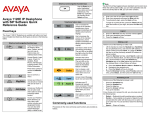
Table 3: Menu items accessed during an in-call session through
context-sensitive soft keys (Part 8 of 10)
Item
Prefs
Function
2. Audio—use to adjust tones and
volume settings, to configure a
USB headset, and to access the
Bluetooth wireless technology
setup.
3. Feature Options—use to
configure the following:
— Feature keys
— Call Decline Reasons
— Call Ignore Action
— Call Subjects
— Call Fwd Notification
— Answer Mode Settings
appear when the Auto
Answer Mode is enabled on
the IP Deskphone.
4. Language—use to change the
interface language.
5. Misc Options—use to access the
following options:
— Alpha Dialing
— Search Method
— Incoming Privacy
— Outgoing Privacy
— # Ends Dialing
— Hold Mode: Private
— Time